
.svg)


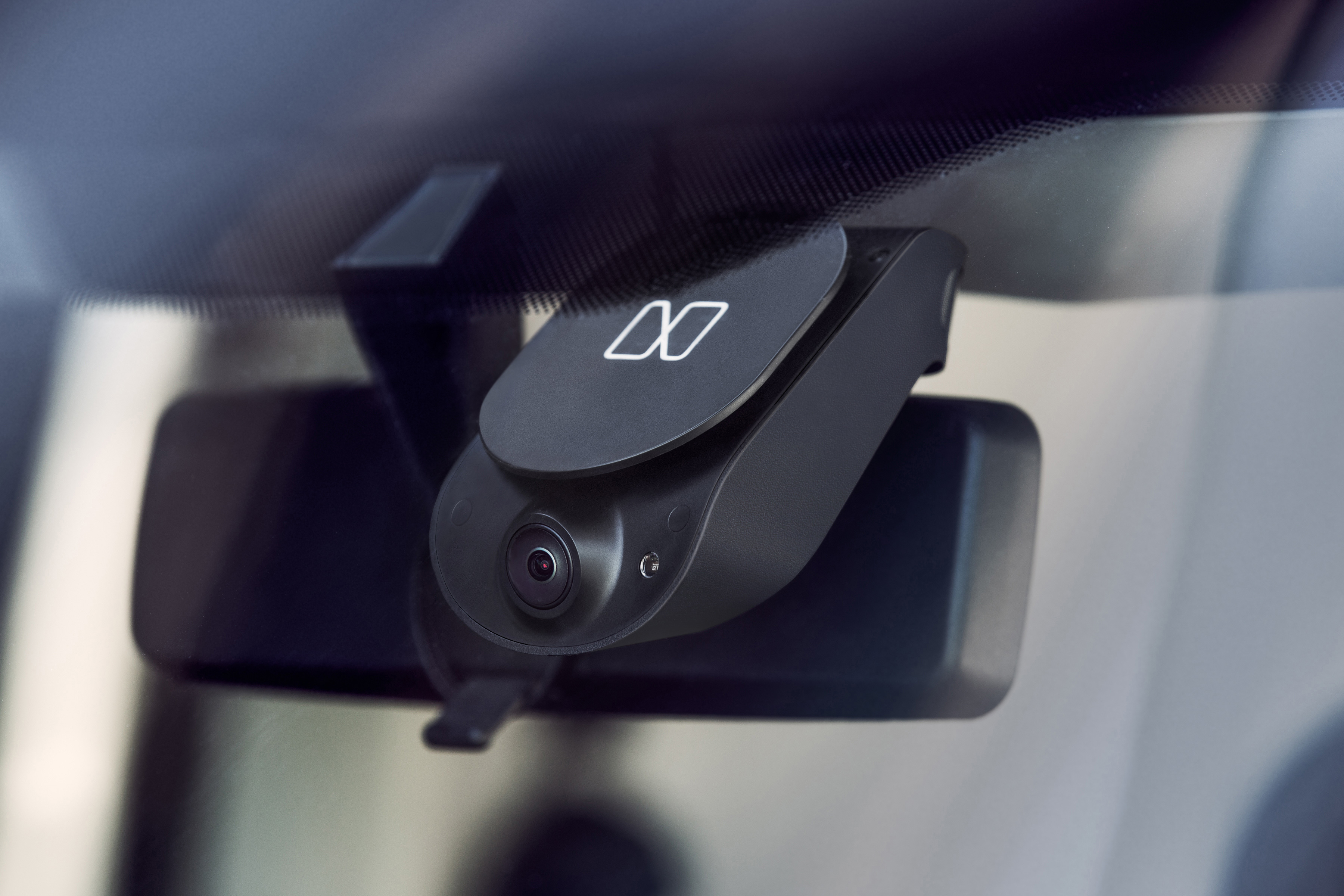

Smarter, safer, data-driven driving
Designing an AI-powered dash cam system.
Nauto, a startup in the automotive industry that’s building a system to help make driving safer and smarter, approached IDEO to collaborate on the design of their latest device. It includes a proprietary dual-camera system that can be directly installed in just about any vehicle to enable safety features. Through real-time data analysis, high-definition recording, and LTE connectivity, Nauto’s device records and analyzes activity inside and outside the car, and automatically uploads information to a smart cloud.
The device can detect if drivers are distracted based on their eye and head movements, risky maneuvers such as tailgating or swerving, and dangerous environmental conditions such as unexpected obstacles. In these scenarios, the product alerts the driver through audio feedback inside the vehicle.
Over time, the data collected by Nauto reveals bigger insights and trends in driving behavior, ranging from causes of collisions to patterns in driver distraction. These insights are stored in a secure cloud platform and made accessible to both drivers and fleet managers. Drivers can benefit from Nauto’s VERA score—personalized feedback based on their driving performance—and fleet managers can gain access to a complete picture of how each of their drivers are performing across locations. Through these data-driven insights, Nauto gives drivers and fleet managers the tools to stay safe on the road.
To help launch Nauto’s device, IDEO prototyped several iterations of the product’s housing, cabling, and ergonomics, resulting in a clean aesthetic and an easy installation process for users. The engineering team also prioritized materials that would protect against extreme temperatures and sunlight exposure. Most importantly, IDEO helped design a camera device that can be seamlessly integrated into almost any model of any vehicle, greatly expanding its potential in the market.
Nauto’s latest system began rolling out to commercial fleets and strategic OEM and Insurance partners in late 2016.

Photos by Nauto.
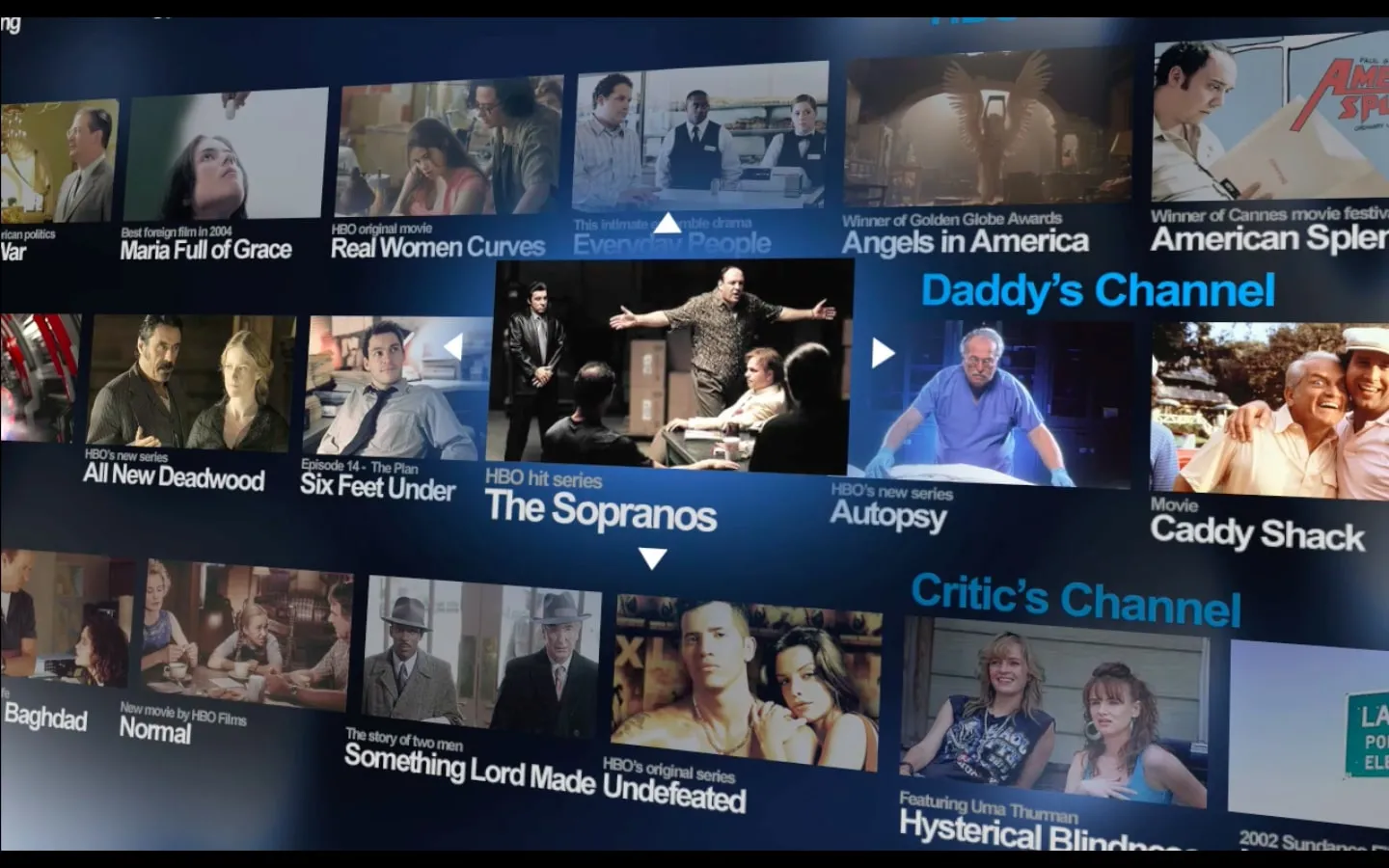
Designing the future vision for HBO
Navigating an uncharted media landscape.
Most people are used to watching their favorite shows whenever and wherever they want these days. But 10 years ago, that wasn’t the case. Far ahead of the curve, HBO realized the potential for carving out its own audience, and created one of the first original on-demand offerings that allowed viewers to cut the cord from cable and satellite providers. HBO came to IDEO for help in navigating the future of its audience experience that would be distinguished from cable, and would put full control in the hands of the viewer.
With special emphasis on HBO’s Video On Demand offering, IDEO began early-phase research to explore people’s experience with the media brand and found that it centered largely on the viewing of HBO shows, the most critical part of the media experience. But other important media-related activities—learning about new shows, planning to watch new shows, creating the right viewing environment, saving and sharing viewing experiences—were either underserved or controlled by HBO’s cable and satellite partners. IDEO concluded that HBO’s challenge would be to develop a media service that holistically addressed the media consumer’s entire journey and allowed subscribers to experience HBO wherever and whenever they wanted.
To demonstrate the value of the entire media consumption journey, IDEO created a comprehensive product development and user experience vision. This vision was delivered in the form of an immersive environment, built on-site at HBO, which conveyed key customer values and behaviors and presented a roadmap for building the appropriate products and services. Included in this roadmap were future scenarios and tools that invited prototyping and exploration.
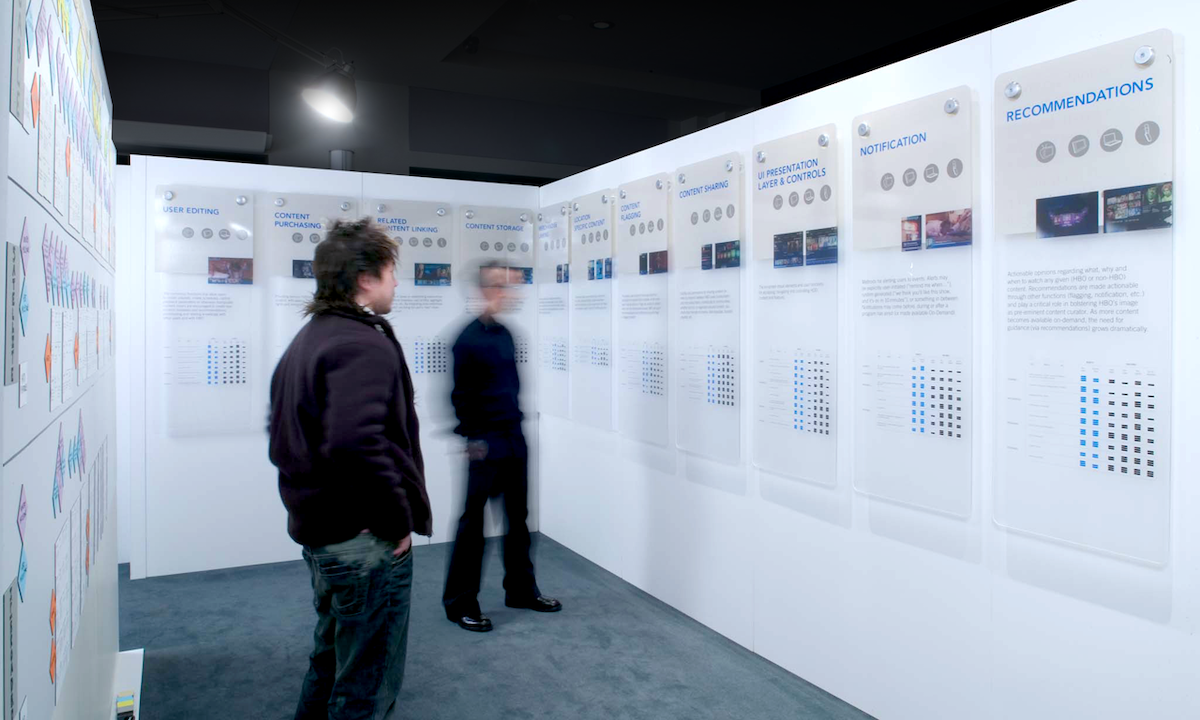
"The collaboration was foundational for us, serving as our guidepost for creating more personalized on-demand and online viewer experiences. This early work influenced what would become our streaming presence—from categorization to how the products rolled out—and ultimately led us to design the next generation of user-inspired products for a more highly engaged audience," said Bernadette Aulestia, Executive Vice President of Global Distribution at HBO.
In the 10 years since the original collaboration with IDEO, HBO has pioneered the path forward for media brands by setting the standard for a world-class array of content and accompanying viewer experience model.
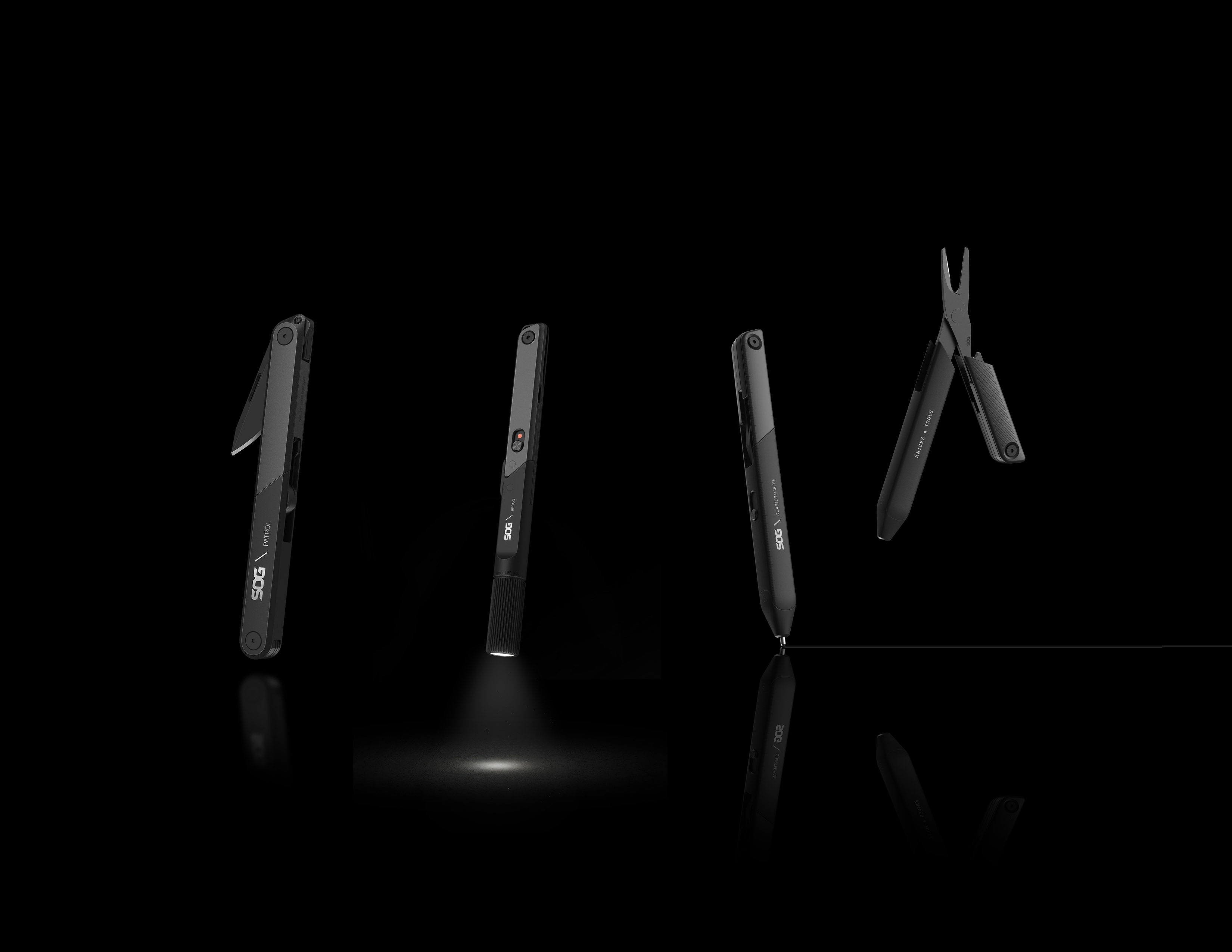
Sleek tools for everyday use
Designing a new family of multi-tools that fits every lifestyle.
While the designs of most cutting tools have evolved significantly over the years, multi-tools have remained largely the same. Recognizing this gap, SOG, an established leader in the specialty knife industry, collaborated with IDEO to identify new opportunities for innovation in the multi-tool space. The teams specifically aimed to expand SOG’s offerings into a more general lifestyle category and position them as adaptable tools for people’s everyday needs.
IDEO's research and industrial design work resulted in a family of four new multi-tools known as Baton. A sleek, black, minimal design ties together the complete set of tools, whose features vary to include bottle-openers, flashlights, scissors, pens, and pliers.
Each multi-tool’s range of capabilities, combined with its slim, compact structure that looks like a pen, makes it a travel-friendly companion for the office or the great outdoors. And its intuitive design makes it easy to use for anyone, regardless of their experience with multi-tools.
SOG’s new family of multi-tools launched in January 2017.


Reimagining career colleges for the 21st century
Redesigning for-profit career colleges into models for student success.
Every year, millions of students attend career colleges with hopes of landing jobs after graduation, but many end up unemployed and in debt, evidence of a significant disconnect between the goals of the students, educators, and institutions. Administrators are tasked with getting students in the door, but not getting them to graduation and students are focused on getting a degree to secure their future employment, while employers are looking for graduates who have professional skills beyond their new degrees.
In an effort to change this failing model, the ECMC Foundation engaged IDEO to help design a radical new vision for the future of career colleges. IDEO and the ECMC Foundation sought to develop a vision that could be used as a benchmark for the sector, showcasing a student-centered educational experience with a business model that aligns students, employers, and institutions as partners in advancement.
At the heart of the student experience is extended support along the learning journey, from path-finding and job placement to ongoing career support for alumni, helping students mindfully navigate their education from matriculation through employment.
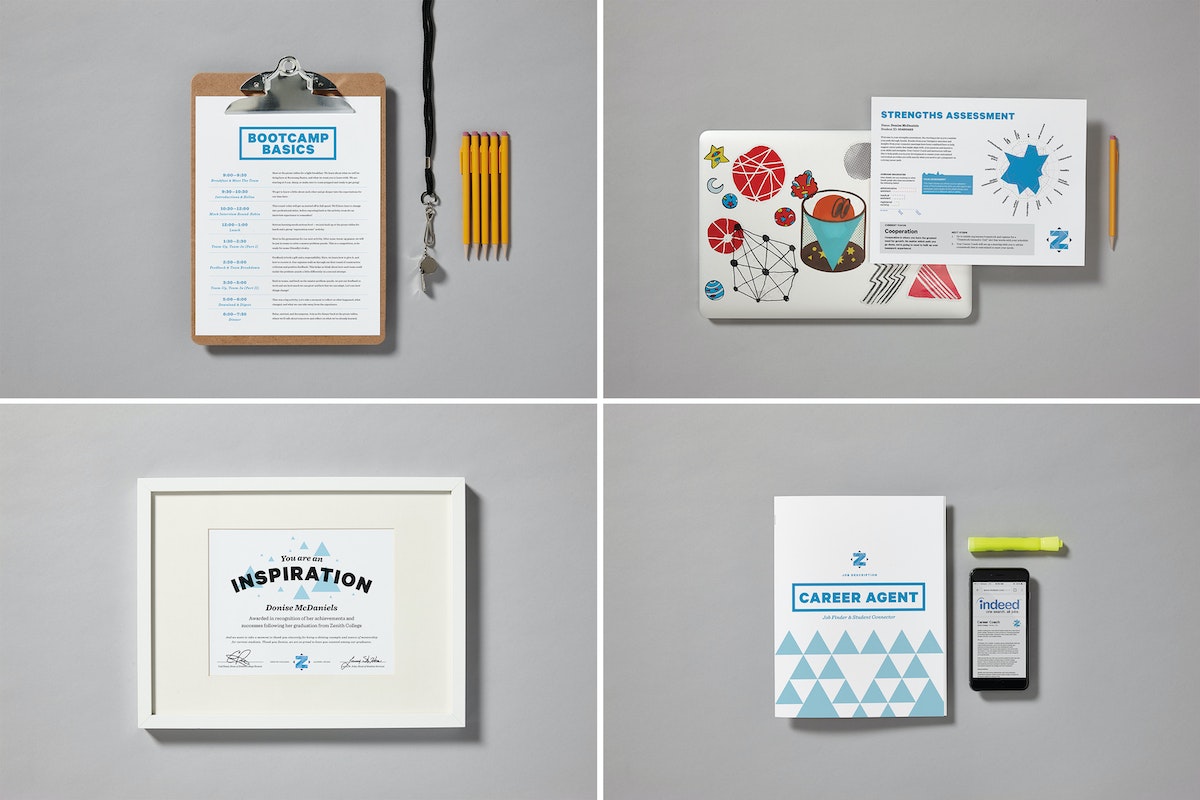
A key insight on the employer side was the need to prioritize the parallel development of students’ soft skills—like collaboration and communication styles—and hard skills, ensuring graduates are not only properly trained in the unique skills of their chosen career path, but also prepared to adapt to professional environments.
Institutional accountability became a core factor in the vision, directly linking the college system’s success to the student experience: as job placement improves, so do the school’s earnings and future enrollment rates. The final result is a student-centered educational experience and business model that aligns students and schools as true partners in a better life.
Key elements of IDEO’s recommendations are being implemented as pilot projects at Zenith Education Group—a nonprofit provider of career school training, funded by the ECMC Foundation.
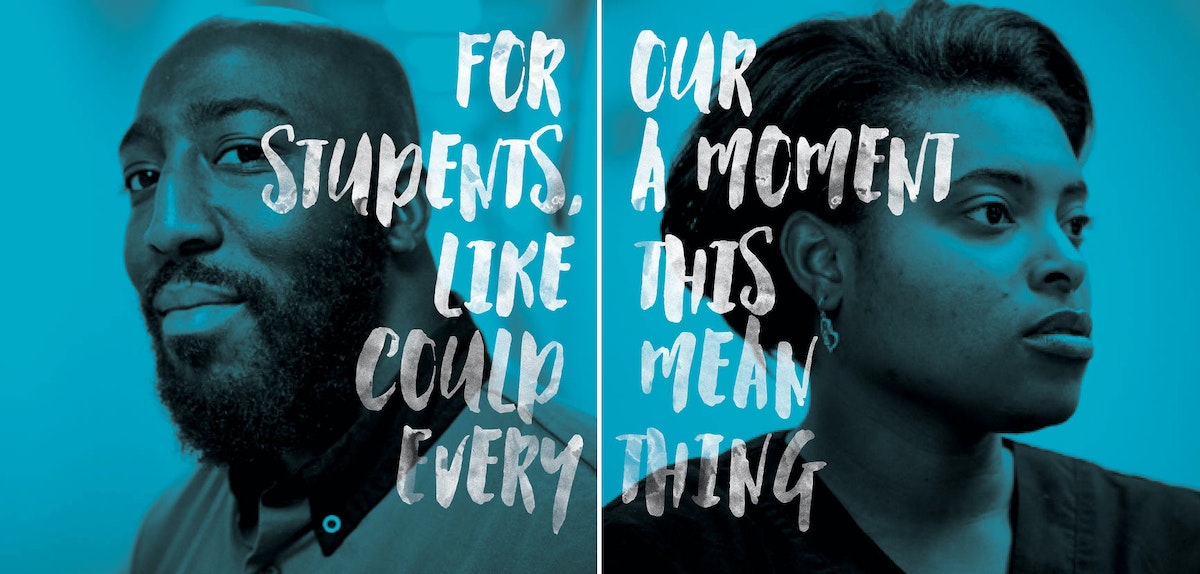
Many students have the motivation to pursue higher education, but are dealing with external pressures and realities that make completion challenging.

5 Exercises That Break Down Barriers
How to get comfortable in a room full of strangers
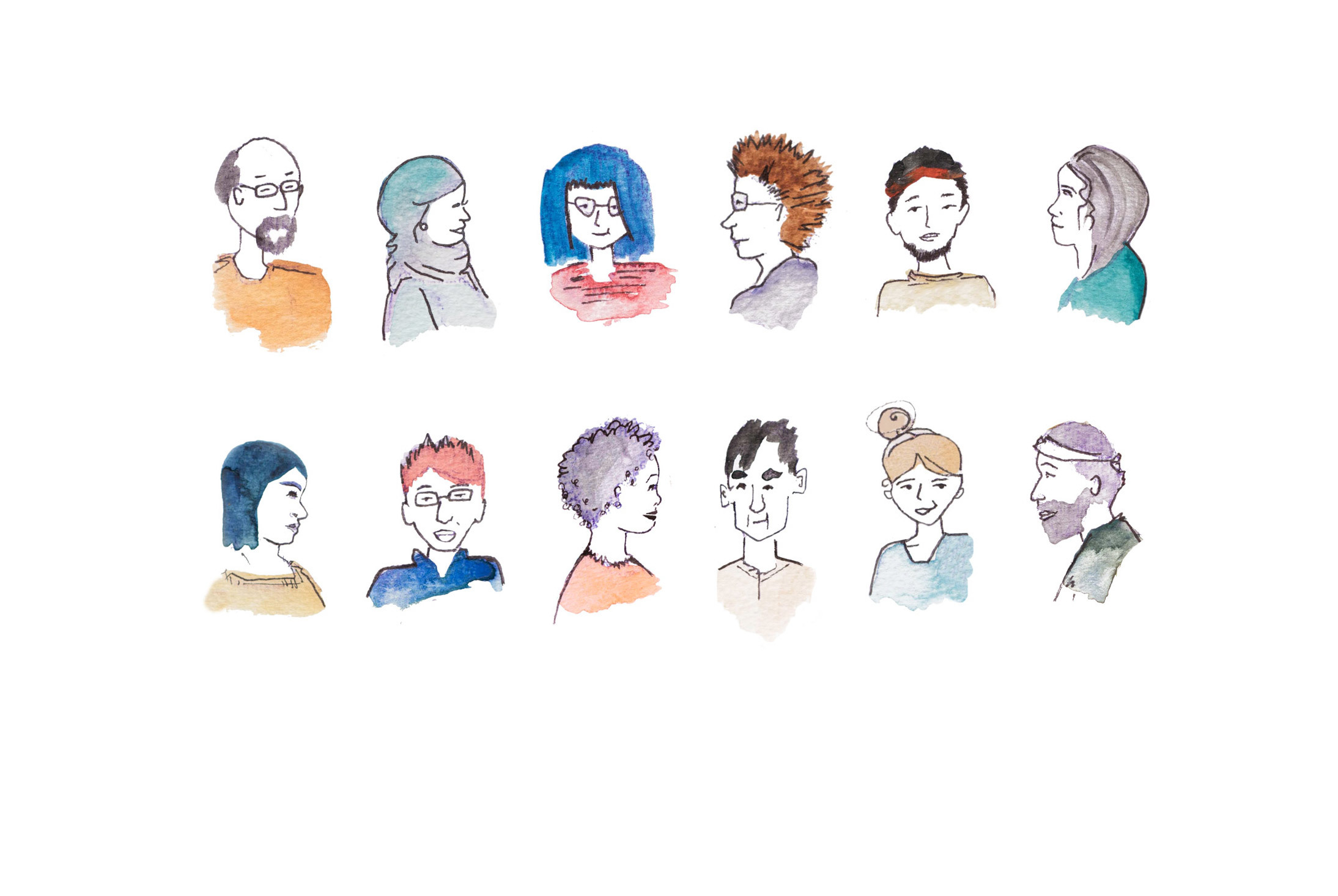
Inspired by the New York Times’ piece on How to Fall in Love with Anyone, I reached out to my fellow IDEOers and asked about some of their favorite ways to break down barriers when meeting new people—especially in a group setting. They showered me with activity ideas.
Here are my top 5 favorite ways to break down barriers:

1. 3 Things in 3 Minutes
Everyone partners up with someone, ideally a person they don’t know well. Each pair has three minutes to discover three things they have in common that go beyond the obvious, like “We’re both in this room together,” or “We’re both wearing glasses.” After three minutes, everyone shares what they’ve learned with the group. Discoveries get pretty specific and have ranged from “We both have an adopted 11-year-old daughter from Guatemala” to “Our moms went to high school together in Detroit!”
2. Whose Life Is It Anyway?
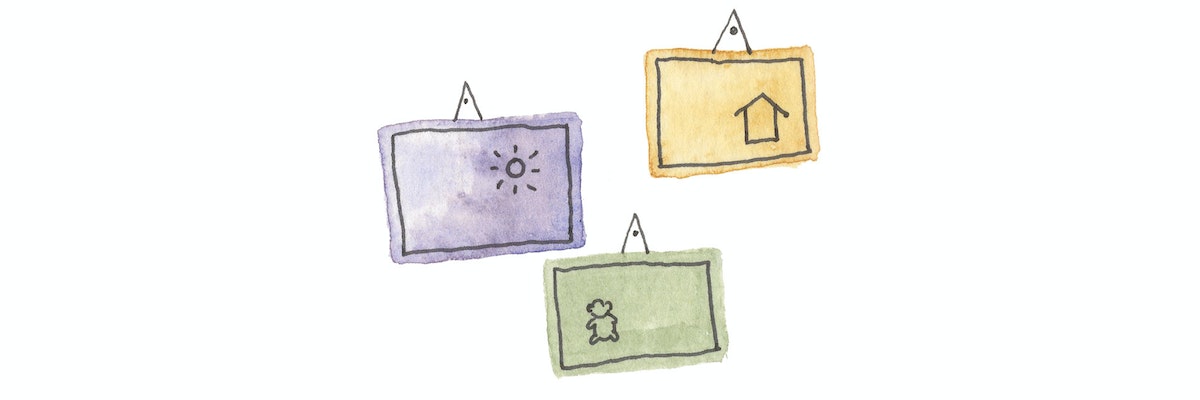
Each person brings photos of their life (house, room, stuff, friends, etc.). The only rule is they can’t be in the images. When the group comes together, each person puts up their photos, and everyone has to guess whose life is whose. After each person is revealed, they have an opportunity to share a few components from their lives that are represented in the photographs.

3. Grouping Game
Create a series of categories that a group can use to organize themselves. They might be as simple as “cat person or dog person” or “Mac user or PC user,” or provide a bit more context about people’s background, such as “oldest, middle, youngest, or only child” or “religious or non-religious.” Once you have a handful of categories, call them out one-by-one, and have people form groups based on how they identify. For each round, have people ask one of the other questions of another group. By the end of the exercise, they will have been part of a dozen or so different “communities,” each comprised of a different set of people.
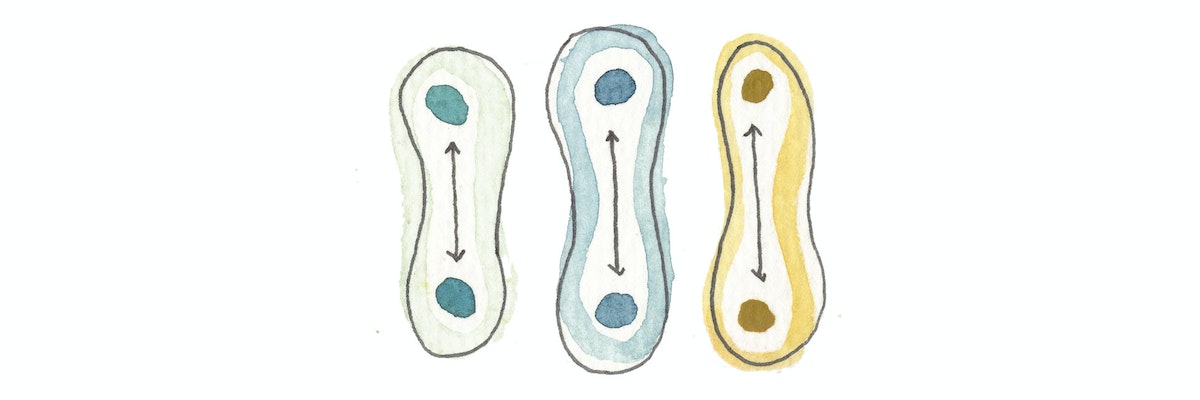
4. Acknowledgement Line
Have the group form two lines facing each other. Then, have them partner with the person they’re facing and take turns following these prompts (even if you know nothing about them):
- What do you want to know about this person? (Curiosity)
- What do you appreciate about this person? (Appreciation)
- What do you want to share about yourself with this person? (Acknowledgement)
- What can you contribute or give to this person? (Contribution)
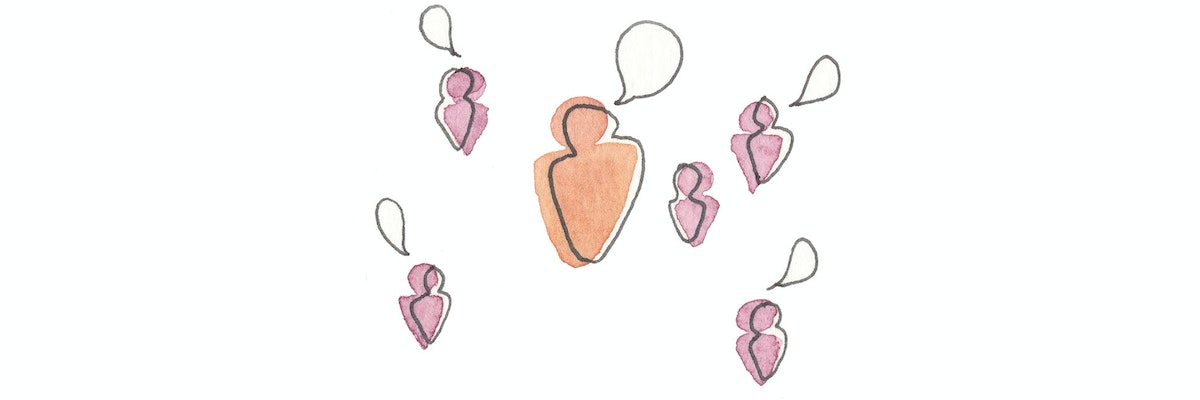
5. Uniqueness Share
Each person takes turns sharing a fact about who they are or what they've done. If someone else in the room has done it before, then the person sharing needs to come up with another fact about themselves. So, if one person says, “I biked across the country,” and someone else says, “I’ve done that too!” then you would need find another fact, such as “I lived in Thailand.” Keep going until you find something that is truly unique about each person.
Any one of these exercises will help bring a feeling of common humanity into view. So, next time you enter a room full of strangers, save the cheesy icebreakers and admit that you’re a cat person instead.
Thanks to Mollie West Duffy, Neil Stevenson, Deirdre Cerminaro, Caryn Voskuil, and Heather Currier Hunt for their contributions.
Walking into a room of strangers can feel daunting. Small talk is hard enough, and it’s even trickier to delve into deeper topics right off the bat. I chuckled when I found out that the Dictionary of Obscure Sorrows has a term for the realization that every person has a story as complex as yours. But how do you unlock those stories with someone you've just met?
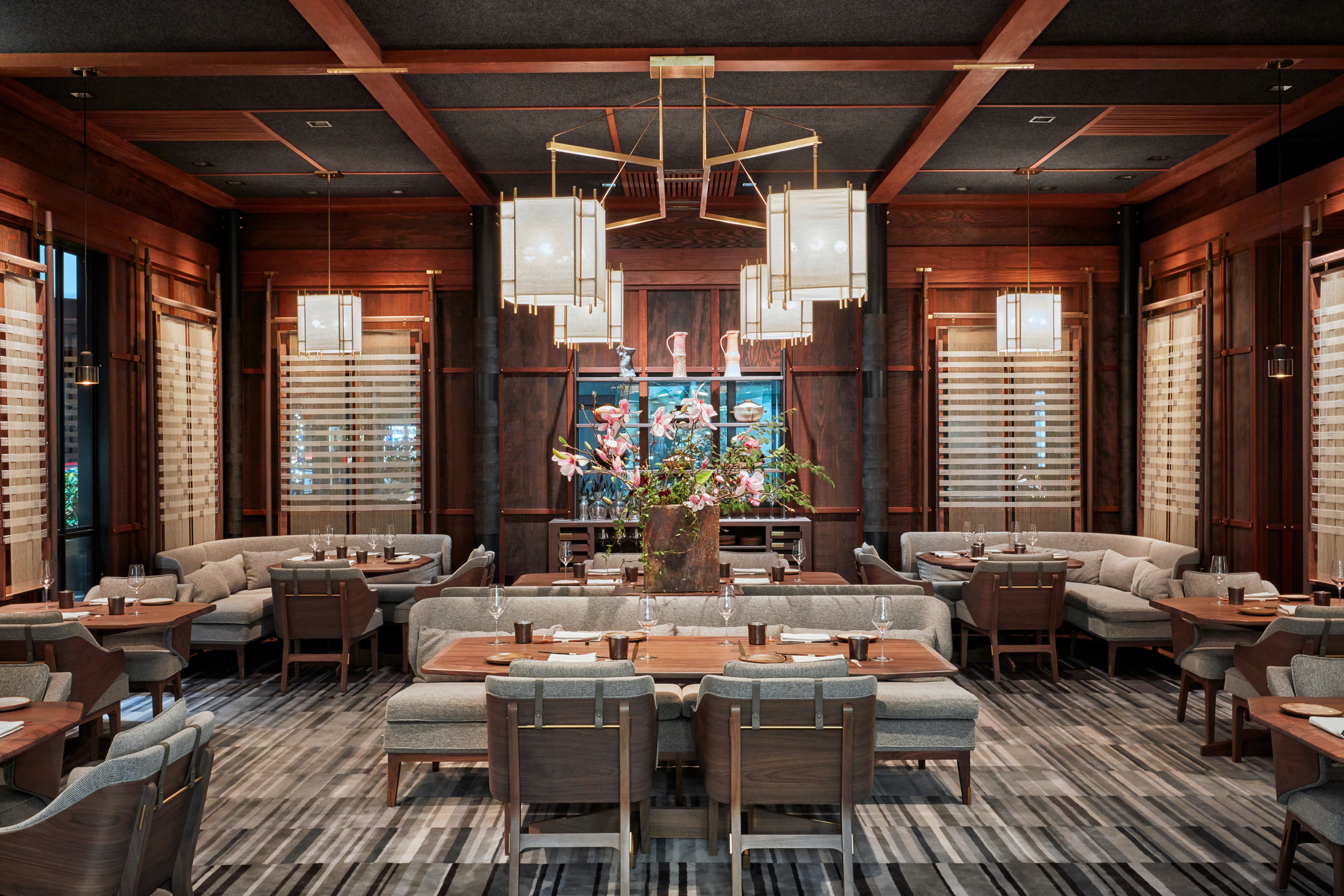
3 Design Lessons From a Dream Hotel
What I learned about hospitality from SingleThread Farms
Working in food and hospitality design, I’m always on the lookout for what's new in the space. So, the moment I heard about SingleThread, I booked a night for my husband and me as an anniversary gift.
I suppose it’s an occupational hazard that I couldn’t help but notice the thoughtfully considered details that give SingleThread its hospitality superpowers. We were swept off our feet personally, but I also walked away with design insights that I took back to work.
At IDEO, we look to extremes for inspiration—people, brands, or environments that exaggerate specific behaviors. When we designed a line of ergonomic kitchen tools, we prototyped with both sous chefs and with those suffering from arthritis. Edge cases reveal what is or is not working, helping us generate opportunities for innovation.
SingleThread is most certainly an edge case. The name says it all—their vision is highly crafted, and a thread of that vision is woven into every detail of the experience.
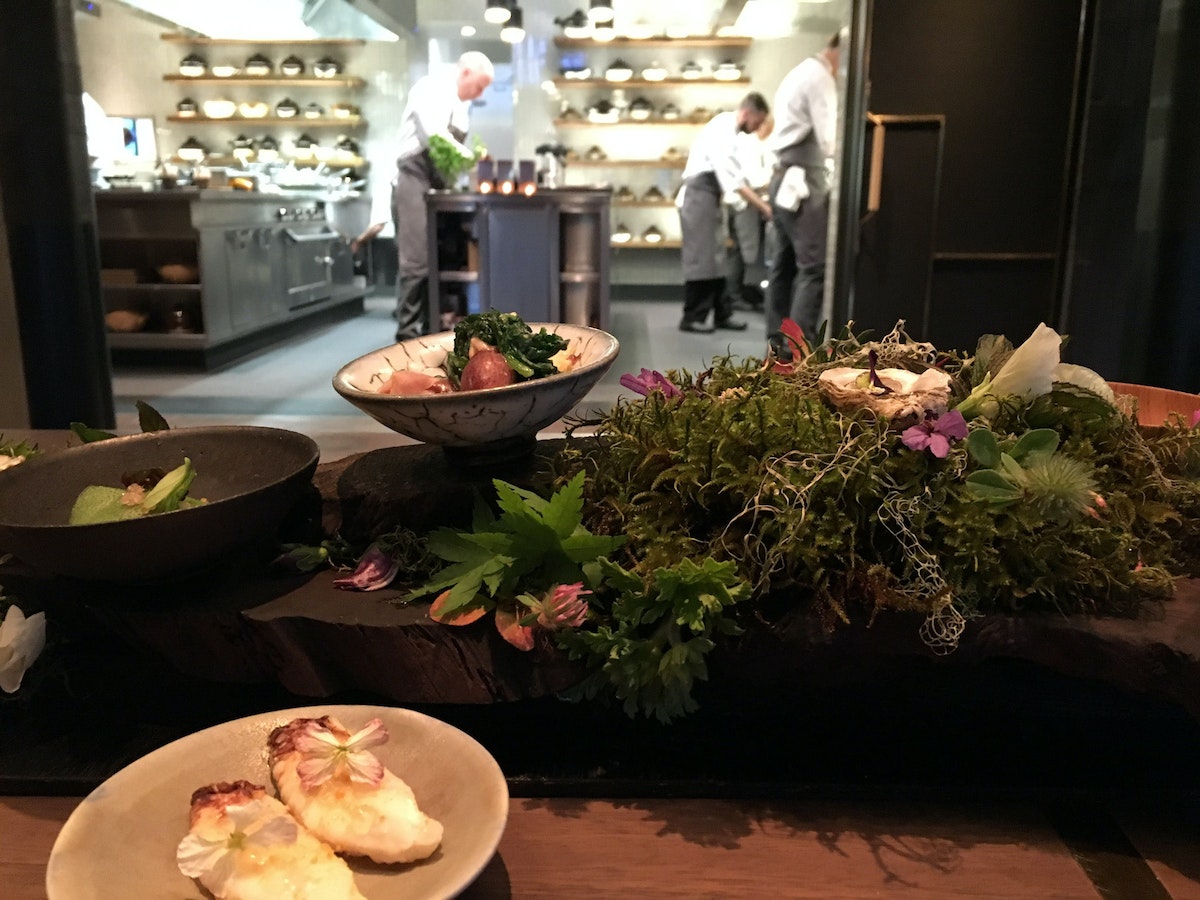
3 lessons SingleThread Farms taught me about designing modern hospitality:
1. Don't tell your brand story, weave it in
At some hotels, the brand or theme takes over everything. Sweden’s IceHotel, Japan’s Robot Hotels, Underwater, and Disney's Star Wars hotel might be fun once or twice, but they're less about a tailored guest experience, and more about their own story.
To say that SingleThread’s theme is “farm to table” would be a gross oversimplification. The larger purpose, as its creators Kyle and Katina Connaughton shared with us, is “to be an extension of our home.” That is demonstrated in every detail, from the open kitchen serving a kaiseki-inspired menu that changes with the micro-seasonal produce Katina has pulled out of the ground that day, to the guest rooms upstairs, where the mini-bar is replaced by a curated selection of gratuit handmade snacks and beverages.
About halfway into our 11-course dining journey, we were presented with a basket of mismatched sake cups and invited to “choose one that speaks to us.” That was a first.
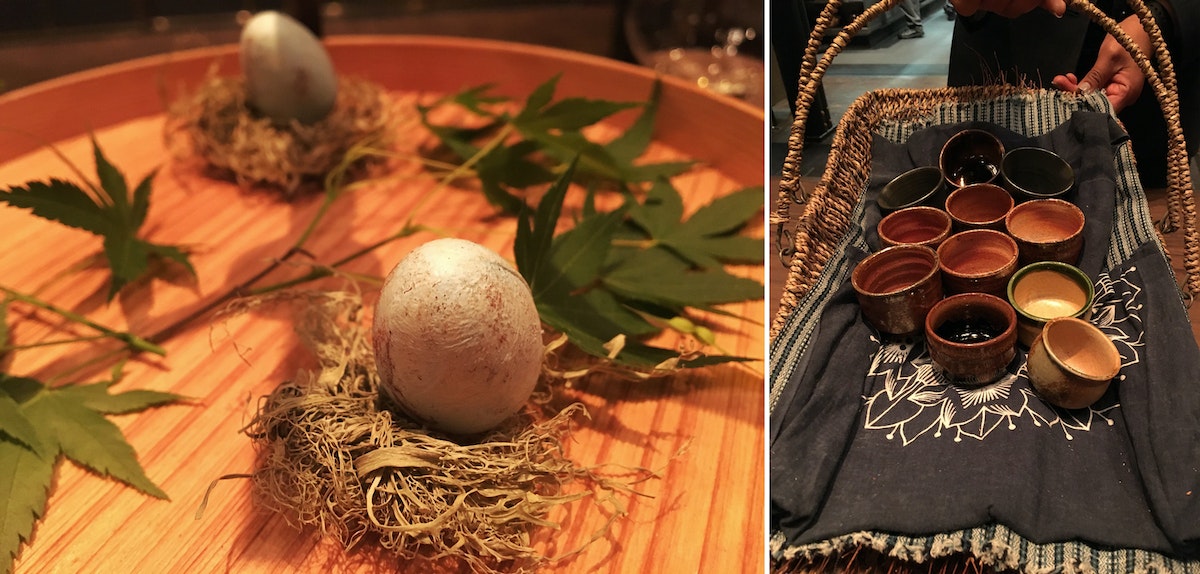
2. Aim for personal, not personalized
Personalization, the longstanding holy grail of the hospitality industry, is being reframed in the sharing economy. Airbnb's “belong anywhere” message is made real by guided experiences that help guests feel at home in the local culture.
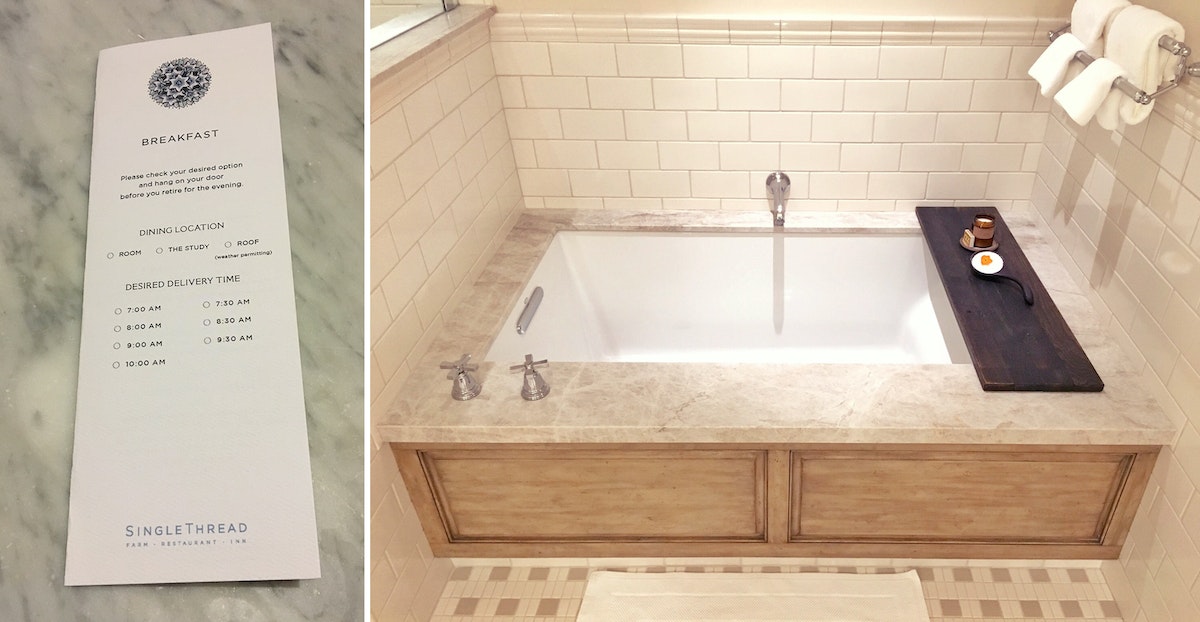
SingleThread builds in degrees of freedom that make the experience feel personal, not programmed: A towel hook thoughtfully placed just outside the shower door so you aren’t left to tiptoe across the floor, a wooden ladle atop a tray over the bath, pre-filled with soaking salts.
At a nightly pre-dinner meeting, the staff reviews guests’ bios and dietary requests so they can adjust the dining experience in a seamless, subtle way.
3. Put smart tech in a supporting role
Tech features in hospitality are growing fast. From Disney’s MagicBands to mobile check-in apps, hospitality providers are looking for new ways to meet guests’ needs.
SingleThread has mastered hidden tech, integrating just enough to create a highly sensual, human-centered experience that connects them more deeply with their guests.
Guests prepay through a reservation ticket system called Tock, so that any transactions that might take them out of the moment—tipping the bellhop, front desk check-in—are removed from the equation.
A front door camera helps to ensure you are greeted by name when you walk inside.
For keyless entry into your room, you’re invited to create your own passcode.
Each room is equipped with a Teforia tea system that calibrates the exact time, temperature, and amount of water needed to brew you the perfect cup.
These smart tech moments aren't show-stoppers. They're there to remove friction from the experience.
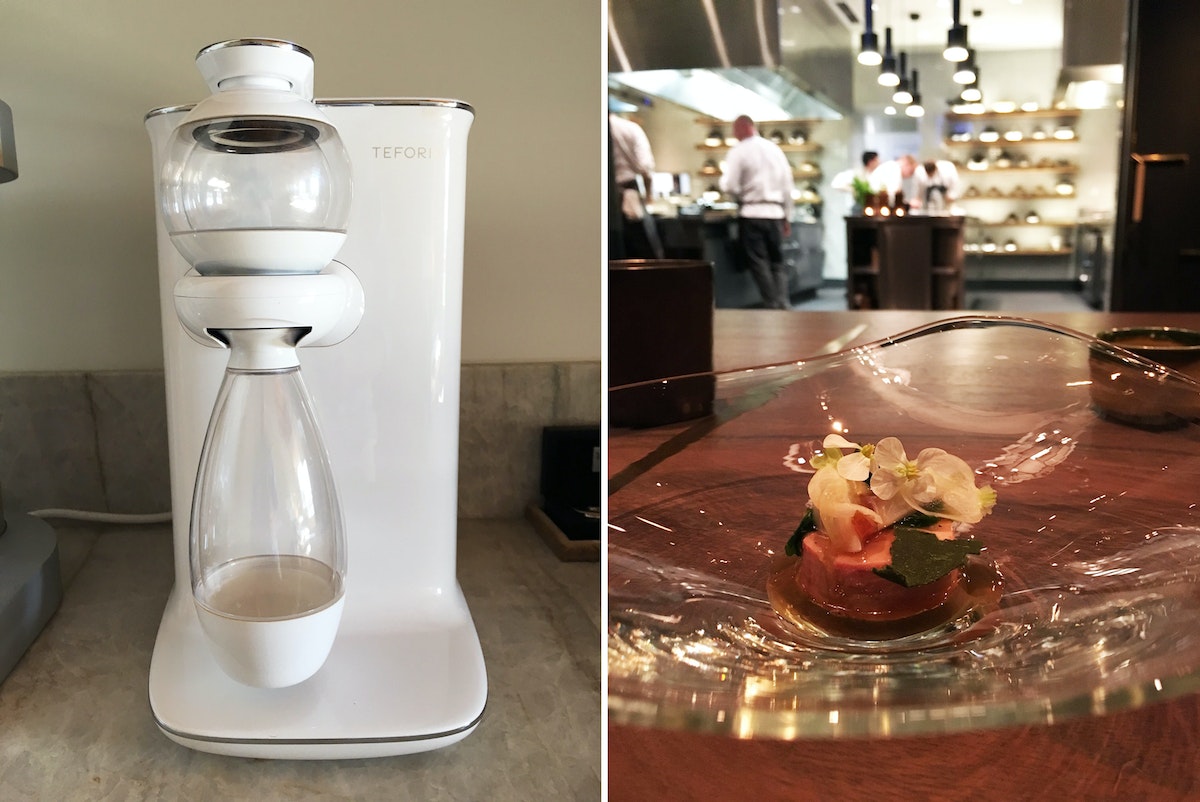
Though SingleThread Farms is a boutique hotel, it doesn’t take five stars, or dollar signs, to show guests you truly understand their needs. It was the small design moments that made our stay an experience I (and my marriage) will never forget.
Have your own outstanding hospitality experience to share? Share with me on Twitter @MeijaJ with the hashtag #HospitalitySuperpower.
Header image by Garrett Rowland.
Where would you like your breakfast served? Your room? The study? The roof? This was the kind of tough decision I faced during my stay at the SingleThread Farms, the highly anticipated inn and restaurant that opened in Healdsburg late last year. After the 90 minute trek from San Francisco, I was welcomed by name and guided to my room, where I tapped a code I’d made up for keyless entry. I never touched a credit card during my stay.
This Artist Takes Weaving to a Whole New Level
Mimi Jung is pushing the boundaries of textile arts
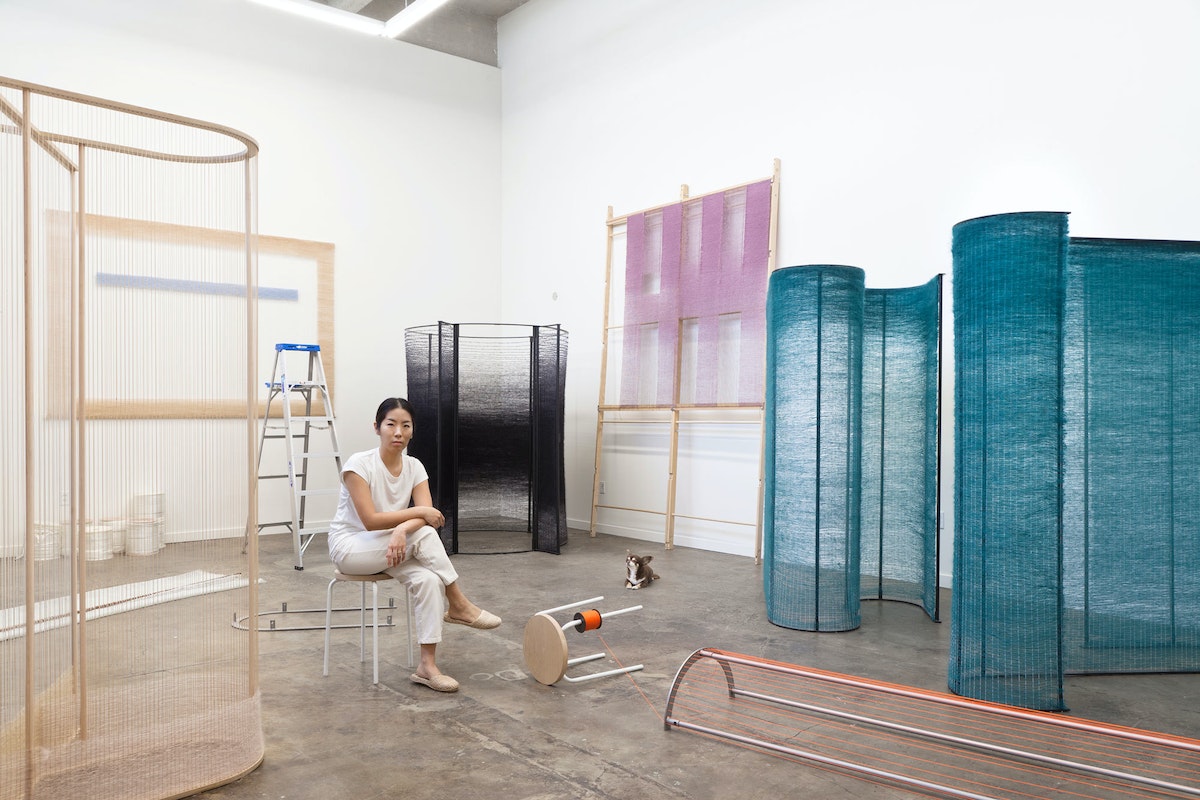
In one sentence, who are you?
Someone who isn’t ever too embarrassed or ashamed to try.
What do you do? How did you learn to do it?
I make work that’s hard to explain to Lyft drivers. The long explanation of how I learned it would be based on a class I took at Cooper Union, my inability to work for others, and a creative yet rough upbringing. The short version is this: Six years ago during a creative drought, I took a few workshops, and basic weaving was one of them. I walked away from it regretful and uninspired. In an effort to salvage the money I spent on the class, I started a project with my new skill set. I broke all the rules I had learned and created my own, and that’s when everything fell into place.
3 favorite possessions?
My dogs, Truffle, Stitch, and Sunday.
What does a typical work session look like?
On average, when I’m not under a heavy deadline, I put in about eight hours of studio time. I enjoy working alone, and often in silence.
How do you get over creative block?
I focus on improving my personal life. Usually that’s where I'll find the source of the block.
How do you see the world in 2078?
I’m no longer going to four different supermarkets to get my groceries because I’m dead. In all seriousness, I would like to think that in 2078, a former foster kid will become or already have been elected president of the United States.
What’s your number one bucket list item?
Design my own home/studio on 20+ acres of land.
Who are you creative crushin’ on lately?
My current crushes are Natalie Herrera, Linda Lopez, Ellen Van Dusen, Mimi O Chun, Rami Kim, Dina Satti, and the ladies of Egg Collective.
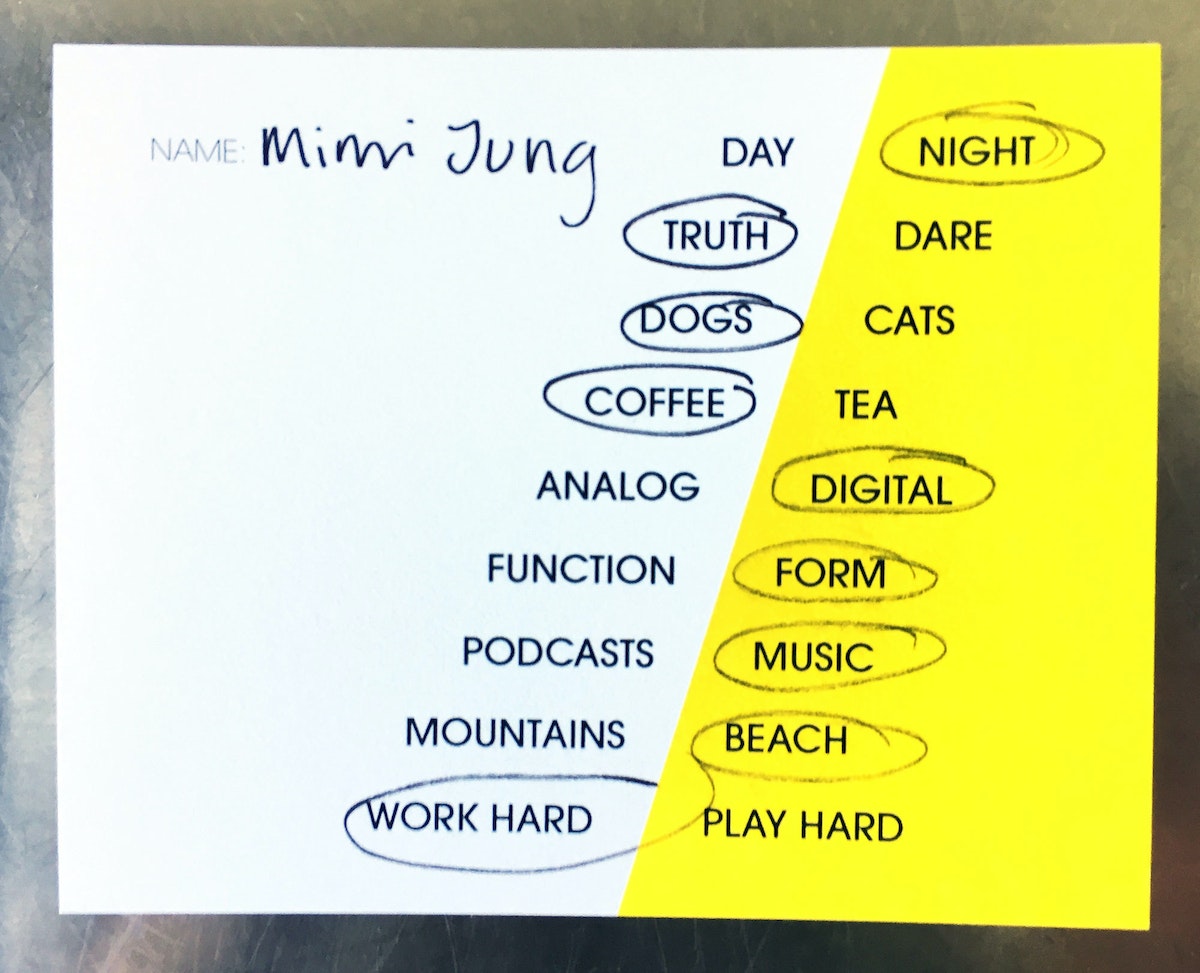
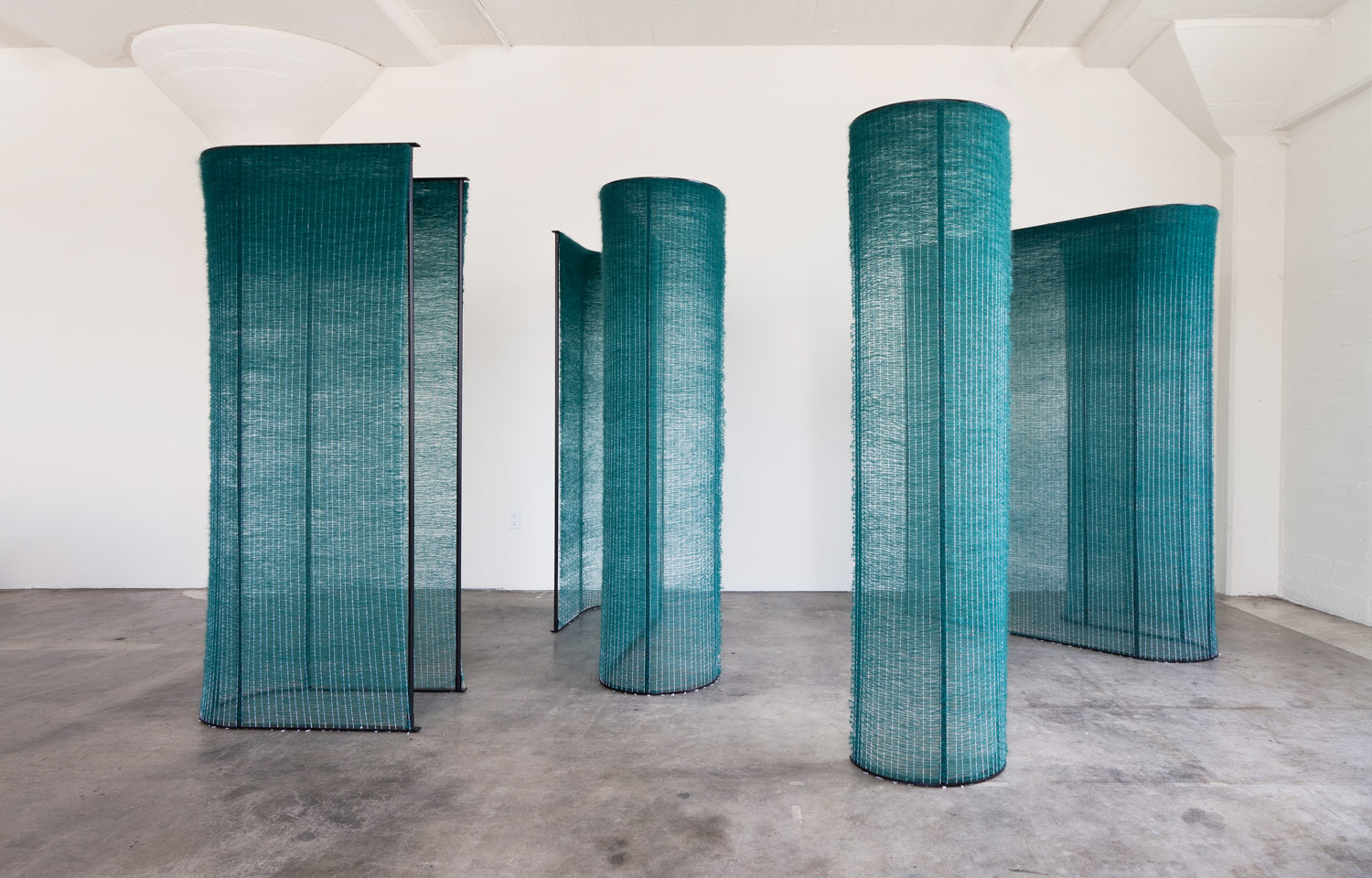
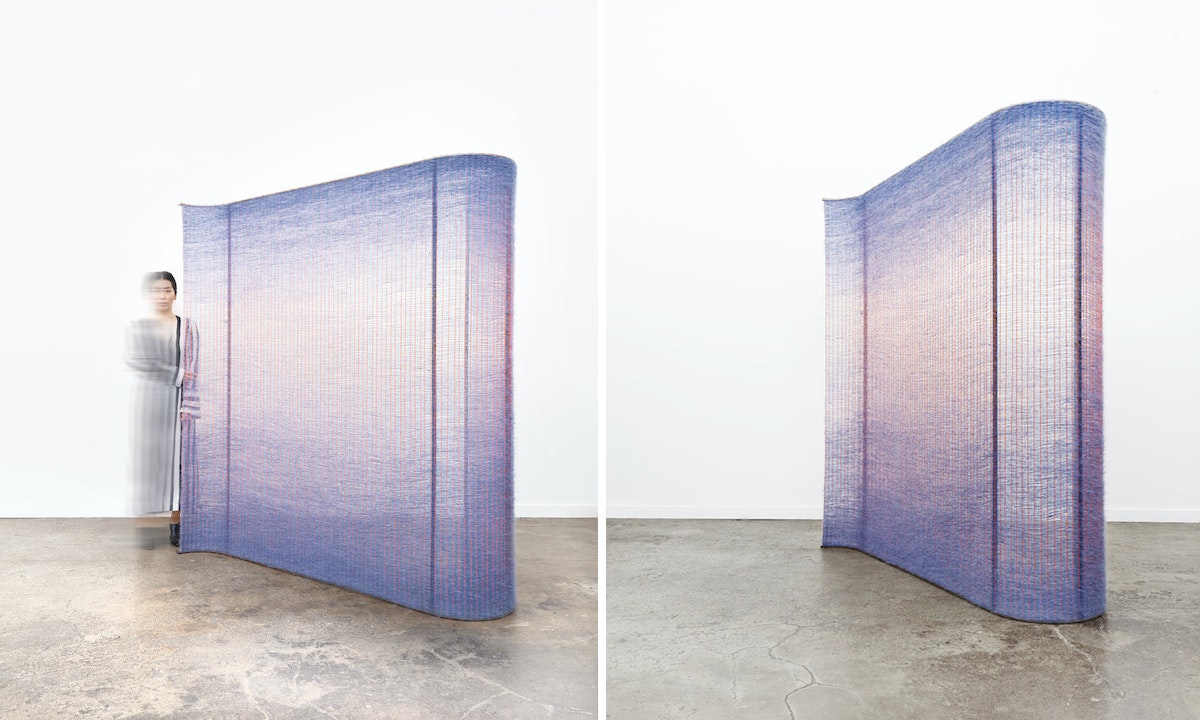
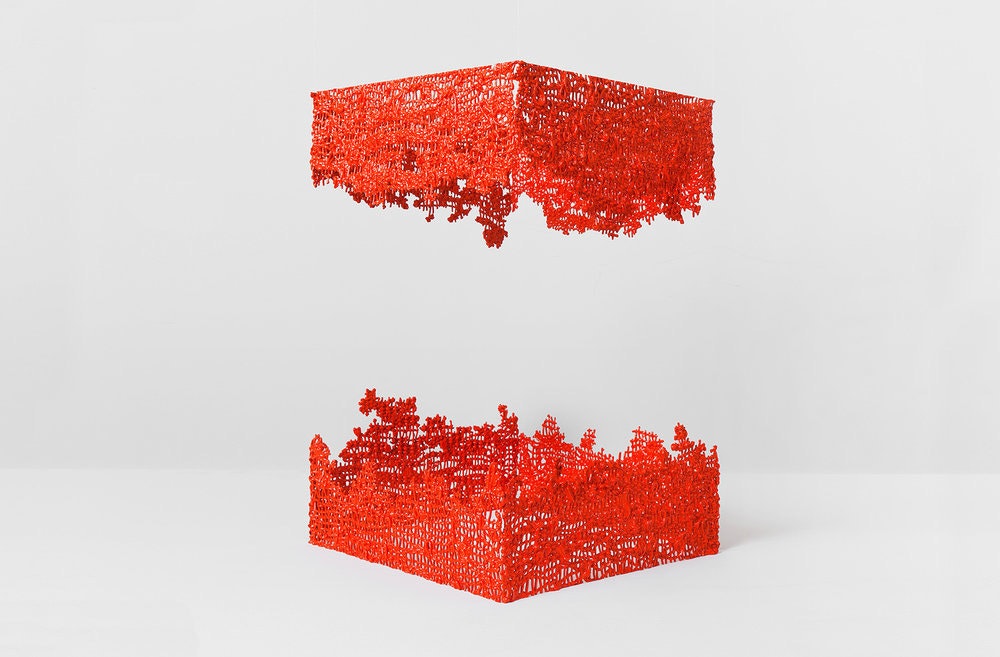
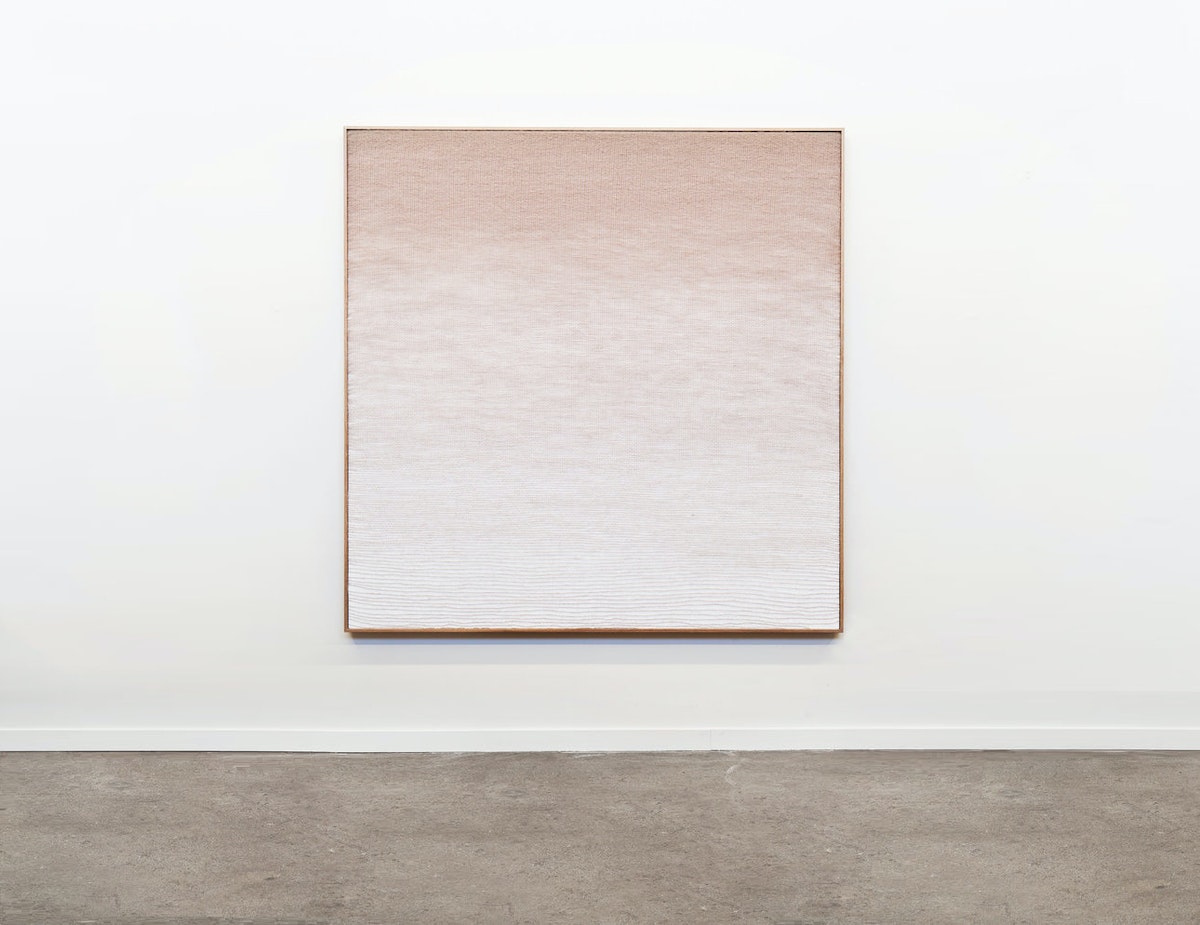
A few years ago, while taking weaving classes in Brooklyn, I stumbled upon Mimi Jung's textile works and was transfixed by their sculptural nature and Mimi's painterly ability. She was accomplishing something with fibers that I had been struggling—and failing—to capture on canvas for years. I've been following her prolific pursuits ever since, and draw on them often for inspiration, so I jumped at the opportunity to get to know Mimi for our Creative Crushes series. Her latest and greatest works continue to push the boundaries of what we know is possible in fiber arts, and it turns out, she's not just a fantastic artist, but a pretty amazing woman too.
Get Inspired by 5 Great Film Title Designers
How I learned design principles from going to the movies
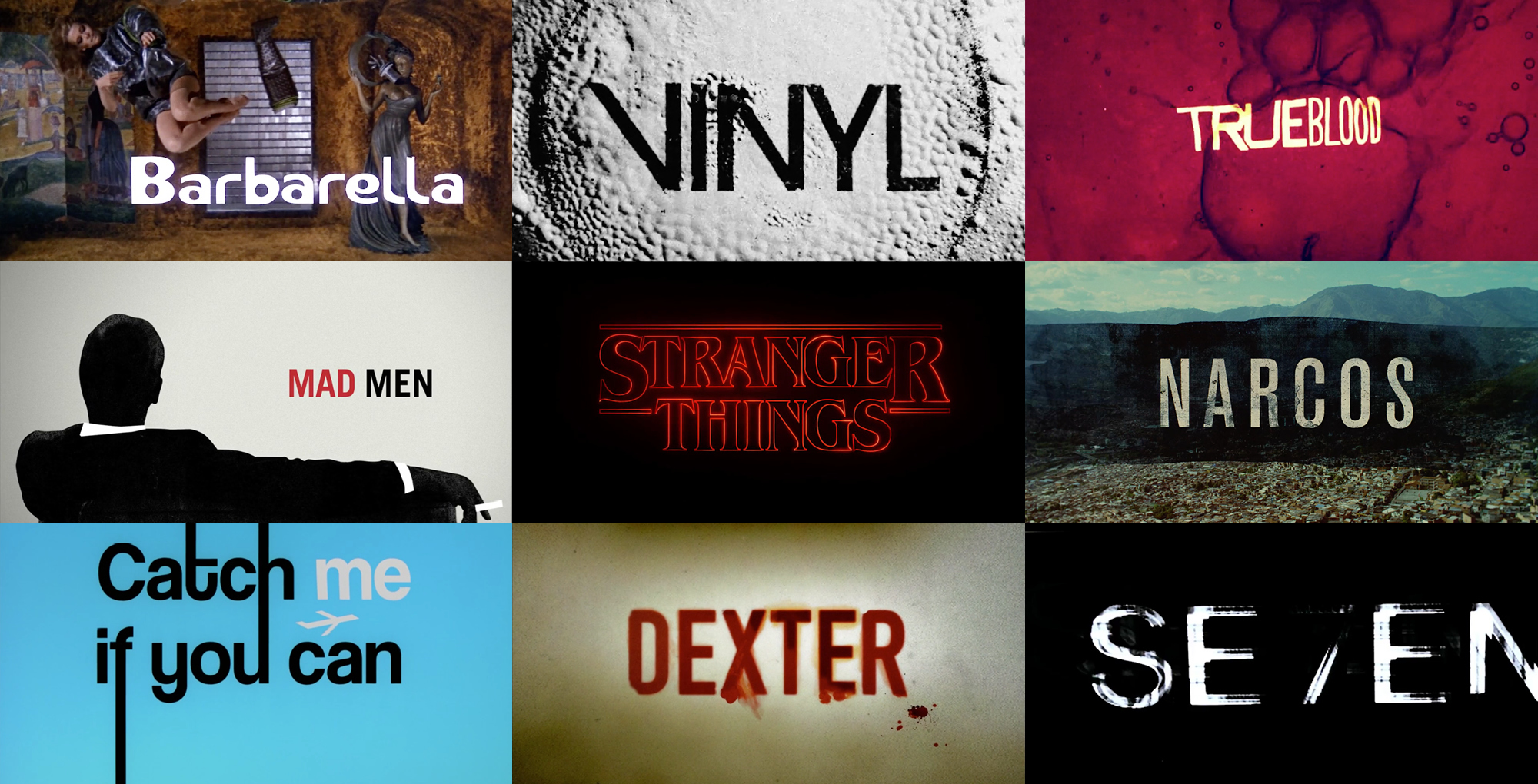
Before you ever see a movie or watch a TV show, it’s likely that a title screen from a trailer or poster art has gotten you there. As a UX designer, the art of the film title has always inspired me and shaped the way I think about branding and design. Here are the title creators (and one typographer) who have inspired me:
1. Saul Bass
Saul Bass is among the pioneers of title design. In 1955, his title sequence for Preminger’s The Man with the Golden Arm made him famous. He then went on to design for Alfred Hitchcock, Stanley Kubrick, and Martin Scorsese. His work showed that the first minutes of a film are of great importance. When played right at the beginning, titles serve as an overture, foreshadowing part of the story, mood, or theme. It’s a dramatic device that puts the audience in the world of the movie before they even start watching it.

Opening title sequences by Saul Bass.
Bass put it this way: “I saw the title as a way of conditioning the audience, so that when the film actually began, viewers would already have an emotional resonance with it.” It's helpful advice for anyone designing a title page, presentation, or home screen. With those elements, title designers prepare audiences for what they're about to see. “Try to reach for a simple, visual phrase that tells you what the picture is all about and evokes the essence of the story,” he said.
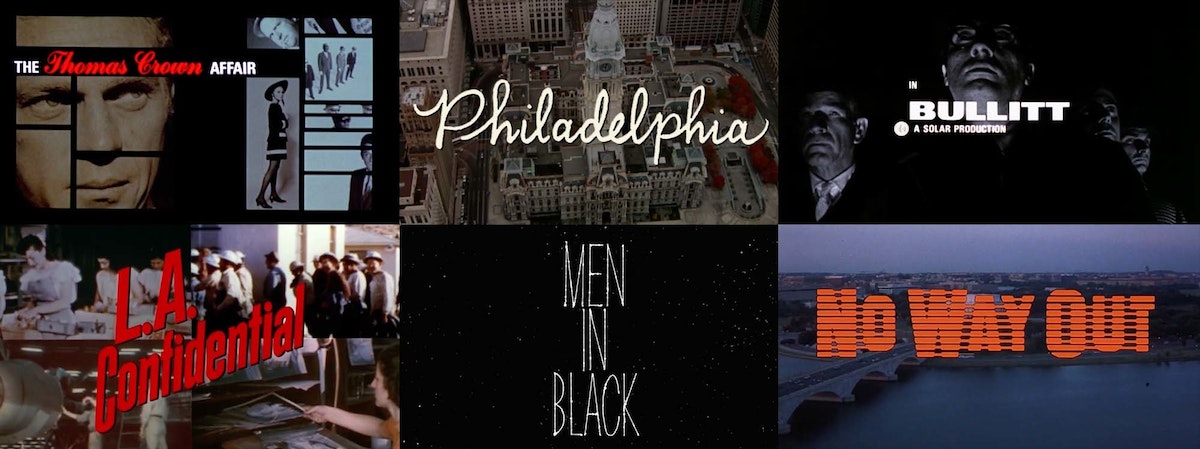
Opening title sequences by Pablo Ferro.
2. Pablo Ferro
One of Bass’s fellow title designers was Cuban-born Pablo Ferro, who has designed title sequences for more than 100 films. He taught himself animation from a book by Preston Blair, who worked at Walt Disney productions.
Title designers like Ferro put a lot into setting the right tone, time period, and scene for the story you’re about to see—and it all starts with font. Whether it’s custom or off the shelf, font conveys a certain character and builds the brand for a movie or show. Ferro loved hand-lettering and designed many of his own fonts. When Kubrick asked him to design the title sequence for Dr. Strangelove, Ferro chose to use a tall, thin lettering that he had scribbled in one of his notebooks so that it wouldn't obscure or distract from the underlying footage.
3. Maurice Binder
Having designed title sequences for 14 James Bond films, Maurice Binder created a signature style that used silhouettes and bold typefaces to evoke espionage and intrigue. In the opening sequence for Agent 007 against Dr. No, Binder established the famous gun barrel sequence, initiating the pop era of graphic design. Binder's work is a great example of how consistency of style and typeface help build a strong brand.
4. Ed Benguiat
Does the font EF Windsor Light Condensed look familiar? Maybe set in white on a black background, accompanied by some jazz music? Yup, it’s the signature opening for Woody Allen movies. Allen happened to have a conversation with typographer Ed Benguiat in a diner in New Jersey one morning, and Benguiat recommended he use the Windsor typeface for its warmth and friendliness. Allen loved it and used it for almost all of his titles from then on. Though Benguiat isn't technically a title designer, his fonts have been an influence on many.

5. Imaginary Forces
Typographer Ed Benguiat plays a role in our final example, too. Michelle Dougherty—of acclaimed design firm Imaginary Forces—ended up choosing his self titled font, Benguiat, as the primary typeface for the Netflix series Stranger Things. She chose it for its strong 80s appeal and ties to paperback novels from that era.
Then there was the matter of animating the logotype and adding sound and music to bring it to life. The Stranger Things title sequence shows how powerful and expressive type in motion can be. Flickering lights that imitate the optical process, morphing serifs, and the admittedly intense score convey that eerie feeling of mystery. The title sequence for Stranger Things was so well received, a couple of title generators and copycats popped up on the internet to imitate its style.
Opening sequence of Stranger Things designed by Michelle Dougherty with the Benguiat typeface.
To view a great selection of classic and contemporary title sequences head over to The Art of the Title.
Title sequences in the header image by Maurice Binder (Barbarella), Imaginary Forces (Vinyl, Stranger Things, Mad Men), R/GA (Seven), Digital Kitchen (Trueblood, Narcos, Dexter), and Nexus Productions (Catch Me If You Can).
Great movie titles permanently burn into our brains. Everyone can identify a James Bond film by its graphic overlays of babes and guns. And who could ever forget Star Wars’ opening crawl, how it scrolls back into space as John Williams' famous theme—da, dee dee da, dee dee da—echoes through the theater.

Lindsey Turner
I’m passionate about building brands, products, and experiences that help organizations show up with meaning and momentum.
I help organizations cut through complexity by shaping how they show up, through brand strategy, identity, and storytelling.
Working at the intersection of brand and business, I bring an editorial eye and a bias toward making—turning ideas into tangible experiences that people can understand, trust, and believe in.
My work spans government, healthcare, financial services, media, and consumer goods, from launching Gen Z-focused ventures to building innovation labs and reimagining legacy brands. I relish moments of ambiguity and enjoy translating across teams, perspectives, and priorities to move ideas forward.
I started my career in editorial and digital design, shaping cross-platform experiences and identity systems in publishing and agency environments. That foundation still shapes how I work today: I’m detail-oriented, collaborative, and overreliant on the Oxford comma. I hold a BFA in Visual Communication from the School of the Art Institute of Chicago.

Rachel Young
My work helps organizations see who their products aren't working for—and build the will and the tools to do something about it
For 25 years, I've asked the same question: Who does this design exclude—and what are we going to do about it?
My work spans human-centered strategy, inclusive design, and qualitative research, with clients ranging from Microsoft, Google, and Verizon to the National Science Foundation, and San Francisco Unified School District.
Before IDEO, I taught elementary school in East Palo Alto and spent a decade doing design work with social service organizations—where I learned firsthand what it costs people when systems are built without them in mind.
I am currently writing User Error, a nonfiction book about digital access and the design decisions behind it. I live in Oakland, California.

Brian Pelsoh
I lead with craft, ensuring our work is creatively excellent: rooted in deep human insight and imagination, while also grounded in the realities of business and technology.
My expertise spans brand, communication, and product design across tech, education, the arts, and social impact.
I believe great work demands both high-level vision and obsessive attention to detail, and only happens through collaboration.
I bring an inclusive, hands-on approach and a deep understanding of business, which enables me to consistently deliver excellence while always asking why.
Before joining IDEO, I worked at the brand firms Pentagram and VSA Partners. I began my career as a designer, leading teams at the School of the Art Institute of Chicago and the Milwaukee Art Museum. I hold an MFA in graphic design from Maryland Institute College of Art and a BFA in communication design from the Milwaukee Institute of Art & Design, and have taught at some of the best design schools in the US.

Tony Wong
I am responsible for IDEO’s long-term success in China and working with clients to use design as a tool to enable growth.
I am responsible for IDEO’s long-term success in China and working with clients to use design as a tool to enable growth. Specifically, I have helped Chinese companies design holistic brand solutions through the development of their products, communication, services, and innovation teams, and I have helped multinationals expand their presence and influence in China.
I advise global leaders on developing China-led innovation and capabilities.
In over 15 years in IDEO Shanghai, I have worked on projects that use design to elevate the quality of the experience of healthcare products and services, streamline processes that increase productivity, create spaces and programs that promote and enable inclusive communities, and build next generation mobility solutions that are planet-positive.
Before joining IDEO, I worked at Philips Electronics and the Electrolux Group in Italy, the Netherlands, and Singapore on a number of breakthrough commercial products. I am a member of the Young President Organization in Shanghai.

How to use AI as an editor, not a writer
Ed White shares how he uses AI as an editor—not a writer—to sharpen storytelling, rehearse ideas, and preserve the productive friction that makes creative work better.
Ed White has a rule he's tested on his own writing: hold yourself as the writer, and let AI be your editor. Ed is a Senior Design Director at IDEO's London studio, where he co-leads the firm's AI portfolio across Europe. Before IDEO, he spent 12 years as a writer and editor at the Financial Times, Wired, and Contagious. So when he talks about when to use AI for storytelling and when not to, it comes from two decades of crafting his storytelling skills.
In this episode, Mina Seetharaman talks with Ed about two specific tools he uses to keep AI in an editor's seat: a "roasting agent" prompted to critique his drafts without any sugarcoating, and a simulated audience he rehearses pitches on before the real thing. They also get into what Ed is hearing from design leaders at Anthropic, Lovable, Shopify, and Google Creative Lab about how creative work is changing, and why he thinks the friction of writing something yourself is worth protecting rather than automating away.

Building a personal AI for the messiness of life: Sida Li
Becca Carroll talks with Cue co-founder Sida Li about designing a personal AI for the messiness of everyday life—not just work. They explore how Sida stays anchored to human needs while navigating fast-changing technology, product tradeoffs, business-model experimentation, and the realities of building an AI company today.
Most AI products today are built for work—a space with clear problems and established systems. One founder noticed a gap: personal life is messier, harder to systematize, and mostly left behind by the AI boom. So she built Cue, a personal AI that lives inside iMessage and group chats, to go where the other tools haven't.
In this episode, Becca Carroll, IDEO's Chief Strategy Officer, talks with Sida Li, co-founder and CEO of Shared Context Lab, about staying anchored to a human need while the technology around her keeps changing shape, why she treats her business model with the same rigor she'd bring to a product, and what it feels like to build a company at this particular, disorienting moment in AI.
The conversation also gets into how Sida makes design decisions: the language Cue uses to describe itself, the tradeoffs behind building inside iMessage instead of a new app, and a real story about a business idea that didn’t pan out.
This is the second in a two-part series profiling founders from IDEO's Startups-in-Residence program. The first conversation is with Johannes Seemann, founder of Sooner, on designing GenAI for the emotional side of money.

Designing GenAI for the emotional side of money: Johannes Seemann
Designing financial tools around the feelings that shape money decisions.
Most personal financial tools are built to run the numbers and optimize towards a budget. While that works for some, most people experience money as a lived relationship that does not neatly fit into a spreadsheet. Johannes Seemann and Becca Carroll discuss why money is emotional before it is mathematical, and what a human-centered approach to building a generative AI financial product looks like in practice.
The curious leader's edge in uncertainty: Scott Shigeoka
How genuine curiosity helps leaders navigate uncertainty with greater confidence.
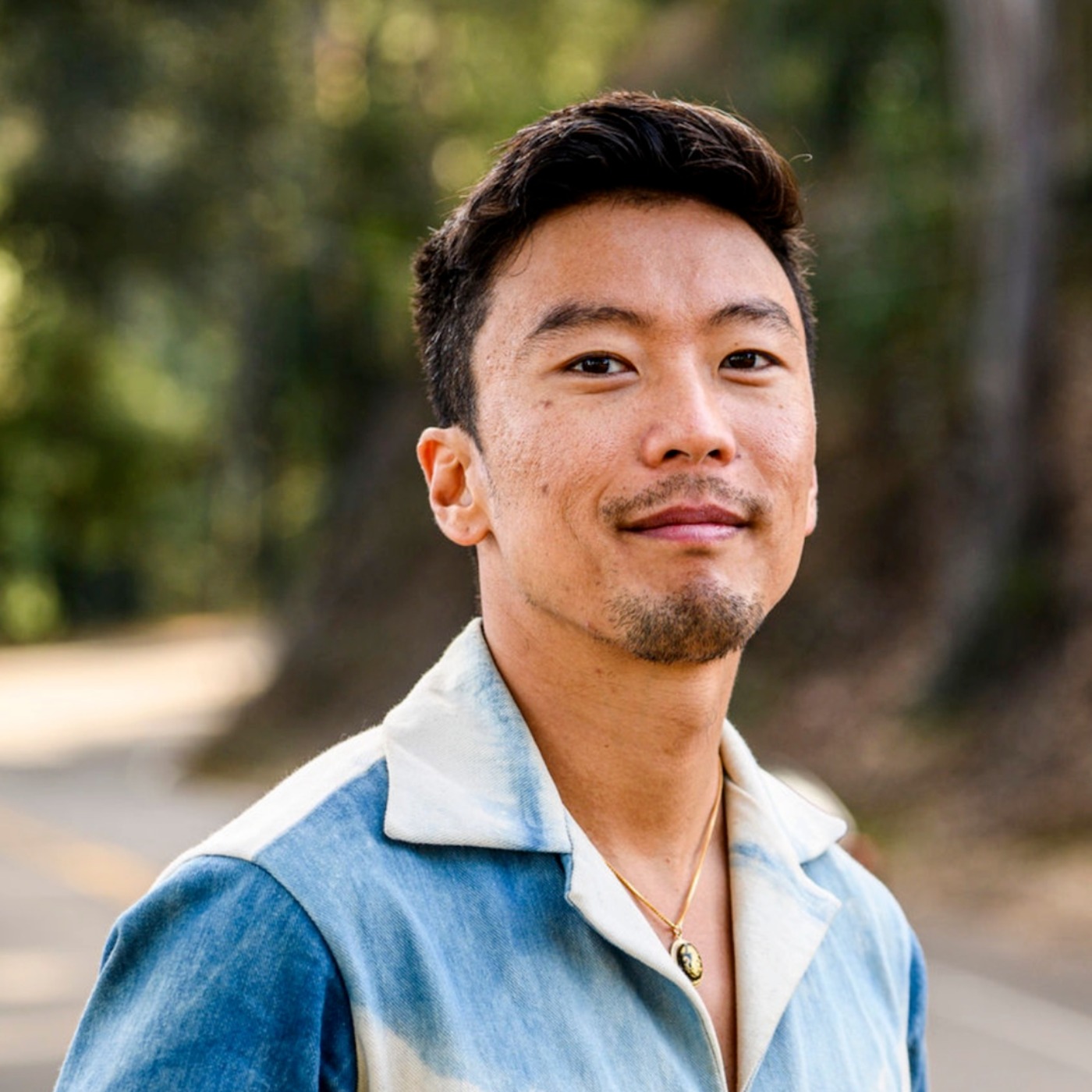
Mina Seetharaman talks with Scott Shigeoka, author of Seek and Head of Curiosity Cultivation at the Eames Institute, about what distinguishes genuinely curious leadership from performative curiosity, how power dynamics shape curiosity, and why practicing curiosity can restore energy rather than drain it.
Looks like you might be in search of something very specific?
Or reset the filters above and try another angle.
Here’s some random inspiration
Podcasts about creative leadership
Articles about the power of prototyping














.webp)