
.svg)




Designing the Levi’s Commuter Trucker Jacket with Jacquard by Google
When Google teamed up with Levi’s to craft a jacket with technology woven in, the company turned to IDEO to help make the experience of wearing the garment feel seamless, intuitive, and familiar.
You’re whizzing along on your bike, en route to a new restaurant for a client meeting. You reach an unfamiliar intersection; which way to go now?
Instead of dismounting and digging for a phone, you brush your hand along your jacket sleeve for directions, then double-tap the denim to re-start your music. Without taking your eyes off the road, you’ve taken care of the problem.
This intuitive interface for connected apparel began with Levi's, makers of durable workwear for 140 years, and Google, creators of forward-looking technology, which joined forces to fashion the first item of clothing with touch-sensitive, copper-core threads woven directly into the fabric. Once it was established that the first connected garment from the partnership would be a jacket within Levi’s Commuter line, with interaction on the sleeve, Google worked with IDEO, leaders in designing for human needs, to develop the gesture language of the jacket and industrial design of the technology within.
This is the first connected garment that helps us break free from devices. It seamlessly incorporates Jacquard by Google technology to perform digital tasks, such as navigation, communication, and music playing with a few swipes or taps on the sleeve.
Jacquard by Google—a platform that makes it possible to integrate touch and gesture interactivity into fabrics using conductive yarn and standard, industrial looms—was inspired by a curious twist of history. The Jacquard loom, invented in France in 1804, used punch cards to automate the process of weaving complex patterns into fabric. In the 1940s and ’50s, engineers employed a similar punch-card technique to program the first computers.

IDEO spent time on the project early on, collaborating with Google engineers and Levi’s clothiers on the jacket’s development, helping craft an experience that would make the intelligent threads intuitive to wearers.
Working alongside Google and Levi’s, IDEO’s work included:
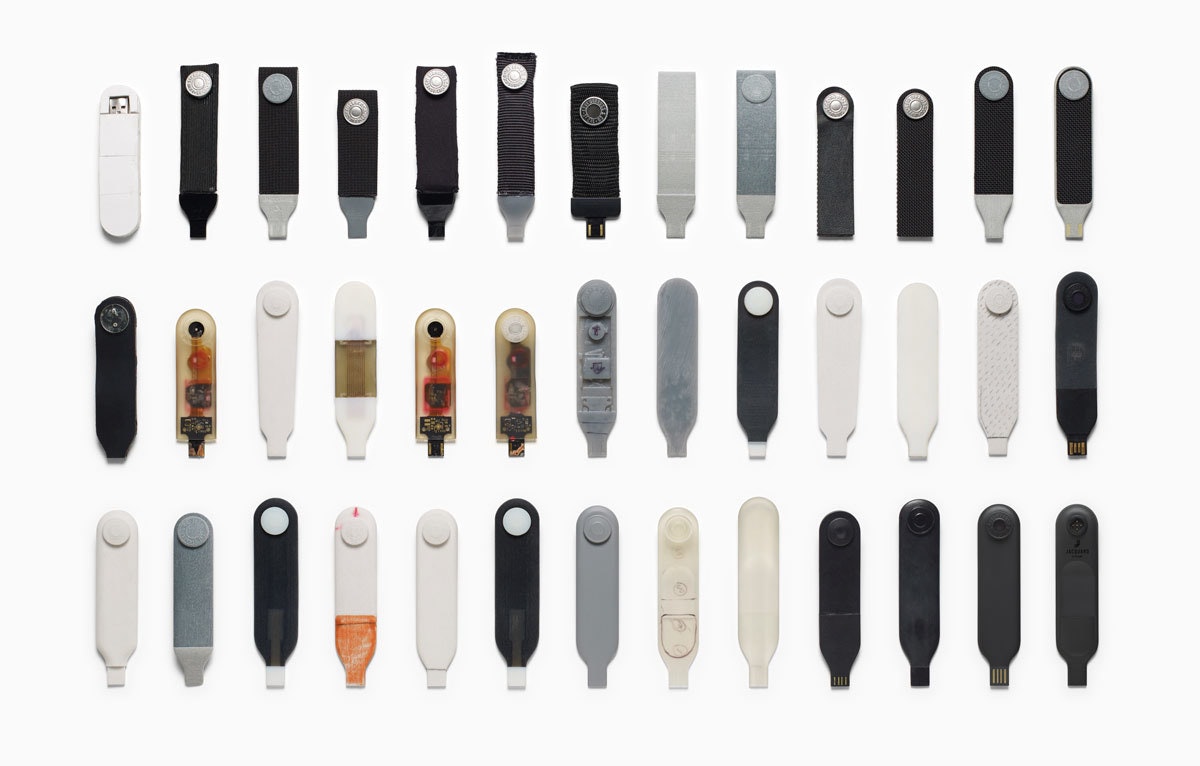
- The industrial design of the electronics integrated into the snap tag and connector (the tag snaps onto the jacket’s cuff and connects to your phone via Bluetooth)
- A vocabulary of gestures on the cuff of the jacket that lets you interact with the jacket’s technology
- Early exploration of the basic design philosophy and conceptual design for the interaction model of a corresponding smartphone app that ties it all together (works with both iOS and Android phones)

The IDEO team’s first task was to validate what commuters of all stripes wanted from the garment, in addition to the work Levi’s did in researching with its consumers. In interviews, group exercises, and wear tests with urban cyclists and other workers on the go, the team learned that cyclists needed a way to stay connected, while still living in the moment. That meant being able to answer calls, hear text messages, get the next direction, and control their music without using a screen.
Levi’s, Google, and IDEO developed a language of movement for Jacquard-enabled fabric that feels familiar and human and builds on the ways people would naturally interact with a garment (a whole-hand brush along the sleeve, as opposed to a one-finger tap on a touch screen, for instance).
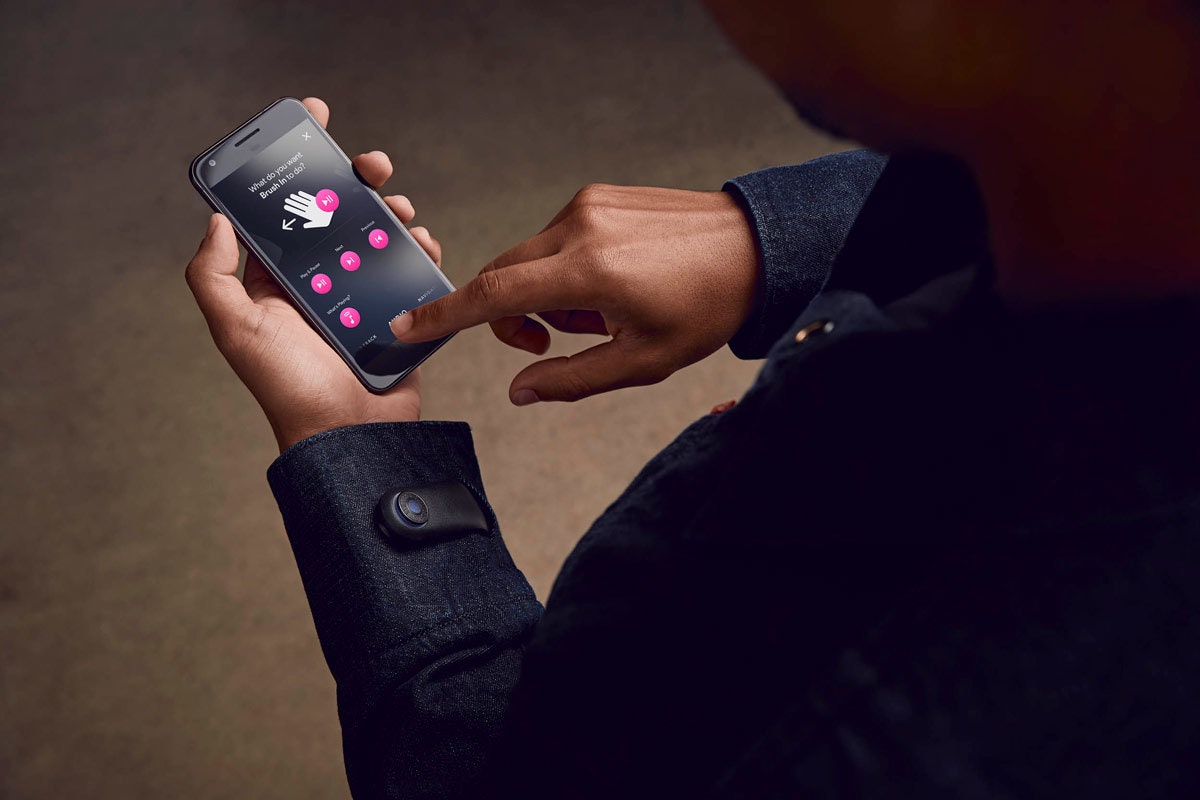
Then came the design and engineering of the snap tag on the jacket’s cuff, which gently notifies you of calls, texts, and other jacket interactions with light and vibration feedback. The flexible, lightweight strap incorporates the look and feel of a Levi’s jean button, while housing advanced electronics that capture touch data. The tag is removable, charges via USB connection, and works in conjunction with a mobile app that lets you configure settings for the garment, set notifications, and customize gestures and interactions.
The Levi’s Commuter Jacket with Jacquard by Google changes the game because it’s simply that—a jacket—with technology that adds new utility and value, allowing us to wear our everyday interactions on our sleeves.
The Levi’s Commuter Trucker Jacket with Jacquard by Google hit stores in October 2017.
IDEO and Google have a long history of collaboration. Learn more about our work on Google Bloks here.

Using data to connect global teams
Helping a multinational company connect staff members across locations and identify new areas for growth.
In 2017, IDEO acquired longtime partner Datascope and integrated the company’s data scientists and engineers. Datascope team members aren’t just passionate data scientists; they’re human-centered designers who happen to work with data, as illustrated by successful collaborations like this one:
If Procter and Gamble (P&G) were a city, it would be the size of Boulder, Colorado. The company employs more than 100,000 people in 70 countries. Its research and development team is made up of more than 20,000 specialists working across locations, languages, and areas of expertise, from cleaning chemicals to paper products to over-the-counter medications.
P&G approached Datascope to help the company connect these researchers to one another and the rest of the organization. In working with P&G leaders, Datascope found that the company needed a better way to access and leverage employee expertise. Managers routinely got requests from researchers looking to work with others in their subject areas, but didn’t know how to identify the right partners or set them up for fruitful collaboration.
Datascope gathered internal data, including unstructured research data on the scientists’ interests and who they partner with most often. The team used that information to develop two new systems that bridge the gap for P&G researchers and managers. The first is an internal search engine that lets managers quickly find and connect the right experts across P&G offices worldwide. The second is a data visualization tool that highlights subject areas ripe for more collaboration among experts and research teams, who may already be asking similar questions. This intelligent tool can surface relevant, timely information managers need to connect their teams.
P&G already had a practice of collecting information for product research, but it wasn’t until Datascope came on the scene that the company took advantage of large, multi-layered data sets and made them more intelligent, so leaders could expand P&G’s expertise through new global partnerships.
Crunching customer data to deliver better smartphones
Helping a big tech firm turn mountains of customer feedback into product improvements in real time.
In 2017, IDEO acquired longtime partner Datascope and integrated the company’s data scientists and engineers. Datascope team members aren’t just passionate data scientists; they’re human-centered designers who happen to work with data, as illustrated by successful collaborations like this one:
The second a smartphone debuts, buyers, bloggers, and journalists begin writing comments and reviews—and users start troubleshooting. Motorola Mobility wanted to tap into this river of data, but didn’t have the right tools to collect and respond to it.
Motorola’s design, engineering, and service teams hoped to identify product problems early, address them quickly through customer support, and ultimately fix them in future releases.
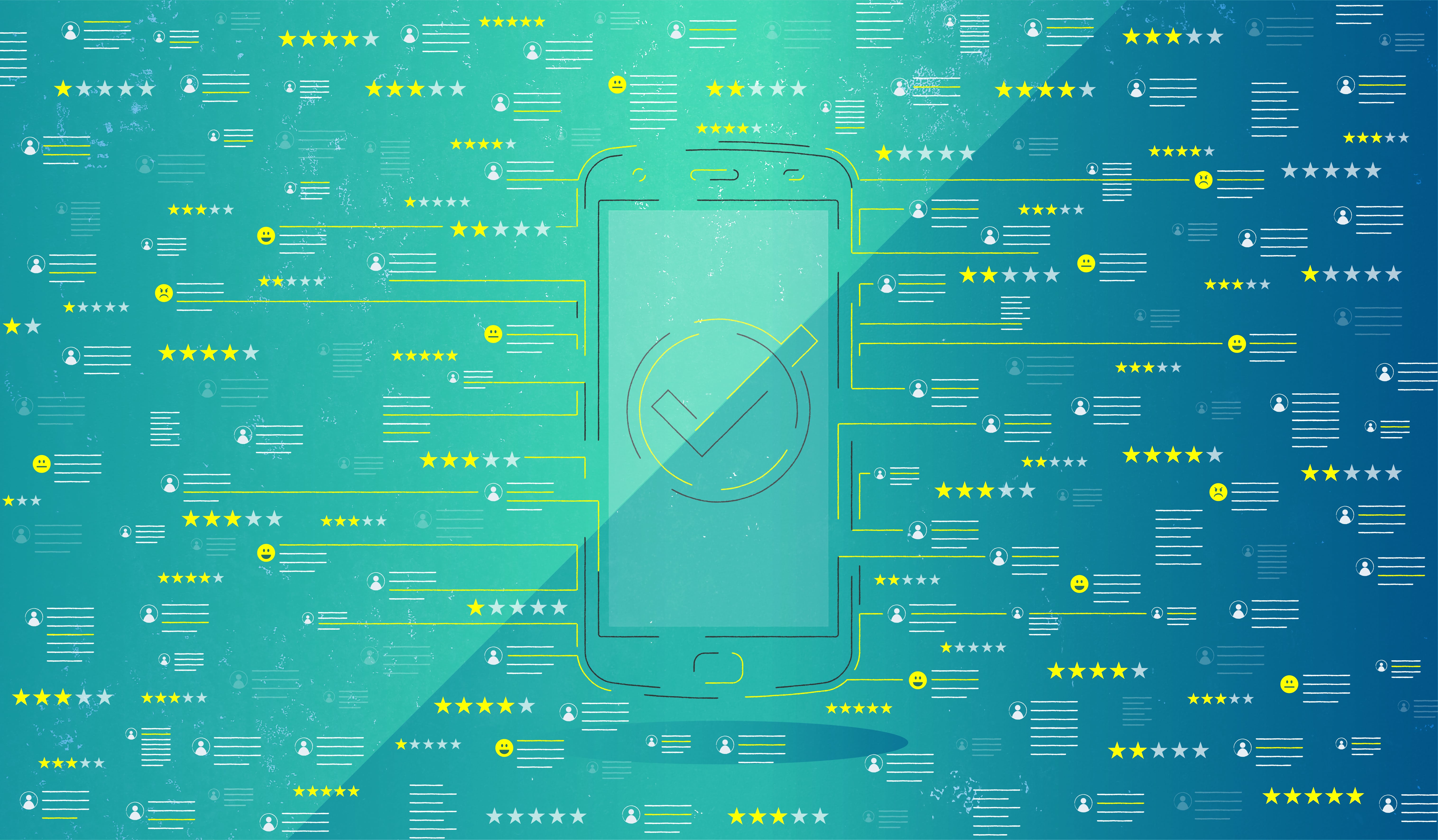
So Datascope built a custom engine that aggregates and analyzes feedback from hundreds of millions of phrases and internet references, drawn from consumer sites, user forums, news coverage, social media feeds, and product reviews. The tool parses key, product-specific information and routes it to the right Motorola teams: hardware, software, connectivity, and interface design, to name a few.
The analytics and visualization engine not only studies product performance in real time, but it also uses algorithms to gauge customers’ emotional reactions: Do they like the phone or hate it? Do they have complaints? Are they recommending it to friends?
Datascope’s tool translates all this data into simplified to-dos that are sent to the correct service and repair staff before user issues can mar a product launch or even the company’s reputation. And as engineers discover more about how a phone performs in the real world, they learn how to avoid making similar mistakes in the future.
The tool proved valuable as soon as it launched in 2012: When Motorola released the RAZR M smartphone, customers had a hard time figuring out how to use wifi and voice features at the same time and lodged complaints online. The engine recognized the pattern of complaints and alerted Motorola's customer support team, which was able to post responses with clear instructions in every relevant forum, turning a potential customer satisfaction problem into a positive interaction.
Motorola continued to use the engine to address issues in later releases of the RAZR M. The advance warning made engineers’ lives easier, while better handsets and software made for a more seamless customer experience. Improvements were also evident in the RAZR M’s well-reviewed next generation, the RAZR MAXX.
Based on the tool’s success, Motorola used it to improve the company’s supply chain and product development process. And beginning in 2014, with the Moto 360 smartwatch, Datascope’s analytics engine has been used to gauge performance and public sentiment not just for new smartphones, but for Motorola Mobility’s entire line of products.
Rethinking baby food packaging
Collaborating with Plum to create a new, wholesome experience for new parents and babies.
For most parents, ensuring their child’s proper nourishment is a top priority. But that’s not always easy, especially for parents on the go. Plum Organics, an organic baby food company, set out to solve that problem by providing families with pureed fruits and veggies in pouches, making it easy for them to feed their babies. Plum approached IDEO for help designing a non-pouch package that could showcase the vibrancy of the ingredients within.
By conducting research and in-person interviews with families, Plum set out to ensure that the new product was both desirable and functional for parents and their babies. By joining families in their homes, IDEO was able to gather essential insights that helped inform prototypes and the final design, like the fact that nothing can replace the feeling of making an intimate connection with a child through spoon feeding; that baby food is often wasted if a parent can’t remember how long a product has been in the fridge; that families struggle with how to spoon-feed their children on the go without making a mess, and that both parents and retailers were concerned that baby food jars don’t stack securely on shelves.
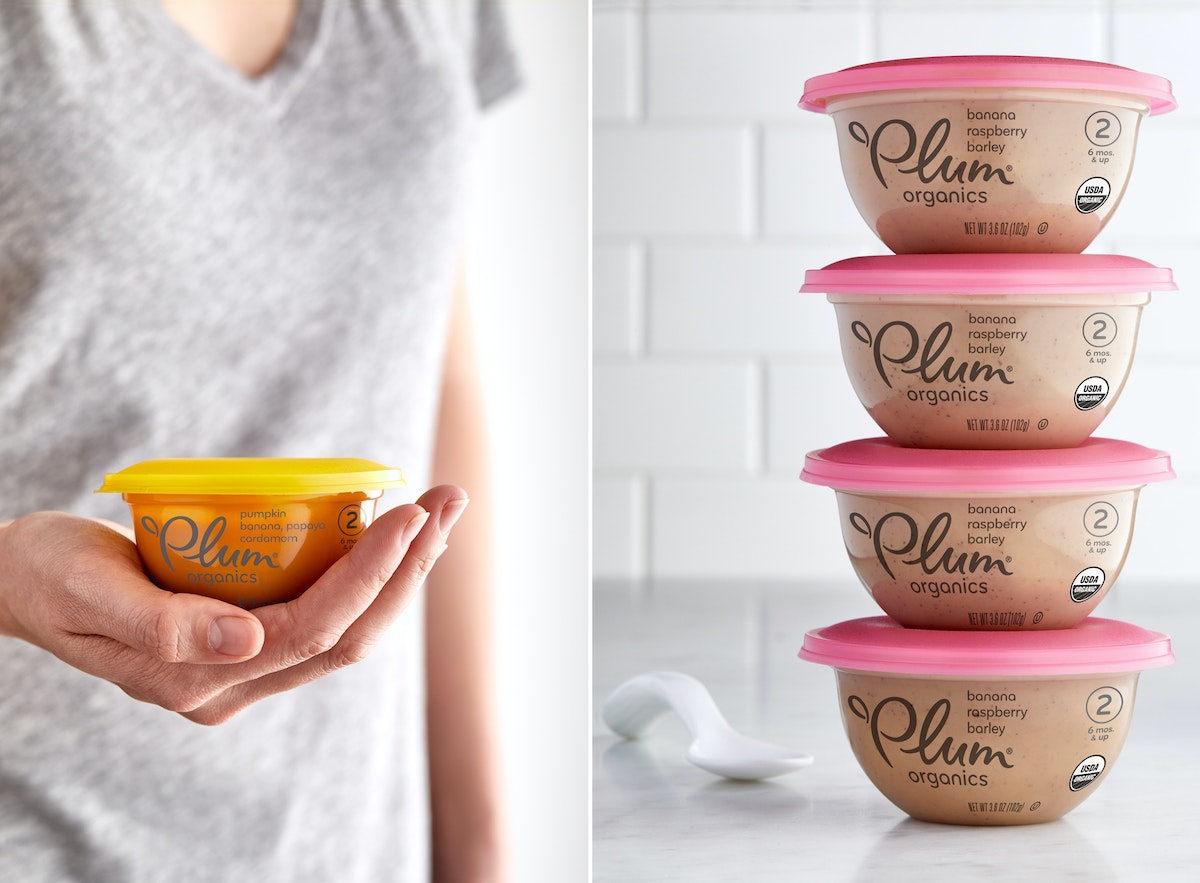
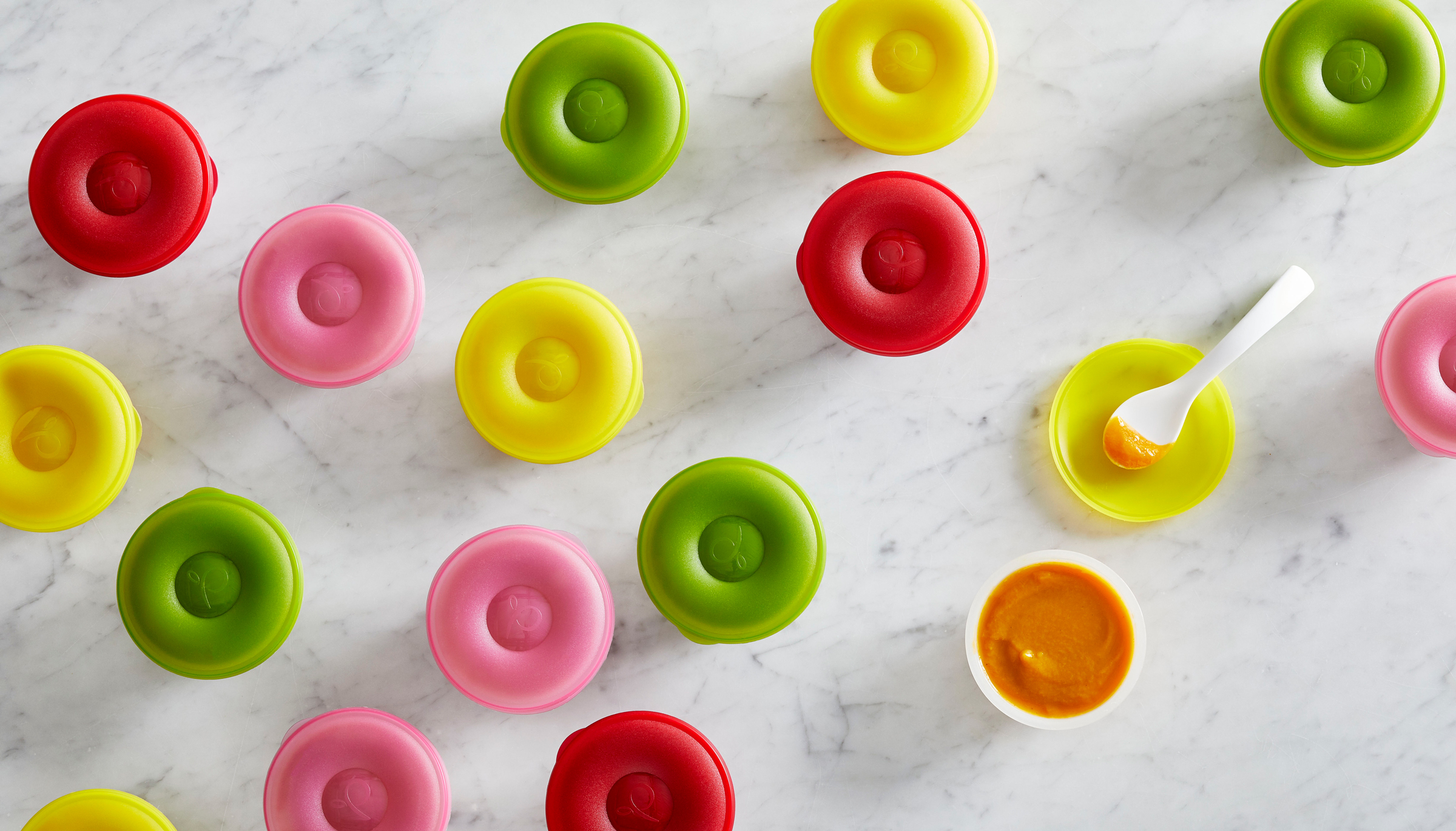
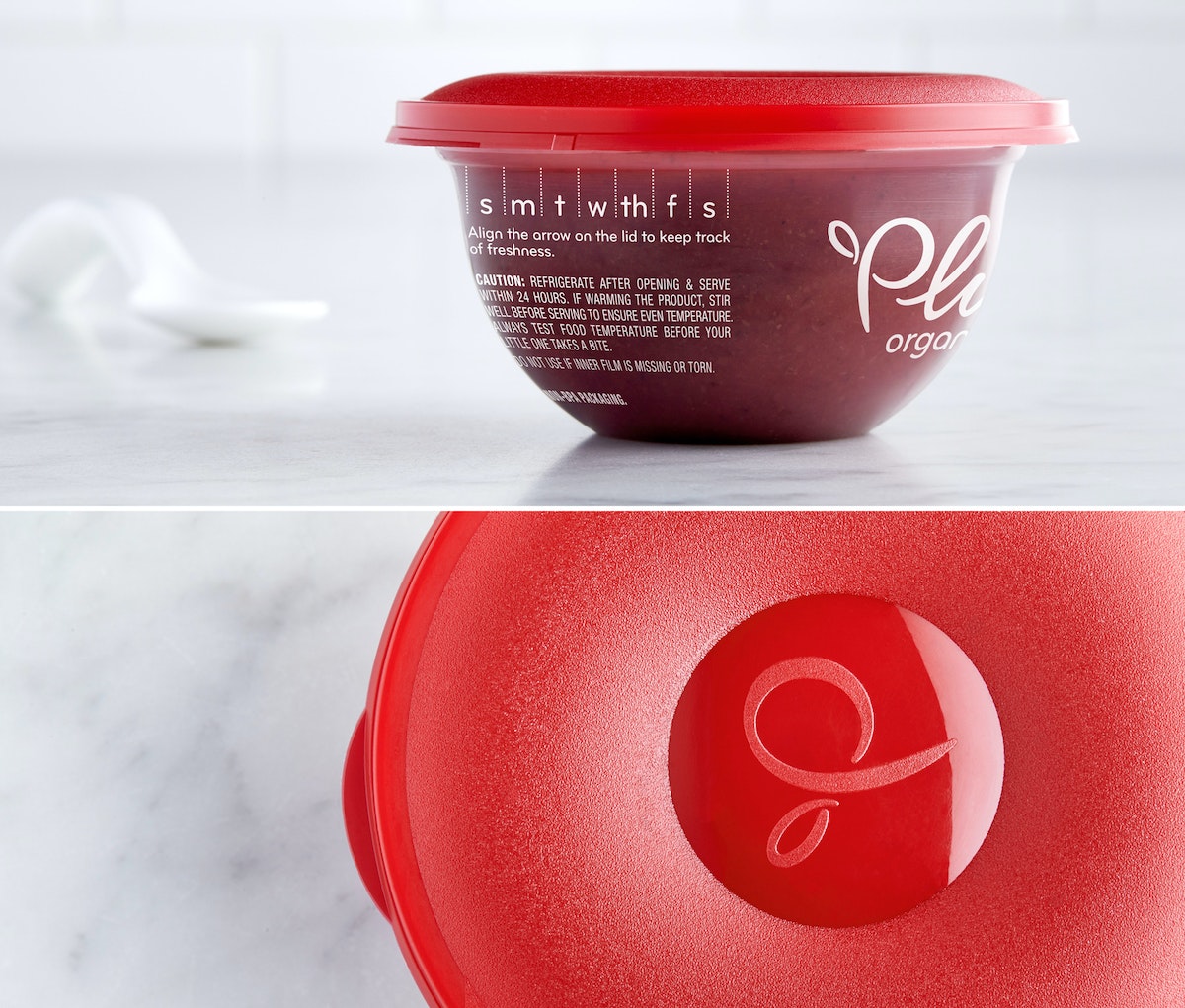
With those insights in mind, the team designed a transparent bowl that allows consumers to see the natural color of Plum’s vibrant, organic food. A resealable lid makes it easy for parents to store food between feedings, and the container includes a feature that allows them to track the day that they opened the pack to ensure that they don’t end up throwing away perfectly good food. Lastly, the new package is easily and safely stackable and includes a divot in the lid for parents to rest a spoon on, making for a much cleaner and more sanitary feeding experience.
Baby Bowls for Plum are now available at retailers nationwide and are a natural evolution for the brand, helping Plum continue to provide high-quality, organic baby food for consumers and their children, even if they’re eating on the go.
Build Your Own Light Pipe
A step-by-step guide
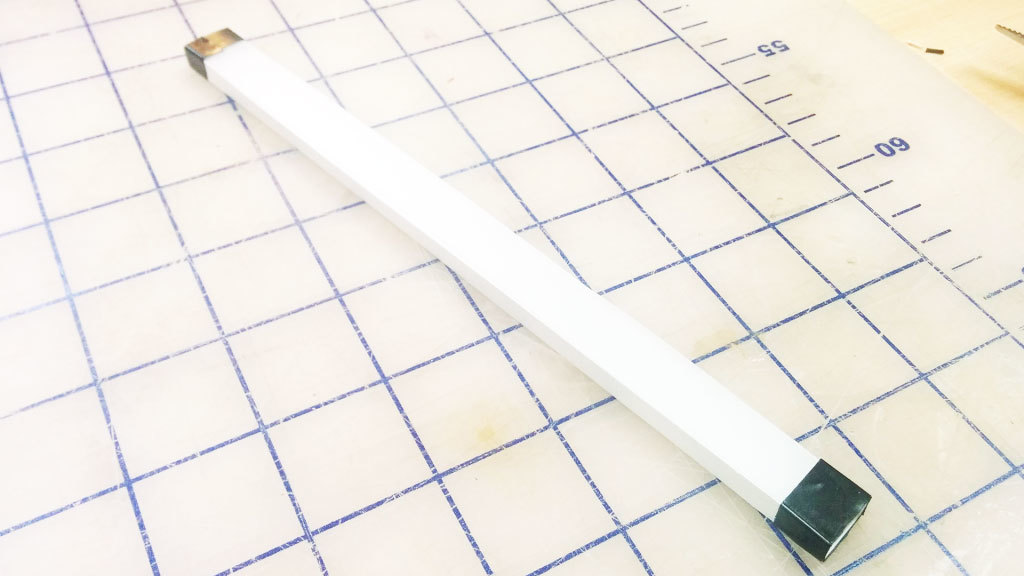
We built a light pipe, which, in principle, can be viewed as a fiber optic cable. All the sides are polished to a clear finish so that the light can be reflected internally inside the pipe. If the light hits a section of pipe where the surface is not perfectly reflective, like if it’s gouged or scratched, it will use that section as an "emitter" and attempt to escape the pipe. We take advantage of this by covering the bottom surface of the pipe with dimples. To make the path consistently bright, we arranged the dimples in a gradient with fewer dimples closer to the source, where the light from LEDs is brightest, and more dimples to catch the light farther along the light path (where the light is dimmest).
This step-by-step guide describes our process of quick experimentation and prototyping to achieve good illumination without having to run extensive light bouncing simulations. The design is created in Illustrator using blend modes, and the light pipe is manufactured with a laser cutter on 1/4" thick clear acrylic.
Please note that results will vary depending on many factors. The optical design, LED brightness, and beam angle are important factors to consider.
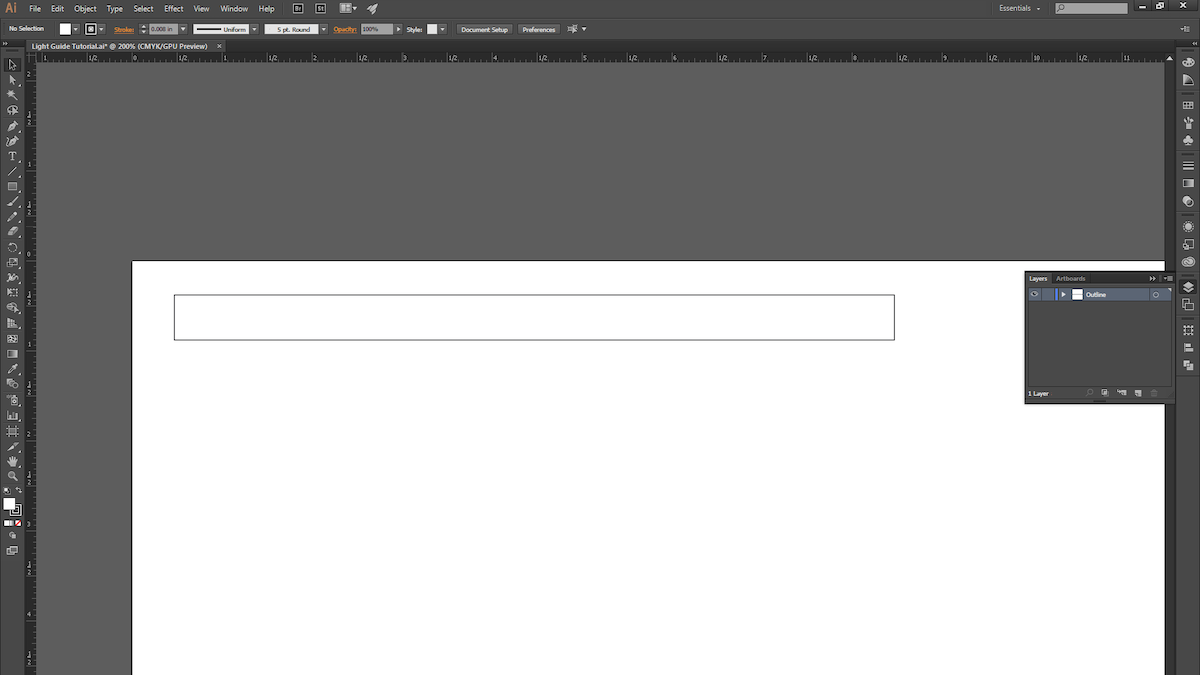
1. Open a new Illustrator document and draw a rectangle. We chose 8" x .5".
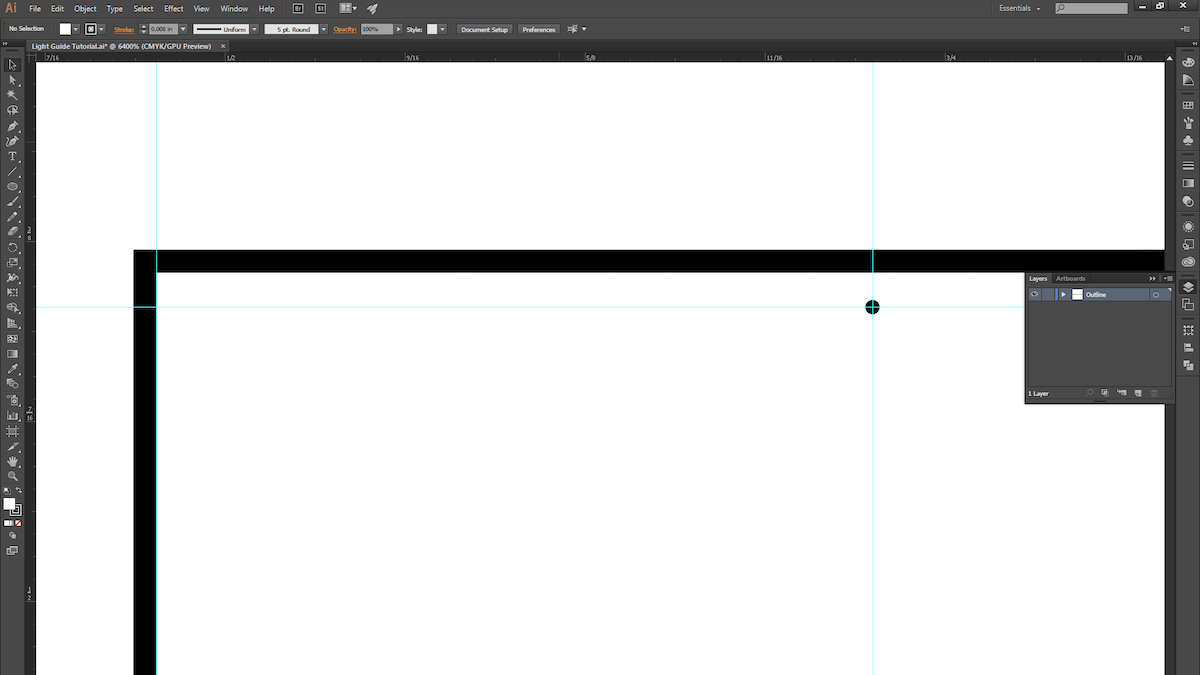
2. Make a guide and space it roughly 1/4" away from the edge of the rectangle. This is where the dimple pattern will begin. (Leaving a 1/4” margin allows us to later mask off the area to prevent seeing excessive LED brightness near the source in the light pipe.) Now draw a circle with a .005" diameter.
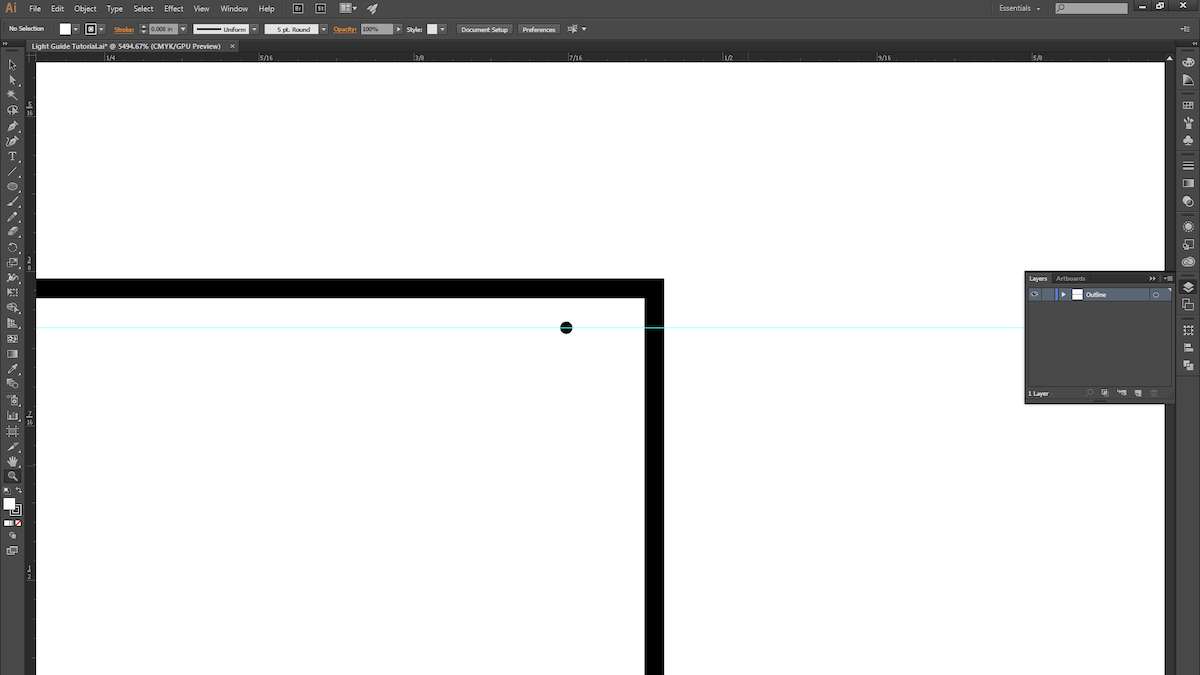
3. ALT + Click and drag the circle to duplicate it, and move it to the other side of the rectangle. The two circles mark the two ends of the dimple pattern.
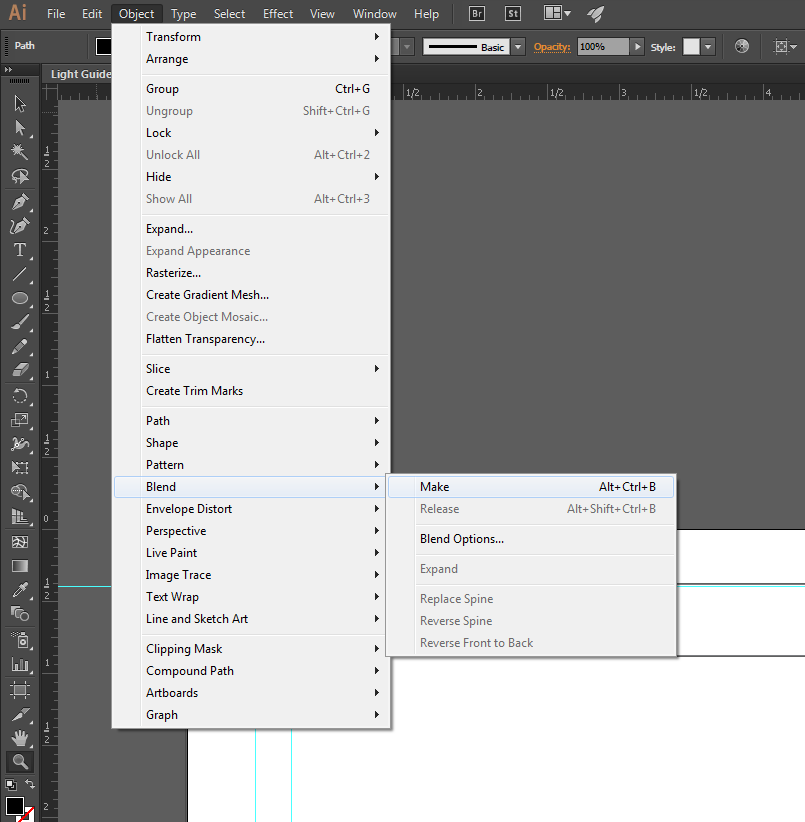
4. Select both circles and create a blend.
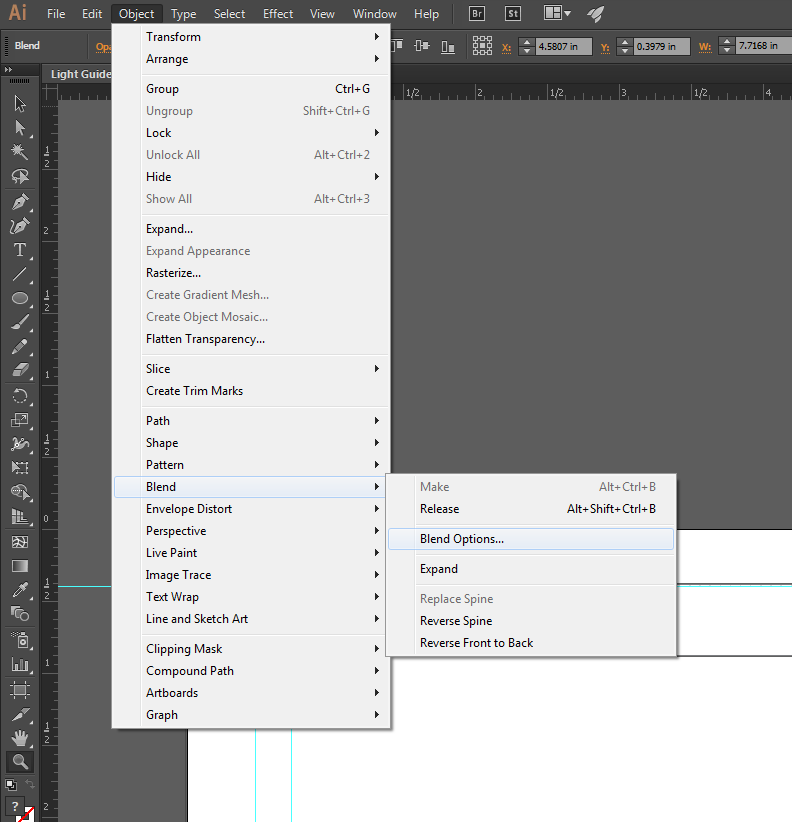
5. Open up the blend options to fine-tune the blend.
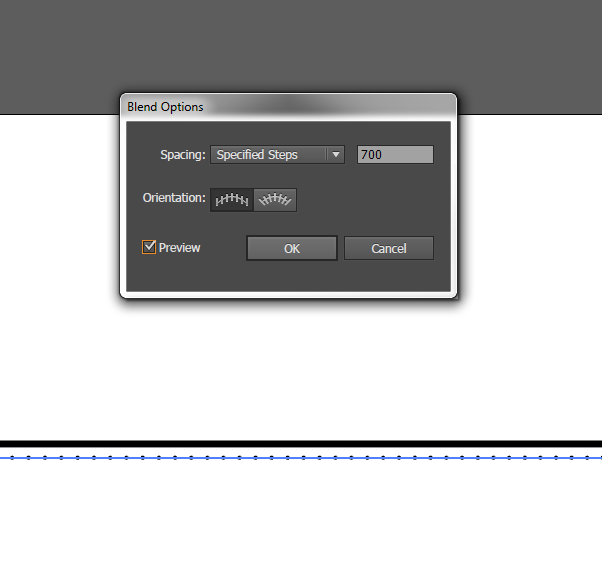
6. Change the spacing to "Specified Steps" and set the number to 700.
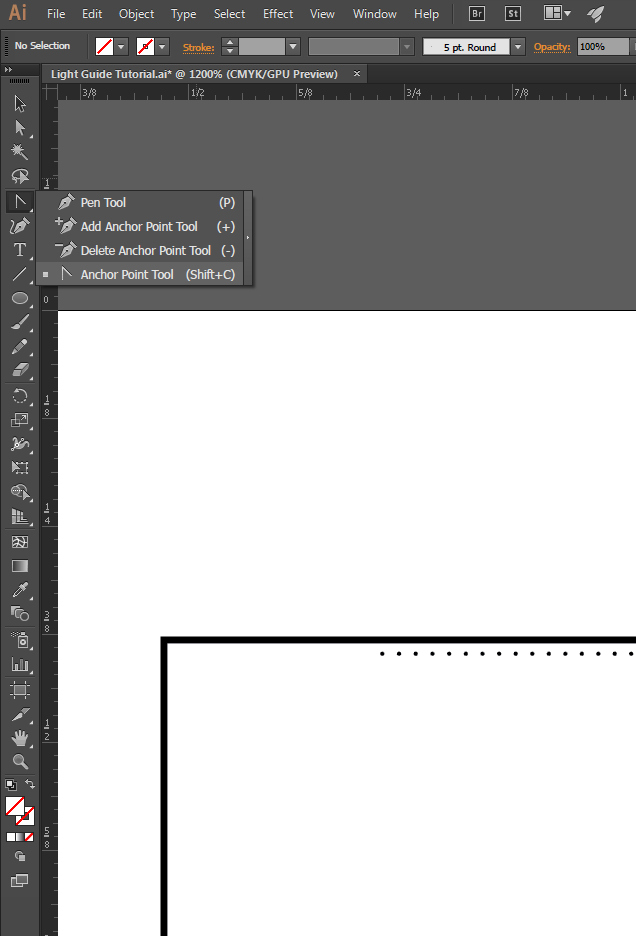
7. You should see 700 evenly spaced dots! In order to get them to start off sparsely spaced and then get closer together, we'll modify the path of the blend. Select the Anchor Point Tool (Shift + C).
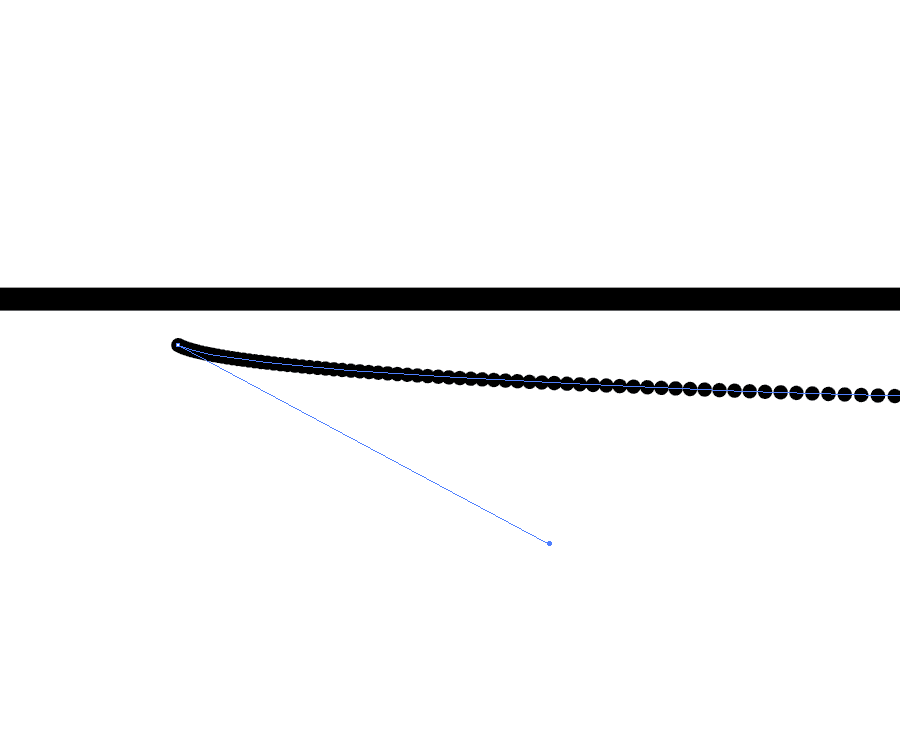
8. Use the white arrow to select the first point and drag it until you see the spacing start to change.
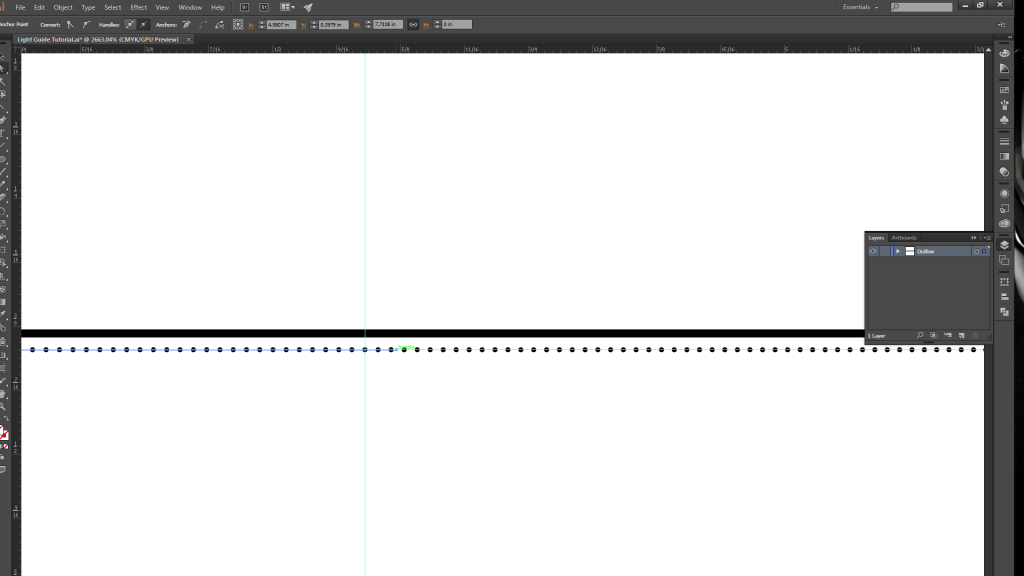
9. Create another guide halfway along the path, and then drag the anchor point (with the white arrow selection tool) just past the guide. Repeat the same process with the last circle, but move its anchor point about half an inch to the right.
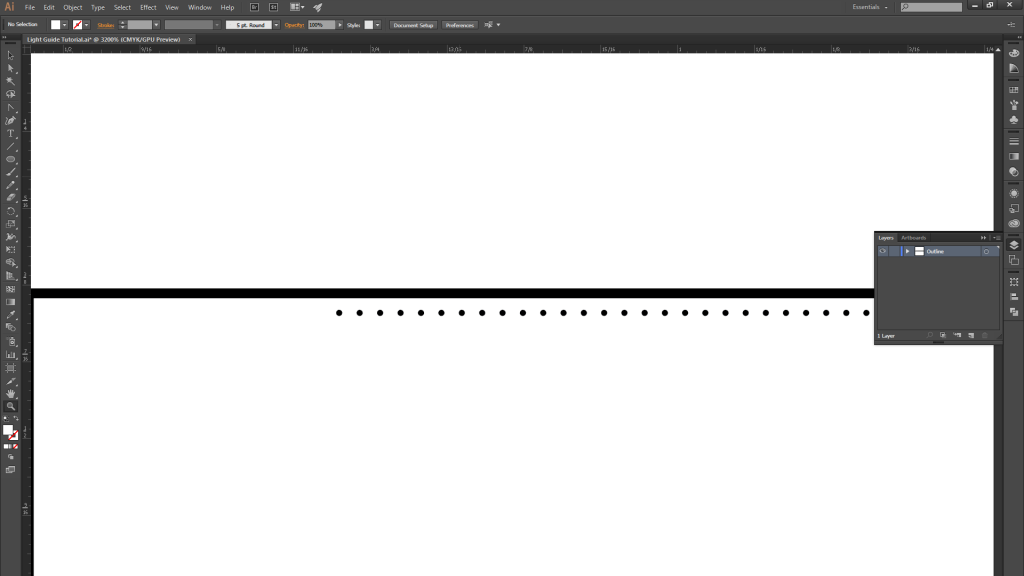
10. You should now have a gradient spacing of 700 circles becoming more closely spaced as you move from left…
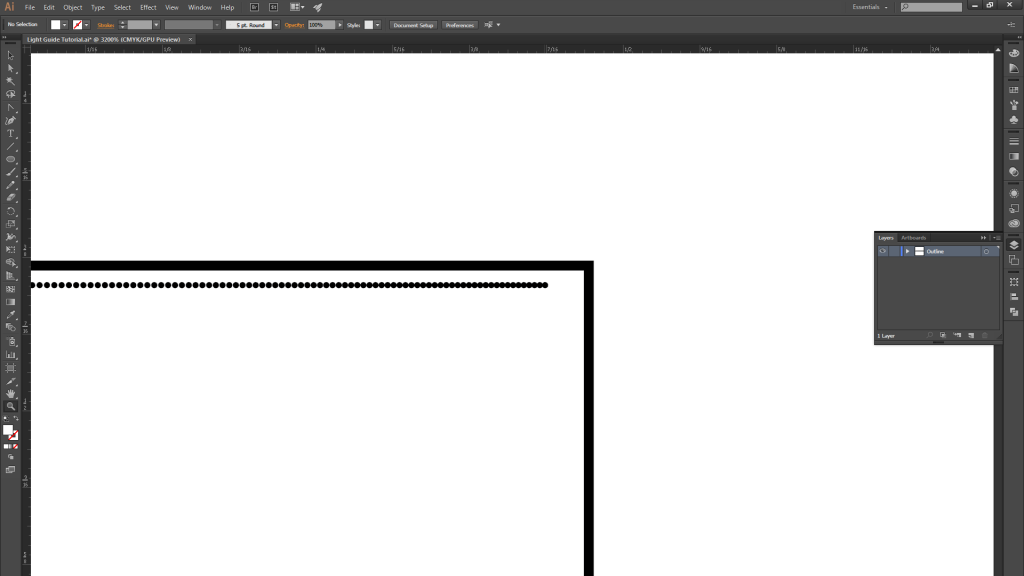
11. …to right.
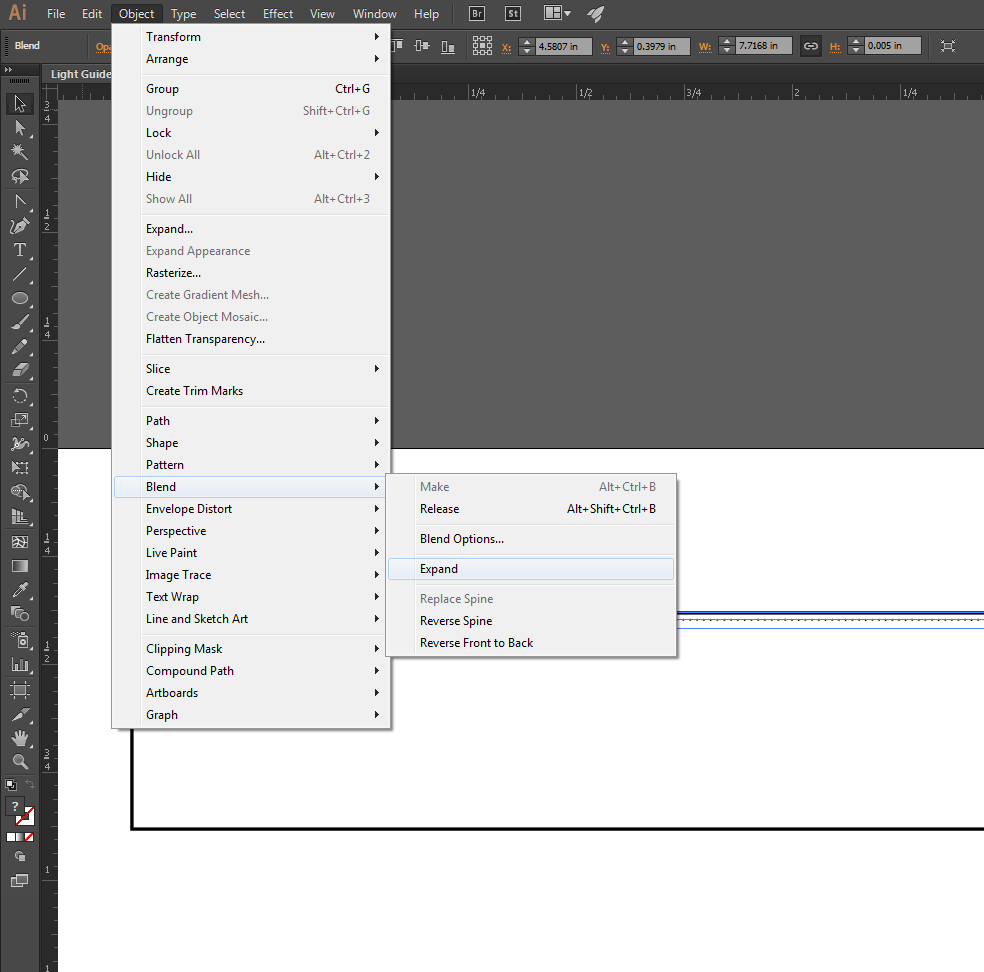
12. Once you are satisfied with the blend, expand it.
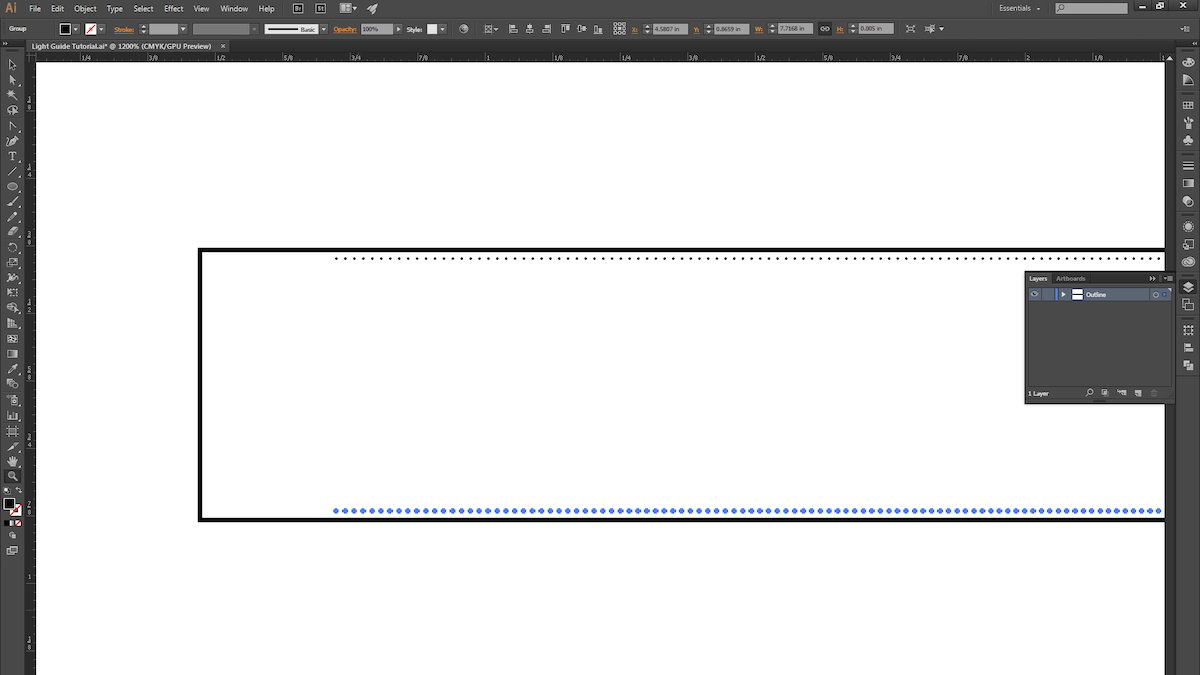
13. ALT+Click and drag the blend to copy it, and place it at the bottom of the rectangle.
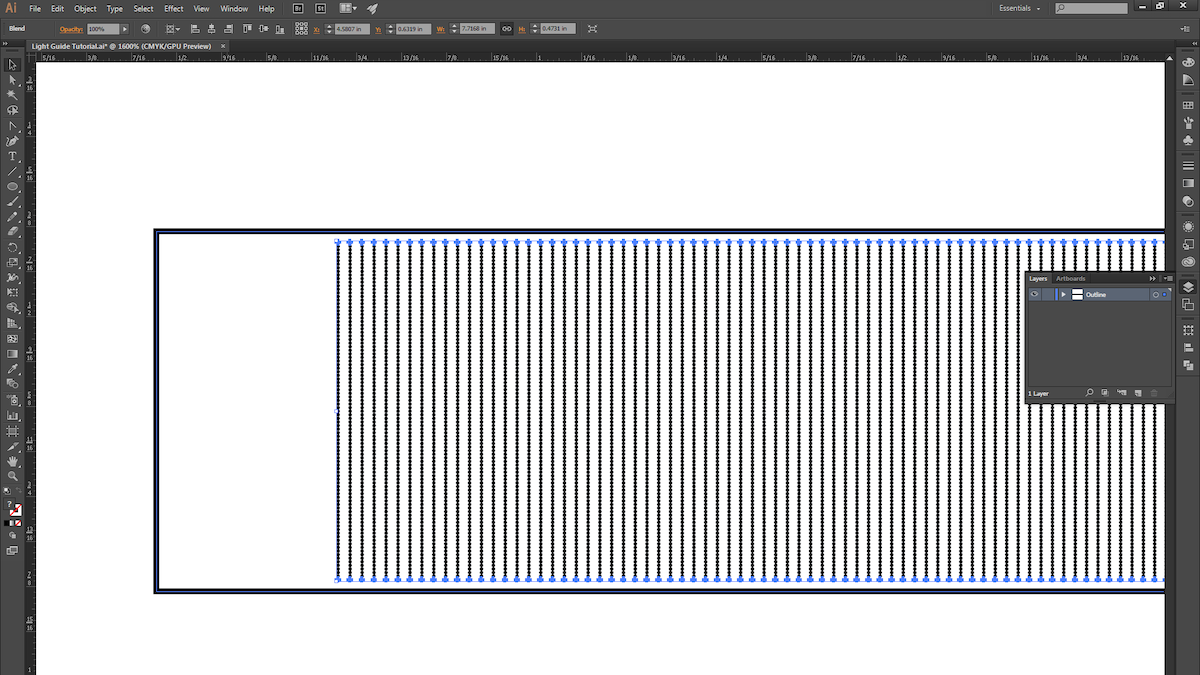
14. Select both blends and then use the instructions from Step 4 to create another blend.
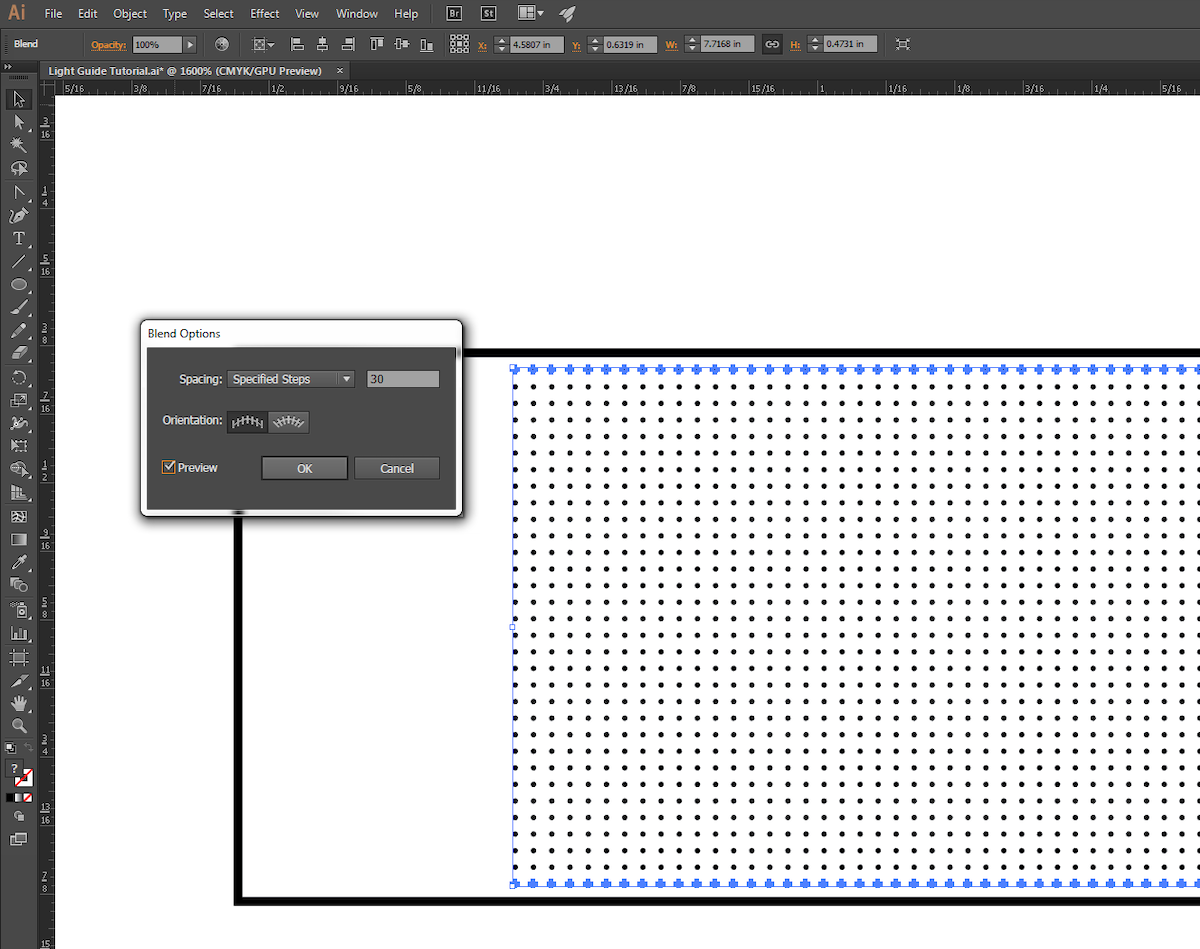
15. Use the instructions from Step 5 to fine-tune the new blend.

16. We chose to give our pattern a little bit of randomness, so we ALT+Click-ed and dragged the blend down and to the right ever so slightly.
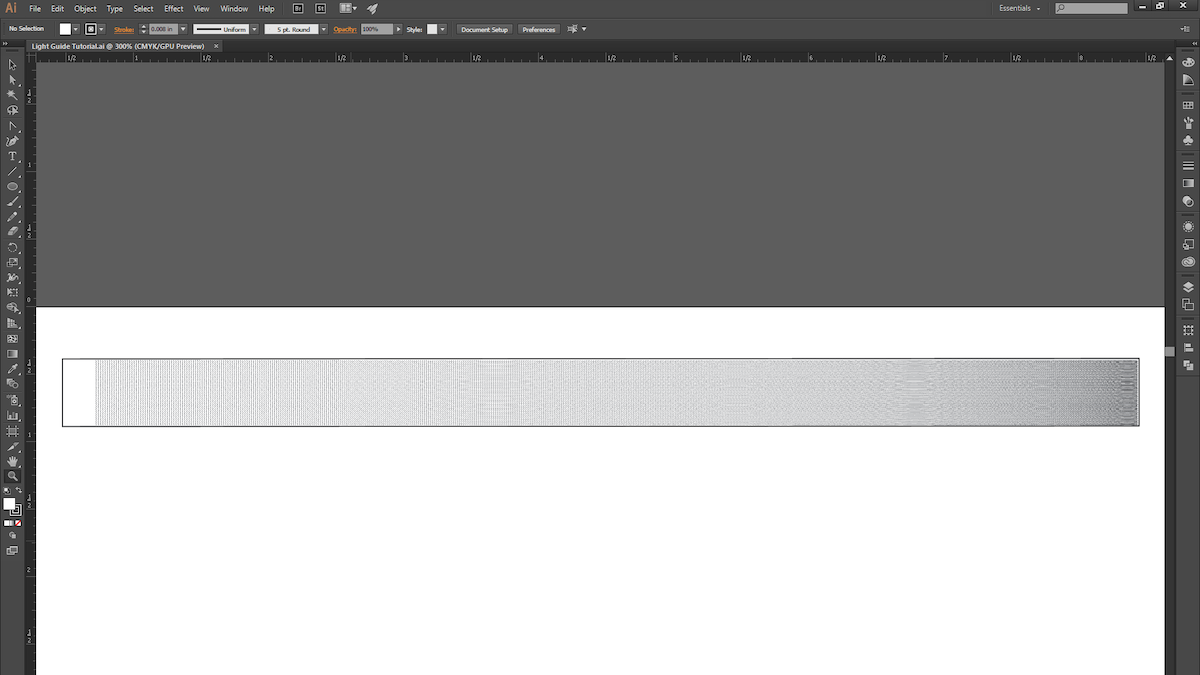
17. With that, we’re ready for the laser cutter! This process is pretty quick to prototype (roughly 15 minutes from start to finish), so explore different gradient patterns and techniques, and try light pipes that are curved or bent (just keep in mind the critical angle).
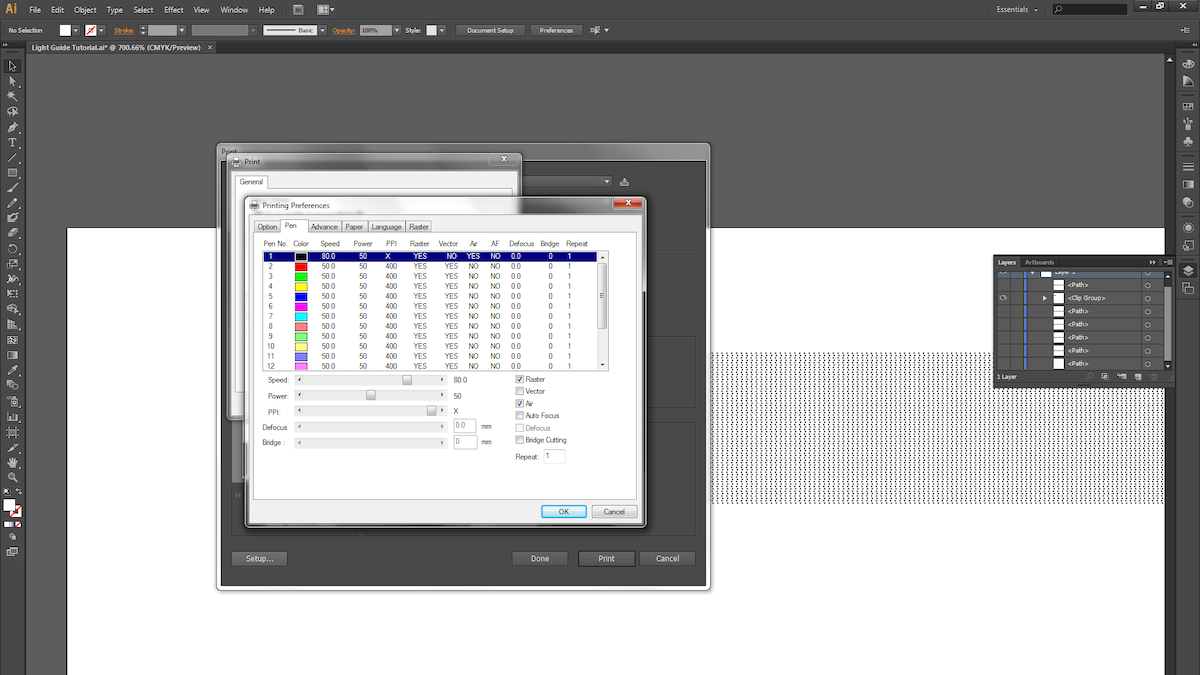
18. Next, we raster the dot pattern on 1/4″ thick acrylic. Be sure the acrylic surface is clean and scratch-free.

19. Different laser cutters have different settings for varying materials and thicknesses, so keep that in mind when choosing your settings. We used a speed of 80, power of 50 and maximum PPI for the raster. For the vector cuts, we took 4 cuts at speed of 4, power of 95, and maximum PPI.
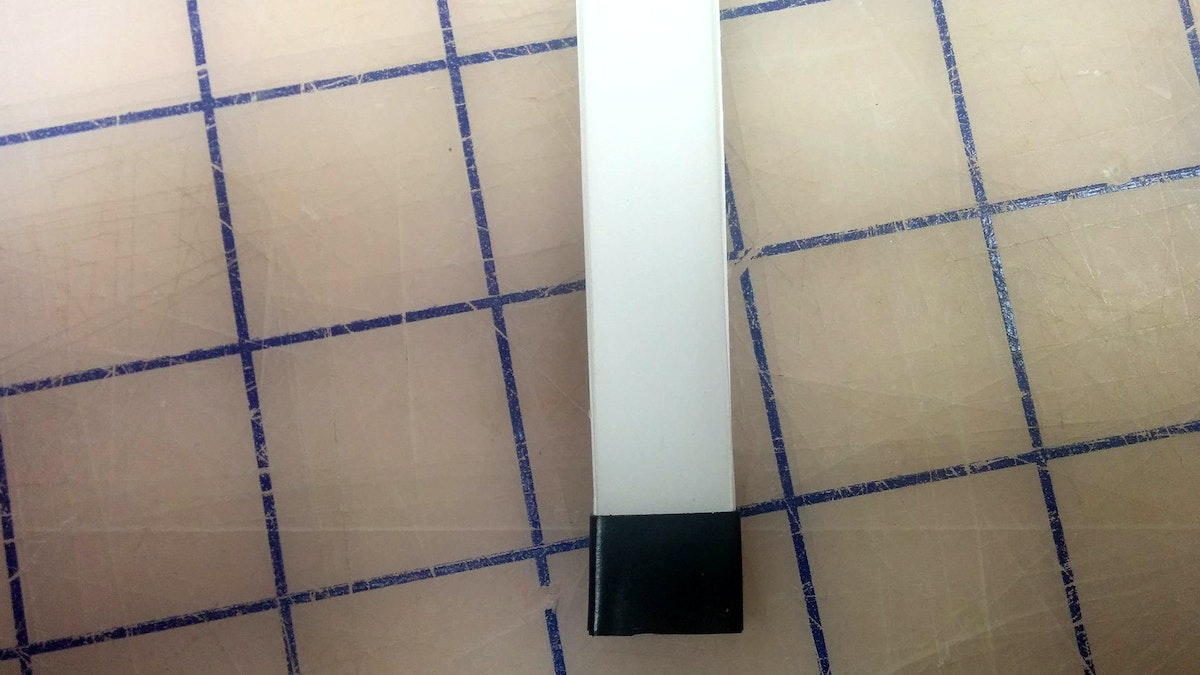
20. Now take your light guide and examine the edges. Make sure the material is transparent; otherwise you’ll need to do some hand-polishing.
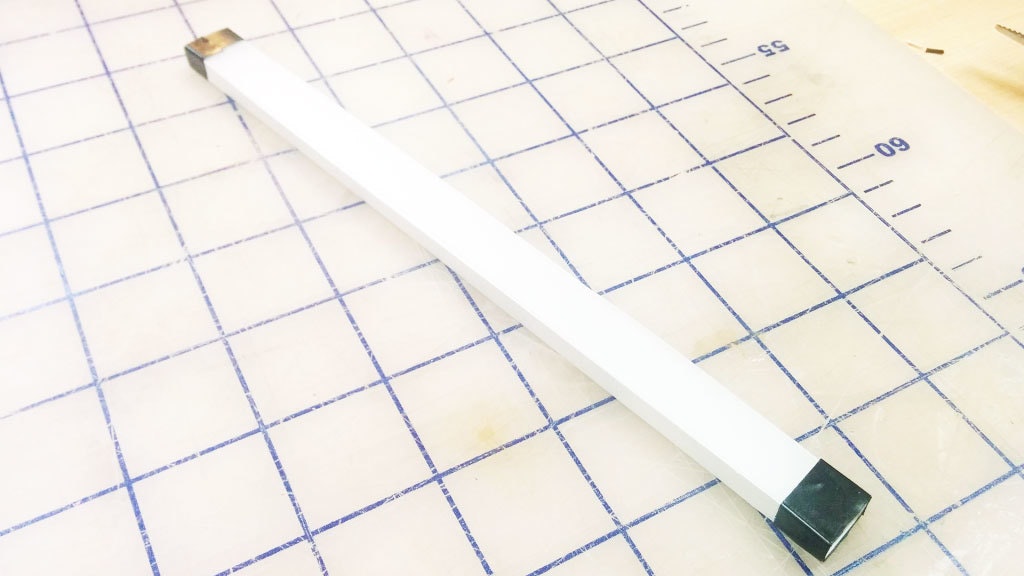
21. The slightly bumpy yet clear finish the laser leaves after a cut works great for our purposes. You’ll want to surround all clear surfaces with white reflective paper or tape, and mask off the quarter inch where the light first enters the pipe.
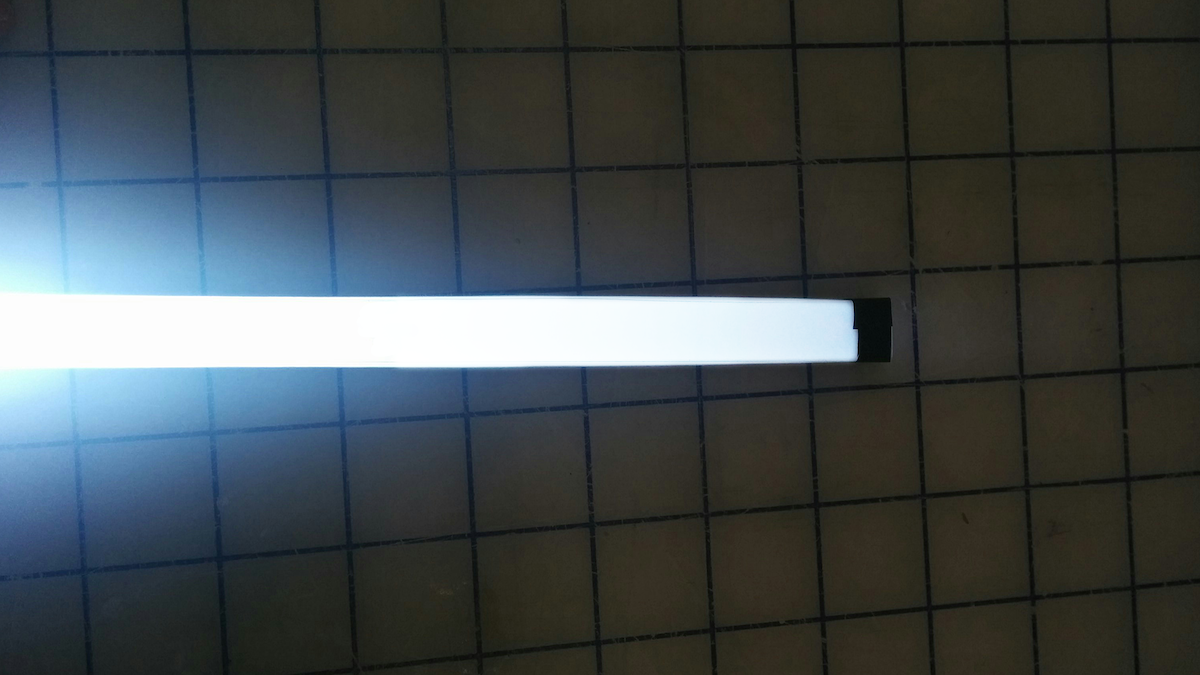
22. Here are the results with a super-bright LED! You can see that the light starts to drop off a little toward the end of the pipe.
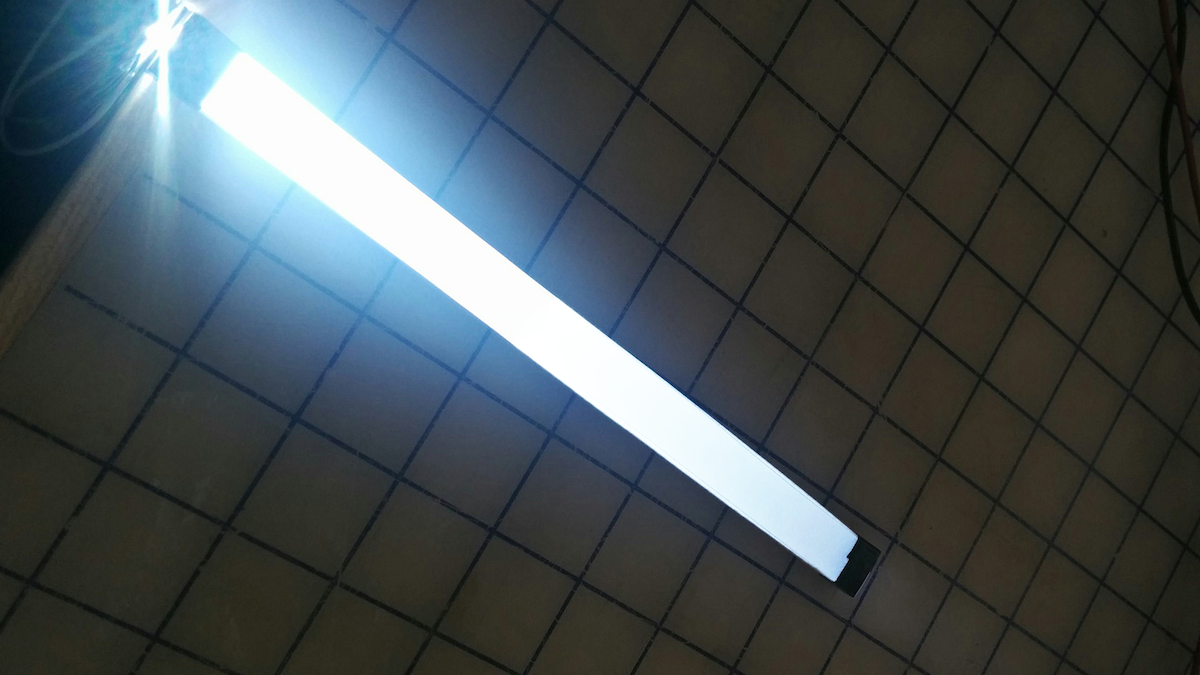
23. We could come back to tweak the blend pattern (reducing the number of dots at the beginning of the light pipe and increasing it toward the end).
Light guides are physical tools that transmit light along a path from an illumination source while maintaining constant brightness. They’re often used in products to create a line of light that is consistently bright and dynamic-looking, even when it comes from a single source. Unfortunately, there is no simple how-to guide available for making them. The process is kept tightly guarded by optical engineering companies. We came up with a quick process to make our own light guides, and now you can too.
Future of automobility
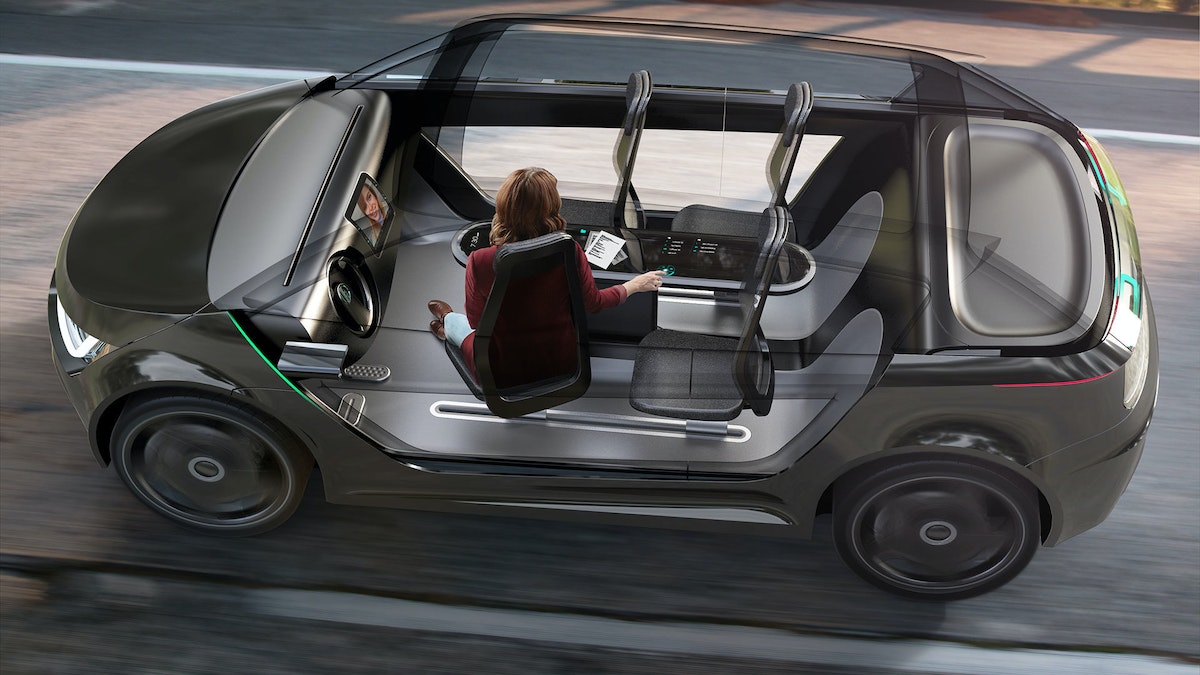
We’re on the cusp of a revolution in transportation. What will streets teeming with self-driving cars really mean?
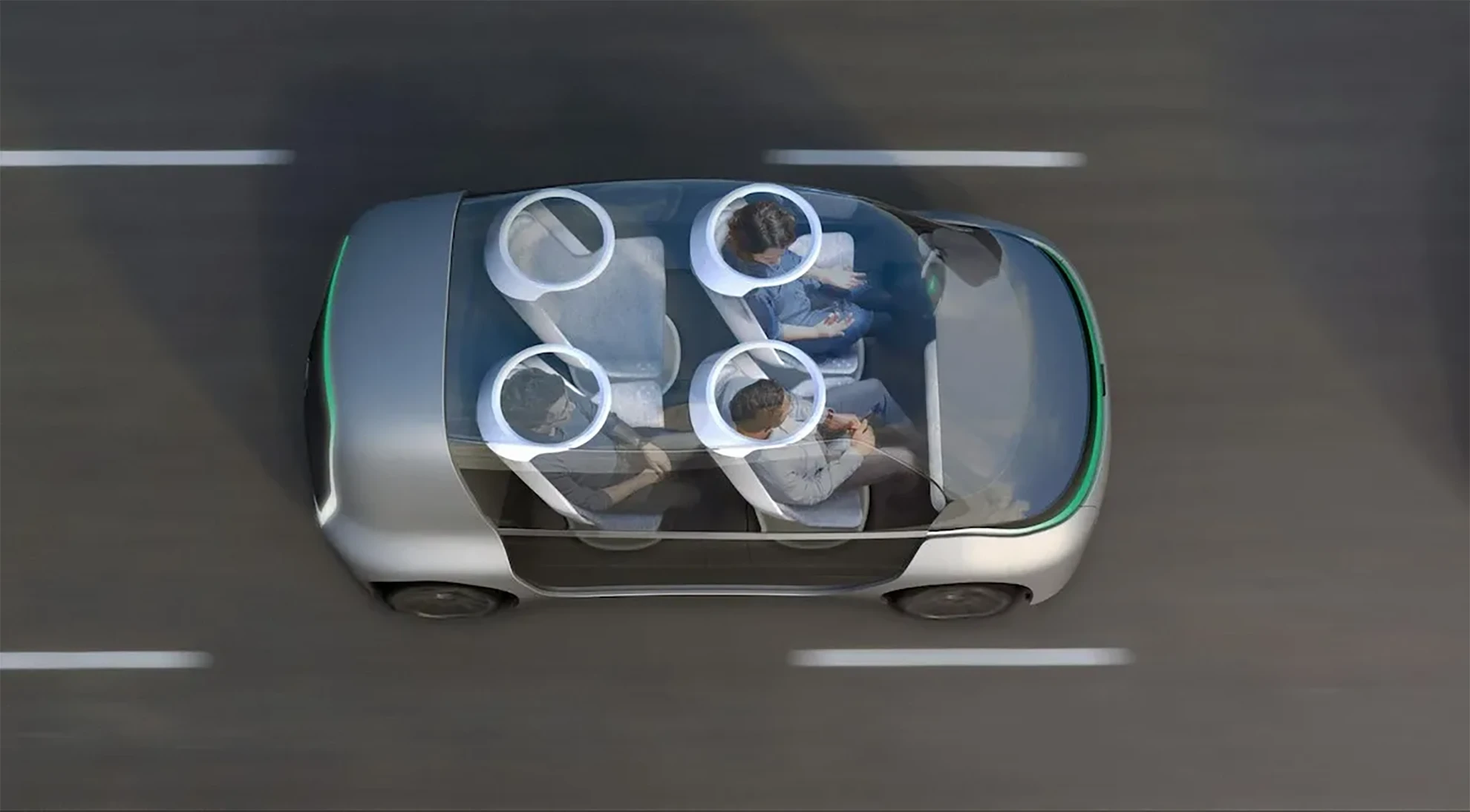
IDEO has decades of experience with automotive work, which has brought keen insight into the trends and technologies that will define the vehicles of the future. This presents an important design opportunity: If we visualize today the way we’ll live in decades to come, we’ll be better prepared to make smart decisions when the age of autonomous vehicles arrives.
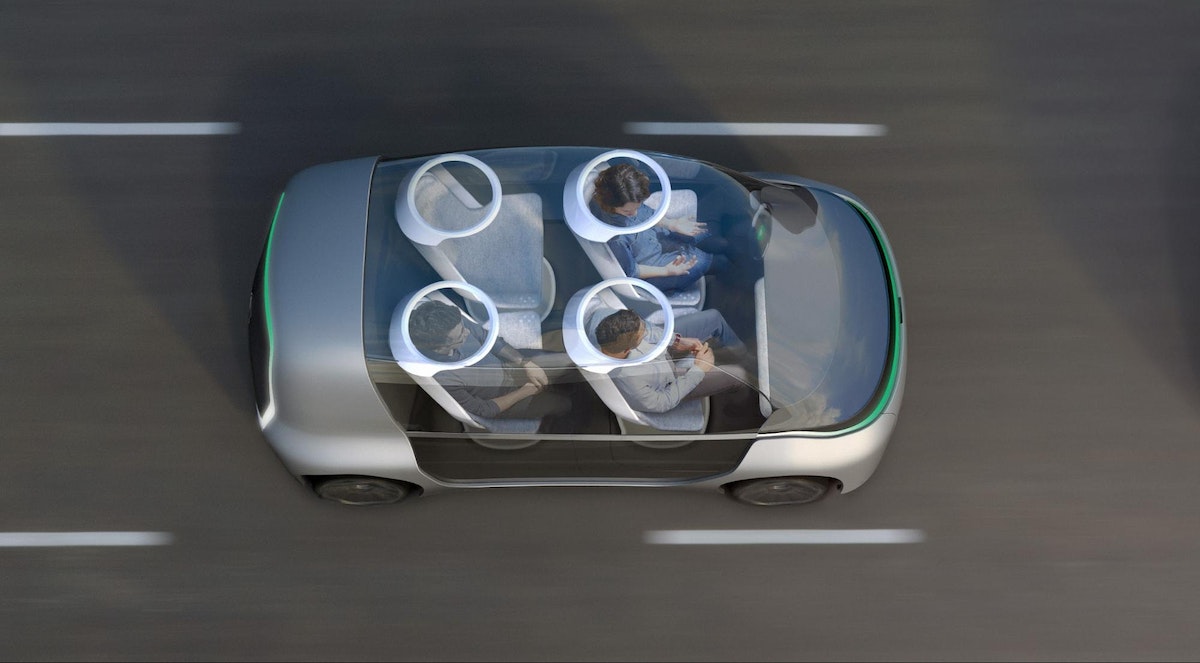
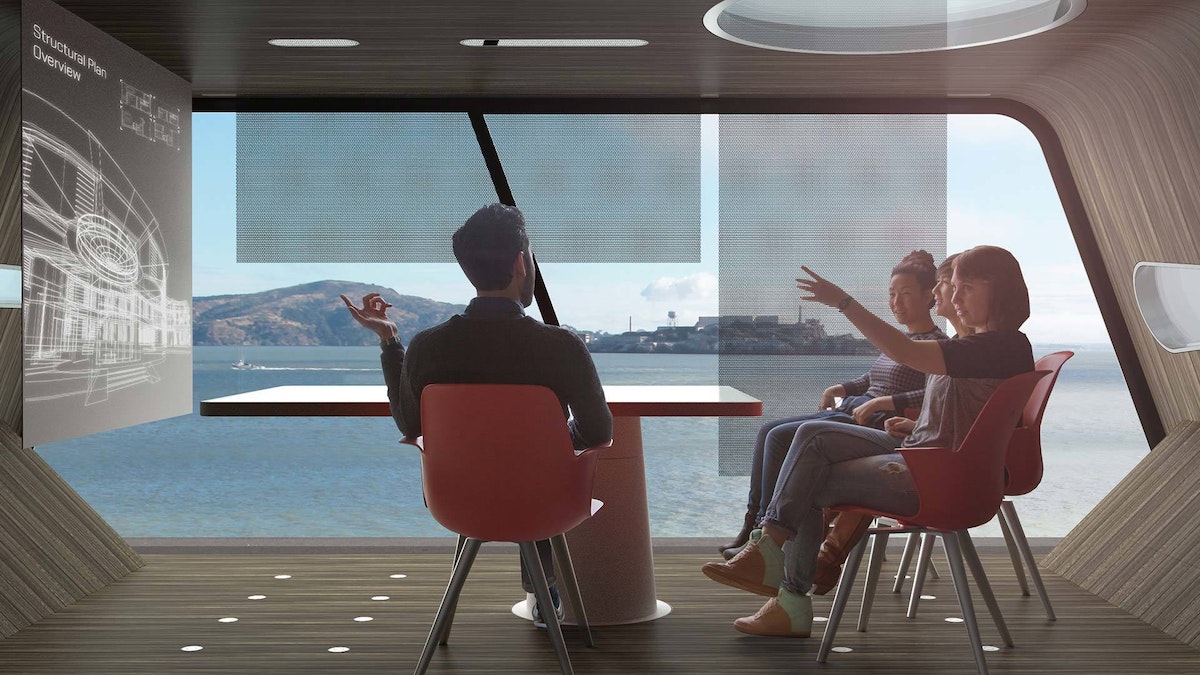
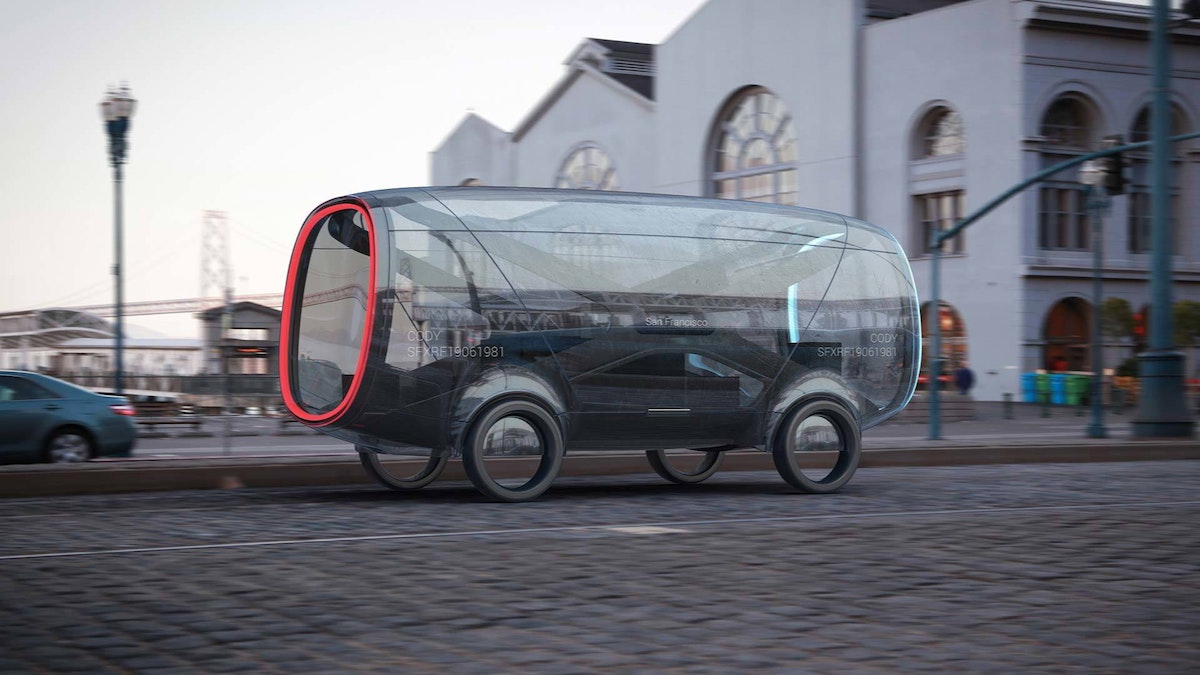
The Future of Automobility is an online visualization of how life with driverless cars might really look and feel. It considers four scenarios: “Moving People,” which looks at how commutes will change when we can look away from the road; “Moving Things,” where we examine automated package-delivery fleets; “Moving Spaces,” where we envision mobile offices meeting people where they live and parking in underused areas of our cities; and “Moving Together,” which explores how the interior of future vehicles will be customized to meet our personal needs during ride-sharing.
The experience is as emotionally compelling as it is feasible, combining radical innovation in transportation concepts with immersive storytelling. It expresses not just our vision of the future, but also how we work, how we think, and what we value.
Want More?
IDEO alum Jonah Houston continues the conversation in a Medium article on how the horse can provide inspiration on designing modern driving interfaces.
Press
A Fascinating Glimpse at How We'll Carpool in 2027, WIRED
Imagining A Future Where Autonomous Cars Let Everyone Carpool, Fast Company
IDEO envisions ride-sharing car concept for 'the future of moving together', designboom
IDEO Visualizes the Role of Autonomous Vehicles and Ride Sharing, Core77
Awards
Once our hands are off the steering wheel and more vehicles are shared rather than owned, what will change in our lives?
Design Kit: The Human-Centered Design Toolkit
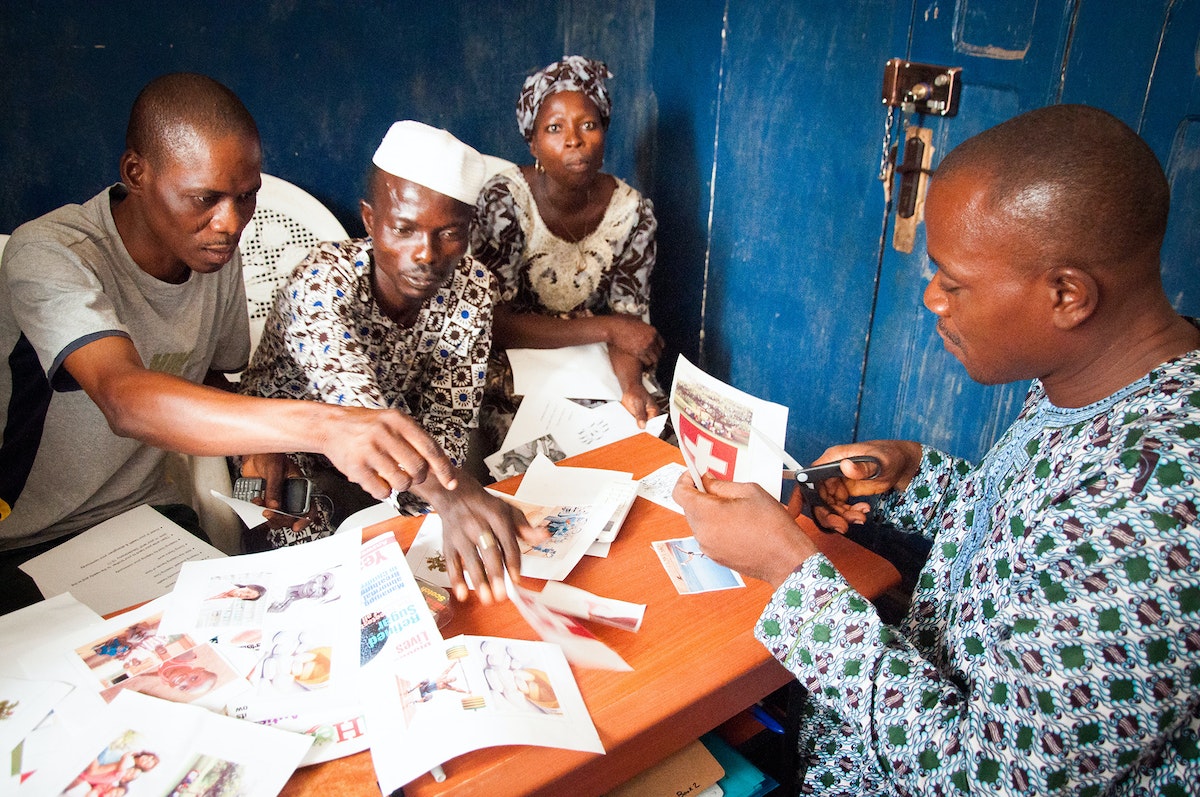
In 2009, IDEO designed and launched the HCD Toolkit, a first-of-its-kind book that laid out how and why human-centered design can impact the social sector.
In short order, a community of designers, entrepreneurs, and social sector innovators embraced it, buying and downloading over 150,000 copies.
In April 2015, IDEO.org launched an exciting new evolution of the HCD Toolkit the Field Guide to Human-Centered Design. The Field Guide is the latest in IDEO.org’s suite of teaching tools and a step forward in sharing the practice and promise of human-centered design with the social sector.
A full-color, 192-page book, the Field Guide comes with 57 design methods, the key mindsets that underpin how and why IDEO.org believes design can change lives, a full slate of worksheets, and case studies from projects that show human-centered design in action.
The Field Guide was funded by more than 1300 backers in a Kickstarter campaign that reaching nearly three times its initial goal. IDEO.org received an amazing outpouring of support and strengthened its deeply held belief that human-centered design can push the social sector forward.
IDEO.org is a nonprofit design organization that launched out of IDEO in 2011 with a mission to improve the lives of poor and vulnerable communities through design.
Visit designkit.org to download a free PDF, or get your own hard copy.
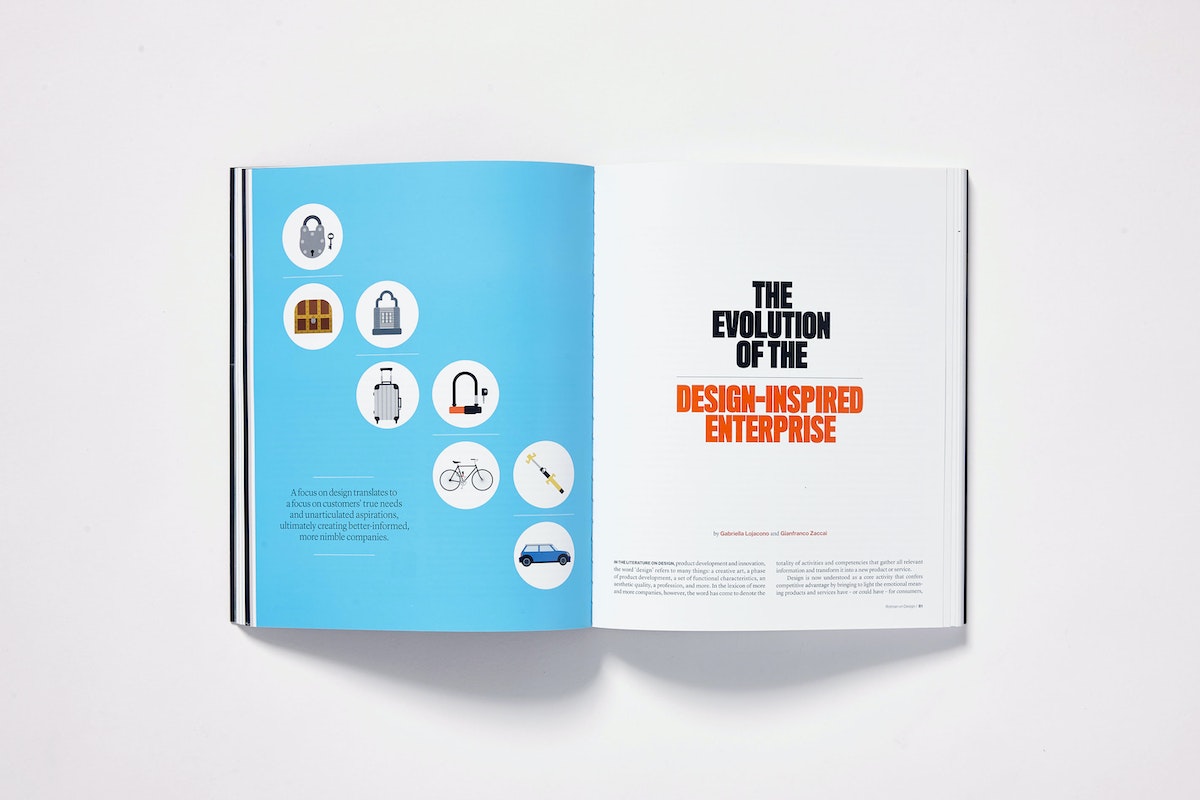
In 2009, IDEO designed and launched the HCD Toolkit, a first-of-its-kind book that laid out how and why human-centered design can impact the social sector.
Building the Pong-a-Tron
All it took was four iPads, two Raspberry Pis, 12 Arduinos, a Mac Mini, and 2000 RGB LEDs
After a bit of brainstorming, we hit on the perfect idea: a Noam-enabled modern twist on Pong, the classic, endlessly absorbing old video game.
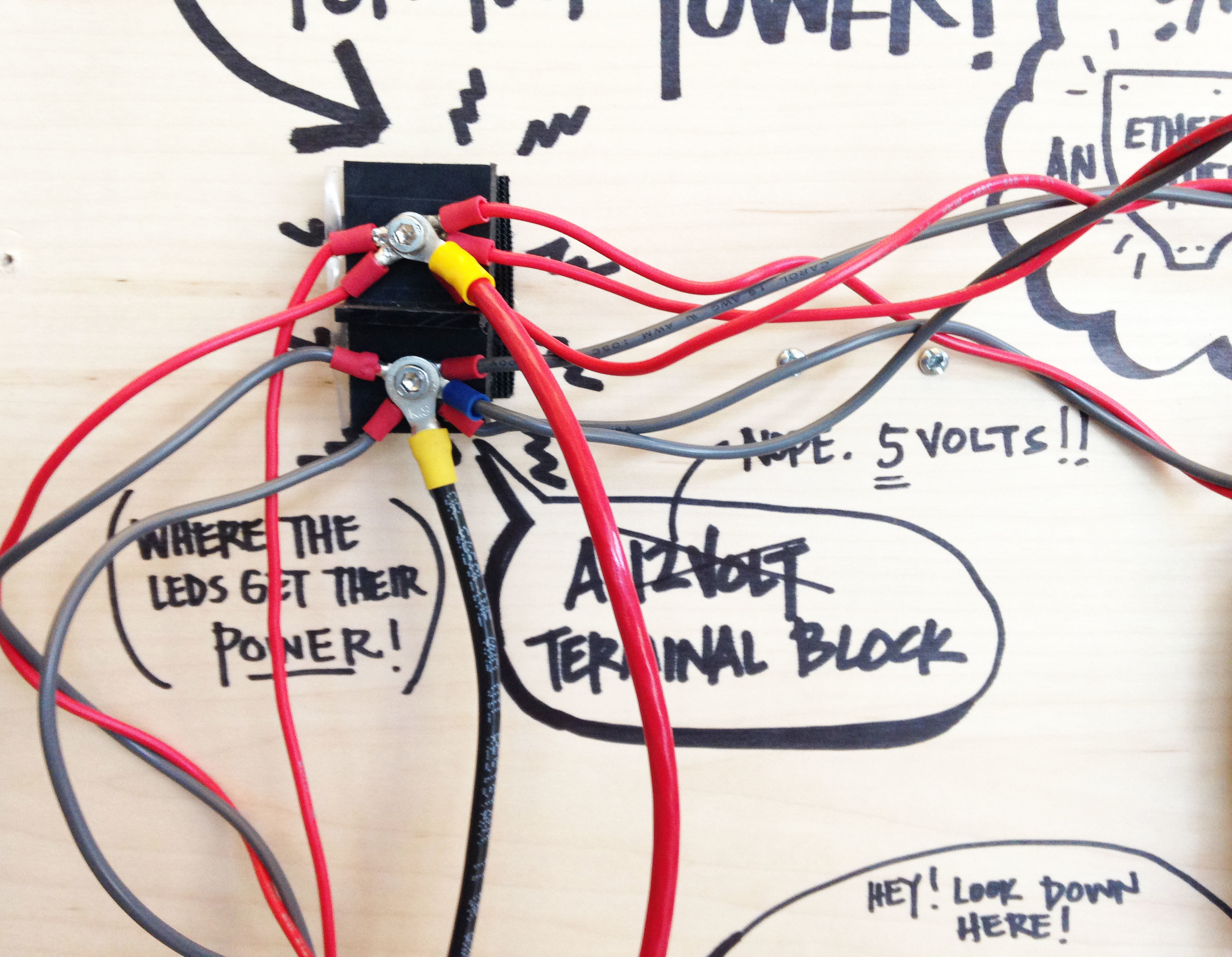
The Pong-a-tron is considerably more complex than its predecessor. It links together four iPads, two Raspberry Pis, 12 Arduinos, 24 stepper motors, a Mac Mini, two Node.js applications, a Processing sketch, an Objective-C app, and over 2000 RGB LEDs. Noam coordinates the entire menagerie by hosting a conversation between all the different elements.
The Pong game itself was written in Node and broadcasts paddle and ball positions, which are then rendered on various portions of the overall display. The paddles are translated into physical "pixel" strips along the edges of the Pong-a-tron, while the ball moves seamlessly from Arduino-controlled RGB LEDs to iPads and Raspberry Pis.
The Pong-a-tron was initially showcased at Solid Conference 2014 and is now a permanent feature in the lobby of IDEO Chicago. Stop by and see it in person at a studio event, or pay Noam a virtual visit.
The Pong-a-tron would not be possible without the incredible talent, skill, collaboration and brainpower of many IDEOers including: Joe Banks, John Grimley, Travis Lee, Zeke Markshausen, David Sjunnesson, Ben Syverson, Jon Wettersten, Garrett Winther, and more. Video by Ben Syverson.
Noam is a software-messaging platform created by IDEO to help hardware and software tools communicate with one another. To introduce Noam to the world, we wanted to build a physical manifestation of the platform, something that was—like Noam—fun and exciting but also remarkably simple to use.

Lindsey Turner
I’m passionate about building brands, products, and experiences that help organizations show up with meaning and momentum.
I help organizations cut through complexity by shaping how they show up, through brand strategy, identity, and storytelling.
Working at the intersection of brand and business, I bring an editorial eye and a bias toward making—turning ideas into tangible experiences that people can understand, trust, and believe in.
My work spans government, healthcare, financial services, media, and consumer goods, from launching Gen Z-focused ventures to building innovation labs and reimagining legacy brands. I relish moments of ambiguity and enjoy translating across teams, perspectives, and priorities to move ideas forward.
I started my career in editorial and digital design, shaping cross-platform experiences and identity systems in publishing and agency environments. That foundation still shapes how I work today: I’m detail-oriented, collaborative, and overreliant on the Oxford comma. I hold a BFA in Visual Communication from the School of the Art Institute of Chicago.

Rachel Young
My work helps organizations see who their products aren't working for—and build the will and the tools to do something about it
For 25 years, I've asked the same question: Who does this design exclude—and what are we going to do about it?
My work spans human-centered strategy, inclusive design, and qualitative research, with clients ranging from Microsoft, Google, and Verizon to the National Science Foundation, and San Francisco Unified School District.
Before IDEO, I taught elementary school in East Palo Alto and spent a decade doing design work with social service organizations—where I learned firsthand what it costs people when systems are built without them in mind.
I am currently writing User Error, a nonfiction book about digital access and the design decisions behind it. I live in Oakland, California.

Brian Pelsoh
I lead with craft, ensuring our work is creatively excellent: rooted in deep human insight and imagination, while also grounded in the realities of business and technology.
My expertise spans brand, communication, and product design across tech, education, the arts, and social impact.
I believe great work demands both high-level vision and obsessive attention to detail, and only happens through collaboration.
I bring an inclusive, hands-on approach and a deep understanding of business, which enables me to consistently deliver excellence while always asking why.
Before joining IDEO, I worked at the brand firms Pentagram and VSA Partners. I began my career as a designer, leading teams at the School of the Art Institute of Chicago and the Milwaukee Art Museum. I hold an MFA in graphic design from Maryland Institute College of Art and a BFA in communication design from the Milwaukee Institute of Art & Design, and have taught at some of the best design schools in the US.

Tony Wong
I am responsible for IDEO’s long-term success in China and working with clients to use design as a tool to enable growth.
I am responsible for IDEO’s long-term success in China and working with clients to use design as a tool to enable growth. Specifically, I have helped Chinese companies design holistic brand solutions through the development of their products, communication, services, and innovation teams, and I have helped multinationals expand their presence and influence in China.
I advise global leaders on developing China-led innovation and capabilities.
In over 15 years in IDEO Shanghai, I have worked on projects that use design to elevate the quality of the experience of healthcare products and services, streamline processes that increase productivity, create spaces and programs that promote and enable inclusive communities, and build next generation mobility solutions that are planet-positive.
Before joining IDEO, I worked at Philips Electronics and the Electrolux Group in Italy, the Netherlands, and Singapore on a number of breakthrough commercial products. I am a member of the Young President Organization in Shanghai.

How to use AI as an editor, not a writer
Ed White shares how he uses AI as an editor—not a writer—to sharpen storytelling, rehearse ideas, and preserve the productive friction that makes creative work better.
Ed White has a rule he's tested on his own writing: hold yourself as the writer, and let AI be your editor. Ed is a Senior Design Director at IDEO's London studio, where he co-leads the firm's AI portfolio across Europe. Before IDEO, he spent 12 years as a writer and editor at the Financial Times, Wired, and Contagious. So when he talks about when to use AI for storytelling and when not to, it comes from two decades of crafting his storytelling skills.
In this episode, Mina Seetharaman talks with Ed about two specific tools he uses to keep AI in an editor's seat: a "roasting agent" prompted to critique his drafts without any sugarcoating, and a simulated audience he rehearses pitches on before the real thing. They also get into what Ed is hearing from design leaders at Anthropic, Lovable, Shopify, and Google Creative Lab about how creative work is changing, and why he thinks the friction of writing something yourself is worth protecting rather than automating away.

Building a personal AI for the messiness of life: Sida Li
Becca Carroll talks with Cue co-founder Sida Li about designing a personal AI for the messiness of everyday life—not just work. They explore how Sida stays anchored to human needs while navigating fast-changing technology, product tradeoffs, business-model experimentation, and the realities of building an AI company today.
Most AI products today are built for work—a space with clear problems and established systems. One founder noticed a gap: personal life is messier, harder to systematize, and mostly left behind by the AI boom. So she built Cue, a personal AI that lives inside iMessage and group chats, to go where the other tools haven't.
In this episode, Becca Carroll, IDEO's Chief Strategy Officer, talks with Sida Li, co-founder and CEO of Shared Context Lab, about staying anchored to a human need while the technology around her keeps changing shape, why she treats her business model with the same rigor she'd bring to a product, and what it feels like to build a company at this particular, disorienting moment in AI.
The conversation also gets into how Sida makes design decisions: the language Cue uses to describe itself, the tradeoffs behind building inside iMessage instead of a new app, and a real story about a business idea that didn’t pan out.
This is the second in a two-part series profiling founders from IDEO's Startups-in-Residence program. The first conversation is with Johannes Seemann, founder of Sooner, on designing GenAI for the emotional side of money.

Designing GenAI for the emotional side of money: Johannes Seemann
Designing financial tools around the feelings that shape money decisions.
Most personal financial tools are built to run the numbers and optimize towards a budget. While that works for some, most people experience money as a lived relationship that does not neatly fit into a spreadsheet. Johannes Seemann and Becca Carroll discuss why money is emotional before it is mathematical, and what a human-centered approach to building a generative AI financial product looks like in practice.

The curious leader's edge in uncertainty: Scott Shigeoka
How genuine curiosity helps leaders navigate uncertainty with greater confidence.
Mina Seetharaman talks with Scott Shigeoka, author of Seek and Head of Curiosity Cultivation at the Eames Institute, about what distinguishes genuinely curious leadership from performative curiosity, how power dynamics shape curiosity, and why practicing curiosity can restore energy rather than drain it.
Looks like you might be in search of something very specific?
Or reset the filters above and try another angle.
Here’s some random inspiration
Podcasts about creative leadership
Articles about the power of prototyping














.webp)