
.svg)


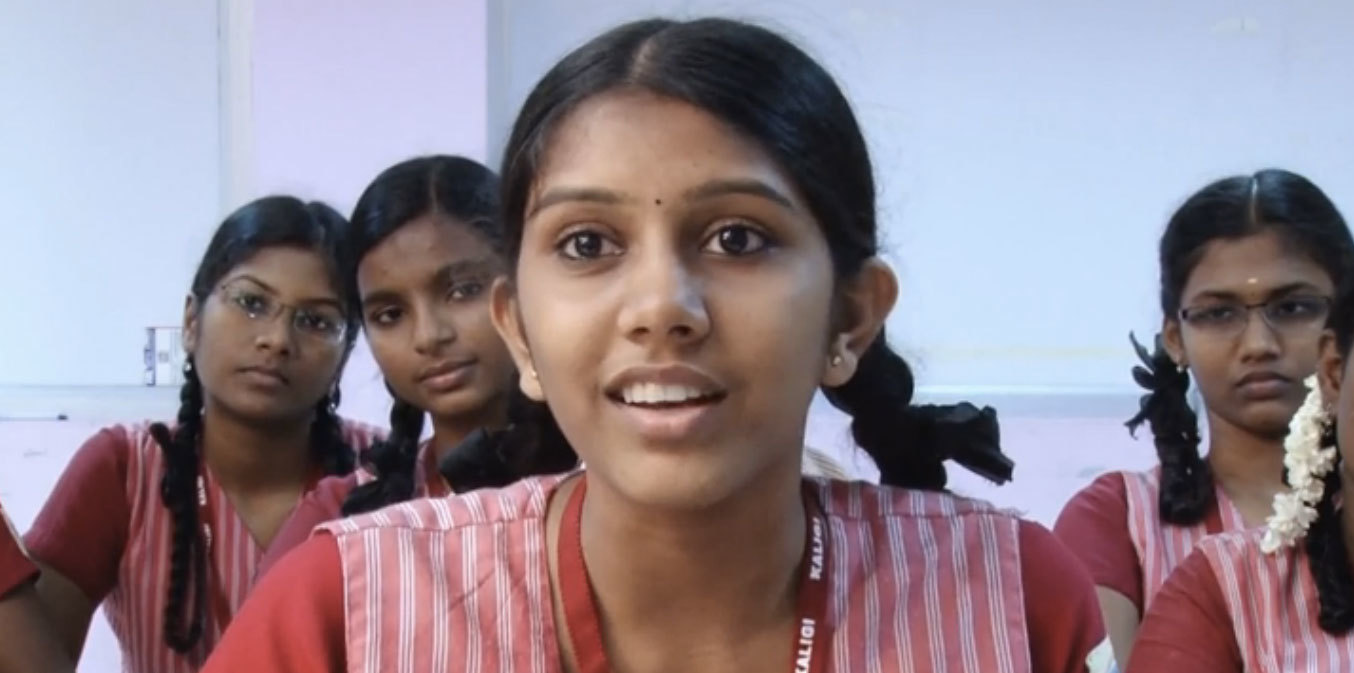

A global design movement led by children
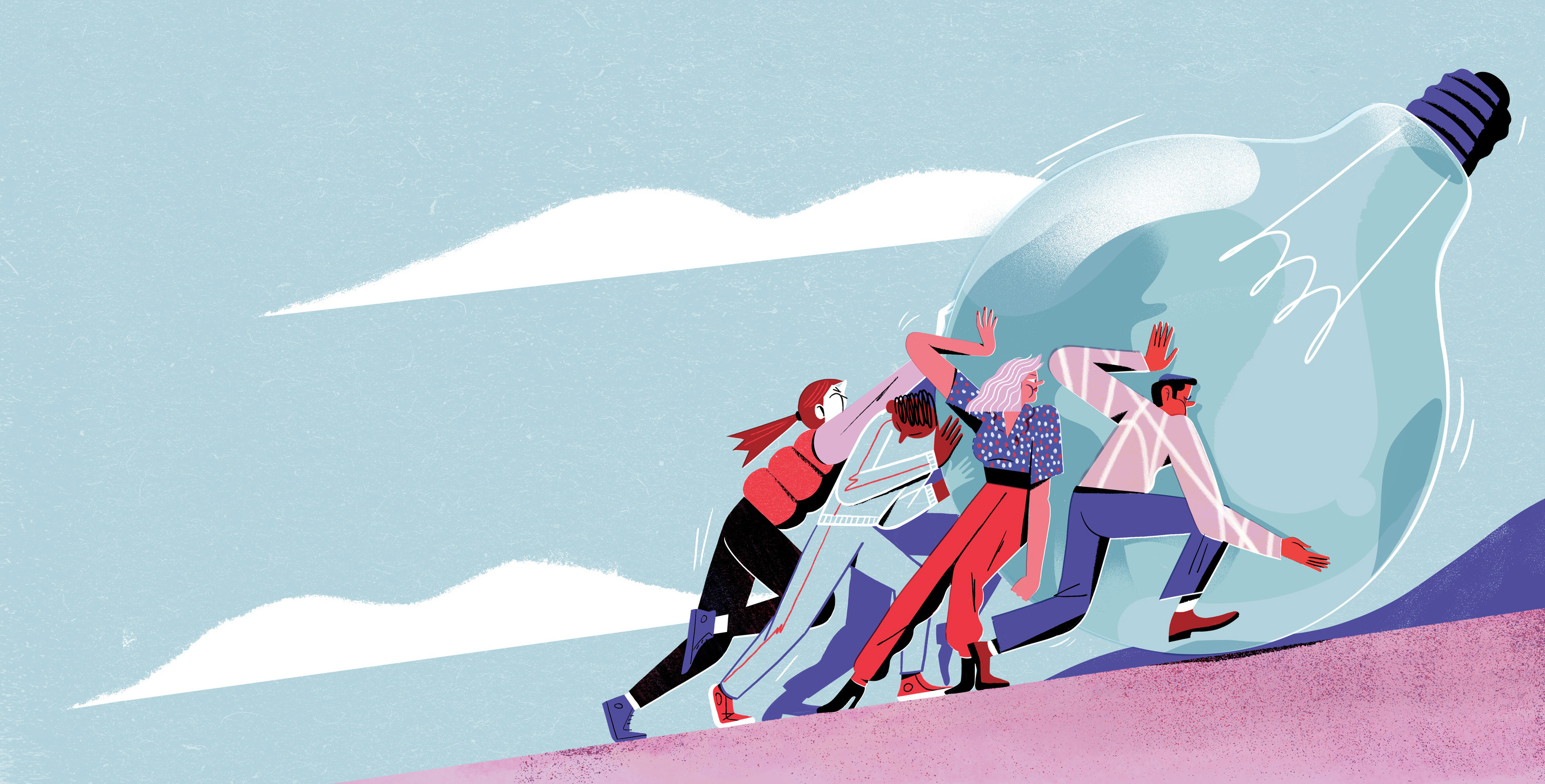
A contest that teaches design-thinking skills to millions of kids across the globe.
Designer turned educator Kiran Bir Sethi wanted to blur the boundaries between school and life to help young students become aware, enabled, and empowered to effect change in the world. In aiming to spread her message to millions of children across India , Sethi tapped IDEO and the d.school at Stanford to help create a design contest for youth that would show them that they could make a difference in their community.
Together with the d.school, IDEO designed a competition for middle school students called the Design for Change Contest. Adapting the human-centered design approach into a simple process that 10- to 13-year-old kids could follow on their own, the contest included rules, tools, and platforms that would be accessible to children and teachers throughout India regardless of their previous exposure to design.
The team shaped the rules so that students could learn core design-thinking skills such as empathy, brainstorming, collaboration, and reflection through the process of participating in the contest. And together, the group developed a toolkit to walk students through the simple four-step process.
The biggest challenges to the contest were overcoming the lack of infrastructure, language barriers, and a discrepancy in school resources. There was no national database of schools for easy outreach, so Riverside built relationships with NGOs across India to distribute the contest toolkit to more than 30,000 schools.
The contest receives about 2,000 entries from groups of youth in India each year. They have been addressing challenges such as illiteracy, pollution, traffic safety, care for the elderly, alcoholism, and the environment.
As of 2015, the Design for Change Contest has scaled far beyond India, and is being run in 30-plus countries, with millions of children participating. Each contest entry shows that kids really can make a big difference in the world.
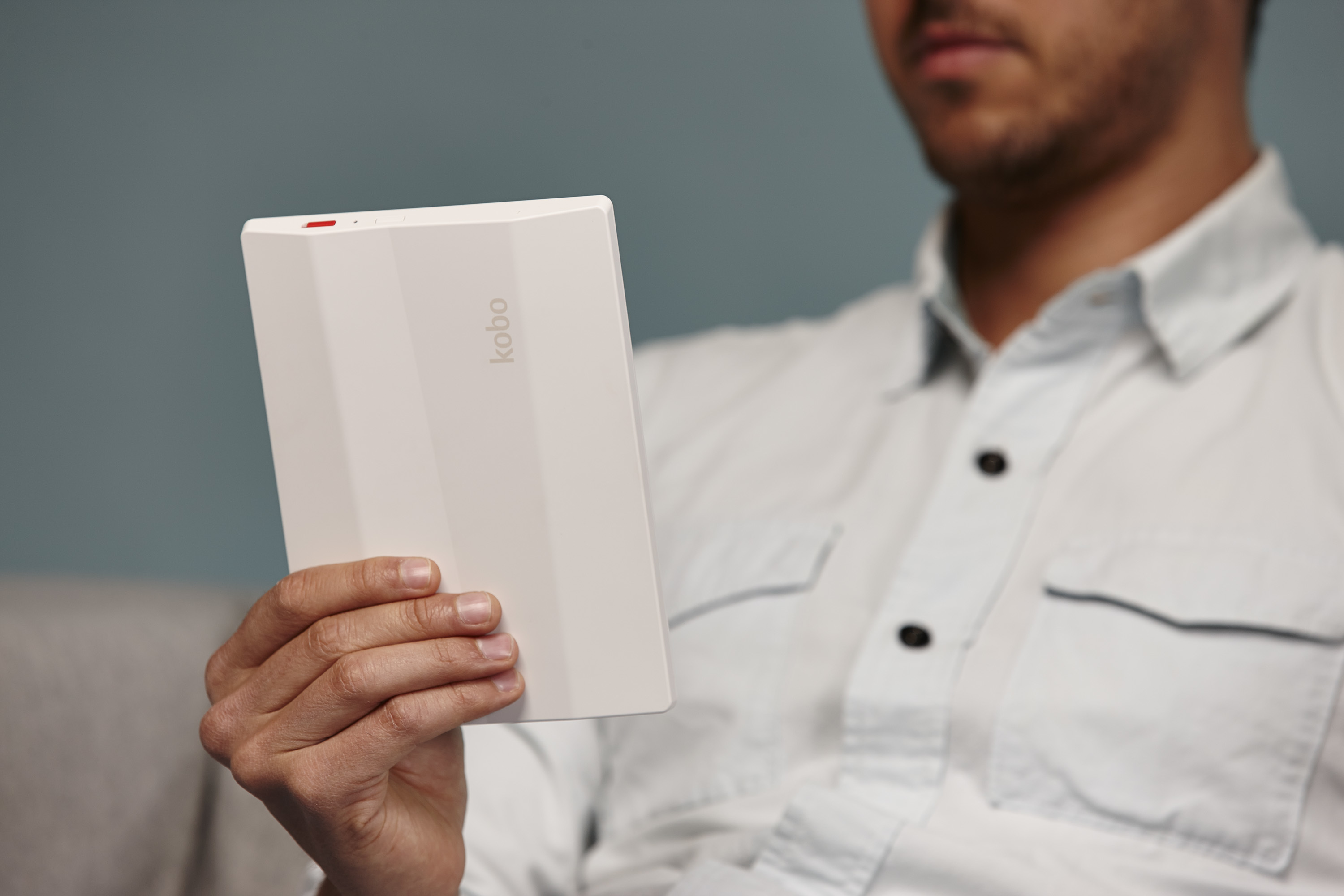
A friendlier, more tactile e-reader experience
Creating a digital reader that embodies the best aspects of paperback books.
International e-reading service Kobo, Inc., with more than 2.5 million digital book, magazine, and newspaper titles, approached IDEO to gain a strong foothold in the shifting publishing landscape. The design challenge was to create a new suite of advanced reading devices with the best aspects of paperback books—tangibility, portability, and a small footprint.
To make digital reading devices feel approachable, personal, and sophisticated, designers focused on the intersection of physical and digital interface design. The teams created a family of affordable e-readers with clearly differentiated feature sets, and the resulting design provides a reading experience that approximates holding and reading a paperback book. No larger than a novel, the front of the e-reader is designed for the reader’s eyes, while the back features a signature “quilted” back shell designed to create a pleasurable, tactile memory for the hands.
The Kobo family includes the Kobo WiFi, with a 6-inch glare-free E-Ink screen; the smaller Kobo Touch, with infrared touch-screen interface, E-Ink Pearl screen, and faster processor; and the Kobo Vox, a 7-inch Android tablet model with social and digital sharing options.
Kobo saw record sales of its digital reading devices during the 2011 holiday season, and was named “Editor’s Pick for Best e-reader” by Wired magazine.
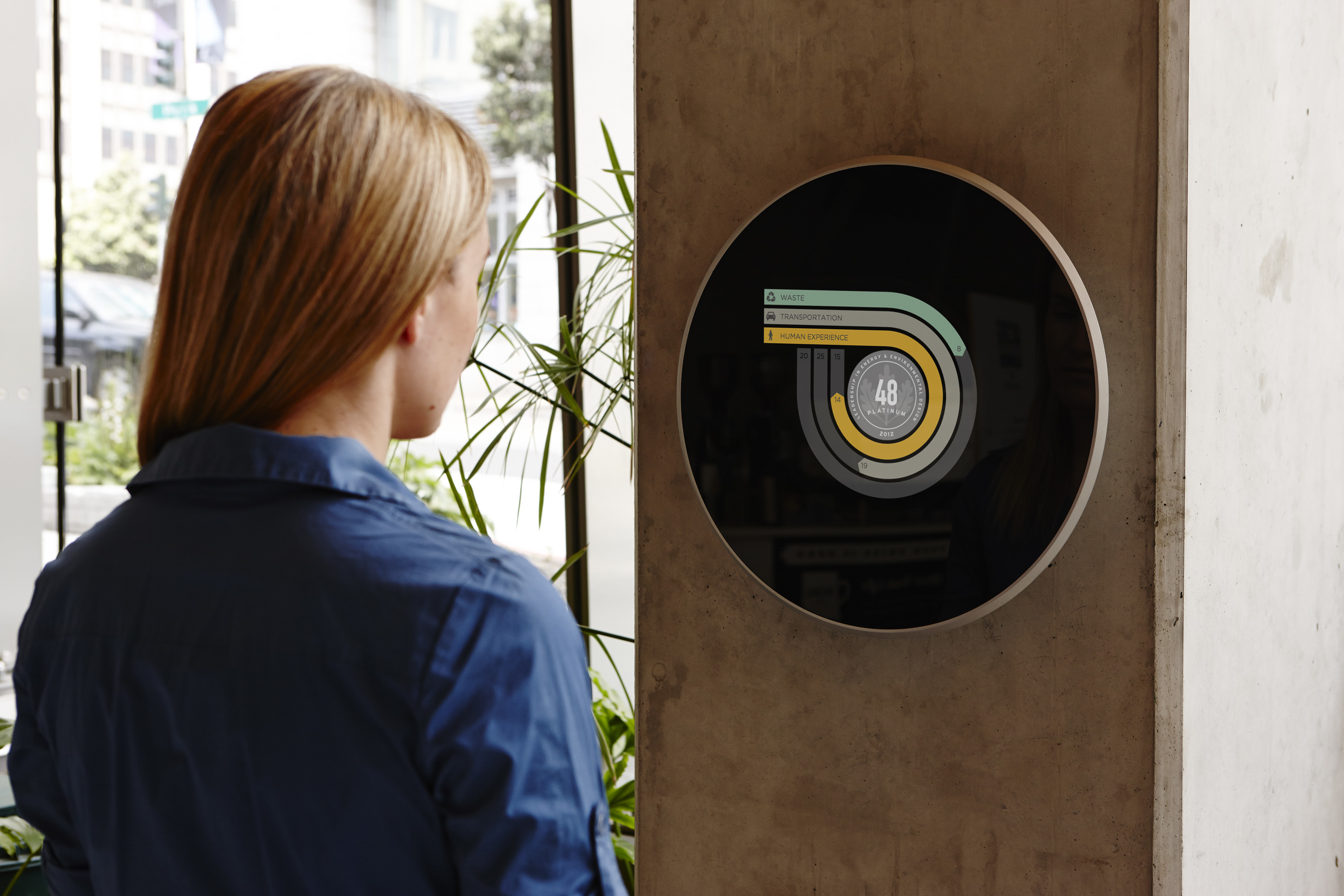
A digital display to measure energy use
Communicating environmental performance with an interactive plaque.
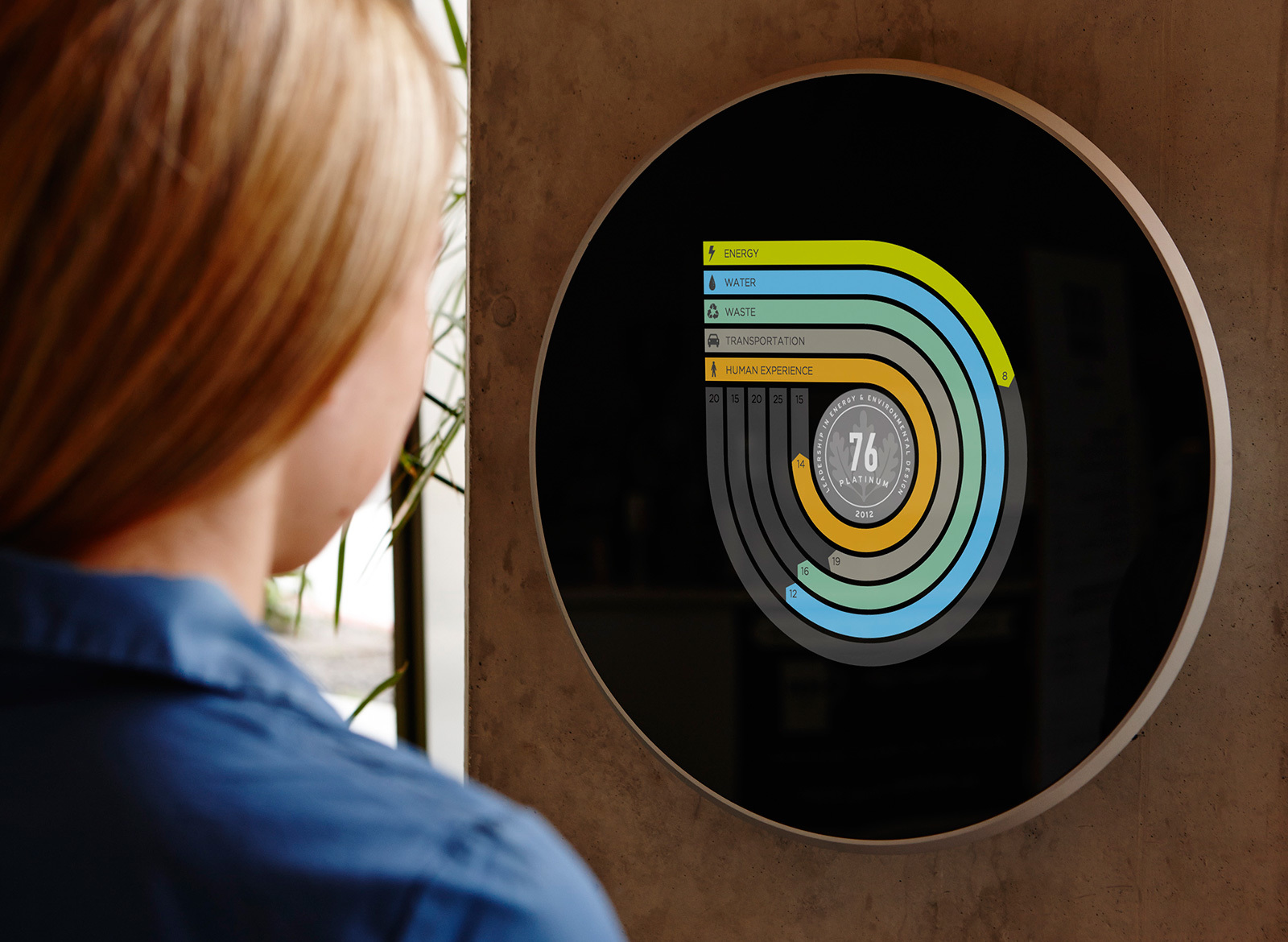
The U.S. Green Building Council asked IDEO to help visualize how buildings might communicate environmental performance. Together they came up with the LEED Dynamic Plaque, an elegant public declaration of a building’s environmental efforts.
Located in a lobby or other common space, the plaque displays real-time measurements about a building’s resource use—from energy to waste disposal. IDEO designed and built the physical plaque, and the IDEO Digital Shop created an online interface that allows USGBC’s software to interact with it, enabling people to enter data, analyze details, and make personal decisions that influence a building’s performance.
WATCH: "LEED Dynamic Plaque" video
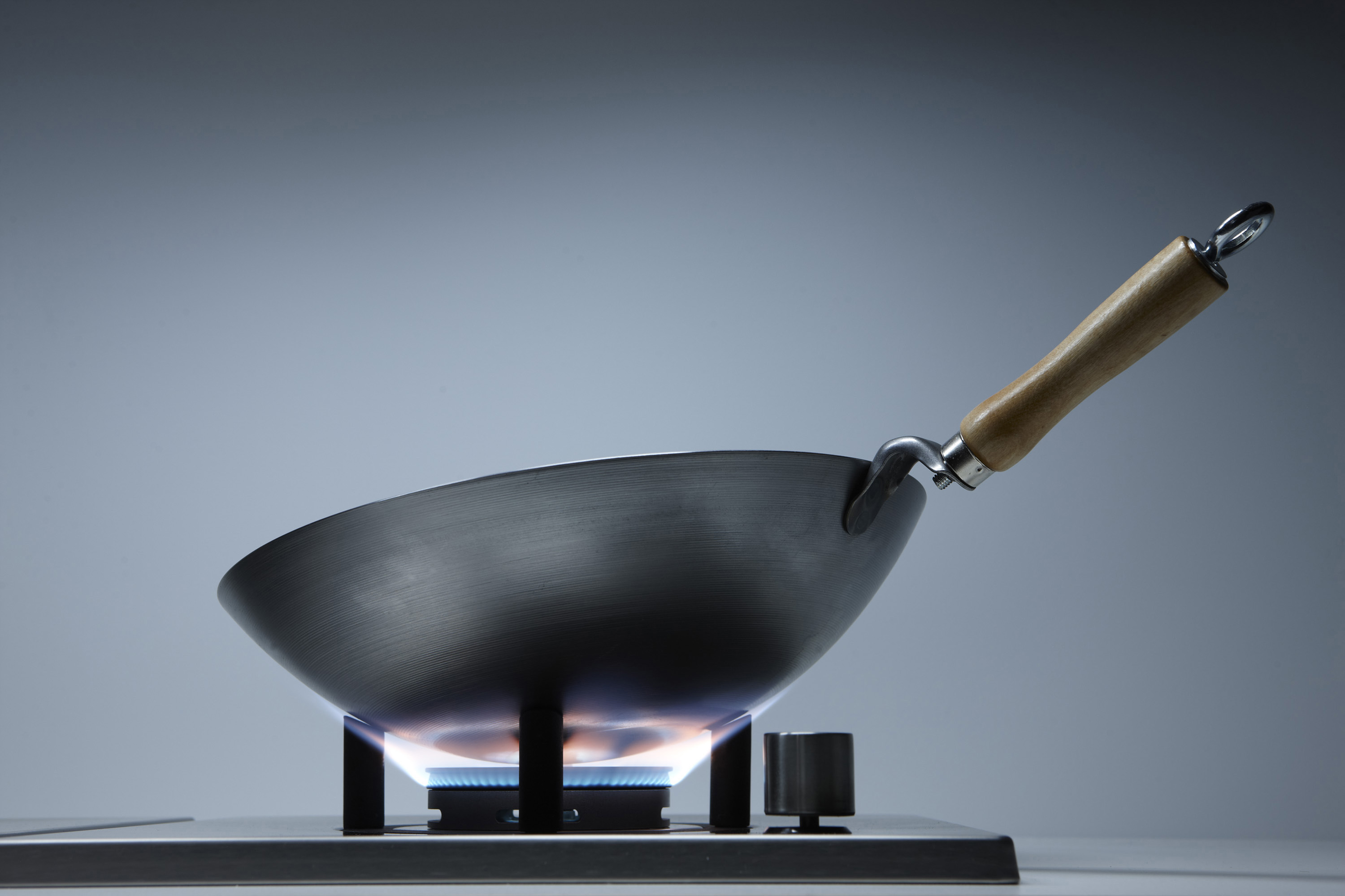
A cook top designed for a wok
Culturally relevant kitchen appliances for a Chinese market.
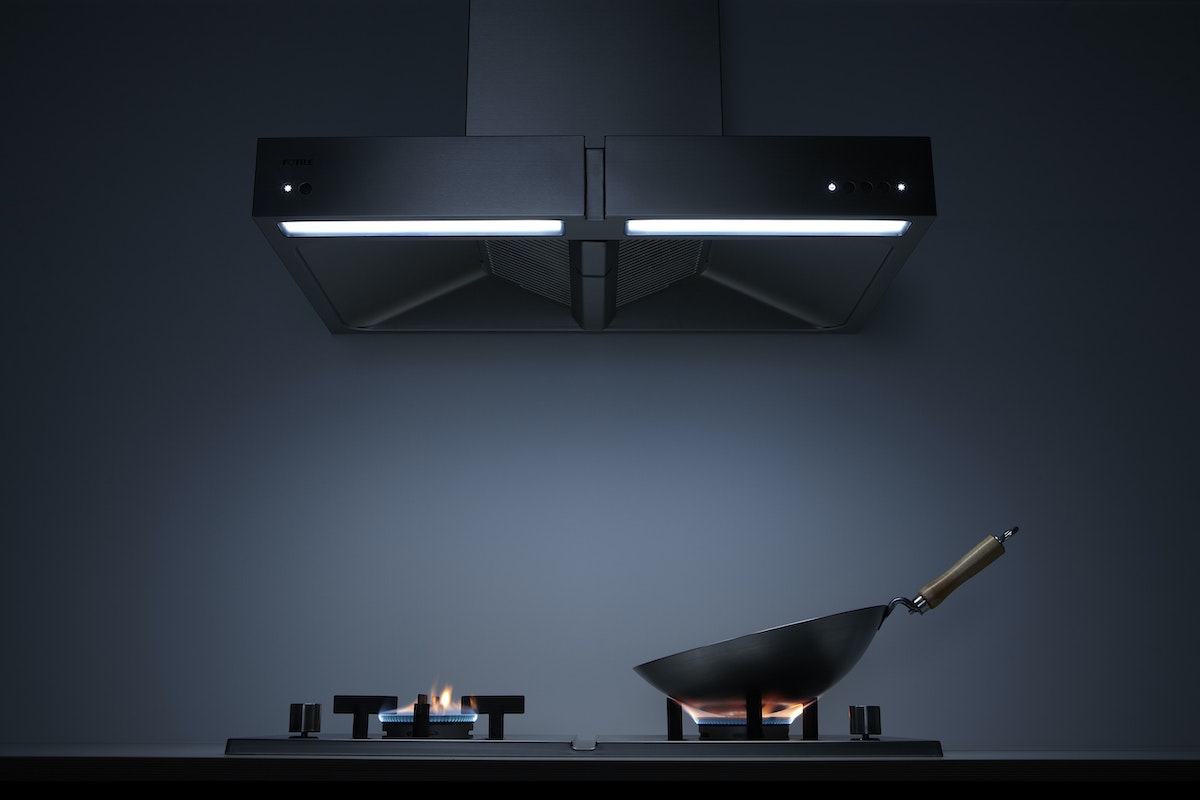
In China, most kitchen appliances available on the market are rooted in Western cooking practices. High-end kitchen appliance company Fotile, based in Ningbo, China, was looking to design a new cook top and range hood that would satisfy the unique needs of Chinese cooking culture.
The new appliances designed by Fotile and IDEO support a key need of Chinese cooking: the dual-cooking center. This two-burner range eliminates unnecessary burners, instead dedicating one side to the wok, the primary tool in Chinese cooking, and the other side to a flat-bottom pan. The wok burner has a special stand with angled posts to hold steady a round-bottom wok (typical in China) and ease the rigorous, constant “tossing” movement that is prevalent in Chinese cooking. The Fotile cook top and range hood have become popular with Chinese consumers since market launch.
How We Did It: Buildings Tell Us Just How Green They Really Are
A revolutionary new LEED plaque makes sure structures live up to their green potential
But when IDEO worked with the USGBC to come up with a new LEED certification plaque, it became clear that software design would be a fundamental part of LEED’s future: The idea was to replace the static plaque with a continually updated digital display. Initially, LEED only looked at a building’s performance at the time of certification. The USGBC has long been working on ways to evaluate what happens after certification, and a recertification program has been in place since 2004. The new plaque was conceived to go even further, monitoring a building’s sustainability in real time on a dynamic digital graph.
That sounds (and looks) pretty simple and intuitive, but to make it work, we had to bust down some interesting technical walls, in a way that nicely encompassed the breadth of IDEO's capabilities, from design research, business development, industrial design, shop building, and interaction design to the software I helped create with an incredible team.
I came on board after the actual visual design had been finished. A small IDEO team had already completed a concept video, unveiled at the 2013 Greenbuild conference, for a plaque that calculates a building’s ongoing performance in five categories: energy, waste, water, transportation, and human experience. For each of the five ratings, there is a curving pathway that gets longer as the score improves.
The team came up with this “racetrack” design to show real sustainability data in a way that encourages positive behavior change. Familiar graphics like charts and graphs tend to make people focus on the negative, whereas we wanted people to focus on progress. No matter how long the strip on the racetrack is, you can see that you’re on your way, even if you still have a ways to go. We weren’t sure we could achieve the requisite combination of elegance and functionality in the time allotted. But it was a good challenge, and that in itself was compelling.
The animation has a big purpose: Showing the building’s use of energy, waste, and water makes people more aware and more conscientious of their own use. I think that’s really positive. The plaque also shows how occupants travel to and from the building, as well as how comfortable and happy they feel when they’re inside, which are new ideas for what it means for a building to be “green.” I wouldn’t have thought, when LEED was introduced in 2000, that a software developer could have a meaningful impact on sustainable architecture, but the fact that I could really speaks to the opportunities that will be open to us in the future.
--
Many folks helped to contribute to this post. Huge thanks to Scot Horst, Gretchen Sweeney, Jennifer Easton, Kim Cullen, Gerry Harris, Steve Bishop, Beau Trincia, Mark Harrison, John Stoddard, Alastair Warren, and Building Robotics.
I've always had a layman's interest in architecture and in LEED, the U.S. Green Building Council’s certification program for sustainable buildings. I’m a software developer, so designing buildings is well outside my area of expertise.
Nature Cards
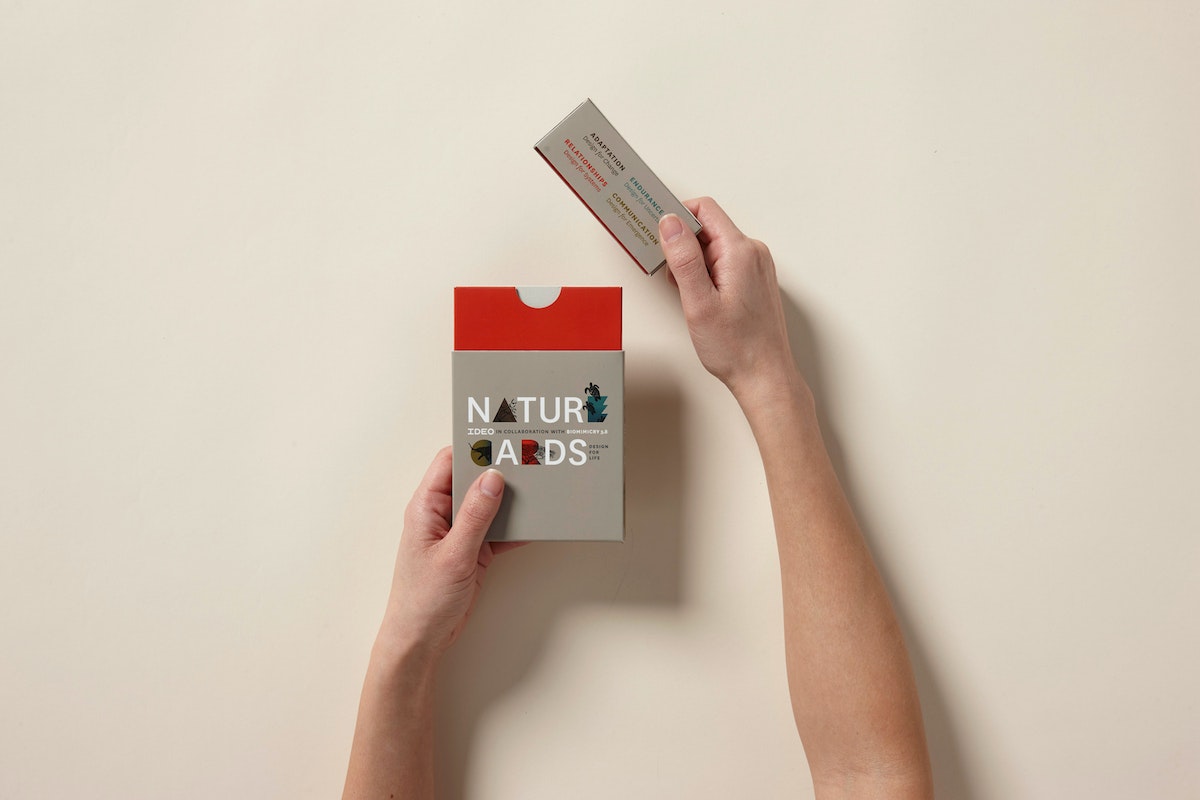
Nature Cards are a collection of cards featuring strategies from the natural world that inspire us with a new mindset as we approach design challenges.
Nature Cards are a collection of cards featuring strategies from the natural world that inspire us with a new mindset as we approach design challenges. Use them to frame your design challenge, evolve your business strategy, brainstorm, teach, or simply to think creatively and holistically with nature in mind.
As human-centered designers and innovators, our work has always been inspired by observing people’s natural behavior in its physical, social, and cultural context. As we address increasingly complex and systemic challenges, recently some of us at IDEO have been exploring how human-centered design might broaden its lens to include observation of the natural world in which humans are an integral part. With the help of experts in biology and the life sciences, we are learning about the principles of successful strategies in living systems. This knowledge is inspiring new thinking about how and what we can create for a thriving future.
Download the complete set of Nature Cards here.
Designing a kitchen-leftovers spy cam
An experimental office prototype makes sure we never miss out on a snack.
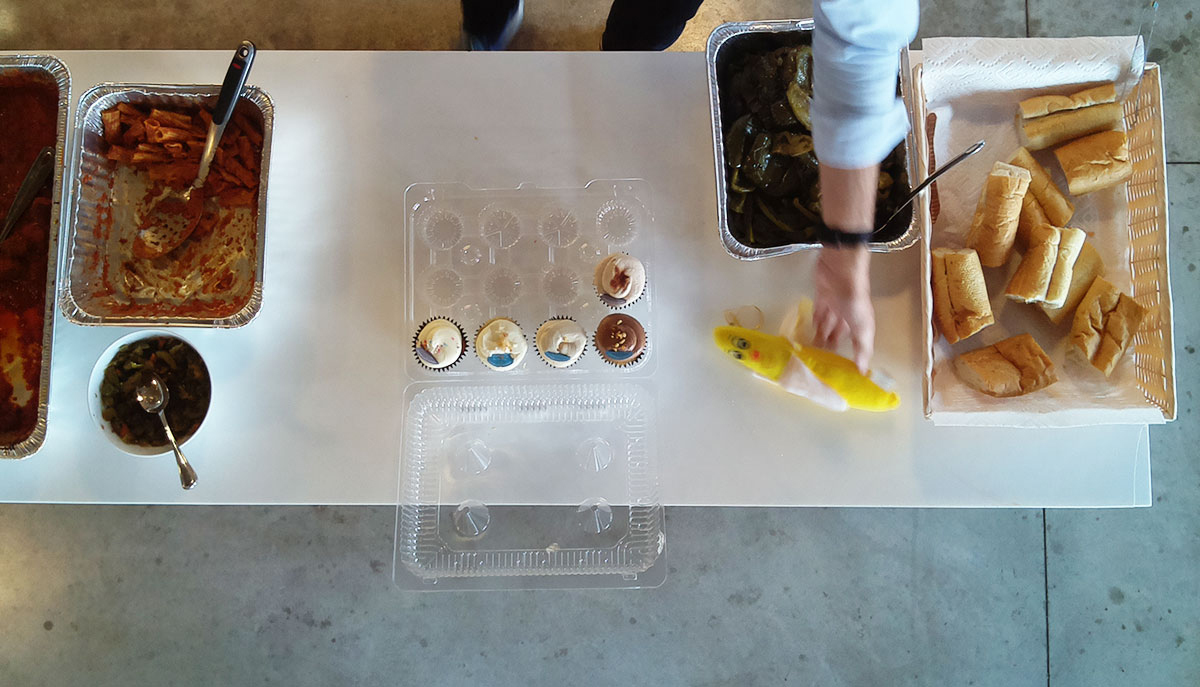
So why not have a camera provide a live feed of the spot where food is left when it’s up for grabs, so everybody can know when it’s time to raid the kitchen? Having recently worked on a project that explored embedding sensors and technology into living and working spaces, I was inspired by the Food Cam. I was also itching to learn how to prototype using a Raspberry Pi, so when I returned to IDEO Chicago, I hacked together a very similar version to install in our kitchen, with the addition of a fun little twist to make it our own.
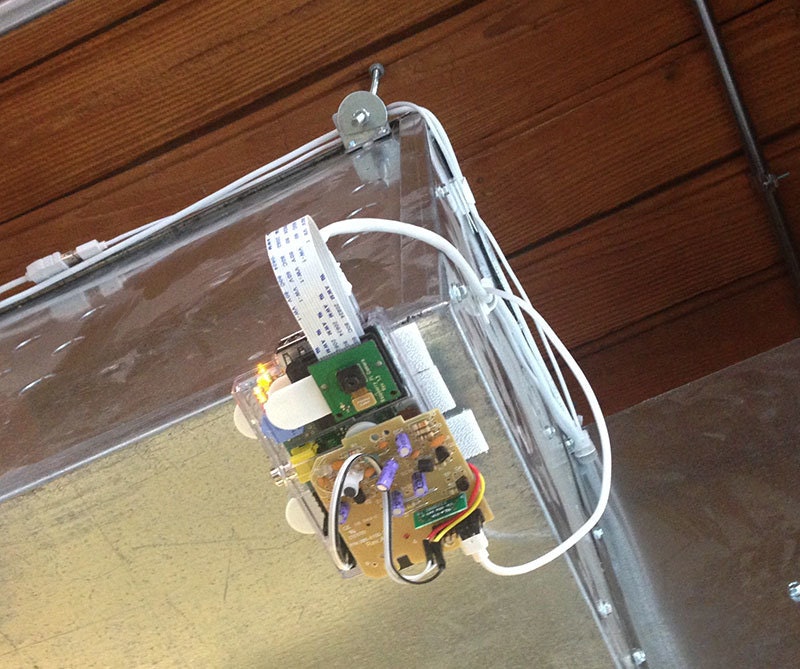
I took a Raspberry Pi with a camera module and Velcro-ed it right above the kitchen counter where we typically put leftover food. I cobbled together some Python code from various examples I found online so that with the push of a button, the camera takes an image of whatever is on the counter and emails the photo to the whole office.
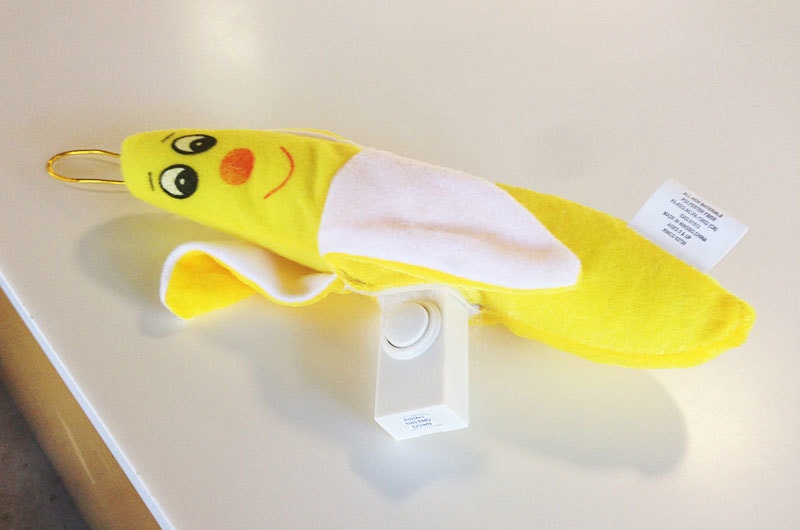
The signature twist was making the button wireless by hacking a remote doorbell chime I picked up at the hardware store. Then, in order to give this prototype some personality, I bought a stuffed banana and sewed the remote doorbell button into it. Behold, the BananaCam! Now, whenever someone leaves leftovers out in the kitchen, they can just squeeze the banana and let the office know exactly what’s on offer. It’s our version of ringing the dinner bell.
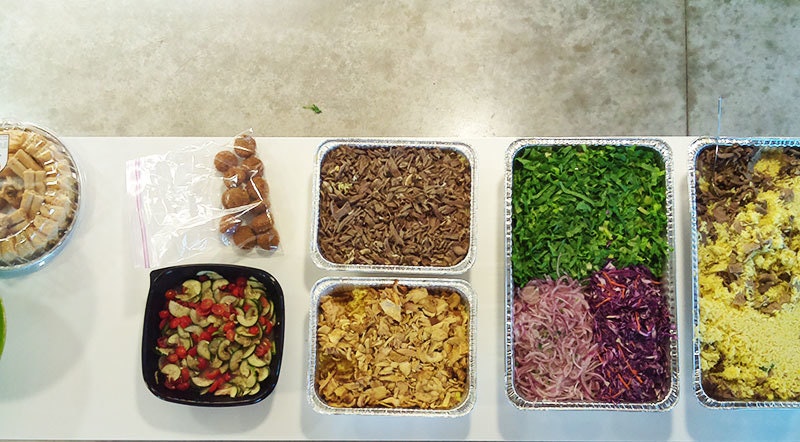

The best part about this was building something in the office just for fun, to see if people would like it enough to use it. As with any prototype, if people like using it, it will stick around. If it’s not that interesting or useful, it will collect dust, parts of it will get lost, and eventually, it will be taken down. We’ll see what happens with the BananaCam.
Everyone here likes to build things, and it's important that we don't see the office environment as too precious to tinker with. That's why we're always experimenting with new technologies and encouraging people to play around and see how they work.
Thanks to my BananaCam collaborators Garrett Winther, Emily Lam, and Julia Nacsa!
On a recent recruiting trip to MIT, I took a tour of the Media Lab. There’s no shortage of cool things to see there, but what caught my eye was their Food Cam. The idea is simple: there are leftovers in the kitchen all the time, but people only notice them if they happen to wander past or if they see a colleague eating something tasty.
The Best Way to Complain is to Make Things
How my unwavering insistence upon Internet privacy led me to create my first Chrome extension
To guard against tracking and malvertising, I use quite a few Chrome extensions:
- uBlock
- Collusion for Chrome
- Disconnect
- Facebook AdBlock
- Facebook Ads Remover
- HTTPS Everywhere
- IBA Opt-out (by Google)
- Keep My Opt-Outs
- Privacy Badger
- ScrewAds Plus for YouTube
The issue with many of these extensions, however, is that they tend to be a touch overzealous about what they block webpages from serving. For the average user, this can be a regular nuisance; as a developer, it's anathema to your workflow.
An interim resolution, hardly a solution
Unless explicitly specified in chrome://extensions/ via the “allow in incognito” option, extensions are, by default, disabled in Chrome's incognito mode. As a result, a series of five key commands had become nothing short of a reflex action for me whenever it appeared as though content might be missing from a page:
- ⌘ + L (highlight the current URL in the omnibar)
- ⌘ + C (copy URL to clipboard)
- ⌘ + shift + N (open new incognito window)
- ⌘ + V (paste URL from clipboard)
- enter (load URL in incognito window)
As a developer and no stranger to the command line, I use keyboard commands and shortcuts whenever possible. Because of this, I had become pretty quick at performing the above sequence. But when you've clicked within a video or any such action that shifts keyboard focus from the browser to a plugin, the sequence can no longer be quickly performed.
Moreover, as a product designer, I knew I wanted a better user experience for this set of actions; specifically, I wanted a one-step process. As my desire for a solution mounted, so did the frequency with which I complained about this broken workflow to my colleagues.
Stop critiquing, start creating
Recently, my wonderfully talented colleague and friend, Simon King, wrote a piece with the above title about an iOS app he created called News Now. In the article, he explains how his frustration with the irregular listening experience of the official NPR app led him to create News Now. He also includes a quote from LCD Soundsystem's venerable frontman, which every designer should take on as a personal mantra:
The best way to complain is to make things.
James Murphy
With the above mantra in mind, along with a suggestion from Simon himself that I might explore a browser extension as a solution, I set out to solve my problem. A quick perusal of the developer documentation for Chrome extensions led me to chrome.window.create—a method that accepts an optional incognito parameter — and I knew I was good to go.
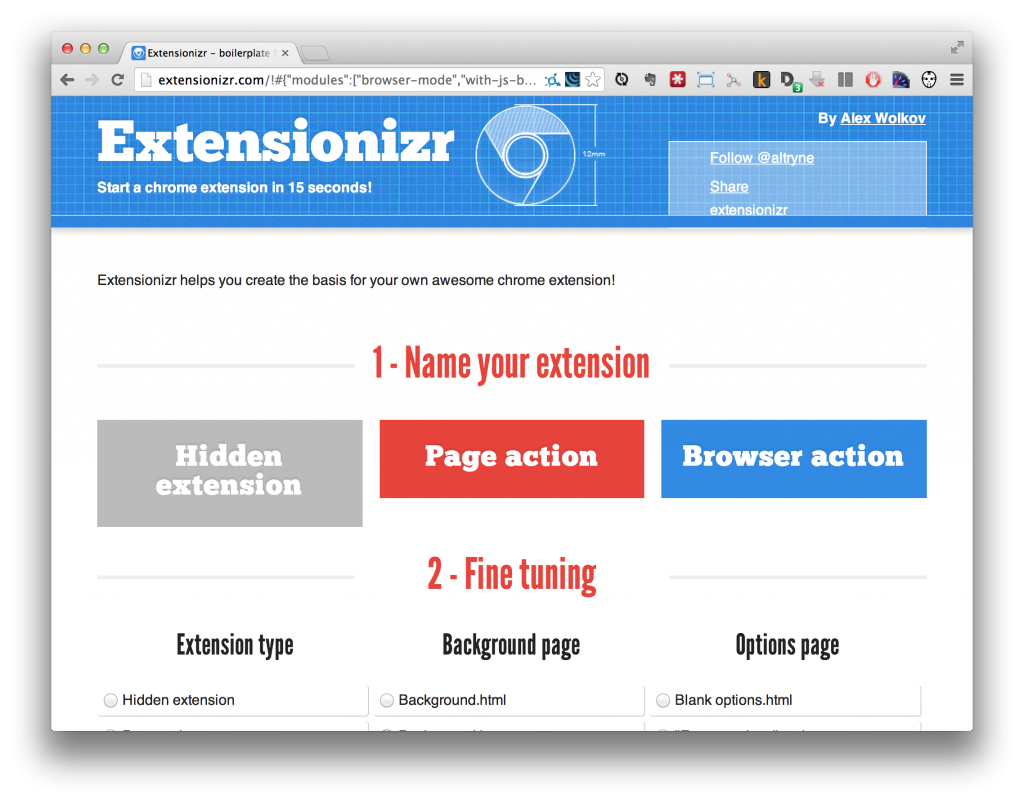
Next step: How to create an extension? My research immediately led me to the excellent Extensionizr, an open-source boilerplate generator for Chrome extensions. Through helpful tooltips for each of the many options, I learned I needed a browser action, background.js event page, permissions to access the browser's open tabs, and no options, overrides, content scripts, or add-ons.
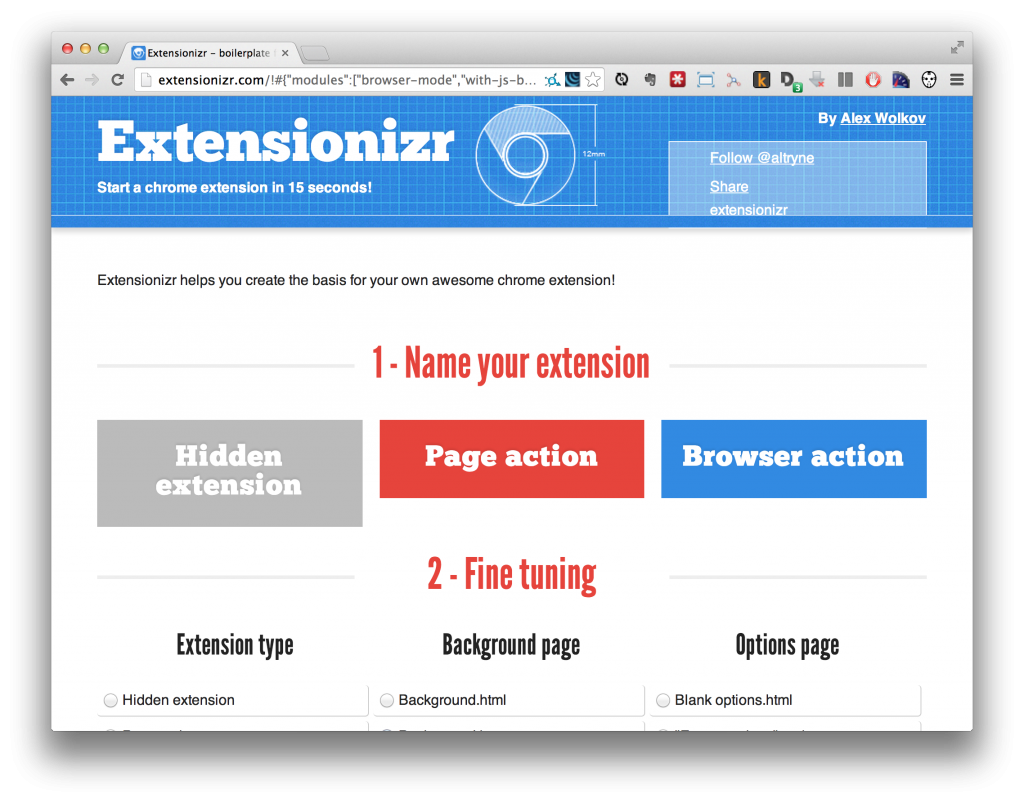
A press of the “Download it!“ button and a few lines of JavaScript later, my issue was solved and I had written my first Chrome extension. All that was left was to follow Google's instructions on packaging and uploading, and a few minutes later, my work was live in the Chrome Web Store:

A happy accident
As it turns out, opening a page in incognito mode initiates a new browser session in which you are logged out of every account. This enables you to quickly browse a site outside of your filter bubble and compare it to the page you see when logged in.
Shoutouts
It goes without saying that I owe a huge thanks to Simon both for his inspiration and his suggestions.
Thanks also to Alex Wolkov, the developer behind the awesome Extensionizr. If ever you're writing a Chrome extension, this boilerplate generator will save you quite a lot of time.
In need of an icon for my extension, I turned to the excellent Noun Project. I knew I wanted to use a mask icon to visually reference Chrome's incognito mode, and the Noun Project has no shortage of options. But when I saw Jason Voorhees of Friday the 13th franchise fame, the choice was an instant and obvious one. Jason comes from the amazing Icons8.
Open In Incognito is available on the chrome web store here. The project's source code is available on GitHub.
The issue of Internet privacy is a challenging one. No one wants their every click and page view tracked, catalogued and shared across countless databases of the thousands of advertising partners working to serve the most targeted marketing efforts that have ever existed.

Lindsey Turner
I’m passionate about building brands, products, and experiences that help organizations show up with meaning and momentum.
I help organizations cut through complexity by shaping how they show up, through brand strategy, identity, and storytelling.
Working at the intersection of brand and business, I bring an editorial eye and a bias toward making—turning ideas into tangible experiences that people can understand, trust, and believe in.
My work spans government, healthcare, financial services, media, and consumer goods, from launching Gen Z-focused ventures to building innovation labs and reimagining legacy brands. I relish moments of ambiguity and enjoy translating across teams, perspectives, and priorities to move ideas forward.
I started my career in editorial and digital design, shaping cross-platform experiences and identity systems in publishing and agency environments. That foundation still shapes how I work today: I’m detail-oriented, collaborative, and overreliant on the Oxford comma. I hold a BFA in Visual Communication from the School of the Art Institute of Chicago.

Rachel Young
My work helps organizations see who their products aren't working for—and build the will and the tools to do something about it
For 25 years, I've asked the same question: Who does this design exclude—and what are we going to do about it?
My work spans human-centered strategy, inclusive design, and qualitative research, with clients ranging from Microsoft, Google, and Verizon to the National Science Foundation, and San Francisco Unified School District.
Before IDEO, I taught elementary school in East Palo Alto and spent a decade doing design work with social service organizations—where I learned firsthand what it costs people when systems are built without them in mind.
I am currently writing User Error, a nonfiction book about digital access and the design decisions behind it. I live in Oakland, California.

Brian Pelsoh
I lead with craft, ensuring our work is creatively excellent: rooted in deep human insight and imagination, while also grounded in the realities of business and technology.
My expertise spans brand, communication, and product design across tech, education, the arts, and social impact.
I believe great work demands both high-level vision and obsessive attention to detail, and only happens through collaboration.
I bring an inclusive, hands-on approach and a deep understanding of business, which enables me to consistently deliver excellence while always asking why.
Before joining IDEO, I worked at the brand firms Pentagram and VSA Partners. I began my career as a designer, leading teams at the School of the Art Institute of Chicago and the Milwaukee Art Museum. I hold an MFA in graphic design from Maryland Institute College of Art and a BFA in communication design from the Milwaukee Institute of Art & Design, and have taught at some of the best design schools in the US.

Tony Wong
I am responsible for IDEO’s long-term success in China and working with clients to use design as a tool to enable growth.
I am responsible for IDEO’s long-term success in China and working with clients to use design as a tool to enable growth. Specifically, I have helped Chinese companies design holistic brand solutions through the development of their products, communication, services, and innovation teams, and I have helped multinationals expand their presence and influence in China.
I advise global leaders on developing China-led innovation and capabilities.
In over 15 years in IDEO Shanghai, I have worked on projects that use design to elevate the quality of the experience of healthcare products and services, streamline processes that increase productivity, create spaces and programs that promote and enable inclusive communities, and build next generation mobility solutions that are planet-positive.
Before joining IDEO, I worked at Philips Electronics and the Electrolux Group in Italy, the Netherlands, and Singapore on a number of breakthrough commercial products. I am a member of the Young President Organization in Shanghai.

How to use AI as an editor, not a writer
Ed White shares how he uses AI as an editor—not a writer—to sharpen storytelling, rehearse ideas, and preserve the productive friction that makes creative work better.
Ed White has a rule he's tested on his own writing: hold yourself as the writer, and let AI be your editor. Ed is a Senior Design Director at IDEO's London studio, where he co-leads the firm's AI portfolio across Europe. Before IDEO, he spent 12 years as a writer and editor at the Financial Times, Wired, and Contagious. So when he talks about when to use AI for storytelling and when not to, it comes from two decades of crafting his storytelling skills.
In this episode, Mina Seetharaman talks with Ed about two specific tools he uses to keep AI in an editor's seat: a "roasting agent" prompted to critique his drafts without any sugarcoating, and a simulated audience he rehearses pitches on before the real thing. They also get into what Ed is hearing from design leaders at Anthropic, Lovable, Shopify, and Google Creative Lab about how creative work is changing, and why he thinks the friction of writing something yourself is worth protecting rather than automating away.

Building a personal AI for the messiness of life: Sida Li
Becca Carroll talks with Cue co-founder Sida Li about designing a personal AI for the messiness of everyday life—not just work. They explore how Sida stays anchored to human needs while navigating fast-changing technology, product tradeoffs, business-model experimentation, and the realities of building an AI company today.
Most AI products today are built for work—a space with clear problems and established systems. One founder noticed a gap: personal life is messier, harder to systematize, and mostly left behind by the AI boom. So she built Cue, a personal AI that lives inside iMessage and group chats, to go where the other tools haven't.
In this episode, Becca Carroll, IDEO's Chief Strategy Officer, talks with Sida Li, co-founder and CEO of Shared Context Lab, about staying anchored to a human need while the technology around her keeps changing shape, why she treats her business model with the same rigor she'd bring to a product, and what it feels like to build a company at this particular, disorienting moment in AI.
The conversation also gets into how Sida makes design decisions: the language Cue uses to describe itself, the tradeoffs behind building inside iMessage instead of a new app, and a real story about a business idea that didn’t pan out.
This is the second in a two-part series profiling founders from IDEO's Startups-in-Residence program. The first conversation is with Johannes Seemann, founder of Sooner, on designing GenAI for the emotional side of money.

Designing GenAI for the emotional side of money: Johannes Seemann
Designing financial tools around the feelings that shape money decisions.
Most personal financial tools are built to run the numbers and optimize towards a budget. While that works for some, most people experience money as a lived relationship that does not neatly fit into a spreadsheet. Johannes Seemann and Becca Carroll discuss why money is emotional before it is mathematical, and what a human-centered approach to building a generative AI financial product looks like in practice.

The curious leader's edge in uncertainty: Scott Shigeoka
How genuine curiosity helps leaders navigate uncertainty with greater confidence.
Mina Seetharaman talks with Scott Shigeoka, author of Seek and Head of Curiosity Cultivation at the Eames Institute, about what distinguishes genuinely curious leadership from performative curiosity, how power dynamics shape curiosity, and why practicing curiosity can restore energy rather than drain it.
Looks like you might be in search of something very specific?
Or reset the filters above and try another angle.
Here’s some random inspiration

Podcasts about creative leadership
Articles about the power of prototyping











.webp)