.svg)



A digital identity for the Royal Academy of Arts
Building new audiences and opportunities for a 250-year-old institution.
Great art requires great openness, a space large enough to contain all the tragedy and comedy of the human experience.
The limestone walls and Palladian arches of the Royal Academy of Arts (RA) hold such a space. The institution’s building in Mayfair contains galleries where a wanderer can appreciate the everyday miracle of a Caravaggio or amble through the former home of Academicians, a group led by some of the most eminent artists in the world, from Anish Kapoor to Sir Norman Foster. This revered site has also been home to the Summer Exhibition for 246 years, an event open to submissions from any living artist.
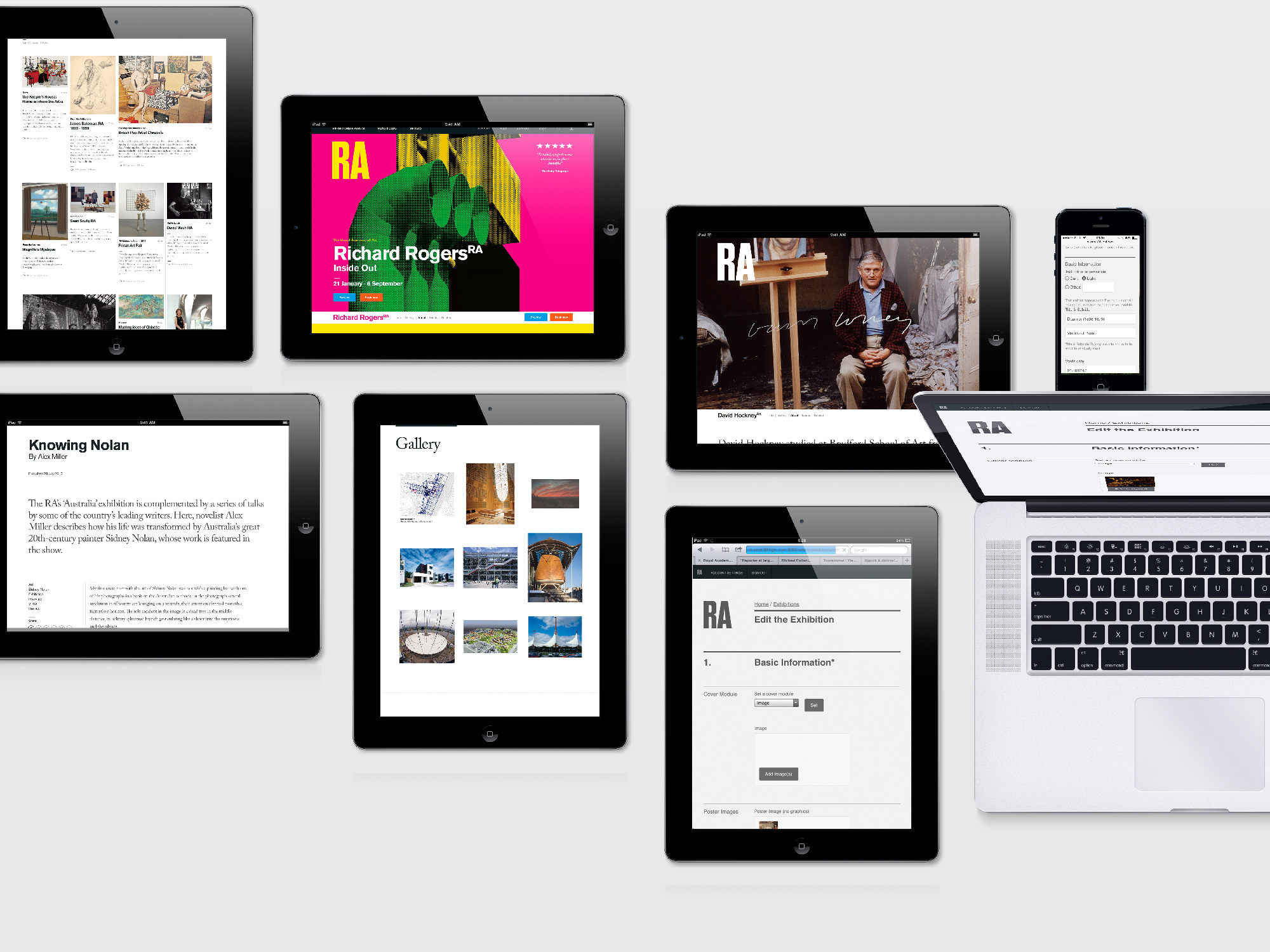
As the RA approached its 250th anniversary, the institution came to IDEO to help create a digital strategy that would open new doors to these resources, reveal hidden avenues to new experiences, and offer broad vistas of the collection.

After rounds of research with artists, staff members, and visitors, our designers immediately started building and testing. They ran workshops to refine digital tools, watched as patrons scribbled notes about things they wanted to know more about, and built pop-up design studios in RA’s galleries where they could generate insights on the fly.
The result is a rich, immersive site for different audiences. Art lovers can view stunning images of the works, artists can learn more about RA schools, and RA staff can share surprising stories about some of the most prized pieces.
Based around human needs rather than organizational structure, the new digital space allows audiences to wander freely in this immense storehouse of inspiration and awe. And perhaps most important, the RA organization has benefitted from a human-centered paradigm shift that will enable the institution to forge boldly into its next quarter millennium.
A creativity-building app for kids
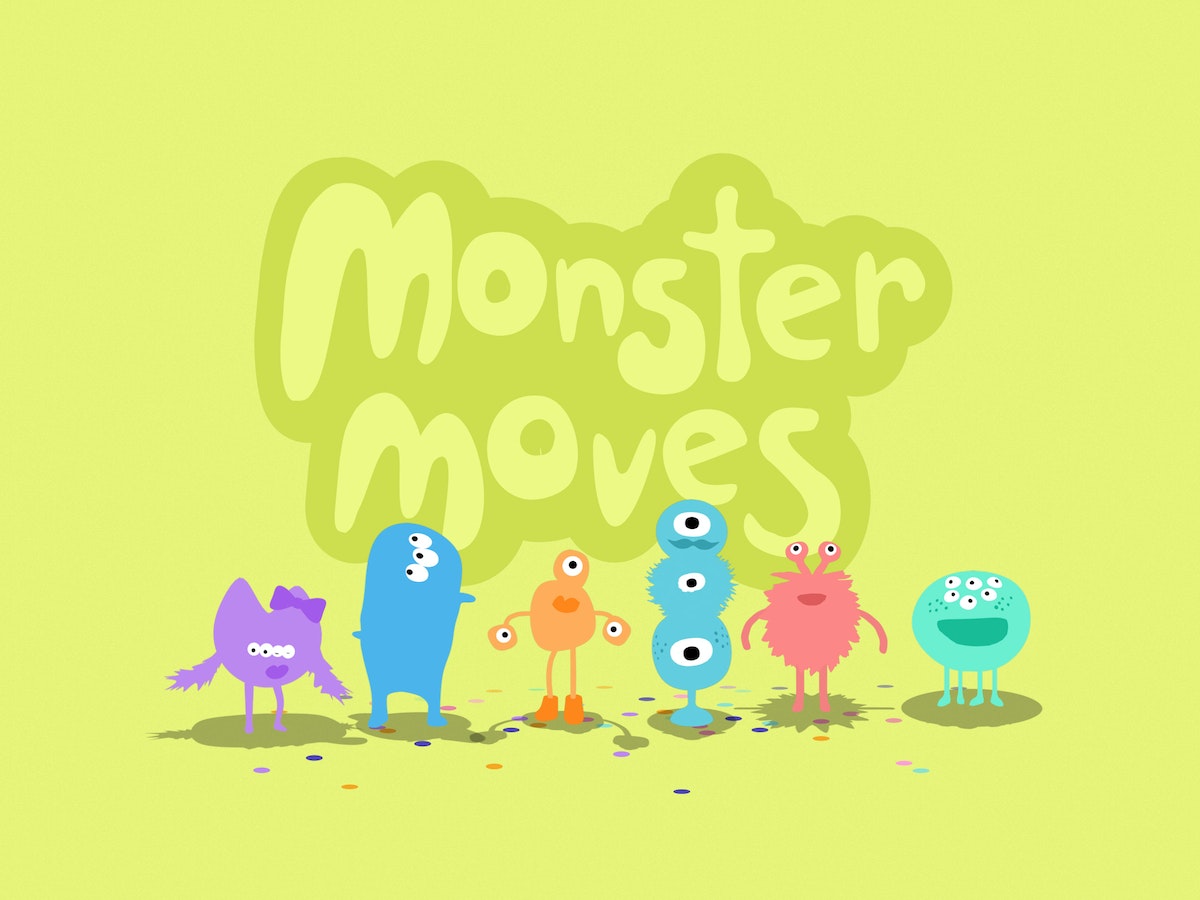
Monster Moves teaches young kids dance choreography.
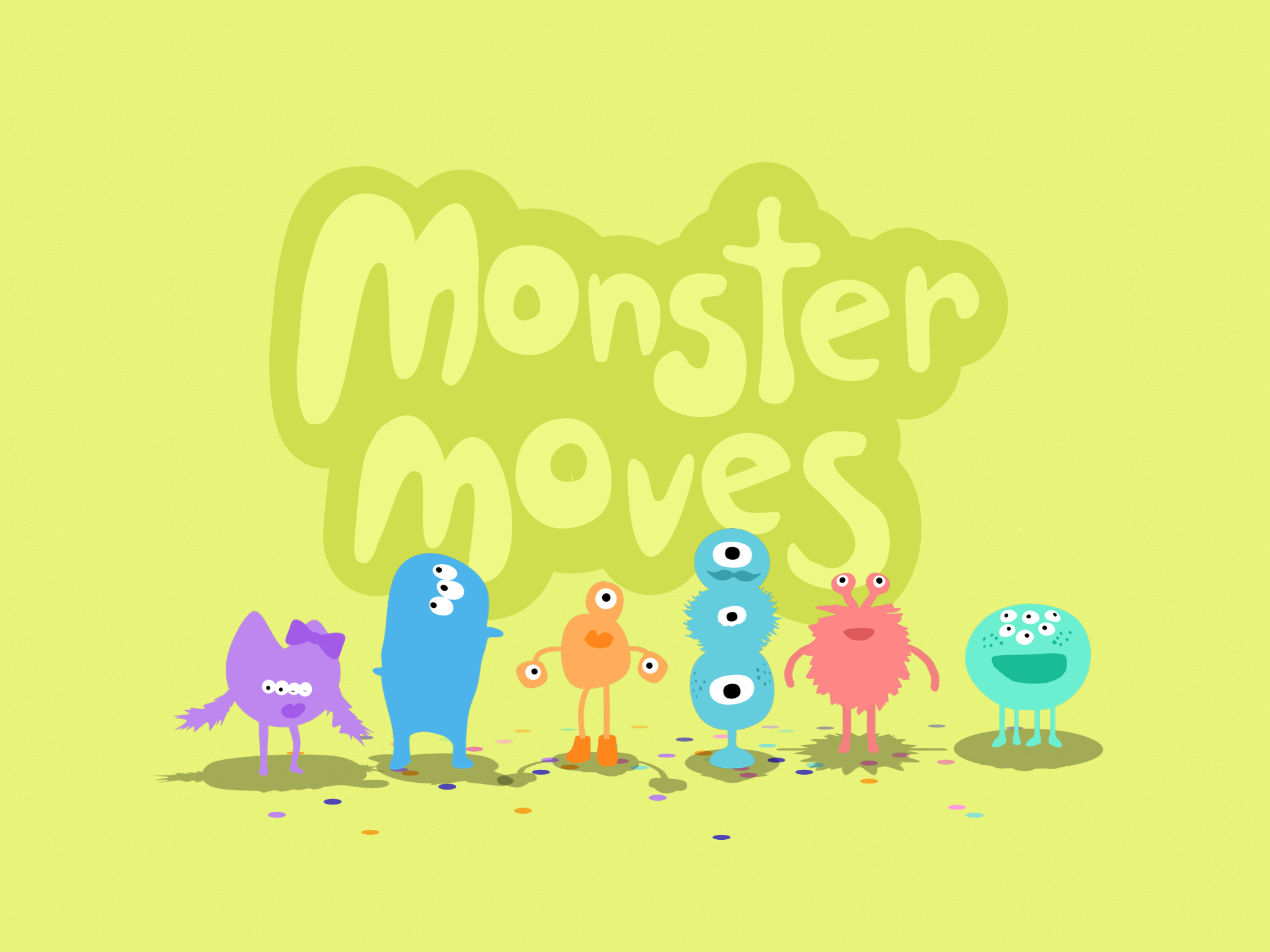
Monster Moves is an app that gives kids the ability to create their very own monster dance party. Kid-approved by a rambunctious team of tiny beta testers, the app encourages children 5 and younger to exercise their creativity as they choreograph dance moves for a troupe of monsters. Kids develop an awareness of their creative control by sequencing illustrated tiles that correspond to each monster’s unique set of dance moves.
Whether it’s a twirl, flap, swing, or sway, the app enables kids to cultivate decision-making skills by drawing connections between their choices and the monsters’ dance steps. Each monster has a full repertoire of dance moves and accompanying musical beats, so kids can compose an original soundtrack and dance along. To encourage kids around the world to create and design, the app is available in English, Simplified Chinese, Japanese, Korean, Spanish, Italian, French, and German.
Monster Moves—available on the App Store—joins a collection of apps, including Balloonimals and Balloonimal Babies, created by IDEO’s Play Lab, made up of a team of educators, designers and toy experts who foster kids’ curiosity, play, imagination, and creative confidence.
A drug-free alternative to chronic pain relief
Designing a revolutionary wearable device.
Chronic pain changes everything. Symptoms associated with chronic conditions can make activities that were a normal part of life—getting regular exercise or even a good night’s sleep—difficult to bear.
NeuroMetrix, an innovative health-care company based in Waltham, Massachusetts, developed Quell® to help treat chronic pain in people suffering from nerve, arthritic, back, leg, and foot conditions. Using a revolutionary technology called wearable intensive nerve stimulation (WINS), this device triggers widespread relief and, in a clinical study, reduced chronic pain and use of medication in thousands of users.
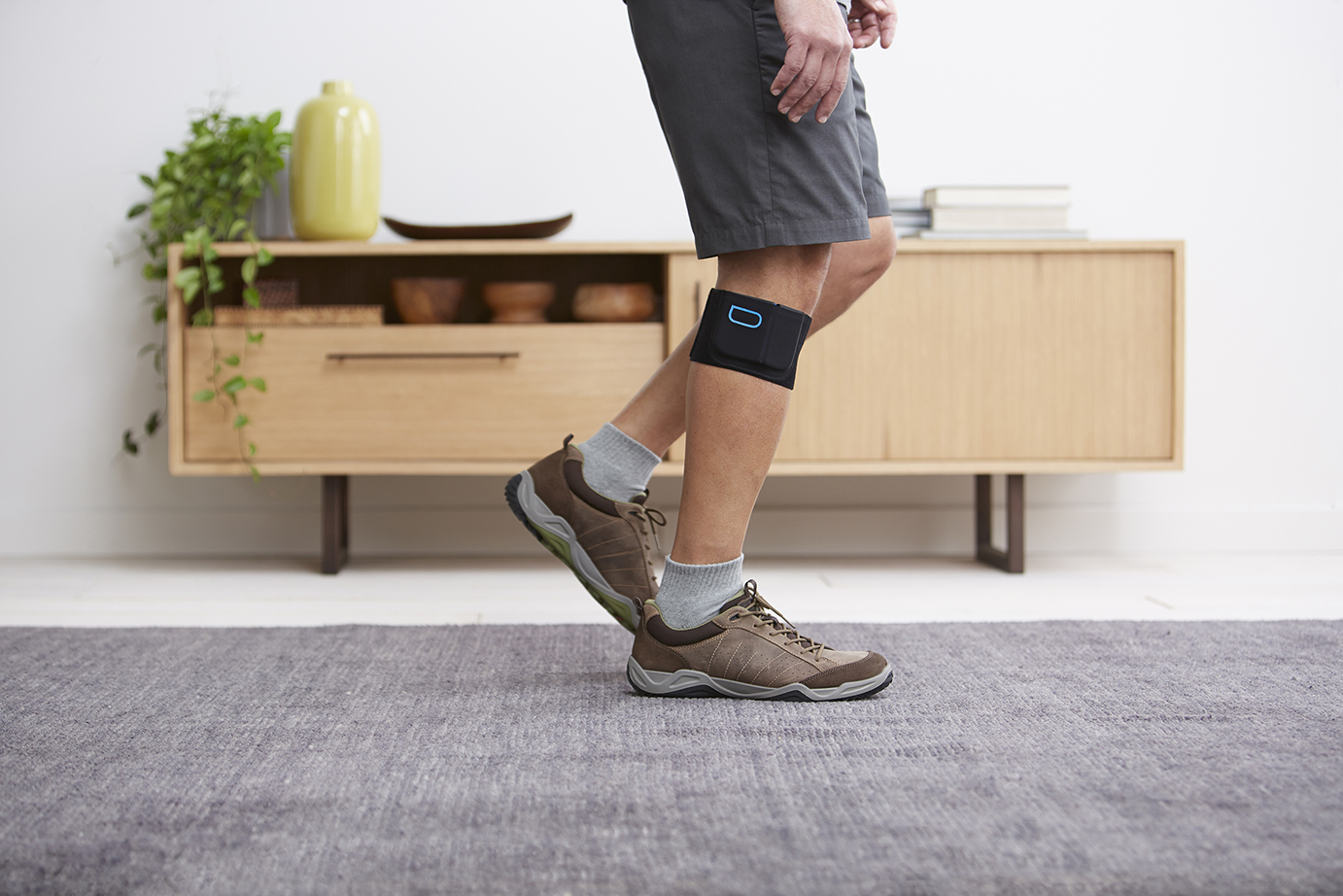
NeuroMetrix came to IDEO to help create the industrial design, interaction design, and mechanical engineering to bring Quell to the consumer market. Quell is a device that is placed in a sports band with a lightweight, slim design that fits comfortably on the upper calf and delivers therapy for chronic pain in the body. Its patented OptiTherapy™ technology is customized and automatically adjusts the therapy dose for optimal relief. An accompanying app, developed by Atomic Object, allows users to track treatment sessions, measure and understand the quality of their sleep as it relates to their pain, and personalize device settings.
IDEO’s work with Quell went beyond creating the product to something bigger—reframing chronic pain. For people who are in a constant state of suffering, the ability to take some measure of control allows them to feel more like active participants in their treatment plan, and to regain confidence.
A better scanning experience for patients and technicians
Creating a more streamlined user interface for CT scanners to maximize image quality, and minimize radiation.
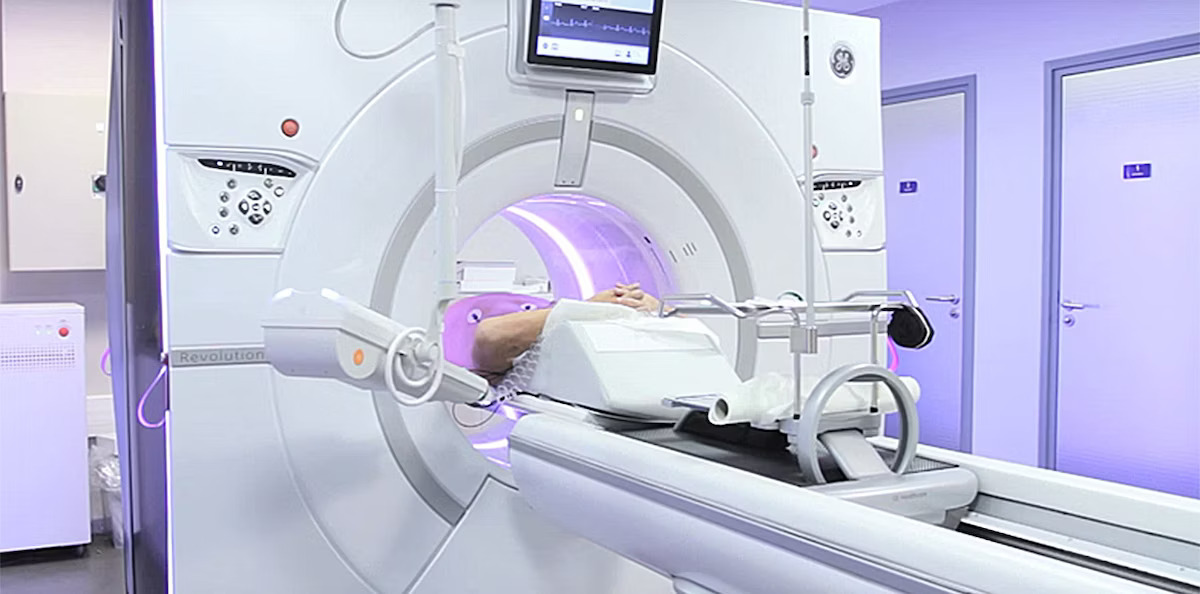
Operating a CT scanner is a delicate balancing act: The tech has to get a clear image for accurate diagnosis while reducing the patient’s overall radiation exposure. There are a lot of variables, and every second counts.
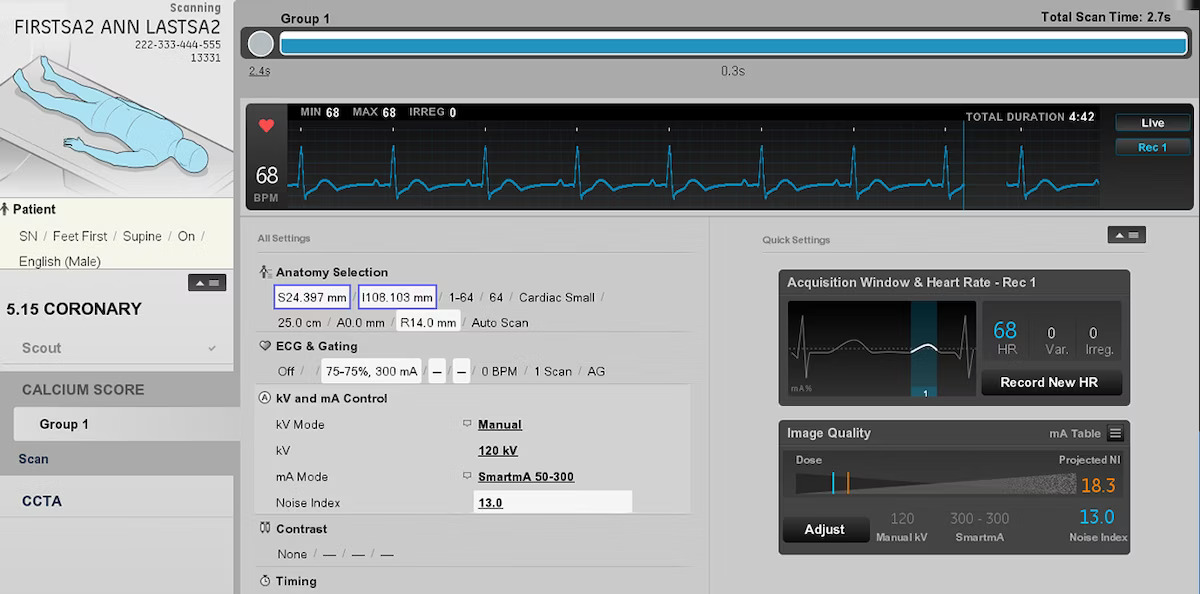
GE Healthcare, one of the country’s largest manufacturers of CT scanners, hired IDEO to redesign the console user interface to optimize the tech’s workflow, the patient experience, and the image quality. The key challenge was accommodating both junior and senior tech experience when designing a single interface, balancing support, flexibility and control. The final design allows techs to see their entire workflow up front, is optimized for “glanceability,” and draws technicians’ attention to important information. Threshold limits ensure the radiation dose never exceeds the determined amount. Ultimately, the streamlined design enables the tech to feel confident and focus on the patient’s physical and emotional well-being.
With several new hospitals using the new GE CT scanner, the impact has been evident. Within 24 hours, techs are up and running on the machines. The vision for the future looks bright and clear.
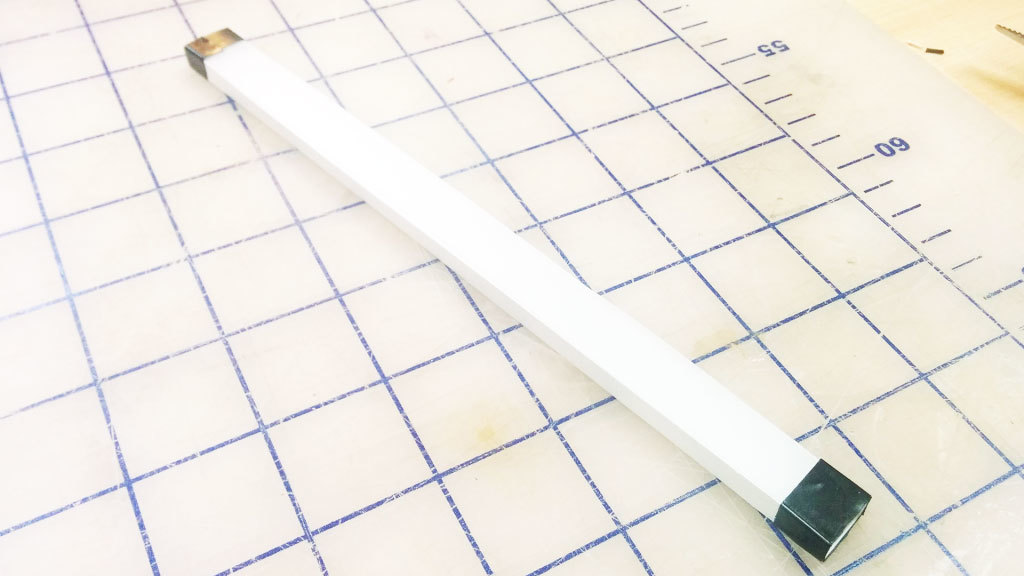
Build Your Own Light Pipe
A step-by-step guide
We built a light pipe, which, in principle, can be viewed as a fiber optic cable. All the sides are polished to a clear finish so that the light can be reflected internally inside the pipe. If the light hits a section of pipe where the surface is not perfectly reflective, like if it’s gouged or scratched, it will use that section as an "emitter" and attempt to escape the pipe. We take advantage of this by covering the bottom surface of the pipe with dimples. To make the path consistently bright, we arranged the dimples in a gradient with fewer dimples closer to the source, where the light from LEDs is brightest, and more dimples to catch the light farther along the light path (where the light is dimmest).
This step-by-step guide describes our process of quick experimentation and prototyping to achieve good illumination without having to run extensive light bouncing simulations. The design is created in Illustrator using blend modes, and the light pipe is manufactured with a laser cutter on 1/4" thick clear acrylic.
Please note that results will vary depending on many factors. The optical design, LED brightness, and beam angle are important factors to consider.
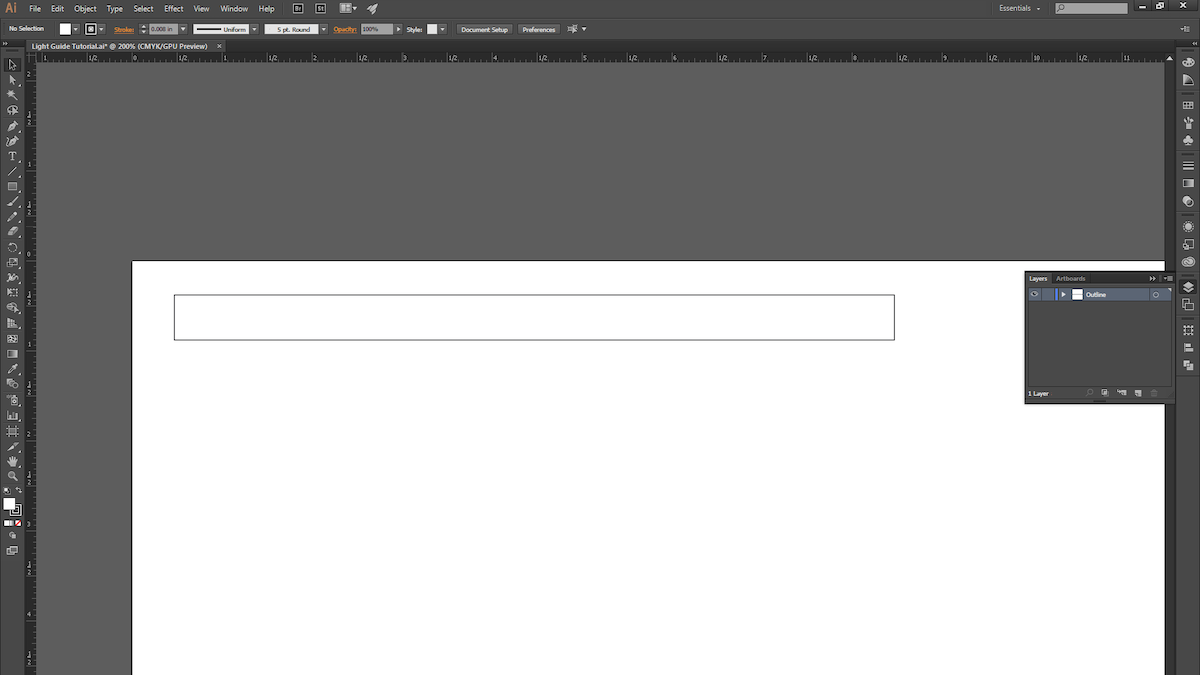
1. Open a new Illustrator document and draw a rectangle. We chose 8" x .5".
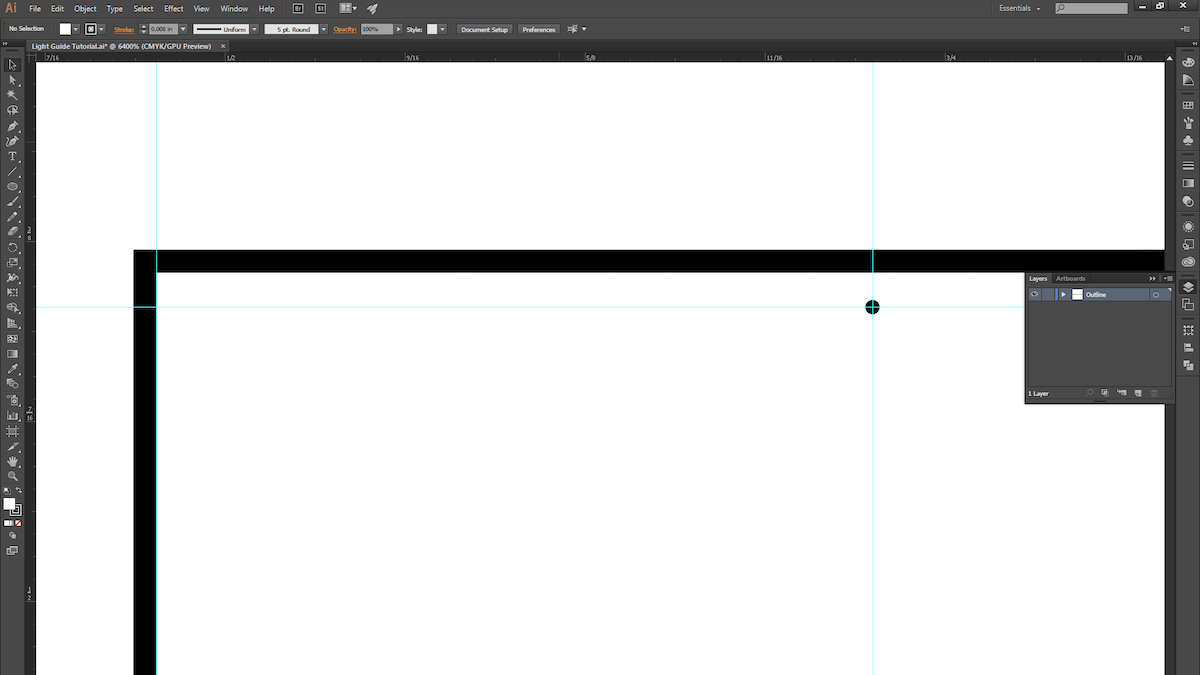
2. Make a guide and space it roughly 1/4" away from the edge of the rectangle. This is where the dimple pattern will begin. (Leaving a 1/4” margin allows us to later mask off the area to prevent seeing excessive LED brightness near the source in the light pipe.) Now draw a circle with a .005" diameter.
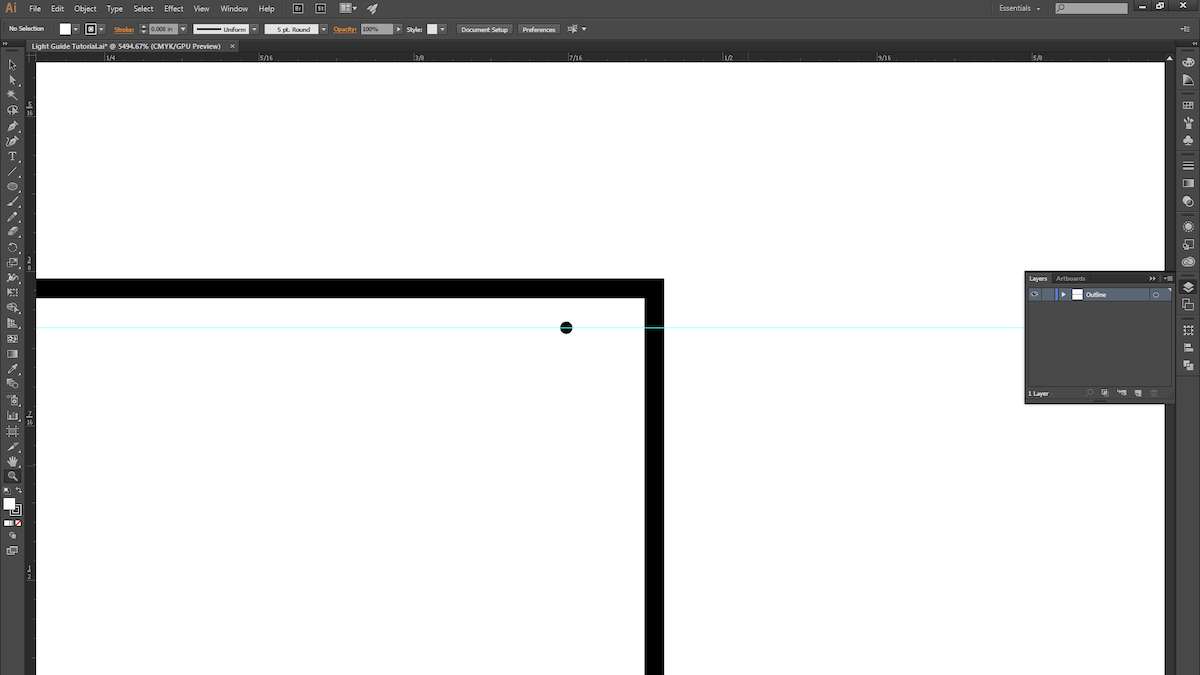
3. ALT + Click and drag the circle to duplicate it, and move it to the other side of the rectangle. The two circles mark the two ends of the dimple pattern.
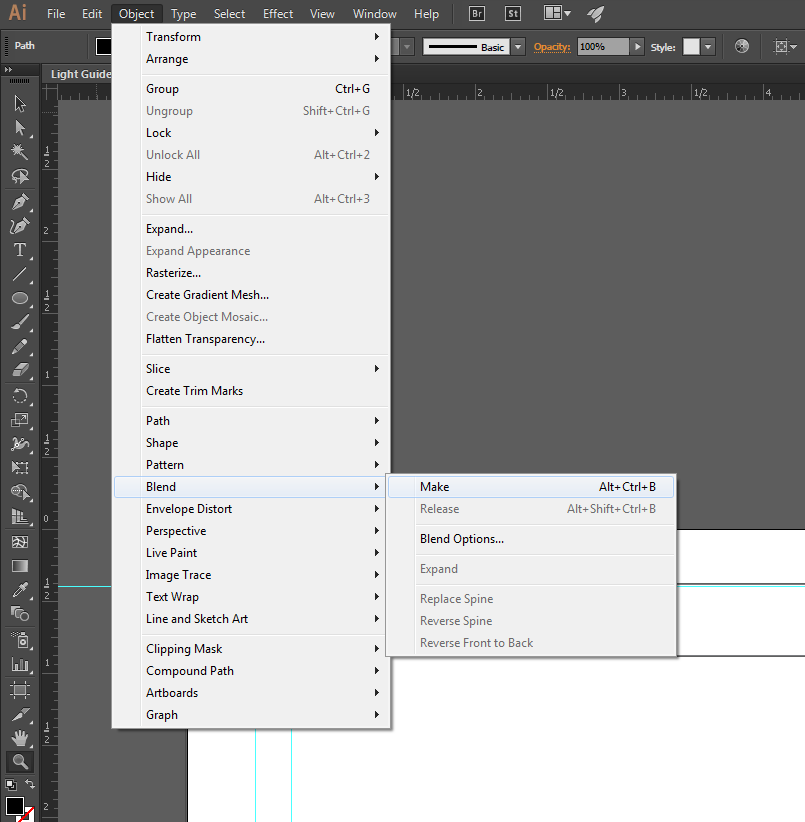
4. Select both circles and create a blend.
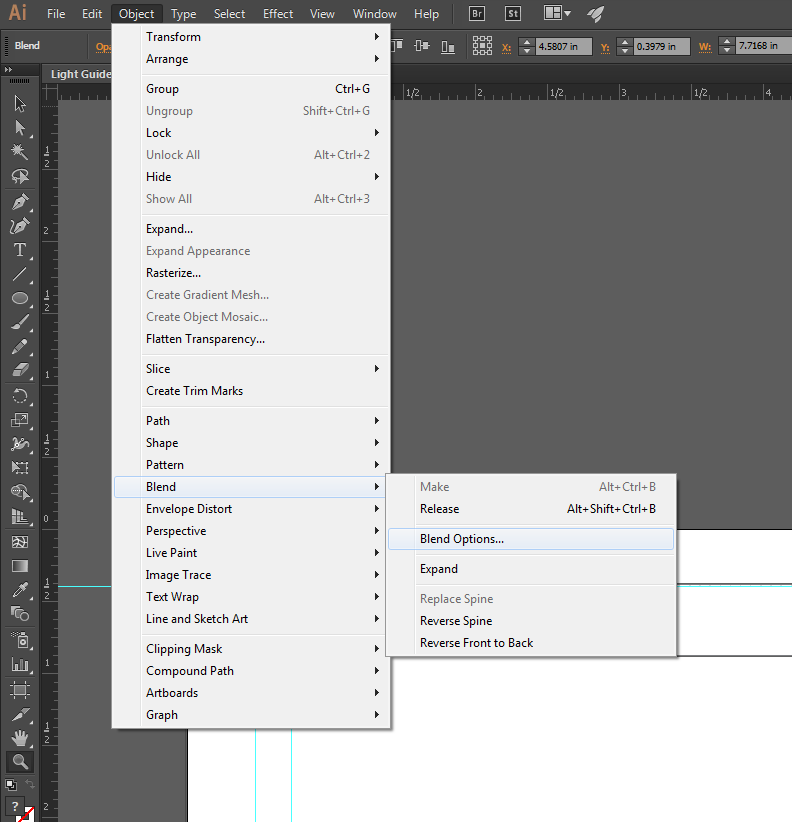
5. Open up the blend options to fine-tune the blend.
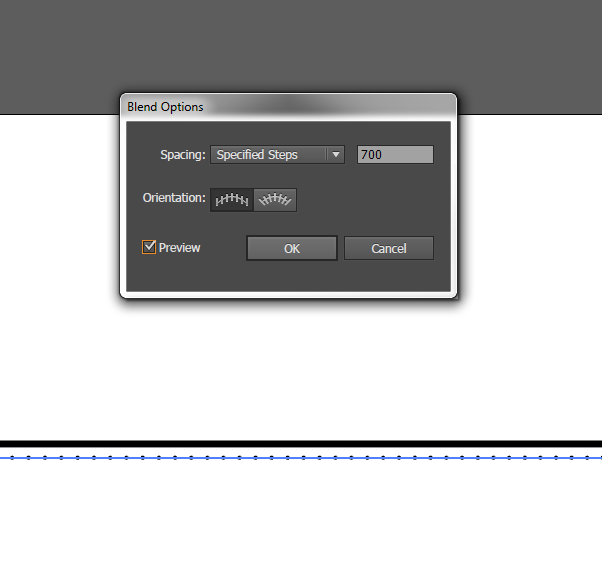
6. Change the spacing to "Specified Steps" and set the number to 700.
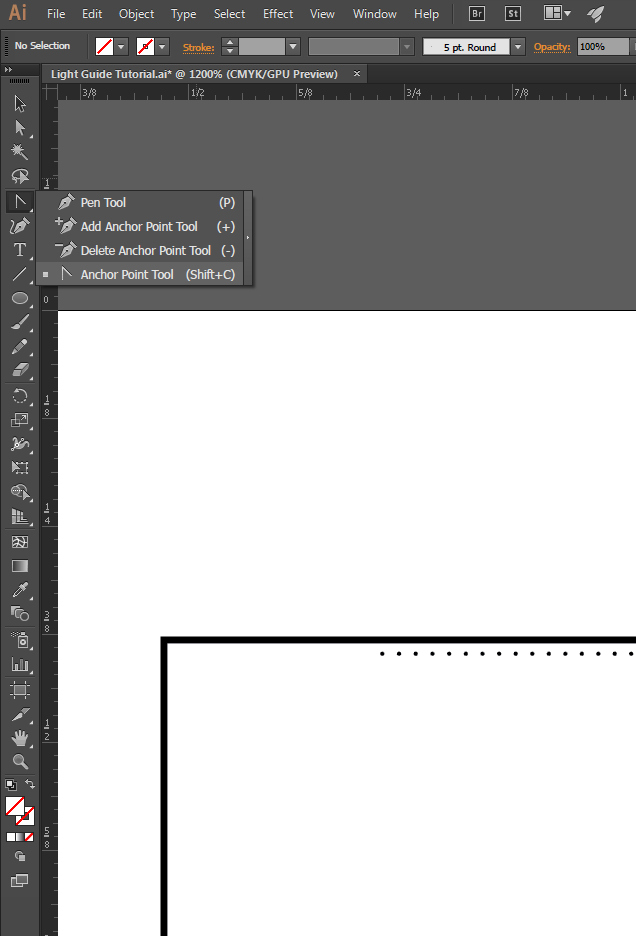
7. You should see 700 evenly spaced dots! In order to get them to start off sparsely spaced and then get closer together, we'll modify the path of the blend. Select the Anchor Point Tool (Shift + C).
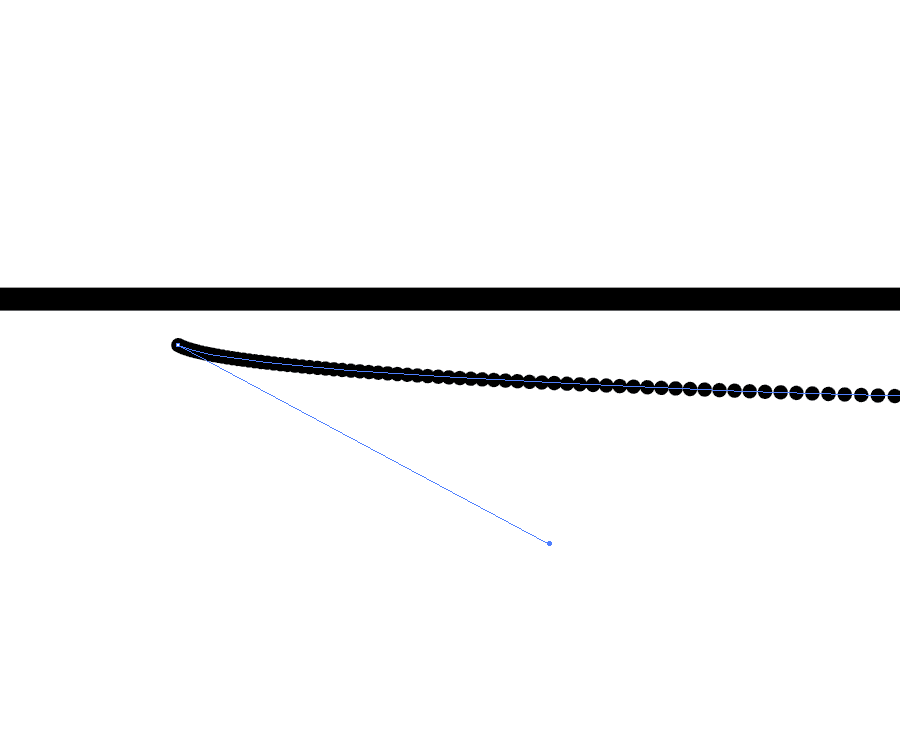
8. Use the white arrow to select the first point and drag it until you see the spacing start to change.
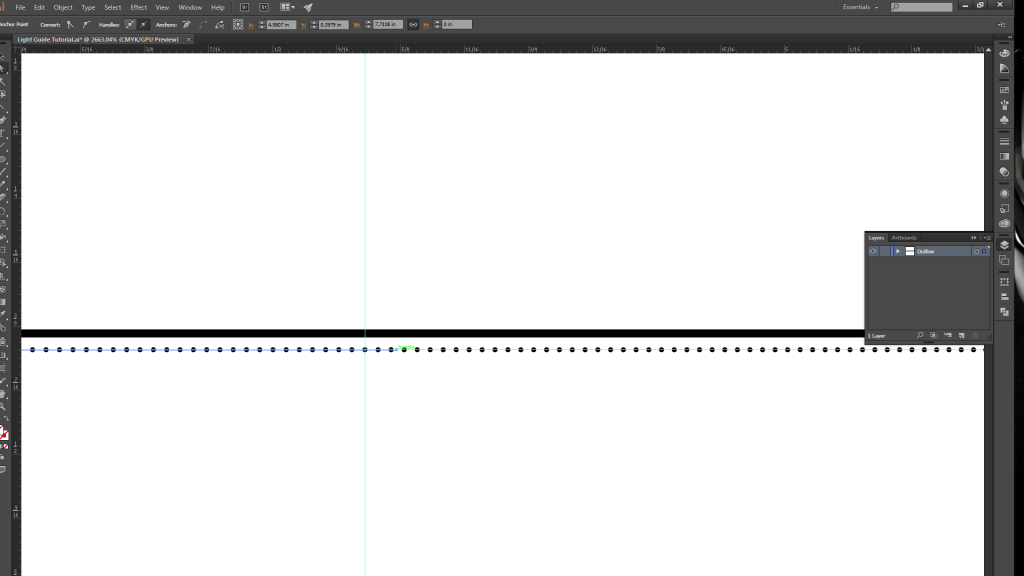
9. Create another guide halfway along the path, and then drag the anchor point (with the white arrow selection tool) just past the guide. Repeat the same process with the last circle, but move its anchor point about half an inch to the right.
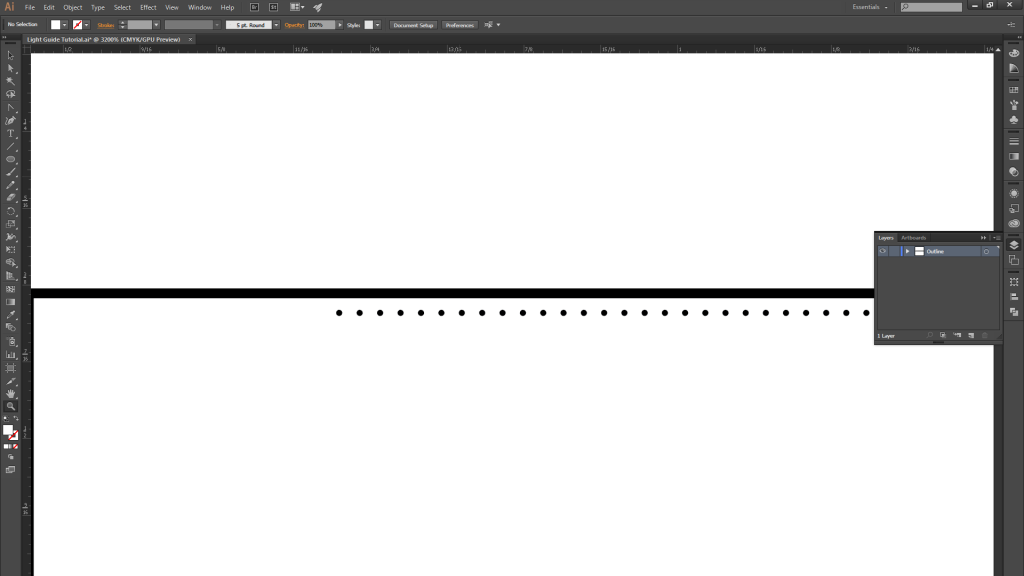
10. You should now have a gradient spacing of 700 circles becoming more closely spaced as you move from left…
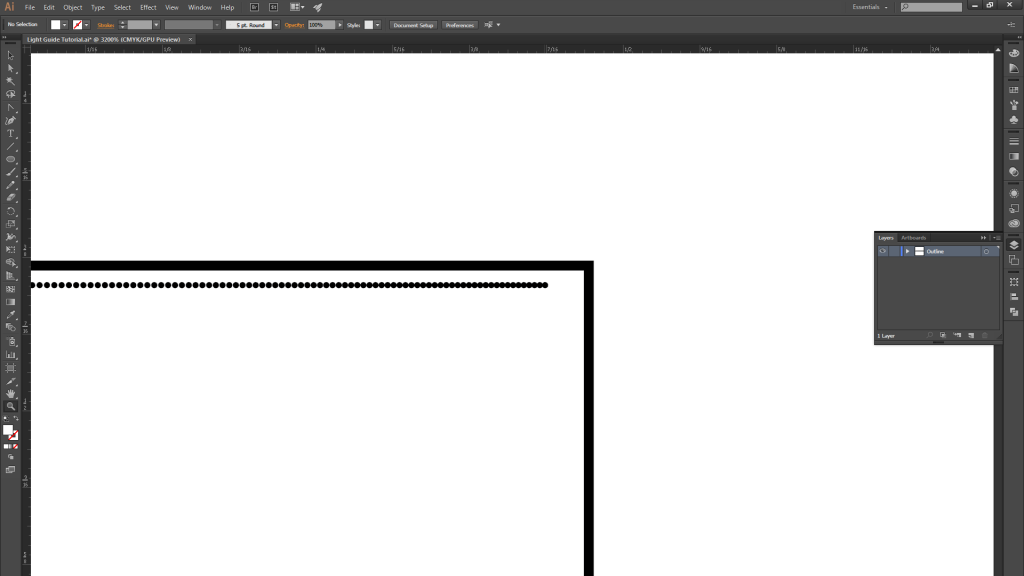
11. …to right.
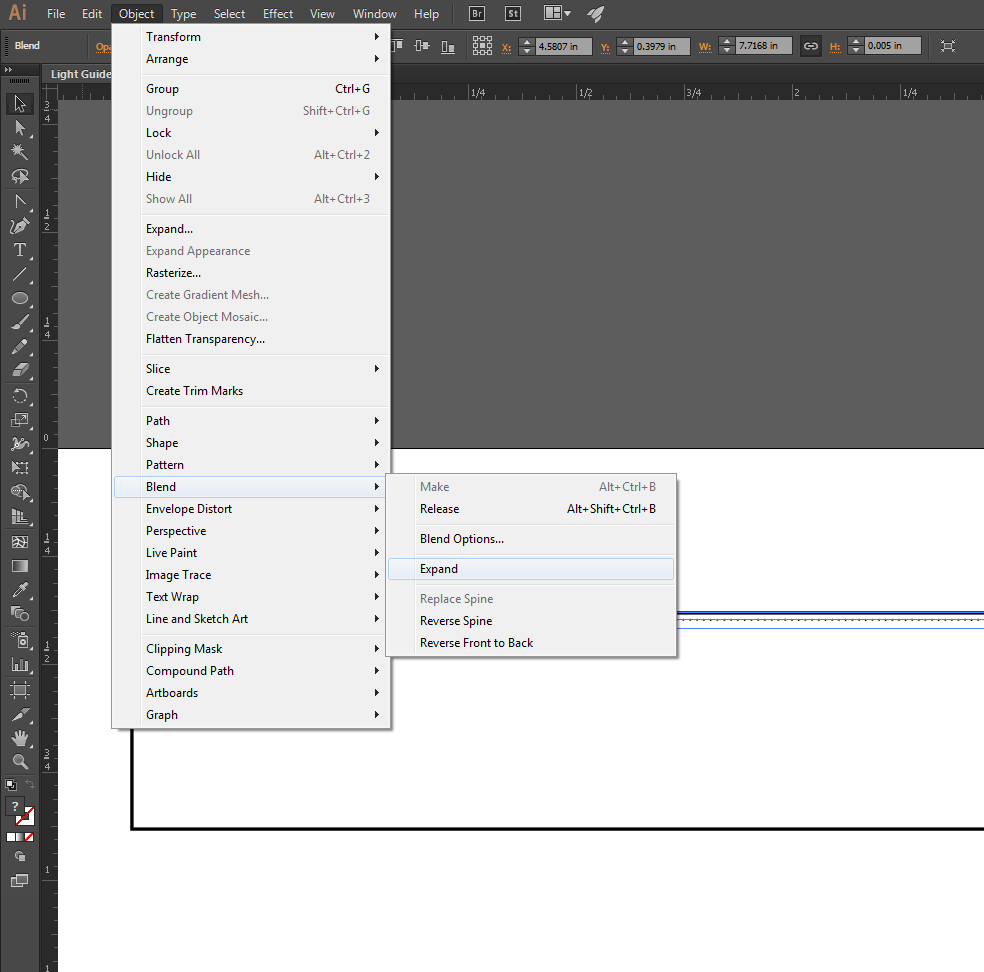
12. Once you are satisfied with the blend, expand it.
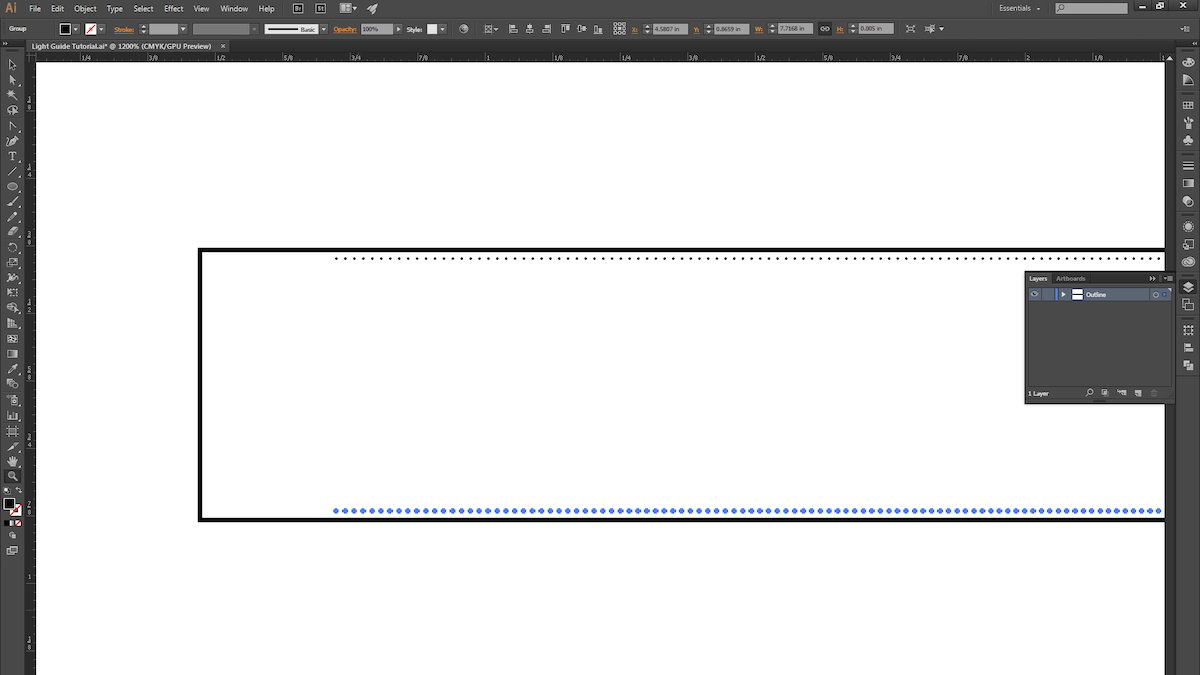
13. ALT+Click and drag the blend to copy it, and place it at the bottom of the rectangle.
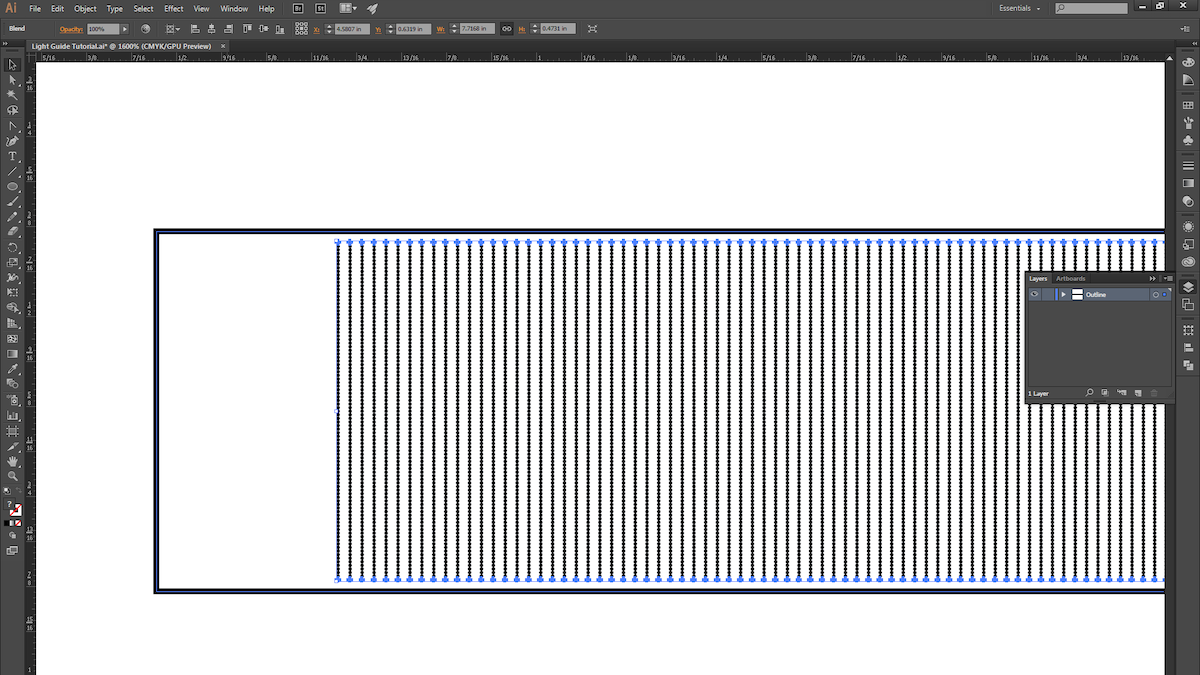
14. Select both blends and then use the instructions from Step 4 to create another blend.
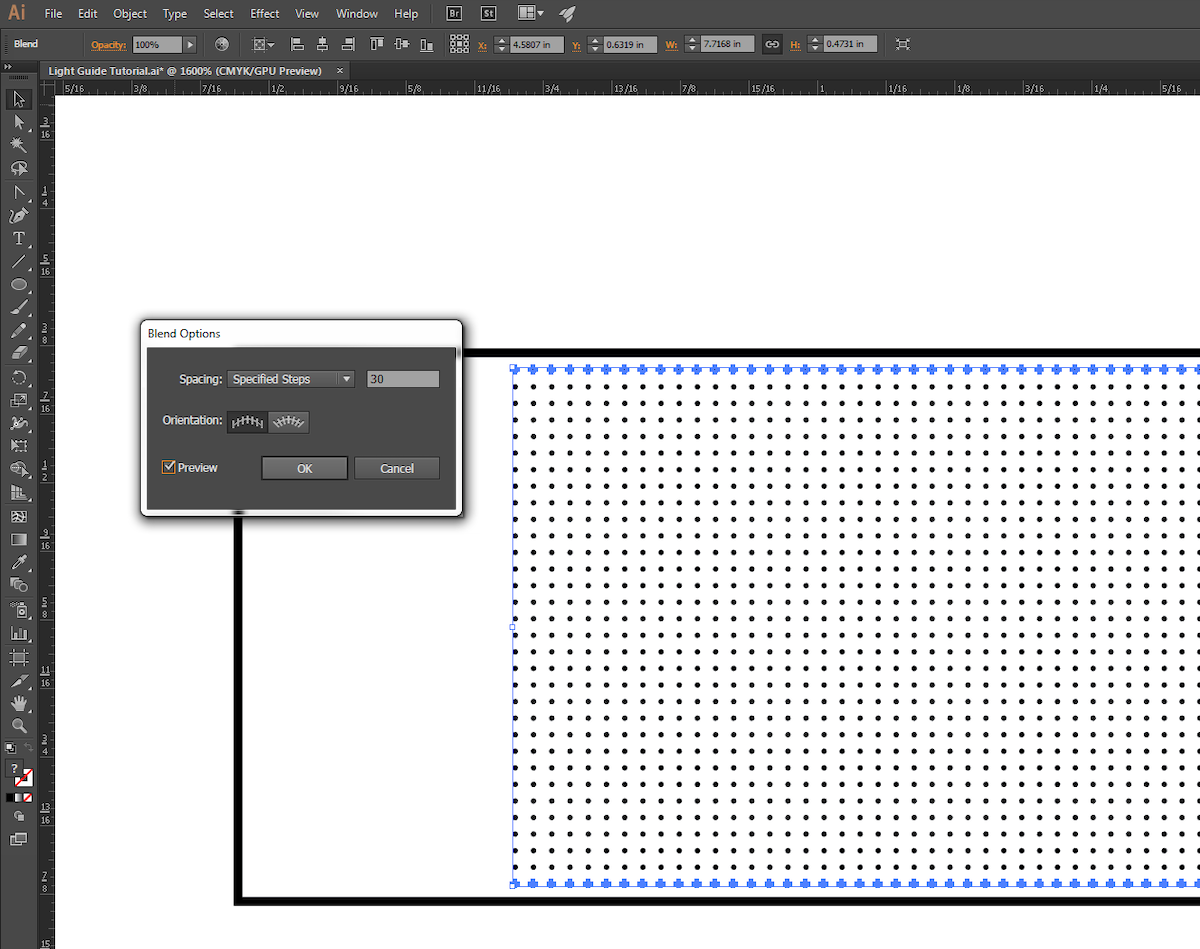
15. Use the instructions from Step 5 to fine-tune the new blend.

16. We chose to give our pattern a little bit of randomness, so we ALT+Click-ed and dragged the blend down and to the right ever so slightly.
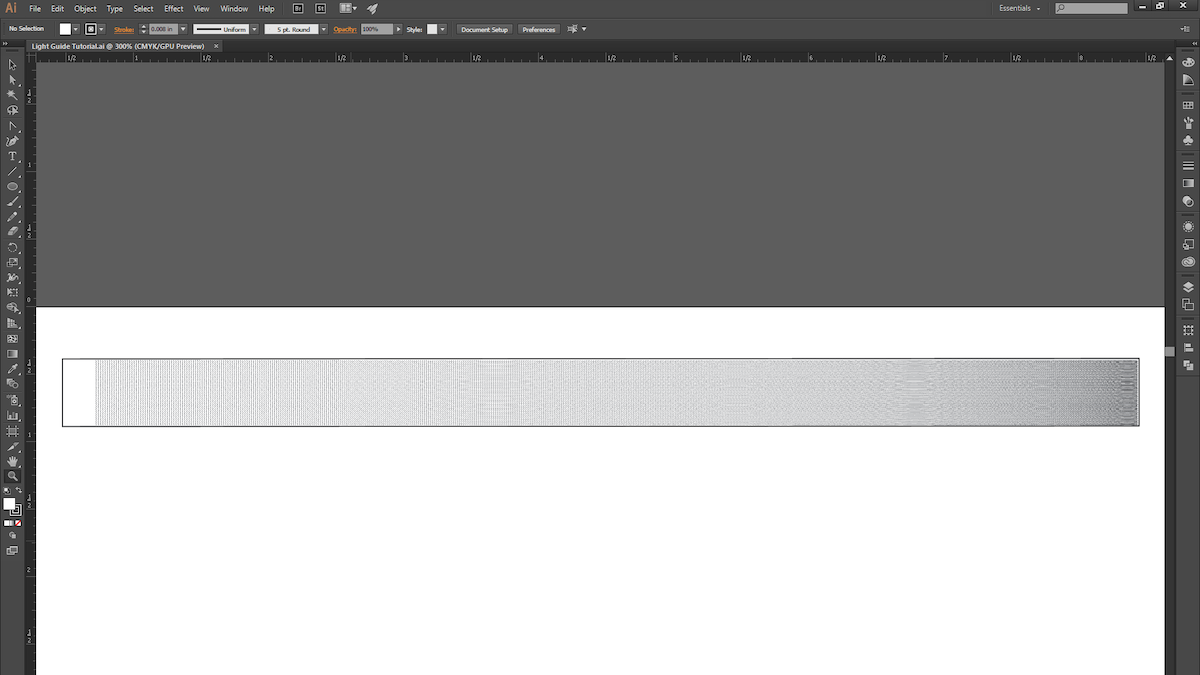
17. With that, we’re ready for the laser cutter! This process is pretty quick to prototype (roughly 15 minutes from start to finish), so explore different gradient patterns and techniques, and try light pipes that are curved or bent (just keep in mind the critical angle).
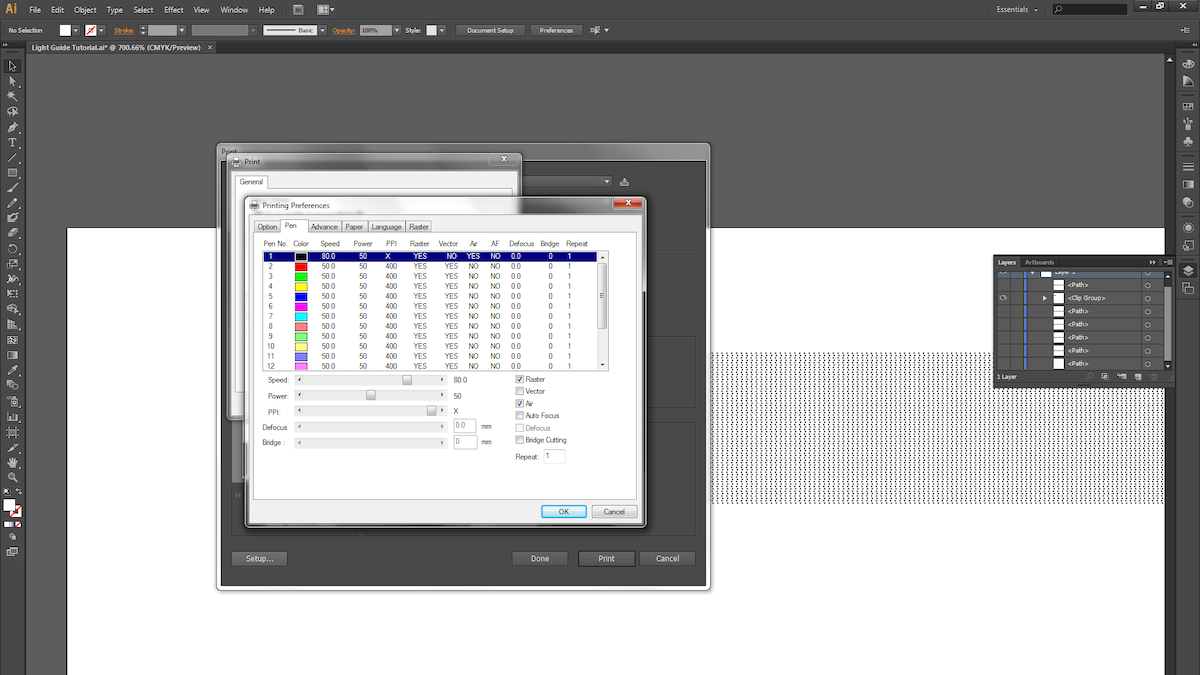
18. Next, we raster the dot pattern on 1/4″ thick acrylic. Be sure the acrylic surface is clean and scratch-free.

19. Different laser cutters have different settings for varying materials and thicknesses, so keep that in mind when choosing your settings. We used a speed of 80, power of 50 and maximum PPI for the raster. For the vector cuts, we took 4 cuts at speed of 4, power of 95, and maximum PPI.
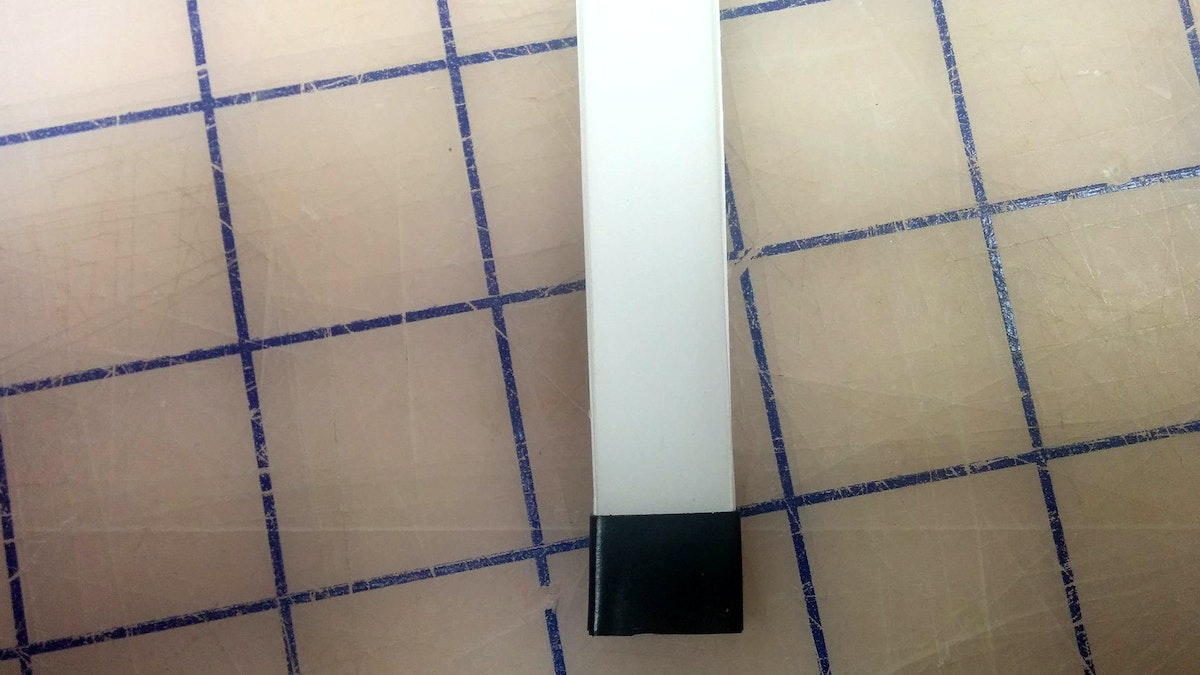
20. Now take your light guide and examine the edges. Make sure the material is transparent; otherwise you’ll need to do some hand-polishing.
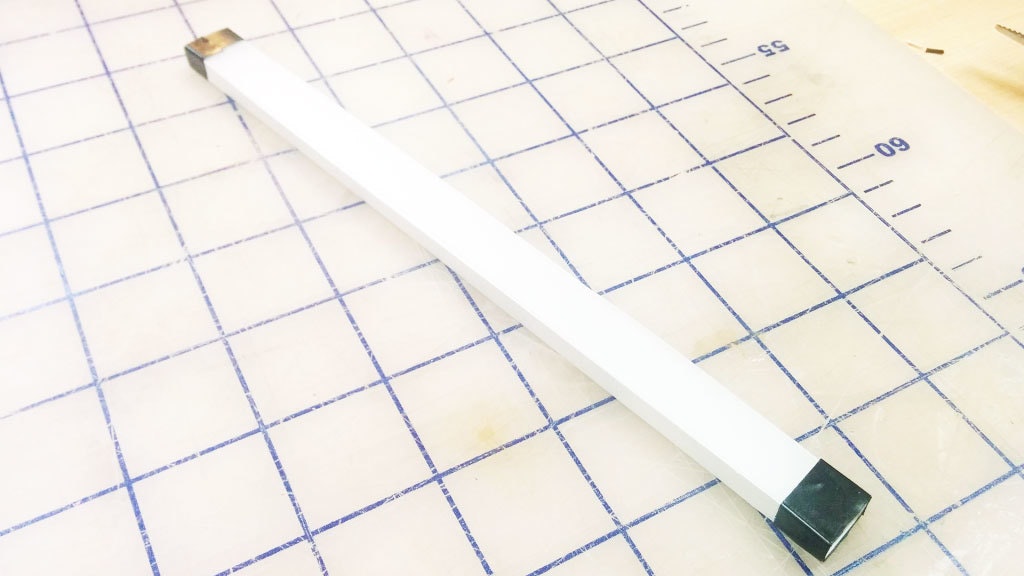
21. The slightly bumpy yet clear finish the laser leaves after a cut works great for our purposes. You’ll want to surround all clear surfaces with white reflective paper or tape, and mask off the quarter inch where the light first enters the pipe.
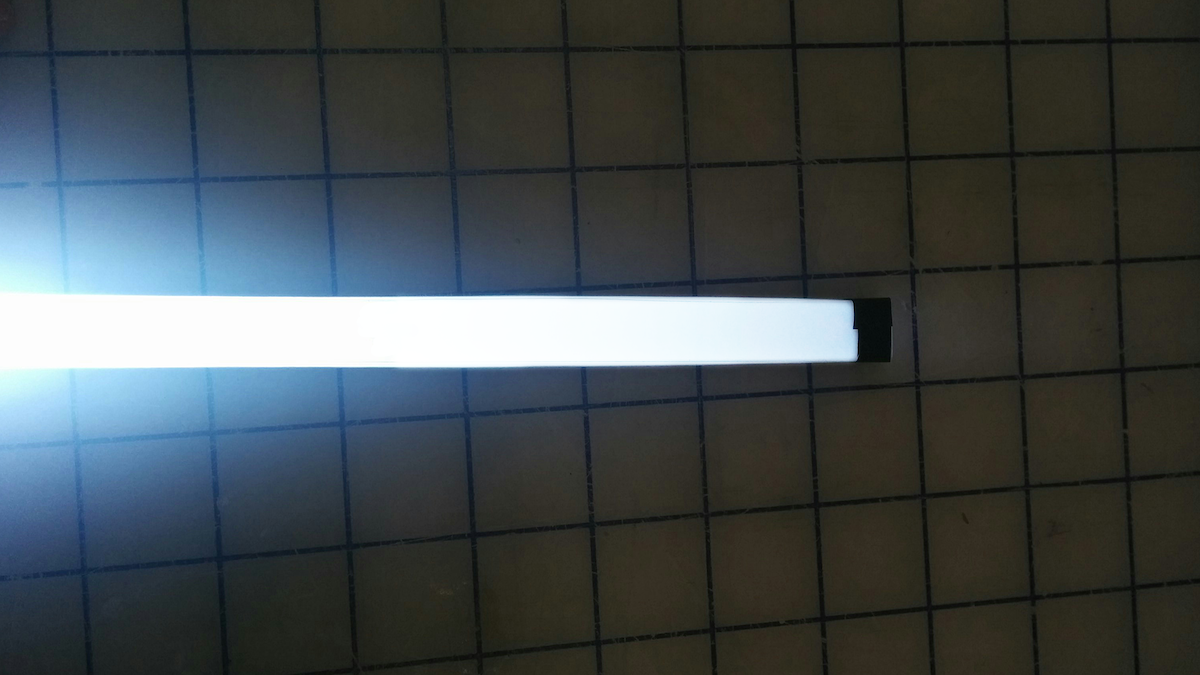
22. Here are the results with a super-bright LED! You can see that the light starts to drop off a little toward the end of the pipe.
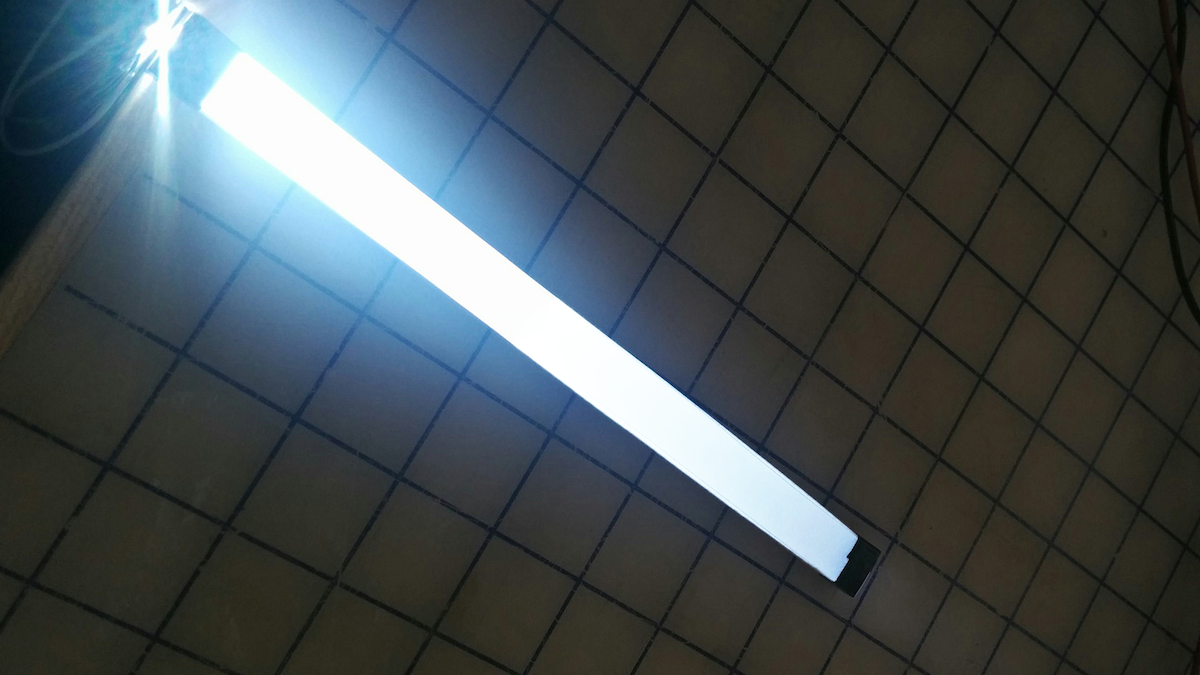
23. We could come back to tweak the blend pattern (reducing the number of dots at the beginning of the light pipe and increasing it toward the end).
Light guides are physical tools that transmit light along a path from an illumination source while maintaining constant brightness. They’re often used in products to create a line of light that is consistently bright and dynamic-looking, even when it comes from a single source. Unfortunately, there is no simple how-to guide available for making them. The process is kept tightly guarded by optical engineering companies. We came up with a quick process to make our own light guides, and now you can too.
Future of automobility
We’re on the cusp of a revolution in transportation. What will streets teeming with self-driving cars really mean?
IDEO has decades of experience with automotive work, which has brought keen insight into the trends and technologies that will define the vehicles of the future. This presents an important design opportunity: If we visualize today the way we’ll live in decades to come, we’ll be better prepared to make smart decisions when the age of autonomous vehicles arrives.
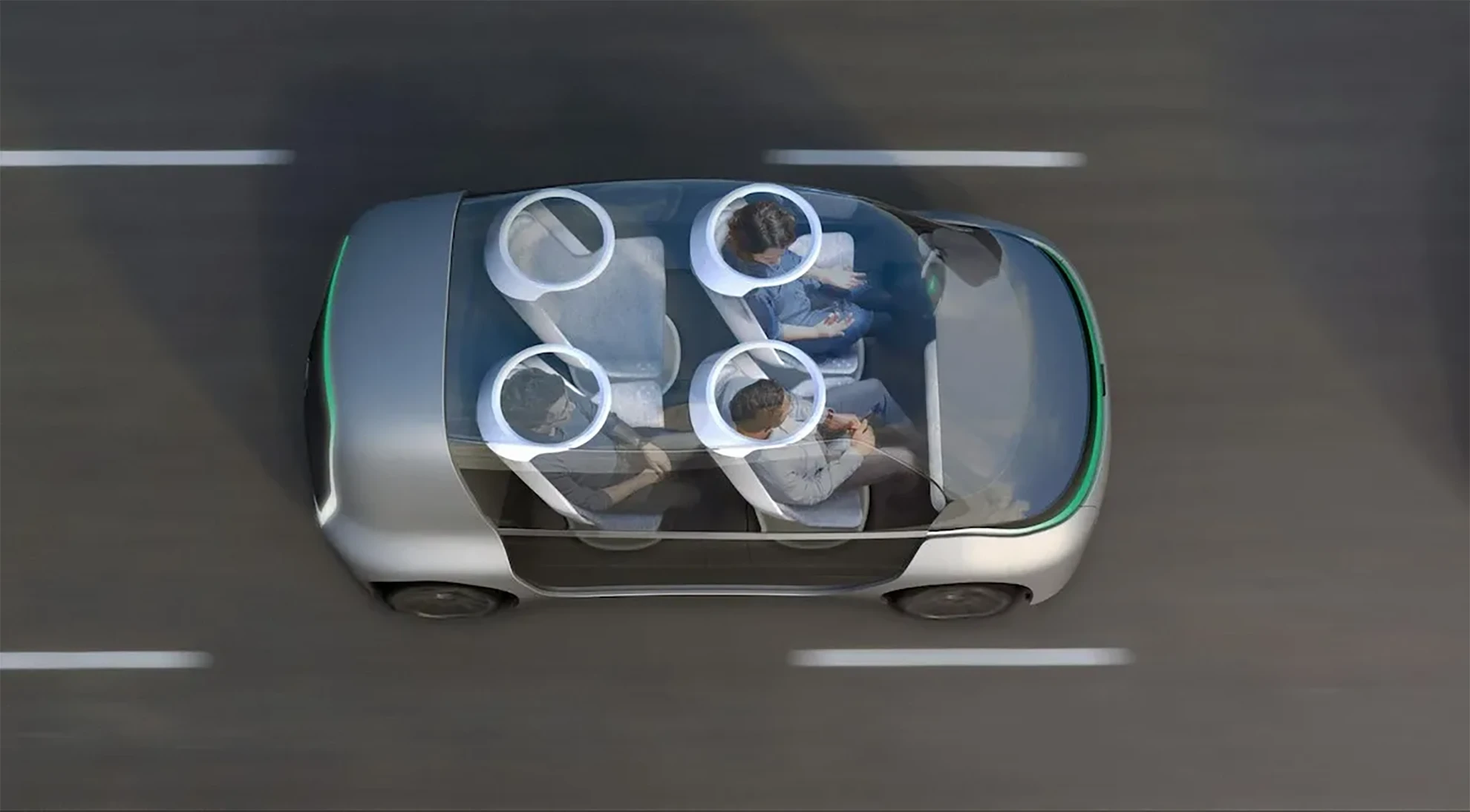
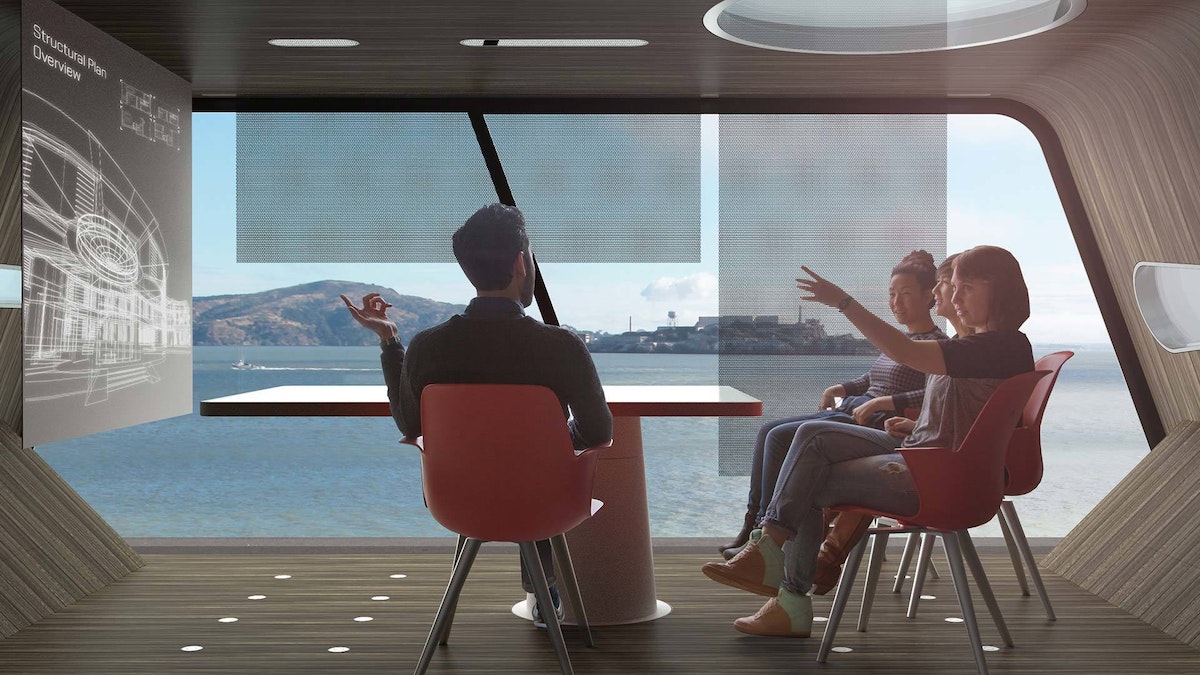
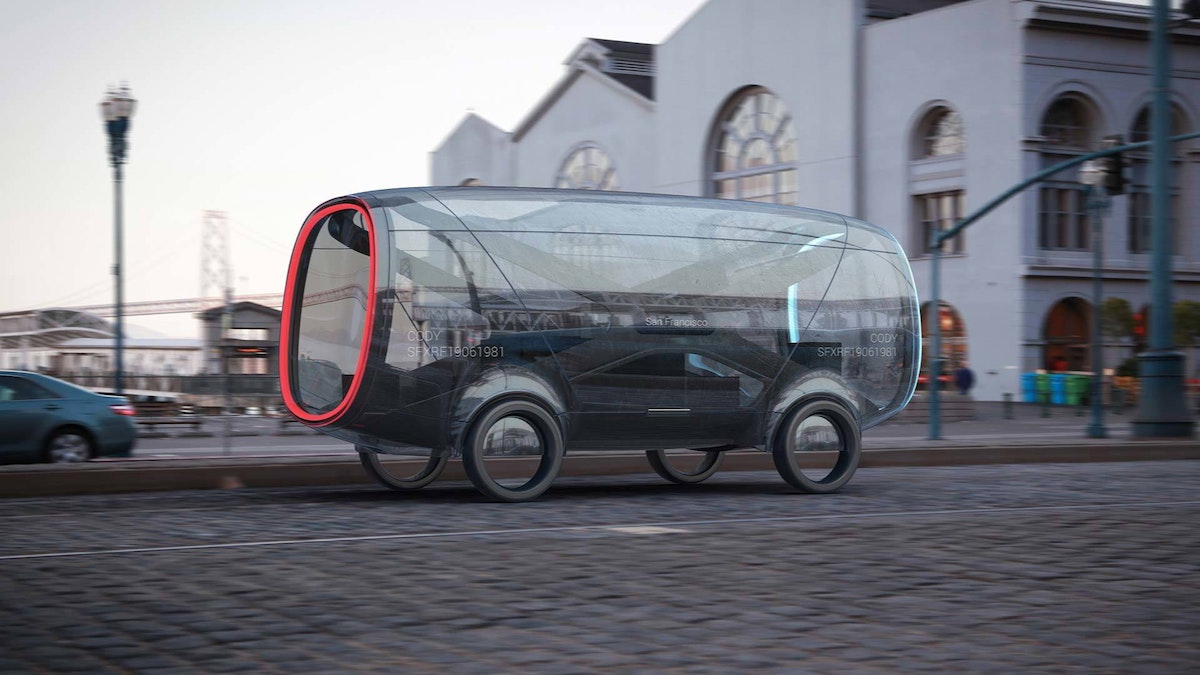
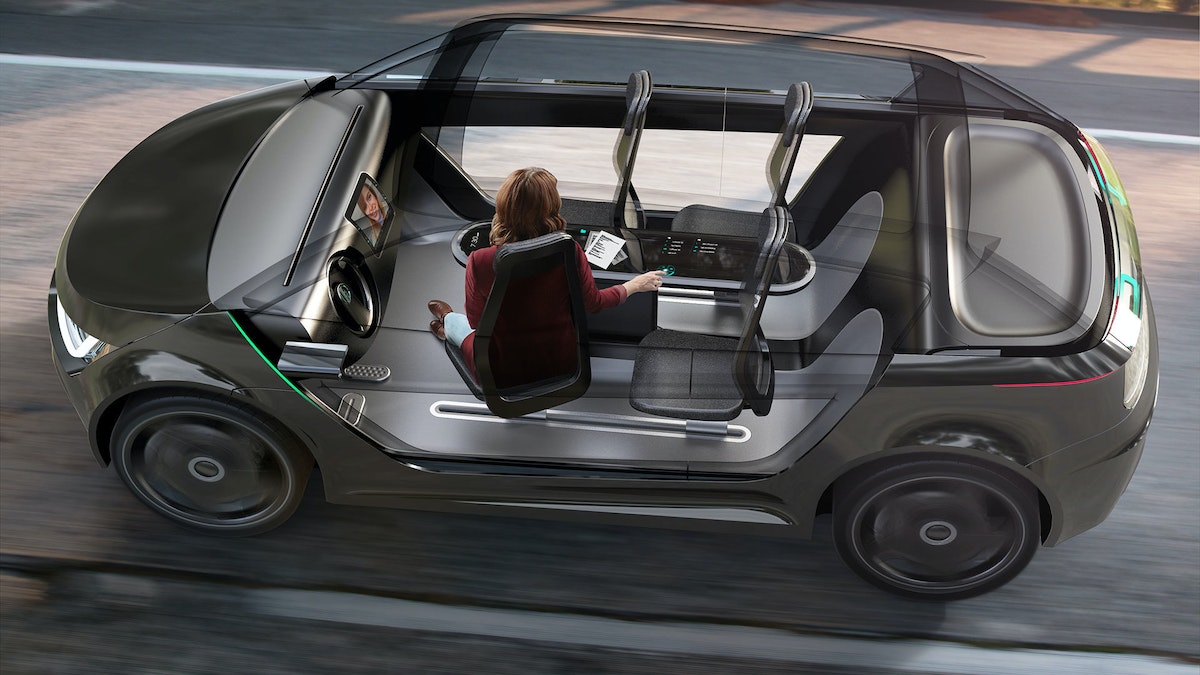
The Future of Automobility is an online visualization of how life with driverless cars might really look and feel. It considers four scenarios: “Moving People,” which looks at how commutes will change when we can look away from the road; “Moving Things,” where we examine automated package-delivery fleets; “Moving Spaces,” where we envision mobile offices meeting people where they live and parking in underused areas of our cities; and “Moving Together,” which explores how the interior of future vehicles will be customized to meet our personal needs during ride-sharing.
The experience is as emotionally compelling as it is feasible, combining radical innovation in transportation concepts with immersive storytelling. It expresses not just our vision of the future, but also how we work, how we think, and what we value.
Want More?
IDEO alum Jonah Houston continues the conversation in a Medium article on how the horse can provide inspiration on designing modern driving interfaces.
Press
A Fascinating Glimpse at How We'll Carpool in 2027, WIRED
Imagining A Future Where Autonomous Cars Let Everyone Carpool, Fast Company
IDEO envisions ride-sharing car concept for 'the future of moving together', designboom
IDEO Visualizes the Role of Autonomous Vehicles and Ride Sharing, Core77
Awards
Once our hands are off the steering wheel and more vehicles are shared rather than owned, what will change in our lives?
Design Kit: The Human-Centered Design Toolkit
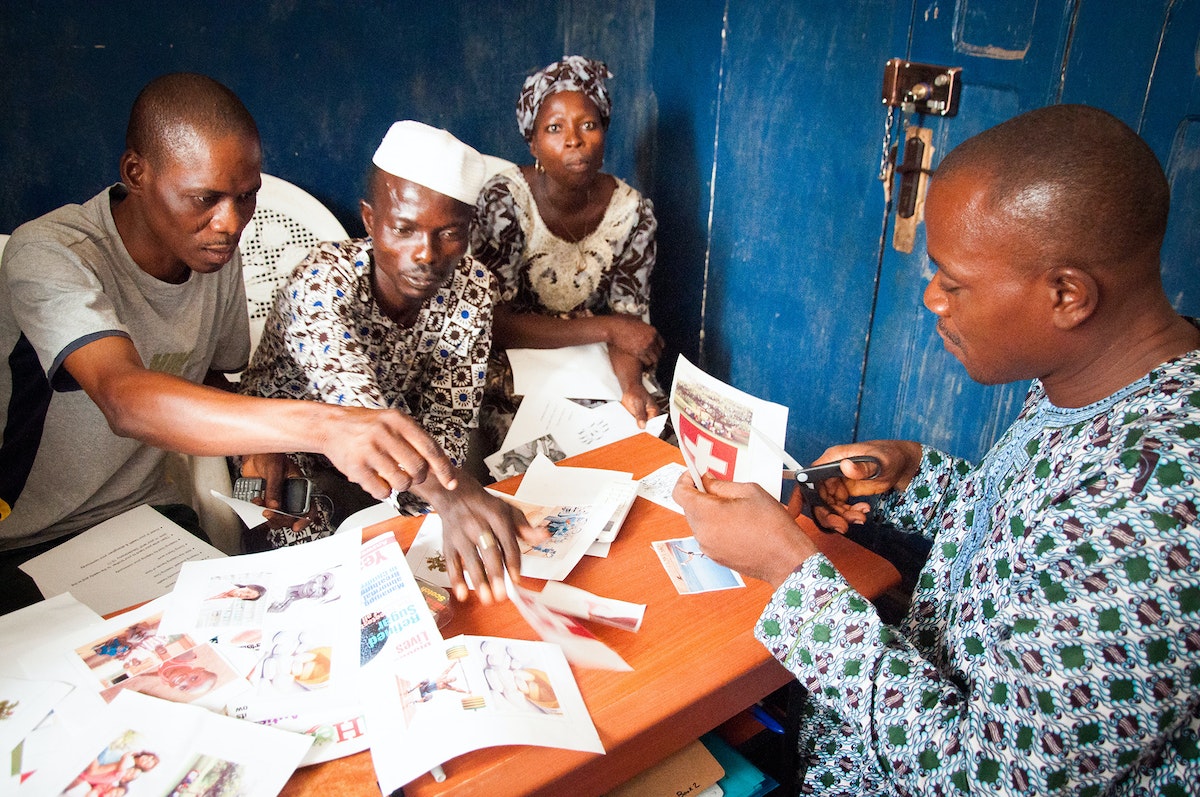
In 2009, IDEO designed and launched the HCD Toolkit, a first-of-its-kind book that laid out how and why human-centered design can impact the social sector.
In short order, a community of designers, entrepreneurs, and social sector innovators embraced it, buying and downloading over 150,000 copies.
In April 2015, IDEO.org launched an exciting new evolution of the HCD Toolkit the Field Guide to Human-Centered Design. The Field Guide is the latest in IDEO.org’s suite of teaching tools and a step forward in sharing the practice and promise of human-centered design with the social sector.
A full-color, 192-page book, the Field Guide comes with 57 design methods, the key mindsets that underpin how and why IDEO.org believes design can change lives, a full slate of worksheets, and case studies from projects that show human-centered design in action.
The Field Guide was funded by more than 1300 backers in a Kickstarter campaign that reaching nearly three times its initial goal. IDEO.org received an amazing outpouring of support and strengthened its deeply held belief that human-centered design can push the social sector forward.
IDEO.org is a nonprofit design organization that launched out of IDEO in 2011 with a mission to improve the lives of poor and vulnerable communities through design.
Visit designkit.org to download a free PDF, or get your own hard copy.
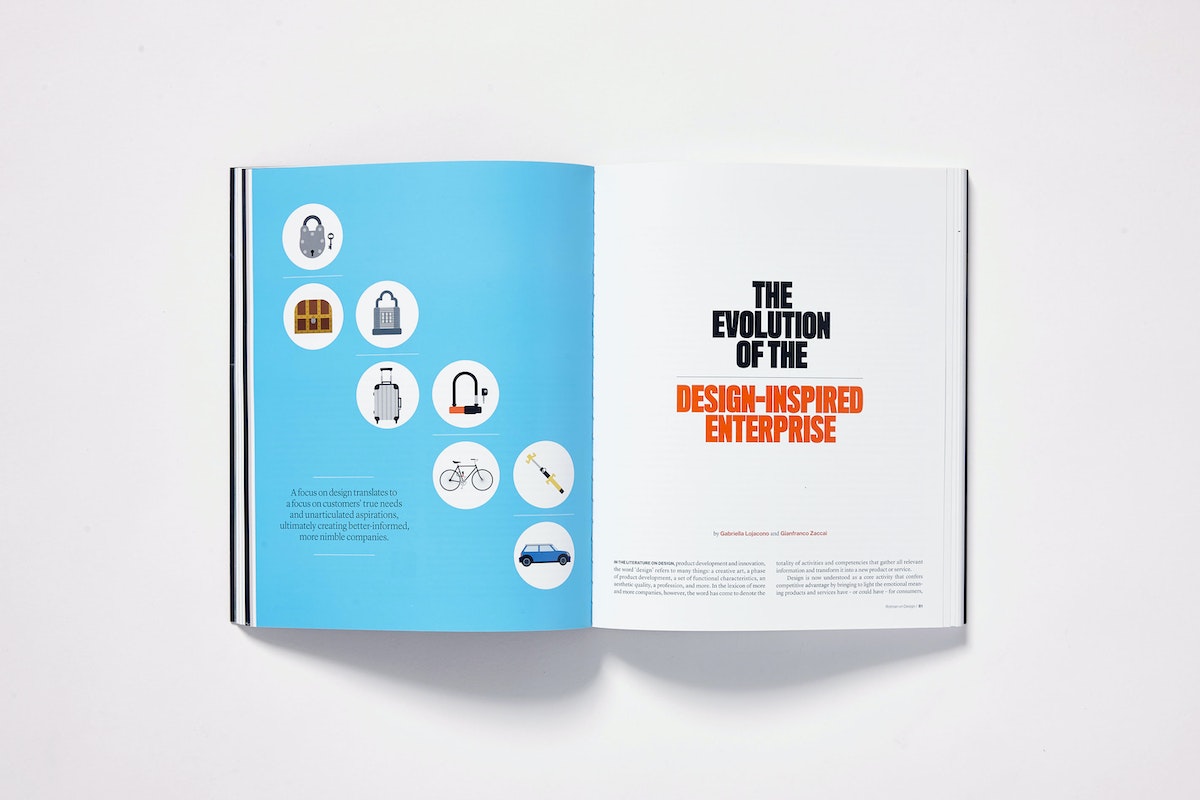
In 2009, IDEO designed and launched the HCD Toolkit, a first-of-its-kind book that laid out how and why human-centered design can impact the social sector.
Building the Pong-a-Tron
All it took was four iPads, two Raspberry Pis, 12 Arduinos, a Mac Mini, and 2000 RGB LEDs
After a bit of brainstorming, we hit on the perfect idea: a Noam-enabled modern twist on Pong, the classic, endlessly absorbing old video game.
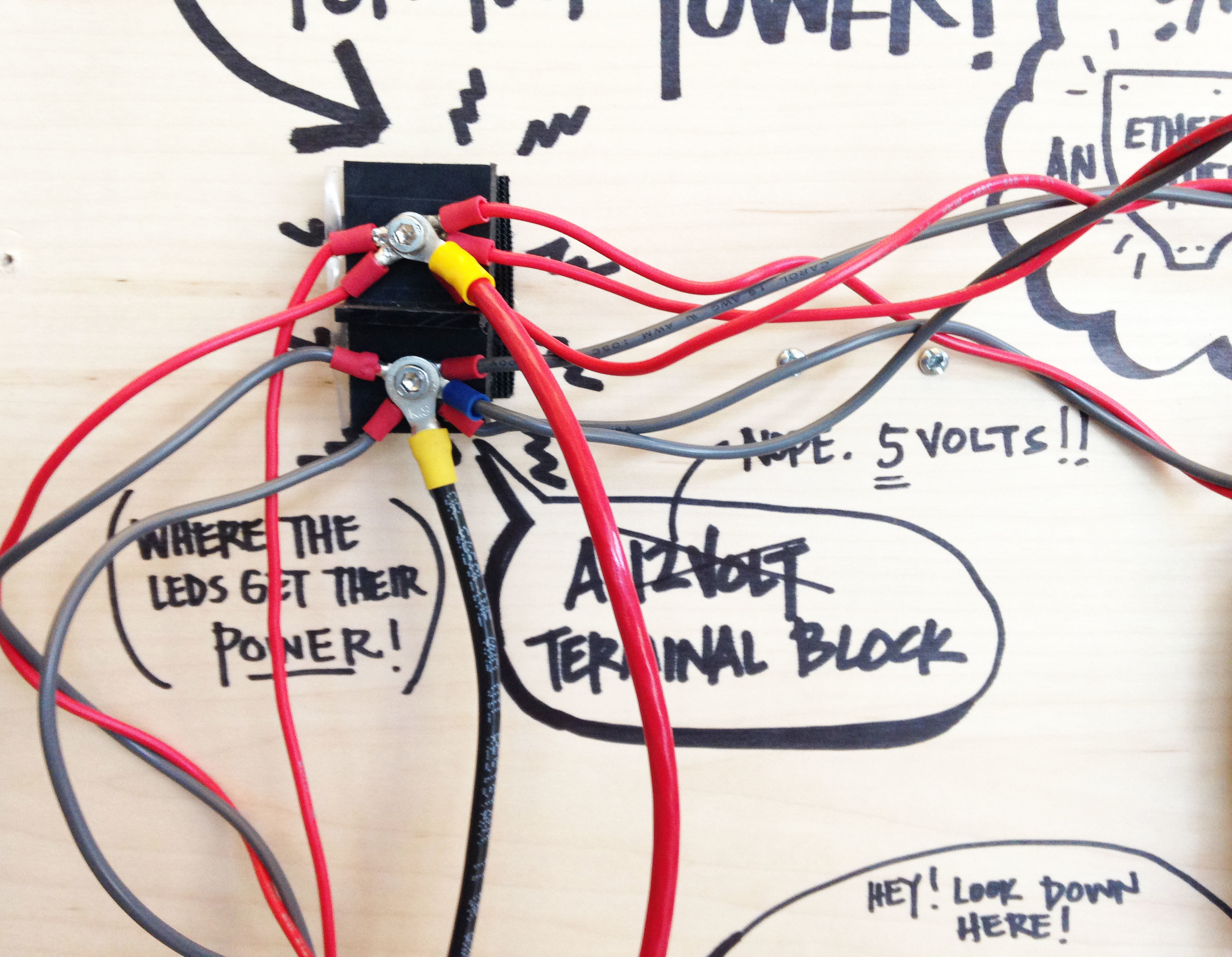
The Pong-a-tron is considerably more complex than its predecessor. It links together four iPads, two Raspberry Pis, 12 Arduinos, 24 stepper motors, a Mac Mini, two Node.js applications, a Processing sketch, an Objective-C app, and over 2000 RGB LEDs. Noam coordinates the entire menagerie by hosting a conversation between all the different elements.
The Pong game itself was written in Node and broadcasts paddle and ball positions, which are then rendered on various portions of the overall display. The paddles are translated into physical "pixel" strips along the edges of the Pong-a-tron, while the ball moves seamlessly from Arduino-controlled RGB LEDs to iPads and Raspberry Pis.
The Pong-a-tron was initially showcased at Solid Conference 2014 and is now a permanent feature in the lobby of IDEO Chicago. Stop by and see it in person at a studio event, or pay Noam a virtual visit.
The Pong-a-tron would not be possible without the incredible talent, skill, collaboration and brainpower of many IDEOers including: Joe Banks, John Grimley, Travis Lee, Zeke Markshausen, David Sjunnesson, Ben Syverson, Jon Wettersten, Garrett Winther, and more. Video by Ben Syverson.
Noam is a software-messaging platform created by IDEO to help hardware and software tools communicate with one another. To introduce Noam to the world, we wanted to build a physical manifestation of the platform, something that was—like Noam—fun and exciting but also remarkably simple to use.

Lindsey Turner
I’m passionate about building brands, products, and experiences that help organizations show up with meaning and momentum.
I help organizations cut through complexity by shaping how they show up, through brand strategy, identity, and storytelling.
Working at the intersection of brand and business, I bring an editorial eye and a bias toward making—turning ideas into tangible experiences that people can understand, trust, and believe in.
My work spans government, healthcare, financial services, media, and consumer goods, from launching Gen Z-focused ventures to building innovation labs and reimagining legacy brands. I relish moments of ambiguity and enjoy translating across teams, perspectives, and priorities to move ideas forward.
I started my career in editorial and digital design, shaping cross-platform experiences and identity systems in publishing and agency environments. That foundation still shapes how I work today: I’m detail-oriented, collaborative, and overreliant on the Oxford comma. I hold a BFA in Visual Communication from the School of the Art Institute of Chicago.

Rachel Young
My work helps organizations see who their products aren't working for—and build the will and the tools to do something about it
For 25 years, I've asked the same question: Who does this design exclude—and what are we going to do about it?
My work spans human-centered strategy, inclusive design, and qualitative research, with clients ranging from Microsoft, Google, and Verizon to the National Science Foundation, and San Francisco Unified School District.
Before IDEO, I taught elementary school in East Palo Alto and spent a decade doing design work with social service organizations—where I learned firsthand what it costs people when systems are built without them in mind.
I am currently writing User Error, a nonfiction book about digital access and the design decisions behind it. I live in Oakland, California.

Brian Pelsoh
I lead with craft, ensuring our work is creatively excellent: rooted in deep human insight and imagination, while also grounded in the realities of business and technology.
My expertise spans brand, communication, and product design across tech, education, the arts, and social impact.
I believe great work demands both high-level vision and obsessive attention to detail, and only happens through collaboration.
I bring an inclusive, hands-on approach and a deep understanding of business, which enables me to consistently deliver excellence while always asking why.
Before joining IDEO, I worked at the brand firms Pentagram and VSA Partners. I began my career as a designer, leading teams at the School of the Art Institute of Chicago and the Milwaukee Art Museum. I hold an MFA in graphic design from Maryland Institute College of Art and a BFA in communication design from the Milwaukee Institute of Art & Design, and have taught at some of the best design schools in the US.

Tony Wong
I am responsible for IDEO’s long-term success in China and working with clients to use design as a tool to enable growth.
I am responsible for IDEO’s long-term success in China and working with clients to use design as a tool to enable growth. Specifically, I have helped Chinese companies design holistic brand solutions through the development of their products, communication, services, and innovation teams, and I have helped multinationals expand their presence and influence in China.
I advise global leaders on developing China-led innovation and capabilities.
In over 15 years in IDEO Shanghai, I have worked on projects that use design to elevate the quality of the experience of healthcare products and services, streamline processes that increase productivity, create spaces and programs that promote and enable inclusive communities, and build next generation mobility solutions that are planet-positive.
Before joining IDEO, I worked at Philips Electronics and the Electrolux Group in Italy, the Netherlands, and Singapore on a number of breakthrough commercial products. I am a member of the Young President Organization in Shanghai.

How to use AI as an editor, not a writer
Ed White shares how he uses AI as an editor—not a writer—to sharpen storytelling, rehearse ideas, and preserve the productive friction that makes creative work better.
Ed White has a rule he's tested on his own writing: hold yourself as the writer, and let AI be your editor. Ed is a Senior Design Director at IDEO's London studio, where he co-leads the firm's AI portfolio across Europe. Before IDEO, he spent 12 years as a writer and editor at the Financial Times, Wired, and Contagious. So when he talks about when to use AI for storytelling and when not to, it comes from two decades of crafting his storytelling skills.
In this episode, Mina Seetharaman talks with Ed about two specific tools he uses to keep AI in an editor's seat: a "roasting agent" prompted to critique his drafts without any sugarcoating, and a simulated audience he rehearses pitches on before the real thing. They also get into what Ed is hearing from design leaders at Anthropic, Lovable, Shopify, and Google Creative Lab about how creative work is changing, and why he thinks the friction of writing something yourself is worth protecting rather than automating away.

Building a personal AI for the messiness of life: Sida Li
Becca Carroll talks with Cue co-founder Sida Li about designing a personal AI for the messiness of everyday life—not just work. They explore how Sida stays anchored to human needs while navigating fast-changing technology, product tradeoffs, business-model experimentation, and the realities of building an AI company today.
Most AI products today are built for work—a space with clear problems and established systems. One founder noticed a gap: personal life is messier, harder to systematize, and mostly left behind by the AI boom. So she built Cue, a personal AI that lives inside iMessage and group chats, to go where the other tools haven't.
In this episode, Becca Carroll, IDEO's Chief Strategy Officer, talks with Sida Li, co-founder and CEO of Shared Context Lab, about staying anchored to a human need while the technology around her keeps changing shape, why she treats her business model with the same rigor she'd bring to a product, and what it feels like to build a company at this particular, disorienting moment in AI.
The conversation also gets into how Sida makes design decisions: the language Cue uses to describe itself, the tradeoffs behind building inside iMessage instead of a new app, and a real story about a business idea that didn’t pan out.
This is the second in a two-part series profiling founders from IDEO's Startups-in-Residence program. The first conversation is with Johannes Seemann, founder of Sooner, on designing GenAI for the emotional side of money.

Designing GenAI for the emotional side of money: Johannes Seemann
Designing financial tools around the feelings that shape money decisions.
Most personal financial tools are built to run the numbers and optimize towards a budget. While that works for some, most people experience money as a lived relationship that does not neatly fit into a spreadsheet. Johannes Seemann and Becca Carroll discuss why money is emotional before it is mathematical, and what a human-centered approach to building a generative AI financial product looks like in practice.

The curious leader's edge in uncertainty: Scott Shigeoka
How genuine curiosity helps leaders navigate uncertainty with greater confidence.
Mina Seetharaman talks with Scott Shigeoka, author of Seek and Head of Curiosity Cultivation at the Eames Institute, about what distinguishes genuinely curious leadership from performative curiosity, how power dynamics shape curiosity, and why practicing curiosity can restore energy rather than drain it.
Looks like you might be in search of something very specific?
Or reset the filters above and try another angle.
Here’s some random inspiration
Podcasts about creative leadership
Articles about the power of prototyping