.svg)




The bold publishing strategy that turned a traditional newspaper Into a digital leader
How bucking the trend of round-the-clock digital publishing led to an enormous payoff for The Times and The Sunday Times
For more than two centuries, The Times held a strong reputation as a storied British newspaper. Then came the digital deluge. Publication after publication began adopting a relentless online publishing schedule aimed at capturing eyeballs and subscribers, and guarding against waning advertising sales and print readership. But The Times and its sister publication The Sunday Times thought there might be a different way forward.
As Editor John Witherow explains, “the power of an edition” had long endured at The Times, but began to erode amid a round-the-clock breaking news cycle. Witherow didn’t want to do away with editions, but rather to update the model for the digital age. Times owner News UK approached IDEO in 2014 to explore exactly that: what the edition of the future might look like and how its design could drive revenue and subscribers.
IDEO’s research and design phase included interviews with readers, journalists, editors, and marketers at News UK. The team found that people’s reading modes vary—some reflecting new digital behaviors and others adhering more closely to paper-reading styles.
Readers, the team learned, chose The Times for its editorial opinion: a perspective that cuts through the overwhelming flood of information. They viewed the daily Times and weekend Sunday Times as one paper, despite the organizational distinction. And they were proud of their choice, valuing the papers’ consistency, trustworthiness, balance, and authoritativeness. Readers wanted these qualities distilled in a digital edition, whether on a smartphone, tablet, or on the web.
Those insights led to strategic recommendations spanning digital products, editorial, advertising integration, online membership offers, and social sharing. But the boldest among those was a publishing strategy that seemed to run counter to media trends: abandoning a real-time approach in favor of publishing separate digital editions.
The Times in March 2016 introduced an editions-based publishing schedule, with new editions available across all platforms four times each weekday: overnight, 9am, noon and 5pm; the weekend schedule shrank to three editions. A year in, they had broken that schedule fewer than a dozen times—making exceptions for major moments like the terror attack in central London and David Bowie’s death—but even in those cases, The Times refrained from incessant updates, instead resuming its regular pacing.

“The way we’re publishing now, taking our time over news...taking a more considered view of the world, it’s helped us offer something different from everything else,” digital news head Alan Hunter told Digiday in 2018. Readers demonstrated that this different approach was something they’d been wanting.
In the first half of 2016, new paying-subscriber sales were up 200% as compared to the same period in 2015. At the end of June 2016, there were 413,600 subscribers to The Times and The Sunday Times, up 3.4% from a year prior. Of those, 182,500 were digital-only subscriptions—a 6% rise and a notable figure given how much online news can be obtained for free.
Through collaboration with IDEO, News UK's own digital teams capabilities grew, enabling them to implement and evolve their new digital strategy. The capabilities of the newsroom grew, too: “The decision to move to four editions a day has freed up tremendous resources to focus on big stories,” says Emma Tucker, Editor of The Sunday Times—the kind of stories that "supercharge engagement." The approach is working: By August 2019 digital subscriptions had increased 19% year-on-year to 300,000, showing the progress the legacy publisher has made in attracting readers to its online proposition. Total subscribers for the two titles' print and digital products now stand at 539,000, and their websites total five million registered users.
More than 230 years after its first edition was published, the new Times has established solid footing in the digital age and designed its own future—one based not on the habits of its competitors but on its legacy and the reading behaviors of its audience.
Designing a better onboarding experience for an AI symptom checker at clinics
Enabling doctors to spend less time on paperwork and more on patient care.
D4V is a Tokyo-based early stage Venture Capital in partnership with IDEO. Two years ago, D4V invested in healthcare startup Ubie, which develops a service called AI Monshin Ubie. The digital service was created with the goal of reducing the burden on healthcare professionals working long hours, under harsh conditions. AI Monshin Ubie automates a number of patient registration and documentation processes through digital tools, enabling doctors to spend less of their time on manual paperwork, and to dedicate their valuable skills and attention to the patients themselves. Currently, the service is installed in 200 medical institutions in 41 prefectures across Japan.
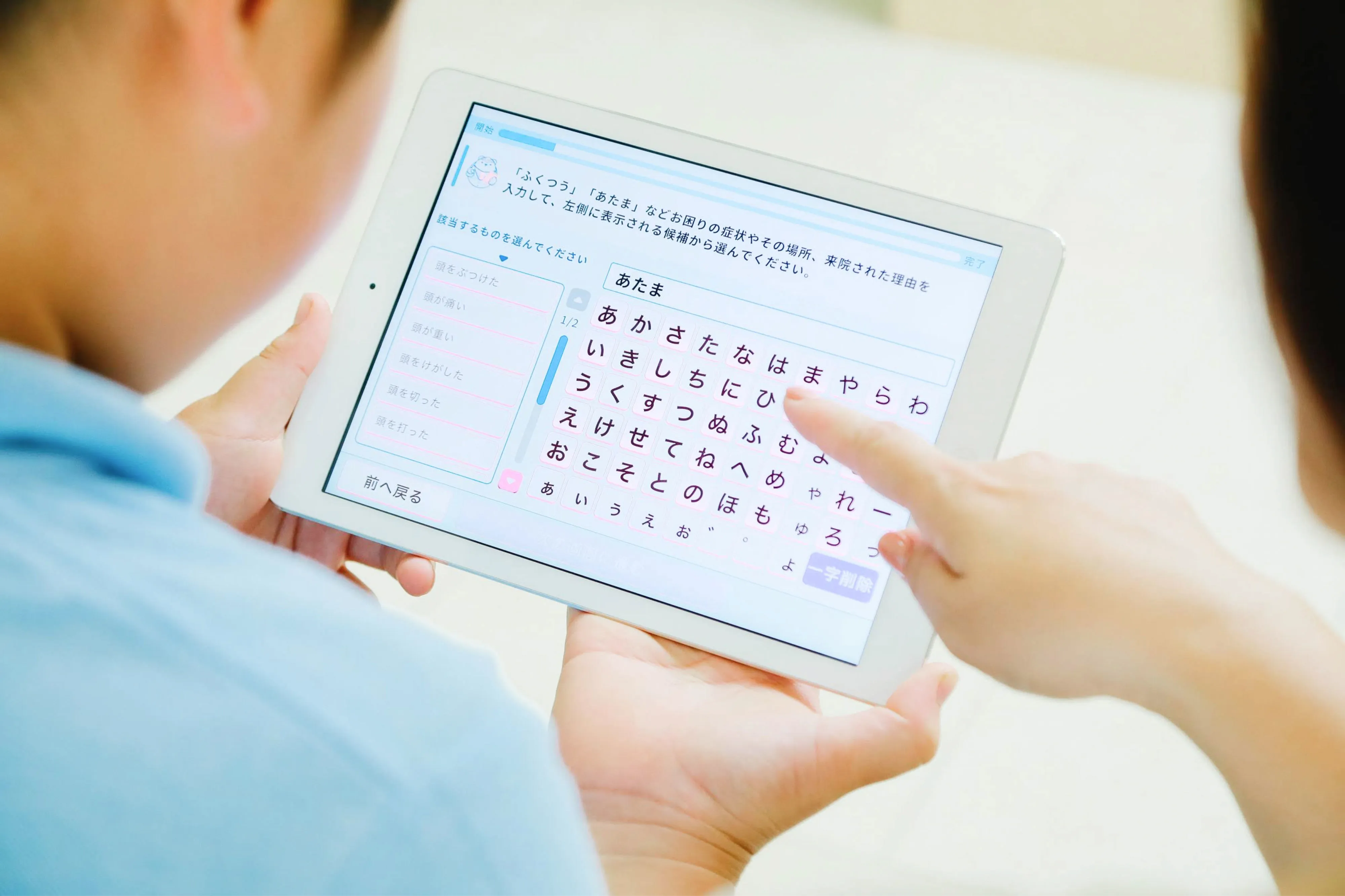
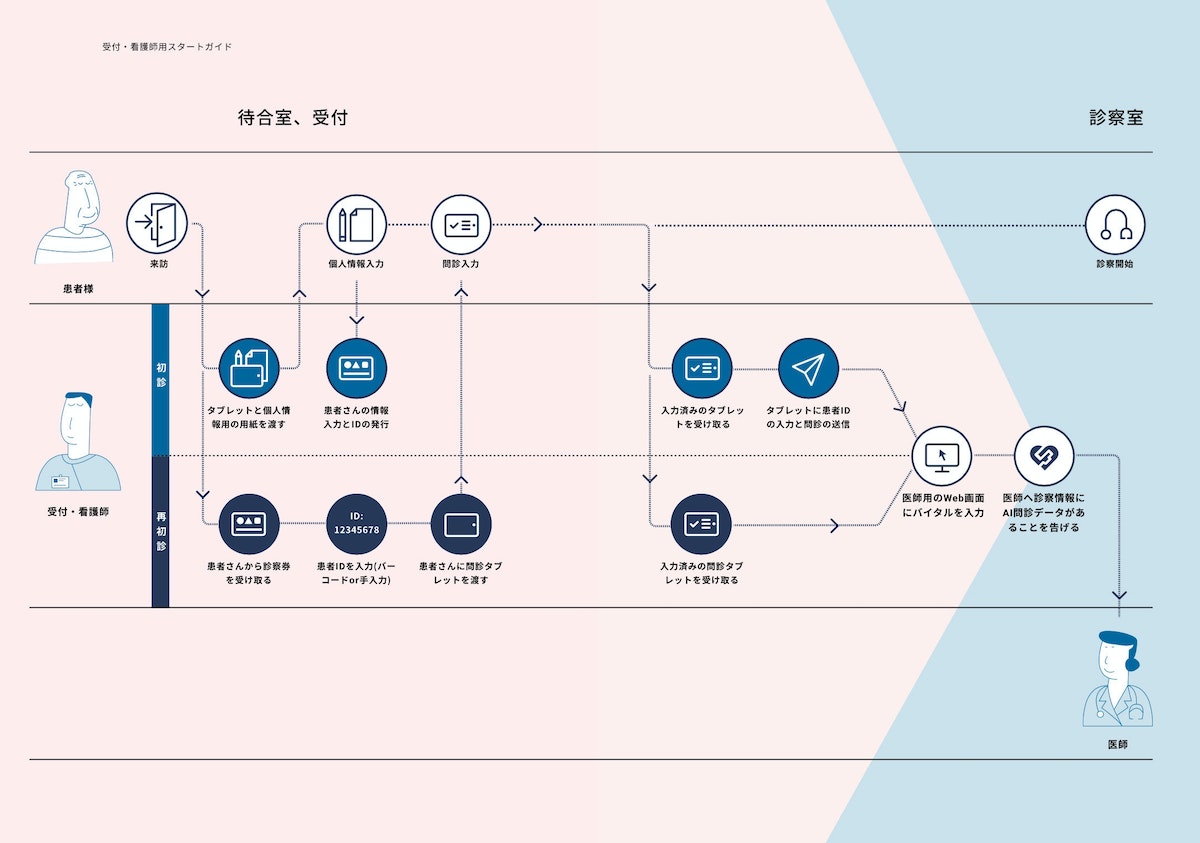
With AI Monshin Ubie, patients fill out preliminary forms on a tablet, rather than paper, entering information about their health history and current symptoms directly into their digital medical record. As patients fill out the questionnaire, the Ubie AI generates questions in real-time according to patients’ responses, which results in more appropriate and accurate data. The patient’s responses are automatically formatted for the doctor to review prior to and during the consultation. As a result, doctor consultation times and facility operation times are drastically reduced.
With the Coronavirus raising fears of a possible health system breakdown, Ubie has made improvements to anticipate and possibly prevent in-hospital infections. Until recently, Ubie’s services have been primarily used by large hospitals; but in light of the global health crisis, Ubie approached D4V—who partners with IDEO—to help rethink the onboarding experience and quickly facilitate the introduction of AI Monshin Ubie in regional clinics across Japan. D4V and IDEO have been working with Ubie for many years to collaborate in various areas, including UX, rebranding, international research, and more. Therefore, they had a foundation of knowledge from which to build these new features.
Typically, AI Monshin Ubie has been introduced to new hospital clients through direct, in-depth instructional visits from Ubie sales staff. This approach has worked well for rolling out the product to Japan’s 8,000 large hospitals; but for the 100,000 smaller clinics, Ubie needed a more efficient onboarding method to enable staff to get set up smoothly and independently.
During research, D4V and IDEO team members engaged with many different clinic staff members, including full-time doctors, part-time doctors, nurses and receptionists. The researchers found that staff tend to react skeptically to new tools and services, with a common preconception that they will add to their workload. One clinic director’s first impression of AI Monshin Ubie was, “It looks complicated.” But once he actually used the service, he realized that it was very user-friendly.
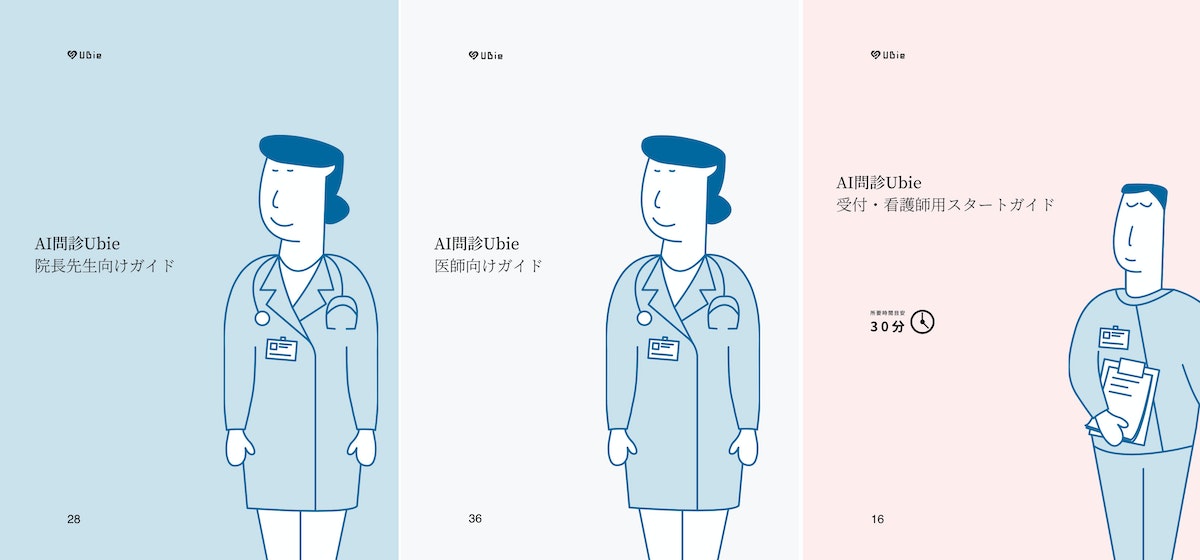
The team quickly understood that it was important to remove preconceptions by clearly communicating Ubie’s benefits and ease of use. They created a two-minute animation and designed three separate guidebooks. The animation adopted a friendly tone and expressed empathy for doctors, staff members and patients, highlighting how Ubie can bring benefits to each of them. The animation showed how Ubie fits into the existing workflow and explained complex systems in a straightforward and accessible way.
WATCH: A short video clip explains the benefit of their product and service to avoid the users’ concerns in advance.
The guidebook for doctors and directors explains how Ubie’s AI smooths the patient consultation experience and greatly improves the quality of medical care. It also introduces concrete how-tos around set-up, implementation, and ideal workflow. FAQs were also included, addressing concerns about whether or not elderly people would be able to use it.
Ubie business development leader Kenji Yamada says, “D4V and IDEO have a deep understanding not only of design, but of our entire business. They provide inspiration by bringing experience and knowledge that comes from working with other industries and clients outside of healthcare. We appreciate that they can share the knowledge that they’ve obtained with our business.”
Read the Japanese-language version of the Ubie case study here.
When You Feel Unwell, Ask Ubie: Check your symptoms for free
Learn more about Ubie: Global Company Website
An improved airway intubation system that helps physicians save more lives
The GlideScope Core offers elevated visibility and a seamless workflow for intubation, allowing doctors to better conduct routine procedures and respond to health crises.
In the emergency room, an intervention that’s administered too slowly could cost a patient their life. With COVID-19 fueling a surge in acute respiratory conditions, intubation—a procedure that involves inserting a tube through the mouth or nose and into the airway—is more common than ever. For patients struggling to breathe, the tube can be connected to a ventilator that pumps oxygen to the lungs, keeping them alive.
While a laser-focus on the present is critical for successful patient outcomes, hospitals and physicians often don’t have time to look ahead and anticipate the future of the operating room experience. As technology rapidly improves, there is a ripe opportunity and pressing need to evolve medical equipment to be more innovative and intuitive. Verathon Medical, a global medical device manufacturer, is supporting health care providers at the cutting-edge of care.
Verathon approached IDEO to redesign the existing product system for laryngoscopies and bronchoscopies—procedures that examine parts of the throat through intubation. During these examinations, a tube with a camera embedded in the tip is inserted through the patient’s nose or mouth. The doctor can then see inside the throat on a video monitor, and therefore more easily and quickly intubate and perform the exam.
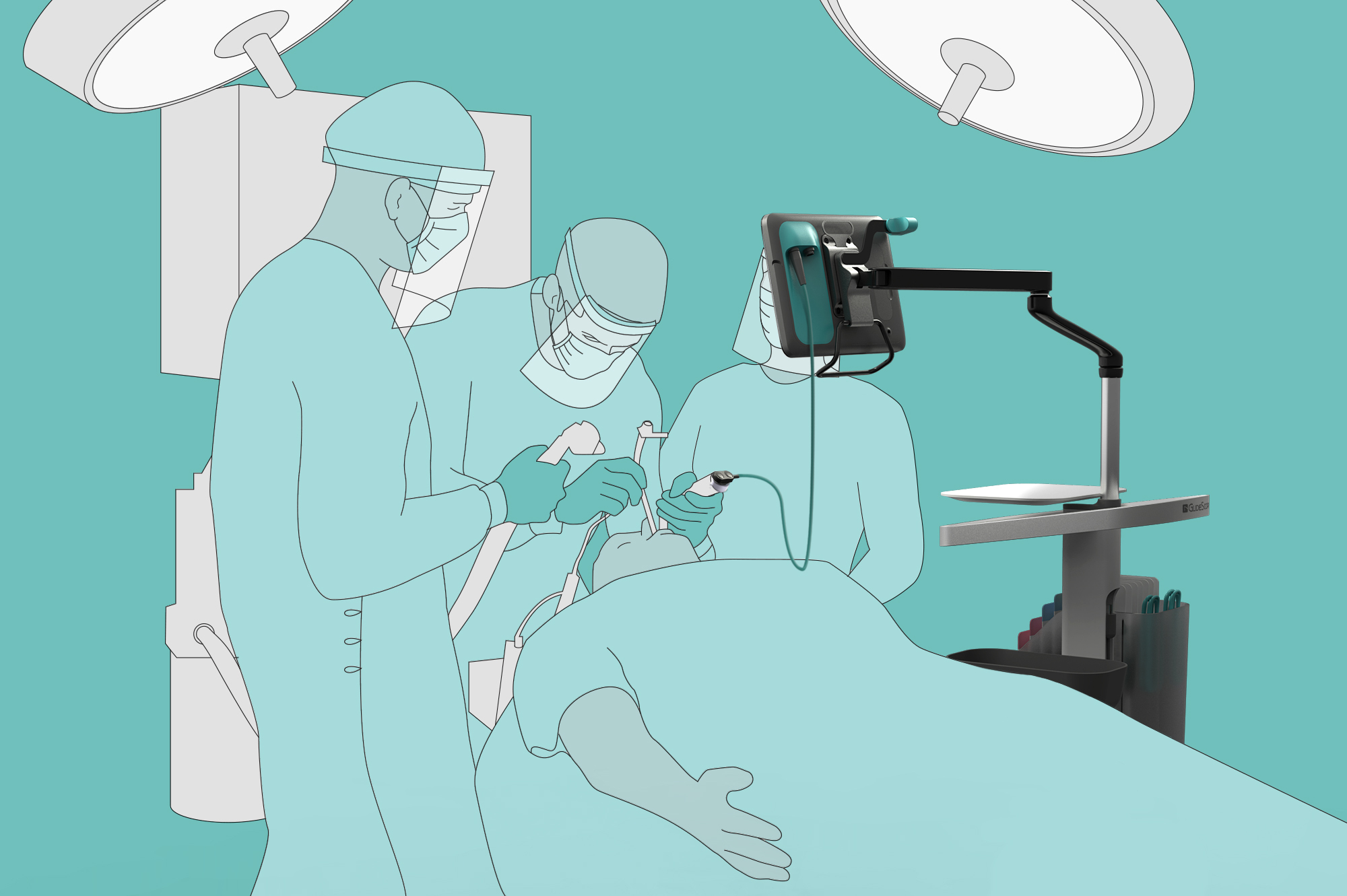
To create a groundbreaking device, the team observed over a dozen laryngoscopies, bronchoscopies, and intubations. They noticed that many anesthesiologists relied on fixed equipment during the procedures. For example, some had grown accustomed to looking over their shoulder—away from the patient—to view the monitor.
During interviews, physicians and residents expressed difficulties with the current technology, sharing that the small screens aren’t conducive to team viewing or student instruction, and they must often use a separate computer to record patient notes. Others reported frustrating workflows, needing to constantly divert their attention and move their hands between the patient, prep tray, monitor, sterile bin, and disposal bin. These inconveniences and inefficiencies are not only cumbersome, but can increase the risk of infection and fatality.
The team relied on these insights to start designing a next-generation product. Through sketching, storyboarding, and building in real-time alongside doctors and clinic staff, designers quickly teased out additional findings and validated concepts.
This work led to the creation of the GlideScope Core: an all-in-one, portable product system that supports both video laryngoscopies and bronchoscopies. The base of the device—a wheeled cart—has built-in storage units for tools and a disposal bin, offering more mobility and accessibility for medical professionals.
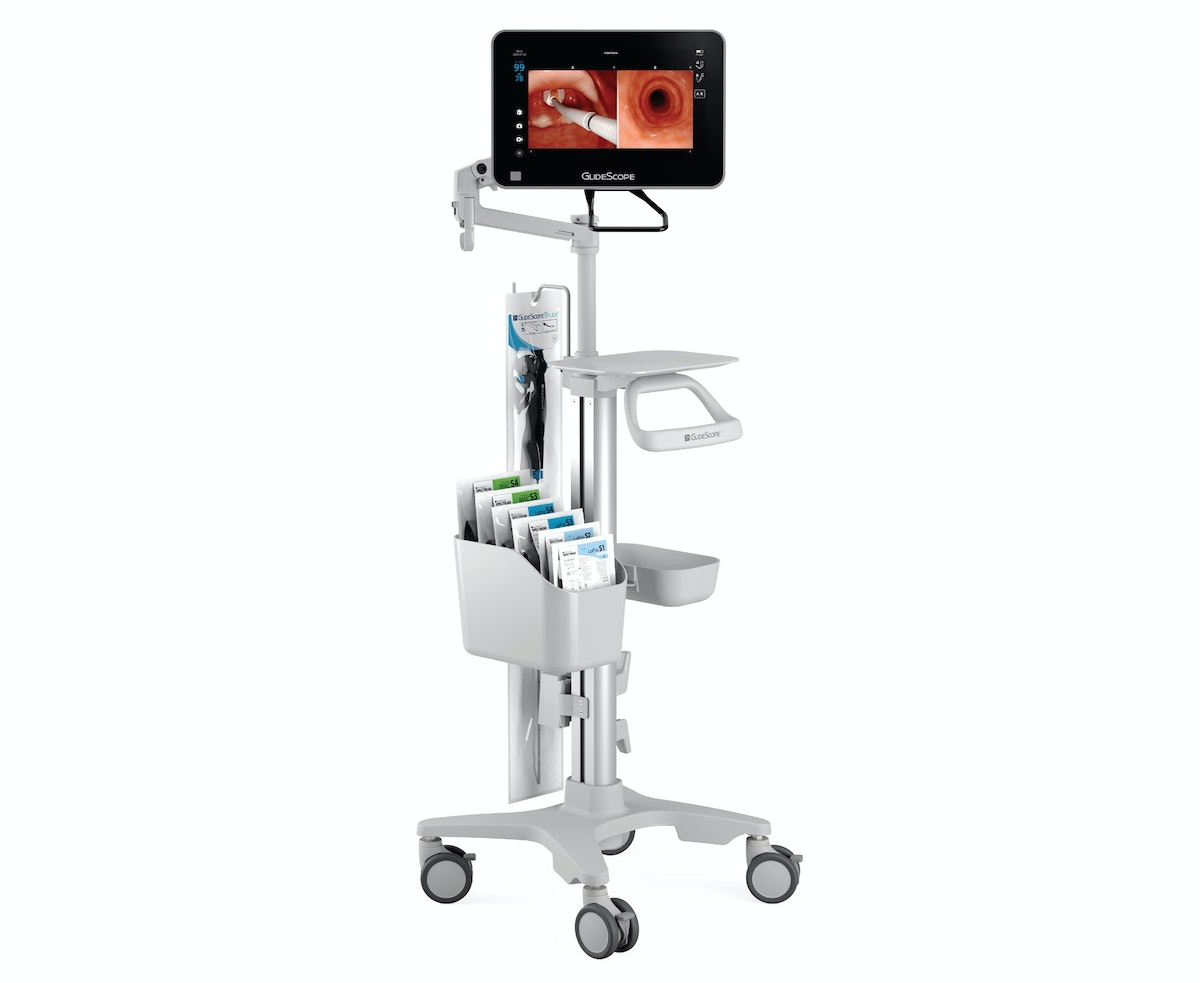
The product’s tagline, “see more, do more,” points to the improvements made to the video system, including a large 10- or 15-inch high-definition touch screen monitor. Displayed images can be enlarged and rotated 180 degrees for improved visualization, team viewing, resident training, and classroom demonstration. To help doctors keep both the patient and monitor in their line of sight, the detachable screen can be secured to an adjustable arm that can be positioned directly over the patient. Additionally, the monitor’s patient annotation feature gives staff access to more of what they need in one device.
The product has been especially valuable for providers and patients during the coronavirus pandemic, when it’s imperative for doctors to keep their distance from patients’ mouths and noses. The GlideScope Core’s movable, detachable, and large, high-definition monitor makes it easier to take this precaution and intubate more quickly. This usefulness is reflected in the 5-fold increase in cart-based device orders for Verathon. While most providers typically order anywhere from 1 to 20 devices for airway procedures, one hospital system requested 600 GlideScope Core systems to meet current intubation demands.
Through modern technology and a focus on human needs, the GlideScope Core supports improved patient outcomes and creates a more seamless operating experience for medical professionals. The product underlines the key but often overlooked fact that often, in order to ensure the healthcare industry is patient-centered, medical device manufacturers and hospitals must also focus on improving the experience of providers.
Transforming a community hospital from the inside out
Designing for caregivers to create world-class care for patients.
Healthcare is notoriously difficult to change. Rules and regulations present complex barriers; health practitioners and organizations often have entrenched ways of working; and lives are literally on the line. Despite these significant barriers, the leaders at Newton-Wellesley Hospital (NWH) boldly committed to improving patient care through a new approach.
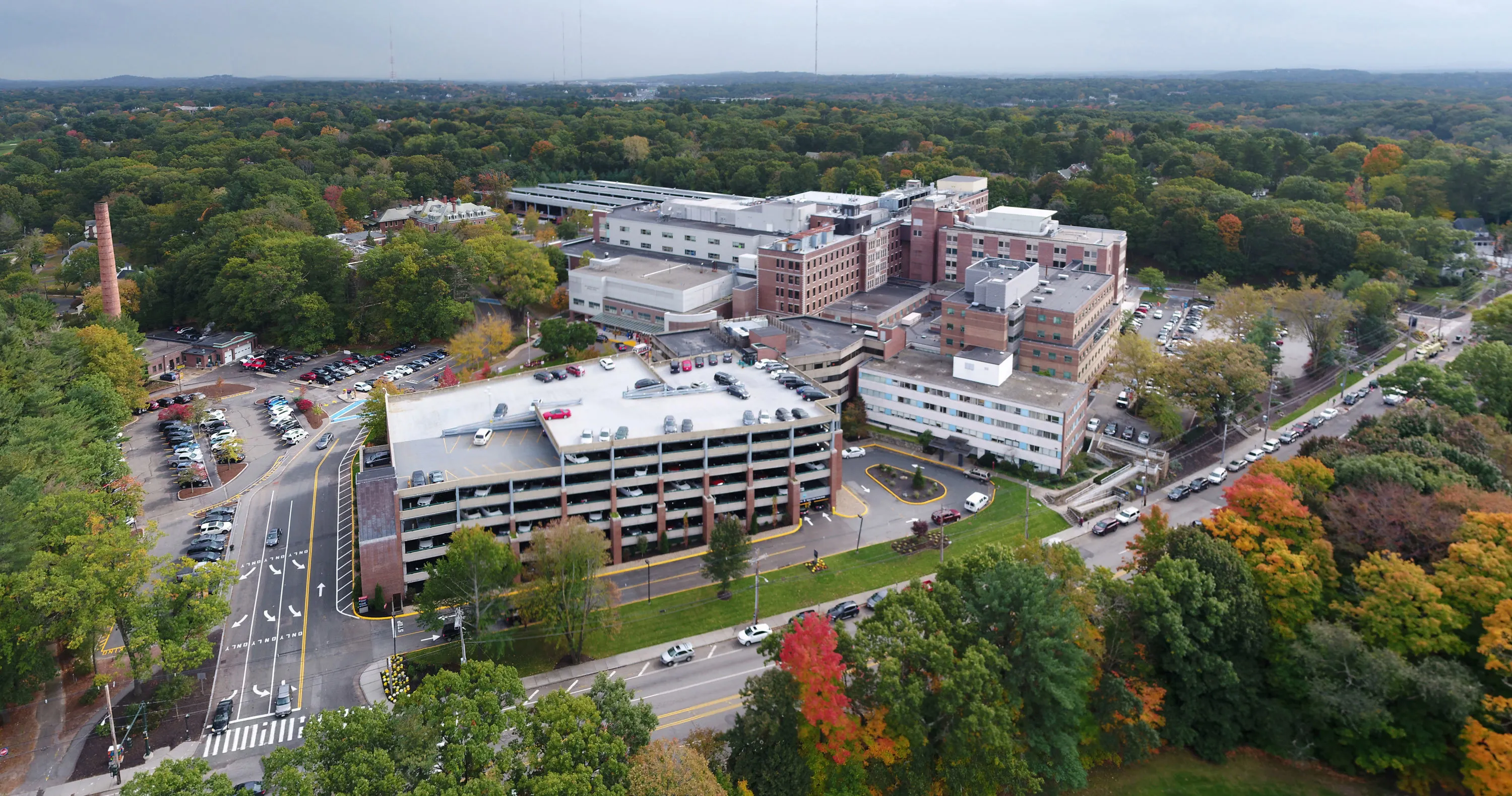
NWH is a community teaching medical center in Newton, Massachusetts. Because of its proximity to Boston—a city known for world-class healthcare institutions—NWH needed to differentiate itself. The hospital's new president, Dr. Michael R. Jaff, reached out to IDEO for help: "I knew that providing an unparalleled patient experience would set us apart from our competitors." But, Dr. Jaff’s particular approach was unique. He and Dr. Jodi Larson, Chief Quality and Experience Offer (CQXO), saw an opportunity to drive better patient outcomes through cultural and organizational change.
"You cannot learn any more than when you get to listen to your potential patients say why they would never walk into your place." —Dr. Michael R. Jaff
IDEO partnered with NWH for a year of work together, kicked off by defining the vision for NWH and ramping up to in-hospital prototyping and the launch of several new initiatives. A pilot project with the Women's Imaging Center (WIC) focused on solving departmental and employee challenges to provide a better experience for women getting mammograms.
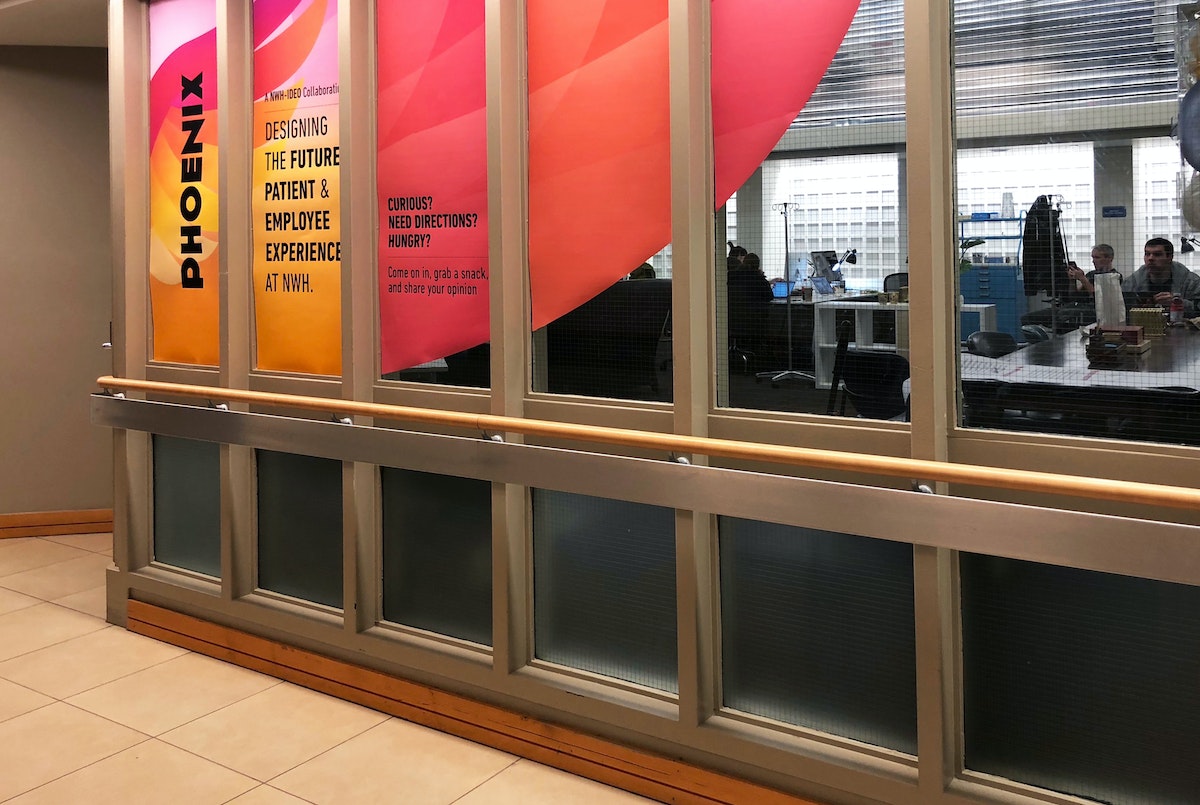
Fueled by this potential, the WIC team redesigned key work processes and created a set of experience principles that inspired new service prototypes. Guided by principles like "Express mutual gratitude" and "Honor every voice," the WIC team tested ways for patients to acknowledge outstanding caregivers and created tools to gather better feedback from patients and adjust quickly. The experience of designing better services inspired the WIC staff to become ambassadors for the power of design thinking across other departments inside NWH and they continue to build on the work through new prototypes and experiments.
Next, IDEO partnered with NWH’s ambulatory surgery group. They took an analogous research trip to Boston’s Logan airport to see with fresh eyes how other high-touch customer service organizations provide customer value in a complex setting. Insights from the trip were applied through live prototyping of several new experiences inside the hospital, including a pre-surgery visit summary and pre-operation care carts.
Analogous research helped us realize that we can learn from other industries and incorporate some (cool) best practices if we allow ourselves to get over the ‘that would never work in the hospital’ mentality. - Dr. Jodi Larson

One of the most impactful prototypes was Care Modes, a tool to empower the NWH care teams to tailor their approach and interaction with patients based on the patients’ unique needs, beyond simply their clinical requirements. Four distinct approaches were identified for engaging a patient before surgery—Explain, Partner, Embrace, and Encourage. The Care Mode is determined based on the provider's understanding of a patient's degree of self-advocacy and their confidence that surgery is the best solution to their issue.
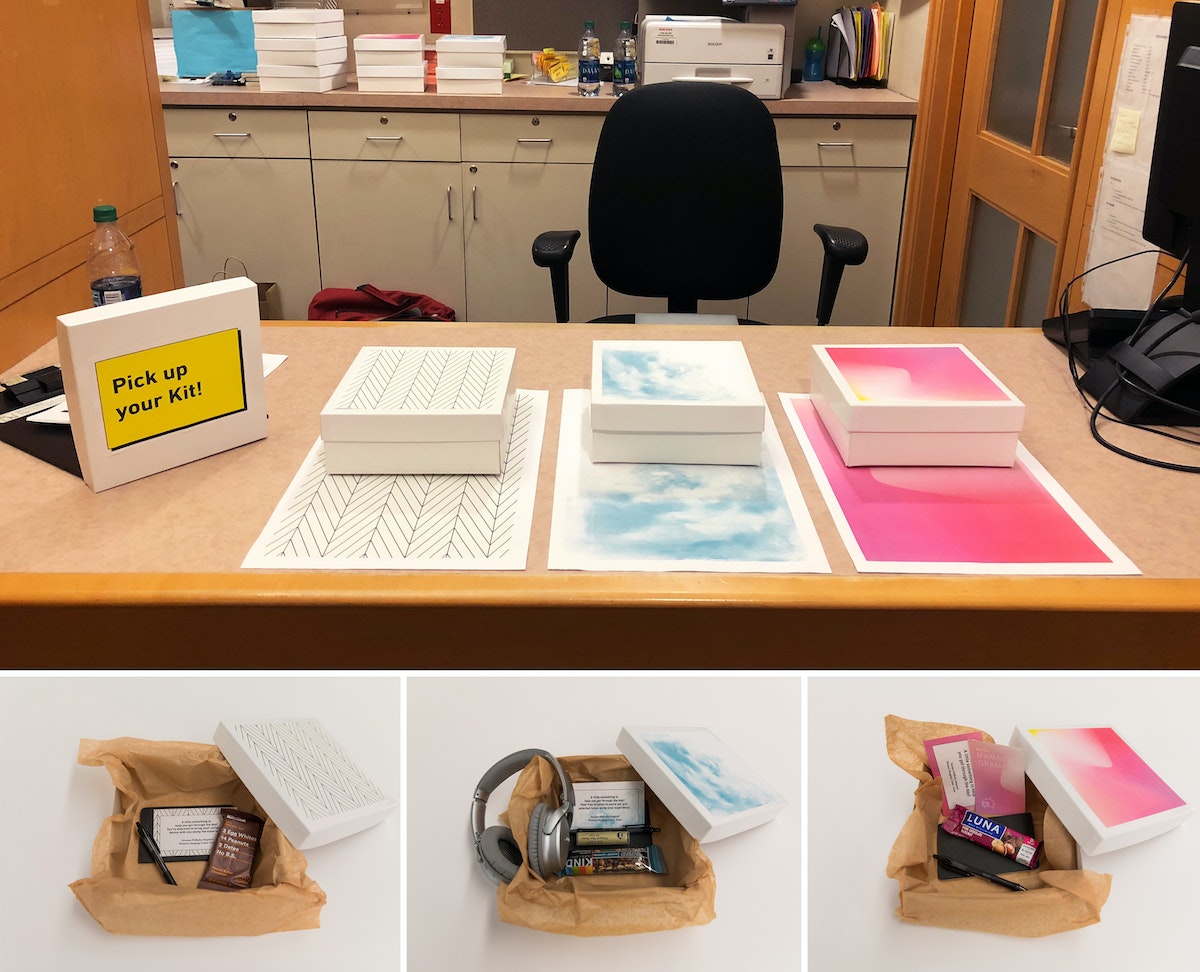
Historically, care providers have been trained to deliver consistent care above all else. However, Care Modes powerfully acknowledge that patients respond differently to different types of care. The Care Modes empower the team—from surgeon to nurse to anesthesiologist—with a clear framework for how to interact with and provide care for patients so they feel most comfortable. Based on the prototype's success with patients and impact on the staff culture, NWH has incorporated Care Modes into EPIC, the hospital's electronic medical record.
The importance of being patient-centered has been central to the healthcare conversation over the past thirty years; but new explorations reveal that there’s far more potential for innovation and improvement when the provider experience is considered in tandem with the patient’s. Each enables the other, and design for both together yields stronger solutions and better outcomes. IDEO's work with NWH demonstrates this vital shift in user-centered healthcare—one can't design services and experiences for patients without designing for their providers’ culture as well. When these go hand-in-hand, meaningful institutional change in healthcare is more than possible.
.jpeg)
Painting with Code
How generative art reveals new possibilities in visual expression and design
Generative art, or art derived from computer code, is a relatively new format, in which the artist-programmer realizes a vision or idea by defining parameters and commands. But making generative art is, in many ways, just like painting or any other classical fine art.
When you create a painting, you start with an inspiration and sketch it on paper. You then prepare your oils, brushes, and canvas, and you refine the painting until it’s just right. I follow a similar process with generative art. When something inspires me, whether it’s a contour map in a geographic magazine, a chart representing a mathematical formula, or the various mechE tools in my father’s workshop, I sketch it on paper and jot down the keywords that best describe it. Then, I sit down at my computer and compose the code (using the Python programming language) that will “paint” the right “brush strokes.” I run the code to generate images on my computer, and go through multiple iterations until the code outputs the shapes, colors, opacities, and shadows that perfectly express my original idea.
I leverage the power of my computer to generate the artwork. Where a classical fine artist would pull out their oils and brushes to express colors and shapes, I do the same with parameters. For example, I defined a palette of colors for painting waves like this:

As if the computer was a hand holding a brush, I tell it how to paint by defining command codes, like draw_wave:

Delightful randomness
While most of the parameters in my code are set statically, I have also added an algorithm that allows certain parameters to be generated randomly, so the visual elements of the image change randomly within a defined range. This way, the final product is unpredictable; I’ll never know exactly what image will be generated.
This function returns a float number randomly ranging from 0.1 to 0.7:

The random parameters are not only unpredictable, but also non-reiterative, so these images cannot be recreated—they are completely unique.
Algorithm as art
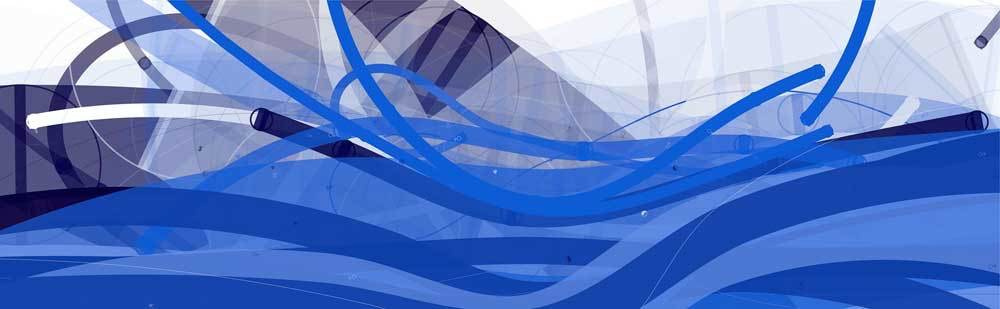
Computer graphics are based on mathematics, so when I paint with code, I am exploring and visualizing the beauty of structure, abstraction, and complexity in mathematics that most of us don’t get to see in our daily lives. It often happens that when I play with a new algorithm and see the images it generates, I'm inspired to develop them into artwork, as was the case with Tsunami, below. The inspiration for this series came while playing with an algorithm named Cornu Curve, which generates a fantastic visual effect of crazy waves. From the same code, I made six different images using a combination of a hundred curves in varying opacities and shades of blue.





Unlimited complexity
Creating art with code allows me to make complex images that I could never have made by hand, such as All Seeing Eye, below. It is composed of millions of lines and hundreds of layers, and each line has its own shadow, blur, and opacity.

My goal was to use the complex texture to create the visual effect of catching or entrapping the audience in the “eye.” The computer is an exciting tool for creating art like this, which requires repetitive, intricate work. A piece of generative artwork composed of millions of shapes can be drawn in just a few minutes. Rendered by hand, the same piece might take a human ten years to accomplish.

Like a painter selecting the perfect tool, I used the following piece of code to define a “brush” with just the right characteristics to create the lines I wanted:
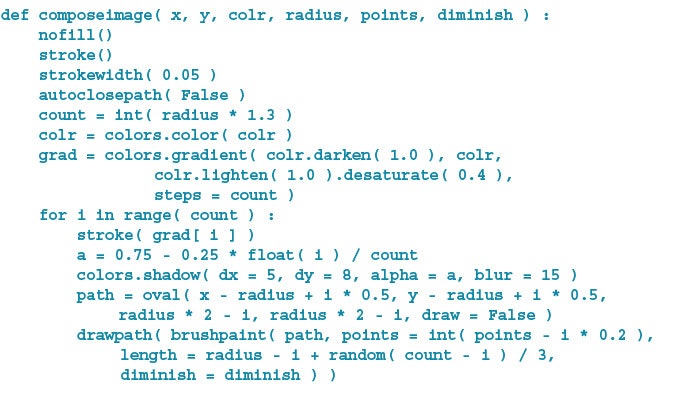
Then, just as a painter would use a specific gesture to create a certain visual effect, I used the following code to tell my computer how to hold and draw with the brush I created:

Functional designs
The exciting thing about generative art is that it is not only beautiful, but also usable. We can create new patterns and unique fabrics for the fashion industry, or we can move beyond two-dimensional creations and use generative art to make sculpture, furniture, and even architecture.
Creating art with code, I’m constantly making new discoveries of exciting visual possibilities. Computers have revolutionized countless aspects of human life, and now, generative art has the potential to revolutionize artistic expression, opening infinite space for innovation.
By day, I code mobile apps and design digital experiences. In my free time, I create art. I recently began exploring both at once with generative art, a sublime combination of computer programming and graphic art.
How to Make a Fauxtobooth
IDEO New York hacks by hand, building a photo booth that lets people get reacquainted with their inner artist
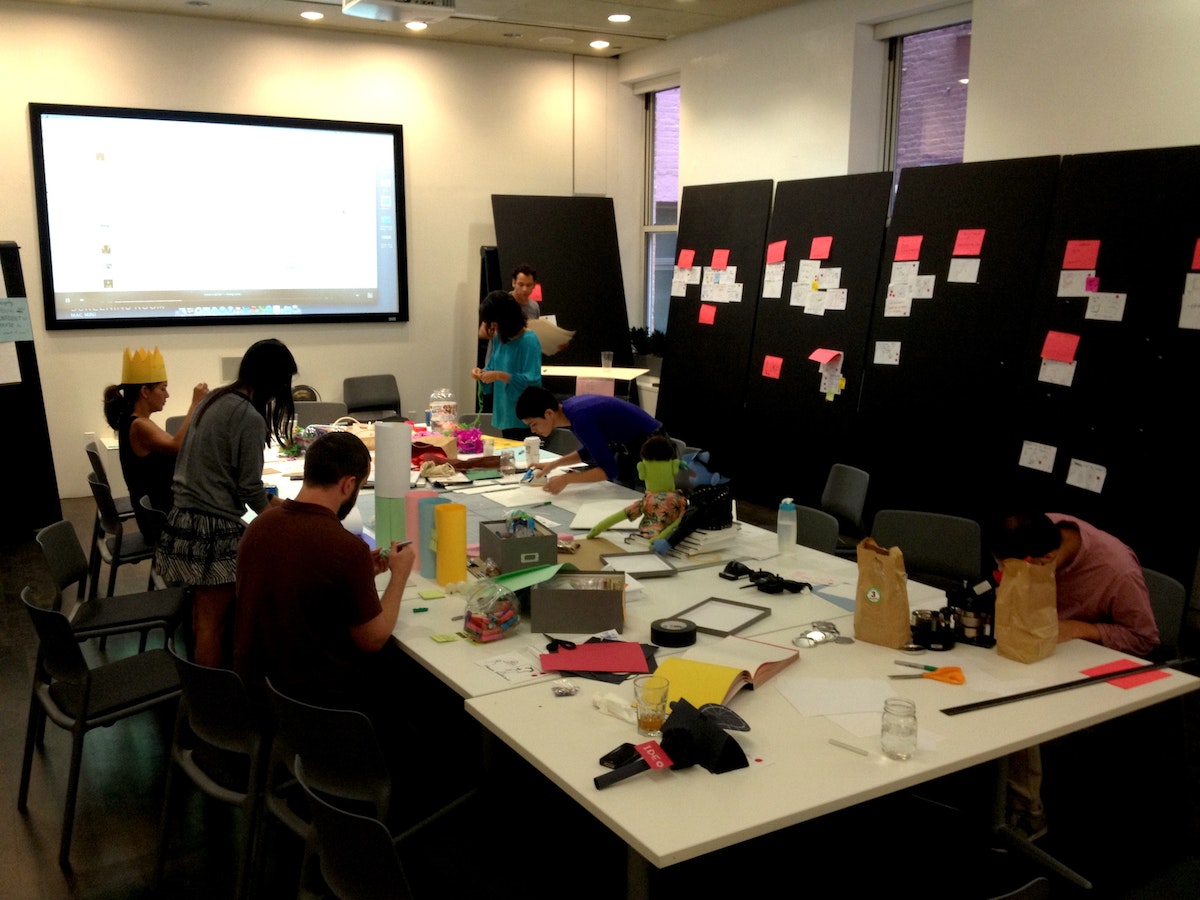
Wild ideas emerged: a Hug Deli, where patrons might order Ninja Hugs off the menu; a mystery bar, serving up a drink chosen by the previous guest. The big idea was to get people out of their “thinking minds“ in order to freely create.
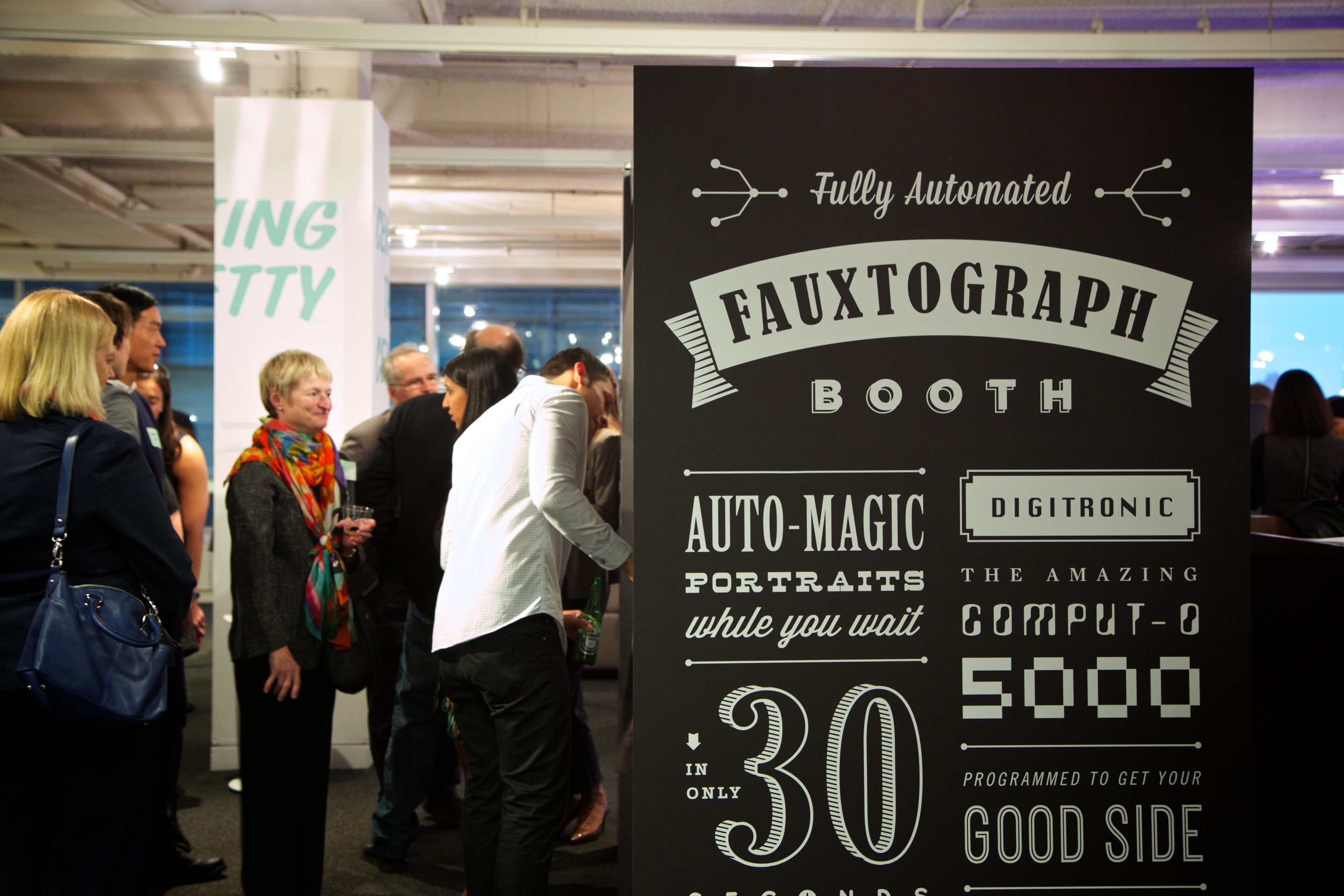
And that brought us to Fauxtobooth.
A riff on the classic photobooth we all know and love, this version is completely handmade and doubles as a creative confidence booster—forcing people to draw on a deadline.
How it works
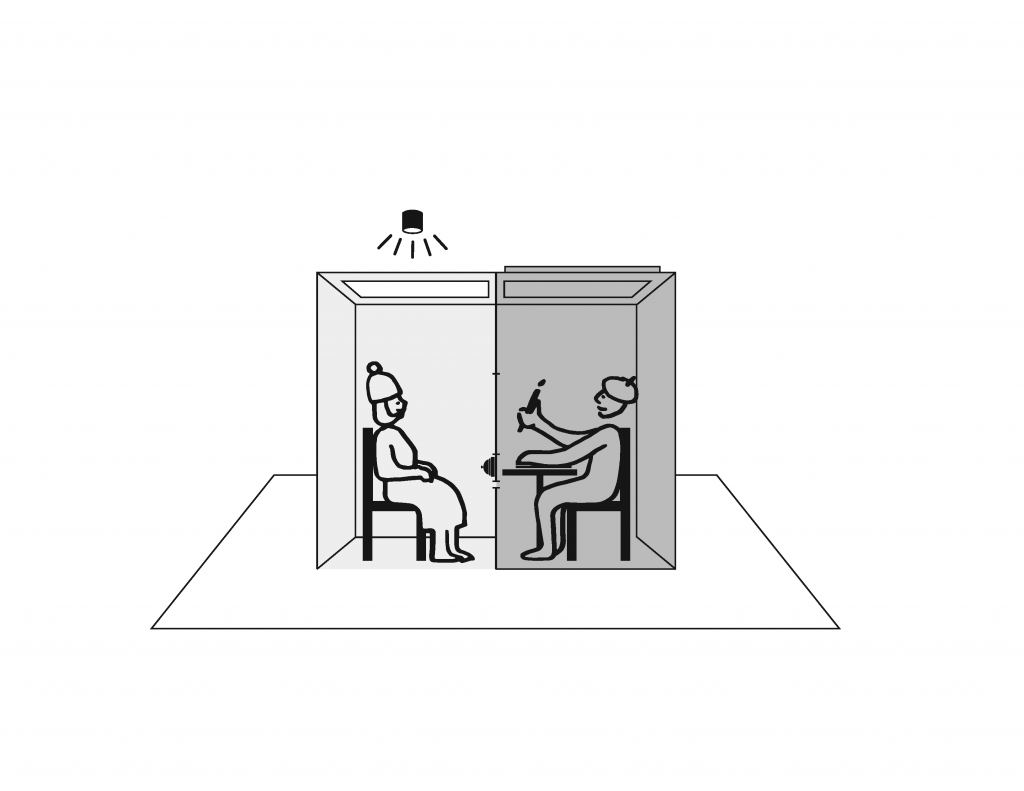
The subject takes a seat inside the booth, facing a mirror. Thirty seconds after pressing a button, the subject receives a slip of paper through a slot below the mirror with—whoa!—a hand-drawn sketch of his or her face on it.
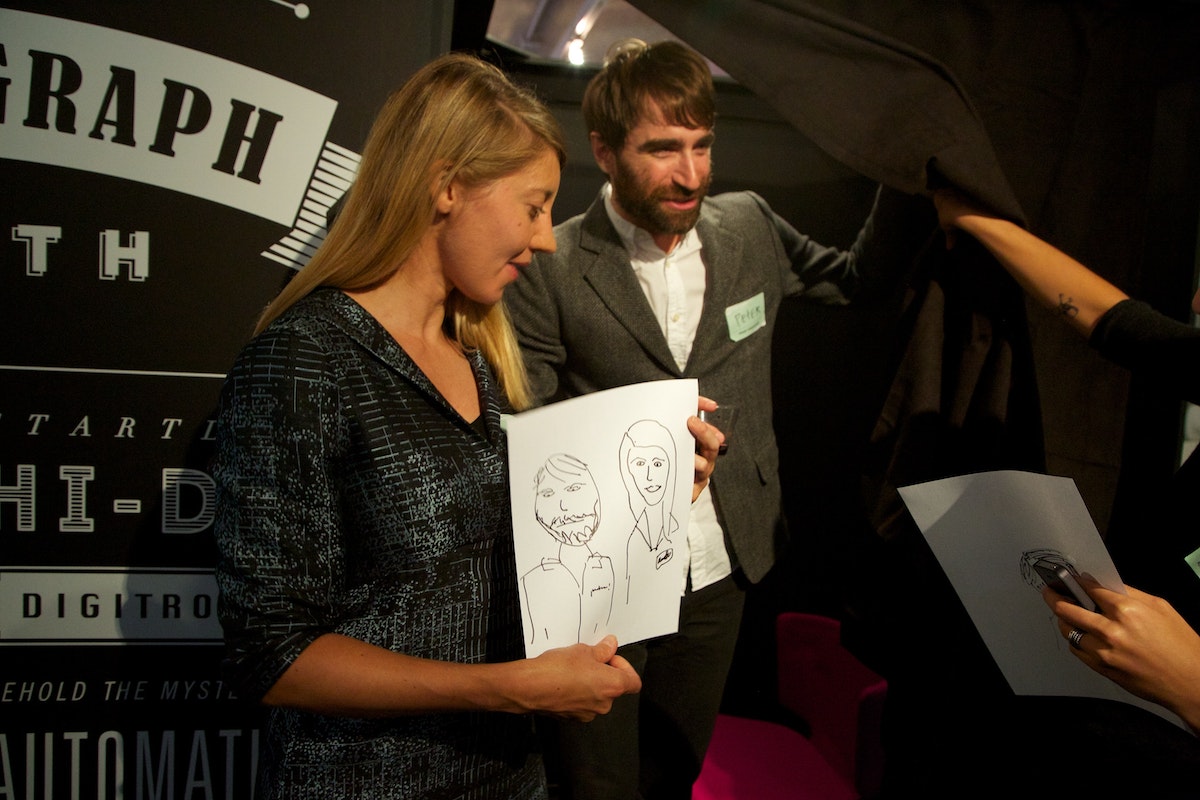
Um, how exactly did that work?
When the host brings the subject around to the back of the booth, the inner workings of the machine are revealed: table, chair, paper, Sharpies. The subject was actually posing in front of a two-way mirror and now it's his or her turn to take on the role of fauxtographer—of capturing the next unsuspecting subject.
How it's made
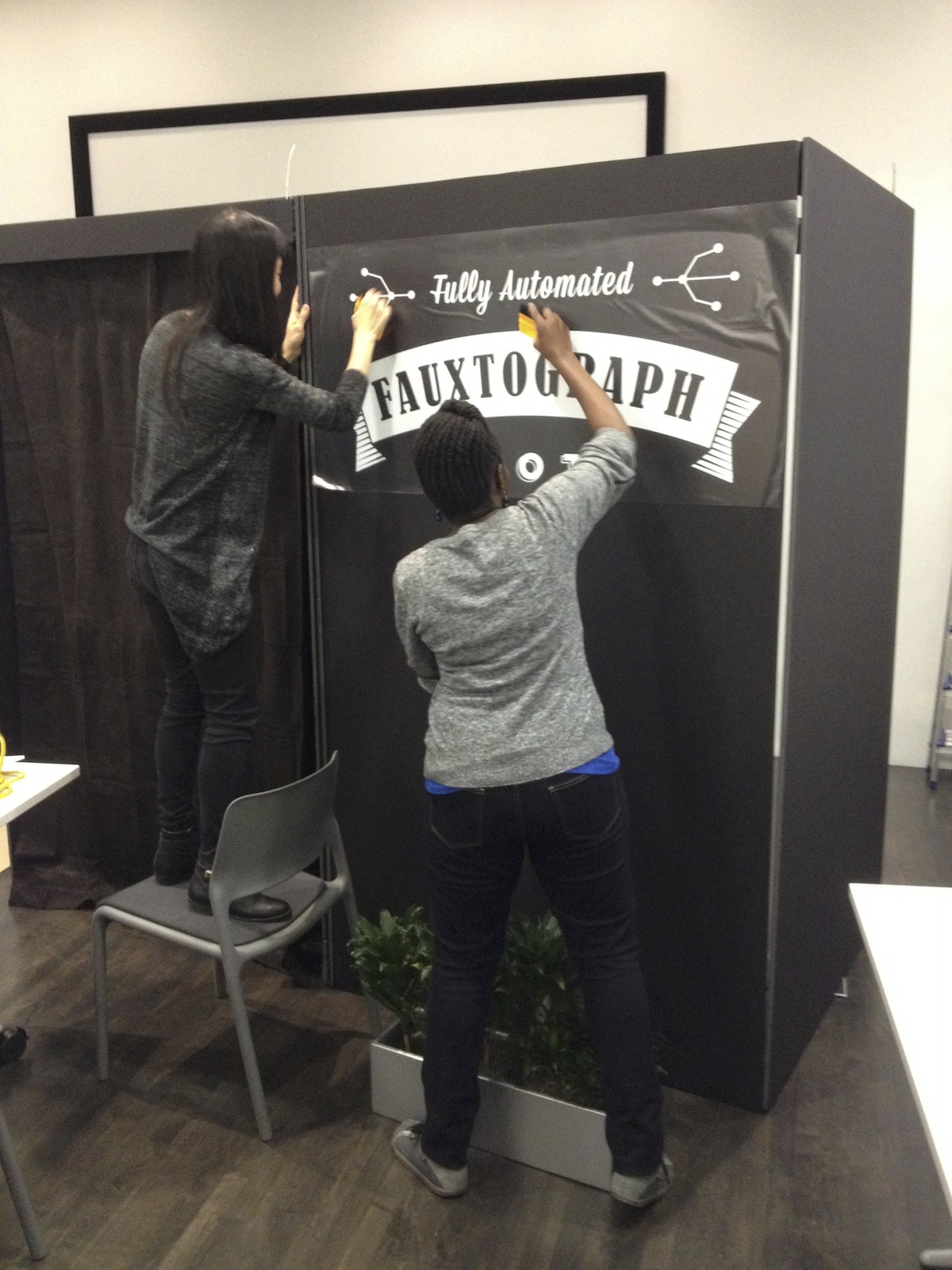
To make a full-scale prototype, you’ll need some foam core and tape. A crude model will help you get a sense of the dimensions and how long it would take to build. The massive black exterior offers an opportunity to advertise your offer. We used vinyl decals for our slogan: “Automatic portraits while you wait!“
Enlist friends: Building a Fauxtobooth takes a village (who likes to cut foam core alone anyway?).
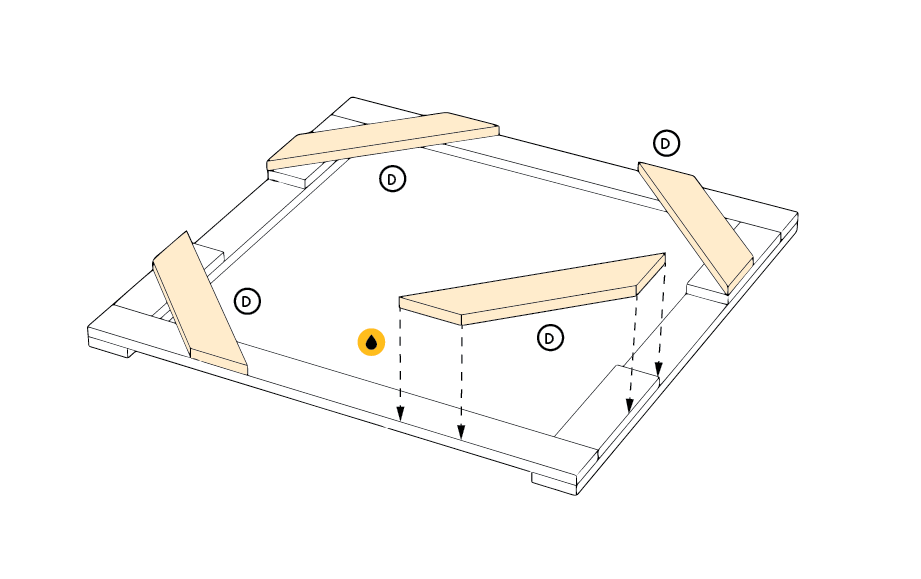
Glue together pieces of foam core to provide structural integrity, and attach the parts using industrial strength velcro, making it possible to easily deconstruct and transport the booth.
Finishing touches
A few key elements bring the Fauxtobooth to life: a two-way mirror, a giant red “Start” button, and graphic flourishes:
- Two-way mirror: The artist can see the subject, but not the other way around. Position the Fauxtobooth under direct light on the subject’s side (you can also use a spotlight), and make sure the curtain is closed on the other side to completely conceal the artist.
- “Start” button: Program an Arduino to keep time (we used an interval of 30 seconds). When pressed, the button lights up for 20 seconds; for the last 10 seconds it blinks and counts down. This serves a dual purpose: the subject knows to hold still for their portrait and the artist knows how much time they have to complete the portrait.
- Graphics: IDEO designer extraordinaire Njoki Gitahi loves bold, vintage signs, and playful, typographic compositions. She took inspiration from Lou Dorfsman’s “Gastrotypographicalassemblage.“ The team vinyl cut and applied the graphics—a tricky process, but well worth it in the end. The white lettering creates a dramatic display against the black backdrop.
What we learned
Once we narrowed in on the Fauxtobooth concept, we realized that (1) you can capture the gestalt of a person in a very short time, (2) people have fun with it, and (3) the collection of images make for an awesome display wall. Here are a few other things we discovered along the way:
- Get back to basics. Building with common materials like foam core, tape, and Velcro reconnects you to basic skills and tools. And the analog experience charmed the pants off people.
- Velcro is your friend. Not only is the sticky stuff forgiving if you don’t get the alignment just right on the first try, it also allows you to disassemble and reassemble structures on location. Consider it the new duct tape.
- Fine-tune light and sound. We were able to position the subject’s side of the booth under a light and keep the artist’s side relatively dark. Check your space ahead of time and use a spotlight if necessary. Also, as the party heats up, the sound of the Start button may be drowned out. Turn up the volume!
Your turn
Up for the challenge? We put together a handy manual so you can learn from our mistakes. If you do build a Fauxtobooth, we’d love to hear about it. Send us a few (real) photos!
Download the replication manual and vinyl graphics
There was a lot of work to be done. IDEO's New York studio was to host an event to celebrate Tom and David Kelley's new book, Creative Confidence, and whatever we designed had to reflect their ideas. Pressure on, we brainstormed over lunch—tools and sticky notes spread out across the largest room in our office.

Save the City, Stop the Muenster
To celebrate the discovery of the double-helix, IDEO & Genentech bring genetics to life with an iPad game inviting the curious to save SF from mutant cheese
Sixty years later, amidst technological advances that have spurred massive innovation and changed the face of science, we decided it was time to re-inspire today’s generation. James Musick, a digital communications lead at Genentech, came to us for help in creating an immersive iPad experience that would celebrate Watson and Crick’s seminal discovery, as well as engage the science-curious. But with three months to complete the project, we needed to hit the ground running.
Ralph and The Cheesy Mess
The idea of using a game or puzzle as a way to bring users into a world filled with genetics became an early favorite in the ideation stage. Puzzle-based gameplay was a great analogy to reflect the scientific process: from trial-and-error learning stages, to information synthesis, all the way through solving the puzzle and answering the question. A game hinging on a real-life genetic mechanic would be novel and stood to introduce the science to a new audience. If designed well, with engaging play and a compelling story, we would be able to integrate the science, narrative, and gameplay into a beautiful app.
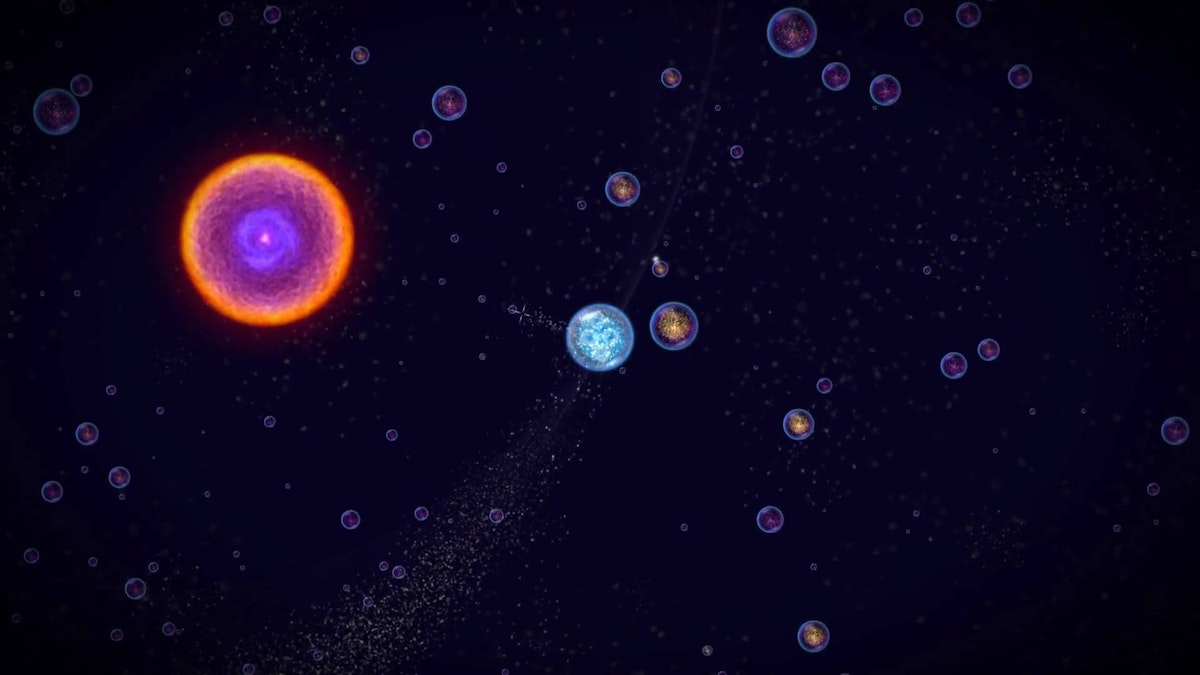
We started off diving deep into the world of video games. We indulged in playing some of our tried-and-true favorites, as well as newer games such as Osmos and Eufloria to understand how they bridged science and storytelling. At the same time, we were learning about cutting-edge research in genetics through conversations with Jason Long and other Genentech scientists, listening to podcasts, and a hefty amount of reading.
Throughout this inspiration phase, we kept coming back to a wildly intriguing area of research called epigenetics, which focuses on how environments affect genetic expression. In short, epigenetics is the area of genetics that, given a fixed DNA makeup, tells the DNA which parts of the code should express themselves and how they should express themselves as determined by external factors like weather, stress, diet, etc. So while we may have a fixed genetic makeup, the environment still plays a large modulating factor in our genetic expression.
Our fascination with the content—combined with a teamwide love of comic books and mutant-origin stories—evolved into an epigenetic-inspired noir-puzzle game based on Ralph, an artisanal cheese-maker, and his cheese company Ralph's Killer Muenster.
The mechanisms of genetics
Early on in the ideation phase, Evan Shapiro, who would become a core team member and help prototype game logic, introduced us to phylogenetic trees and maximum parsimony theory. You’ve probably encountered phylogenetic trees in biology class, where they serve to illustrate evolutionary relationships among species. Maximum parsimony, on the other hand, is more obscure. It serves as a computational forensic tool to help us understand the evolution of genetic traits along the phylogenetic tree, as well as help us infer species evolution. With maximum parsimony, the “preferred phylogenetic tree is the tree that supposes the least evolutionary change to explain observed data.” After mulling that over for a bit, we decided creating and solving a phylogenetic puzzle by employing maximum parsimony as a scoring criteria was a great jumping-off point and a compelling challenge.
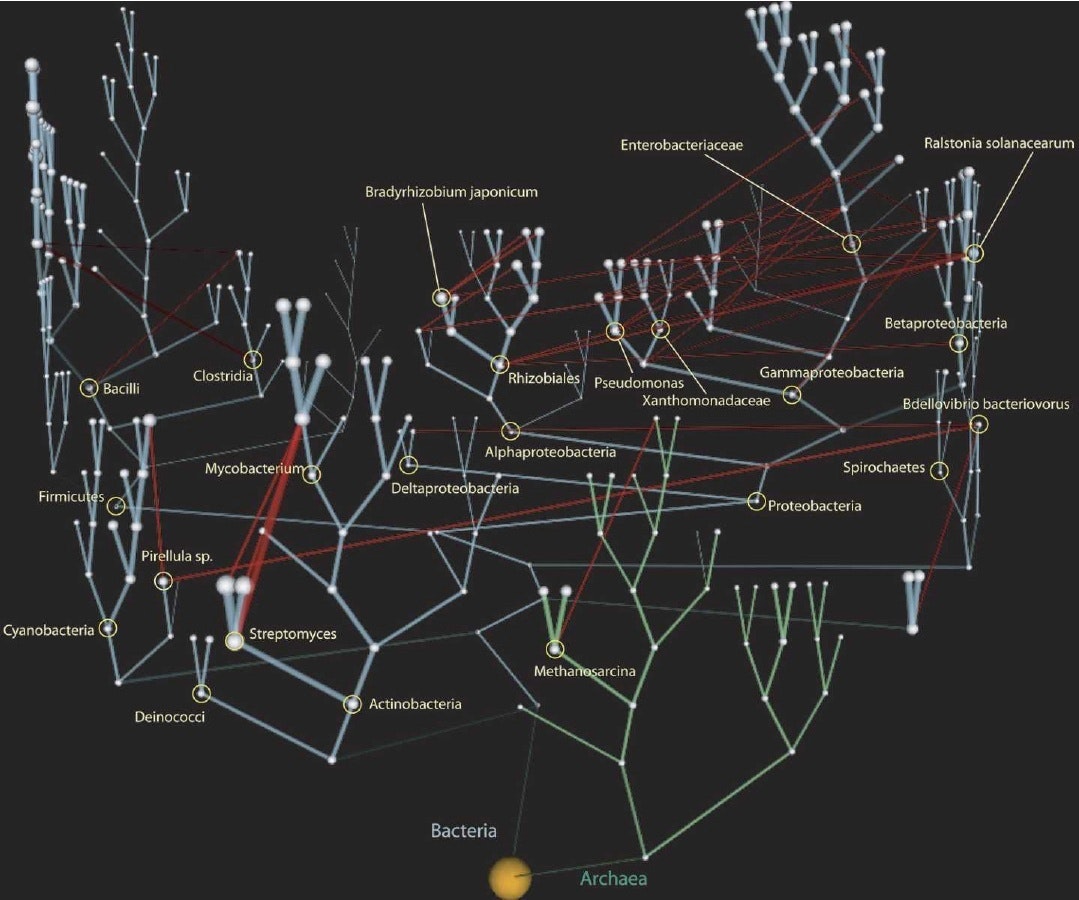
To test this, our first prototype was a paper prototype where we started with a sample origin genetic trait. We sketched out several generations by mutating one trait at a time, and created our own phylogenetic tree. Given the final generation of traits and no tree structure, the goal was to see if we could work backwards to recreate the tree structure and uncover the origin trait. Basically, reverse evolution. After a lot of finessing we came up with a rule set that actually reflected natural evolutionary rules and allowed us to solve the tree and find the origin species.

With this excitement, we spent a weekend programming a single prototype puzzle using mechanics that would become the main gameplay: players reverse engineer evolution by mutating a given set of species traits backwards to a common ancestor in the fewest moves possible. This was maximum parsimony made tangible. In order for the puzzles to be solvable, we had to use real evolutionary rules describing how the species’ traits can change. By the end of the weekend, we had puzzles and a game mechanic that were keeping us up late into the night trying to one-up each other’s scores, which, to us, meant we had hit the nail on the head.
From a design perspective, one of the significant balancing acts of the project involved weighing the desire to impart specific scientific knowledge against the value of experiential learning. When we used maximum parsimony it became clear that this was a perfect mechanic to give people an experiential interaction with real genetics.
Prototyping and puzzle design
From day one, Ralph’s Killer Muenster was an intensive prototyping project. The first bare-bones prototype of the puzzle was written in Qt because we wanted a framework in which we could rapidly prototype the GUI and could reuse game logic for the production app. Qt, although not extensively used, has great functionality and plays natively with Javascript and C++. It was a well-suited framework for prototyping the core puzzle experience, which included coding the evolutionary logic, adding and testing interactions, modifying visual communication, and testing informational displays.
Our daily workflow started with an early morning meeting so we could all share progress from the previous day. We spent the rest of the day implementing and testing new visuals and interactions on paper and integrating them into the Qt prototype architecture. Lastly, we tested them with people around IDEO to see how they reacted to specific design and gameplay decisions.
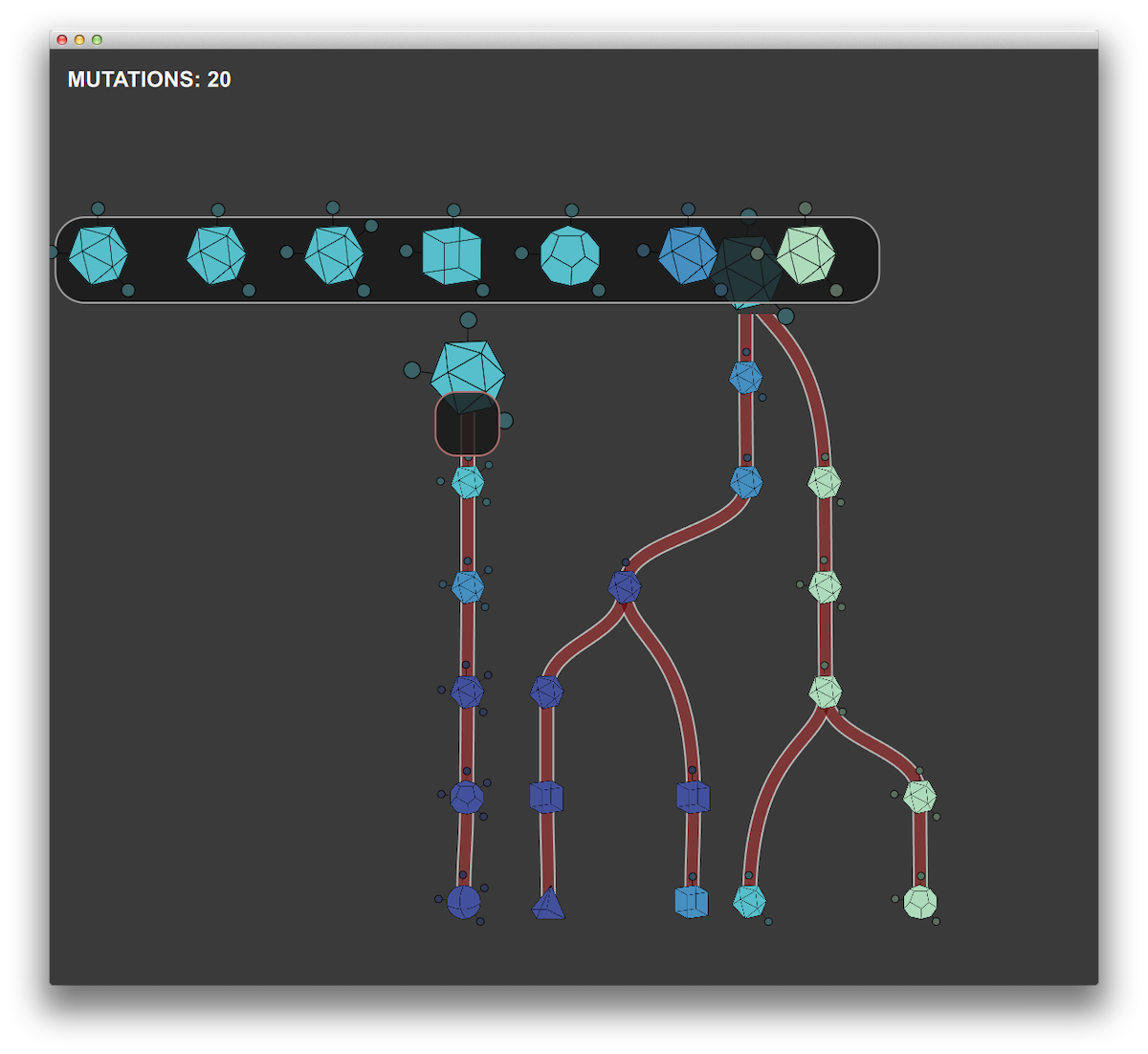
We used Unity for the production app in the development environment for many of the same reasons that we chose Qt. But Unity has the added benefit of working with native OpenGL, along with the capability to compile to iOS. As time-constrained as this project was, we still wanted to impart as much narrative and visual interest as possible, and Unity proved an excellent match for this challenge.
Nivi Ramesh, our interaction designer and art director, worked to create an amazing game landscape with analogies to microscopy and slide specimens. Working closely with developers at Substantial, we created layered and animated textures paired with OpenGL shaders to achieve the tone we wanted. We had parallel work streams throughout the prototyping phase, with one team working on developing the logic and overarching architecture of the production app while the prototyping team refined interaction elements, game mechanics, and informational displays in the prototype testbed.
What makes a good puzzle?
Before diving any further, we took a step back to make sure we got the puzzles right. Good puzzle games tend to adhere to some basic principles: They are purely cognitive challenges with a few simple rules, nearly infinite outcomes, difficulty that increases with mastery, and some clear goals. Plus, they're easy to learn.
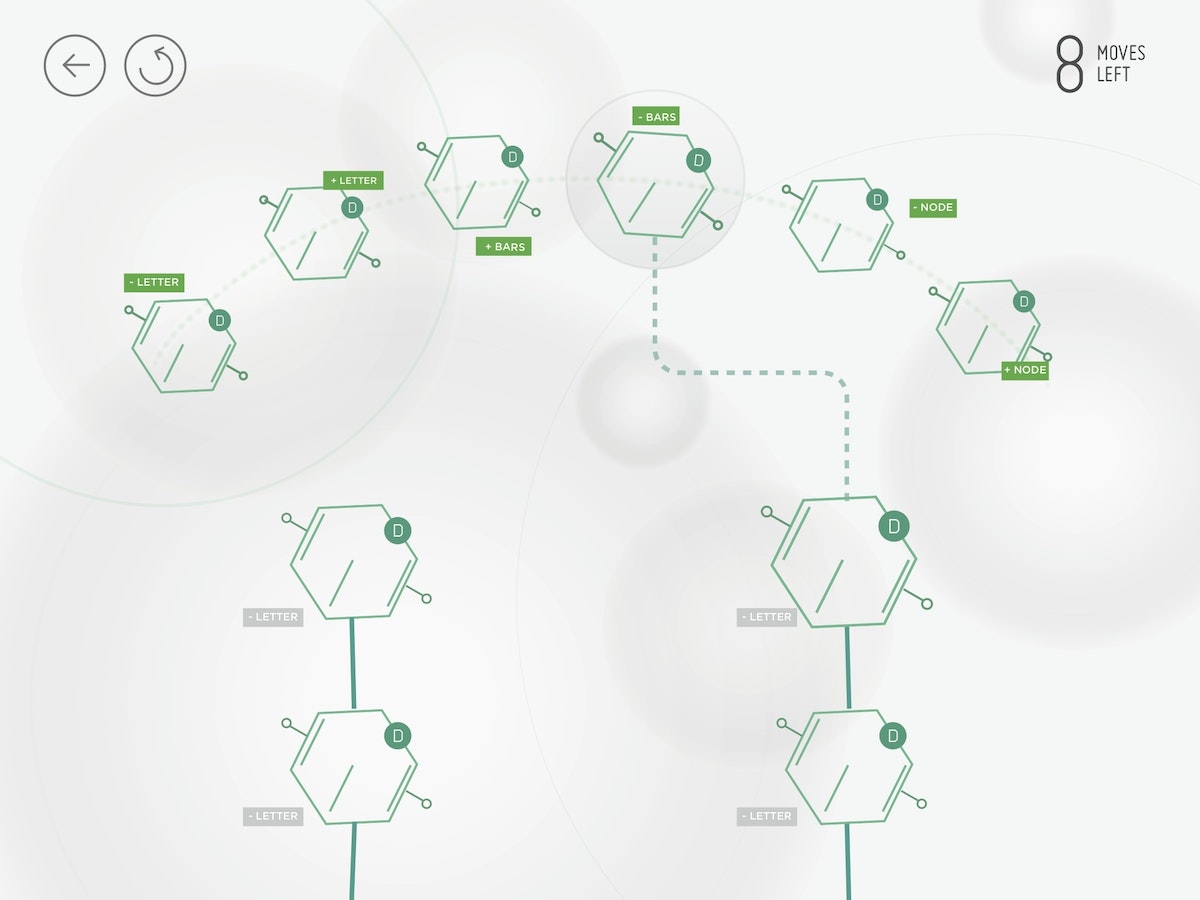
In building the game, one of our most critical challenges was creating visual representations of the genetic traits that people would be using to solve the puzzles. People had to quickly grasp how they could manipulate and evolve the traits given the genetic logic. If we couldn't get people to make this mental leap, the game wasn't going to succeed.
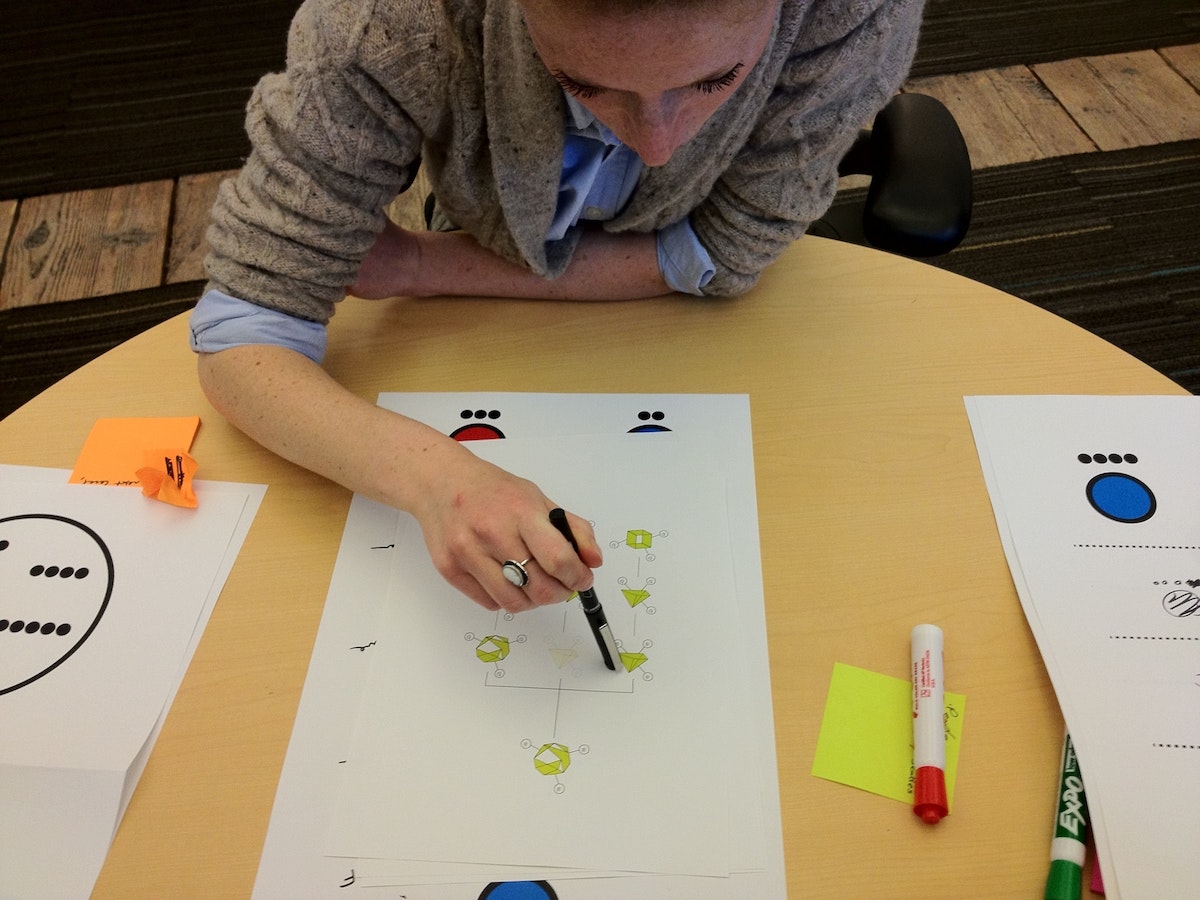

A real genetic trait is made up of a snippet of DNA and is a long, winding series of genetic code (or, a lot of AGTC). To make the game approachable, we chose to abstract and simplify the cheese trait representations as visual identifiers that had a bit of mystery and were themselves a puzzle to decode. We tested many different ways of visually representing the traits, the majority of which people could not directly connect to an increasing or decreasing series. The simplest visuals turned out to be the most effective: shapes, dots, and lines.
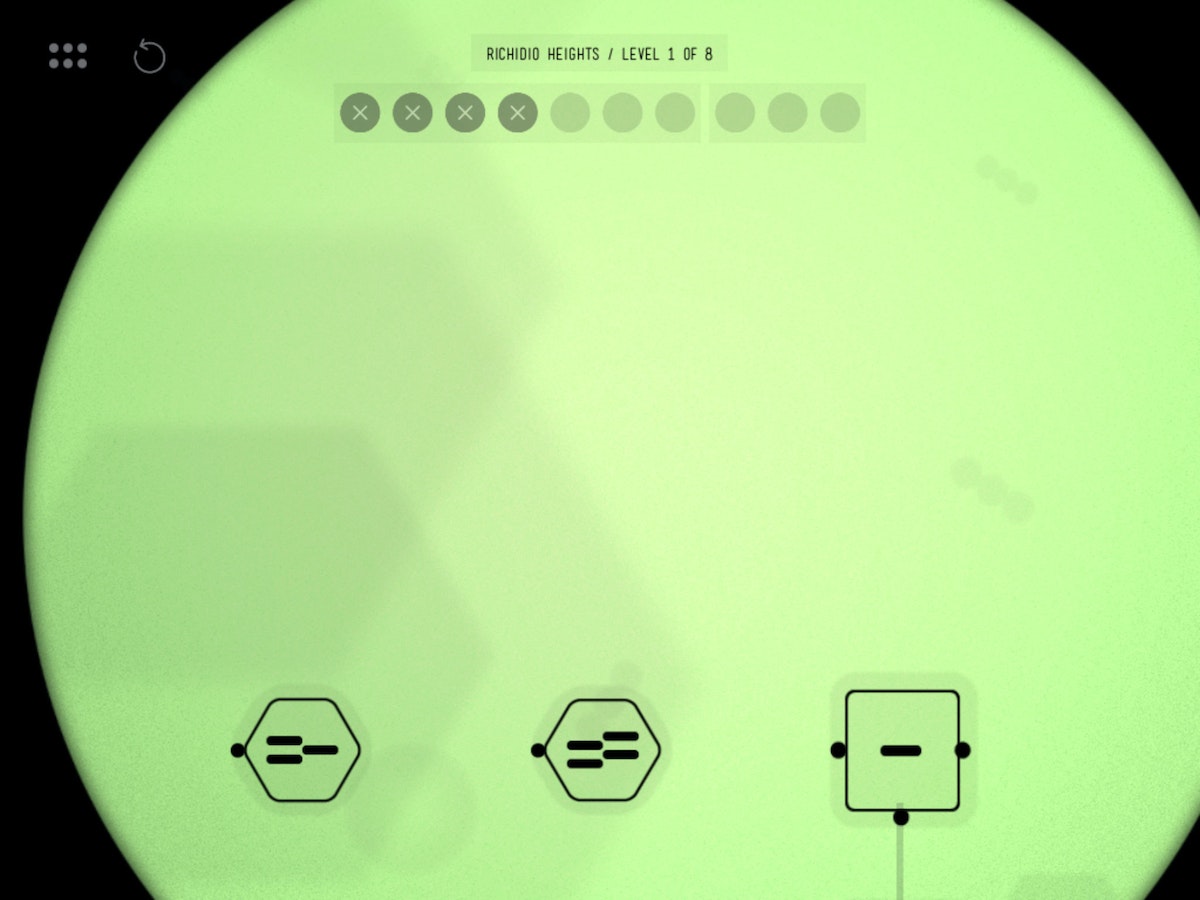
With simple geometric shapes, people could see that moving from a triangle to a square to a hexagon involved moving through a progression of increasing the numbers of sides. Similarly, lines and dots worked well for understanding how the traits could be mutated. They were easily accessible by players in planning a strategy for mutation.
Less is more
After the weekend of playing the prototype level, we needed a way to determine the optimal solution to these puzzles so that we could give user feedback and help players improve in the game. With Ralph's Killer Muenster, an optimal solution for any puzzle involves making the “most parsimonious” decisions, i.e. using the least number of moves or fewest mutations. We needed to find a way to reward people for doing less, contrary to typical game design where users are rewarded for doing more. Without a clear and appropriate qualitative feedback mechanism, we found that people were finishing puzzles without any sense for how much better they could perform.
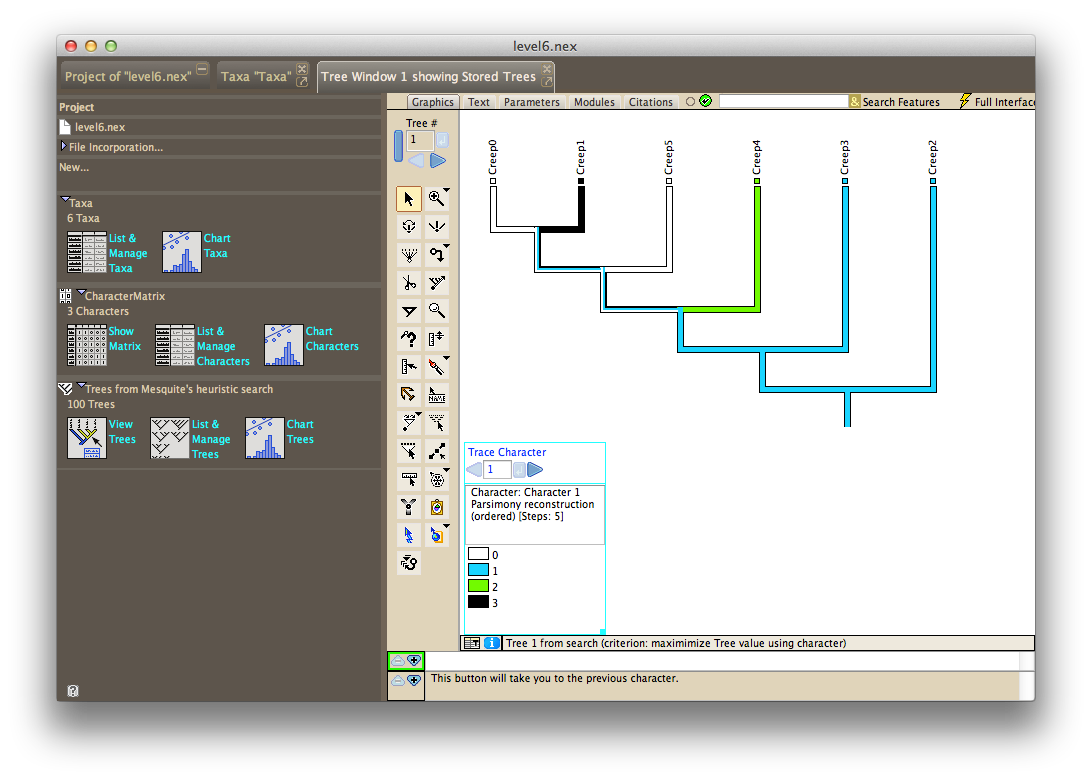
Scavenging the Internet for a tool to analyze phylogenetic trees uncovered Mesquite, a software package built specifically for computational biology and evolutionary analysis. After learning from tutorials produced by Harvard University, we could solve the initial species sets and puzzles we had created, and arrive at the most efficient tree structure and trait mutations.
We used the statistical language R to generate thousands of possible levels, export files for Mesquite to crunch, and output the moves required for each level into a custom level file that we could use to test in our prototype game.
Levels testing and design progressed in parallel with refining the scoring display and making hundreds of other visual and UX enhancements. With our trait visualizations, levels design and scoring mechanism solved, we felt we had achieved something that was both subtle and significant: People who grasped the underlying puzzle dynamics were quite literally using their brains in a way that mimics a core methodology of genetic science. This seemed to hit at the essence of experiential learning.
Muenster launches, Bill Nye approves
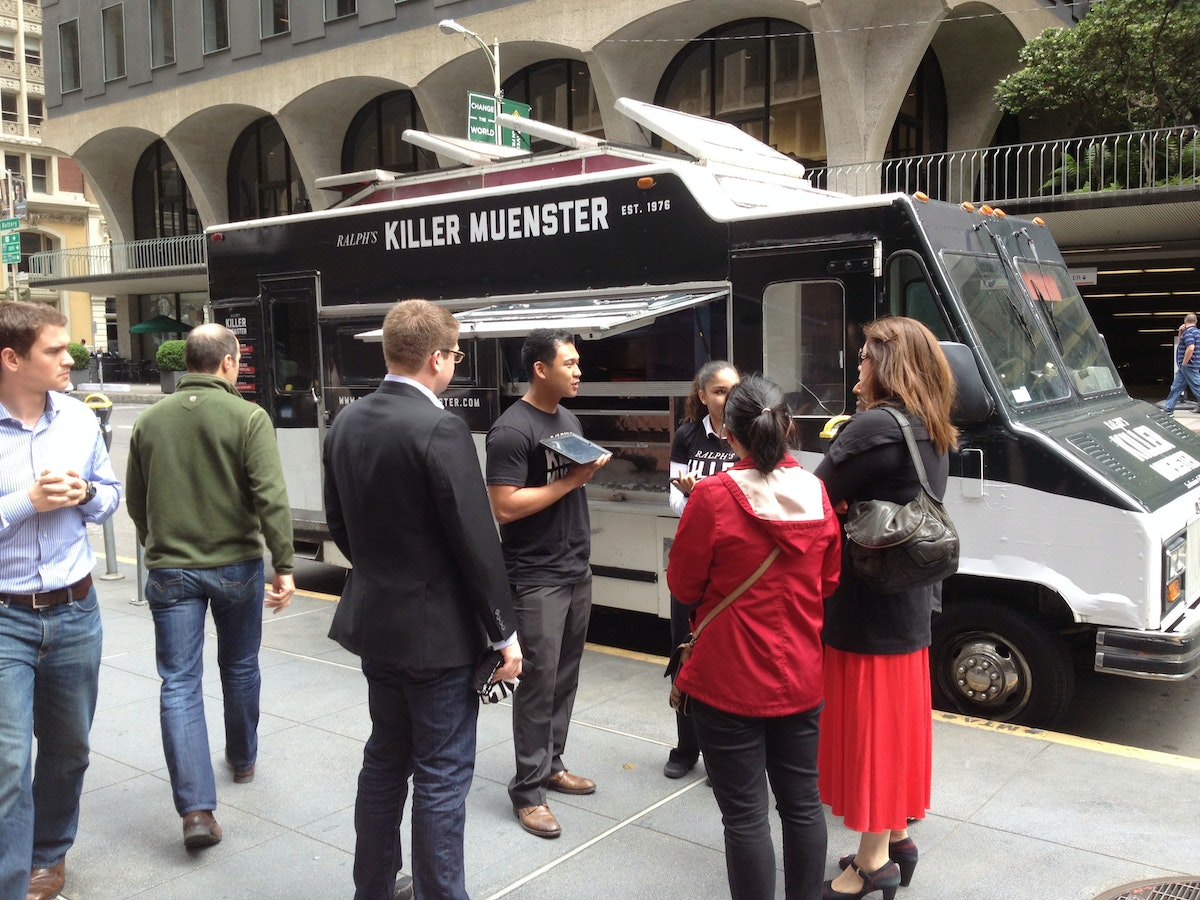
The Ralph's Killer Muenster iPad game launched at the 2013 GET (Genomics, Environments and Traits) conference, coinciding with the anniversary of Watson and Crick's seminal paper describing the structure of DNA. At the conference, Bill Nye the Science Guy, a long-time advocate of a science literate society, played the game, and loved it. This made our day. The app also caught Apple's attention, and was listed as a new and noteworthy Education app in the App Store.
To further raise awareness around the game, we created a Ralph's Killer Muenster brand, including a visual identity, packaging, website, Twitter, game trailer, and food truck—all mobilized by Ralph to push the only tool that could save the city (and his reputation) and allow him to lift the health code violations that kept him from producing and distributing cheese. Ralph’s food truck, sent throughout San Francisco, distributed grilled muenster cheese sandwiches.
What we learned
After the launch festivities, our team took a step back to consider what we had learned. Here's the take-away:
- Set constraints to help make a hard problem more approachable. Our self-imposed constraint that the game needed to rely on a scientific mechanism helped us narrow in on phylogenetic trees and maximum parsimony as our core concepts.
- A good story goes a long way. We spent significant time concocting Ralph's story, and getting the tone and art direction down in order to engage people. We want them to stick around for the more mentally taxing interactions later down the line.
- Find the right tool for the right job. We used a variety of prototyping and user testing methods and environments, rather than trying to find or force an all-in-one. Each tool elicited learnings unique to them.
1953 was a good year for science and technology. The polio vaccine was developed, the first open heart surgery performed, and color TVs hit the store shelves. It was also the year Watson and Crick revealed one of the most important discoveries of the 20th century: the double-helix structure of DNA.
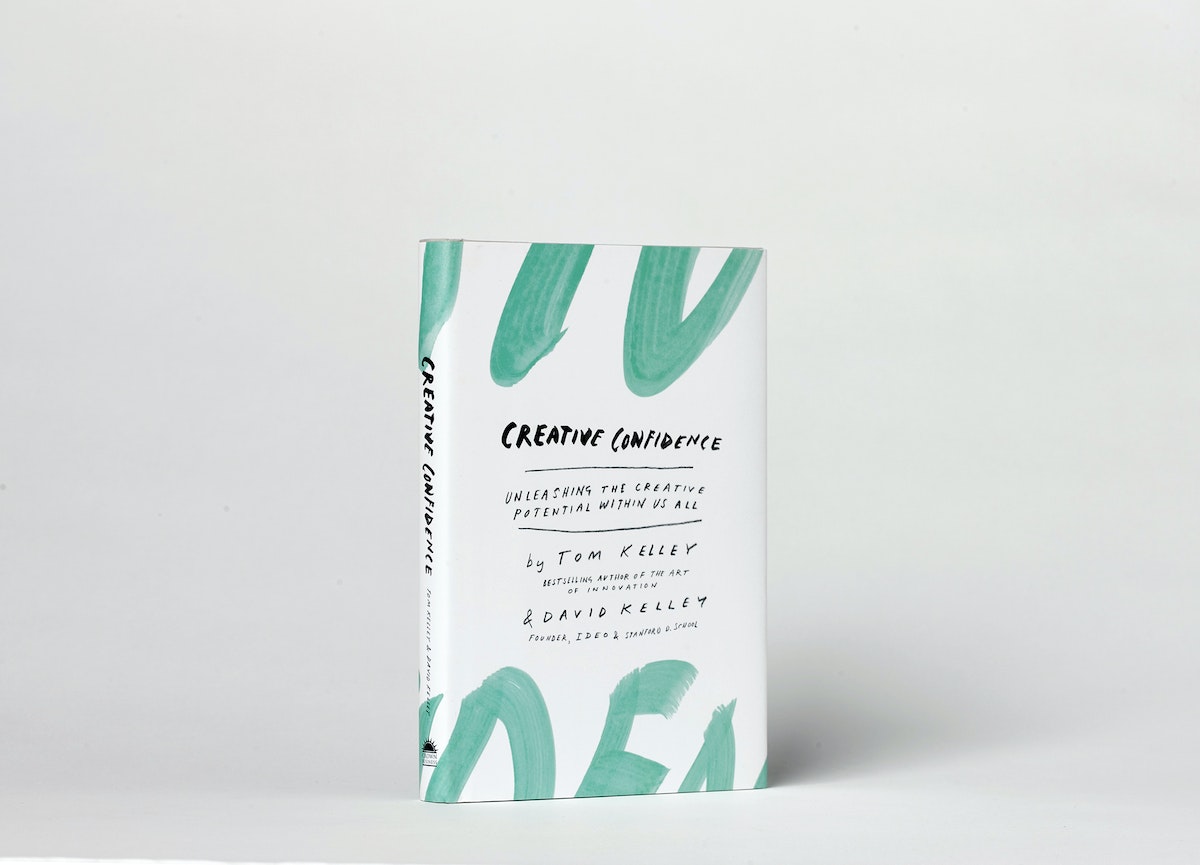
Creative Confidence
David Kelley, IDEO founder and Stanford d.school creator, and his brother Tom Kelley, IDEO partner and the author of the best-selling The Art of Innovation, have written a powerful and compelling book on unleashing the creativity that lies within each and every one of us.
David Kelley, IDEO founder and Stanford d.school creator, and his brother Tom Kelley, IDEO partner and the author of the best-selling The Art of Innovation, have written a powerful and compelling book on unleashing the creativity that lies within each and every one of us.
WATCH: David Kelley's TED Talk: How to build your creative confidence.
Too often, companies and individuals assume that creativity and innovation are the domain of the “creative types.” But two of the leading experts in innovation, design, and creativity on the planet, David and Tom Kelley, show us that everyone is creative.
In an incredibly entertaining and inspiring narrative that draws on countless stories from their work at IDEO and with many of the world’s top companies, David and Tom Kelley identify the principles and strategies that will allow us to tap into our creative potential in our work and personal lives, and innovatively approach and solve problems. It is a book that will help each of us be more productive and successful in our lives and in our careers.
Learn more at CreativeConfidence.com.
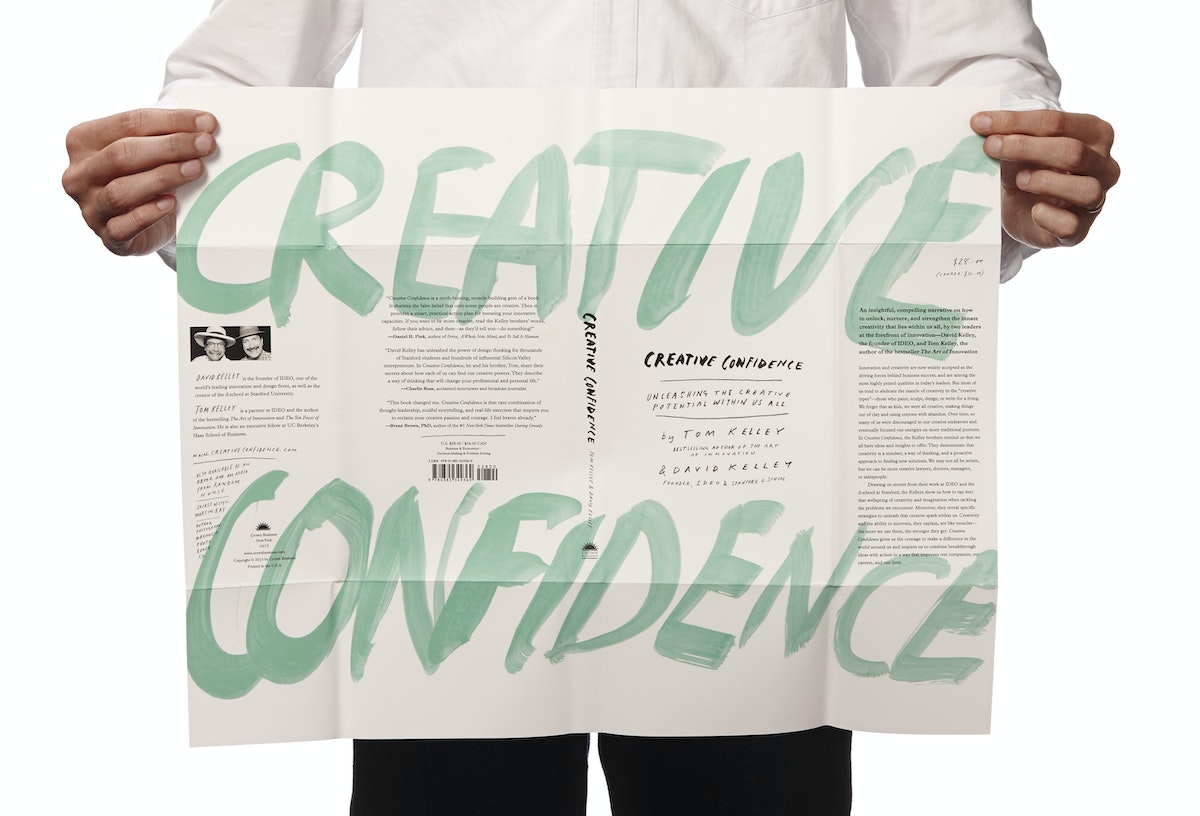
Purchase
Know someone who might love this book? Here are some options for purchasing Creative Confidence (Crown Business, 2013):

Lindsey Turner
I’m passionate about building brands, products, and experiences that help organizations show up with meaning and momentum.
I help organizations cut through complexity by shaping how they show up, through brand strategy, identity, and storytelling.
Working at the intersection of brand and business, I bring an editorial eye and a bias toward making—turning ideas into tangible experiences that people can understand, trust, and believe in.
My work spans government, healthcare, financial services, media, and consumer goods, from launching Gen Z-focused ventures to building innovation labs and reimagining legacy brands. I relish moments of ambiguity and enjoy translating across teams, perspectives, and priorities to move ideas forward.
I started my career in editorial and digital design, shaping cross-platform experiences and identity systems in publishing and agency environments. That foundation still shapes how I work today: I’m detail-oriented, collaborative, and overreliant on the Oxford comma. I hold a BFA in Visual Communication from the School of the Art Institute of Chicago.

Rachel Young
My work helps organizations see who their products aren't working for—and build the will and the tools to do something about it
For 25 years, I've asked the same question: Who does this design exclude—and what are we going to do about it?
My work spans human-centered strategy, inclusive design, and qualitative research, with clients ranging from Microsoft, Google, and Verizon to the National Science Foundation, and San Francisco Unified School District.
Before IDEO, I taught elementary school in East Palo Alto and spent a decade doing design work with social service organizations—where I learned firsthand what it costs people when systems are built without them in mind.
I am currently writing User Error, a nonfiction book about digital access and the design decisions behind it. I live in Oakland, California.

Brian Pelsoh
I lead with craft, ensuring our work is creatively excellent: rooted in deep human insight and imagination, while also grounded in the realities of business and technology.
My expertise spans brand, communication, and product design across tech, education, the arts, and social impact.
I believe great work demands both high-level vision and obsessive attention to detail, and only happens through collaboration.
I bring an inclusive, hands-on approach and a deep understanding of business, which enables me to consistently deliver excellence while always asking why.
Before joining IDEO, I worked at the brand firms Pentagram and VSA Partners. I began my career as a designer, leading teams at the School of the Art Institute of Chicago and the Milwaukee Art Museum. I hold an MFA in graphic design from Maryland Institute College of Art and a BFA in communication design from the Milwaukee Institute of Art & Design, and have taught at some of the best design schools in the US.

Tony Wong
I am responsible for IDEO’s long-term success in China and working with clients to use design as a tool to enable growth.
I am responsible for IDEO’s long-term success in China and working with clients to use design as a tool to enable growth. Specifically, I have helped Chinese companies design holistic brand solutions through the development of their products, communication, services, and innovation teams, and I have helped multinationals expand their presence and influence in China.
I advise global leaders on developing China-led innovation and capabilities.
In over 15 years in IDEO Shanghai, I have worked on projects that use design to elevate the quality of the experience of healthcare products and services, streamline processes that increase productivity, create spaces and programs that promote and enable inclusive communities, and build next generation mobility solutions that are planet-positive.
Before joining IDEO, I worked at Philips Electronics and the Electrolux Group in Italy, the Netherlands, and Singapore on a number of breakthrough commercial products. I am a member of the Young President Organization in Shanghai.

How to use AI as an editor, not a writer
Ed White shares how he uses AI as an editor—not a writer—to sharpen storytelling, rehearse ideas, and preserve the productive friction that makes creative work better.
Ed White has a rule he's tested on his own writing: hold yourself as the writer, and let AI be your editor. Ed is a Senior Design Director at IDEO's London studio, where he co-leads the firm's AI portfolio across Europe. Before IDEO, he spent 12 years as a writer and editor at the Financial Times, Wired, and Contagious. So when he talks about when to use AI for storytelling and when not to, it comes from two decades of crafting his storytelling skills.
In this episode, Mina Seetharaman talks with Ed about two specific tools he uses to keep AI in an editor's seat: a "roasting agent" prompted to critique his drafts without any sugarcoating, and a simulated audience he rehearses pitches on before the real thing. They also get into what Ed is hearing from design leaders at Anthropic, Lovable, Shopify, and Google Creative Lab about how creative work is changing, and why he thinks the friction of writing something yourself is worth protecting rather than automating away.

Building a personal AI for the messiness of life: Sida Li
Becca Carroll talks with Cue co-founder Sida Li about designing a personal AI for the messiness of everyday life—not just work. They explore how Sida stays anchored to human needs while navigating fast-changing technology, product tradeoffs, business-model experimentation, and the realities of building an AI company today.
Most AI products today are built for work—a space with clear problems and established systems. One founder noticed a gap: personal life is messier, harder to systematize, and mostly left behind by the AI boom. So she built Cue, a personal AI that lives inside iMessage and group chats, to go where the other tools haven't.
In this episode, Becca Carroll, IDEO's Chief Strategy Officer, talks with Sida Li, co-founder and CEO of Shared Context Lab, about staying anchored to a human need while the technology around her keeps changing shape, why she treats her business model with the same rigor she'd bring to a product, and what it feels like to build a company at this particular, disorienting moment in AI.
The conversation also gets into how Sida makes design decisions: the language Cue uses to describe itself, the tradeoffs behind building inside iMessage instead of a new app, and a real story about a business idea that didn’t pan out.
This is the second in a two-part series profiling founders from IDEO's Startups-in-Residence program. The first conversation is with Johannes Seemann, founder of Sooner, on designing GenAI for the emotional side of money.

Designing GenAI for the emotional side of money: Johannes Seemann
Designing financial tools around the feelings that shape money decisions.
Most personal financial tools are built to run the numbers and optimize towards a budget. While that works for some, most people experience money as a lived relationship that does not neatly fit into a spreadsheet. Johannes Seemann and Becca Carroll discuss why money is emotional before it is mathematical, and what a human-centered approach to building a generative AI financial product looks like in practice.

The curious leader's edge in uncertainty: Scott Shigeoka
How genuine curiosity helps leaders navigate uncertainty with greater confidence.
Mina Seetharaman talks with Scott Shigeoka, author of Seek and Head of Curiosity Cultivation at the Eames Institute, about what distinguishes genuinely curious leadership from performative curiosity, how power dynamics shape curiosity, and why practicing curiosity can restore energy rather than drain it.
Looks like you might be in search of something very specific?
Or reset the filters above and try another angle.
Here’s some random inspiration
Podcasts about creative leadership
Articles about the power of prototyping