.svg)


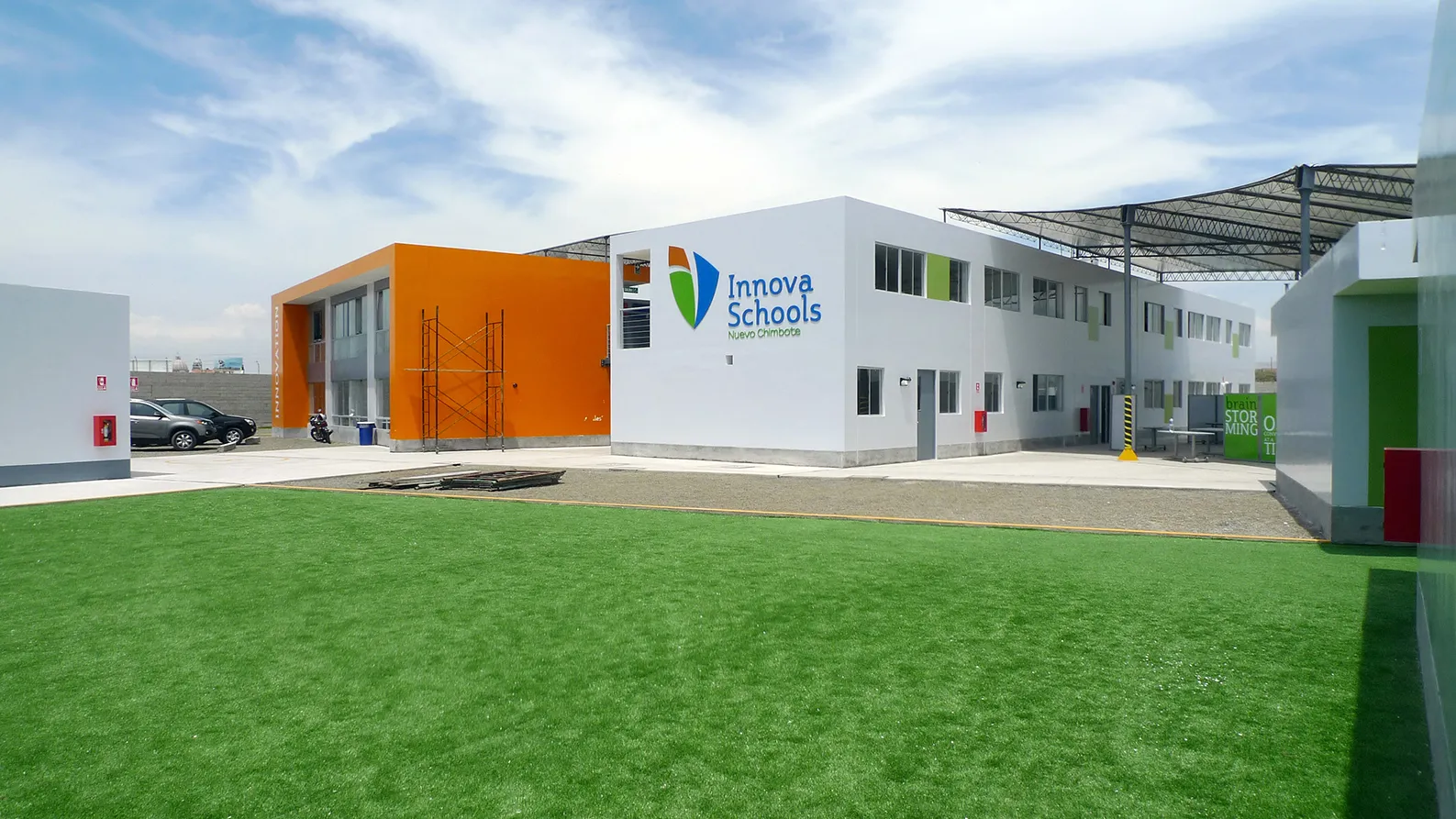

Designing a school system from the ground up
Scaling an entire network of schools for the growing Peruvian middle class.
How do you lift up the middle class in a developing country?
That was the challenge facing Peruvian entrepreneur Carlos Rodriguez-Pastor, who hired IDEO to build an entire network of schools powered by a progressive new learning model. IDEO’s mandate: to redesign Innova’s entire K–12 learning experience, from the curriculum to the teacher training to the school buildings, with an eye toward expansion and a goal to provide international-quality education at an affordable price—about $100 a month.
Innova Schools is a part of Intercorp, a family of 35 businesses that span everything from banks to retail stores and added schools to its portfolio. In 2010, the company had five existing schools but realized that its existing model could not grow. The shortage of well-trained, high-quality teachers in Peru, combined with rising land costs, meant the schools would need to radically change course to succeed.
To learn about scalable school models around the world, IDEO researchers visited inspirational schools and learning programs, and looked to analogous systems like retail, hospitality, and health care to understand their approaches to scale. Throughout the project, they collaborated with teachers, students, and the Innova Schools team in co-designing the work itself.
Together, Innova Schools and IDEO developed the curriculum, teaching strategies, buildings, operational plans, and underlying financial model to run the network of schools.
"I was blown away by Innova Schools," said Salman Khan, founder of Khan Academy. "It's inspiring to see such an affordable school deliver a quality of education that would rival schools in the richest countries."
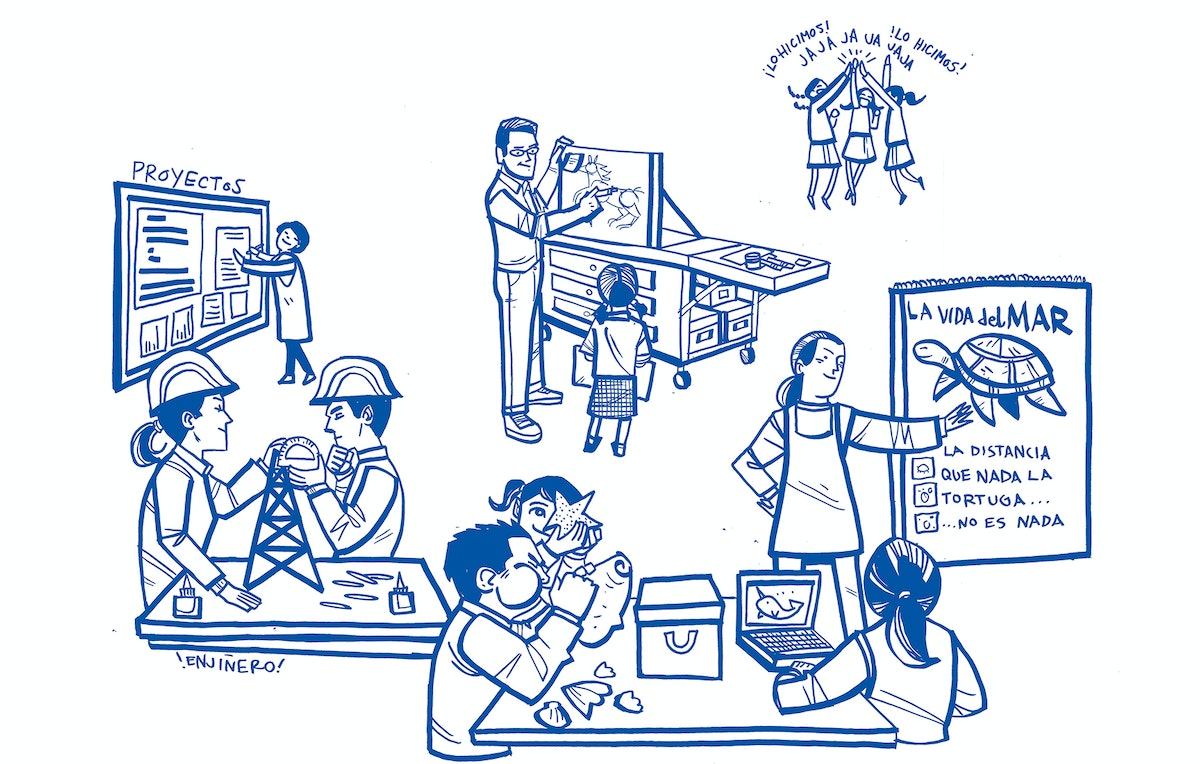
The new Innova Schools combine teacher-led, project-based learning in small groups with self-directed time using digital learning tools. Teachers monitor students’ work online and offer personalized guidance. Parents can view their children’s progress online as well.
Dynamic learning environments include community spaces, media labs, rooftop study areas, amphitheaters, and cafés that are optimized for flexibility: furniture on wheels, movable walls, and efficient uses of space to allow for different modes of learning.
An online Teacher Resource Center includes a database of more than 18,000 custom lesson plans based on a progressive new teaching approach. The center helps teachers learn their craft and gives them a chance to connect across the network.
The business model of Innova Schools was developed at the same time as the school experience. Designers leveraged the economies of scale that come from building a network of schools and centralized tools, such as data systems that allow all the schools to learn together.
The project has allowed Innova to open more schools at an affordable cost to families, ultimately giving more of Peru’s youth the chance to compete in the global economy. This comprehensive approach to system design ranks as one of Latin America’s most ambitious privately funded educational projects, and is on track to become the largest private school network in the region. To date, Innova has opened 63 schools in Peru that are serving more than 50,000 students.

A good system design doesn’t end with strategy. The work on Innova Schools also had a huge influence on the company, according to Rodriguez-Pastor. Through the creation of new roles and an aligned set of values, Innova’s central office has become a much more nimble and creative organization. They’re constantly scanning the world for inspiration in how to best educate their students, while building out the new innovations. They realize that design thinking can become an integrated part of their daily management of this growing network of schools.
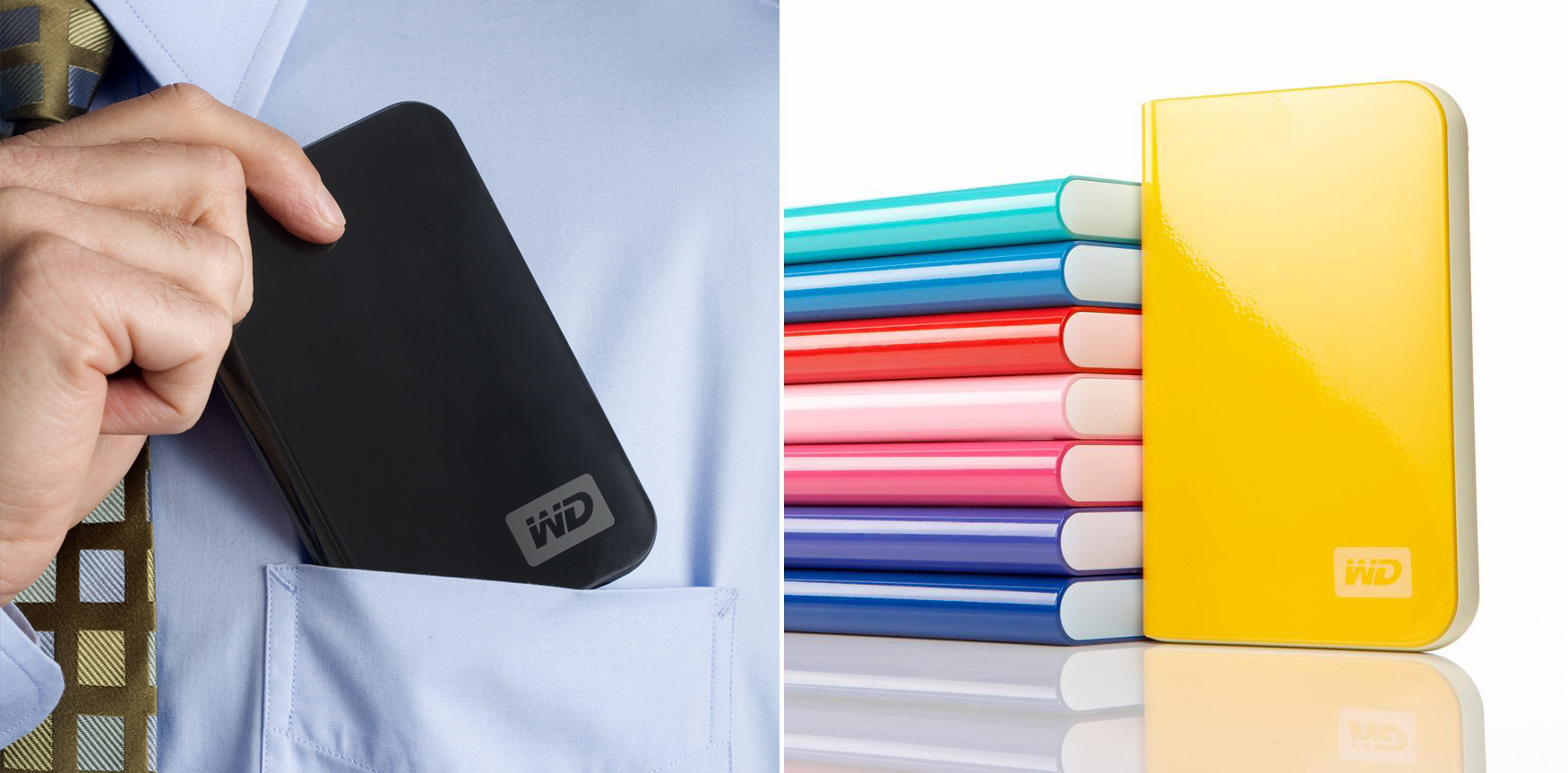
Designing a top-selling hard drive
Through a long-term collaboration, Western Digital and IDEO have created one of the world’s best-selling hard drives.
Western Digital, the leading provider of external digital-storage solutions and a pioneer in the field, and IDEO collaborated on a number of products that produced reliable, secure, high-performance hard drives for personal and professional use and have won numerous design awards.
The projects include:
- MyBook external hard drive: IDEO and Western collaborated to find a new design language for their external hard drive MyBook. In just six months, MyBook became the number-one hard drive in the Americas, and grew US market share by more than 50 percent.
- MyBook II: Looking to regain MyBook’s original number-one position in the hard drive market, IDEO and Western came together again to refresh the original design, finding ways to further differentiate the product and the brand, and winning a 2008 Spark Bronze Award.
- MyPassport: Western and IDEO designed the 320GB, ultra-portable USB-powered hard drive that appeals to the mobile user, which won both the 2008 IDEA Bronze Award from IDSA and BusinessWeek, and the 2009 iF Award.
- MyBook and MyPassport 3.0: Again, IDEO and Western collaborated on bringing the popular MyBook external hard drive to the next level in the hardware, the software, and the packaging. IDEO also created in-store merchandising, the graphics and information featured on product packaging (and the “out-of-box experience”).

Designing a city emergency plan
Helping cities prepare for emergencies with a resourceful toolkit.
The city of San Francisco wanted to help its people become better prepared in case of emergency. While no one feels totally prepared for a natural disaster, people who are most connected within a local network fare better in an emergency.
So the San Francisco Department of Emergency Management (SF DEM) and IDEO teamed up to create SF72, a revolutionary platform that helps to reach people where they are. In times of emergency, the city will need citizens to be self-supporting for 72 hours (or longer) before local services or outside help kicks in. With that in mind, IDEO developed an accessible platform to help people prepare for those 72 hours in simple ways that fit into their daily lives.
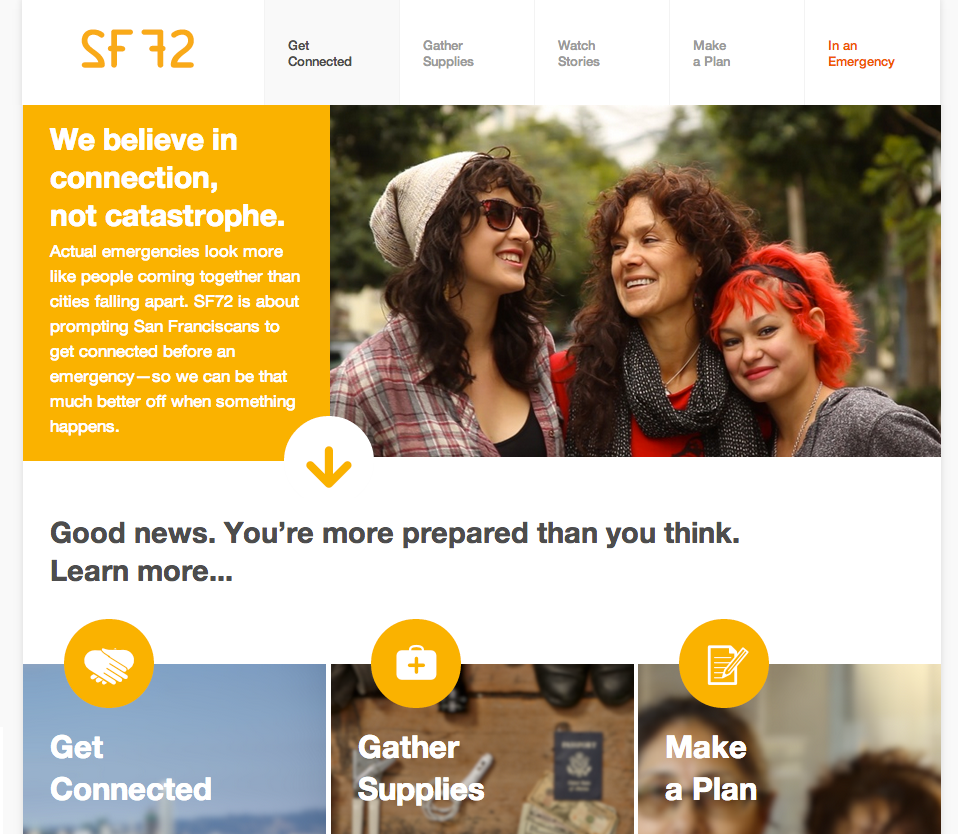
The SF72 website helps people with five important tasks: Get connected, gather supplies, watch stories, make a plan, and have access to an updated Google map. SF72’s content is hyperlocal, but IDEO and SF DEM also created an open-source toolkit for cities worldwide. From San Jose to Denver, other locales are using the simple toolkit to create a City72 platform of their own. Most recently, the city of Oakland collaborated with Code for America to develop its own platform. The City72 Toolkit enables SF72’s ethos of social connection for resilience to scale and grow—city by city.

Designing a global plan for disaster response
Creating a network that connects veterans across continents.
Team Rubicon, formed in 2010 as a response to the devastating earthquake in Haiti, is made up of former military veterans who swoop into help in times of disaster. The organization started with six vets in the US who were eager to transfer their battlefield readiness in to frontline relief efforts, and has grown to more than 28,000 volunteers across the world.
To explore its growing global effort and to shape the future of the organization’s venture, Team Rubicon approached IDEO for help. After an 11-week collaboration with government, military, and veteran groups, a vision for Team Rubicon Global emerged. Inspired by sources as diverse as TED and The Hell’s Angels, the three-tier model consisted of an anchor network to share best practices across the organization and two supporting platforms designed to help countries with varying capacity and needs.
Team Rubicon Global coordinated its first deployment in April 2015, when a quake struck Nepal, sending US and UK teams to double down on the rescue effort. According to Vince Moffit, Team Rubicon USA Incident Commander, that incident alone validated the network effect of IDEO’s work. “We couldn’t have done this without Team Rubicon UK,” he said.
And for the veterans who are part of Team Rubicon, the shared desire to serve—applying skills ideally suited for disaster response—creates a renewed sense of purpose, community, and leadership that helps reintegration to civilian life.
Build Your Creative Confidence: The Wallet Exercise
If you attend a class or an executive program at the d.school, the first day will most likely include a fast-paced, hands-on activity we call Design Project Zero, or DP0 for short. Rather than try to explain our process for innovation, a DP0 is intended to give people an overview by experiencing it in a microcosm.
Creativity Challenge # 10: Help your group understand innovation thinking
If you attend a class or an executive program at the d.school, the first day will most likely include a fast-paced, hands-on activity we call Design Project Zero, or DP0 for short. Rather than try to explain our process for innovation, a DP0 is intended to give people an overview by experiencing it in a microcosm. Faced with a simple innovation challenge, you have a chance to start with empathy, create new ideas, and then build some rapid prototypes, all within about 90 minutes. DP0 projects focus on everything from the gift-giving experience to the ramen-eating experience. The original DP0, explained very briefly here, is called The Wallet Exercise.
The exercise uses a simple object that most people carry with them as a prop to discover needs, design and prototype solutions, and get user feedback. It gives everyone a chance to cycle quickly through the human-centered design process.
Tool: The Wallet Exercise
Participants: Pairs in groups of any size
Time: 90 minutes, plus preparation
Supplies: The facilitator’s guide (available on the d.school website) includes a complete list of instructions, worksheets, and prototyping materials. The instructions and worksheets can be printed out for each participant or projected on a screen. Provide prototyping materials (essentially basic craft supplies, which may include markers, colored paper, aluminum foil, tape, pipe cleaners, etc.).
Instructions
Step 1: Participants pair off, with one starting as the interviewer/anthropologist, while the other plays the part of the prospective customer. The interviewer spends a few minutes understanding and empathizing with the other person. The interviewee/customer takes out his or her wallet or billfold, and they have a discussion about the items inside and the meaning attached to them. The interviewer asks questions to see how the wallet fits into the customer’s life, looking especially for problems or friction points associated with the wallet. For example: "Have you ever lost your wallet?" "Do you use it differently when traveling internationally?" "Which items do you take out most often?"
After just a few minutes, the facilitator calls time, and the team members reverse roles, with the interviewer in round one becoming the customer in round two.
Step 2: After the participants have had a chance to understand the customers and their wallets, the next step is to develop a point of view about their latent needs and missed opportunities with regard to their wallets. Those need-based points of view can take the form of a sentence like, “My customer needs a way to ... [user needs] ... in a way that makes them feel...[meaning/emotion] ... because ... [insight].”
For example, “My customer needs a way to keep track of the contents of their wallet in a way that makes them feel secure, because if they lose their wallet, the anxiety of not knowing what has gone missing can be worse than losing the cash inside.”
Step 3: In a form of mini-brainstorming, each participant generates a few concepts for new objects—they may not be physical wallets at all—that satisfy the needs highlighted by their point of view developed in step two.
Step 4: In the most kindergarten-like phase of the wallet exercise, participants create the roughest of prototypes to bring their ideas to life. Using an eclectic mix of materials like construction paper, duct tape, pipe cleaners, and binder clips, each person will build a prototype just good enough to make the idea tangible so that they can get feedback from their future customer.
Step 5: Using their storytelling skills, a selection of participants “pitch” their new-to-the world wallet concept to their customer and/or to the room at large.
Tips from the Field
The wallet exercise is all about the journey, not the destination. Reading about the wallet exercise doesn’t deliver experiential learning. The value is in the doing.
Much of what people take away from this experience happens when debriefing the wallet exercise with the whole group. Ask a few pairs to share their prototypes with the larger group. You might ask, “Has anyone’s partner come up with a solution that is so great that you need it right now?” or “Is there an idea so ingenious that it should be backed on Kickstarter?” or “Has someone designed something that is incredibly personal?” Have each pair come up and describe the need they discovered and the prototype they built. Use these shared stories to drive home lessons about empathy, prototyping, getting feedback early and often, and so forth.
This fast-paced format can work for many kinds of challenges. Once you have mastered The Wallet Exercise, think of other innovation challenges to tackle, like redesigning your daily commute or exercise regimen.
Making New Habits
Some psychologists claim that you have to practice a new behavior for twenty-one days before it begins to become a habit. The operative word is “practice.” The weeks, months, or years spent thinking about new behaviors don’t count. So pick your favorites from this chapter or create some new experiments of your own. Start accelerating down the runway now if you want your new skills to take flight.
This post was taken from Chapter 7 of Creative Confidence. Purchase the book for more on how to use creativity to solve problems, or read more from this series of creative exercises on the IDEO blog.
Everyone is creative. This belief runs through everything we do at IDEO, and in 2013, it led my brother David and me to write a book that would help others—even those who don’t think of themselves as “creative types”—to unleash their creative potential. Creative Confidence has inspired thousands of people to adopt a creative mindset and apply it to the diverse real-world challenges they face. In this series, we’ll share some exercises from the book that can help you approach your challenges from a new perspective.
How to Experiment with 360˚ Video
Learn a new way to tell stories in 360 degrees—without the expensive camera
In this post, I'll be sharing a method that I've developed to help IDEO designers prototype immersive media experiences for our clients. But first, let's think about the emerging medium we're designing for.
Tools enable, storytellers enthrall
Early filmmakers in the 20th century had a new tool in the motion picture camera, but had yet to fully explore how to use it to maximum effect. The closest frame of reference for film was theater, so in the silent era, many directors placed the camera “fifth-row center,” and filmed movie scenes as if they were sitting in a theatrical audience—no cuts, close-ups, zooms, or pans.
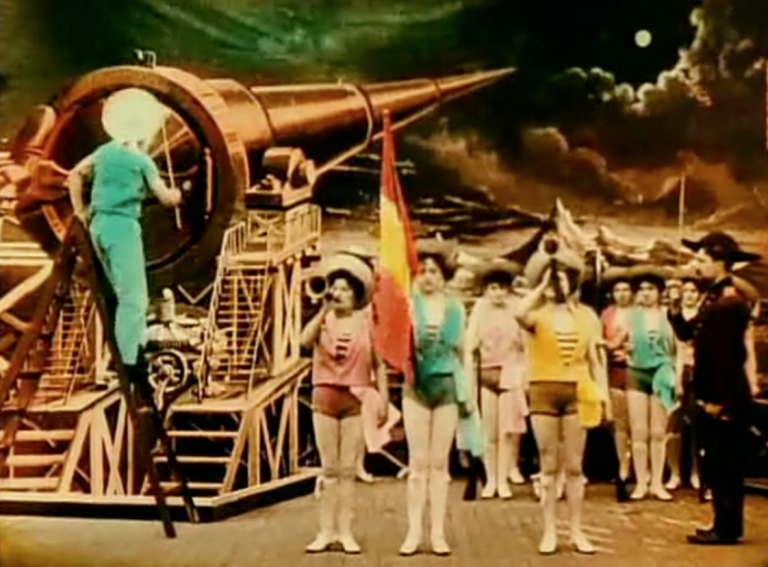
Over time, filmmakers experimented with and ultimately developed an established visual language for the new medium. Think of it as the film equivalent of grammar—sentences, paragraphs, and so on.
Early attempts at 360° videos were effectively in the same place as traditional film was 120 years ago. Since the camera can see in all directions—and the user can look in any direction at any time—the classical visual language of film no longer applies. Creators are having to experiment all over again to develop a new visual language that works in this medium.
360˚ video is great for first-person-like views of extreme sports, but it poses a number of challenges for producing narrative content. If the camera can see in all directions, what do we do with the background? How do we direct the viewer's attention?
In response to these challenges, the creators of some first-wave 360˚ videos have chosen to plunk the camera down and orchestrate a performance around it. In other words, if the camera can look everywhere, let’s put the action everywhere.
It’s one way to deal with the format, but I’ve been exploring other ways we might begin to tackle the storytelling challenges of 360˚ video, and also address some of the production hurdles we encounter when we shoot in 360˚.
One of the first instincts creators might have is to buy a 360˚ camera. But that’s a lot of money you really don’t need to spend, and I’d even argue that in some cases, a 360˚ camera may actually limit creative possibilities. Instead, we can repurpose our existing tools.
A partial view of the world
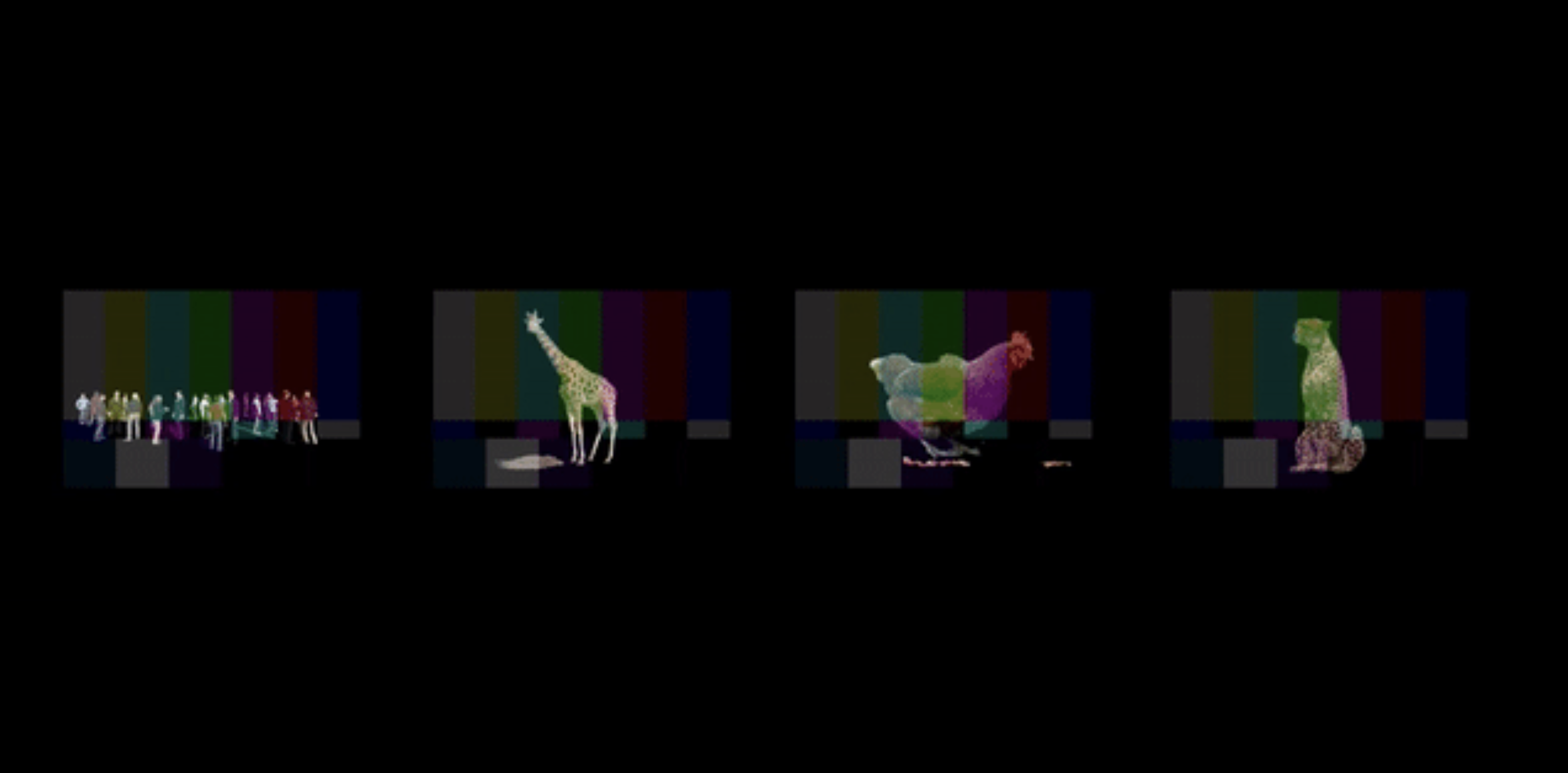
To address this challenge, I’ve created techniques that use traditionally-shot 2D film footage to create composite, immersive 360˚ video worlds. These GIFs showcase a quick overview of the technique, in which four traditional shots are blended into a single 360˚ scene.
So what exactly is happening here?
To start, let’s look at what a spherical 360˚ scene looks like when it’s unwrapped.

This is called an equirectangular grid, and it is one of the standards that Facebook and YouTube have aligned around. As you can see, there is significant distortion at the top and bottom of the image. These are the the poles that, when spherized, represent the top and bottom of the view. The centerline, however, remains relatively distortion-free, and luckily for us, that’s the horizon line in all directions.
When wrapped, this distorted grid becomes a clear shape.
Creating your first 360˚ scene
This workflow uses Adobe Premiere Pro, but if you prefer another video editing suite without native VR export, don’t worry, there’s a workaround at the end.
First, let’s get the tech specs out of the way. You’ll want to set up your project and sequence with these settings:
- For best results, I recommend editing in a 4K workspace (3840x2160px) at either 30p or 60p.
- When compositing 2D shots into the scene, I recommend sticking to the equator of the image as it will have the most predictable results.
Once you have that workspace, import your desired 2D footage. In my example above, I used footage composited on a black background that blends seamlessly into the (also black) background of the 360˚ world, resulting in invisible edges around each of the shots. I was also able to luma-key (effectively a form of green screening) the background so I could overlay several shots to create large scenes composed of multiple individual shots. In my real-world shoots, this technique allowed me to composite multiple individual shots, helping a tiny set to punch well above its weight.
The secret sauce: 360˚ metadata
Now you’ve got your 360˚ scene prepared and are ready to export it for upload. Here’s where the magic happens: To get YouTube or Facebook to see your 360˚ video as such, you must include the proper metadata.
This is much easier than it sounds. If you are using Adobe Premiere Pro CC (2015 or above) this feature is built in. Find it in the export settings at the bottom of the “Video” tab here:

If you do not have native VR export in your video editing software, don’t worry, there is a workaround:
- Export your 4K video to H.264 as you normally would.
- Inject the required metadata using the YouTube Spatial Media Metadata Injector. This is not as scary as it sounds, and it will enable both YouTube and Facebook to detect your video as 360˚ content.
— First, download the YouTube Injector tool for Mac or Windows.
— Unzip the file, then use the application to open up your video export.
— Select “My video is spherical (360)”.
— Process your file.
That’s it. Just a simple press of a button, and your video will be recognized as 360˚ content on all the major platforms.
Happy uploading!
This story was originally published on IDEO Labs.
Thanks to native support on Facebook and YouTube, virtual reality and immersive 360˚ video have reached a tipping point in which production, distribution, and consumption are now available to almost everyone. There’s one problem, though: Many creators are still struggling to find the best way to tell stories with this medium.
Designing a custom font from real flowers
How I used my design skills to say thank you and inspire others.
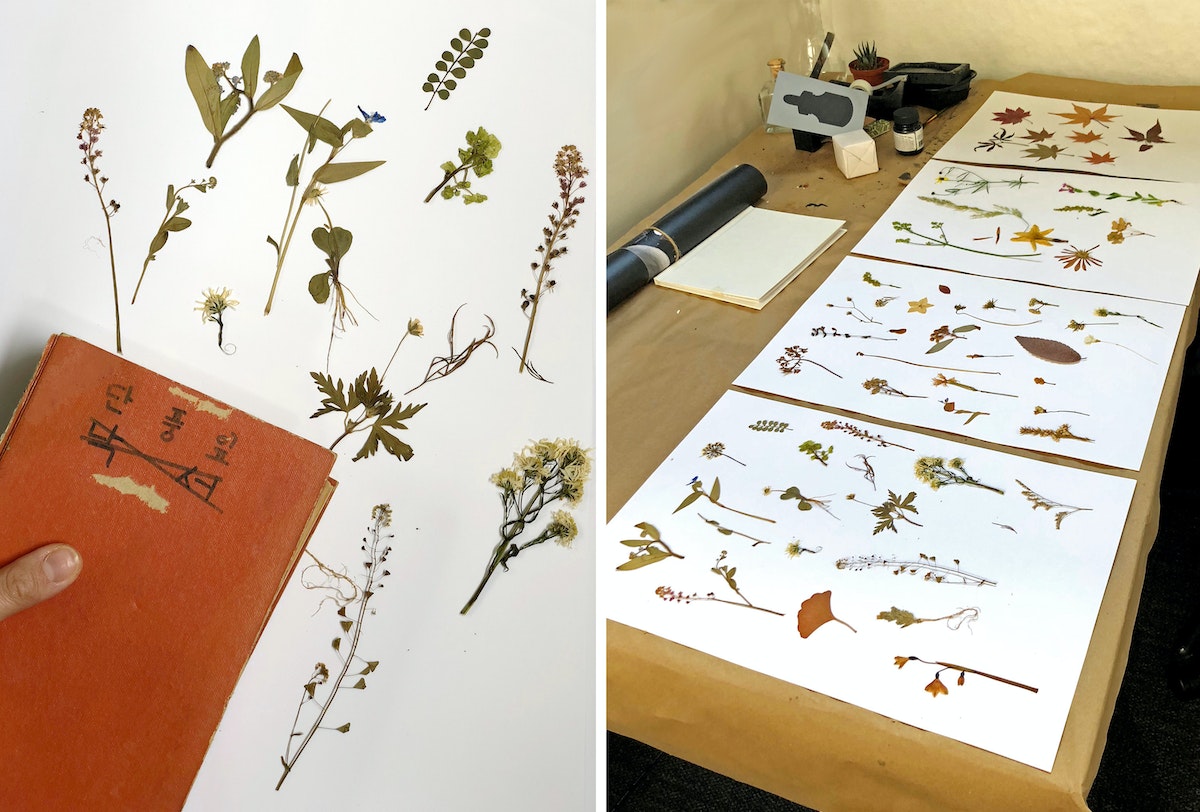
As an adult, it's been important to me to use my design skills to recognize how much my father and my time in nature helped shape who I am. In college, my thesis project “FLOA” was a tribute to flowers and my father (FLOA = flower + appa—“dad” in Korean.) It was a small flower garden with different sizes of flower pots filled with lilies, dandelions, and roses. Working on the project created a special moment for me and my dad.
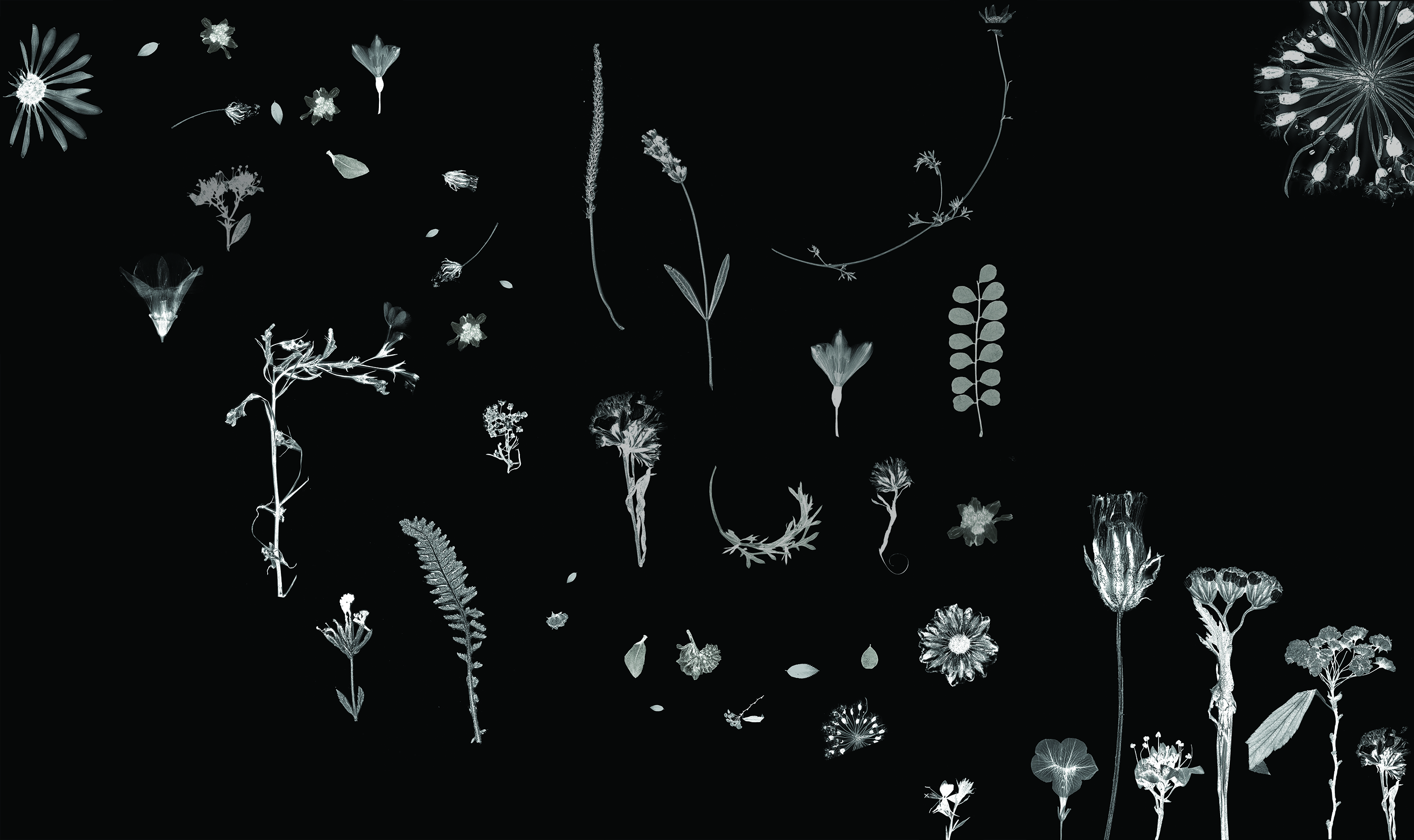
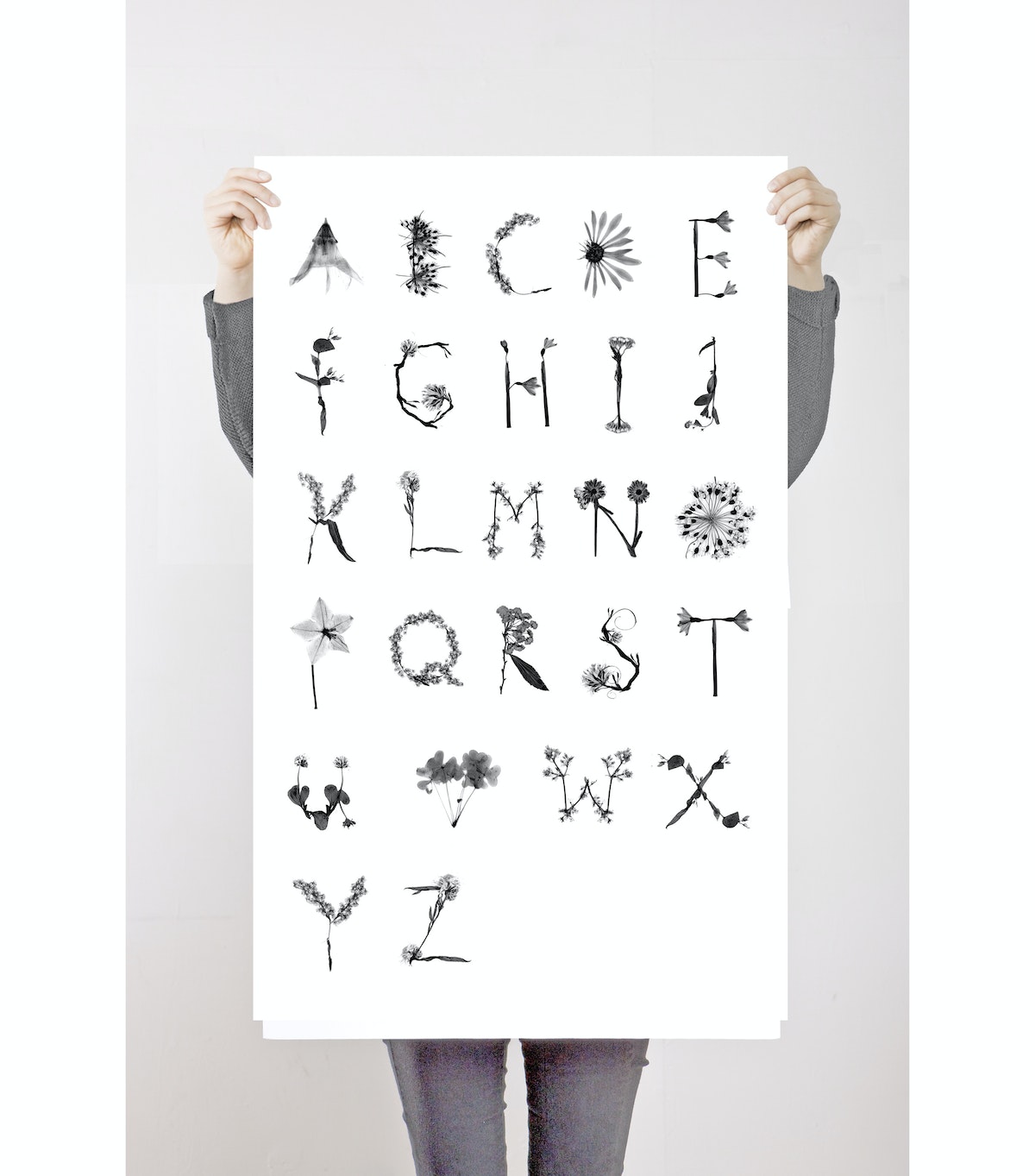
That was the first time I created something to honor the impact my father and our time in nature had on me. Years later, at IDEO, I started working on a project to redesign flowerpot systems and plant care instructions for consumers. Through the design research process, I got to observe how people take care of thousands of plants, how they are nurtured, and how they travel to consumers. I started to feel like a flower doctor, figuring out how to create a flowerpot that would best help them grow. I wanted to communicate that message to others, that caring for flowers isn’t entirely unlike caring for our own human bodies. To share that message, I decided to create a font system that combines the visual styles of botanicals and x-ray imaging. It would be a tribute to my dad and the connection I feel to nature, and hopefully inspire others to feel that same connection.
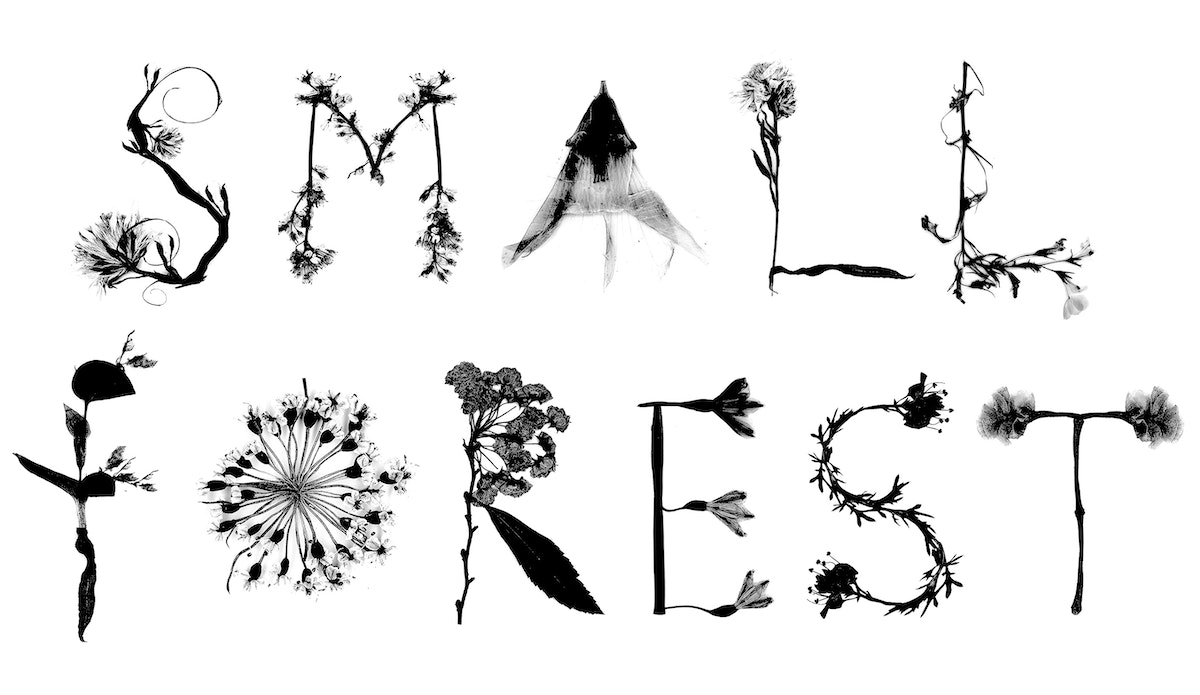
Instead of relying on existing x-rays of flowers, I decided to use the flowers from my memories to make the font. I went back to the journal of flowers I’d kept for 20 years and scanned them to convert them into a digital format, then applied the x-ray effect and arranged them into an alphabet. I named the font Small Forest.
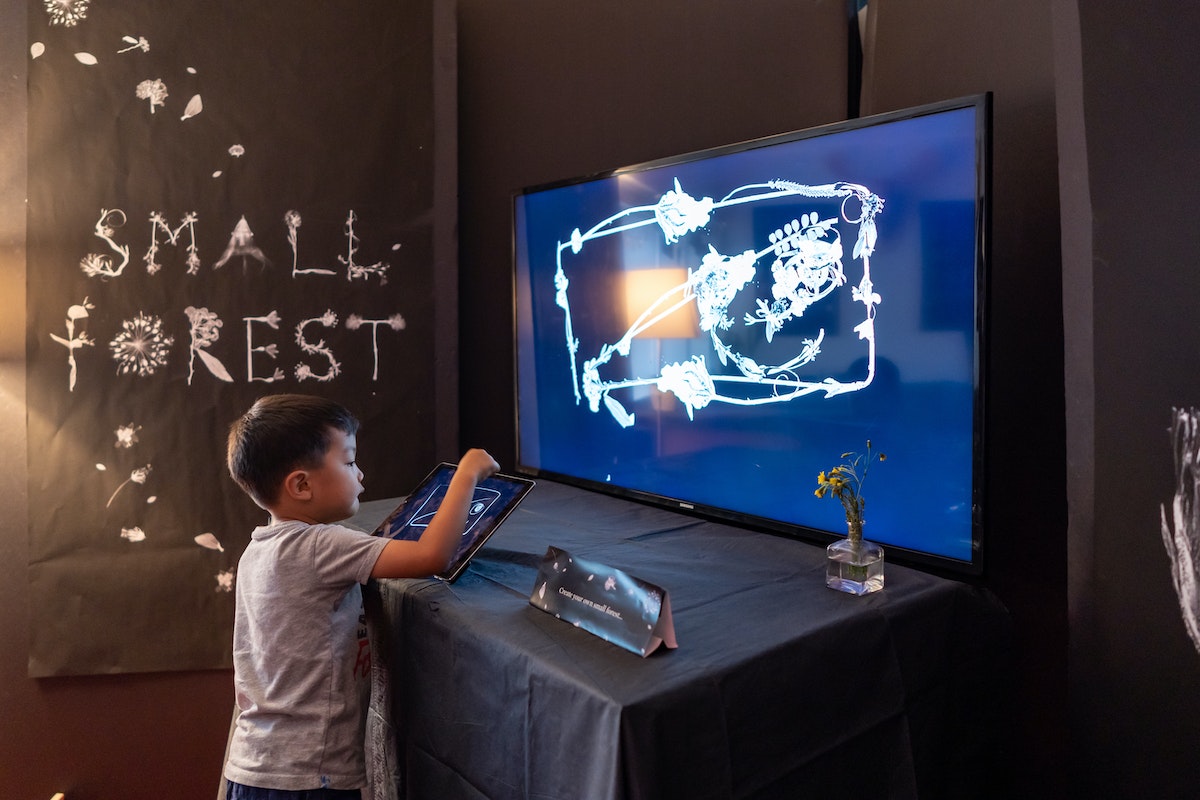
I then connected with my IDEO colleague Todd Vanderlin, who is a genius creative coder. He used the flower scans to create an interactive digital experience that allows people to draw with flowers, stems, and leaves. Lines drawn by the user turn into beautiful botanicals before their eyes.
The program does not use any fancy machine learning algorithms or computer vision techniques. Todd wanted me to choose the direction, orientation, and type of each flower, building my own library of botanicals.
The software starts by analyzing the line stroke, search for long continuous segments based on the change in angles. The segments then source flower parts based on their tags and configurations.
When Todd showed me how he created the coding system, it was mind blowing. I felt like I was on a spaceship traveling to the future. We unveiled the digital experience at an event that IDEO Cambridge and MIT Media Lab hosted earlier this year called Future Fest, an interactive art show that invited guests to explore the interactions of art, technology, and humanity. I loved watching guests interact with the botanicals and create their own nature-inspired art.
Small Forest is a project that ties me to my dad and my childhood. But thanks to Todd, it became something much bigger—something that can delight others, and inspire them to take on art projects of their own. As you think about your own journey, don't forget to recognize the people and experiences that got you here, and to use your skills to create something that just might inspire someone else.
Special thanks to Todd Vanderlin for collaborating with me on this project.
My father always told me the most beautiful and creative art in the world can be found in nature. Growing up in Korea, visiting botanical gardens was our family ritual—I even kept a journal where I picked leaves and flowers, and dried them in its pages. These memories and the spirit of nature helped me build my creative world.
How One Designer Learned to Love Constraints
Getting nap-trapped by a newborn will do that to you
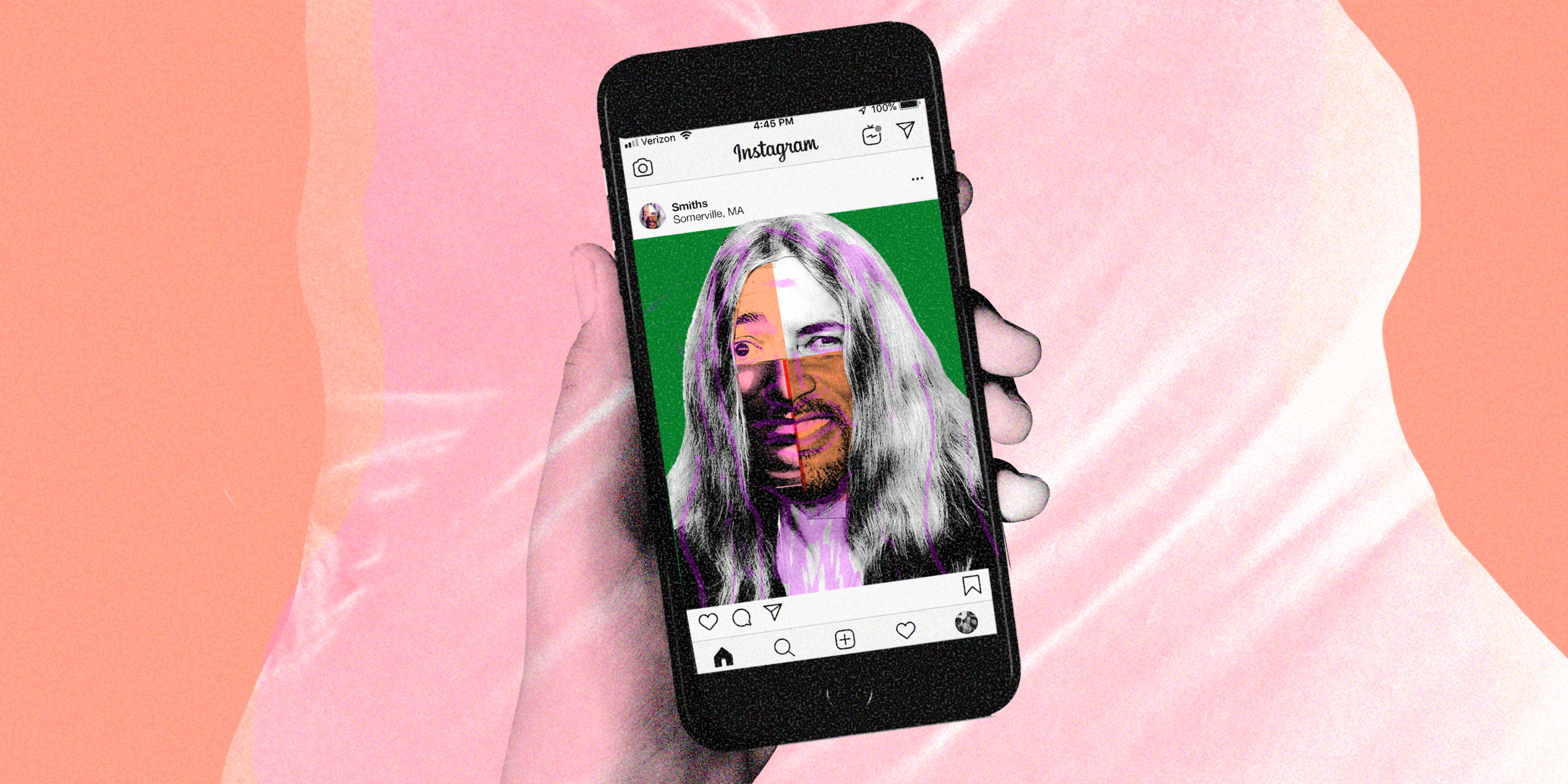
It turns out there’s a strong correlation between social media use and nap entrapment. Personally, I found my Instagram use skyrocketed during the first four months of my then-newborn’s life. And during the entrapment days, two Instagram accounts really stood out from the rest. The first was the actor/rapper Will Smith’s energetic, curious, family-friendly account. His posts are a mix of throwback photos featuring Jeff Goldblum, comparisons of his baby pictures to Rhianna, and vintage videos of wife Jada mouthing off to Eazy-E about feminism.
The second belonged to the musician and artist Patti Smith. Her account is poetic, reflective, and sincere. Its posts range from a meditation on the morning light playing upon her “thinking chair,” to fanning out hard over Law and Order: Criminal Intent.
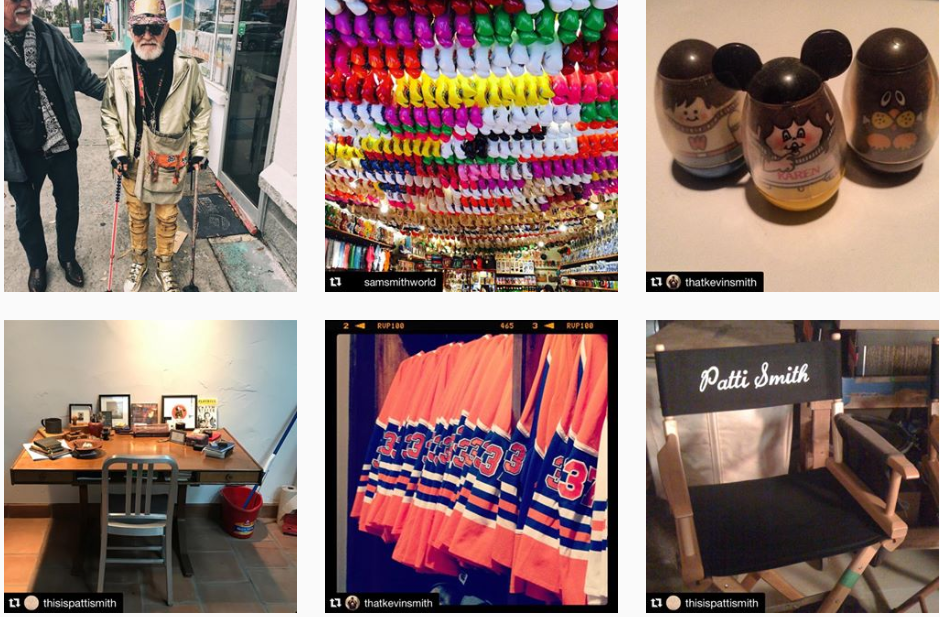
Perhaps it was the sleep deprivation. Or maybe it was a hankering to fit some synthesis—the IDEO designer's process of creating a cohesive narrative from a sea of nuanced human stories—into my maternity leave. But I grew intrigued by their common last name.
Thus came constraint number two: Could one create a captive, compelling Insta feed, one that guides the viewer on an engaging, winding, whimsical journey, featuring only Smiths? What story would come out of weaving multiple online personalities together? It was synthesis, but with other people’s lives.
To make things really interesting, I added two more Smith feeds. Kevin, one of the masterminds behind films like Clerks and Dogma, balances goofball humor with poignant reflections on life and health. Singer Sam, the fourth and final Smith, is a modern day crooner who keeps his posts pithy and punchy.
Together, the four Smith feeds created balance in a random sort of harmony. Squinting from just the right angle, I was surprised to find common threads in their posts. Stills from Sam’s iconographic performance stages flowed seamlessly into Patti’s gently-lit trip to La Recoleta cemetery. Kevin’s collection of Weebles set up Sam’s visit to a trinket-ridden open air market, before handing off to Will’s portrait of an eclectic man’s fashion in Tybee Island, GA.
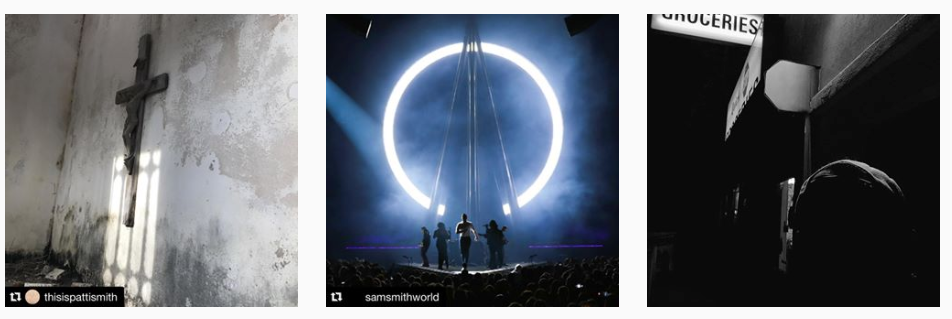
With nothing more than a ubiquitous last name and fame connecting these four, gestural themes emerged. Parenthood, childhood, dental hygiene, activism, Rhianna.
These are more than Smith themes. These are modern human themes. But Instagram’s real-time format muddied this story. I wondered if there was a way to create a thematic flow—one long, chaptered story—rather than a chronological one. The solution lied in a third, and final, constraint: a fixed feed. One in service of a single story in time, rather than a constantly evolving one.
And so, Selected_Smiths was born. A static Instagram narrative, comprised of snaps from all four instagram feeds. The final edit was made on July 22, 2018. 59 posts total, culled from the original Smiths’ feeds. Best viewed from bottom to top and with 30 minutes to spare, so as to read all comments and hashtags.
What started as a nap-trapped experiment turned into a lesson on the power of constraint. Selected_Smiths was born of three constraints: one situational, one coincidental, and one editorial. If Selected_Smiths is the steel ball, then these constraints were the bumpers in the pinball machine of my mind. Launched with gusto, frantically bouncing past flashing lights and through sound fields, the bumpers present a barrier, ricocheting the ball to loss or victory. Constraint demands perseverance, triggers ingenuity, and every once in awhile helps you execute on a weird idea.
Like creating one story with four people who share the same last name. Funny, serious, flip, human—the internet really does it all.
Nap-trapped (noun): When an infant falls asleep on a person in such a way that they are rendered immobile. As in: On maternity leave, I often found myself nap-trapped in a position that demanded complete stillness of all extremities… apart from my right arm. This constraint inspired a somewhat esoteric design research experiment that I took on—sometimes literally—with one hand tied behind my back.

Lindsey Turner
I’m passionate about building brands, products, and experiences that help organizations show up with meaning and momentum.
I help organizations cut through complexity by shaping how they show up, through brand strategy, identity, and storytelling.
Working at the intersection of brand and business, I bring an editorial eye and a bias toward making—turning ideas into tangible experiences that people can understand, trust, and believe in.
My work spans government, healthcare, financial services, media, and consumer goods, from launching Gen Z-focused ventures to building innovation labs and reimagining legacy brands. I relish moments of ambiguity and enjoy translating across teams, perspectives, and priorities to move ideas forward.
I started my career in editorial and digital design, shaping cross-platform experiences and identity systems in publishing and agency environments. That foundation still shapes how I work today: I’m detail-oriented, collaborative, and overreliant on the Oxford comma. I hold a BFA in Visual Communication from the School of the Art Institute of Chicago.

Rachel Young
My work helps organizations see who their products aren't working for—and build the will and the tools to do something about it
For 25 years, I've asked the same question: Who does this design exclude—and what are we going to do about it?
My work spans human-centered strategy, inclusive design, and qualitative research, with clients ranging from Microsoft, Google, and Verizon to the National Science Foundation, and San Francisco Unified School District.
Before IDEO, I taught elementary school in East Palo Alto and spent a decade doing design work with social service organizations—where I learned firsthand what it costs people when systems are built without them in mind.
I am currently writing User Error, a nonfiction book about digital access and the design decisions behind it. I live in Oakland, California.

Brian Pelsoh
I lead with craft, ensuring our work is creatively excellent: rooted in deep human insight and imagination, while also grounded in the realities of business and technology.
My expertise spans brand, communication, and product design across tech, education, the arts, and social impact.
I believe great work demands both high-level vision and obsessive attention to detail, and only happens through collaboration.
I bring an inclusive, hands-on approach and a deep understanding of business, which enables me to consistently deliver excellence while always asking why.
Before joining IDEO, I worked at the brand firms Pentagram and VSA Partners. I began my career as a designer, leading teams at the School of the Art Institute of Chicago and the Milwaukee Art Museum. I hold an MFA in graphic design from Maryland Institute College of Art and a BFA in communication design from the Milwaukee Institute of Art & Design, and have taught at some of the best design schools in the US.

Tony Wong
I am responsible for IDEO’s long-term success in China and working with clients to use design as a tool to enable growth.
I am responsible for IDEO’s long-term success in China and working with clients to use design as a tool to enable growth. Specifically, I have helped Chinese companies design holistic brand solutions through the development of their products, communication, services, and innovation teams, and I have helped multinationals expand their presence and influence in China.
I advise global leaders on developing China-led innovation and capabilities.
In over 15 years in IDEO Shanghai, I have worked on projects that use design to elevate the quality of the experience of healthcare products and services, streamline processes that increase productivity, create spaces and programs that promote and enable inclusive communities, and build next generation mobility solutions that are planet-positive.
Before joining IDEO, I worked at Philips Electronics and the Electrolux Group in Italy, the Netherlands, and Singapore on a number of breakthrough commercial products. I am a member of the Young President Organization in Shanghai.

Building a personal AI for the messiness of life: Sida Li
Most AI products today are built for work—a space with clear problems and established systems. One founder noticed a gap: personal life is messier, harder to systematize, and mostly left behind by the AI boom. So she built Cue, a personal AI that lives inside iMessage and group chats, to go where the other tools haven't.
In this episode, Becca Carroll, IDEO's Chief Strategy Officer, talks with Sida Li, co-founder and CEO of Shared Context Lab, about staying anchored to a human need while the technology around her keeps changing shape, why she treats her business model with the same rigor she'd bring to a product, and what it feels like to build a company at this particular, disorienting moment in AI.
The conversation also gets into how Sida makes design decisions: the language Cue uses to describe itself, the tradeoffs behind building inside iMessage instead of a new app, and a real story about a business idea that didn’t pan out.
This is the second in a two-part series profiling founders from IDEO's Startups-in-Residence program. The first conversation is with Johannes Seemann, founder of Sooner, on designing GenAI for the emotional side of money.

Designing GenAI for the emotional side of money: Johannes Seemann
Most personal financial tools are built to run the numbers and optimize towards a budget. While that works for some, most people experience money as a lived relationship that does not neatly fit into a spreadsheet. Johannes Seemann and Becca Carroll discuss why money is emotional before it is mathematical, and what a human-centered approach to building a generative AI financial product looks like in practice.

The curious leader's edge in uncertainty: Scott Shigeoka
Mina Seetharaman talks with Scott Shigeoka, author of Seek and Head of Curiosity Cultivation at the Eames Institute, about what distinguishes genuinely curious leadership from performative curiosity, how power dynamics shape curiosity, and why practicing curiosity can restore energy rather than drain it.

How constraints make us more creative: David Epstein
Mina Seetharaman talks with David Epstein, author of Inside the Box and Range, about why total freedom often produces average work, how leaders can design useful limits on purpose, and what organizations such as General Magic and Pixar reveal about the relationship between boundaries and creativity.
Looks like you might be in search of something very specific?
Or reset the filters above and try another angle.
Here’s some random inspiration
Podcasts about creative leadership
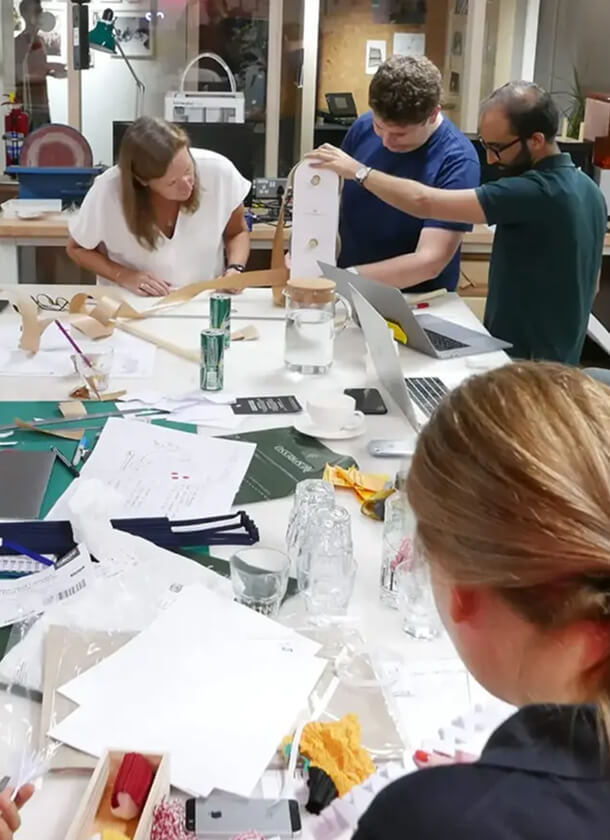
Articles about the power of prototyping