.svg)




Helping a startup design video games to build kids’ emotional strength
A one-month sprint to develop new products—and a new way of working.
For 6-year-old Dave Jr., a long line at Disneyland triggered a massive meltdown. His parents were concerned and a little embarrassed, but not surprised; Dave Jr. struggled to keep his emotions in check.
Hoping to help, Dave Jr.'s uncle, entrepreneur Craig Lund, joined forces with researchers at Harvard Medical School and Boston Children’s Hospital, along with a video game designer who had worked on Quick Hit and NBA 2K. Together, they set out to design something that could teach coping skills to kids like Dave Jr. who need to manage “big emotions,” as well as children suffering from anxiety, ADHD, and other behavior issues, which are on the rise.
Their collaboration resulted in a video game called Mightier and a startup called Neuromotion Labs—a 10-person team of psychologists, game designers, and engineers who embedded at IDEO Cambridge for a one-month sprint to improve the game and get ready for launch.
To play Neuromotion's game, kids are first taught simple, calming breathing exercises. During gameplay, kids wear heart-rate monitors on a wrist or arm that detect spikes caused by stress or anger; as their heart rates go up, the game's difficulty increases. Kids have opportunities to pause and try deep breathing to counter the ramped up challenge. As it turns out, "gamifying" restraint builds strong incentives for kids to take charge of their emotions—they have to if they want to win.
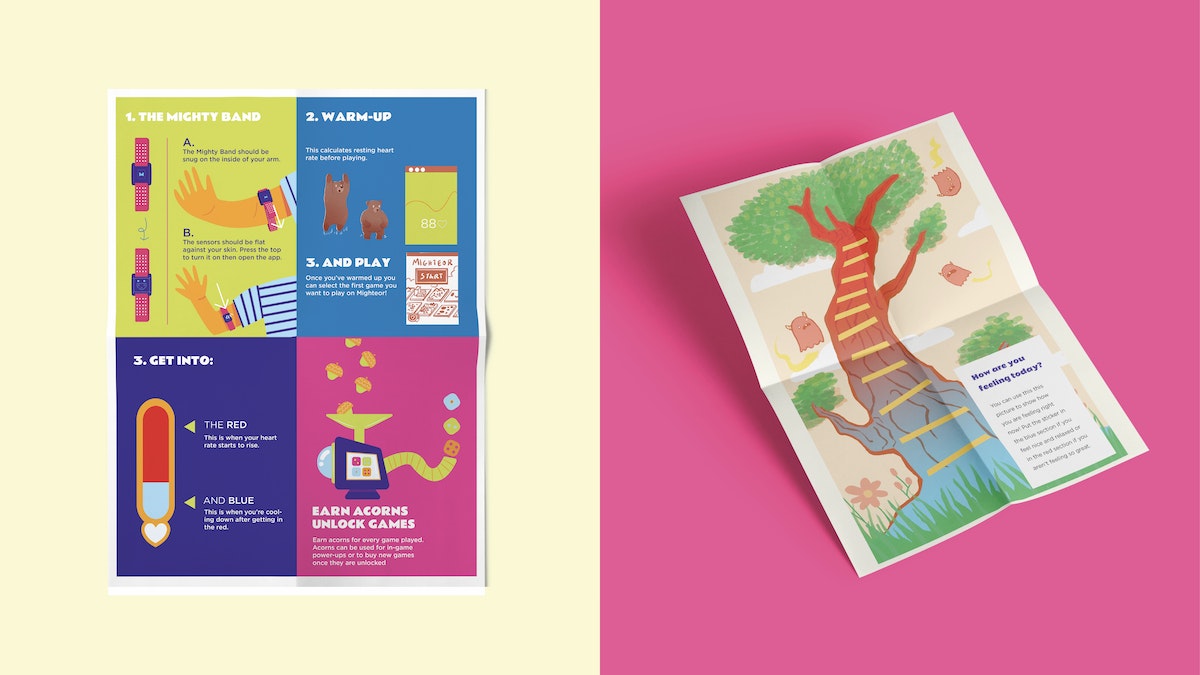
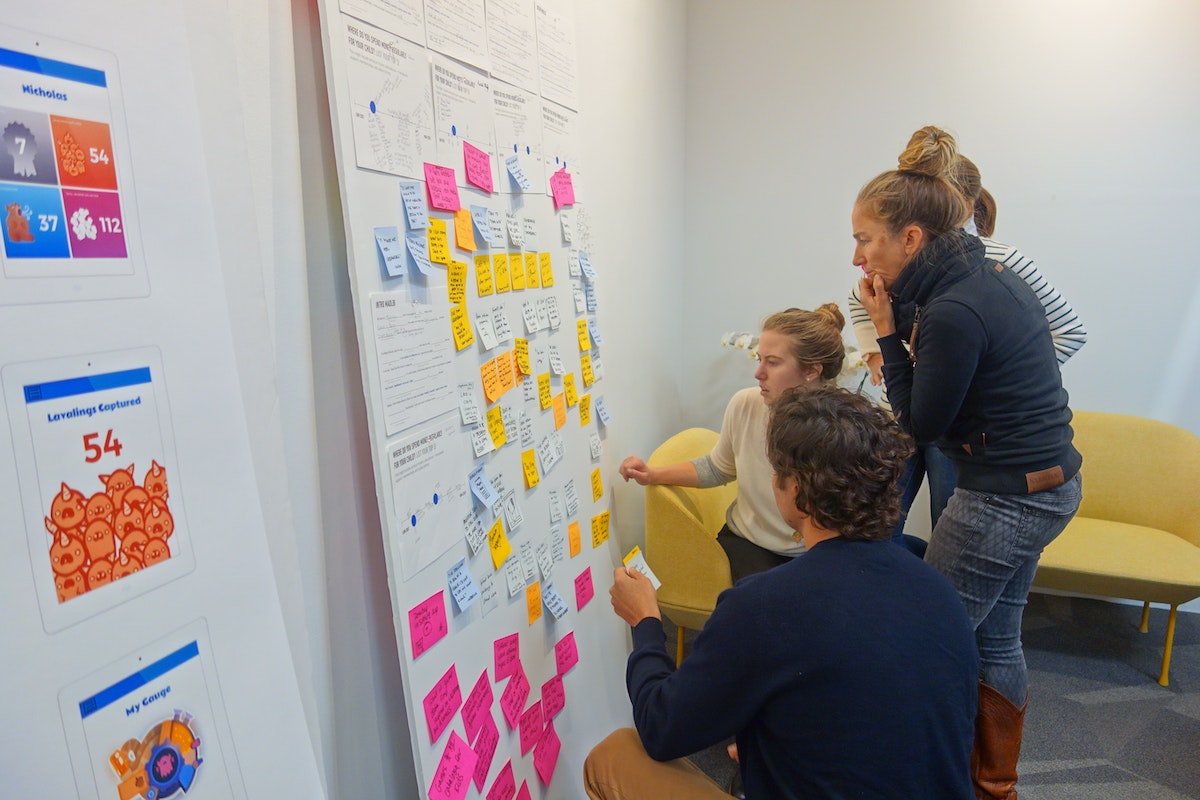
Already activated around boosting mental and emotional health, IDEO's design team worked side-by-side with Neuromotion to study how parents and children experience Mightier. From home visits to group interviews to a summer camp-style design session with kid players, live feedback fueled the next iteration of the gaming platform and better product-market fit.
IDEO helped Neuromotion hone the visual design and mechanics of Mightier and expand it's suite of games. The team observed that the Mightier program was more successful the more involved parents of players became, which revealed a need for additional resources for adults. So they created new supports, including a more detailed orientation and a personalized coaching service for parents staffed by trained therapists.
But can a video game actually help kids cope? Early peer-reviewed studies showed that playing Mightier reduced outbursts by 62 percent, oppositional behaviors by 40 percent, and parental stress by 19 percent. After 12 weeks of using Mightier, a survey of kids and parents showed that 96 percent of parents saw positive behavior changes in their children, while 92 percent of kids learned new coping skills.
Shortly after the design sprint, Neuromotion secured its next round of funding and officially launched Mightier’s array of “bioresponsive games.” The games have already been played more than a million times, and Neuromotion has measured more than a 100 million heartbeats. Mightier games are helping kids and families across the country.
What about Dave Jr.? Recently, his sister told Lund she "accidentally" bumped Dave Jr.’s bike off a pier and into the ocean. She was expecting an outburst of anger, but after eight months of playing Mightier, Dave Jr. stayed cool. His uncle couldn’t be prouder.
Designing waste out of the food system
IDEO partnered with hotels, food banks, foundations, and entrepreneurs to combat food waste.
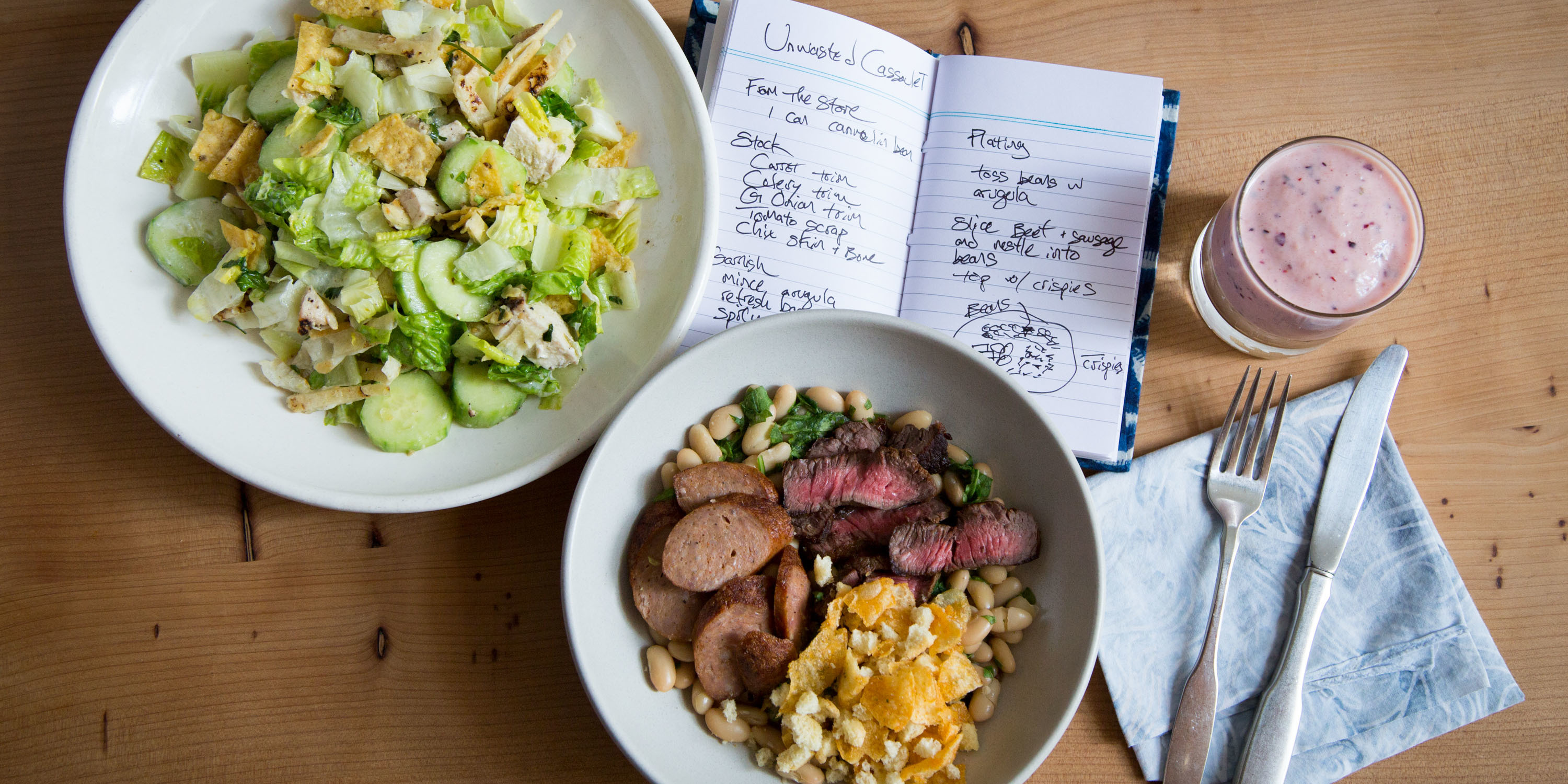
Many of us have let vegetables wither in the crisper drawer, or thrown out a child’s half-eaten restaurant meal, but the sheer scale of food waste around the globe is hard to grasp. According to the United Nations, about a third of the food the world produces every year—1.3 billion tons—is lost during production or tossed by consumers, with North Americans throwing out the most food per capita. The average American wastes enough food each month to feed another person for 19 days.
IDEO received a series of grants from The Rockefeller Foundation to find solutions, given the power of IDEO’s human-centered design approach to address systemic challenges. Through a number of projects with The Rockefeller Foundation and other organizations, IDEO designers from across the U.S. devised novel ways to tackle food waste.
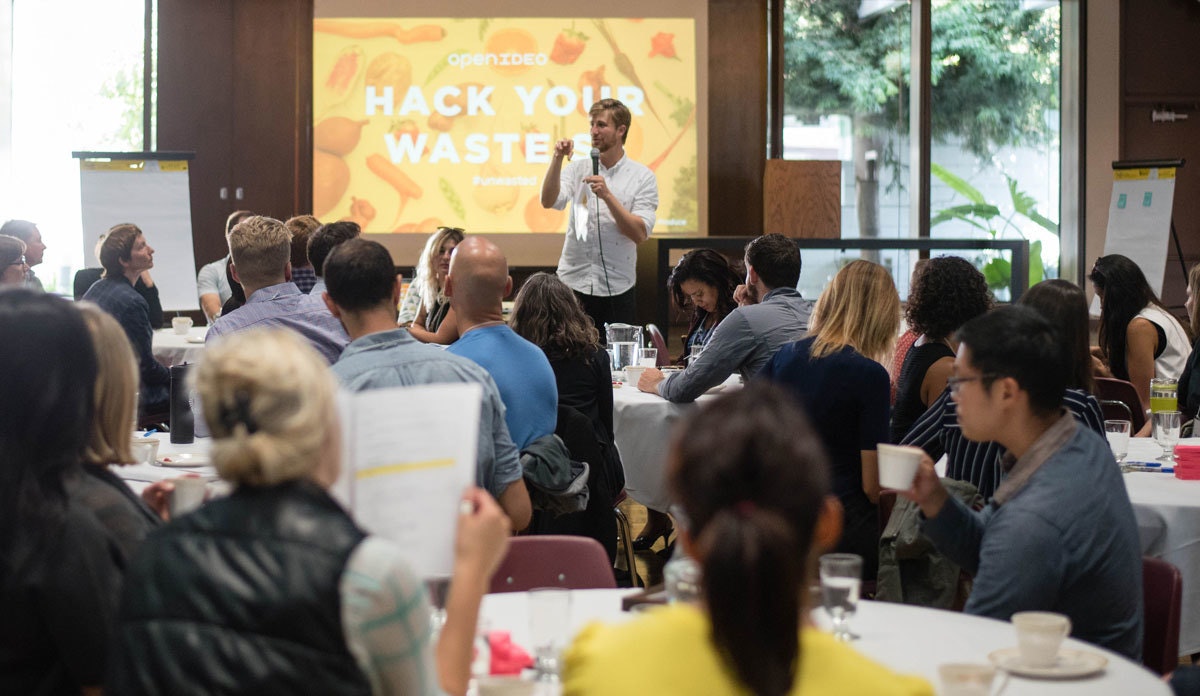
For IDEO’s first initiative, designers tapped into the enthusiasm of the broader creative community, in partnership with The Rockefeller Foundation, the City of San Francisco’s Department of Environment, the Closed Loop Foundation, ReFED, and other groups. In the summer of 2016, OpenIDEO—IDEO’s open innovation practice—launched the Food Waste Challenge, asking how people might curtail waste by rethinking our relationship with food. Between June and October, more than 20,000 people from 113 countries took part in the challenge, tracking their personal waste and brainstorming solutions.
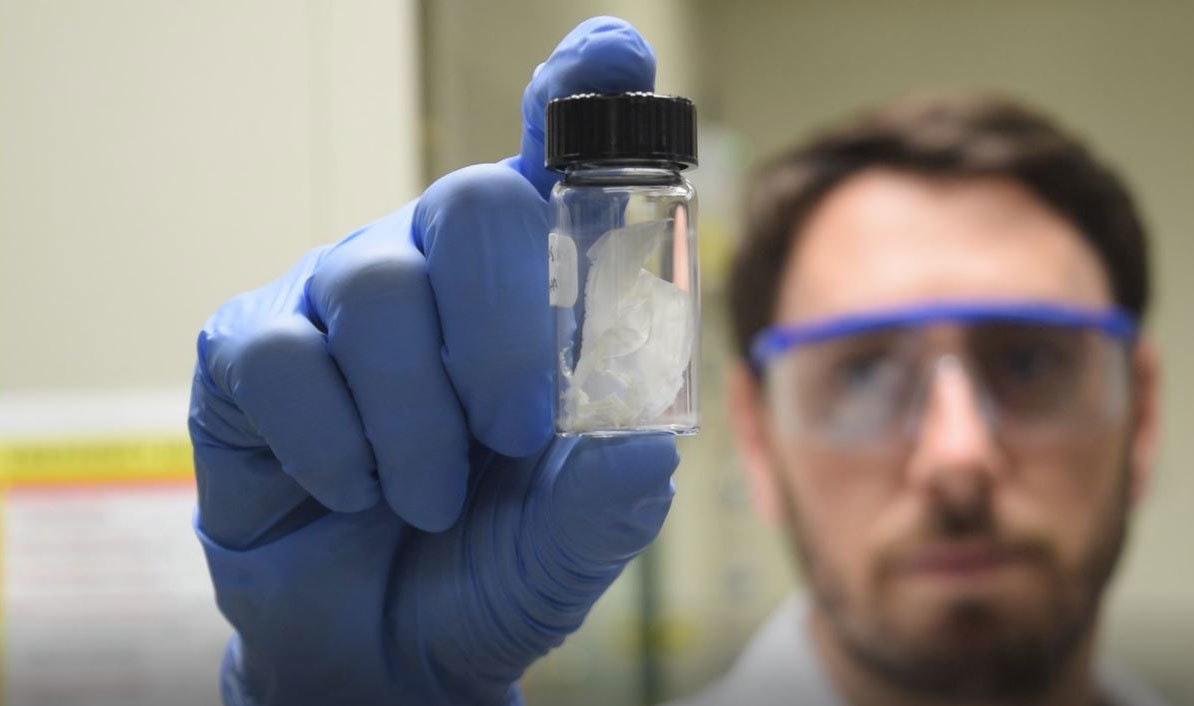
Challenge participants submitted more than 450 ideas. A team of food industry experts helped select the 12 top proposals, which included software to help people buy food collectively from wholesalers and a service that delivers extra meals from corporate events to those in need. Ultimately, the Closed Loop Foundation chose to award Full Cycle Bioplastics a $50,000 grant to scale up its idea to convert inedible food and paper waste into a fully compostable alternative to oil-based plastic.
At the conclusion of the Food Waste Challenge, OpenIDEO launched the Food Waste Alliance, a platform for participants and experts to stay engaged with the most promising ideas and innovators. The alliance helped entrepreneurs share resources, prototype new concepts, secure funding, hire staff, and form partnerships. OpenIDEO invited hundreds to join the alliance, and 92 percent of members told IDEO they made progress in their work as a result. One member company, RISE, received funding from another participant who discovered RISE through the alliance. This investment let RISE prototype its concept for milling spent grain from beer brewing into flour for baked goods and ultimately join the prestigious Food-X accelerator.
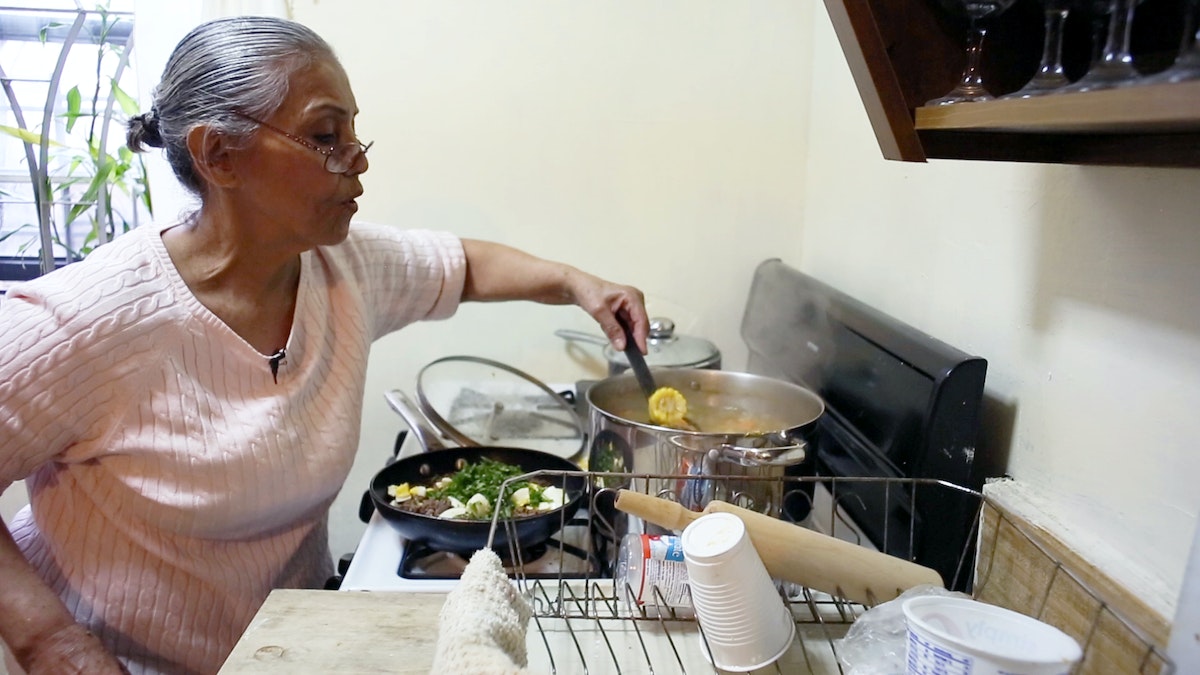
The Rockefeller Foundation also supported IDEO’s work with City Harvest, a New York organization that collects 160,000 pounds of unused food each day and delivers it to soup kitchens and food pantries. City Harvest wanted to understand the habits of local families who visit food banks in an effort to ensure all the food the group distributes gets eaten. To get a peek into these families’ kitchens, in January 2017, IDEO researchers conducted observations and interviews across New York City’s five boroughs. Pantry customers cooked for the researchers, giving them an inside look at how the families engaged with the food they had available and what food meant to each of them: tradition, stability, even adventure. Based on insights from pantry visitors, IDEO made recommendations for City Harvest, including community-run cooking classes and a way for families to request specific foods or reserve pick-up times by text message. IDEO also created three video vignettes to help build even greater empathy between City Harvest and the people it serves.
In spring 2017, capping IDEO’s work with The Rockefeller Foundation, the organizations teamed up with World Wildlife Fund and Hyatt hotels in Florida, New York, and New Jersey to rethink all-you-can-eat buffets. IDEO studied diners and staff at Hyatt buffets and found that employees—from event planners to kitchen staff—each add a cushion of extra food to cover their bases, while guests overfill their plates to avoid missing out. In the end, diners eat just half the food organizers serve, while the rest goes to waste. This and other data-driven insights gleaned about diners’ habits led to subtle substitutions, including smaller plates of meats and cheeses that can be ordered from servers and individual pastries rather than whole cakes. These alternatives have not only built on Hyatt’s existing food waste management strategies, but have also helped reduce buffet costs at Hyatt Regency Orlando and continued to receive support from guests.
The problem of food waste is too enormous to ignore. Wasted food means squandered resources, lost money, and ultimately, hungry people—more than 15 million in the United States alone. Designers and innovators from coast to coast have helped find solutions to the crisis that fulfill a variety of needs, from preserving produce sent to food pantries to keeping plastic packaging out of the oceans. The Rockefeller Foundation and other IDEO partners are leveraging powerful design techniques to pave the way for a waste-free future.
Launching a bootcamp for data scientists
Designing a rigorous program that prepares students for a career in the data-driven economy.
In 2017, IDEO acquired longtime partner Datascope and integrated the company’s data scientists and engineers. Datascope team members aren’t just passionate data scientists; they’re human-centered designers who happen to work with data, as illustrated by successful collaborations like this one:
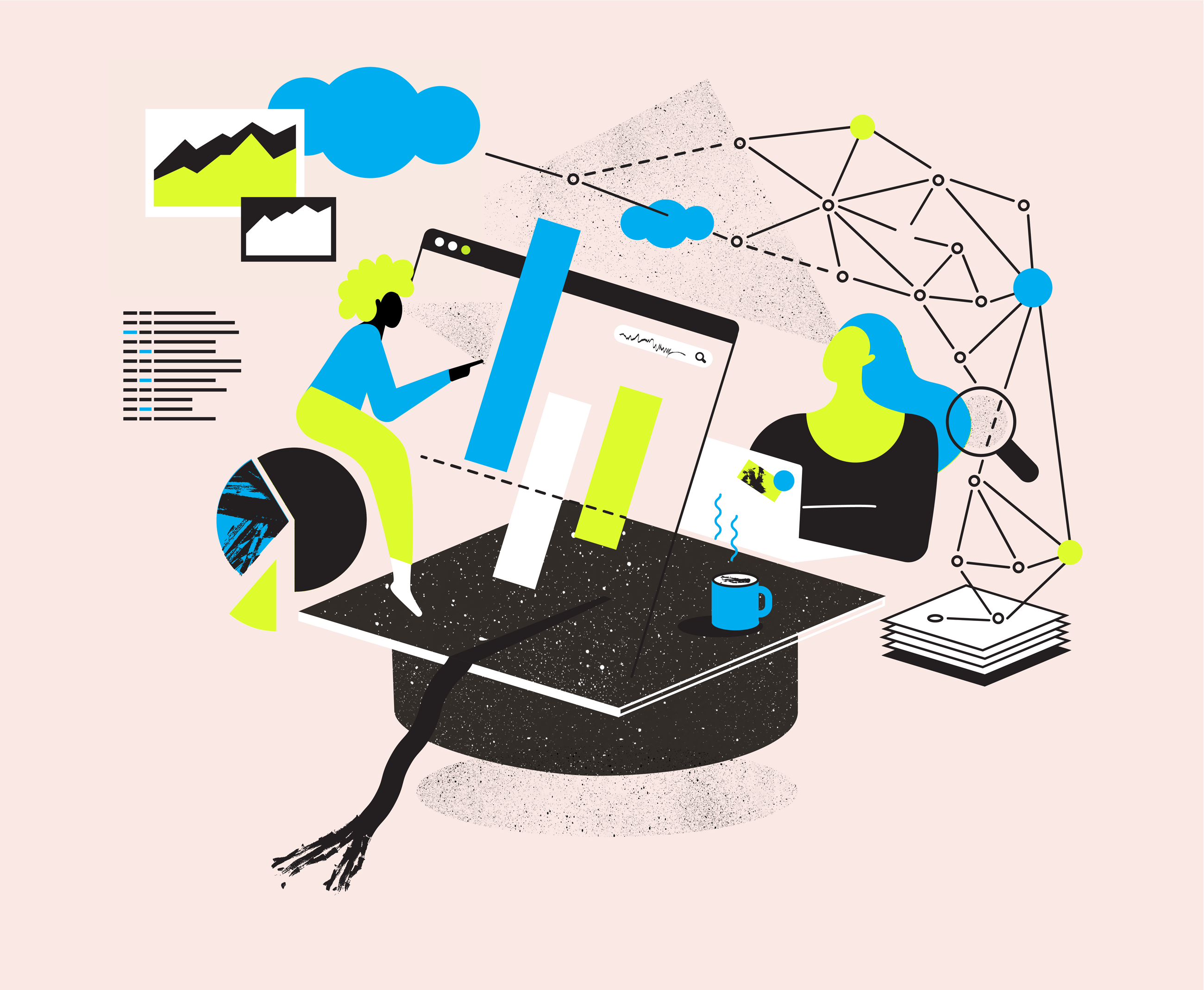
In today’s job market, there’s no such thing as being "done" with your education. This is particularly true in the fields of data science, machine learning, and AI, where significant advances are made on a monthly basis. To meet this need for more in-depth training, Metis—part of Kaplan—wanted to create a comprehensive data science program for students from all backgrounds. Metis asked Datascope to design the curriculum from scratch, drawing on the company’s deep expertise in the field.
Datascope spoke with practitioners across industries to identify the key skill sets that make them successful: a grasp of design; fluency with data management, coding, and algorithms; and effective communication with coworkers and the wider world. The team crafted a 12-week bootcamp that develops these specific abilities.
In order to prepare students for the work world, the bootcamp is structured less like a class and more like a company, where students are “hired” as data scientists—with projects to complete—starting on day one.
Students collaborate on group projects and presentations in a way that mirrors real workflows, and practice pair programming to learn from one another. Using techniques drawn from design, students are invited to refine their project briefs and continually reevaluate their approach.
Instead of a final exam, at the end of the course, students tackle five real-world, open-ended data science projects inspired by Datascope’s client work. One project involves using data from subway turnstiles to detect patterns in the volume of street traffic; another asks students to use data they scrape from the web to predict a movie’s box office profits using regression analysis.
After students complete the bootcamp, they receive an additional three months of career support, from mock interviews to site visits with potential employers. In addition to designing the curriculum, Datascope taught the first three student cohorts and helped Metis build its teaching team as it expanded the program from New York to San Francisco, Chicago, and Seattle. Metis now offers online courses, evening classes, and corporate trainings in data science.
If you’re going to take a data science bootcamp, it’s best to take one designed by data scientists.

Designing the Levi’s Commuter Trucker Jacket with Jacquard by Google
When Google teamed up with Levi’s to craft a jacket with technology woven in, the company turned to IDEO to help make the experience of wearing the garment feel seamless, intuitive, and familiar.
You’re whizzing along on your bike, en route to a new restaurant for a client meeting. You reach an unfamiliar intersection; which way to go now?
Instead of dismounting and digging for a phone, you brush your hand along your jacket sleeve for directions, then double-tap the denim to re-start your music. Without taking your eyes off the road, you’ve taken care of the problem.
This intuitive interface for connected apparel began with Levi's, makers of durable workwear for 140 years, and Google, creators of forward-looking technology, which joined forces to fashion the first item of clothing with touch-sensitive, copper-core threads woven directly into the fabric. Once it was established that the first connected garment from the partnership would be a jacket within Levi’s Commuter line, with interaction on the sleeve, Google worked with IDEO, leaders in designing for human needs, to develop the gesture language of the jacket and industrial design of the technology within.
This is the first connected garment that helps us break free from devices. It seamlessly incorporates Jacquard by Google technology to perform digital tasks, such as navigation, communication, and music playing with a few swipes or taps on the sleeve.
Jacquard by Google—a platform that makes it possible to integrate touch and gesture interactivity into fabrics using conductive yarn and standard, industrial looms—was inspired by a curious twist of history. The Jacquard loom, invented in France in 1804, used punch cards to automate the process of weaving complex patterns into fabric. In the 1940s and ’50s, engineers employed a similar punch-card technique to program the first computers.
IDEO spent time on the project early on, collaborating with Google engineers and Levi’s clothiers on the jacket’s development, helping craft an experience that would make the intelligent threads intuitive to wearers.
Working alongside Google and Levi’s, IDEO’s work included:
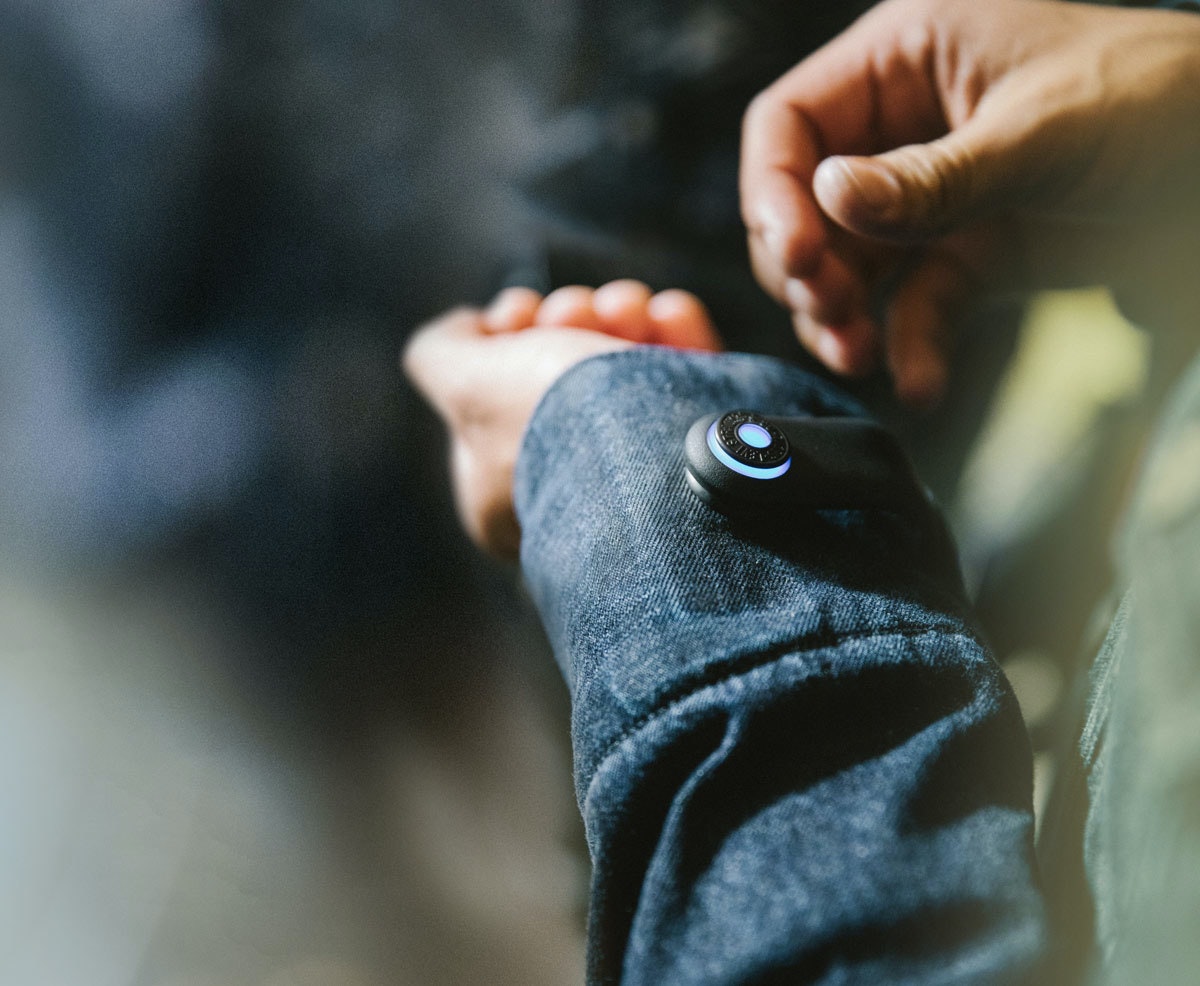
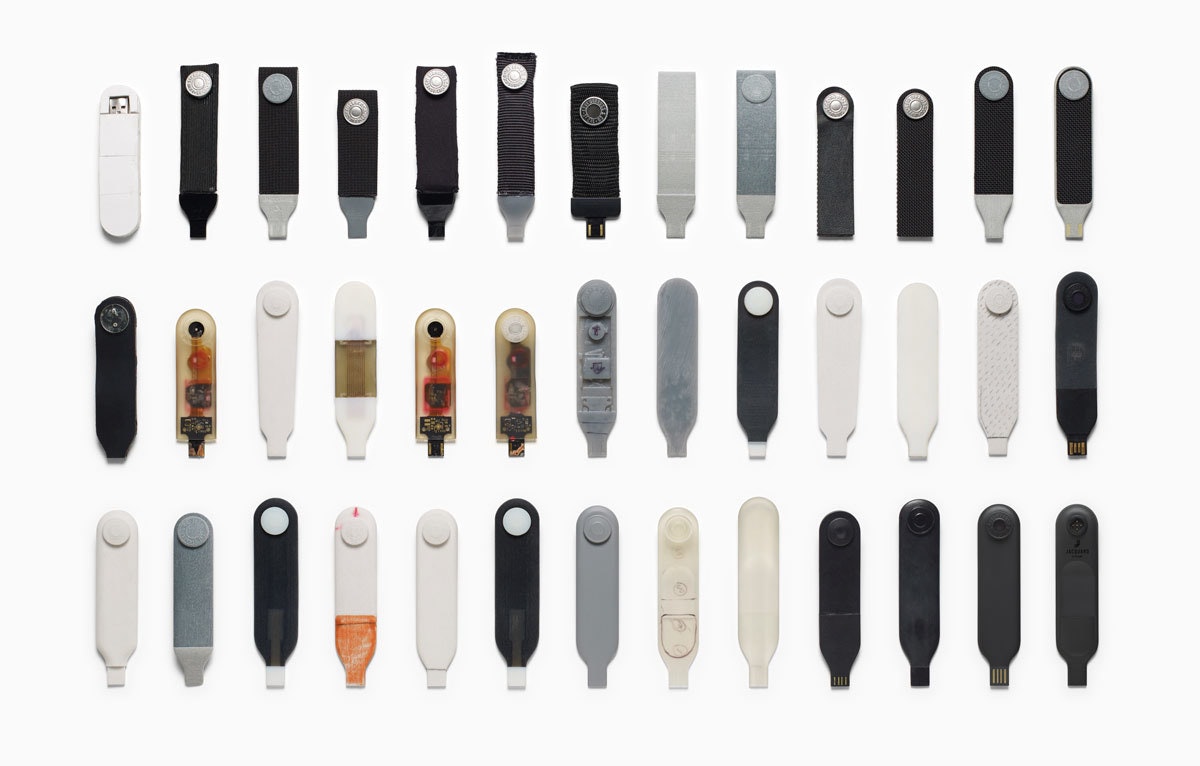
- The industrial design of the electronics integrated into the snap tag and connector (the tag snaps onto the jacket’s cuff and connects to your phone via Bluetooth)
- A vocabulary of gestures on the cuff of the jacket that lets you interact with the jacket’s technology
- Early exploration of the basic design philosophy and conceptual design for the interaction model of a corresponding smartphone app that ties it all together (works with both iOS and Android phones)

The IDEO team’s first task was to validate what commuters of all stripes wanted from the garment, in addition to the work Levi’s did in researching with its consumers. In interviews, group exercises, and wear tests with urban cyclists and other workers on the go, the team learned that cyclists needed a way to stay connected, while still living in the moment. That meant being able to answer calls, hear text messages, get the next direction, and control their music without using a screen.
Levi’s, Google, and IDEO developed a language of movement for Jacquard-enabled fabric that feels familiar and human and builds on the ways people would naturally interact with a garment (a whole-hand brush along the sleeve, as opposed to a one-finger tap on a touch screen, for instance).
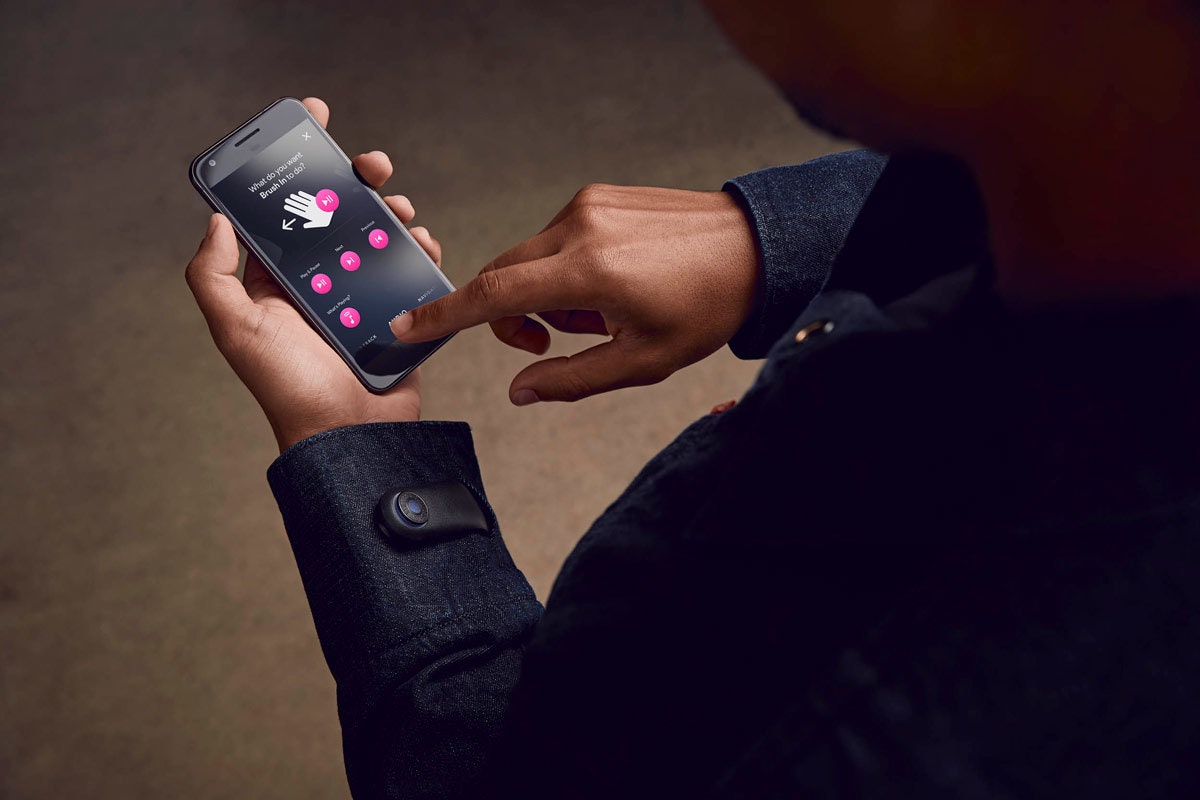
Then came the design and engineering of the snap tag on the jacket’s cuff, which gently notifies you of calls, texts, and other jacket interactions with light and vibration feedback. The flexible, lightweight strap incorporates the look and feel of a Levi’s jean button, while housing advanced electronics that capture touch data. The tag is removable, charges via USB connection, and works in conjunction with a mobile app that lets you configure settings for the garment, set notifications, and customize gestures and interactions.
The Levi’s Commuter Jacket with Jacquard by Google changes the game because it’s simply that—a jacket—with technology that adds new utility and value, allowing us to wear our everyday interactions on our sleeves.
The Levi’s Commuter Trucker Jacket with Jacquard by Google hit stores in October 2017.
IDEO and Google have a long history of collaboration. Learn more about our work on Google Bloks here.

Quick + Dirty Design Tips: Animation in After Effects
Animation tips from an After Effects power user
For this method of animation, make sure to use only lines in your Illustrator file. The idea is to animate the lines across their own path, so the way you design them will play a big part on how elaborate your animation will be.
Watch this video for a quick step-by-step guide to animating lines in After Effects:
- When your Illustrator file is ready, import it to After Effects. You can simply drag your Illustrator file to the Project area or go to File > Import > File.
- Drag the imported file to the Timeline. It will automatically create a Composition.
- Now you must turn your Illustrator file into Outlines that After Effects can control. On the timeline, right click on the layer and select "Create Shapes from Vector Layer.
- The next step is to animate your outlines. For that, you will need to add a Trim Paths feature to your new layer.
- On Trim Paths, use keyframes for Start/End to change when and where you want your paths to animate. If your file has multiple lines, you can choose to animate them simultaneously or individually.
This technique is a simple and effective way to create powerful motion graphics for storytelling, user interface behaviors, or even a simple animated gif. Hope you enjoyed it!
Adobe After Effects is one of my favorite tools for prototyping user interfaces, creating video scenarios to communicate a context of use, or simply crafting stories through animation. It's a tool that allows you to explore and visualize ideas, and there's no right or wrong way to use it. Here are a few tips for using After Effects to animate vector lines imported from Adobe Illustrator.
Why You Should Keep Making Stuff By Hand
Don't let technology stop you from getting your hands dirty
So, when the opportunity comes up, I like to turn off the computer and focus on creating artifacts. While an object is just a thing that serves its purpose until it’s tossed out, an artifact sparks an invisible conversation, a connection between the human who made it and the human experiencing it. Even something that people don’t think twice about, like an event name tag, deserves to be well designed.
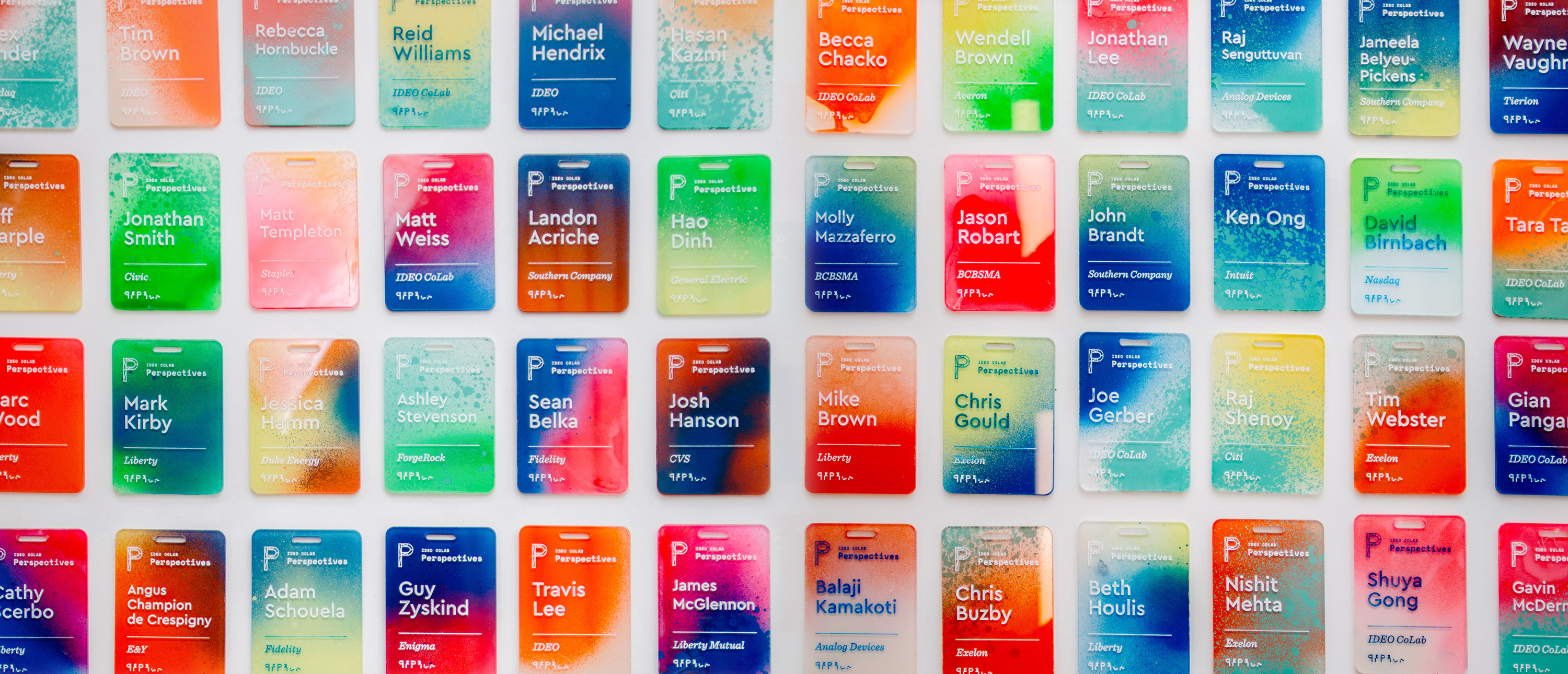
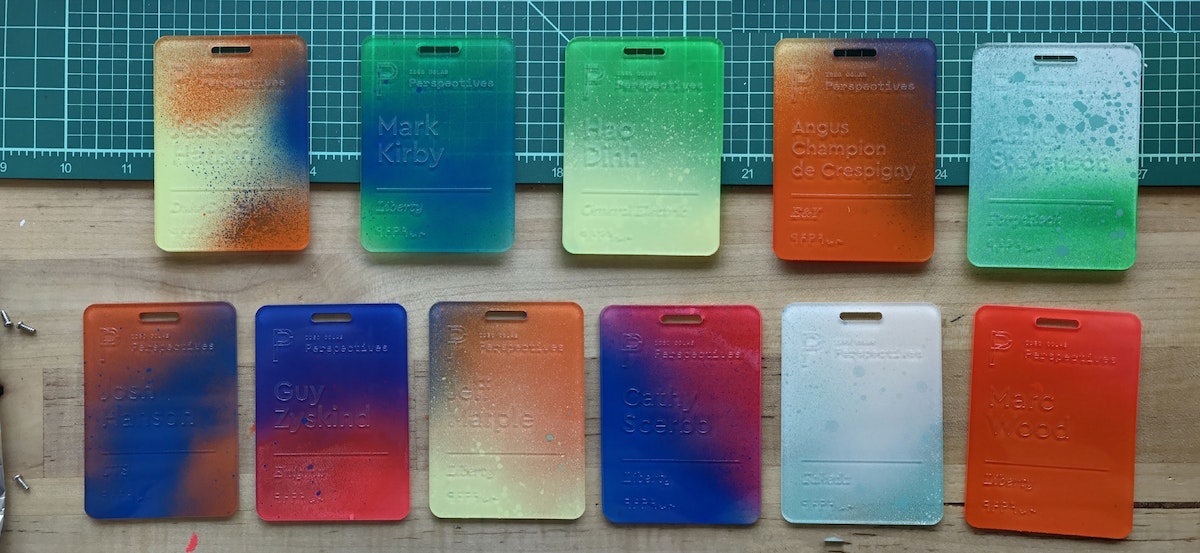
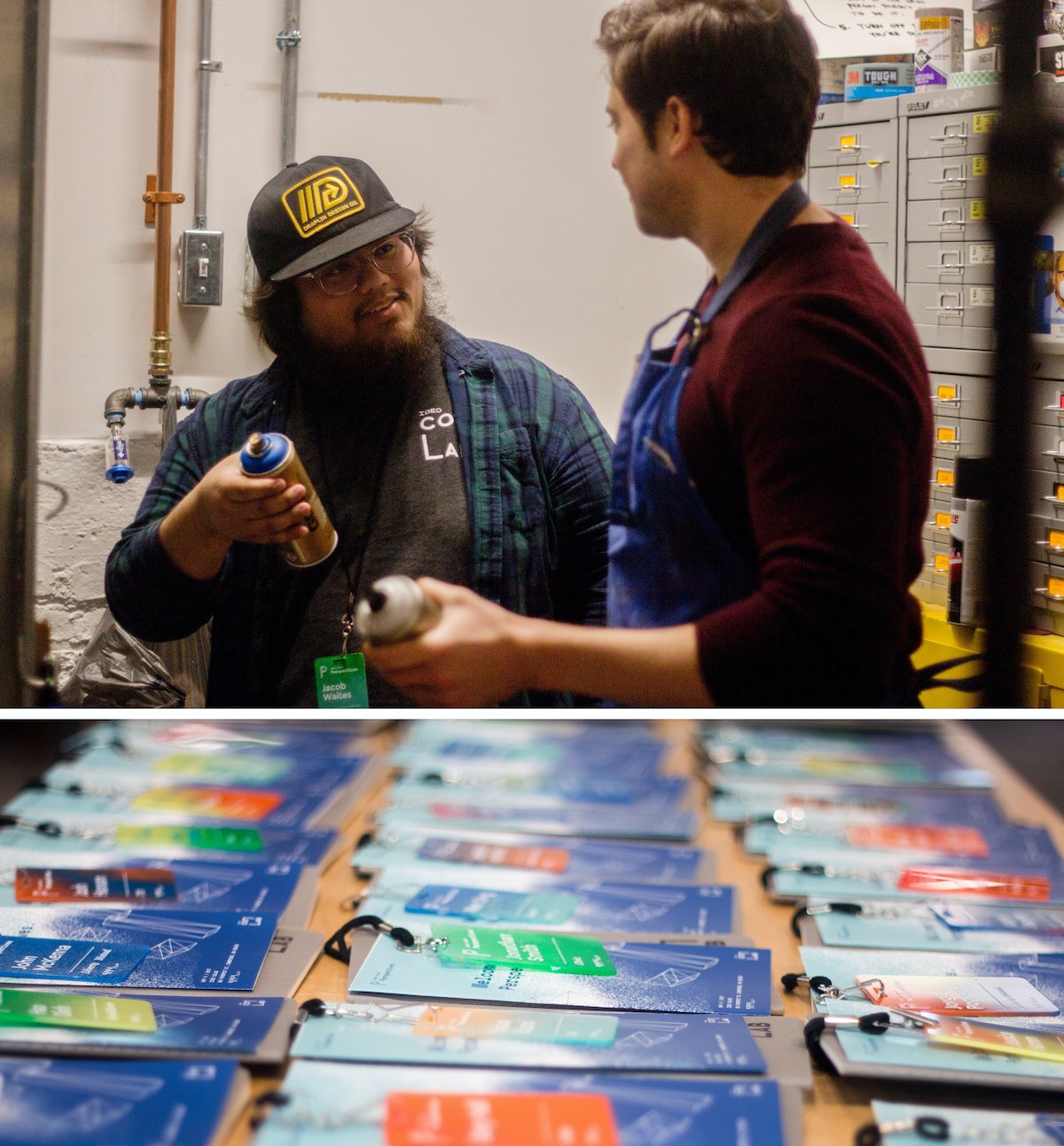
That belief drove me to create a collection of one-of-a-kind name tags for a CoLab event. I wanted to make something with my hands that would bring a level of craft to our content. The tags served as the icebreaker for more than a few conversations, and reminded people at the tech-focused event that there's a human element to everything. Many attendees we reached out to a month later said that they still had the tag on their desks.
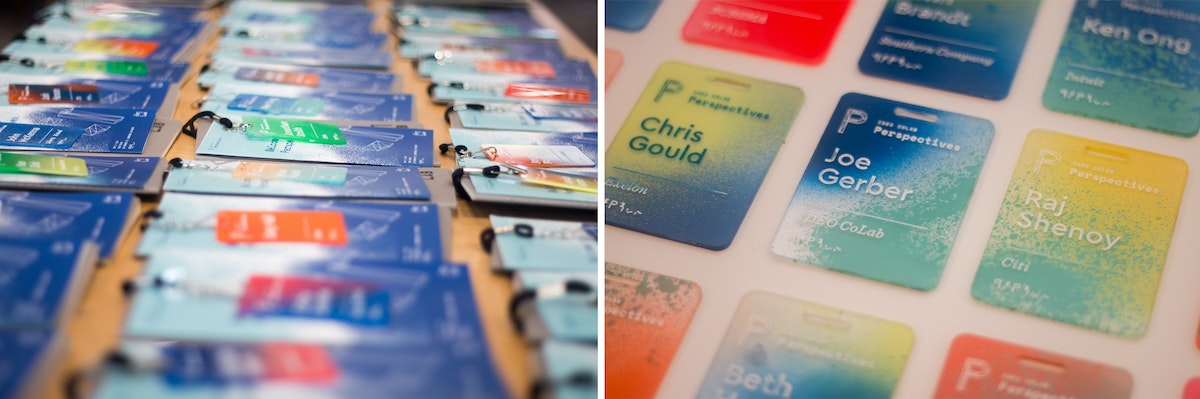
The process was simple, but arduous: I laser cut blanks, etched the names, spray painted each tag using unique colors and angles, and finished it off with acrylic screen printing ink to make the names readable.
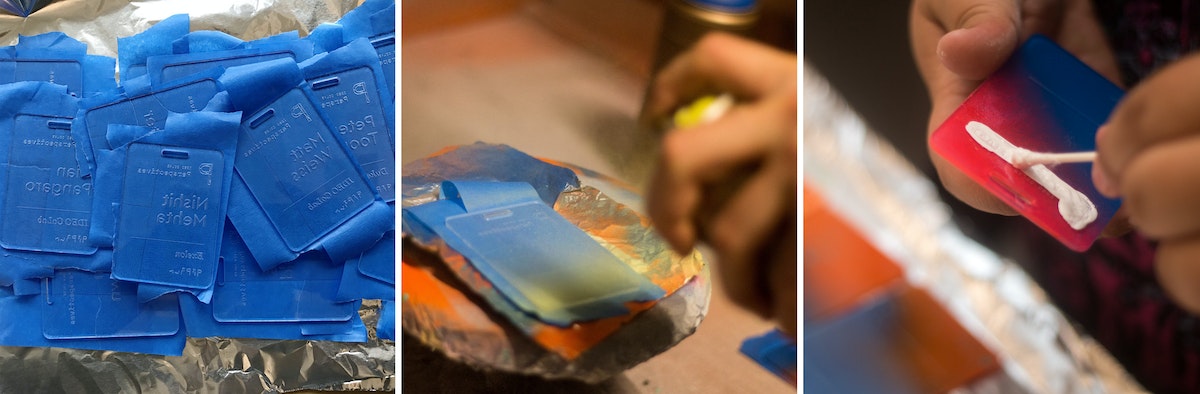
Here's how I did it, step by step:
1. Creating the blanks
I designed the negative of the template so that I could later use it as a jig. I used 18 x 24 inch sheets of 3mm acrylic, so that with the name tags at 2.5 inches x 3.5 inches, I could fit about 32 comfortably in each batch (as opposed to 38 if I used all available space and threw away the negative).
Acrylic sheets tend to melt and then cool quickly in the laser cutter, leading to possible sticking, so I usually add about .2mm to my thickness settings to compensate (i.e. I was using 3mm acrylic, but put 3.2mm in the settings). There are two benefits: One, you guarantee that you actually cut through the sheet. Two, it also gives you a little bit of wiggle room so you don’t end up with hard to pick out joints.
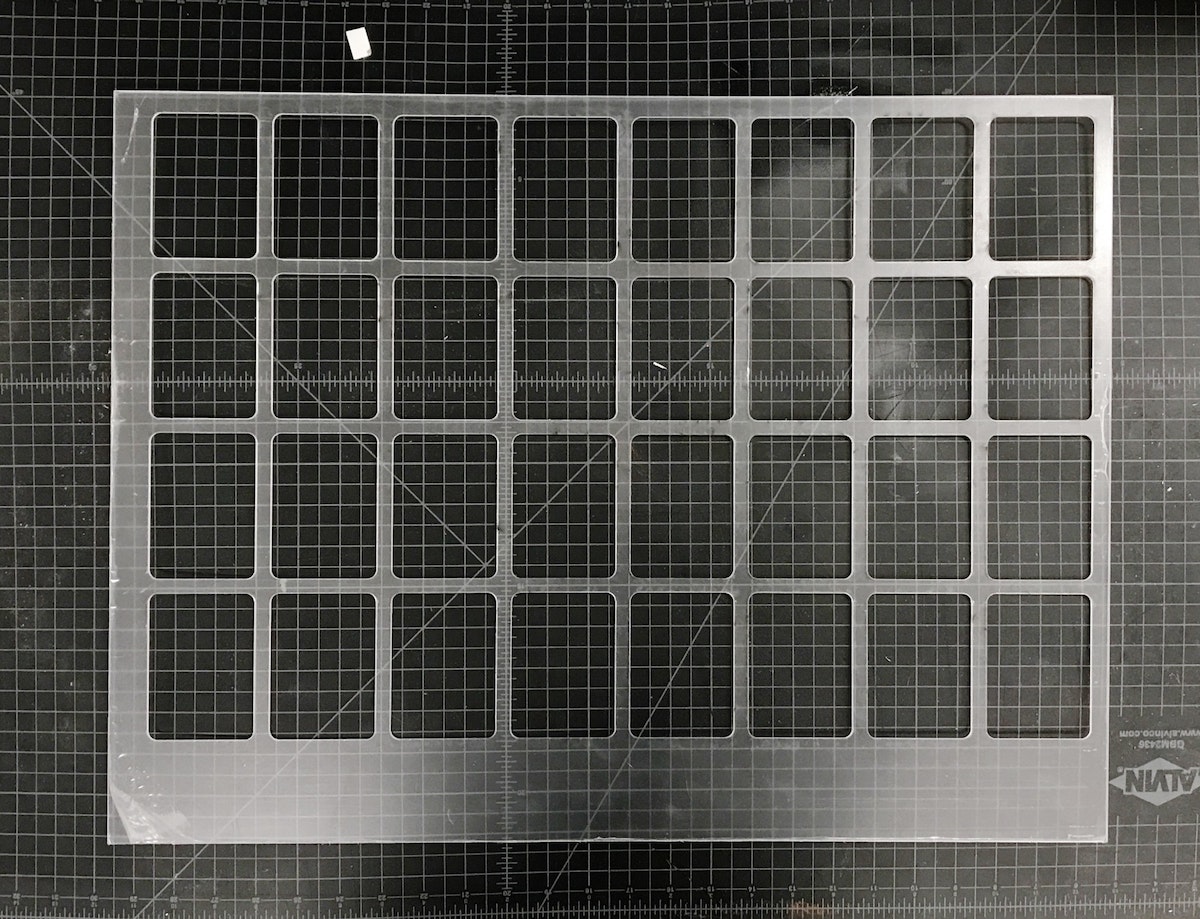
Pro tip: The key to making the most of your acrylic is to leave space for future cuts on the same piece. Instead of designing my reusable jig with all the name tags in the center, I threw them to one side so that I could use the other end again. After I cut the jig, I could get 38 tags out of each subsequent batch because I could simply throw away the negative. Another bonus: When there’s excess acrylic on one end, you can always tell which side goes in which direction.
2. Etching the blanks
Once the blanks were cut, I needed to take the protective plastic off of one side, so that I had a clean surface to etch onto. I peeled the tags, slipped my template jig back into the cutter, and dropped the blanks into place.
The etch file is the same as the template jig, just with a red cut box around the perimeter of the file denoting the edge of the acrylic.
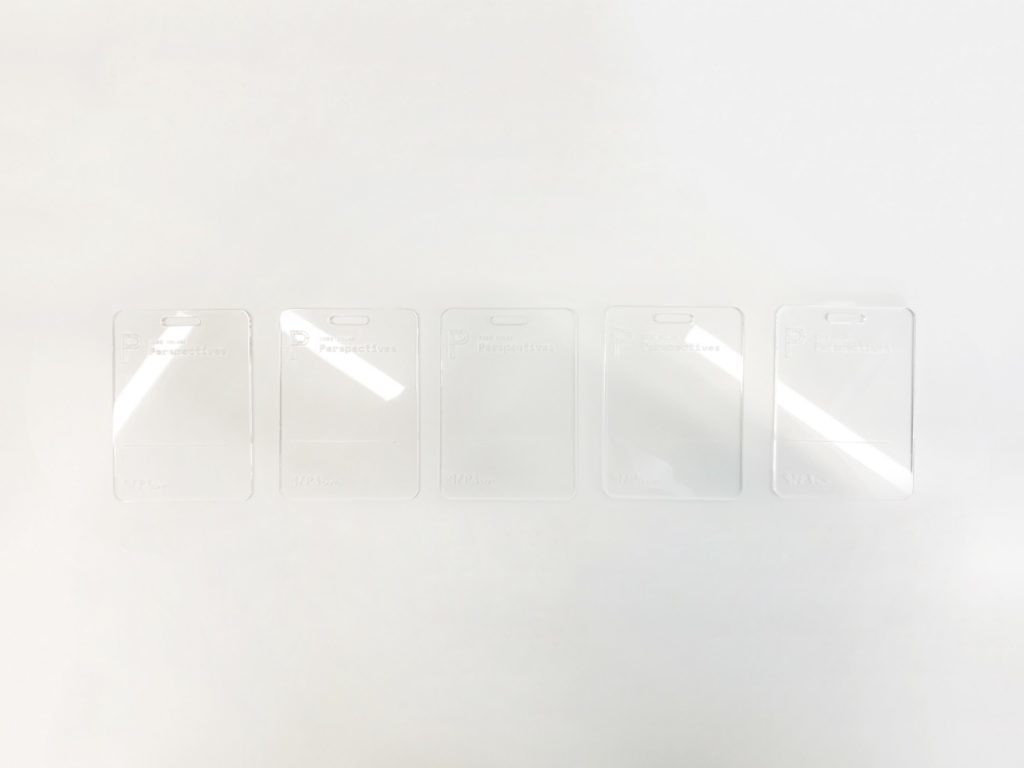
Once I had an etch file ready to go, all I had to do was push the file to the top left of the cutting area and check the focus points of the laser on the first tags on the first and second rows. Since the etch file is in the same grid form as the old cut file, everything is already spaced for me. The etch settings held ink best at around 74 to 76 percent power at 100 percent speed.
One final thing to note: We don’t want to cut anything (we’re just etching), so after setting my etch power, I set the cutting lines to 0 percent power and 100 percent speed, so we just blow right past them.
3. Taping the etched tags*
Once the blanks were etched, I peeled the plastic off of the back of the tags, then covered the etched side of each in painters tape to keep them clean.
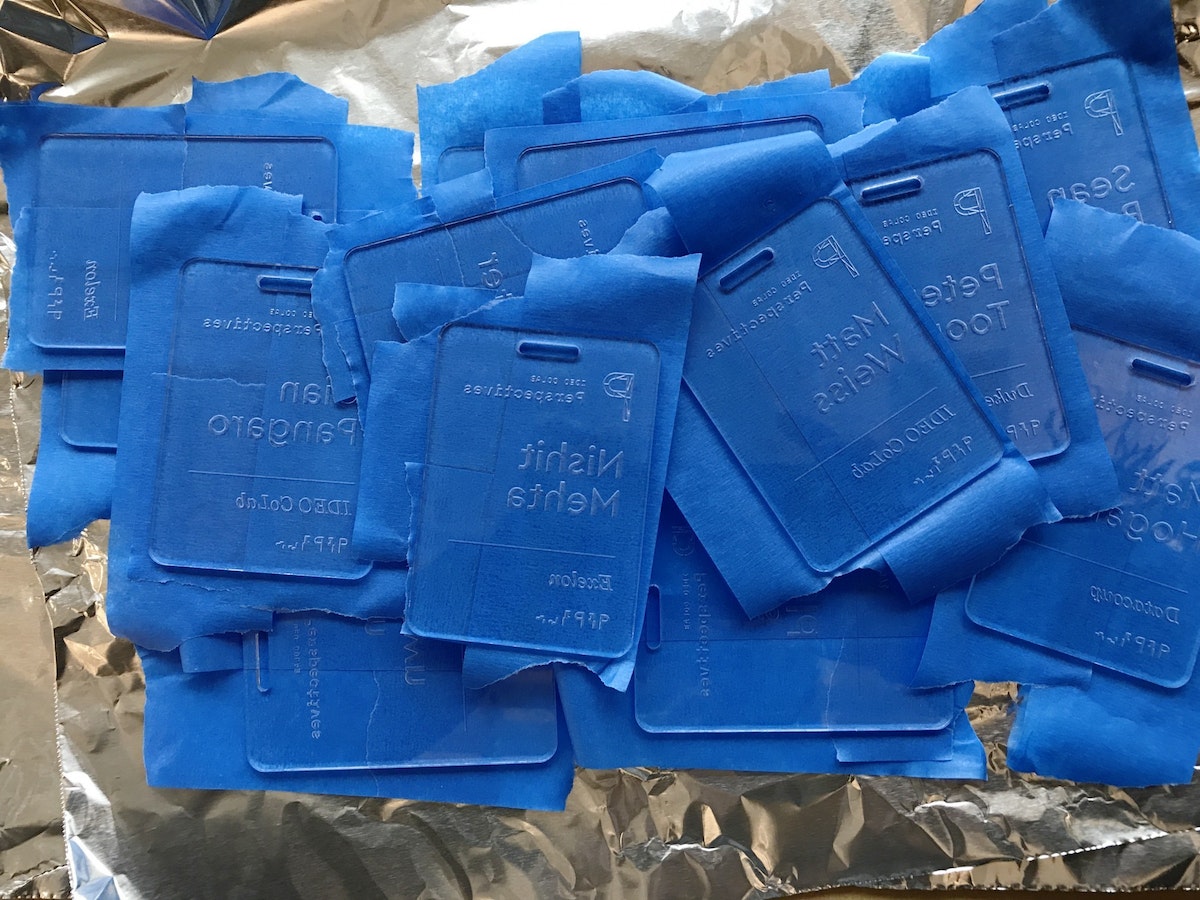
4. Spraying the tags
After everything was taped, I slapped some aluminum foil in the vent hood and got to work spraying each tag. The process allowed me to bring out some of the old airbrush tricks my dad showed me as a kid, like holding a tongue depressor at a 60 degree angle in front of the nozzle to create thicker splatter. I used two to three colors for each tag, at varying angles.
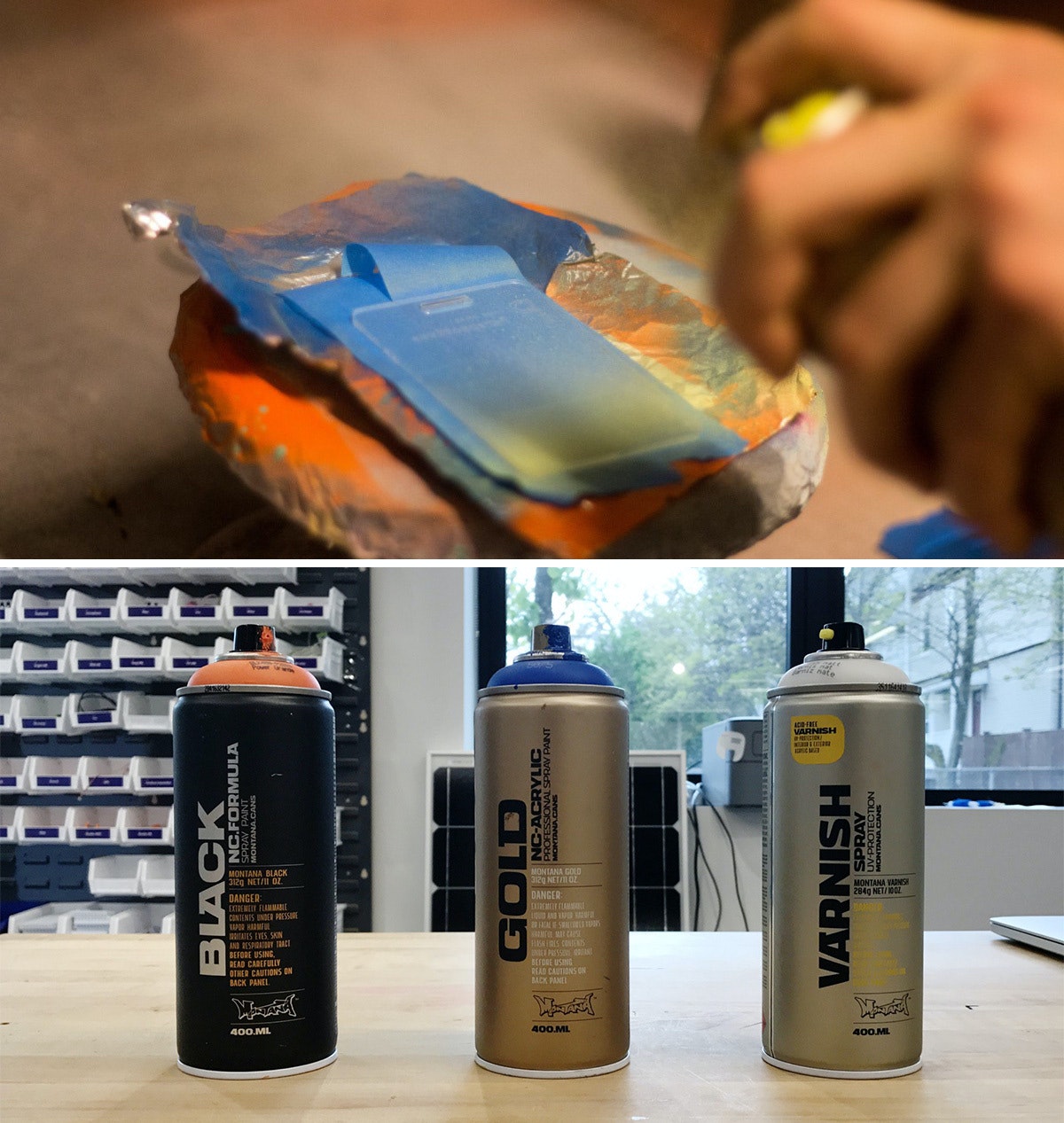
I used Montana brand spray paints, and I definitely recommend using the BLACK formula. Over the course of the project, it dried on the acrylic within four and-a-half minutes, which is pretty insane. The GOLD formula was comparable, but my run of the mill Krylon paints took much longer, so it’s worth the extra bucks to buy Montana.
Pro tip: If you’re spraying a bunch of parts in a hood, aluminum foil is actually a great material for coverage as it tends to not stick to your parts like paper.
5. Sealing the tags and revealing the beauty
After the sprayed tags had dried, I hit the painted side with a couple quick coats of the Montana clear matte varnish so that they wouldn’t stick to each other. When everything had dried, I peeled off the painter’s tape—my favorite part of the project.
6. Applying the ink inlay
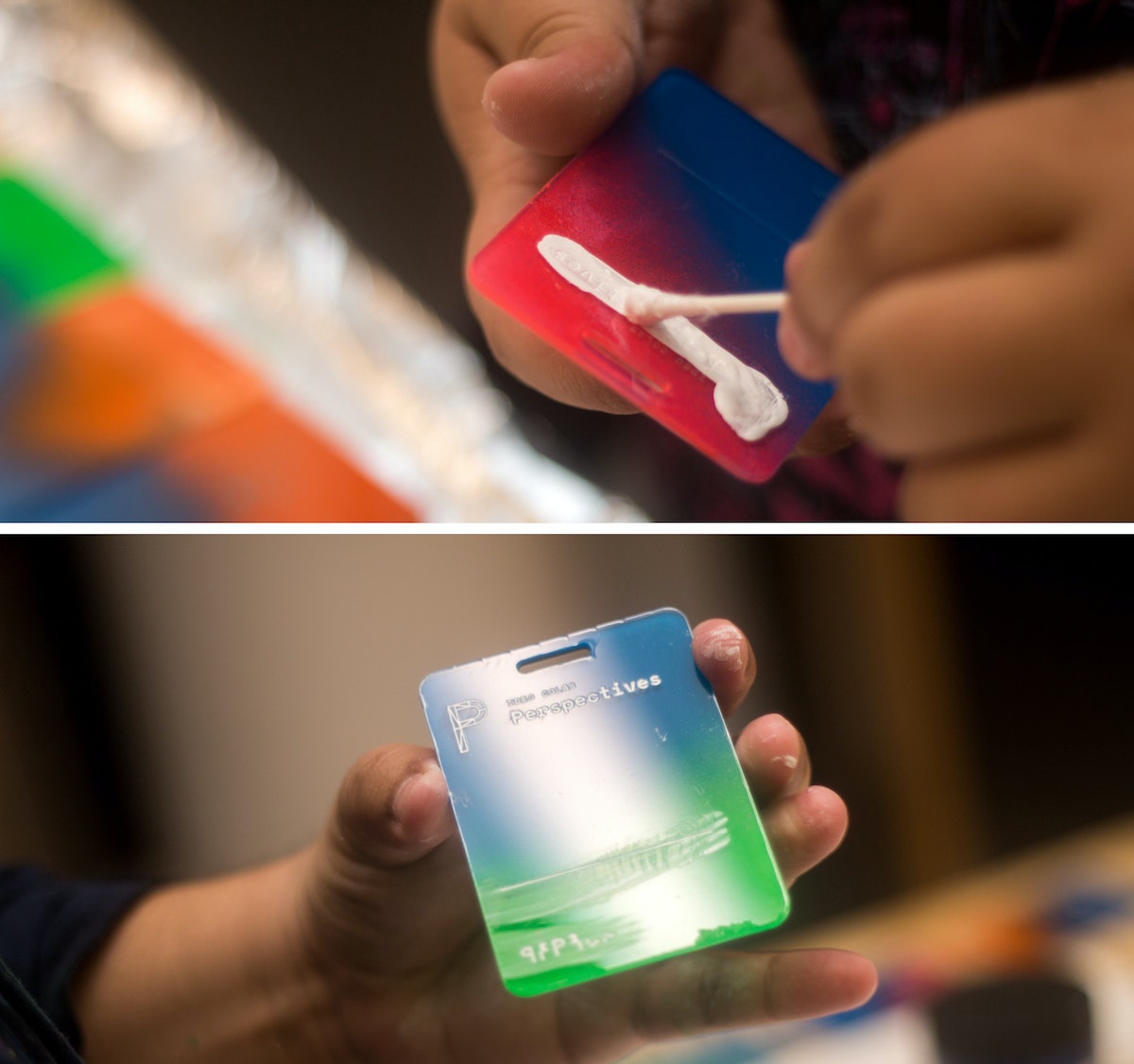
Next came the most time-consuming part: the ink inlay. I used speedball acrylic screen printing ink for its fast drying time, and how easily it wipes off acrylic. I liberally brushed and swabbed the ink into the etch using a Q-tip, then quickly wiped the excess off with a paper towel. Once dry, they were ready to go.
That's it!
*Imperfect process: I know what you’re thinking—why didn’t you just remove one side of the plastic before etching, spray that side, then remove it from the other side, then etch that? I did! After a few batches, I added the taping step because I noticed the spray paint was eating away the plastic coating that kept the paint off the front of the tags.
I work with CoLab, IDEO’s tech-focused R&D group. I’m also someone who’s committed most of my life to craft. Luckily, my day job allows me to bring the two together. But the minute you start making a living from your craft, problems start to surface. You get burnt out. You compromise your vision to deliver things on time. At that point, you're no longer transforming objects—you’re just pushing matter around.
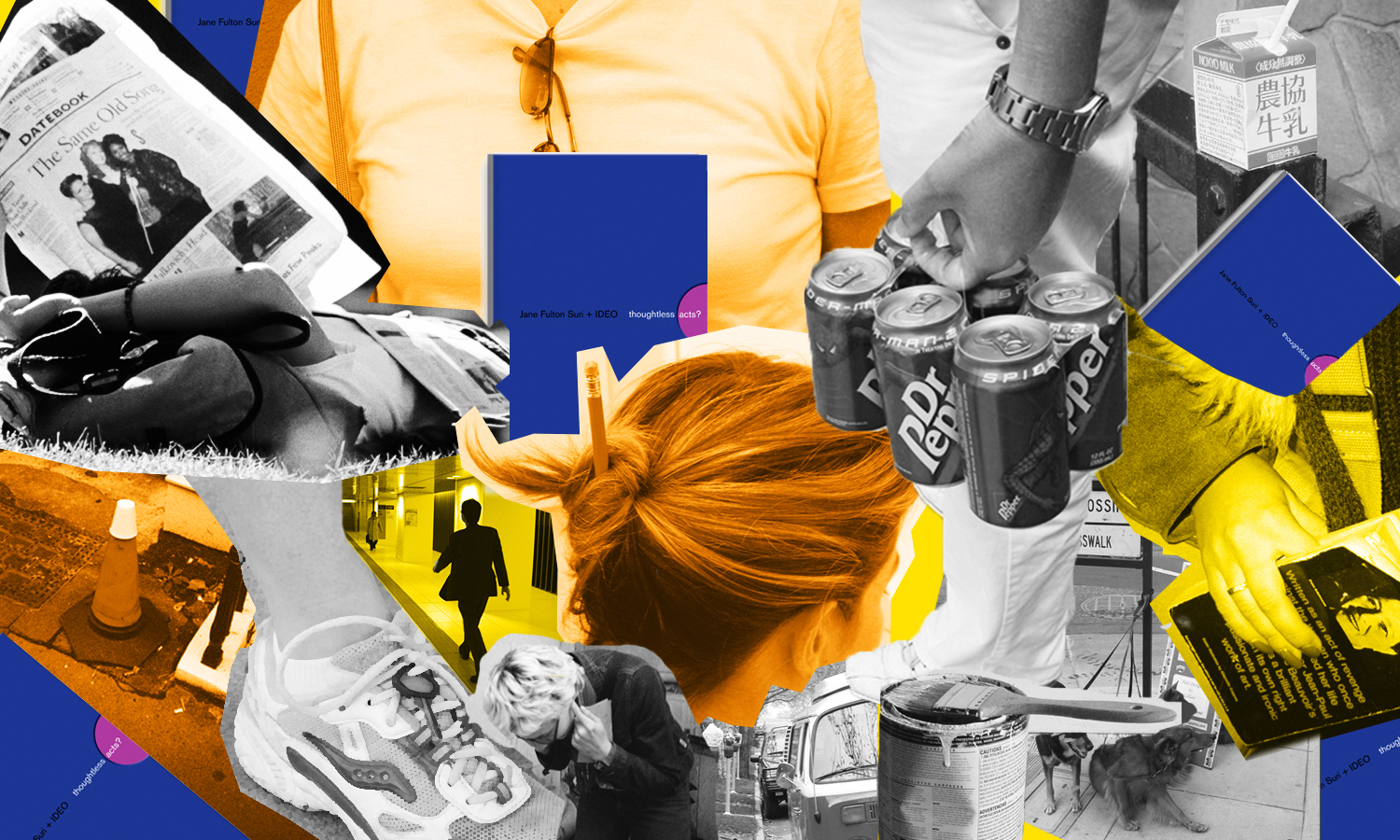
Thoughtless Acts: Single-Serve Medicine
Thoughtless Acts: Single-Serve Medicine. The intuitive ways we adapt and react to things in our environments
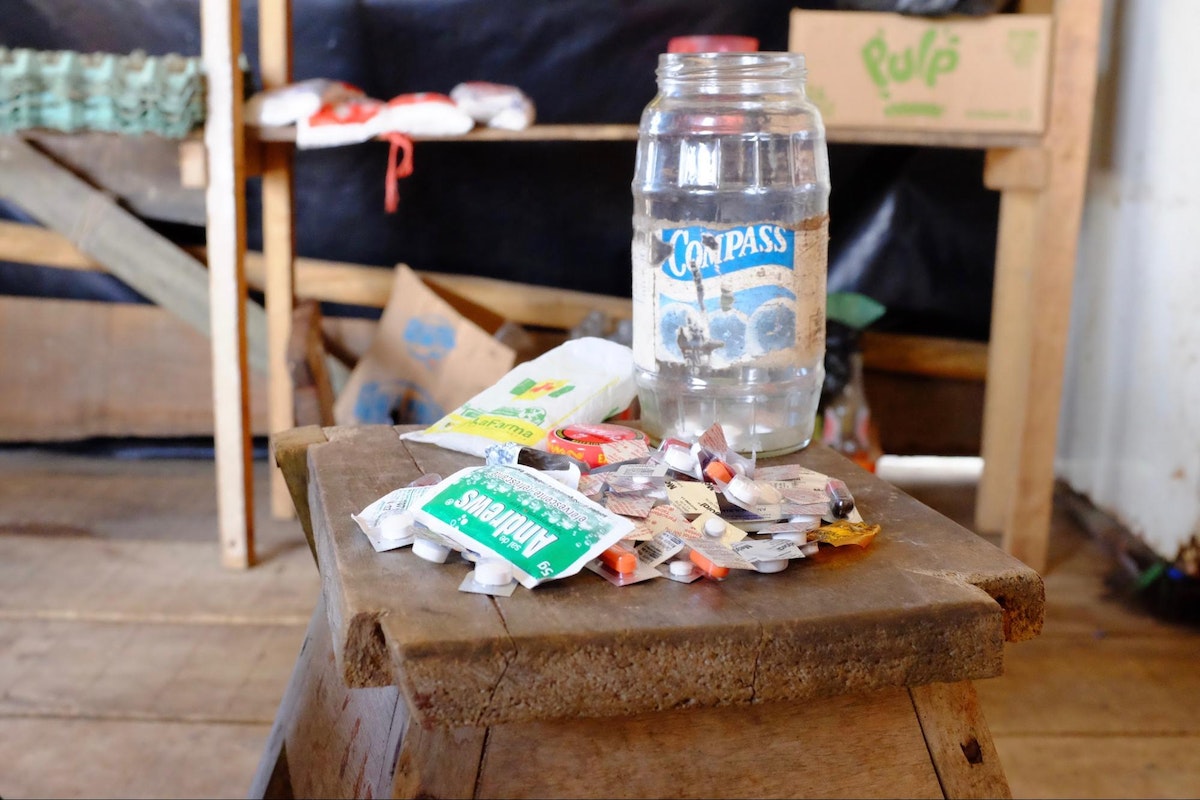
I snapped this photo in the Amazon jungle town of Iquitos, Peru. A jar full of individually cut blister packs sat in the corner of a general store set up in front of a family’s home. By making individual doses available—not even a daily dose, but a single, one-time dose—more families were able to afford treatment for their ailments. In a community where money is very scarce, this family was filling a very real, pressing need that wasn't being addressed by local stores.
Human-centered design requires us to observe human behavior with beginner's eyes, so that we can spot the innate ways people interact with the world around them. We call these intuitive and unconscious reactions Thoughtless Acts, and IDEO designers collect photos of them to inspire their work.
A Day in the Life of an Environments Designer
Ever wondered what an environments designer does all day?
6:20 AM: Snooze
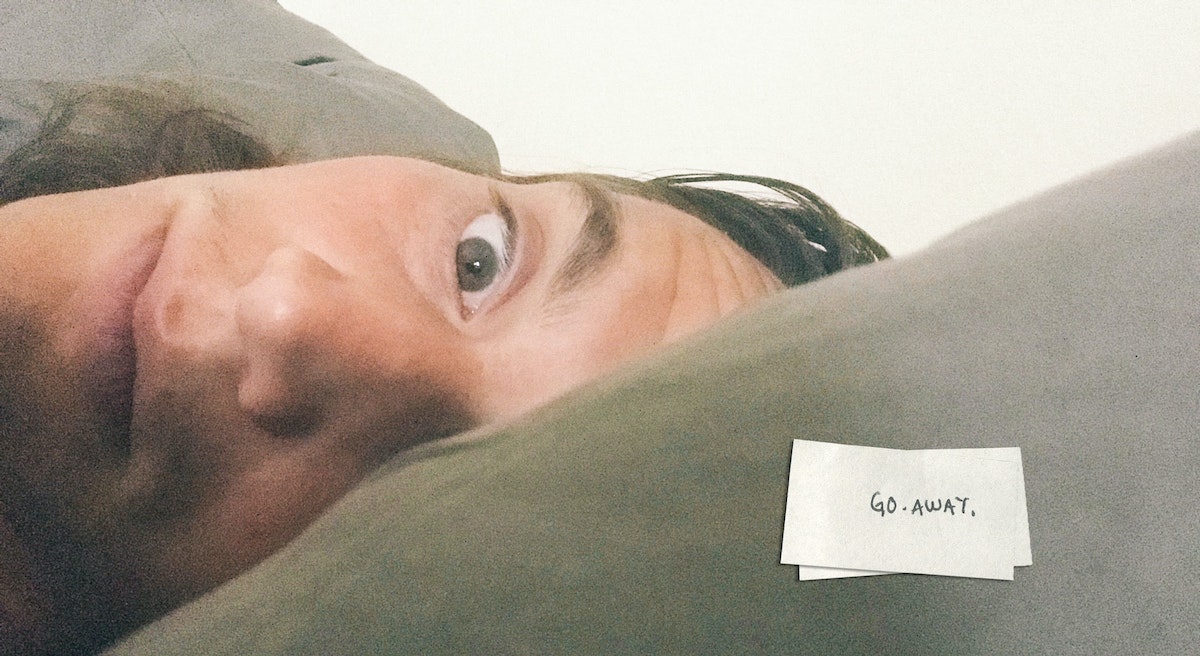
6:30 AM: Sweep
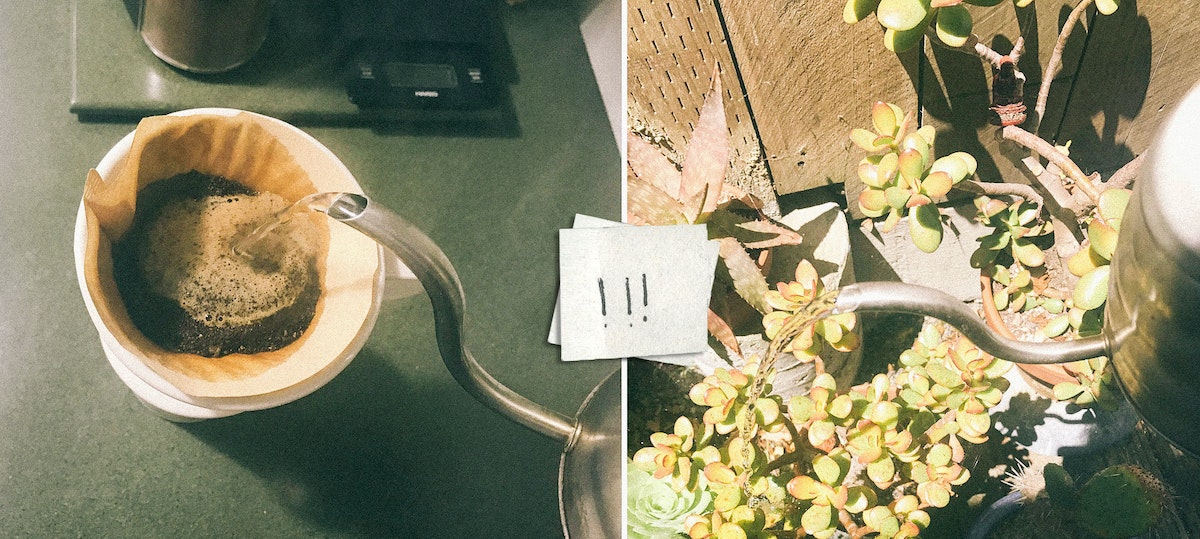
Sweep. Make the coffee, water the succulents, check out a few new product curation apps and services the team has been talking about. While riding the bus across the Bay, I read about immigration patterns and how they affect consumers in North America. Staying inspired is part of our job, so I try to start each day with a healthy dose.
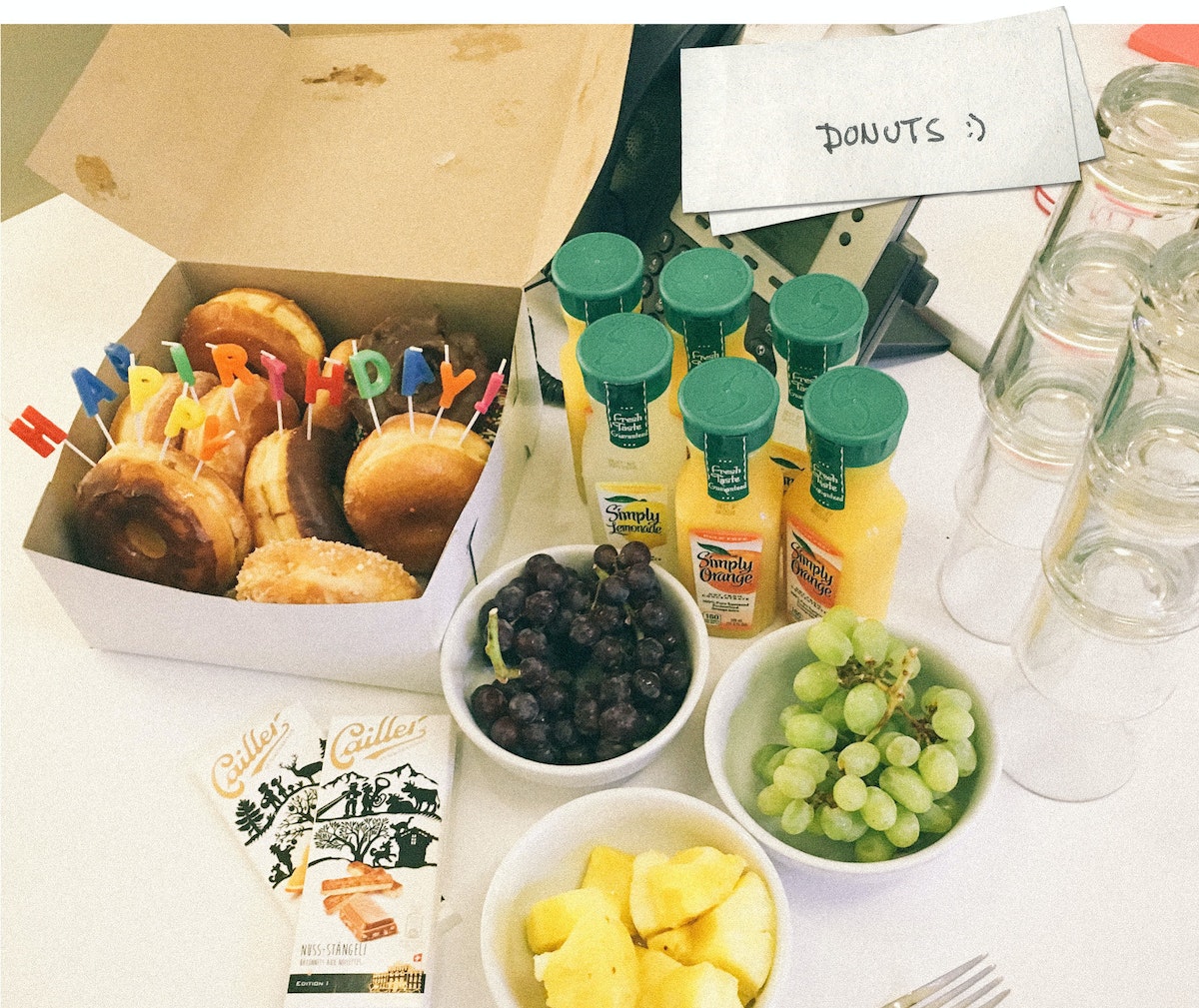
9:00 AM: Birthday shenanigans
Today is my teammate Julian’s birthday, so we surprised him with donuts and orange juice—his morning elixir of choice!
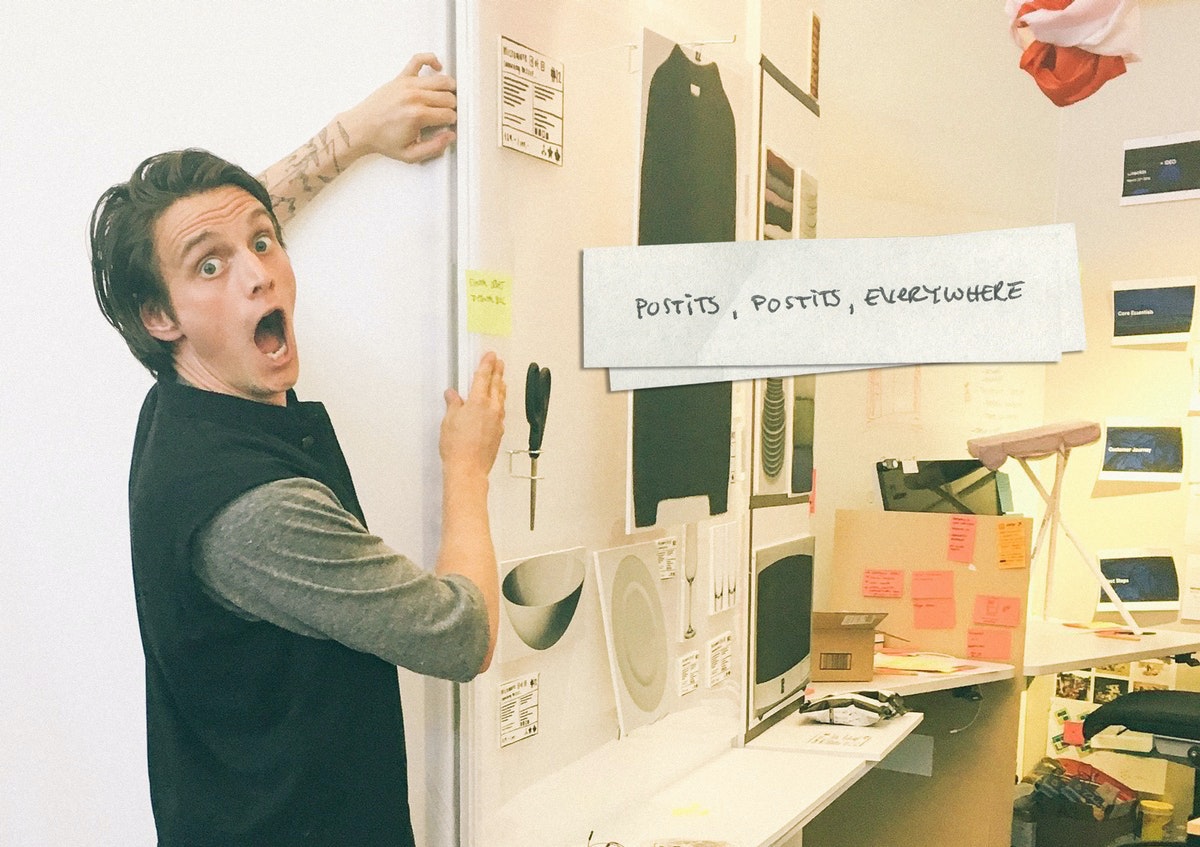
9:30 AM: Sketching and 3D modeling
My team’s current project is to reimagine the shopping experience for a large retailer. To prepare for a review with the team, I do some sketching and 3D modeling of in-store display concepts. We are a diverse and interdisciplinary bunch, so it helps to bring everyone’s ideas together through visualization.

10:30 AM: Design review with the team
We do team check-ins throughout the day, talking through our ideas to make sure we’re meeting user needs and pushing the integration of digital behaviors and physical environments. Today, we’re critiquing a bunch of sketches of critical shopping moments that we’ll prototype later. We’re considering how digital projection can add ambient information and subtle interaction to a physical display layout.
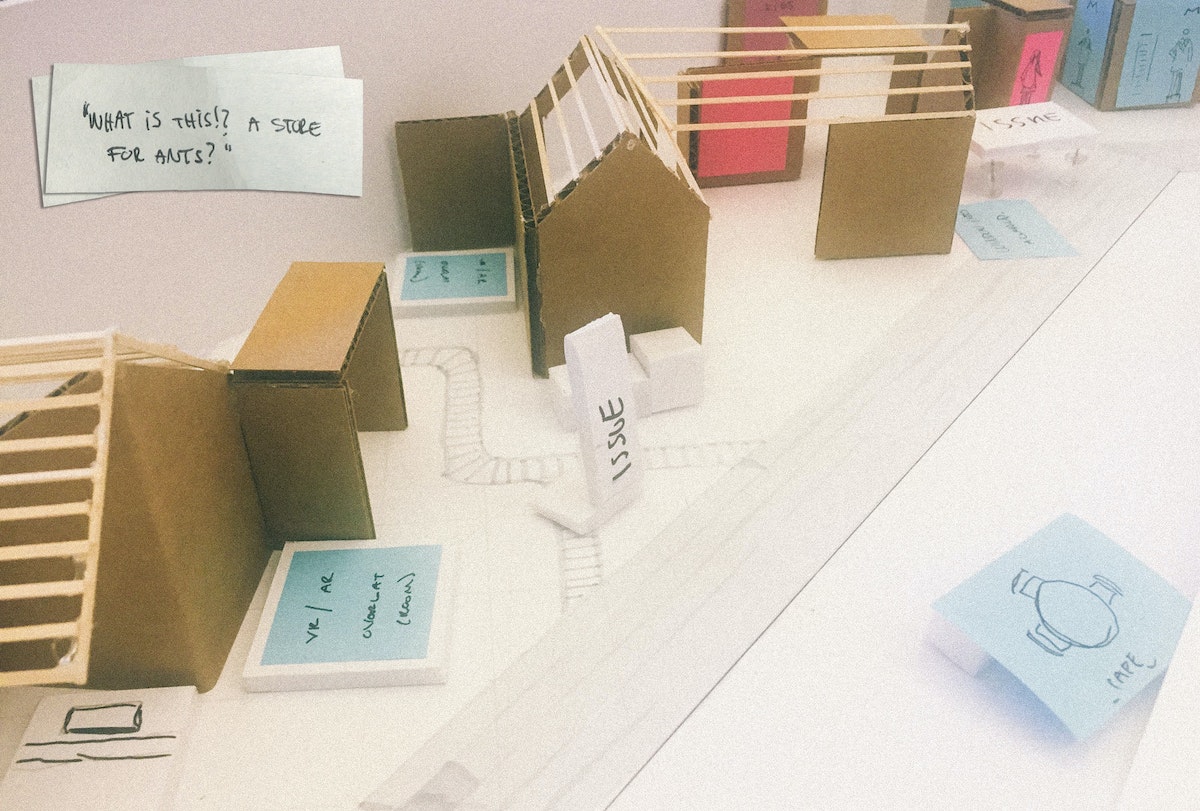
11:30 AM: Creating a physical study model
In preparation for our prototyping session in the IDEO Shop, we use a rough physical model to map out the experience of the future retail environment. A small-scale model lets us discuss all the ways shoppers might interact with a brick and mortar store—from browsing to comparison shopping, saving for later or checking out and having things shipped home. It’s helpful to keep our work quick and dirty, so that we have a model that lets the entire team walk through design points together.
12:00 PM: Julian’s birthday lunch
Continuing the festivities, we pop out of the office to get a bite of Scandinavian-inspired eats.
1:30 PM: Field testing and 1:1 prototyping
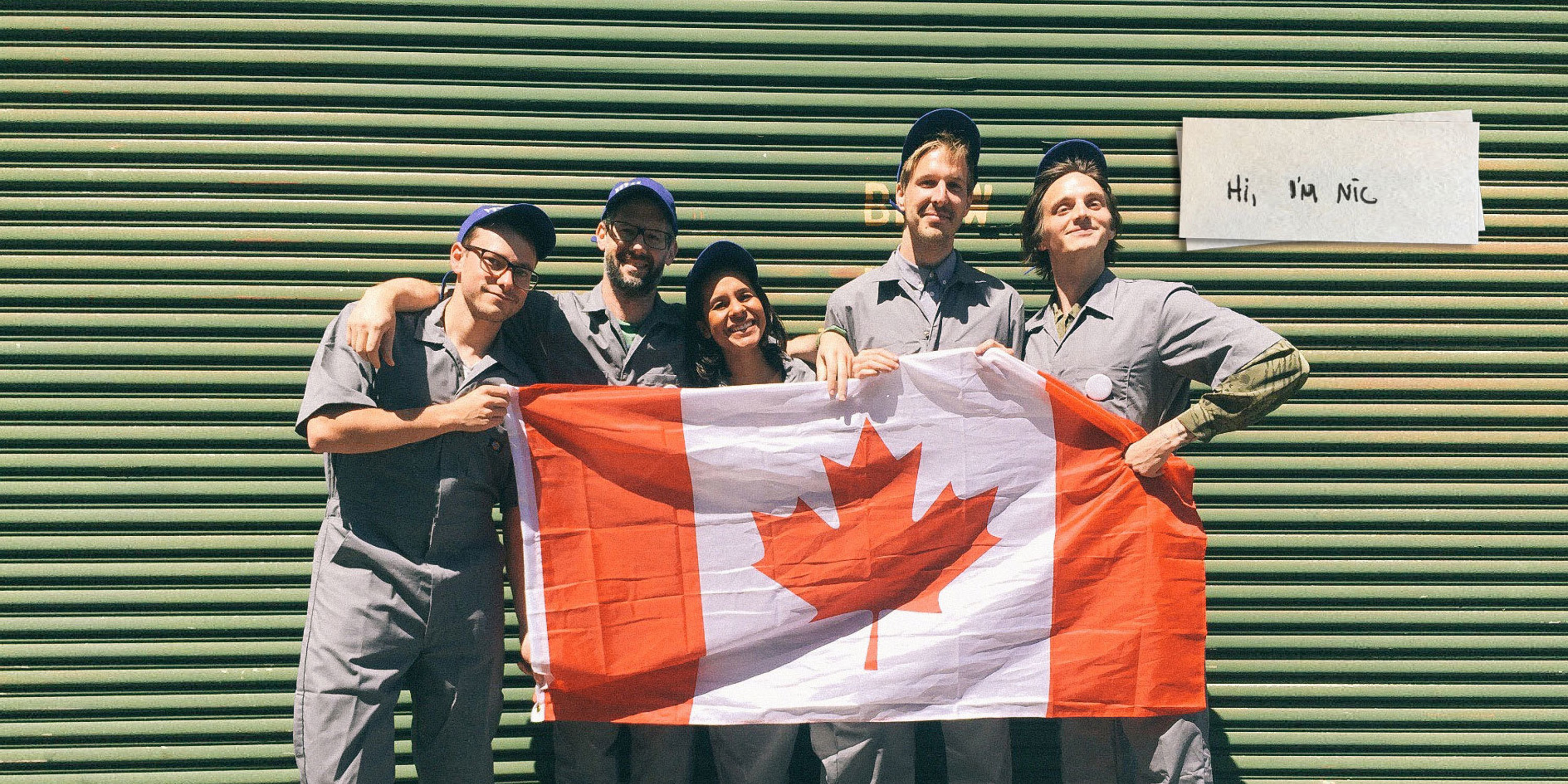
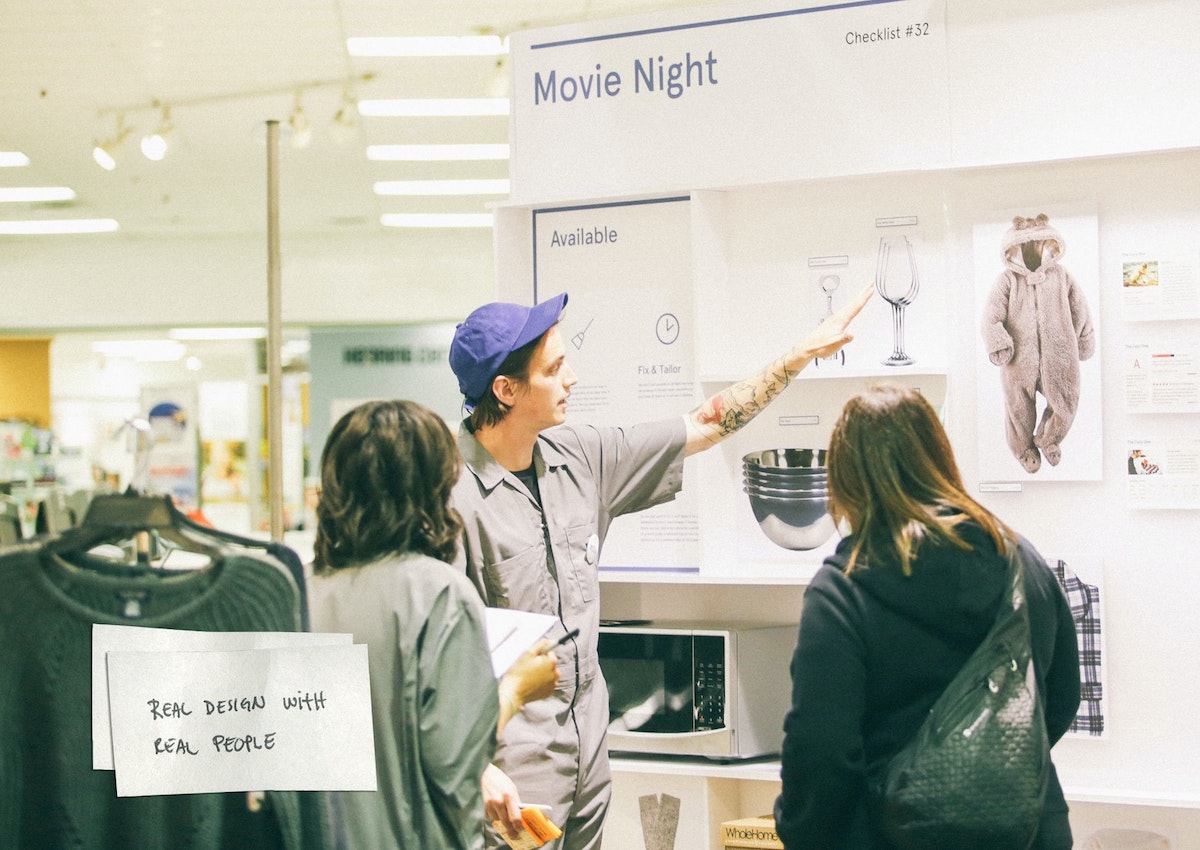
Time to refine the rough mock-up made in the office and rebuild it in a live retail environment. We wear jumpsuits to suggest how we want the client’s brand to evolve (and because jumpsuits are cool).
The prototype begins outside the store with a simulated mobile shopping experience that ushers shoppers directly to our redesigned displays. The point of the prototype is to test a store layout that could feel like an extension of a mobile shopping experience. Think curated themes, minimal options, and intuitive product comparison interactions. Turns out, some things they hate, some things they love, and a few things don’t make sense to them at all! All of that is great feedback for moving forward, by the rock-and-roll rules of prototyping. Achieving a realistic level of physical interaction while keeping the design at a prototypical level is key to getting honest feedback. We draw our insights from watching how users interact with the space, as well as their answers to directed prompts.
7:30 PM: Teach
My nightcap is heading to California College of the Arts, where I teach a class about physical space and digital interaction titled “Objects & Space.” We work with sensors, hack projectors, control motors, glue, and foamcore, and build our way through code, all in the spirit of figuring out what the environments designers of tomorrow might do.

When people ask me what I do for a living, I say, “I use space to explore design solutions.” It might sound like I work for NASA, but what we environments designers actually do is consider how physical space influences human behavior. Much of my time is spent sketching, making models, building walls out of foamcore, miming, turning off the lights, rendering, and doing my best to break feng shui. Here's a breakdown of a typical day:

Lindsey Turner
I’m passionate about building brands, products, and experiences that help organizations show up with meaning and momentum.
I help organizations cut through complexity by shaping how they show up, through brand strategy, identity, and storytelling.
Working at the intersection of brand and business, I bring an editorial eye and a bias toward making—turning ideas into tangible experiences that people can understand, trust, and believe in.
My work spans government, healthcare, financial services, media, and consumer goods, from launching Gen Z-focused ventures to building innovation labs and reimagining legacy brands. I relish moments of ambiguity and enjoy translating across teams, perspectives, and priorities to move ideas forward.
I started my career in editorial and digital design, shaping cross-platform experiences and identity systems in publishing and agency environments. That foundation still shapes how I work today: I’m detail-oriented, collaborative, and overreliant on the Oxford comma. I hold a BFA in Visual Communication from the School of the Art Institute of Chicago.

Rachel Young
My work helps organizations see who their products aren't working for—and build the will and the tools to do something about it
For 25 years, I've asked the same question: Who does this design exclude—and what are we going to do about it?
My work spans human-centered strategy, inclusive design, and qualitative research, with clients ranging from Microsoft, Google, and Verizon to the National Science Foundation, and San Francisco Unified School District.
Before IDEO, I taught elementary school in East Palo Alto and spent a decade doing design work with social service organizations—where I learned firsthand what it costs people when systems are built without them in mind.
I am currently writing User Error, a nonfiction book about digital access and the design decisions behind it. I live in Oakland, California.

Brian Pelsoh
I lead with craft, ensuring our work is creatively excellent: rooted in deep human insight and imagination, while also grounded in the realities of business and technology.
My expertise spans brand, communication, and product design across tech, education, the arts, and social impact.
I believe great work demands both high-level vision and obsessive attention to detail, and only happens through collaboration.
I bring an inclusive, hands-on approach and a deep understanding of business, which enables me to consistently deliver excellence while always asking why.
Before joining IDEO, I worked at the brand firms Pentagram and VSA Partners. I began my career as a designer, leading teams at the School of the Art Institute of Chicago and the Milwaukee Art Museum. I hold an MFA in graphic design from Maryland Institute College of Art and a BFA in communication design from the Milwaukee Institute of Art & Design, and have taught at some of the best design schools in the US.

Tony Wong
I am responsible for IDEO’s long-term success in China and working with clients to use design as a tool to enable growth.
I am responsible for IDEO’s long-term success in China and working with clients to use design as a tool to enable growth. Specifically, I have helped Chinese companies design holistic brand solutions through the development of their products, communication, services, and innovation teams, and I have helped multinationals expand their presence and influence in China.
I advise global leaders on developing China-led innovation and capabilities.
In over 15 years in IDEO Shanghai, I have worked on projects that use design to elevate the quality of the experience of healthcare products and services, streamline processes that increase productivity, create spaces and programs that promote and enable inclusive communities, and build next generation mobility solutions that are planet-positive.
Before joining IDEO, I worked at Philips Electronics and the Electrolux Group in Italy, the Netherlands, and Singapore on a number of breakthrough commercial products. I am a member of the Young President Organization in Shanghai.

Building a personal AI for the messiness of life: Sida Li
Most AI products today are built for work—a space with clear problems and established systems. One founder noticed a gap: personal life is messier, harder to systematize, and mostly left behind by the AI boom. So she built Cue, a personal AI that lives inside iMessage and group chats, to go where the other tools haven't.
In this episode, Becca Carroll, IDEO's Chief Strategy Officer, talks with Sida Li, co-founder and CEO of Shared Context Lab, about staying anchored to a human need while the technology around her keeps changing shape, why she treats her business model with the same rigor she'd bring to a product, and what it feels like to build a company at this particular, disorienting moment in AI.
The conversation also gets into how Sida makes design decisions: the language Cue uses to describe itself, the tradeoffs behind building inside iMessage instead of a new app, and a real story about a business idea that didn’t pan out.
This is the second in a two-part series profiling founders from IDEO's Startups-in-Residence program. The first conversation is with Johannes Seemann, founder of Sooner, on designing GenAI for the emotional side of money.

Designing GenAI for the emotional side of money: Johannes Seemann
Most personal financial tools are built to run the numbers and optimize towards a budget. While that works for some, most people experience money as a lived relationship that does not neatly fit into a spreadsheet. Johannes Seemann and Becca Carroll discuss why money is emotional before it is mathematical, and what a human-centered approach to building a generative AI financial product looks like in practice.

The curious leader's edge in uncertainty: Scott Shigeoka
Mina Seetharaman talks with Scott Shigeoka, author of Seek and Head of Curiosity Cultivation at the Eames Institute, about what distinguishes genuinely curious leadership from performative curiosity, how power dynamics shape curiosity, and why practicing curiosity can restore energy rather than drain it.

How constraints make us more creative: David Epstein
Mina Seetharaman talks with David Epstein, author of Inside the Box and Range, about why total freedom often produces average work, how leaders can design useful limits on purpose, and what organizations such as General Magic and Pixar reveal about the relationship between boundaries and creativity.
Looks like you might be in search of something very specific?
Or reset the filters above and try another angle.
Here’s some random inspiration
Podcasts about creative leadership
Articles about the power of prototyping