.svg)


Climate action for SMBs
Leveraging data to help SMBs reach net zero.
For more than 40 years, Sage has helped businesses of all sizes navigate complex business environments. While many of its larger customers have the means and the structure to support climate initiatives, many of its smaller customers do not.
Sage wanted to help its SMB customers get ahead of future climate regulations and meet consumer expectations. And building carbon-footprint evaluation and mitigation tools would also dovetail nicely with Sage’s own climate aspirations: cutting its own emissions in half by 2030. Together, Sage and IDEO investigated how the company could leverage the data in its platform to calculate its customers’ emissions, both direct and indirect, and how that information could spur action as they aim to hit net zero.
To get started, the design team went deep with customers running all kinds of businesses—from a taxi company to a champagne bar to a falconry center. Business owners shared that their focus often has to be on the day-to-day, a series of small decisions that, when added together, lead to business success. For many, tackling a problem as complex as climate change felt overwhelming. IDEO and Sage synthesized those insights and began working across verticals and products, bringing together experts from marketing, technology, sustainability, and operations to build out new concepts. With the help of two carbon accountants, the team worked to figure out how existing data could inform customers about both their direct and indirect emissions, which can be harder to track. Given how tight SMBs’ margins are, they focused on how that knowledge could fuel emissions-cutting changes that also save money, giving businesses extra incentive to take action. Together, the team created a roadmap of customer outcomes and experience guidelines to help shape future products.
Sage has taken that work forward, launching Sage Earth, a platform that aims to help businesses measure, manage, and mitigate emissions—even across supply chains. With carbon accounting now built directly into all Sage Accounting and Sage for Accountants products in the UK, Sage has made climate action practical and accessible for millions of SMBs. By automating emissions measurement and reporting, Sage Earth removes barriers of cost and complexity, empowering business owners and their accountants to stay competitive in supply chains where up to 95 percent of emissions occur.
From co-developing the UK Voluntary SME Carbon Reporting Standard to launching a Carbon Accounting API, which gives banks, fintechs, and other platforms access to Sage’s Carbon Engine, Sage is embedding sustainability into the systems people already trust—helping hundreds of thousands (and rapidly increasing) small businesses turn climate ambition into everyday action.
Small- and medium-sized businesses—companies with fewer than 500 employees—make up about 90% of the world’s businesses, according to U.N.-backed SME Climate Hub.
Two thirds of small businesses don’t know how they’re going to reach net zero, and lack the resources to do so, according to a recent survey by SME Climate Hub. Still, the majority reported they want to act on climate, recognizing it can help them become a more resilient business.
Large companies may be the biggest emitters of greenhouse gasses, but an estimated 80% of those emissions come from supply chains—often made up of smaller enterprises.
Scaling rapidly
in the three years since the launch of Sage Earth, which is now being used by hundreds of thousands of businesses
World's 1st
open-source hybrid emissions factors dataset, Carbon Commons, led by Sage, helps SMBs calculate carbon footprints using existing data

Reframing menopause
QVC works to change the narrative, while meeting customer needs.
Menopause is much more than a biological transition—it is a profound shift that often arrives just when people experiencing it start to feel invisible. Because it has long been shrouded in darkness as an unmentionable female affliction, those going through menopause often feel unprepared and alone.
Recognizing that its customer demographic makes QVC uniquely positioned to surface conversations and provide support to those dealing with menopause, the video commerce retailer partnered with IDEO to figure out how it could not only meet customer needs, but also flip the conversation on midlife. To learn more, a team of female design researchers held in-depth interviews with folks experiencing it firsthand. The people they spoke to had limited information about what was going on with their bodies, and in some cases, it took years before they understood that symptoms they were experiencing were related to menopause. Respondents also reported that midlife brought a change in social status and the feeling of being boxed in by stereotypes.
QVC and IDEO worked together to design an integrated suite of offerings that could give customers a safe space to discover and share more about menopause. That included an on-air programming series called “Menopause Your Way,” where QVC could support those going through menopause in the privacy of their own homes, a digital landing page with useful solutions, and social media campaigns to help women share and learn more about each others’ experiences. Because people experience menopause and choose to manage it in many different ways, the team wanted to create an integrated ecosystem of content that women could access according to their unique journeys. The new offering helped QVC reach its core audience with solutions and relevant products, and created a space where menopause is out in the open and part of an ongoing conversation. And in the process, QVC evolved to become a more customer-centric company, putting its audience and their needs at the heart of its offerings.
9/10 of British menopausal women say society and brands overlook them.
1 in 2 women in the UK admitted they didn’t know what was happening to them during perimenopause.
Nearly 40% of menopausal women are being prescribed antidepressants to help manage their symptoms, despite 4 out of 5 describing the treatment as “inappropriate.”
Season 2
a series focused on menopause is now in its second season

Healthy youth
Improving digital tools to help practitioners deliver critical mental health support to children and young people.
Healthcare is a complex web of institutions, interaction, relationships, and services. In England, the National Health Service consists of thousands of separate organizations spread across the country. This fragmented structure means that rolling out digital tools and using them to their full potential can be difficult.
NHSX approached IDEO and Public Digital, IDEO’s sister company, for help designing user-centered resources that would empower Children and Young People’s Mental Health (CYPMH) practitioners to use digital tools more effectively, shifting service design from a reactive to a proactive process, and allowing each regional organization to create the best digital services for their children and young people.

The team took a human-centered approach, tapping into the perspectives, challenges and needs of NHS practitioners and leaders across the system over months of research. They then designed a set of accessible, straightforward online resources, courses, and templates that would enable a practitioner to start their own local service transformations. These included everything from practical advice on improving users’ experiences of CYPMH, to teaching methods for service design, to content focused on achieving digital transformation at scale.
The resources were easy to implement and replicate, allowing mental health practitioners across the country to seamlessly integrate physical and digital, create firebreaks in the system, and better bridge the gap between seeking care and receiving it. They were designed to evolve over time, and the work is replicable across the NHS, with the potential to touch millions of lives.
By empowering practitioners to utilize these digital tools to ease the burden of care, NHSX plans to create a positive ripple effect across the entire NHS, its partner organizations, and the country at large.
In a study undertaken in July 2020, the first summer of the COVID pandemic, the NHS found that clinically significant mental health conditions amongst children had risen by 50% compared to three years earlier.
More options, more access
digital resources are helping children and young people access more options for their mental health care

The future of air travel
Reinventing supersonic flight with Boom.
It’s not easy to shift the paradigm for an entire industry. But when a company comes along that promises to reinvent air travel, it opens up a blue sky of opportunities. That’s the flight path for Boom Supersonic, which is thinking big about how passengers arrive at their destination not only faster, but also with a greater sense of wellbeing.
To really comprehend the experience of flying in the unique contoured profile of this ultrafast jet, and to help Boom make key decisions about the design of the plane, the IDEO team believed that you had to go beyond algorithms and schematics—you needed to actually board it.
Using a “build-first” approach, the team quickly constructed a full-scale mockup of the fuselage from plywood and foam core. That became a prototyping platform to test multiple seating configurations, galley and lavatory size and placement, luggage storage solutions, and other concepts that would differentiate and add value to the passenger experience. For the first time, the Boom team was able to set foot in its own aircraft and truly understand the experience from the perspective of its clientele. The exercise allowed the Boom team to confidently make decisions by comparing multiple cabin configurations and options in full-scale.

Throughout the project, Boom and IDEO invited future travelers aboard to interact with the prototype and offer feedback. That input culminated in a more refined model, with augmented windows, moonroof, in-flight entertainment screens, and sound design—all further augmented by a Virtual Reality component to allow our future travelers to fully immerse in this new experience.
Together, Boom and IDEO brought a sneak peak to the Farnborough International Airshow, a biannual exhibition for the aerospace, aviation, and defense industries. The event was an opportunity to give the industry and potential customers a preview of Boom’s innovative new jet. In collaboration with the client, an exhibition architect, and a digital production agency, the team created an immersive environment designed to make the Overture experience feel tangible, eliciting the wonder of this revolutionary plane.
Boom’s presence at Farnborough not only underscored the Overture’s progress but provided an inspiring glimpse into the future of air travel. During the air show the company announced the production Overture design, a market-expanding alliance with Northrop Grumman, and agreements with tier one suppliers Collins Aerospace, Safran, and Eaton. Not long after, Boom received its largest order to date, this one from American Airlines.
The prospect of getting to London in time for dinner just got a little closer.
Boom plans for Overture to get from New York to Frankfurt in just over four hours instead of the eight hours spent on a commercial jet today.
The Overture supersonic jet has a cruising speed of Mach 1.7, about twice as fast as today’s commercial planes. Overture is built to fly on 100% sustainable aviation fuels (SAF).
20 Overture deposits
made by American Airlines, joining current customers United Airlines and Japan Airlines

Quick + Dirty Design Tips: Animation in After Effects
Animation tips from an After Effects power user
For this method of animation, make sure to use only lines in your Illustrator file. The idea is to animate the lines across their own path, so the way you design them will play a big part on how elaborate your animation will be.
Watch this video for a quick step-by-step guide to animating lines in After Effects:
- When your Illustrator file is ready, import it to After Effects. You can simply drag your Illustrator file to the Project area or go to File > Import > File.
- Drag the imported file to the Timeline. It will automatically create a Composition.
- Now you must turn your Illustrator file into Outlines that After Effects can control. On the timeline, right click on the layer and select "Create Shapes from Vector Layer.
- The next step is to animate your outlines. For that, you will need to add a Trim Paths feature to your new layer.
- On Trim Paths, use keyframes for Start/End to change when and where you want your paths to animate. If your file has multiple lines, you can choose to animate them simultaneously or individually.
This technique is a simple and effective way to create powerful motion graphics for storytelling, user interface behaviors, or even a simple animated gif. Hope you enjoyed it!
Adobe After Effects is one of my favorite tools for prototyping user interfaces, creating video scenarios to communicate a context of use, or simply crafting stories through animation. It's a tool that allows you to explore and visualize ideas, and there's no right or wrong way to use it. Here are a few tips for using After Effects to animate vector lines imported from Adobe Illustrator.
Why You Should Keep Making Stuff By Hand
Don't let technology stop you from getting your hands dirty
So, when the opportunity comes up, I like to turn off the computer and focus on creating artifacts. While an object is just a thing that serves its purpose until it’s tossed out, an artifact sparks an invisible conversation, a connection between the human who made it and the human experiencing it. Even something that people don’t think twice about, like an event name tag, deserves to be well designed.
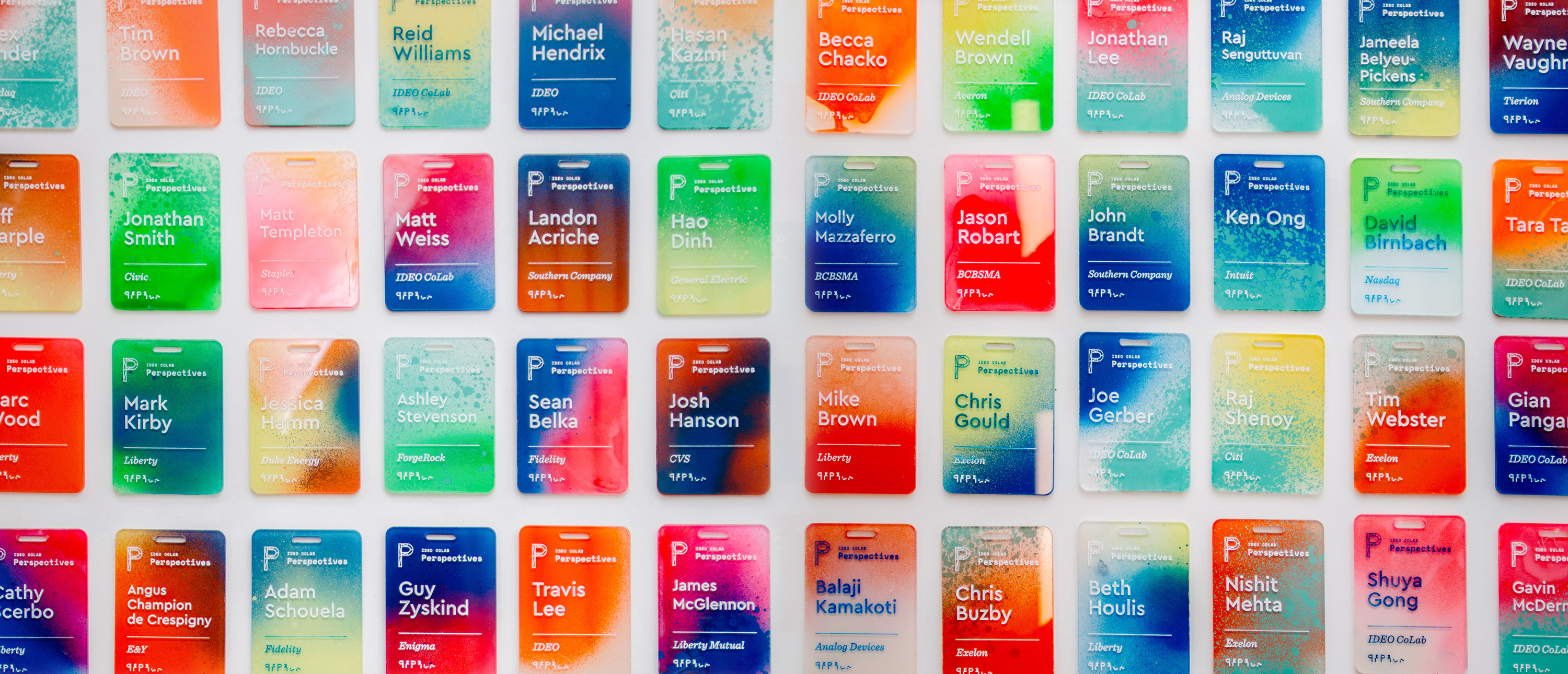
That belief drove me to create a collection of one-of-a-kind name tags for a CoLab event. I wanted to make something with my hands that would bring a level of craft to our content. The tags served as the icebreaker for more than a few conversations, and reminded people at the tech-focused event that there's a human element to everything. Many attendees we reached out to a month later said that they still had the tag on their desks.
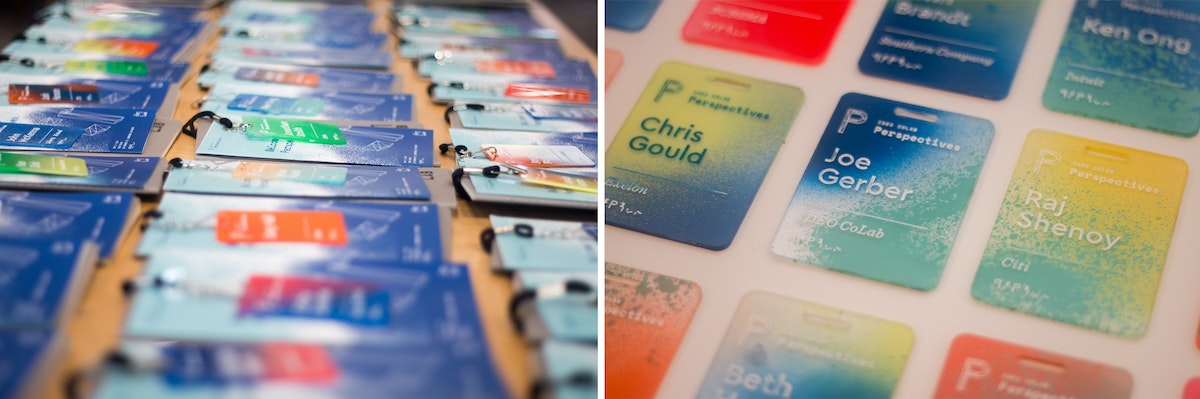
The process was simple, but arduous: I laser cut blanks, etched the names, spray painted each tag using unique colors and angles, and finished it off with acrylic screen printing ink to make the names readable.
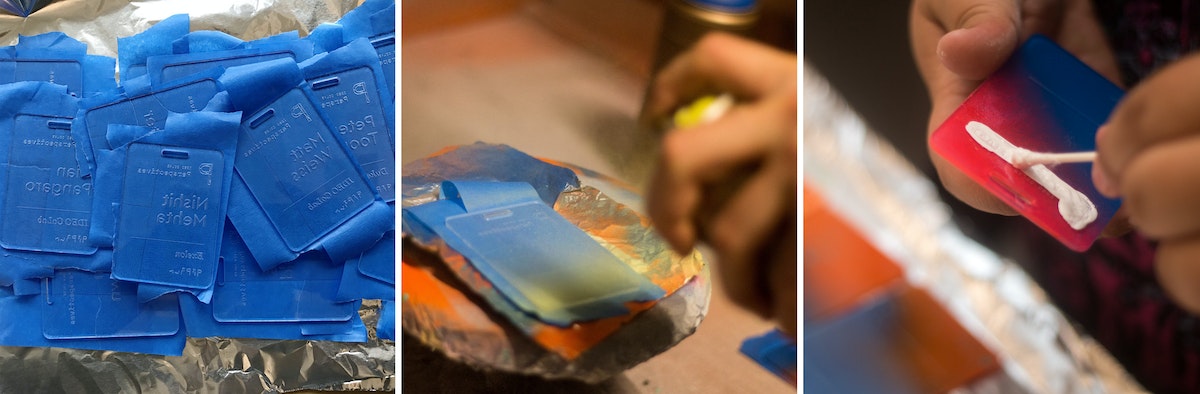
Here's how I did it, step by step:
1. Creating the blanks
I designed the negative of the template so that I could later use it as a jig. I used 18 x 24 inch sheets of 3mm acrylic, so that with the name tags at 2.5 inches x 3.5 inches, I could fit about 32 comfortably in each batch (as opposed to 38 if I used all available space and threw away the negative).
Acrylic sheets tend to melt and then cool quickly in the laser cutter, leading to possible sticking, so I usually add about .2mm to my thickness settings to compensate (i.e. I was using 3mm acrylic, but put 3.2mm in the settings). There are two benefits: One, you guarantee that you actually cut through the sheet. Two, it also gives you a little bit of wiggle room so you don’t end up with hard to pick out joints.
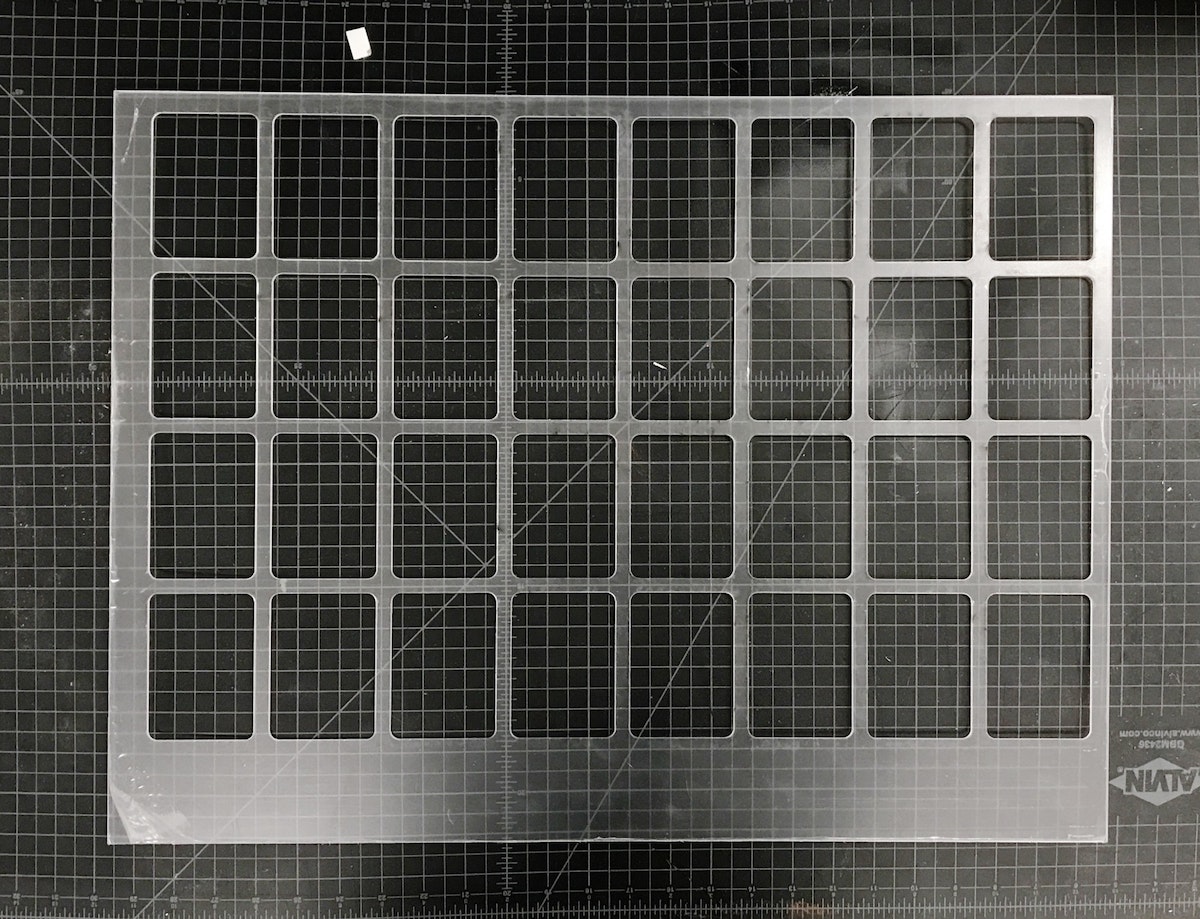
Pro tip: The key to making the most of your acrylic is to leave space for future cuts on the same piece. Instead of designing my reusable jig with all the name tags in the center, I threw them to one side so that I could use the other end again. After I cut the jig, I could get 38 tags out of each subsequent batch because I could simply throw away the negative. Another bonus: When there’s excess acrylic on one end, you can always tell which side goes in which direction.
2. Etching the blanks
Once the blanks were cut, I needed to take the protective plastic off of one side, so that I had a clean surface to etch onto. I peeled the tags, slipped my template jig back into the cutter, and dropped the blanks into place.
The etch file is the same as the template jig, just with a red cut box around the perimeter of the file denoting the edge of the acrylic.
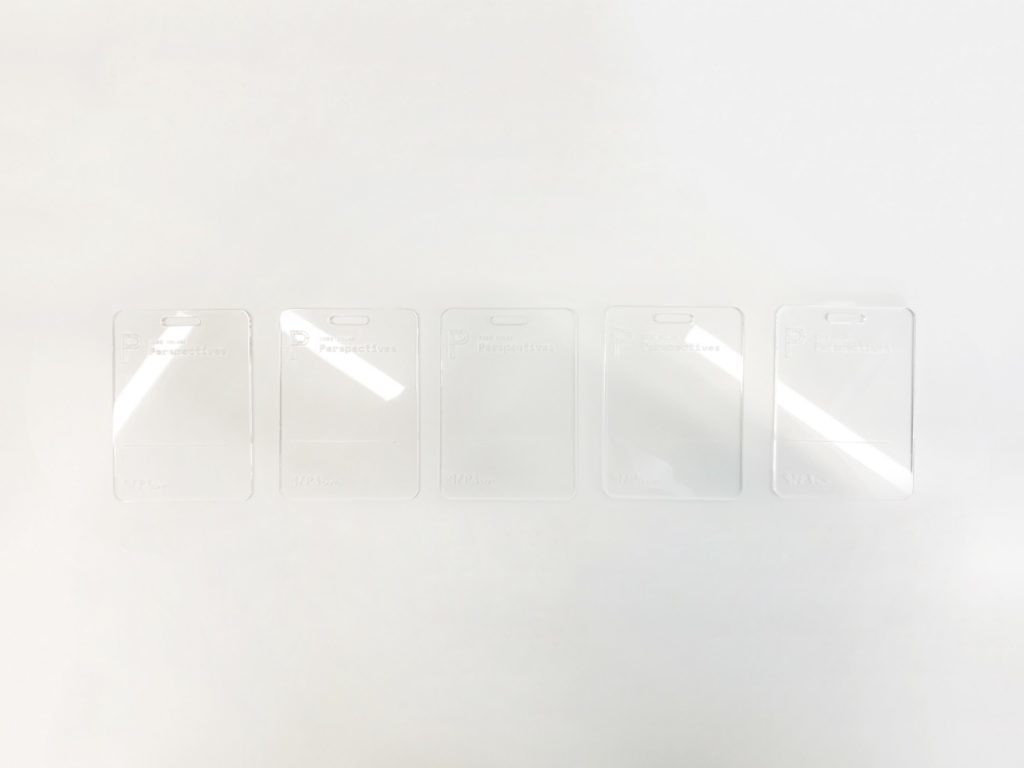
Once I had an etch file ready to go, all I had to do was push the file to the top left of the cutting area and check the focus points of the laser on the first tags on the first and second rows. Since the etch file is in the same grid form as the old cut file, everything is already spaced for me. The etch settings held ink best at around 74 to 76 percent power at 100 percent speed.
One final thing to note: We don’t want to cut anything (we’re just etching), so after setting my etch power, I set the cutting lines to 0 percent power and 100 percent speed, so we just blow right past them.
3. Taping the etched tags*
Once the blanks were etched, I peeled the plastic off of the back of the tags, then covered the etched side of each in painters tape to keep them clean.
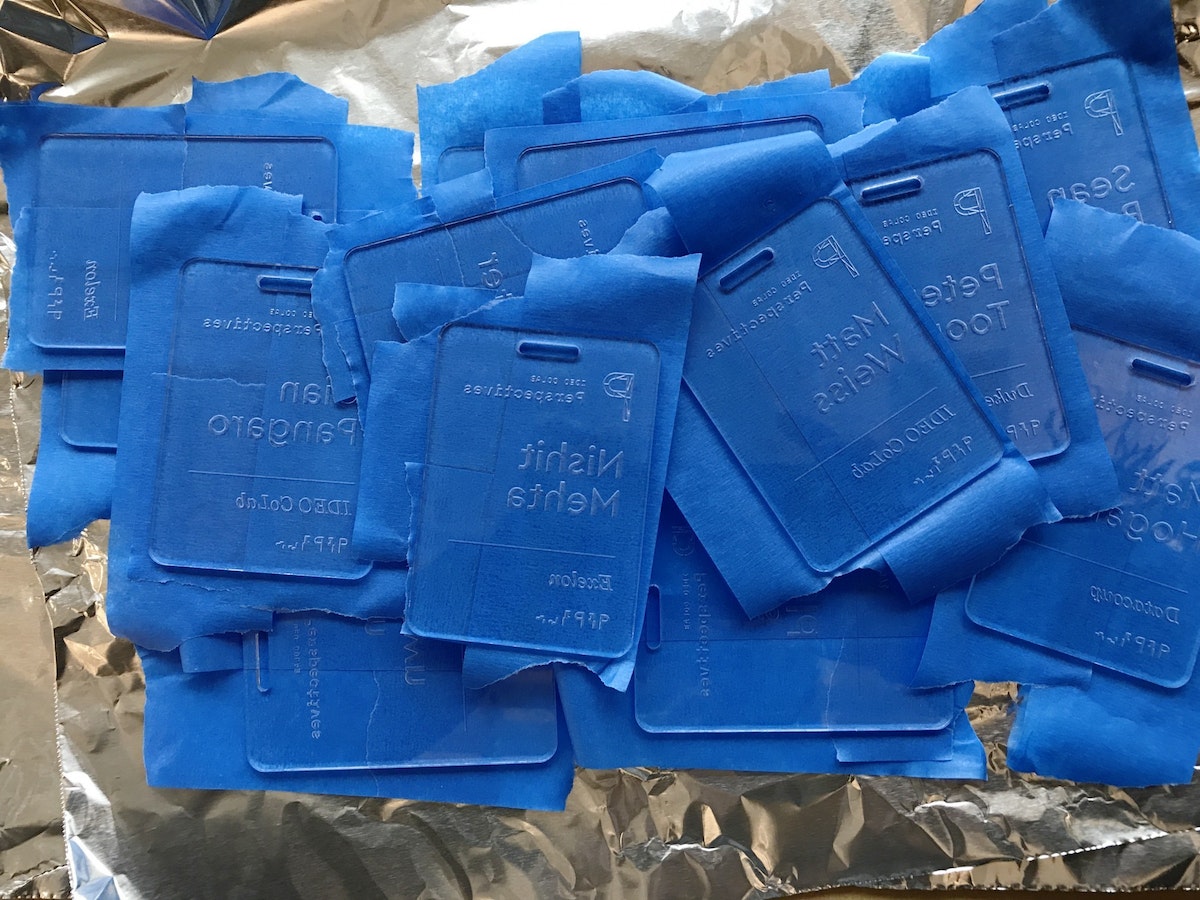
4. Spraying the tags
After everything was taped, I slapped some aluminum foil in the vent hood and got to work spraying each tag. The process allowed me to bring out some of the old airbrush tricks my dad showed me as a kid, like holding a tongue depressor at a 60 degree angle in front of the nozzle to create thicker splatter. I used two to three colors for each tag, at varying angles.
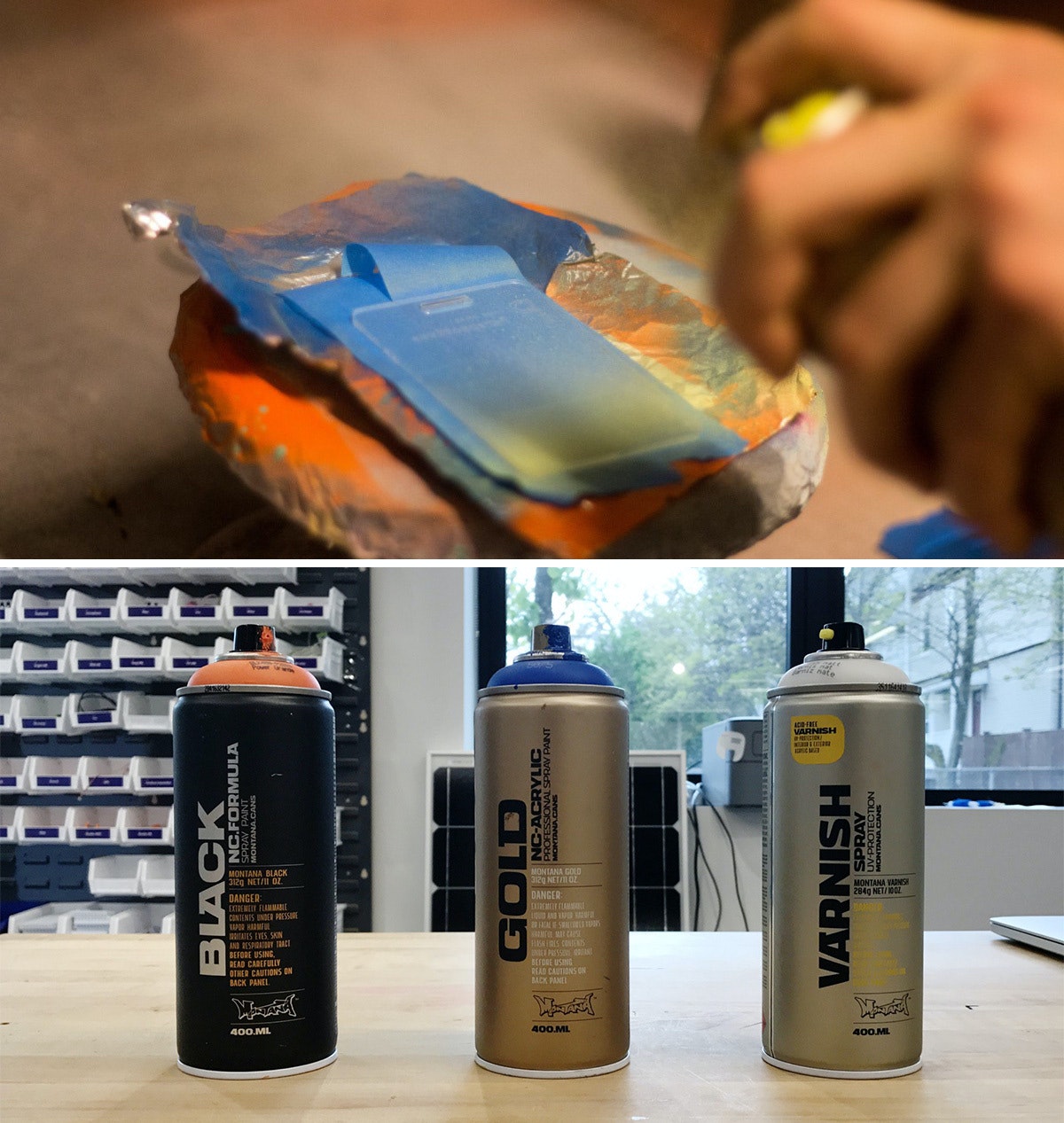
I used Montana brand spray paints, and I definitely recommend using the BLACK formula. Over the course of the project, it dried on the acrylic within four and-a-half minutes, which is pretty insane. The GOLD formula was comparable, but my run of the mill Krylon paints took much longer, so it’s worth the extra bucks to buy Montana.
Pro tip: If you’re spraying a bunch of parts in a hood, aluminum foil is actually a great material for coverage as it tends to not stick to your parts like paper.
5. Sealing the tags and revealing the beauty
After the sprayed tags had dried, I hit the painted side with a couple quick coats of the Montana clear matte varnish so that they wouldn’t stick to each other. When everything had dried, I peeled off the painter’s tape—my favorite part of the project.
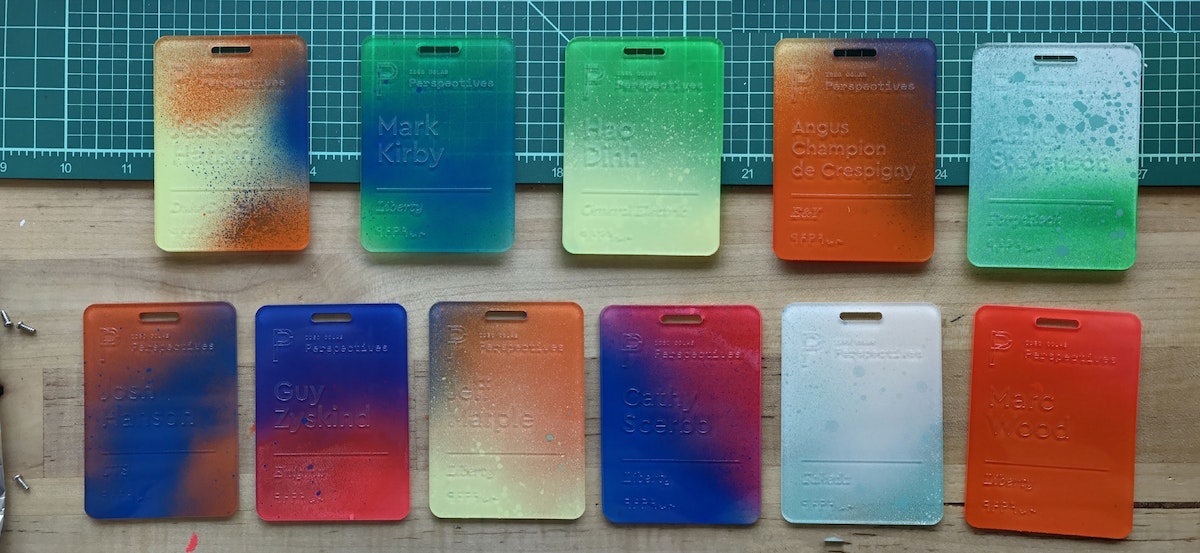
6. Applying the ink inlay
Next came the most time-consuming part: the ink inlay. I used speedball acrylic screen printing ink for its fast drying time, and how easily it wipes off acrylic. I liberally brushed and swabbed the ink into the etch using a Q-tip, then quickly wiped the excess off with a paper towel. Once dry, they were ready to go.
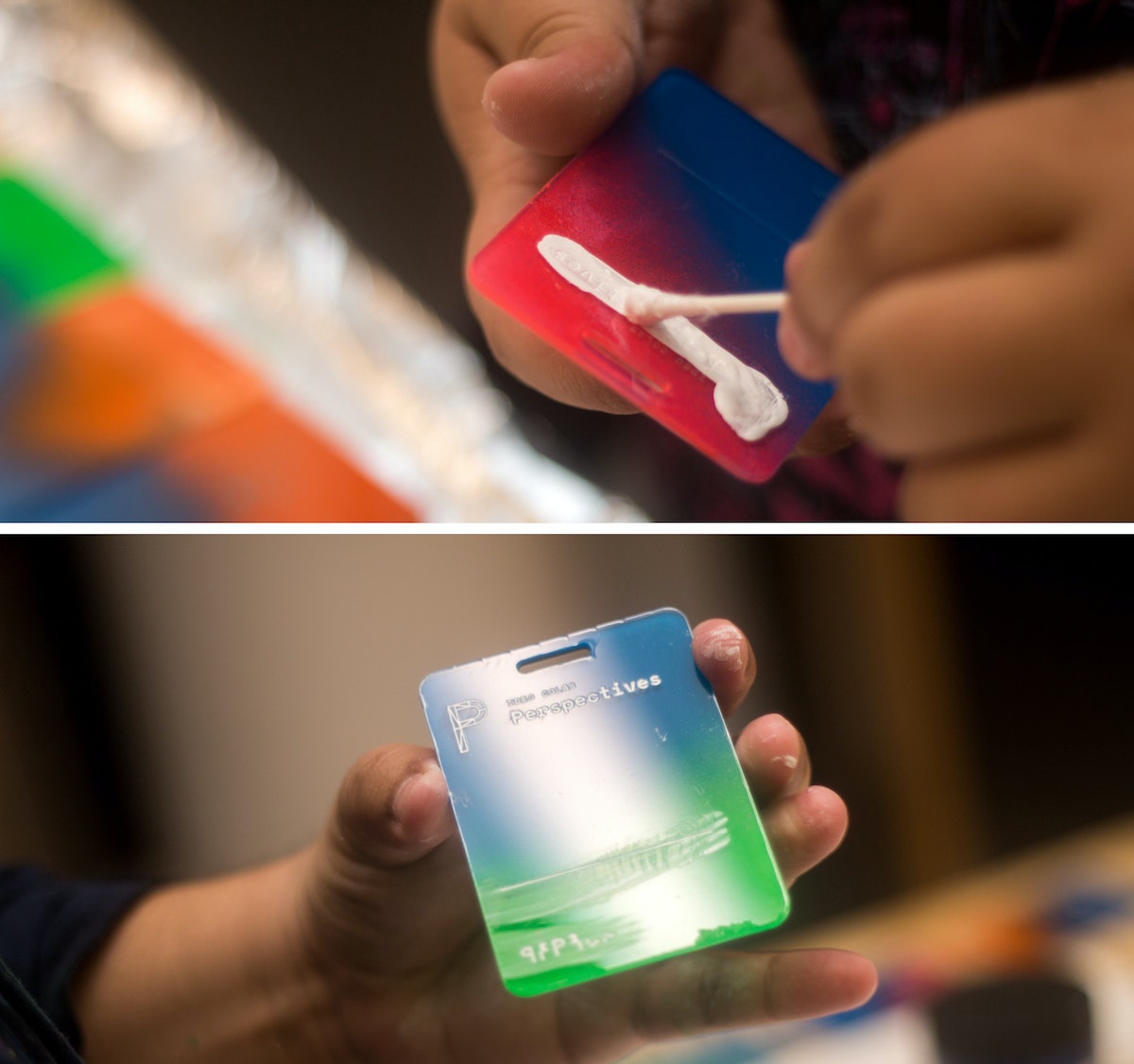
That's it!
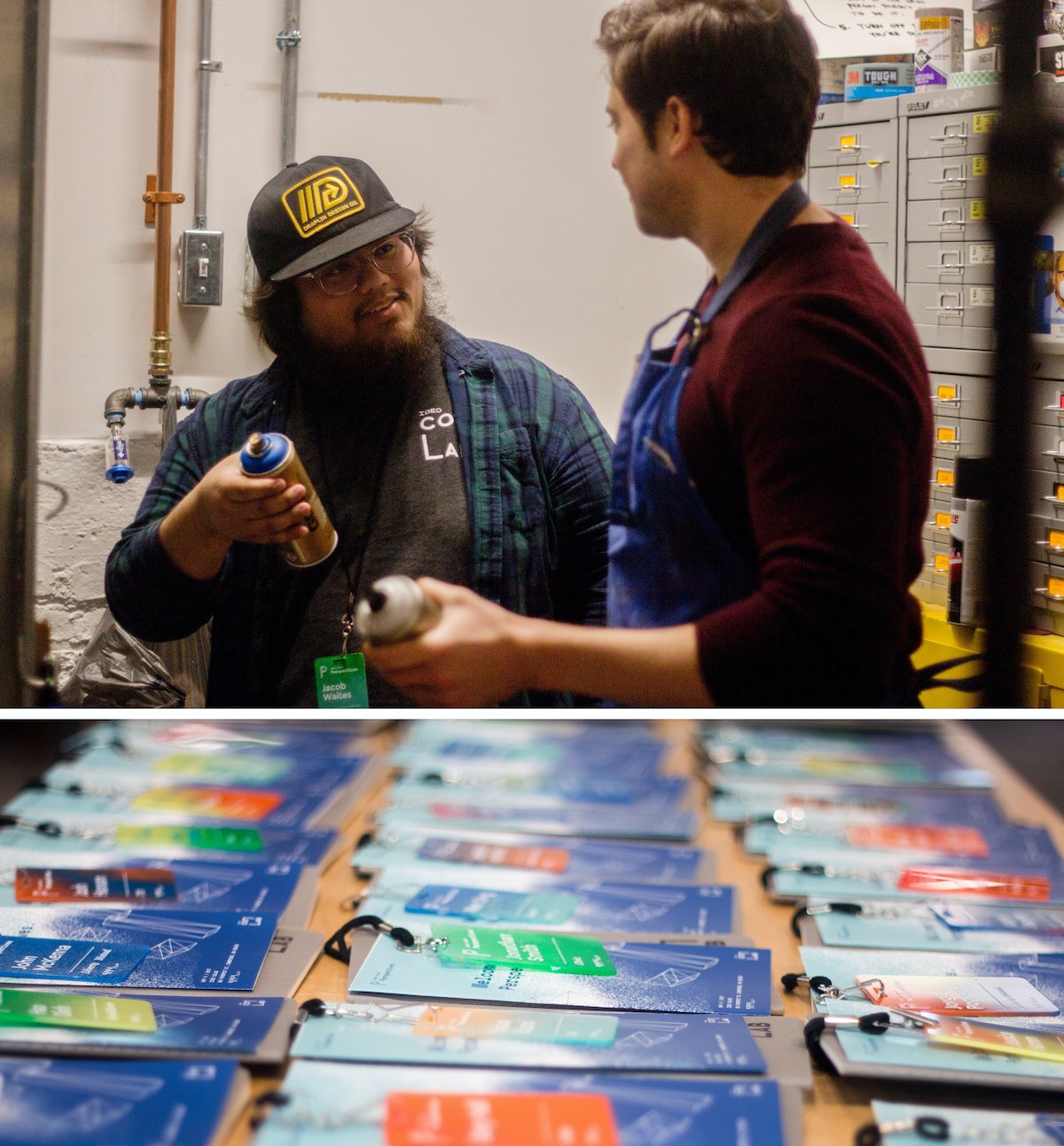
*Imperfect process: I know what you’re thinking—why didn’t you just remove one side of the plastic before etching, spray that side, then remove it from the other side, then etch that? I did! After a few batches, I added the taping step because I noticed the spray paint was eating away the plastic coating that kept the paint off the front of the tags.
I work with CoLab, IDEO’s tech-focused R&D group. I’m also someone who’s committed most of my life to craft. Luckily, my day job allows me to bring the two together. But the minute you start making a living from your craft, problems start to surface. You get burnt out. You compromise your vision to deliver things on time. At that point, you're no longer transforming objects—you’re just pushing matter around.
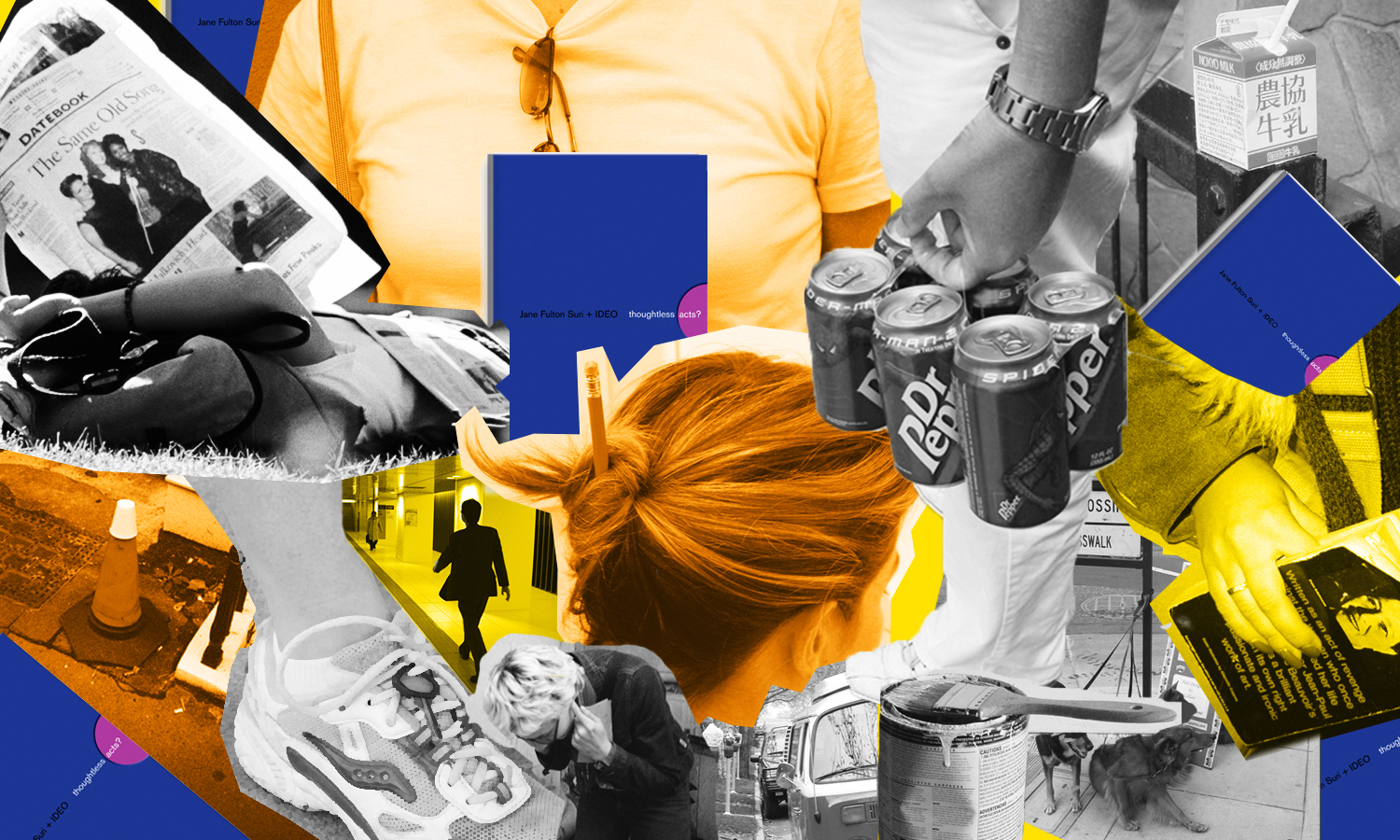
Thoughtless Acts: Single-Serve Medicine
Thoughtless Acts: Single-Serve Medicine. The intuitive ways we adapt and react to things in our environments
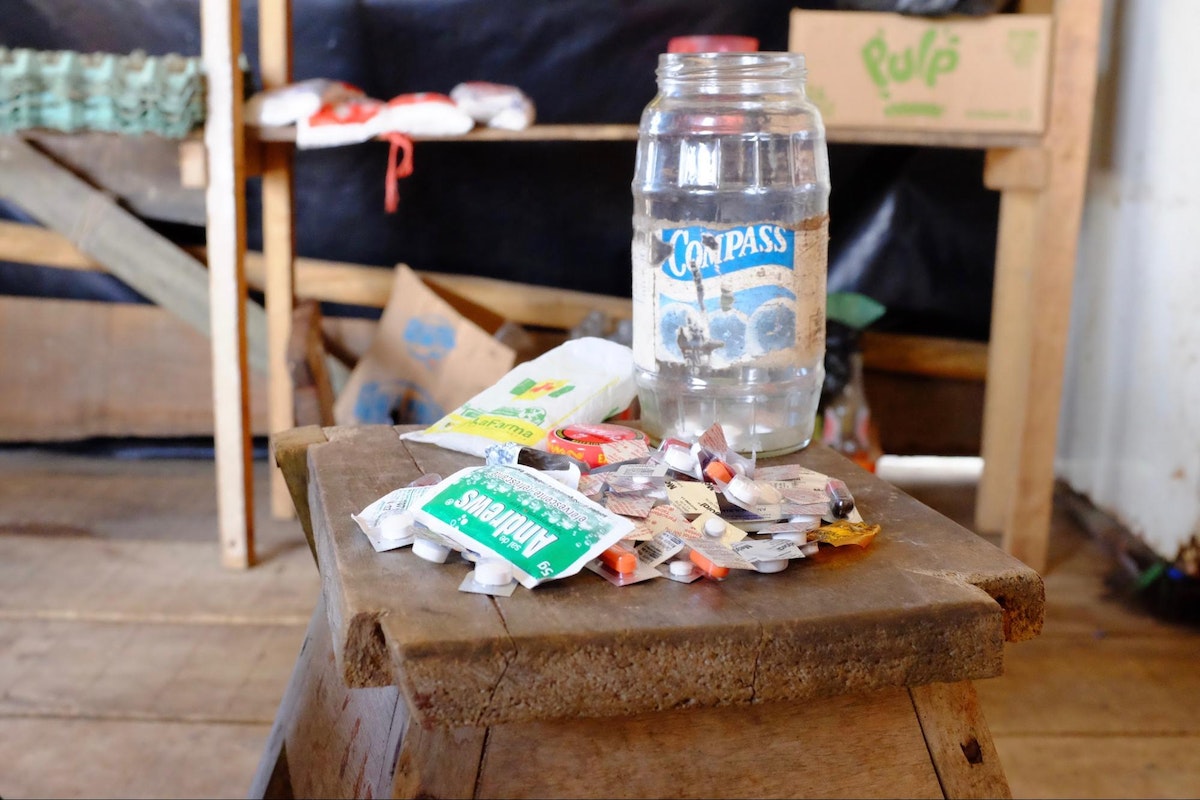
I snapped this photo in the Amazon jungle town of Iquitos, Peru. A jar full of individually cut blister packs sat in the corner of a general store set up in front of a family’s home. By making individual doses available—not even a daily dose, but a single, one-time dose—more families were able to afford treatment for their ailments. In a community where money is very scarce, this family was filling a very real, pressing need that wasn't being addressed by local stores.
Human-centered design requires us to observe human behavior with beginner's eyes, so that we can spot the innate ways people interact with the world around them. We call these intuitive and unconscious reactions Thoughtless Acts, and IDEO designers collect photos of them to inspire their work.

A Day in the Life of an Environments Designer
Ever wondered what an environments designer does all day?
6:20 AM: Snooze

6:30 AM: Sweep
Sweep. Make the coffee, water the succulents, check out a few new product curation apps and services the team has been talking about. While riding the bus across the Bay, I read about immigration patterns and how they affect consumers in North America. Staying inspired is part of our job, so I try to start each day with a healthy dose.

9:00 AM: Birthday shenanigans
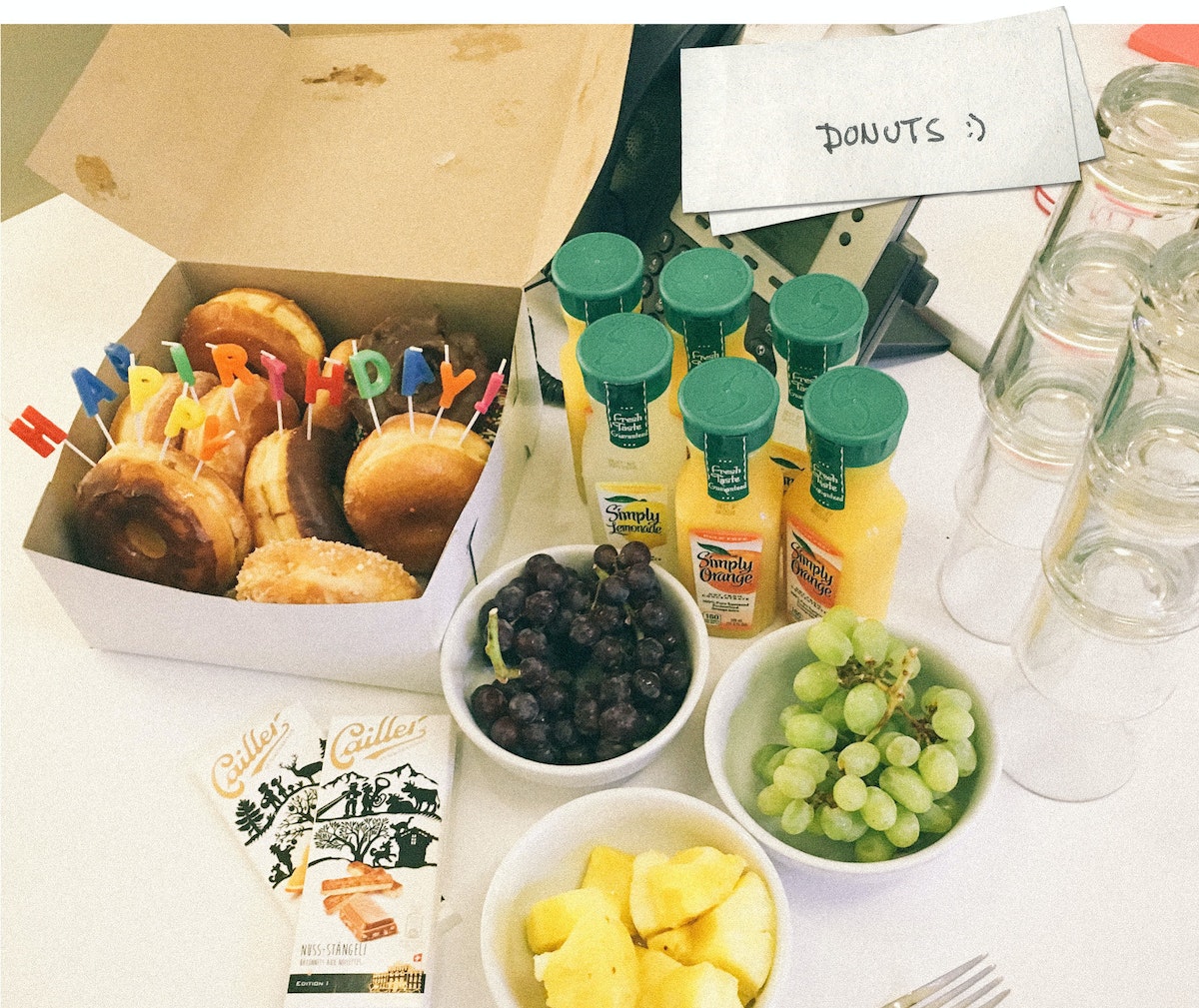
Today is my teammate Julian’s birthday, so we surprised him with donuts and orange juice—his morning elixir of choice!
9:30 AM: Sketching and 3D modeling
My team’s current project is to reimagine the shopping experience for a large retailer. To prepare for a review with the team, I do some sketching and 3D modeling of in-store display concepts. We are a diverse and interdisciplinary bunch, so it helps to bring everyone’s ideas together through visualization.

10:30 AM: Design review with the team
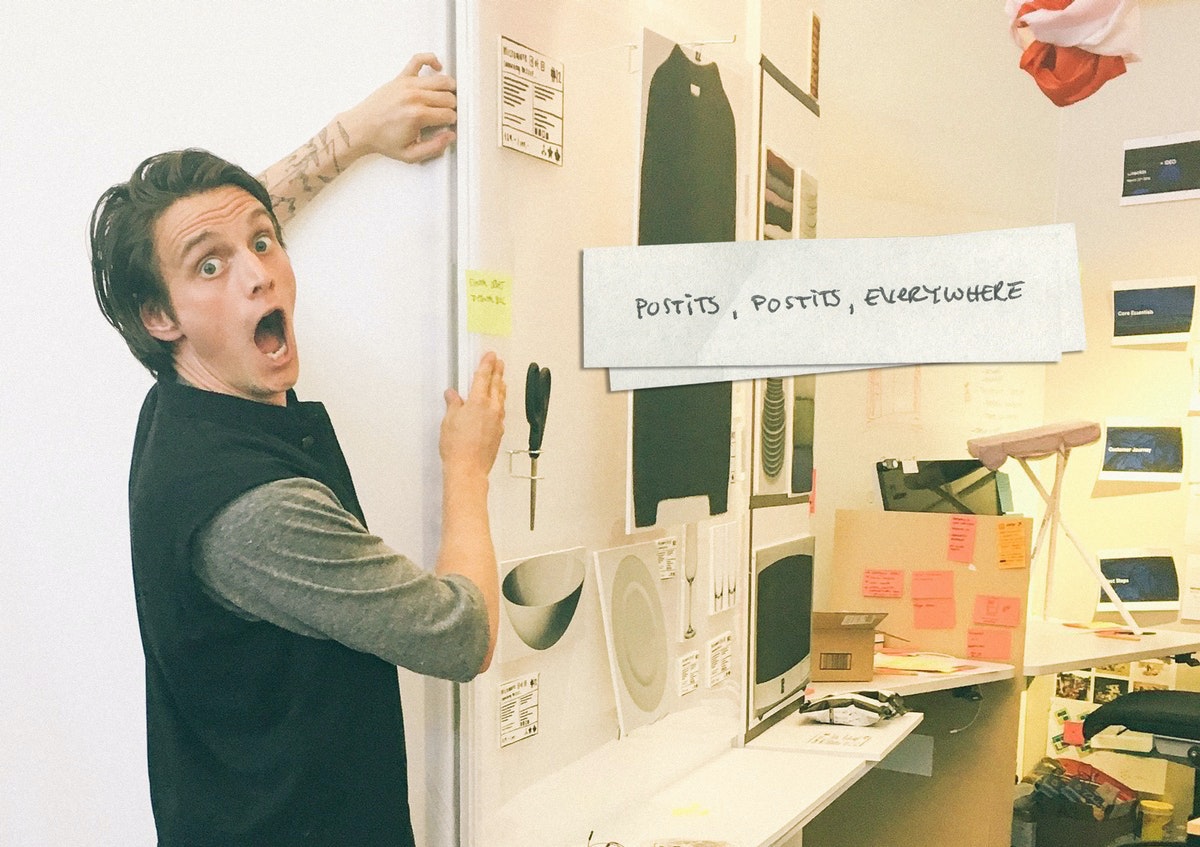
We do team check-ins throughout the day, talking through our ideas to make sure we’re meeting user needs and pushing the integration of digital behaviors and physical environments. Today, we’re critiquing a bunch of sketches of critical shopping moments that we’ll prototype later. We’re considering how digital projection can add ambient information and subtle interaction to a physical display layout.
11:30 AM: Creating a physical study model
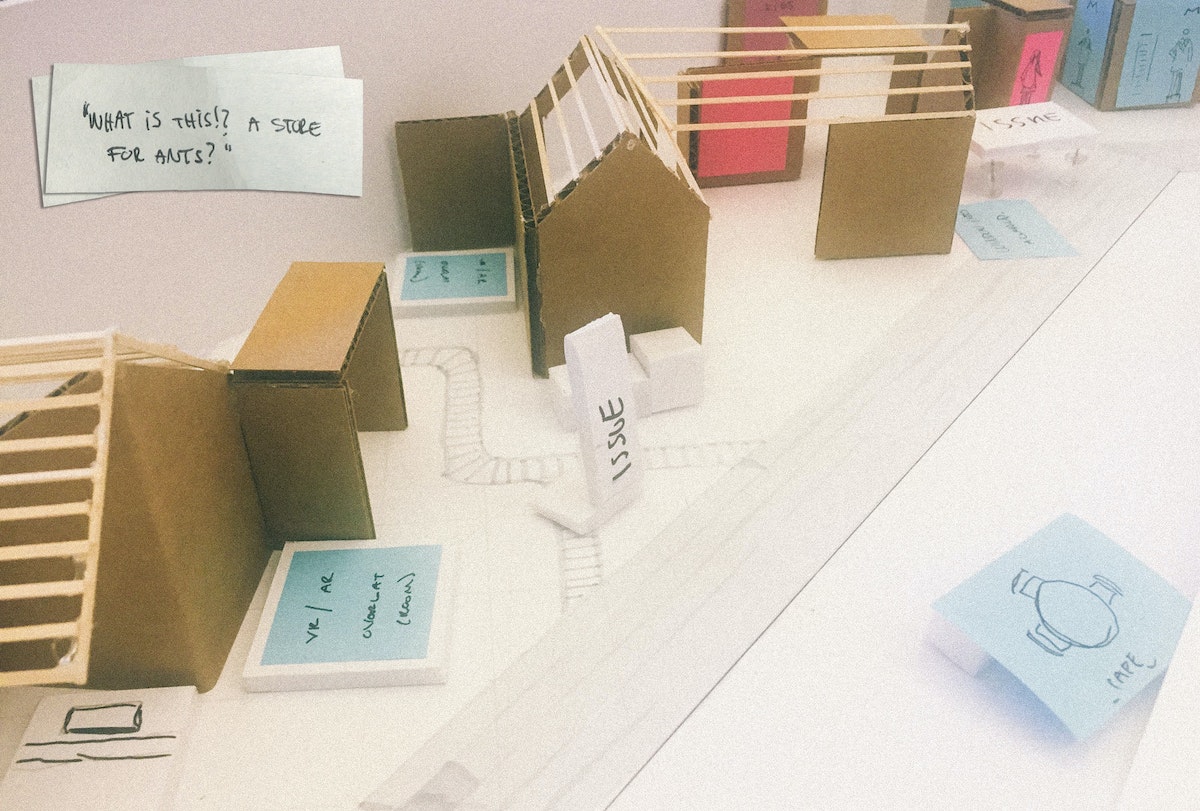
In preparation for our prototyping session in the IDEO Shop, we use a rough physical model to map out the experience of the future retail environment. A small-scale model lets us discuss all the ways shoppers might interact with a brick and mortar store—from browsing to comparison shopping, saving for later or checking out and having things shipped home. It’s helpful to keep our work quick and dirty, so that we have a model that lets the entire team walk through design points together.
12:00 PM: Julian’s birthday lunch
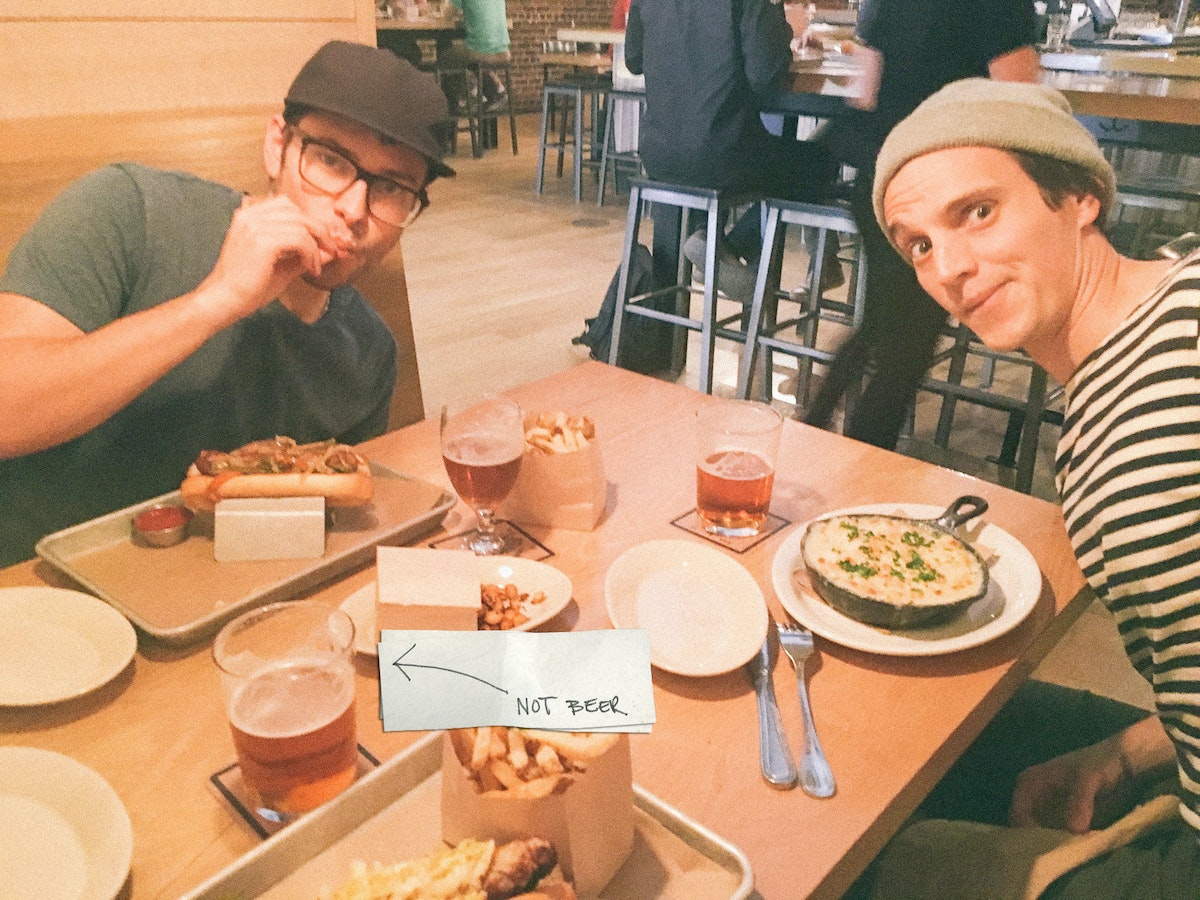
Continuing the festivities, we pop out of the office to get a bite of Scandinavian-inspired eats.
1:30 PM: Field testing and 1:1 prototyping
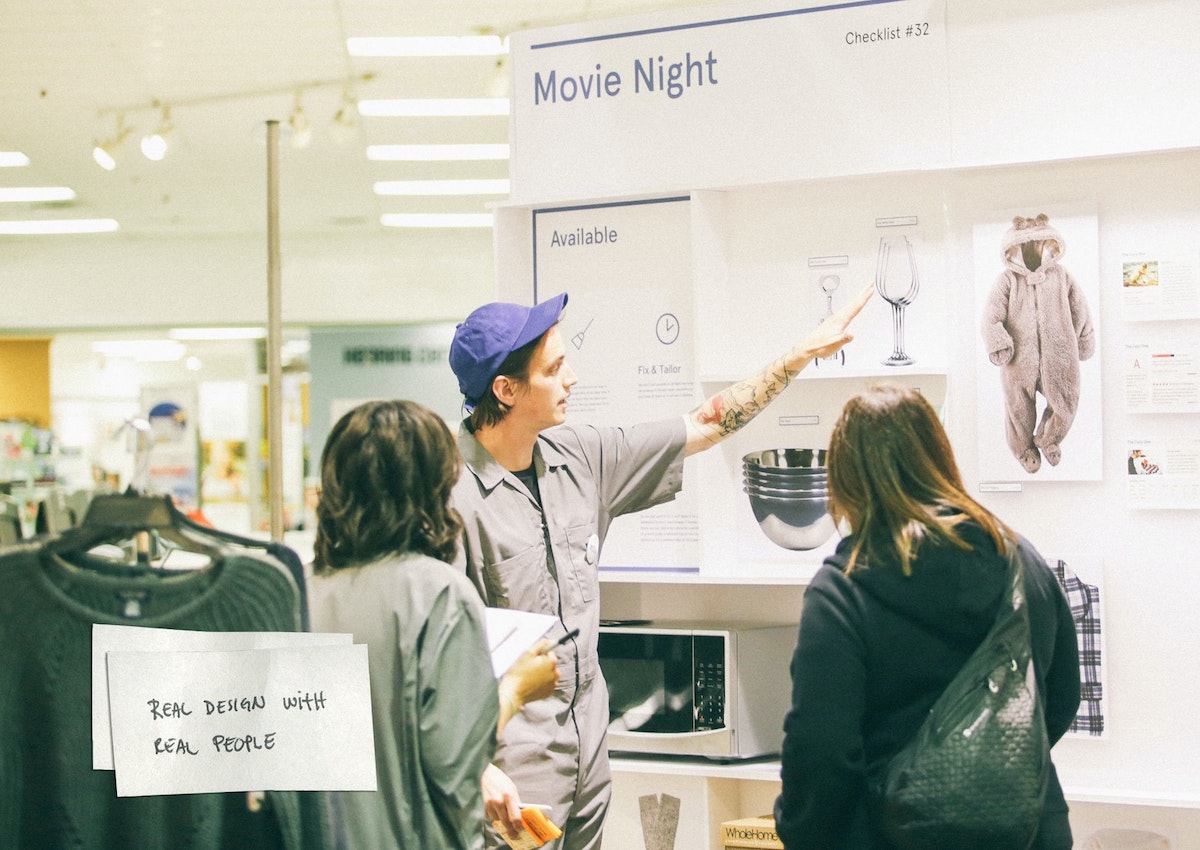
Time to refine the rough mock-up made in the office and rebuild it in a live retail environment. We wear jumpsuits to suggest how we want the client’s brand to evolve (and because jumpsuits are cool).
The prototype begins outside the store with a simulated mobile shopping experience that ushers shoppers directly to our redesigned displays. The point of the prototype is to test a store layout that could feel like an extension of a mobile shopping experience. Think curated themes, minimal options, and intuitive product comparison interactions. Turns out, some things they hate, some things they love, and a few things don’t make sense to them at all! All of that is great feedback for moving forward, by the rock-and-roll rules of prototyping. Achieving a realistic level of physical interaction while keeping the design at a prototypical level is key to getting honest feedback. We draw our insights from watching how users interact with the space, as well as their answers to directed prompts.
7:30 PM: Teach
My nightcap is heading to California College of the Arts, where I teach a class about physical space and digital interaction titled “Objects & Space.” We work with sensors, hack projectors, control motors, glue, and foamcore, and build our way through code, all in the spirit of figuring out what the environments designers of tomorrow might do.

When people ask me what I do for a living, I say, “I use space to explore design solutions.” It might sound like I work for NASA, but what we environments designers actually do is consider how physical space influences human behavior. Much of my time is spent sketching, making models, building walls out of foamcore, miming, turning off the lights, rendering, and doing my best to break feng shui. Here's a breakdown of a typical day:

Lindsey Turner
I’m passionate about building brands, products, and experiences that help organizations show up with meaning and momentum.
I help organizations cut through complexity by shaping how they show up, through brand strategy, identity, and storytelling.
Working at the intersection of brand and business, I bring an editorial eye and a bias toward making—turning ideas into tangible experiences that people can understand, trust, and believe in.
My work spans government, healthcare, financial services, media, and consumer goods, from launching Gen Z-focused ventures to building innovation labs and reimagining legacy brands. I relish moments of ambiguity and enjoy translating across teams, perspectives, and priorities to move ideas forward.
I started my career in editorial and digital design, shaping cross-platform experiences and identity systems in publishing and agency environments. That foundation still shapes how I work today: I’m detail-oriented, collaborative, and overreliant on the Oxford comma. I hold a BFA in Visual Communication from the School of the Art Institute of Chicago.

Rachel Young
My work helps organizations see who their products aren't working for—and build the will and the tools to do something about it
For 25 years, I've asked the same question: Who does this design exclude—and what are we going to do about it?
My work spans human-centered strategy, inclusive design, and qualitative research, with clients ranging from Microsoft, Google, and Verizon to the National Science Foundation, and San Francisco Unified School District.
Before IDEO, I taught elementary school in East Palo Alto and spent a decade doing design work with social service organizations—where I learned firsthand what it costs people when systems are built without them in mind.
I am currently writing User Error, a nonfiction book about digital access and the design decisions behind it. I live in Oakland, California.

Brian Pelsoh
I lead with craft, ensuring our work is creatively excellent: rooted in deep human insight and imagination, while also grounded in the realities of business and technology.
My expertise spans brand, communication, and product design across tech, education, the arts, and social impact.
I believe great work demands both high-level vision and obsessive attention to detail, and only happens through collaboration.
I bring an inclusive, hands-on approach and a deep understanding of business, which enables me to consistently deliver excellence while always asking why.
Before joining IDEO, I worked at the brand firms Pentagram and VSA Partners. I began my career as a designer, leading teams at the School of the Art Institute of Chicago and the Milwaukee Art Museum. I hold an MFA in graphic design from Maryland Institute College of Art and a BFA in communication design from the Milwaukee Institute of Art & Design, and have taught at some of the best design schools in the US.

Tony Wong
I am responsible for IDEO’s long-term success in China and working with clients to use design as a tool to enable growth.
I am responsible for IDEO’s long-term success in China and working with clients to use design as a tool to enable growth. Specifically, I have helped Chinese companies design holistic brand solutions through the development of their products, communication, services, and innovation teams, and I have helped multinationals expand their presence and influence in China.
I advise global leaders on developing China-led innovation and capabilities.
In over 15 years in IDEO Shanghai, I have worked on projects that use design to elevate the quality of the experience of healthcare products and services, streamline processes that increase productivity, create spaces and programs that promote and enable inclusive communities, and build next generation mobility solutions that are planet-positive.
Before joining IDEO, I worked at Philips Electronics and the Electrolux Group in Italy, the Netherlands, and Singapore on a number of breakthrough commercial products. I am a member of the Young President Organization in Shanghai.

Building a personal AI for the messiness of life: Sida Li
Most AI products today are built for work—a space with clear problems and established systems. One founder noticed a gap: personal life is messier, harder to systematize, and mostly left behind by the AI boom. So she built Cue, a personal AI that lives inside iMessage and group chats, to go where the other tools haven't.
In this episode, Becca Carroll, IDEO's Chief Strategy Officer, talks with Sida Li, co-founder and CEO of Shared Context Lab, about staying anchored to a human need while the technology around her keeps changing shape, why she treats her business model with the same rigor she'd bring to a product, and what it feels like to build a company at this particular, disorienting moment in AI.
The conversation also gets into how Sida makes design decisions: the language Cue uses to describe itself, the tradeoffs behind building inside iMessage instead of a new app, and a real story about a business idea that didn’t pan out.
This is the second in a two-part series profiling founders from IDEO's Startups-in-Residence program. The first conversation is with Johannes Seemann, founder of Sooner, on designing GenAI for the emotional side of money.

Designing GenAI for the emotional side of money: Johannes Seemann
Most personal financial tools are built to run the numbers and optimize towards a budget. While that works for some, most people experience money as a lived relationship that does not neatly fit into a spreadsheet. Johannes Seemann and Becca Carroll discuss why money is emotional before it is mathematical, and what a human-centered approach to building a generative AI financial product looks like in practice.

The curious leader's edge in uncertainty: Scott Shigeoka
Mina Seetharaman talks with Scott Shigeoka, author of Seek and Head of Curiosity Cultivation at the Eames Institute, about what distinguishes genuinely curious leadership from performative curiosity, how power dynamics shape curiosity, and why practicing curiosity can restore energy rather than drain it.

How constraints make us more creative: David Epstein
Mina Seetharaman talks with David Epstein, author of Inside the Box and Range, about why total freedom often produces average work, how leaders can design useful limits on purpose, and what organizations such as General Magic and Pixar reveal about the relationship between boundaries and creativity.
Looks like you might be in search of something very specific?
Or reset the filters above and try another angle.
Here’s some random inspiration

Podcasts about creative leadership
Articles about the power of prototyping