.svg)


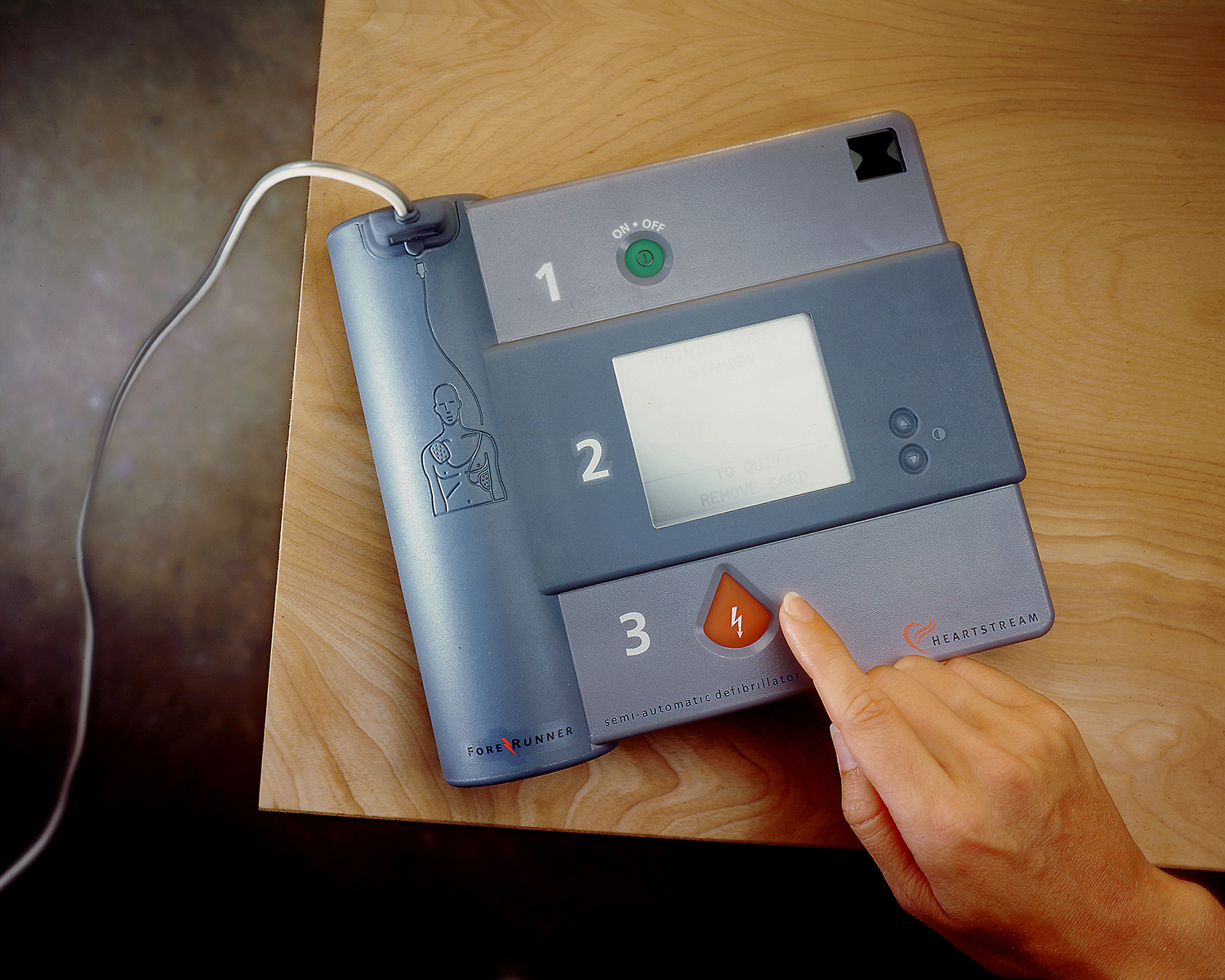

A portable, life-saving defibrillator
Designing a complicated device that’s affordable and transportable.
As many as one-third of the 300,000 annual cardiac arrest fatalities in the US could be avoided if defibrillation was applied within minutes of the cardiac event.
Working with Heartstream, IDEO tested the effectiveness of alternative defibrillator configurations with different users to help develop a highly mobile and easy-to-operate product. Heartstream systematically refined the concept with the goal of making its defibrillators affordable, transportable, and as ubiquitous as fire extinguishers.
(This device is now manufactured by Philips.)

A new venture changes the way we polish nails
Redesigning the nail-painting experience for both hands.
Julep, a fast-growing beauty brand, noticed a problem that has vexed generations of nail polish users: The wand on the bottle is awkward and clumsy to use.
After rounds of user research, IDEO and Julep came up with the solution: the Plié Wand. The elegantly tapered handle sits easily in the hand and connects magnetically with a wand finely calibrated for precision. And for maximum flexibility, it bends to rest gently in the hand, making it an ambidextrous instrument.
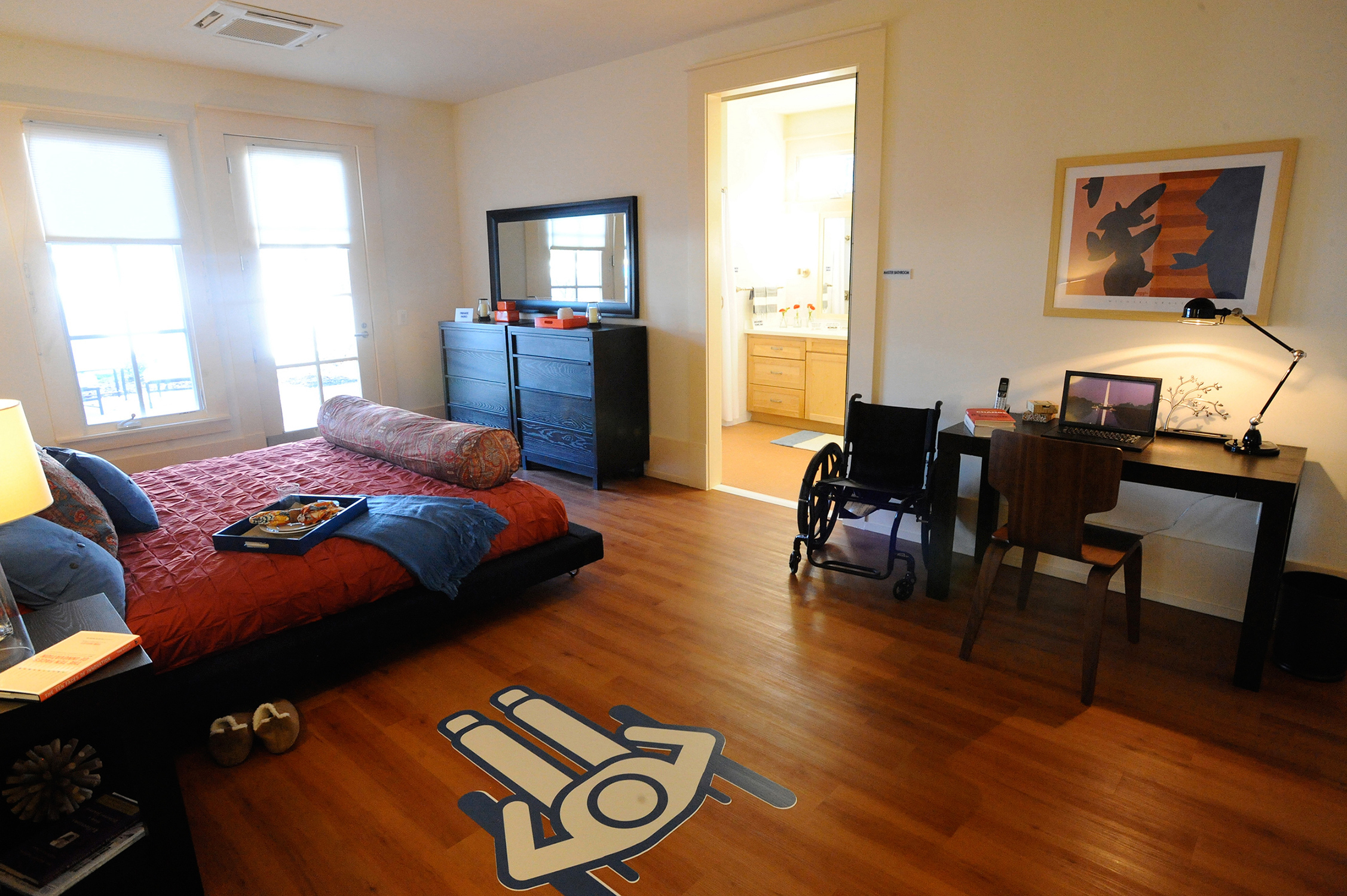
A new kind of home for disabled soldiers
Designing accessible homes for disabled US military veterans and their families.
Injured US servicemen and servicewomen returning from war must adapt to a home, finding workarounds to cope with their surroundings based on individual capabilities and preferences. Clark Realty Capital, a Virginia-based real estate firm that has partnered with the Department of Defense on more than $4.7 billion in privatized housing, collaborated with IDEO on a new model for building accessible homes on military installations.
Facing the challenge of visualizing and designing the ideal home for soldiers injured in the field, Clark Realty Capital and IDEO designed floor plans and amenities that would meet or exceed the Americans with Disabilities Act (ADA) standards and be versatile enough to accommodate varied physical and psychological needs. The IDEO design team took an in-depth look at accessibility issues, interviewing and observing civilians and injured soldiers, and asked questions that shed light on how active-duty service members resume civilian life after debilitating injuries. What could make their experience more dignified and healthy, and what might reconnect them with family, close friends, and the world? The team uncovered seven contrasts that defined the complex needs of disabled soldiers and their families, and used these as direction and inspiration for adaptable homes for specific physical, mental, and emotional needs that also fit into the context of everyday life.
The final deliverable consisted of the home design but also included a book and poster that featured floor plans, elevations, and interior renderings. A compelling video montage depicting three real-life military families in the context and challenges of their current homes further reinforced the goals of this worthwhile endeavor.
US Army Fort Belvoir and Clark Realty Capital unveiled the homes on November 30, 2011, in Fort Belvoir, Virginia.
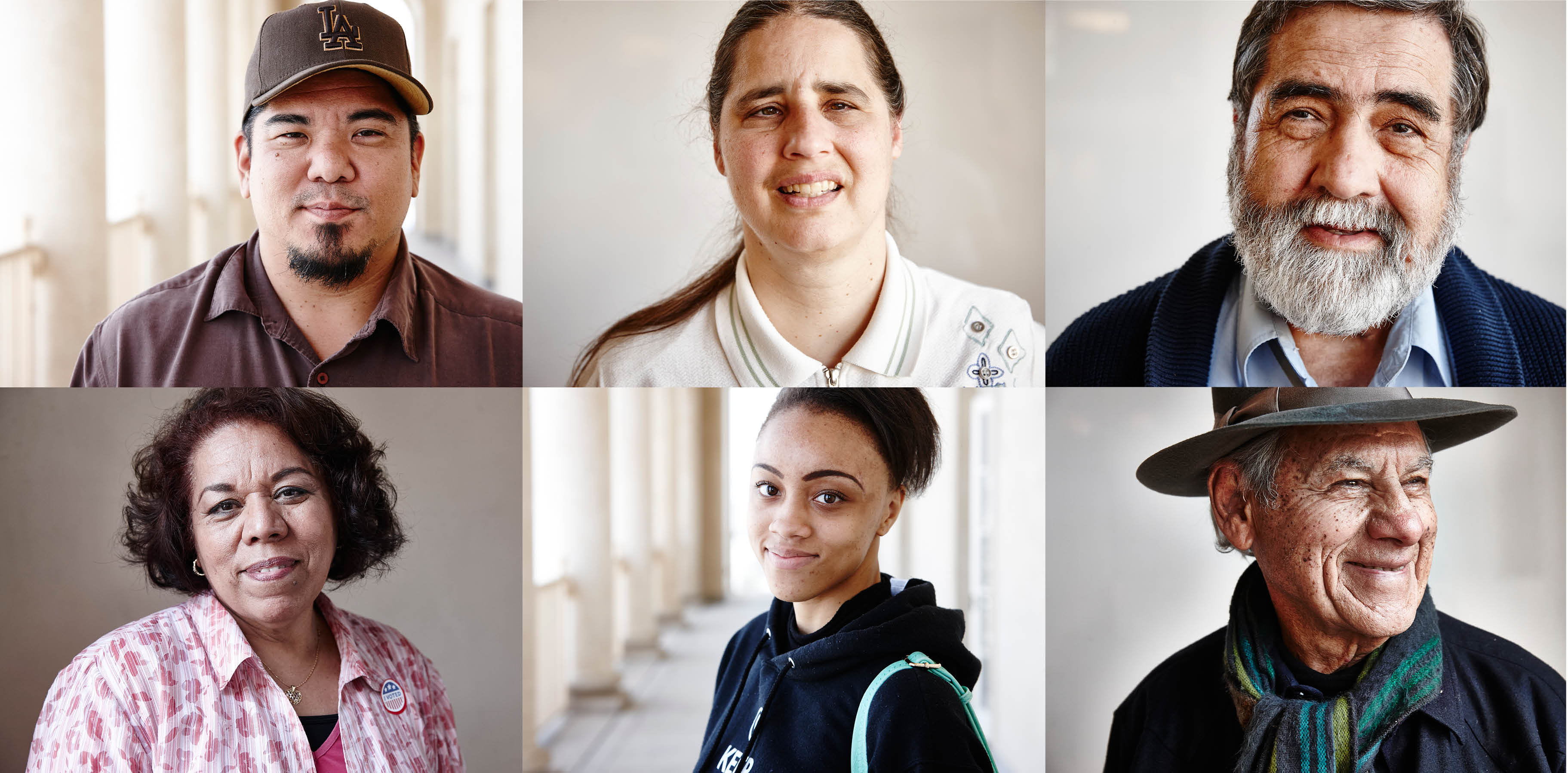
A new way to vote for the people of Los Angeles
An intuitive, accessible voting experience and ballot machine for every type of voter.
With nearly 5 million registered voters, Los Angeles County represents the largest voting jurisdiction in the United States. Guaranteeing every citizen the right to an accessible and intuitive voting experience has been the highest priority for the Los Angeles County Registrar-Recorder’s office, which oversees the election process.
To revamp its antiquated voting system that dates back to the 1960s, LA County hired IDEO to design the concept, look, and feel of its next-generation replacement, a modular system that could adapt over time. And just as important, one that would be designed, developed, and owned by the county.
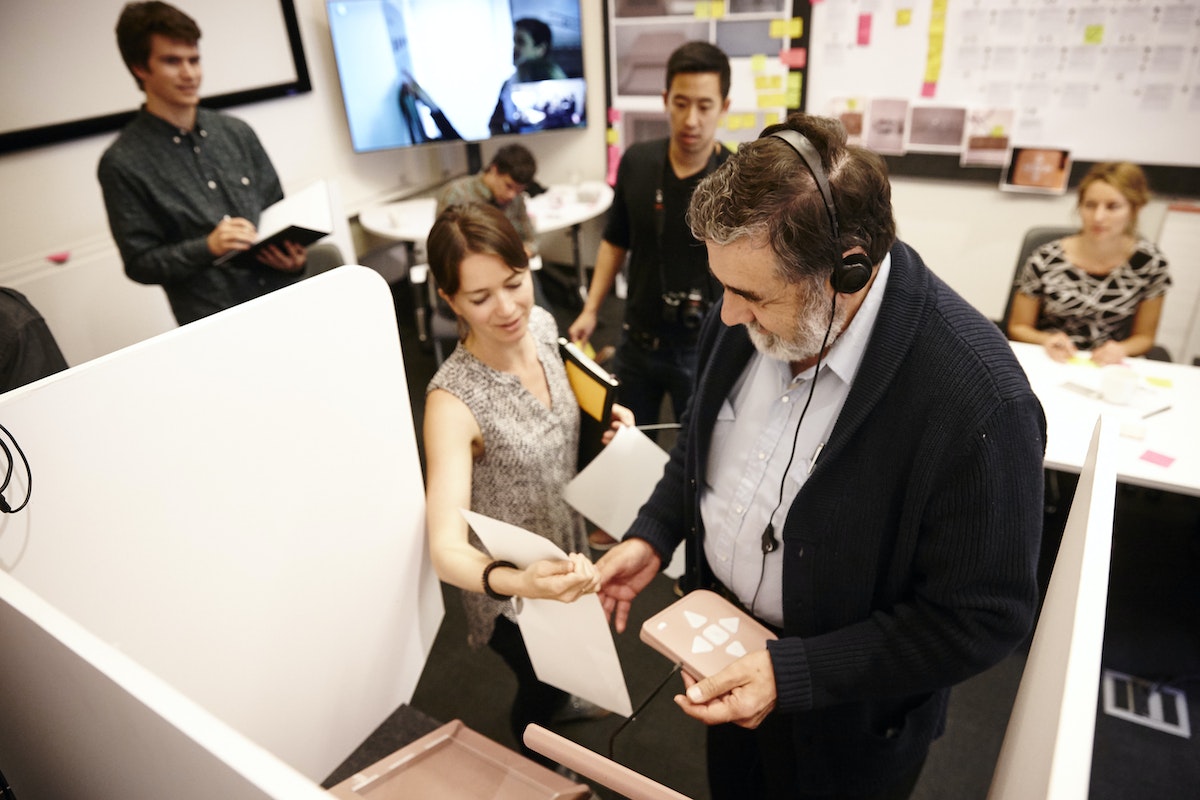
Working closely with LA County staff, IDEO designers created a voting system that addresses the complexities unique to that voter base, including its vastly diverse population and its myriad election laws and policies. It was imperative for designers to build a system that would be useful and accessible to all types of voters: those who are vision and hearing impaired, in wheelchairs, have learning disabilities, are unfamiliar with technology, speak languages other than English—voters of all ages and backgrounds.
Their goals: to create one device for equal access, to define a voting process that feels familiar to voters, balancing both emotional and functional needs, and to build a system that’s adaptable over time.
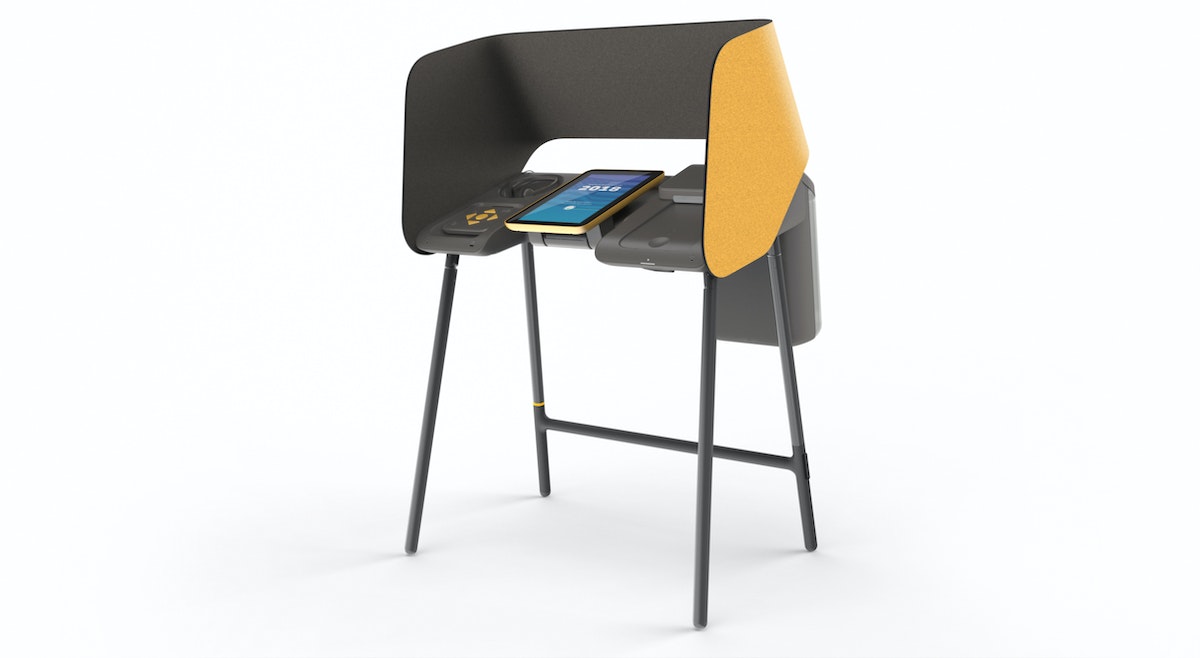
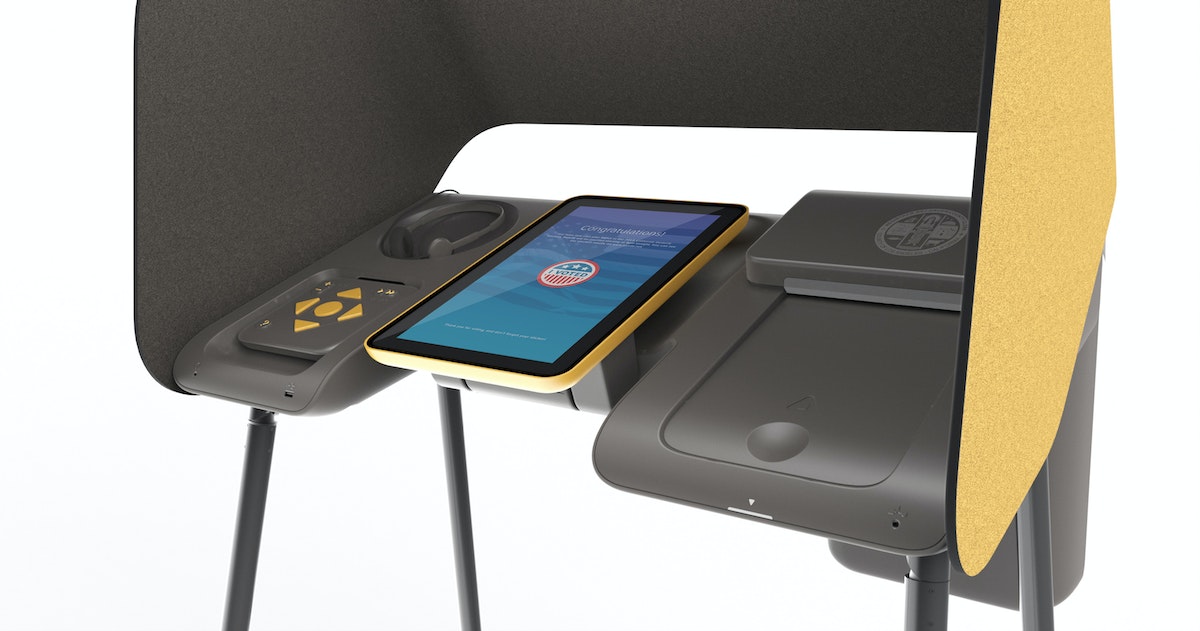
The resulting prototype, designed in collaboration with Digital Foundry and Cambridge Consultants, is a voting device that’s customizable for different user experiences. A touch screen allows any voter to easily navigate the ballot by advancing through different screens showing lists of candidates and ballot measures. For those with vision impairment or reading disabilities, an audio and controller experience guides voters through their options with a push of a few simple buttons. And voters who prefer to read the ballot in a different language—Spanish, Chinese, Korean, or any one of the 11 languages supported by the county—can choose their preference on the same machine. Once they’ve tapped in their selections on the device, they receive a printed paper ballot that goes into an integrated ballot box (the use of a traceable paper ballot is still mandated by law).
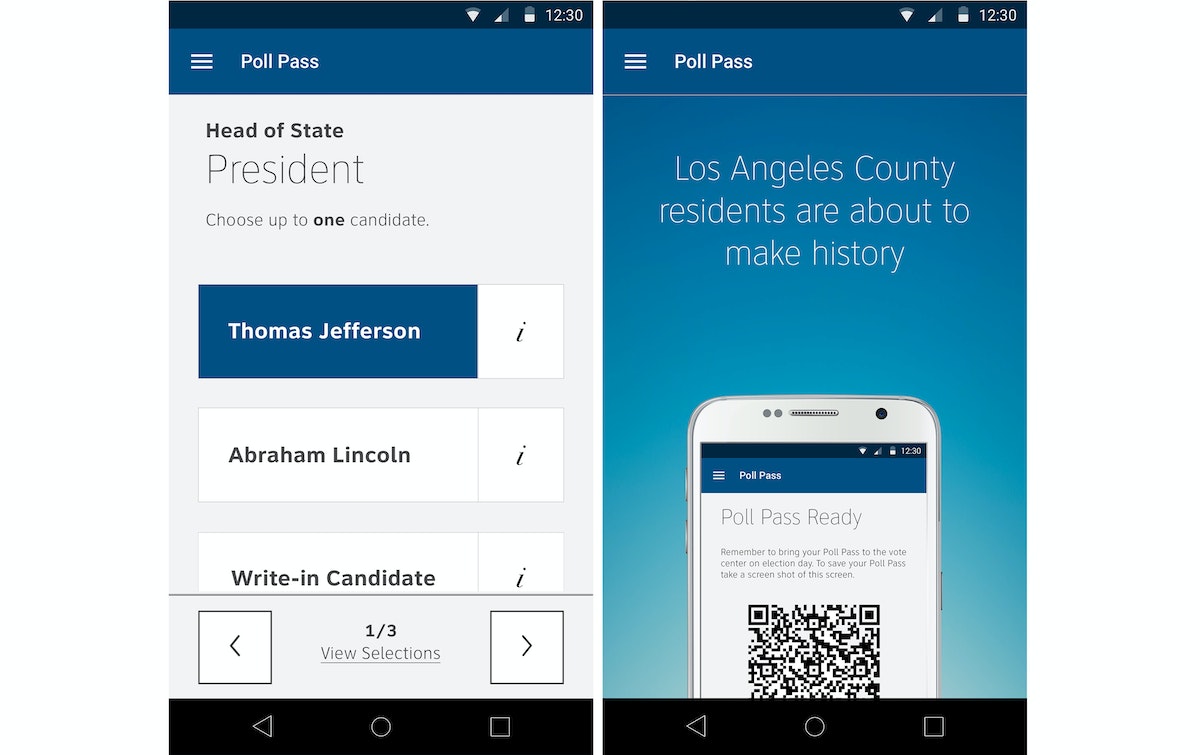
Just as we’re able to use our mobile devices to simplify our lives for everything from shopping online to fetching a taxi, the new prototype also allows voters to participate in the ultimate act of democracy with the same ease and accessibility. Voters can mark their votes on their cell phones when it’s convenient, then go to a polling station to transfer their selections from their phones to paper ballots, and cast their ballots in a ballot box.
It’s this convenience factor that officials hope will ultimately make the act of voting more meaningful. “As an election administrator, I can’t drive how exciting the candidates are or how controversial the measures are,” said Dean Logan, LA County’s Registrar-Recorder and County Clerk, whose vision has driven this project. “What I can do, though, is drive a voting experience that’s appealing and that makes you feel the actual weight of the significance of casting a ballot. To be able to go to any location that’s convenient to you, I think adds to that sense of intrinsic value to the voting process. It makes it feel like I’m participating in something that’s meaningful and important, that’s consistent with the way I do other things in my life.”
Once the bulk of the work was completed in June 2016, IDEO handed off designs to the county for execution. IDEO has continued to advise the county and its implementation partners on an as-needed basis to ensure the original intent of the designs—to create a deeply human-centered voter experience—are incorporated during the implementation phase. LA’s new voting system, which rolled out in 2020, has the potential to influence how other counties across the country update their outdated systems.
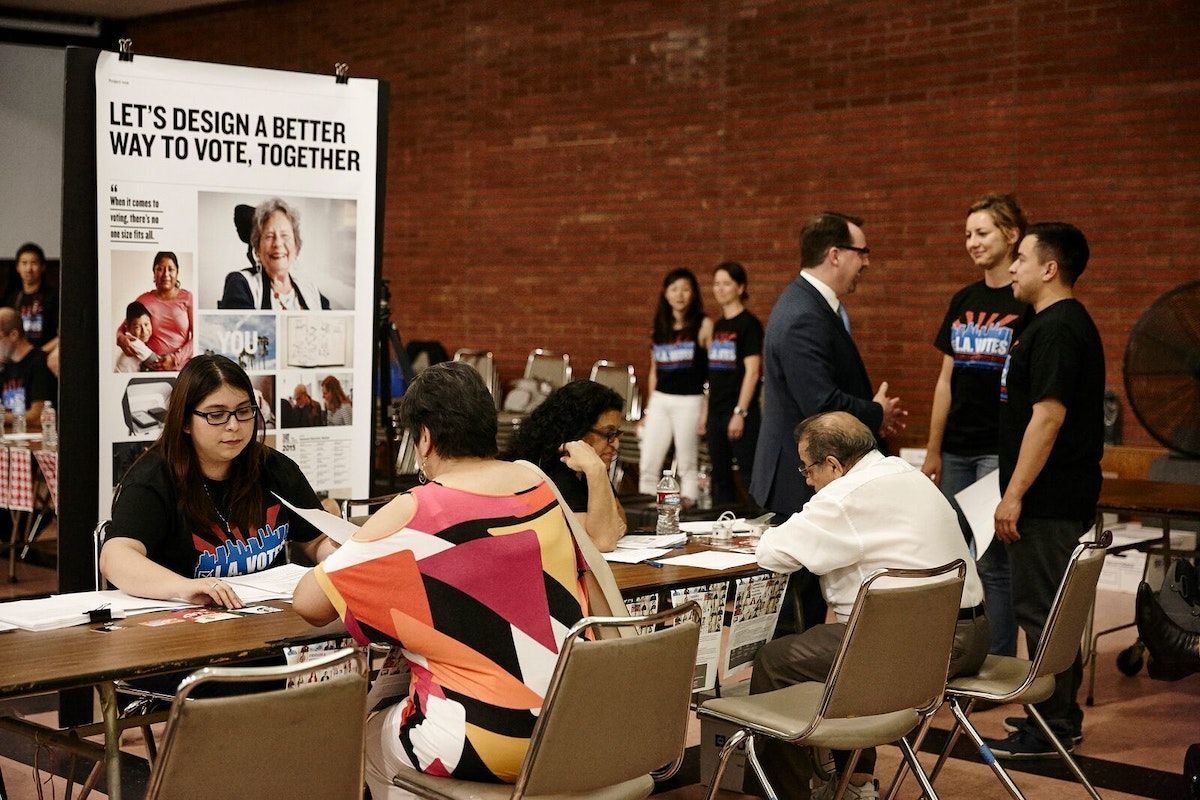
VIDEO: Democracy By Design, interviews with designers, researchers and Los Angeles County staff. Produced by the Los Angeles County Registrar/County Clerk.
The bright side of design constraints: 3 tips for leveraging limitations
Three insights for turning design constraints into better client relationships and more effective prototypes
Some of the best lessons I learned on the topic come from my time working at IDEO.org, our non-profit arm, which focuses on improving the lives of people living in poverty.
Here are some key lessons that can strengthen your approach, no matter where you’re designing.
1. Lead with empathy
While at IDEO.org, I worked on Health XO–a team focused on designing better access to birth control. Translation? We went into urban and rural communities throughout East Africa and talked to teens about their sex lives. These conversations are very personal for anyone, but for many of the teens we spoke to, having a sex life before marriage is stigmatized and risky. In this situation, having empathy meant considering all aspects of the topic: the individual experience, cultural taboos, and the larger community.
Because the stakes were high, I found myself paying particular attention to how I conducted research. Was the setting private enough for the young women to feel safe? Was a group interview among friends a better way to structure it? Would the girl feel more comfortable if we met a few times before launching into the more personal topics?
This experience made me realize how important it is to take a moment before every interview to make sure my attitude is collaborative, not extractive—even in for-profit design work. This makes all the difference in protecting and honoring the people you’re researching.
Ask yourself: What can I do to make this experience beneficial for my research subject? How might I approach their situation with empathy, and without the end-game in mind?
2. Find out what happens when no one is watching
Maybe you’re designing something you know a bit about. Or maybe you just have an idea about what would be cool to make, and prototyping seems like a waste of time. When we’re designing in our own backyards, it’s easy to ignore prototyping. But as I began designing in less and less familiar contexts, I found the value of prototyping increased significantly. The prototypes had to speak for themselves.
When our team worked with a local organization in the Kibera neighborhood of Nairobi, we were tasked with finding more effective ways to engage men and boys in reporting instances of gender-based violence. In order to understand the contexts where people felt most comfortable making reports, we worked with local metalworkers to build boxes where anyone could anonymously drop a written report about incidents. We installed them throughout the neighborhood: in bars, public toilets, on the street, and in barbershops. Within a few days, we began to see patterns in where reports were—or weren’t—submitted. This informed our strategy going forward.
Prototyping is especially important if you want to observe behaviors that can be difficult to suss out through interviews alone.
Ask yourself: How might we build a stand-alone prototype that more effectively gauges how people might behave when nobody’s watching?
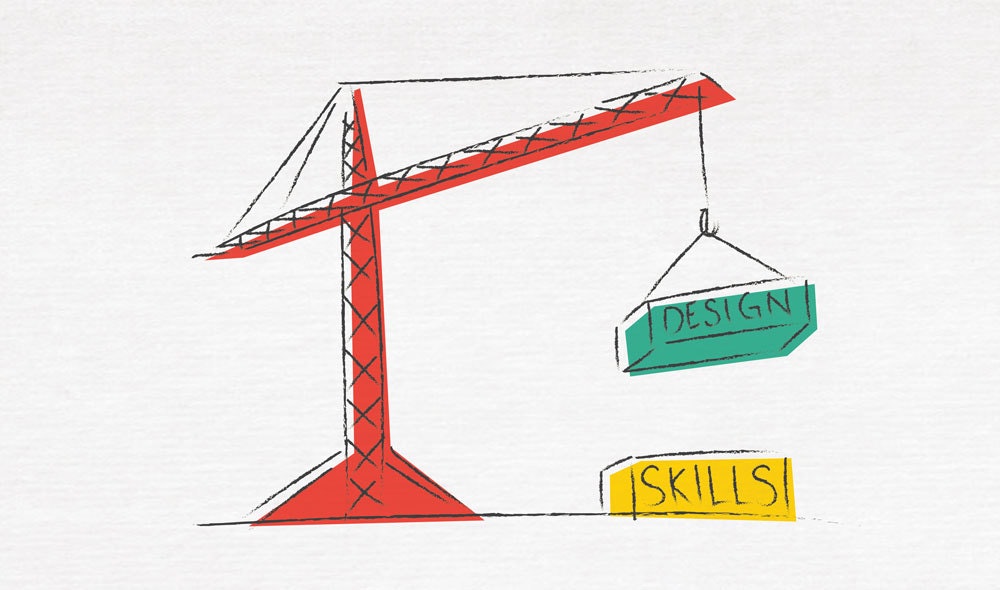
3. Help your clients build their own design skills
Deliverables matter. But without client ownership, even the most thoughtful design can gather dust. This is true no matter who your client is. But when you factor in a separation of 9,586 miles between you and your client, skill-building suddenly feels much more important.
One of the largest scale projects I worked on with IDEO.org was with Marie Stopes International. Our goal was to design avenues for teen access to birth control information and services, across all of Kenya. We worked side-by-side with the health workers who go from town to town as traveling medics. Not only were we learning from them, but we were also able to share how they could use design thinking methods to improve their current model.
Making sure that all team members have the tools they need starts with understanding the value that you—and your clients—bring. Our partners on the ground offered incredible expertise in the local landscape, regulations, and healthcare needs. We offered tools and a way of thinking that enabled these healthcare providers to try new ways of working, based on human-centered insights and a shared vision.
Ask yourself: What are the superpowers that my client has? How can I harness this knowledge in our designs, and include them in the creative process?
See what I mean about constraints? The next time you’re approaching a design project, take a moment to consider how you approach your work. Chances are, a step back from your day-to-day perspective will help improve your process, and your output.
Constraints are a designer’s best friend. When you have a small budget or a tight timeframe, constraints help you focus, force tough decisions, and require you to take a very exact approach. The more I design, the more I have come to value constraints. When you’re working on low budgets in emerging economies, with a language barrier, or in rural conditions, embracing the design process is key.

Why I made a GIF every day (and you should, too!)
How tiny projects can make you a better designer
So last summer, in search of some sort of spark, I decided to take on a personal project: I would make one animated GIF per day, every day, until I felt like stopping.
It may sound silly. GIFs often are. But it turns out, making GIFs is a great design exercise.
For one thing, they’re extraordinarily simple by design. Steve Wilhite, a computer scientist working at Compuserve, the first big online service company in the U.S., created the GIF in 1987. He had been asked to make a simple graphics format that works on all kinds of computers and could display sharp images even over slow internet connections. (Yes, in the late 80s the image quality of a GIF was considered “sharp.”) One of the first animated GIFs is this famous airplane.
What he wasn't asked to do was create a platform for animation. In fact, the spec sheet for the then-new file format clearly states that though GIFs could be used for very limited animation, that isn’t what they were made for.
But that’s largely what we use them for these days, which means we end up working under a lot of constraints. And creativity thrives under constraints! You have to experiment to leverage limitations and quirks and make them work to your advantage. When you make a GIF, you’re working with a limited color palette (less than 256 colors). Your animation has to be very short and simple or else your file size will be so big that the GIF is no longer easy to share / quick to load. The small file size might frustrate you, but it also might force you to think more abstractly about the most concise way to communicate something complicated.
Another defining constraint: GIFs generally loop. And since those loops are short, you’ll usually see this a GIF in its entirety a couple of times. The best GIFs take advantage of this constraint and make it a central component of their design.
One last incredible thing about animated GIFs: They’re not precious. People aren’t afraid to mess with them. So many animated GIFs are the result of people adding to or altering or juxtaposing existing media, which is sort of like a weird form of collaboration if you look at it from the right angle.
With all those things in mind, I started the challenge.
Since each of these were so small and self-contained (I worked on them once for a limited amount of time and then never returned to them), I felt free to make some that were purely formal or technological explorations, which is not typically my jam. I played around with the tools and applications to see the unexpected things I could do with them. Stakes were low, possibilities endless.
This project revived my passion for making things. Because of the medium’s limitations and my self-imposed one-GIF-per-day requirement, I couldn’t let what I made get too complex. The GIFs were quick, self-contained, and ultimately really joyful to create. I had to to embrace experimentation and overcome the fear of sharing "bad" design that plagues so many designers. If you force yourself to make and share something new every single day, guess what? Some of that stuff probably isn't going to be your best work, and that's all right. This is an attitude and approach that I've carried with me since starting my GIF project, and I think it's made me a much bolder and better designer.
Eventually, a cross-country move and a new job meant I was both more regularly inspired through my work and a whole lot busier, so I stopped making daily GIFs. But I have decided to keep up with weekly GIFs—and a lot of my colleagues in Chicago are now doing it with me. It sounds like a small project, but for us, it has made it easier to share half-baked ideas, inspire each other, and keep on making.
Need a little help getting started? I learned by converting from video to GIF with Photoshop, and this guide can explain how. And for those who are less technologically inclined or don’t have access to Photoshop, Giphy’s GIF Maker is a great tool.
In a previous job, I was really struggling to feel inspired or challenged. That’s not ideal when your job is to be creative and make things, so I was a bit desperate to find something that could help me rediscover the joy in making—after all, that was what had drawn me to becoming a designer in the first place.

Learn the basics of coding with a needle and thread
How a hands-on craft project builds digital know-how
I kept going over books, blogs, and videos, hoping for a moment where it all clicked and suddenly I became a chip whisperer. But it just wasn’t happening.
Then things changed. I bashed my fingers into my keyboard for days, failing over and over again until finally—it worked. I had a project idea that tickled my brain in just the right way. It was weird, and it was mine. I made something work, something I liked and that was just for me. I’ve been chasing that high ever since.
Looking back, I can see now that what really changed my relationship to code was letting my creative process lead. I was trying to make “useful” stuff, and that's not always necessary when you’re learning. Let the weird in! We worry about how the computer thinks when we’re learning to code, assuming that it’s smarter. It’s not. It’s a dumb box with lots of opinions. When I started worrying less about how it thought and more about what I was trying to achieve, I was able to find little toeholds in the translation process. I was able to work backwards from an idea, and break it down into tiny little steps. These steps are what every code project is made of.
I wanted to help my colleagues glimpse this feeling of creativity and control over programming—without having them touch a computer. I’m a lover of generative art and have long been inspired by the work of Sol LeWitt. His works are sets of instructions that can be interpreted and performed by anyone. This is also how a computer works. You give it instructions and it interprets them to perform some kind of function. (Literally, the part of the computer that reads code is called an “interpreter.”)
Our studio has a bi-weekly tradition called Make(Believe)Time. At each session, a member of the studio comes up with a creative activity to get us out of our heads and thinking more playfully. It might be to invent a new game, design advertisements for a future Earth invaded by aliens, or exploring our senses through making something strange. Ben Swire runs Make(Believe)Time and helped me craft a session that made this translation of code come to life with needle and thread. Each person received sewing supplies and a blank manila card (made to look like an old Fortran punch card). Everyone was asked to write simple instructions for a stitch on the card. Here are a few:
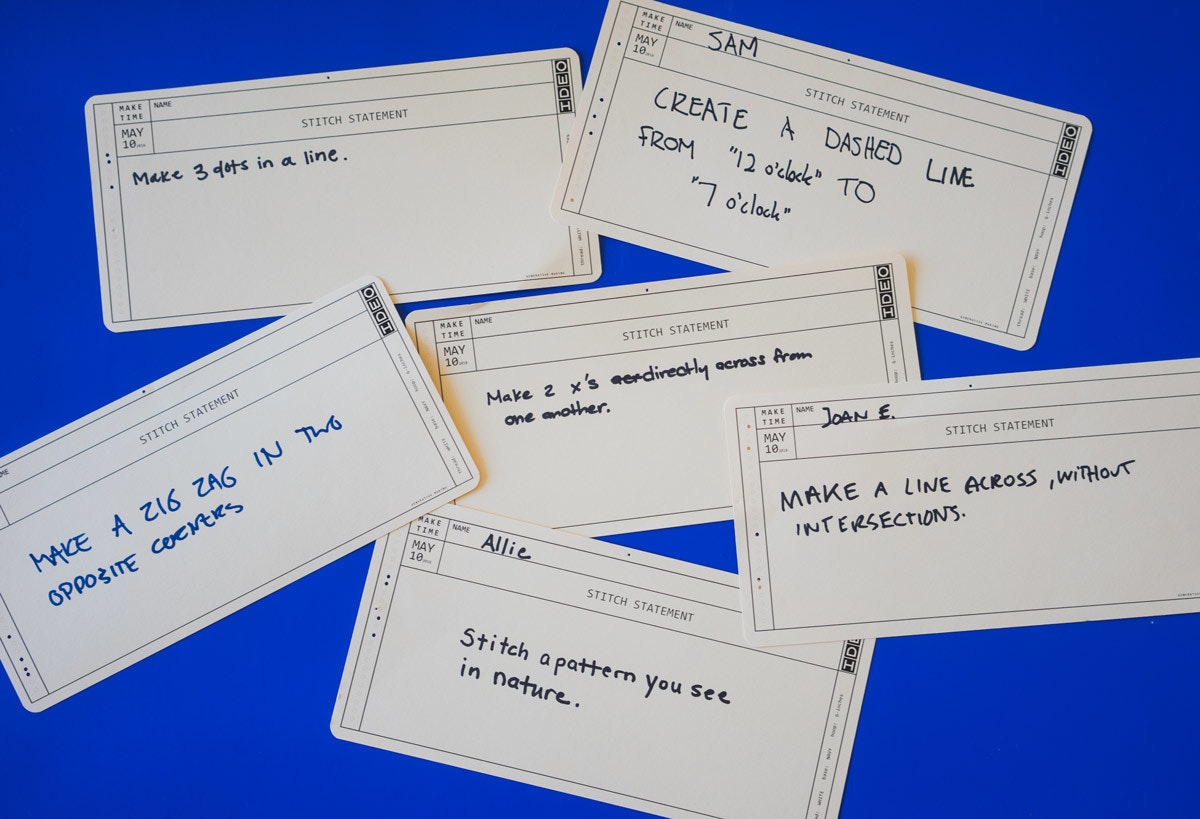
Ben and I shuffled and distributed the cards into groups. We explained that each card is a statement, a simple bit of instructions to be interpreted by the individual sewer. When each person was done with their statement card, they were to pass it to their neighbor until the group had shuffled through all of the statements. Each group of sewers would be acting like a programming function, performing a collection of simple directives.
When a group was done performing their “function,” their data (aka, the cards) was passed to another group. Much like in a computer, data was passed from one function (output) to another where it was added to (input). We were a human computer!
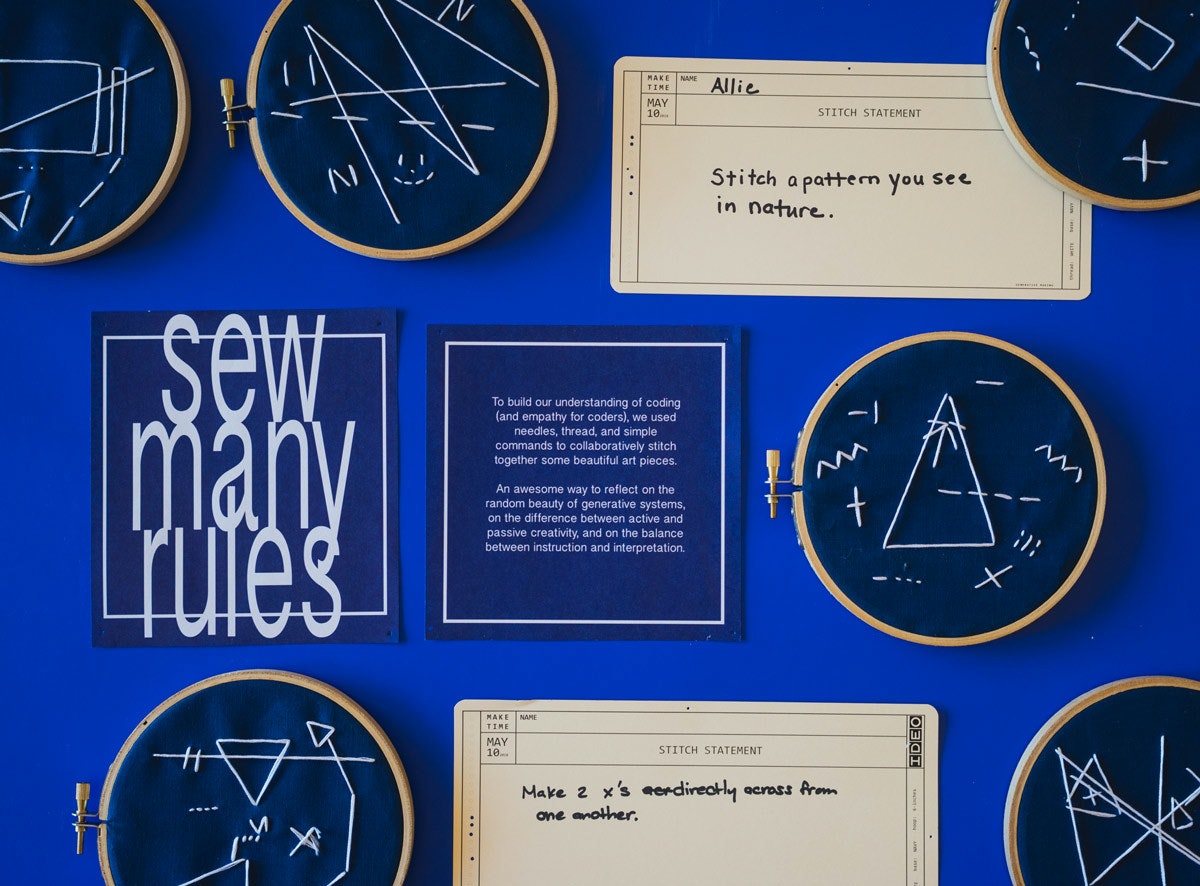
We were delighted to see the wild differences between each group's interpretation. That balance between constrained instruction and broad interpretation touched an interesting space between active and passive creativity. It was fun and inspiring to see the wide range of outputs that came from such simple instructions.
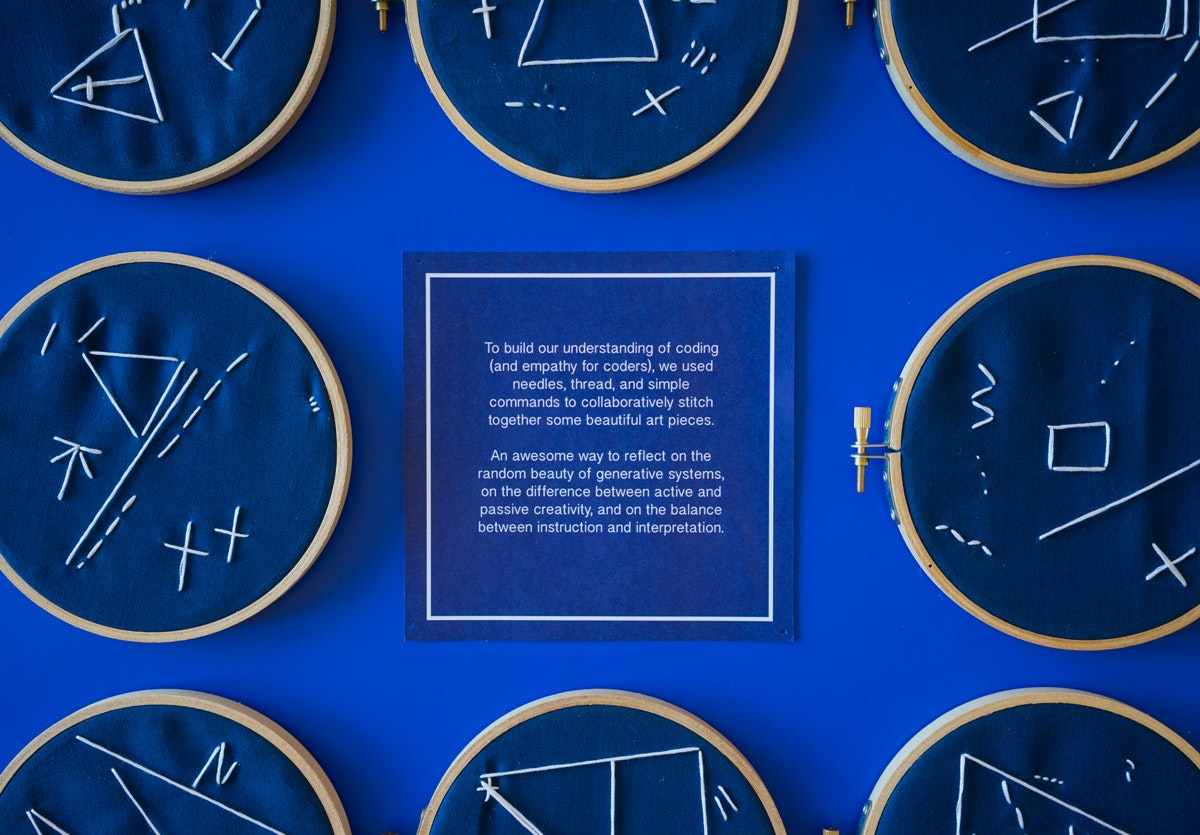
We’d love to hear how you explain complex processes through tangible experience. Send us your story!
Despite what I was led to believe, learning to code was excruciating. Throughout the process, I was convinced that I was dumb and should just get really, really good at Excel because that’s as close as I’d ever get to making a computer do anything by typing at it.
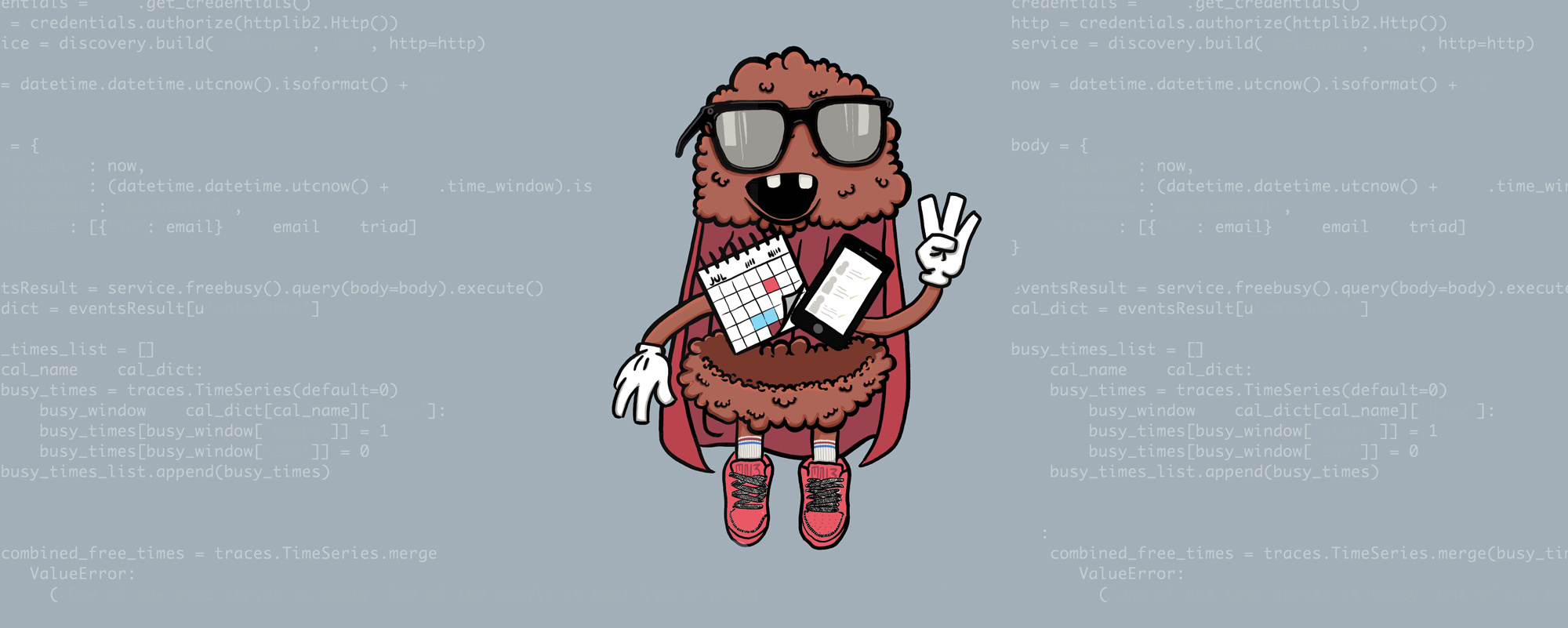
Using data science to design human connection
How we built Meaty the Meetbot, a humanoid meetball on a quest to bring people together
In the beginning, we hadn’t been assigned to client projects yet, so we found ourselves on what IDEO designers call “whitespace,” meaning we had some time on our hands while we waited for placements.
With so many newbies wandering the studio, and more joining the ranks every week, it was becoming hard to keep all the new faces straight. Our colleague Annette, one of our co-experience directors, saw an opportunity for us to revive a studio-wide program that set up any two IDEOers to go out to lunch on the studio’s dime once a month. The idea was to help establish new connections, but busy colleagues would often cancel lunch plans and the task of scheduling (and rescheduling) soon fell to one of our beloved leadership coordinators, Biz. As a result, this benefit had become severely underutilized.
Our mission: to use data science to (mostly) automate the scheduling process so that newbies and veterans alike could easily participate in the program. The tool would need to assign “optimal” groups of Chicago IDEOers, search their calendars for a mutually agreeable time, and send them an invitation to go to lunch together. Here’s how we did it:
1. Designing the perfect group
We started by asking a seemingly simple question: What makes a good group? To find out, we practiced our design research skills in some working sessions with Annette and Biz.
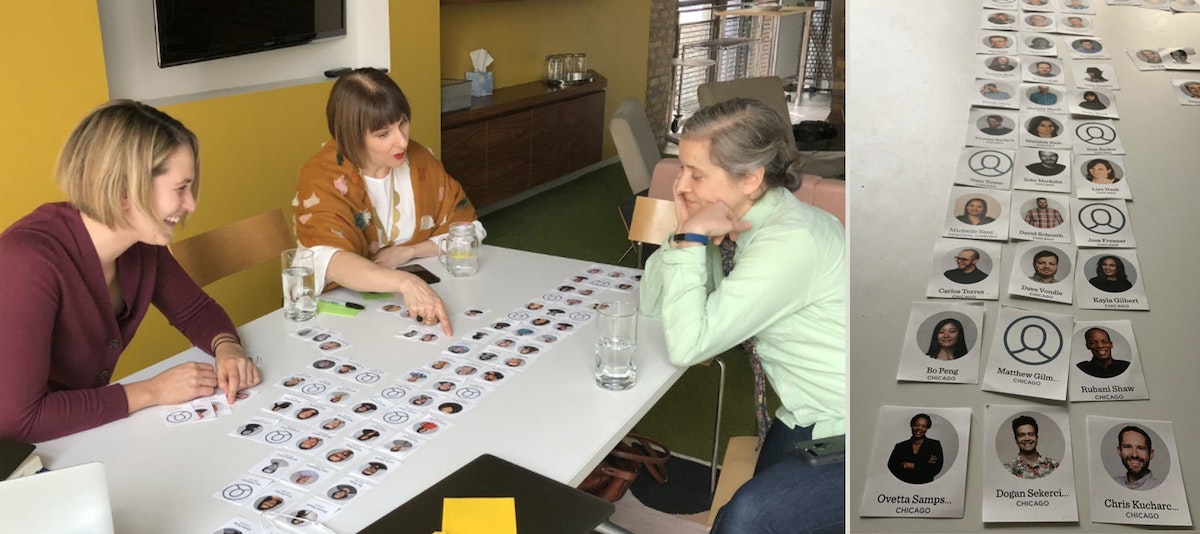
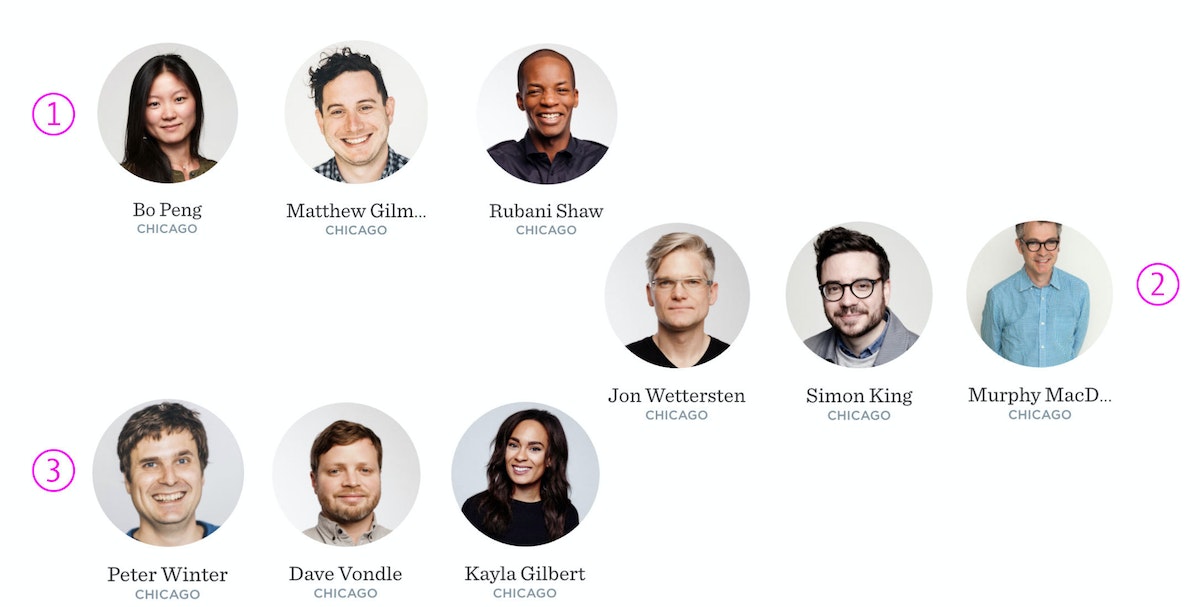
Annette suggested that we create groups of three, rather than two, based on social science research that finds triads are more conducive to sparking creative collaborations and community than dyads. That fact inspired us to call the program “Meet ‘n Three,” a play on the traditional Southern combo meal offering of a protein and three sides.
Together, we decided that groups should comprise three people whose paths don’t cross day-to-day, while also striking a balance of design disciplines—not all interaction designers or all data scientists. And an ideal triad would mix people who were new to the studio with those who had been around longer. With these principles ironed out, we got to building the algorithm.
2. Creating custom datasets
To build the groups, we needed some data on our coworkers. We turned to IDEO’s intranet to get a list of everyone who worked at a given IDEO location, their disciplines, and projects they’d worked on. We combined that with manually-created datasets that contained each person’s level of seniority and discipline. Using this data and the earlier criteria, we created an algorithm that randomly samples employees, generating one group at a time. Once a person is in one group, their likelihood of being chosen for another decreases; to spare their calendars, no employee can be in more than two groups.
The group is then assigned a score for its “novelty,” which includes the number of disciplines represented, the variety of seniority, and the number of projects shared between group members. The algorithm optimizes the score for an entire month’s worth of groups using a Monte Carlo approach. (In other words, we create many more groups than we actually need, and throw away all but those with the highest scores.)
3. Addressing the scheduling conflict
Once we have a group, all that’s left is to find a time for them to meet. Through the Google Calendar API, we were able to get a list of available times on people’s calendars. Since these times aren’t uniform, this data structure isn’t easy to work with. After many frustrating attempts to create a functional system, we realized that fellow data scientist (and Datascope co-founder) Mike Stringer had already solved this problem (albeit for a different reason). We used the Python library he created to perform unevenly spaced time series analysis, saved ourselves heaps of wasted time and energy, and learned a lesson: When surrounded by world-class nerds, phone a friend before trying to reinvent the wheel.
4. Putting the Meetbot to work
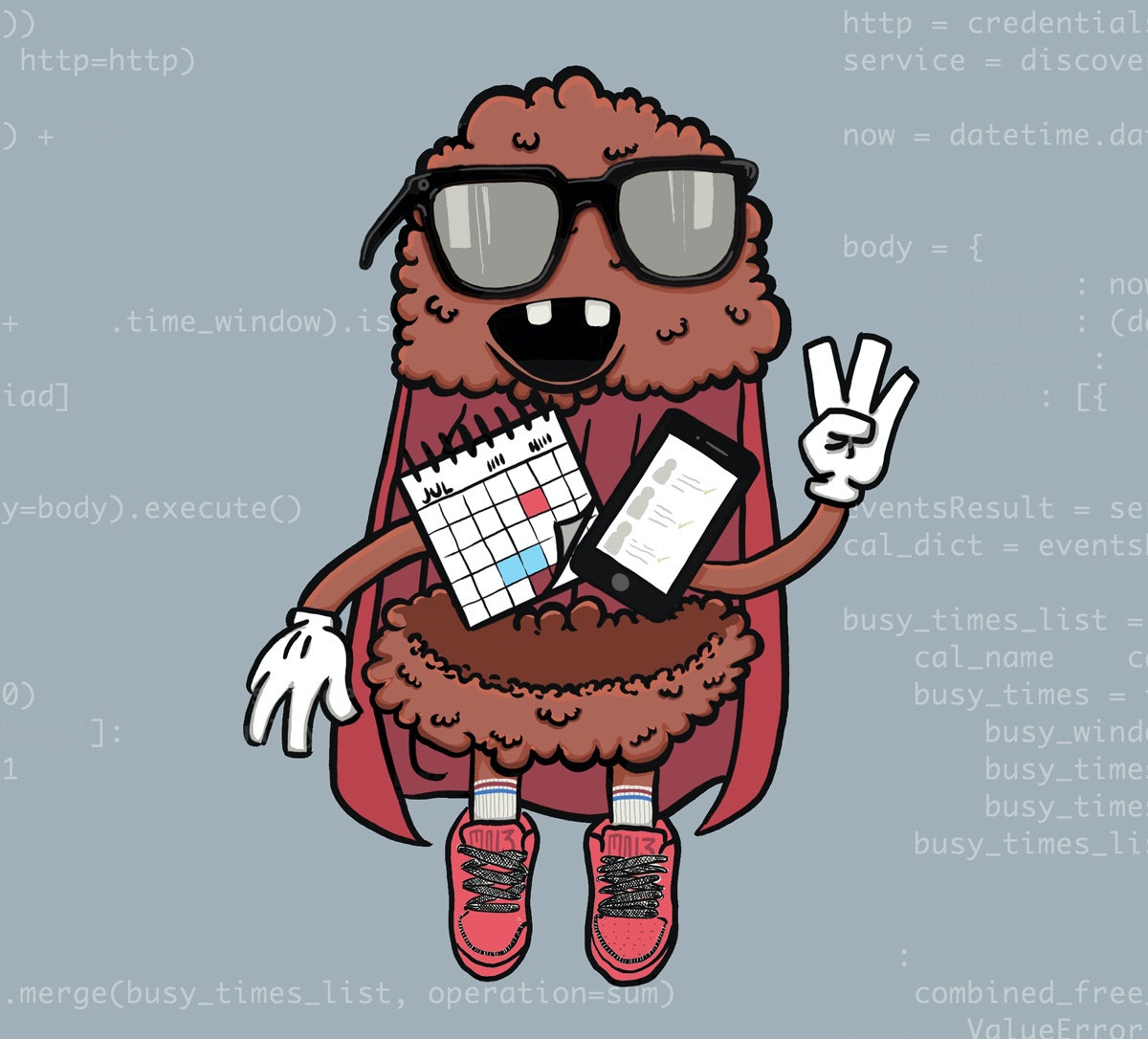
As designers, we knew that creating the algorithm was only half the battle—we also had to share our work to make it successful. To give the bot some personality, we created a mascot we dubbed Meaty the Meetbot, a friendly humanoid meatball on a mission to bring people together. We introduced Meaty (and his functionality) during an office-wide lunch meeting. The newly-minted Meetbot was better suited to the IDEO Chicago of 2018 than the old program: it scaled to accommodate the 45% increase in employees, and infused a little data science flavor. For the big finale, we sent out the first batch of invites all at once, so everyone received them at the same time.
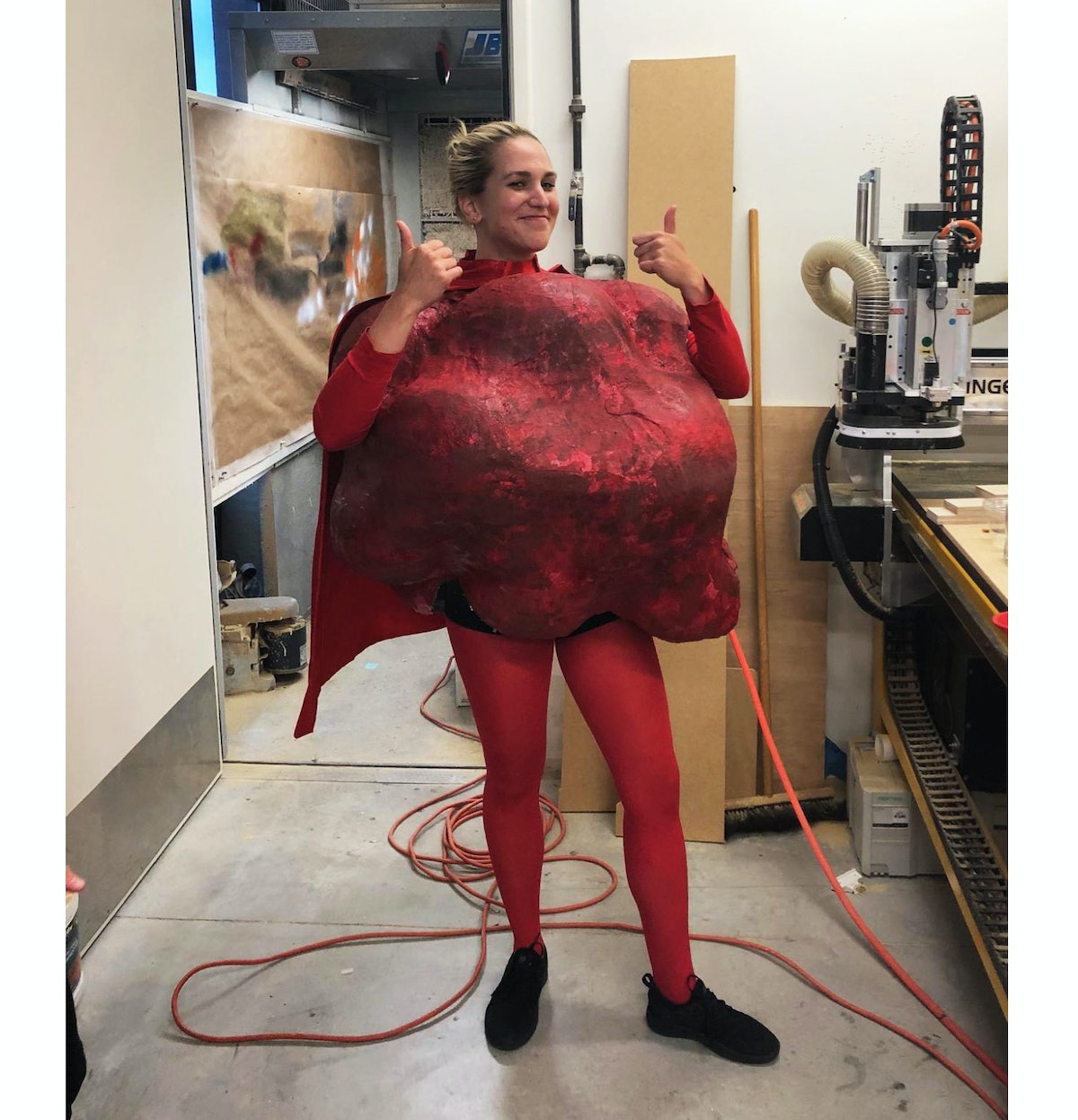
Since Meaty’s initial rollout in late March, there have been 112 group lunches in Chicago (according to Google calendar), bringing together everyone from support staff to directors to designers. Word spread to other studios, and the Palo Alto and San Francisco offices are on deck to start their own group lunches. Meaty has also virtually connected IDEOers around the world, scheduling calls between design researchers in Cambridge and New York, and handling the time-zone-juggling challenge of scheduling global calls between Munich, Shanghai, and Tokyo.
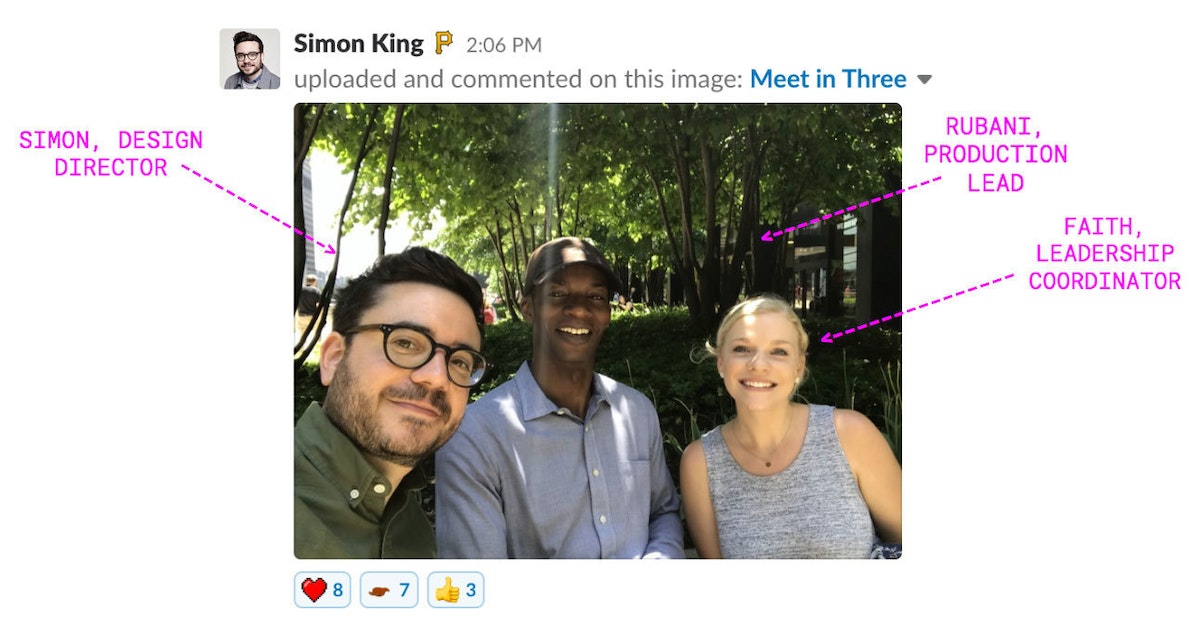
Although Meaty the Meetbot was born as a silly thing to tinker with until we had “real work” to do, it’s had real impact. For us, it’s been a reminder that even in seemingly inane projects, data and algorithms can be used in service of human interactions. By letting a computer take over the grunt work, we freed up some (way more valuable) human time, making room for people to connect and create. Maybe there is such a thing as a free lunch.
Late last year, IDEO acquired data science firm Datascope, adding 18 data scientists to the Chicago studio’s roster overnight. We’re two of those data scientists.

Lindsey Turner
I’m passionate about building brands, products, and experiences that help organizations show up with meaning and momentum.
I help organizations cut through complexity by shaping how they show up, through brand strategy, identity, and storytelling.
Working at the intersection of brand and business, I bring an editorial eye and a bias toward making—turning ideas into tangible experiences that people can understand, trust, and believe in.
My work spans government, healthcare, financial services, media, and consumer goods, from launching Gen Z-focused ventures to building innovation labs and reimagining legacy brands. I relish moments of ambiguity and enjoy translating across teams, perspectives, and priorities to move ideas forward.
I started my career in editorial and digital design, shaping cross-platform experiences and identity systems in publishing and agency environments. That foundation still shapes how I work today: I’m detail-oriented, collaborative, and overreliant on the Oxford comma. I hold a BFA in Visual Communication from the School of the Art Institute of Chicago.

Rachel Young
My work helps organizations see who their products aren't working for—and build the will and the tools to do something about it
For 25 years, I've asked the same question: Who does this design exclude—and what are we going to do about it?
My work spans human-centered strategy, inclusive design, and qualitative research, with clients ranging from Microsoft, Google, and Verizon to the National Science Foundation, and San Francisco Unified School District.
Before IDEO, I taught elementary school in East Palo Alto and spent a decade doing design work with social service organizations—where I learned firsthand what it costs people when systems are built without them in mind.
I am currently writing User Error, a nonfiction book about digital access and the design decisions behind it. I live in Oakland, California.

Brian Pelsoh
I lead with craft, ensuring our work is creatively excellent: rooted in deep human insight and imagination, while also grounded in the realities of business and technology.
My expertise spans brand, communication, and product design across tech, education, the arts, and social impact.
I believe great work demands both high-level vision and obsessive attention to detail, and only happens through collaboration.
I bring an inclusive, hands-on approach and a deep understanding of business, which enables me to consistently deliver excellence while always asking why.
Before joining IDEO, I worked at the brand firms Pentagram and VSA Partners. I began my career as a designer, leading teams at the School of the Art Institute of Chicago and the Milwaukee Art Museum. I hold an MFA in graphic design from Maryland Institute College of Art and a BFA in communication design from the Milwaukee Institute of Art & Design, and have taught at some of the best design schools in the US.

Tony Wong
I am responsible for IDEO’s long-term success in China and working with clients to use design as a tool to enable growth.
I am responsible for IDEO’s long-term success in China and working with clients to use design as a tool to enable growth. Specifically, I have helped Chinese companies design holistic brand solutions through the development of their products, communication, services, and innovation teams, and I have helped multinationals expand their presence and influence in China.
I advise global leaders on developing China-led innovation and capabilities.
In over 15 years in IDEO Shanghai, I have worked on projects that use design to elevate the quality of the experience of healthcare products and services, streamline processes that increase productivity, create spaces and programs that promote and enable inclusive communities, and build next generation mobility solutions that are planet-positive.
Before joining IDEO, I worked at Philips Electronics and the Electrolux Group in Italy, the Netherlands, and Singapore on a number of breakthrough commercial products. I am a member of the Young President Organization in Shanghai.

Building a personal AI for the messiness of life: Sida Li
Most AI products today are built for work—a space with clear problems and established systems. One founder noticed a gap: personal life is messier, harder to systematize, and mostly left behind by the AI boom. So she built Cue, a personal AI that lives inside iMessage and group chats, to go where the other tools haven't.
In this episode, Becca Carroll, IDEO's Chief Strategy Officer, talks with Sida Li, co-founder and CEO of Shared Context Lab, about staying anchored to a human need while the technology around her keeps changing shape, why she treats her business model with the same rigor she'd bring to a product, and what it feels like to build a company at this particular, disorienting moment in AI.
The conversation also gets into how Sida makes design decisions: the language Cue uses to describe itself, the tradeoffs behind building inside iMessage instead of a new app, and a real story about a business idea that didn’t pan out.
This is the second in a two-part series profiling founders from IDEO's Startups-in-Residence program. The first conversation is with Johannes Seemann, founder of Sooner, on designing GenAI for the emotional side of money.

Designing GenAI for the emotional side of money: Johannes Seemann
Most personal financial tools are built to run the numbers and optimize towards a budget. While that works for some, most people experience money as a lived relationship that does not neatly fit into a spreadsheet. Johannes Seemann and Becca Carroll discuss why money is emotional before it is mathematical, and what a human-centered approach to building a generative AI financial product looks like in practice.

The curious leader's edge in uncertainty: Scott Shigeoka
Mina Seetharaman talks with Scott Shigeoka, author of Seek and Head of Curiosity Cultivation at the Eames Institute, about what distinguishes genuinely curious leadership from performative curiosity, how power dynamics shape curiosity, and why practicing curiosity can restore energy rather than drain it.

How constraints make us more creative: David Epstein
Mina Seetharaman talks with David Epstein, author of Inside the Box and Range, about why total freedom often produces average work, how leaders can design useful limits on purpose, and what organizations such as General Magic and Pixar reveal about the relationship between boundaries and creativity.
Looks like you might be in search of something very specific?
Or reset the filters above and try another angle.
Here’s some random inspiration
Podcasts about creative leadership
Articles about the power of prototyping