.svg)


Climate action for SMBs
Leveraging data to help SMBs reach net zero.
For more than 40 years, Sage has helped businesses of all sizes navigate complex business environments. While many of its larger customers have the means and the structure to support climate initiatives, many of its smaller customers do not.
Sage wanted to help its SMB customers get ahead of future climate regulations and meet consumer expectations. And building carbon-footprint evaluation and mitigation tools would also dovetail nicely with Sage’s own climate aspirations: cutting its own emissions in half by 2030. Together, Sage and IDEO investigated how the company could leverage the data in its platform to calculate its customers’ emissions, both direct and indirect, and how that information could spur action as they aim to hit net zero.
To get started, the design team went deep with customers running all kinds of businesses—from a taxi company to a champagne bar to a falconry center. Business owners shared that their focus often has to be on the day-to-day, a series of small decisions that, when added together, lead to business success. For many, tackling a problem as complex as climate change felt overwhelming. IDEO and Sage synthesized those insights and began working across verticals and products, bringing together experts from marketing, technology, sustainability, and operations to build out new concepts. With the help of two carbon accountants, the team worked to figure out how existing data could inform customers about both their direct and indirect emissions, which can be harder to track. Given how tight SMBs’ margins are, they focused on how that knowledge could fuel emissions-cutting changes that also save money, giving businesses extra incentive to take action. Together, the team created a roadmap of customer outcomes and experience guidelines to help shape future products.
Sage has taken that work forward, launching Sage Earth, a platform that aims to help businesses measure, manage, and mitigate emissions—even across supply chains. With carbon accounting now built directly into all Sage Accounting and Sage for Accountants products in the UK, Sage has made climate action practical and accessible for millions of SMBs. By automating emissions measurement and reporting, Sage Earth removes barriers of cost and complexity, empowering business owners and their accountants to stay competitive in supply chains where up to 95 percent of emissions occur.
From co-developing the UK Voluntary SME Carbon Reporting Standard to launching a Carbon Accounting API, which gives banks, fintechs, and other platforms access to Sage’s Carbon Engine, Sage is embedding sustainability into the systems people already trust—helping hundreds of thousands (and rapidly increasing) small businesses turn climate ambition into everyday action.
Small- and medium-sized businesses—companies with fewer than 500 employees—make up about 90% of the world’s businesses, according to U.N.-backed SME Climate Hub.
Two thirds of small businesses don’t know how they’re going to reach net zero, and lack the resources to do so, according to a recent survey by SME Climate Hub. Still, the majority reported they want to act on climate, recognizing it can help them become a more resilient business.
Large companies may be the biggest emitters of greenhouse gasses, but an estimated 80% of those emissions come from supply chains—often made up of smaller enterprises.
Scaling rapidly
in the three years since the launch of Sage Earth, which is now being used by hundreds of thousands of businesses
World's 1st
open-source hybrid emissions factors dataset, Carbon Commons, led by Sage, helps SMBs calculate carbon footprints using existing data
Reframing menopause
QVC works to change the narrative, while meeting customer needs.
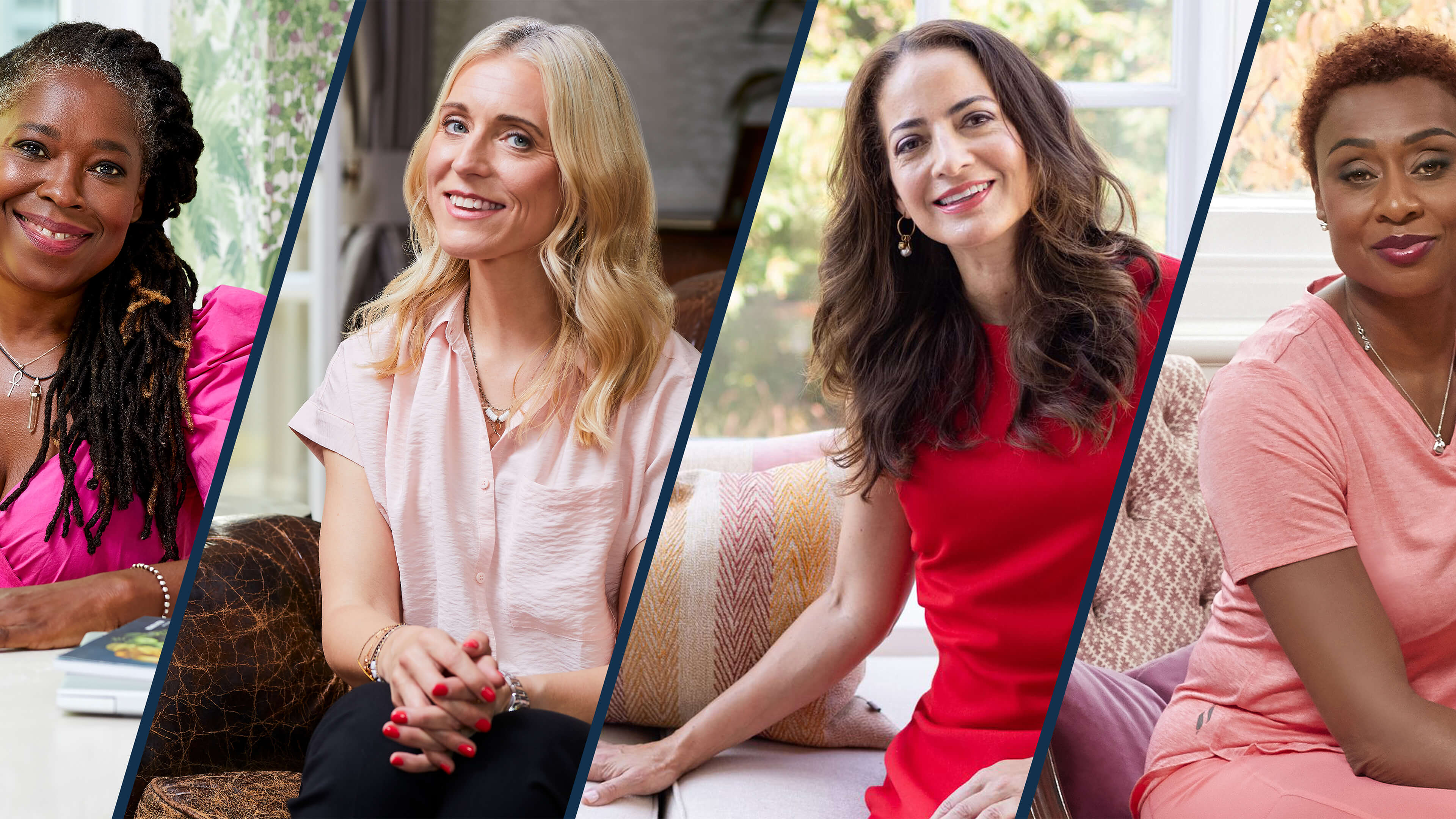
Menopause is much more than a biological transition—it is a profound shift that often arrives just when people experiencing it start to feel invisible. Because it has long been shrouded in darkness as an unmentionable female affliction, those going through menopause often feel unprepared and alone.
Recognizing that its customer demographic makes QVC uniquely positioned to surface conversations and provide support to those dealing with menopause, the video commerce retailer partnered with IDEO to figure out how it could not only meet customer needs, but also flip the conversation on midlife. To learn more, a team of female design researchers held in-depth interviews with folks experiencing it firsthand. The people they spoke to had limited information about what was going on with their bodies, and in some cases, it took years before they understood that symptoms they were experiencing were related to menopause. Respondents also reported that midlife brought a change in social status and the feeling of being boxed in by stereotypes.
QVC and IDEO worked together to design an integrated suite of offerings that could give customers a safe space to discover and share more about menopause. That included an on-air programming series called “Menopause Your Way,” where QVC could support those going through menopause in the privacy of their own homes, a digital landing page with useful solutions, and social media campaigns to help women share and learn more about each others’ experiences. Because people experience menopause and choose to manage it in many different ways, the team wanted to create an integrated ecosystem of content that women could access according to their unique journeys. The new offering helped QVC reach its core audience with solutions and relevant products, and created a space where menopause is out in the open and part of an ongoing conversation. And in the process, QVC evolved to become a more customer-centric company, putting its audience and their needs at the heart of its offerings.
9/10 of British menopausal women say society and brands overlook them.
1 in 2 women in the UK admitted they didn’t know what was happening to them during perimenopause.
Nearly 40% of menopausal women are being prescribed antidepressants to help manage their symptoms, despite 4 out of 5 describing the treatment as “inappropriate.”
Season 2
a series focused on menopause is now in its second season
Healthy youth
Improving digital tools to help practitioners deliver critical mental health support to children and young people.
Healthcare is a complex web of institutions, interaction, relationships, and services. In England, the National Health Service consists of thousands of separate organizations spread across the country. This fragmented structure means that rolling out digital tools and using them to their full potential can be difficult.
NHSX approached IDEO and Public Digital, IDEO’s sister company, for help designing user-centered resources that would empower Children and Young People’s Mental Health (CYPMH) practitioners to use digital tools more effectively, shifting service design from a reactive to a proactive process, and allowing each regional organization to create the best digital services for their children and young people.

The team took a human-centered approach, tapping into the perspectives, challenges and needs of NHS practitioners and leaders across the system over months of research. They then designed a set of accessible, straightforward online resources, courses, and templates that would enable a practitioner to start their own local service transformations. These included everything from practical advice on improving users’ experiences of CYPMH, to teaching methods for service design, to content focused on achieving digital transformation at scale.
The resources were easy to implement and replicate, allowing mental health practitioners across the country to seamlessly integrate physical and digital, create firebreaks in the system, and better bridge the gap between seeking care and receiving it. They were designed to evolve over time, and the work is replicable across the NHS, with the potential to touch millions of lives.
By empowering practitioners to utilize these digital tools to ease the burden of care, NHSX plans to create a positive ripple effect across the entire NHS, its partner organizations, and the country at large.
In a study undertaken in July 2020, the first summer of the COVID pandemic, the NHS found that clinically significant mental health conditions amongst children had risen by 50% compared to three years earlier.
More options, more access
digital resources are helping children and young people access more options for their mental health care

The future of air travel
Reinventing supersonic flight with Boom.
It’s not easy to shift the paradigm for an entire industry. But when a company comes along that promises to reinvent air travel, it opens up a blue sky of opportunities. That’s the flight path for Boom Supersonic, which is thinking big about how passengers arrive at their destination not only faster, but also with a greater sense of wellbeing.
To really comprehend the experience of flying in the unique contoured profile of this ultrafast jet, and to help Boom make key decisions about the design of the plane, the IDEO team believed that you had to go beyond algorithms and schematics—you needed to actually board it.
Using a “build-first” approach, the team quickly constructed a full-scale mockup of the fuselage from plywood and foam core. That became a prototyping platform to test multiple seating configurations, galley and lavatory size and placement, luggage storage solutions, and other concepts that would differentiate and add value to the passenger experience. For the first time, the Boom team was able to set foot in its own aircraft and truly understand the experience from the perspective of its clientele. The exercise allowed the Boom team to confidently make decisions by comparing multiple cabin configurations and options in full-scale.

Throughout the project, Boom and IDEO invited future travelers aboard to interact with the prototype and offer feedback. That input culminated in a more refined model, with augmented windows, moonroof, in-flight entertainment screens, and sound design—all further augmented by a Virtual Reality component to allow our future travelers to fully immerse in this new experience.
Together, Boom and IDEO brought a sneak peak to the Farnborough International Airshow, a biannual exhibition for the aerospace, aviation, and defense industries. The event was an opportunity to give the industry and potential customers a preview of Boom’s innovative new jet. In collaboration with the client, an exhibition architect, and a digital production agency, the team created an immersive environment designed to make the Overture experience feel tangible, eliciting the wonder of this revolutionary plane.
Boom’s presence at Farnborough not only underscored the Overture’s progress but provided an inspiring glimpse into the future of air travel. During the air show the company announced the production Overture design, a market-expanding alliance with Northrop Grumman, and agreements with tier one suppliers Collins Aerospace, Safran, and Eaton. Not long after, Boom received its largest order to date, this one from American Airlines.
The prospect of getting to London in time for dinner just got a little closer.
Boom plans for Overture to get from New York to Frankfurt in just over four hours instead of the eight hours spent on a commercial jet today.
The Overture supersonic jet has a cruising speed of Mach 1.7, about twice as fast as today’s commercial planes. Overture is built to fly on 100% sustainable aviation fuels (SAF).
20 Overture deposits
made by American Airlines, joining current customers United Airlines and Japan Airlines

Save the City, Stop the Muenster
To celebrate the discovery of the double-helix, IDEO & Genentech bring genetics to life with an iPad game inviting the curious to save SF from mutant cheese
Sixty years later, amidst technological advances that have spurred massive innovation and changed the face of science, we decided it was time to re-inspire today’s generation. James Musick, a digital communications lead at Genentech, came to us for help in creating an immersive iPad experience that would celebrate Watson and Crick’s seminal discovery, as well as engage the science-curious. But with three months to complete the project, we needed to hit the ground running.
Ralph and The Cheesy Mess
The idea of using a game or puzzle as a way to bring users into a world filled with genetics became an early favorite in the ideation stage. Puzzle-based gameplay was a great analogy to reflect the scientific process: from trial-and-error learning stages, to information synthesis, all the way through solving the puzzle and answering the question. A game hinging on a real-life genetic mechanic would be novel and stood to introduce the science to a new audience. If designed well, with engaging play and a compelling story, we would be able to integrate the science, narrative, and gameplay into a beautiful app.
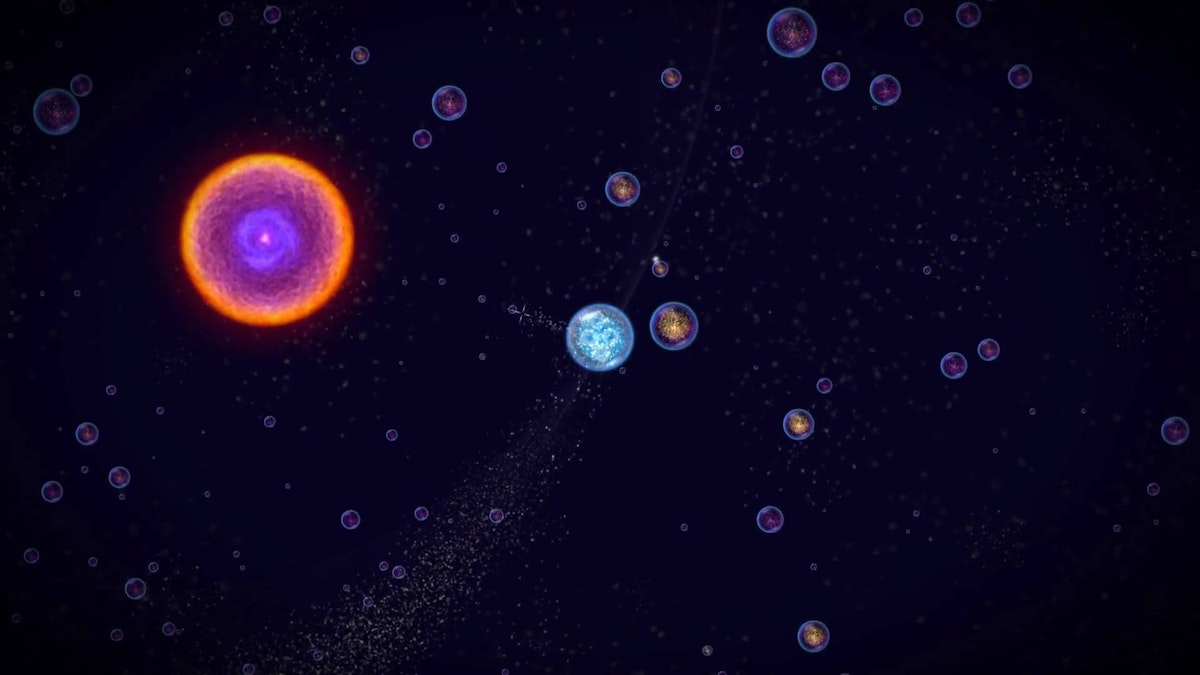
We started off diving deep into the world of video games. We indulged in playing some of our tried-and-true favorites, as well as newer games such as Osmos and Eufloria to understand how they bridged science and storytelling. At the same time, we were learning about cutting-edge research in genetics through conversations with Jason Long and other Genentech scientists, listening to podcasts, and a hefty amount of reading.
Throughout this inspiration phase, we kept coming back to a wildly intriguing area of research called epigenetics, which focuses on how environments affect genetic expression. In short, epigenetics is the area of genetics that, given a fixed DNA makeup, tells the DNA which parts of the code should express themselves and how they should express themselves as determined by external factors like weather, stress, diet, etc. So while we may have a fixed genetic makeup, the environment still plays a large modulating factor in our genetic expression.
Our fascination with the content—combined with a teamwide love of comic books and mutant-origin stories—evolved into an epigenetic-inspired noir-puzzle game based on Ralph, an artisanal cheese-maker, and his cheese company Ralph's Killer Muenster.
The mechanisms of genetics
Early on in the ideation phase, Evan Shapiro, who would become a core team member and help prototype game logic, introduced us to phylogenetic trees and maximum parsimony theory. You’ve probably encountered phylogenetic trees in biology class, where they serve to illustrate evolutionary relationships among species. Maximum parsimony, on the other hand, is more obscure. It serves as a computational forensic tool to help us understand the evolution of genetic traits along the phylogenetic tree, as well as help us infer species evolution. With maximum parsimony, the “preferred phylogenetic tree is the tree that supposes the least evolutionary change to explain observed data.” After mulling that over for a bit, we decided creating and solving a phylogenetic puzzle by employing maximum parsimony as a scoring criteria was a great jumping-off point and a compelling challenge.
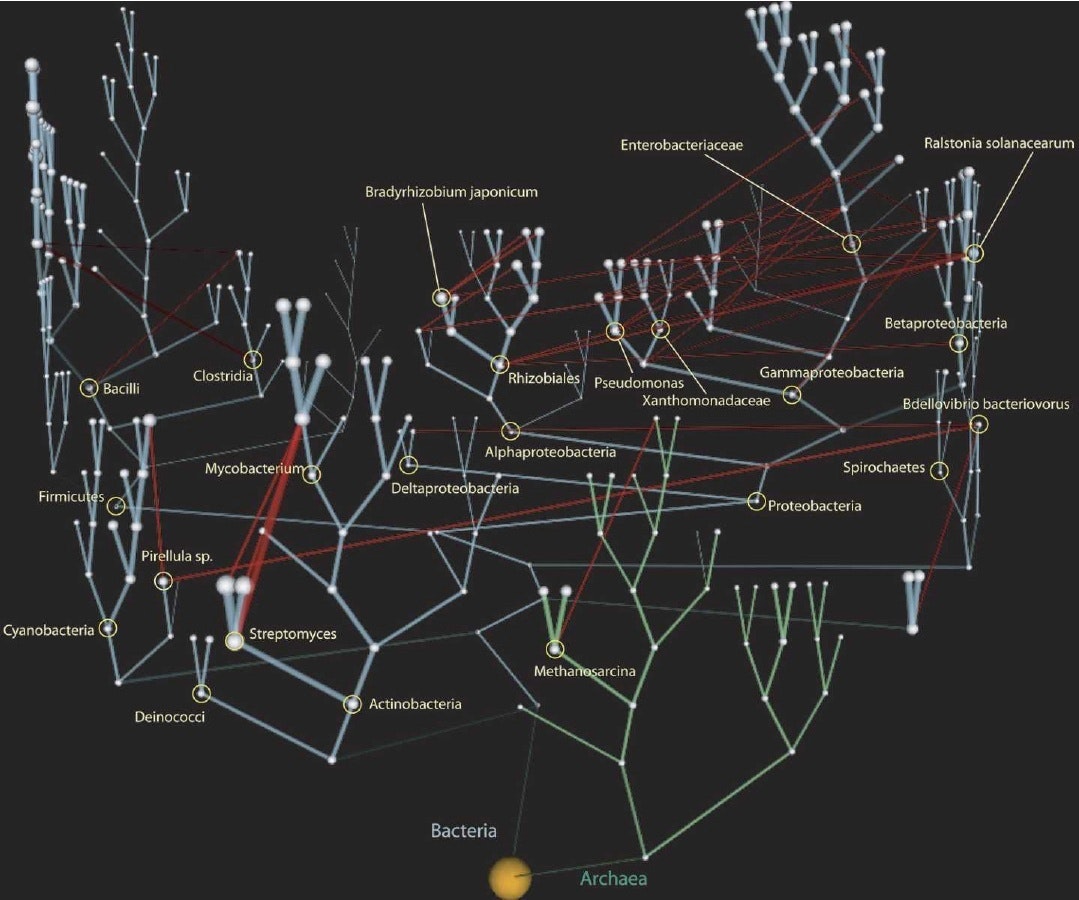
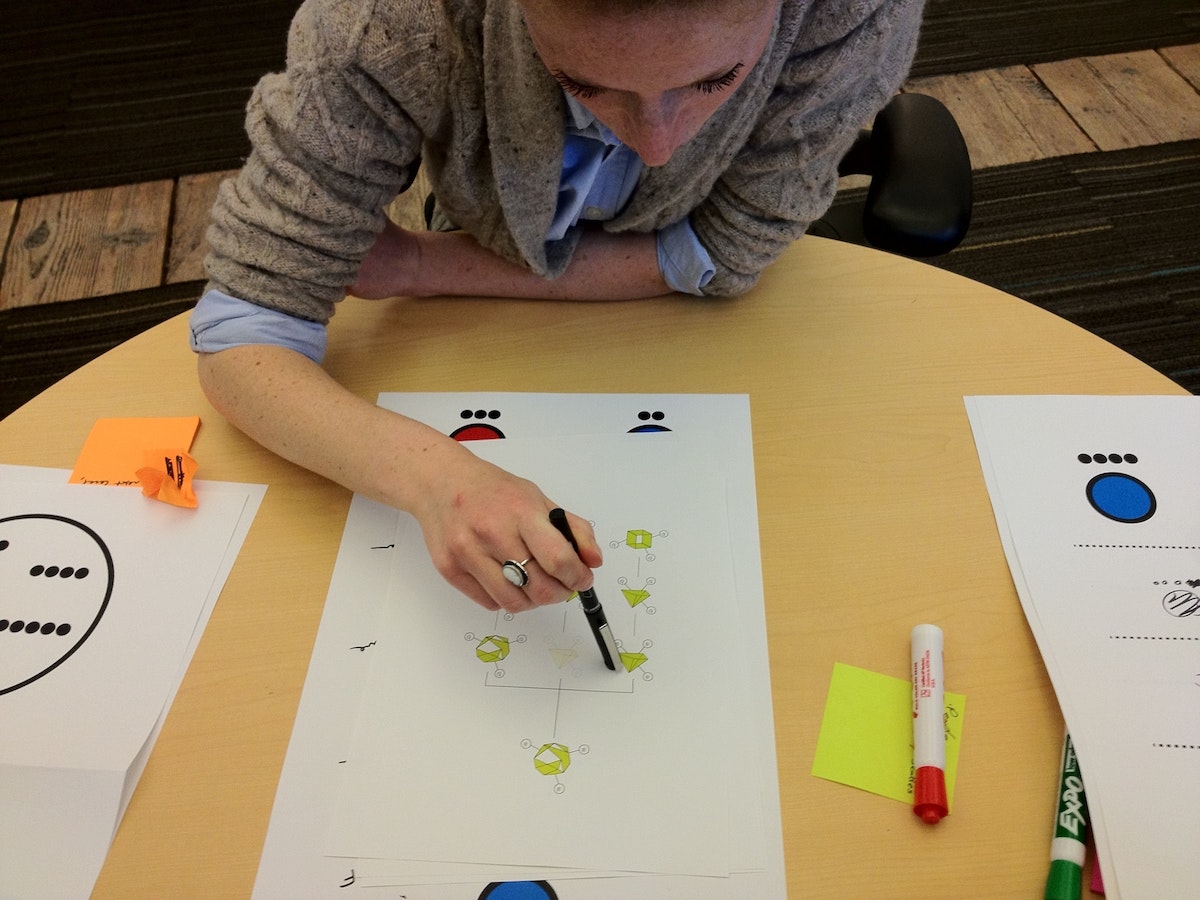
To test this, our first prototype was a paper prototype where we started with a sample origin genetic trait. We sketched out several generations by mutating one trait at a time, and created our own phylogenetic tree. Given the final generation of traits and no tree structure, the goal was to see if we could work backwards to recreate the tree structure and uncover the origin trait. Basically, reverse evolution. After a lot of finessing we came up with a rule set that actually reflected natural evolutionary rules and allowed us to solve the tree and find the origin species.

With this excitement, we spent a weekend programming a single prototype puzzle using mechanics that would become the main gameplay: players reverse engineer evolution by mutating a given set of species traits backwards to a common ancestor in the fewest moves possible. This was maximum parsimony made tangible. In order for the puzzles to be solvable, we had to use real evolutionary rules describing how the species’ traits can change. By the end of the weekend, we had puzzles and a game mechanic that were keeping us up late into the night trying to one-up each other’s scores, which, to us, meant we had hit the nail on the head.
From a design perspective, one of the significant balancing acts of the project involved weighing the desire to impart specific scientific knowledge against the value of experiential learning. When we used maximum parsimony it became clear that this was a perfect mechanic to give people an experiential interaction with real genetics.
Prototyping and puzzle design
From day one, Ralph’s Killer Muenster was an intensive prototyping project. The first bare-bones prototype of the puzzle was written in Qt because we wanted a framework in which we could rapidly prototype the GUI and could reuse game logic for the production app. Qt, although not extensively used, has great functionality and plays natively with Javascript and C++. It was a well-suited framework for prototyping the core puzzle experience, which included coding the evolutionary logic, adding and testing interactions, modifying visual communication, and testing informational displays.
Our daily workflow started with an early morning meeting so we could all share progress from the previous day. We spent the rest of the day implementing and testing new visuals and interactions on paper and integrating them into the Qt prototype architecture. Lastly, we tested them with people around IDEO to see how they reacted to specific design and gameplay decisions.
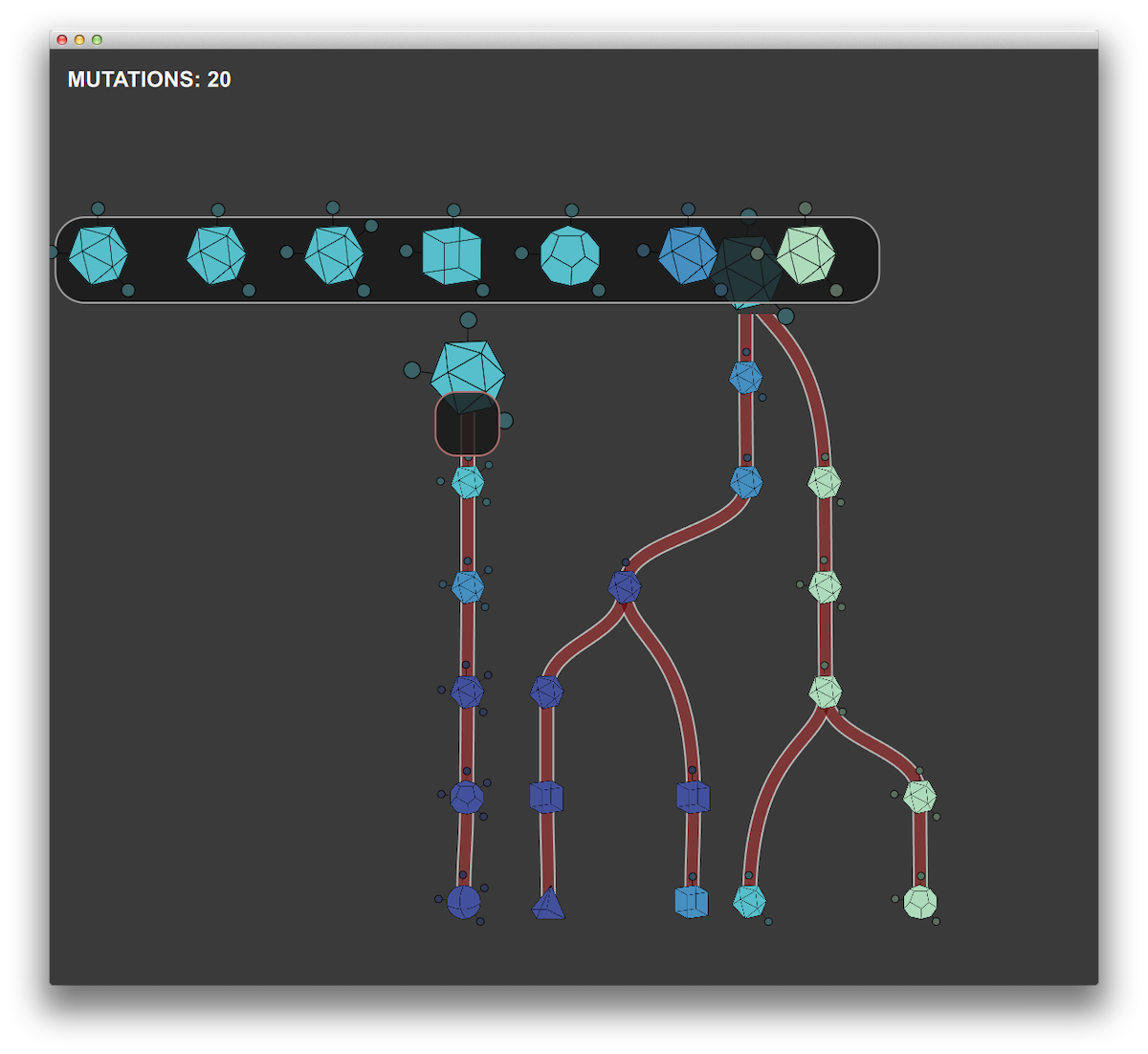
We used Unity for the production app in the development environment for many of the same reasons that we chose Qt. But Unity has the added benefit of working with native OpenGL, along with the capability to compile to iOS. As time-constrained as this project was, we still wanted to impart as much narrative and visual interest as possible, and Unity proved an excellent match for this challenge.
Nivi Ramesh, our interaction designer and art director, worked to create an amazing game landscape with analogies to microscopy and slide specimens. Working closely with developers at Substantial, we created layered and animated textures paired with OpenGL shaders to achieve the tone we wanted. We had parallel work streams throughout the prototyping phase, with one team working on developing the logic and overarching architecture of the production app while the prototyping team refined interaction elements, game mechanics, and informational displays in the prototype testbed.
What makes a good puzzle?
Before diving any further, we took a step back to make sure we got the puzzles right. Good puzzle games tend to adhere to some basic principles: They are purely cognitive challenges with a few simple rules, nearly infinite outcomes, difficulty that increases with mastery, and some clear goals. Plus, they're easy to learn.
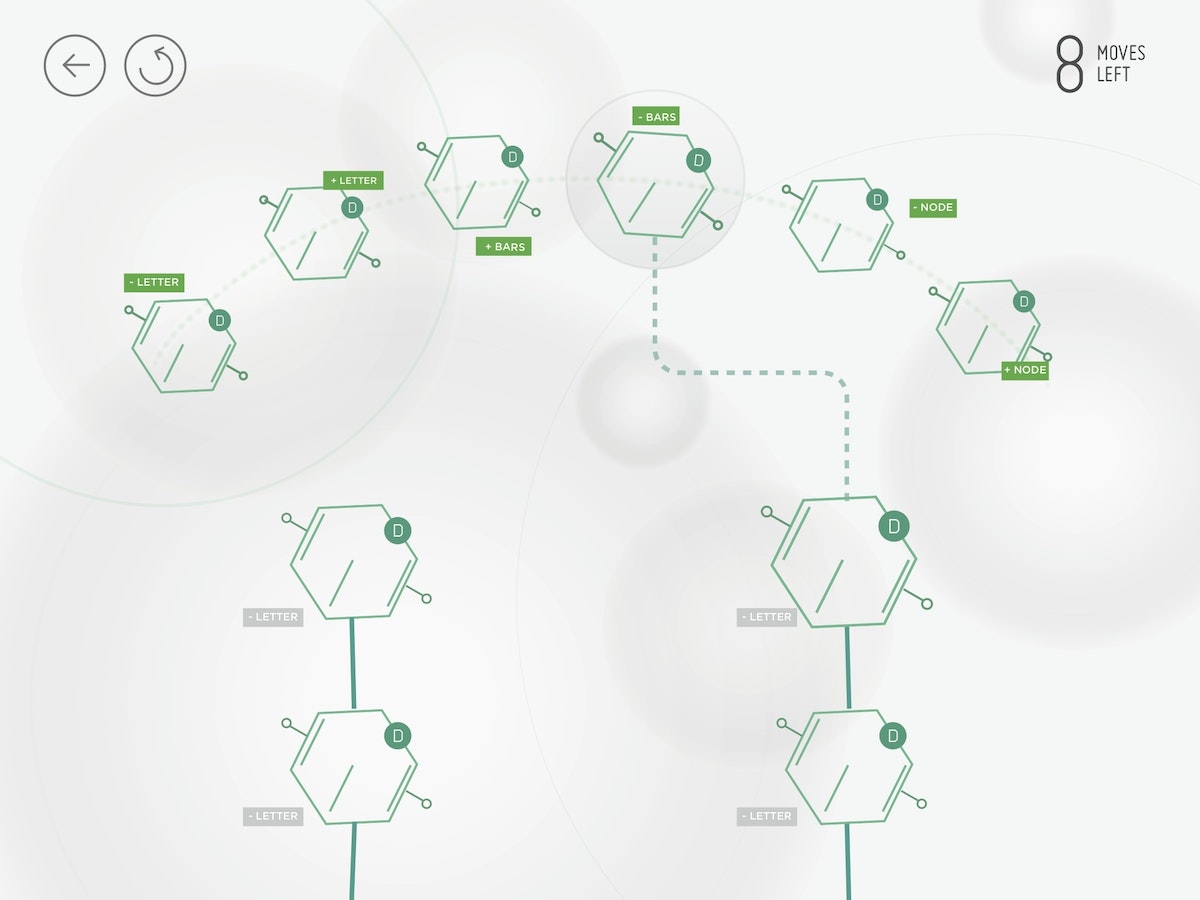
In building the game, one of our most critical challenges was creating visual representations of the genetic traits that people would be using to solve the puzzles. People had to quickly grasp how they could manipulate and evolve the traits given the genetic logic. If we couldn't get people to make this mental leap, the game wasn't going to succeed.

A real genetic trait is made up of a snippet of DNA and is a long, winding series of genetic code (or, a lot of AGTC). To make the game approachable, we chose to abstract and simplify the cheese trait representations as visual identifiers that had a bit of mystery and were themselves a puzzle to decode. We tested many different ways of visually representing the traits, the majority of which people could not directly connect to an increasing or decreasing series. The simplest visuals turned out to be the most effective: shapes, dots, and lines.
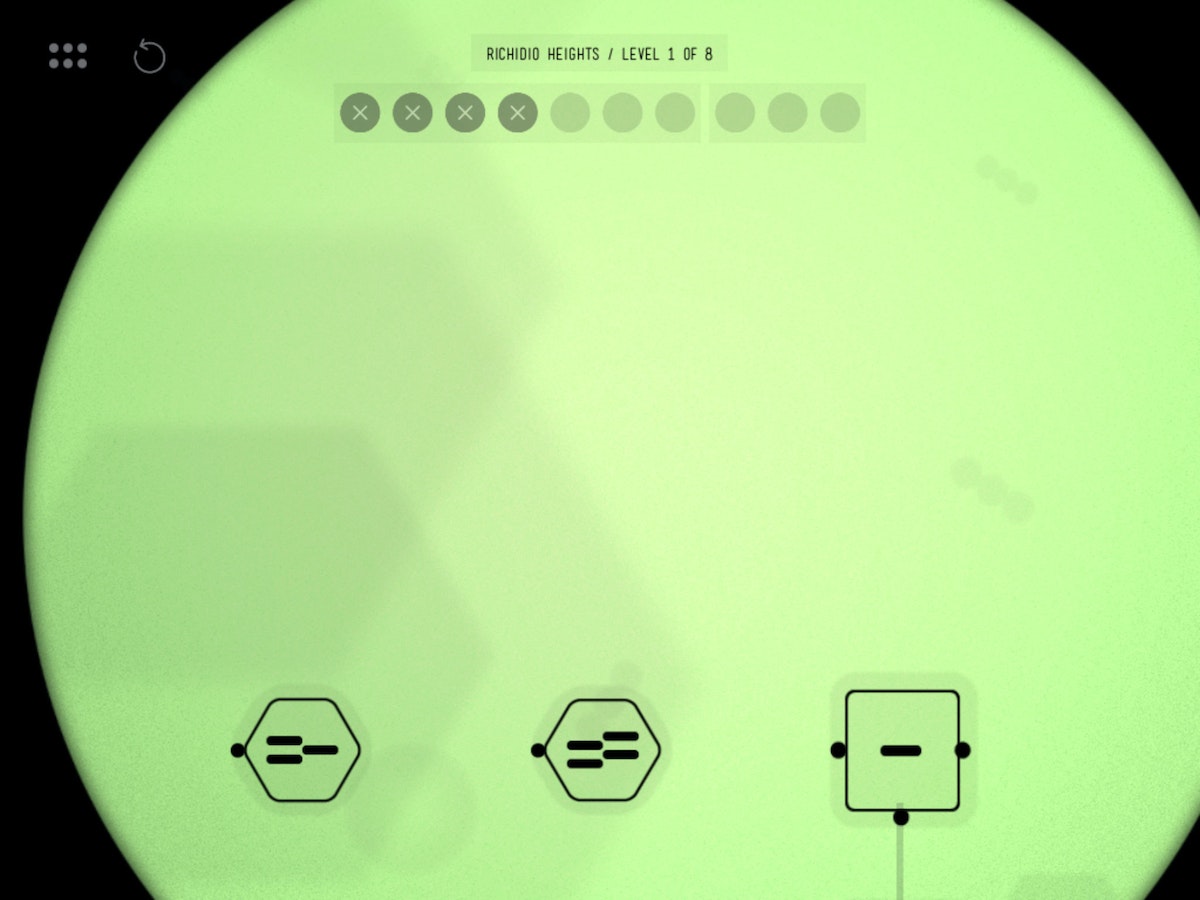
With simple geometric shapes, people could see that moving from a triangle to a square to a hexagon involved moving through a progression of increasing the numbers of sides. Similarly, lines and dots worked well for understanding how the traits could be mutated. They were easily accessible by players in planning a strategy for mutation.
Less is more
After the weekend of playing the prototype level, we needed a way to determine the optimal solution to these puzzles so that we could give user feedback and help players improve in the game. With Ralph's Killer Muenster, an optimal solution for any puzzle involves making the “most parsimonious” decisions, i.e. using the least number of moves or fewest mutations. We needed to find a way to reward people for doing less, contrary to typical game design where users are rewarded for doing more. Without a clear and appropriate qualitative feedback mechanism, we found that people were finishing puzzles without any sense for how much better they could perform.
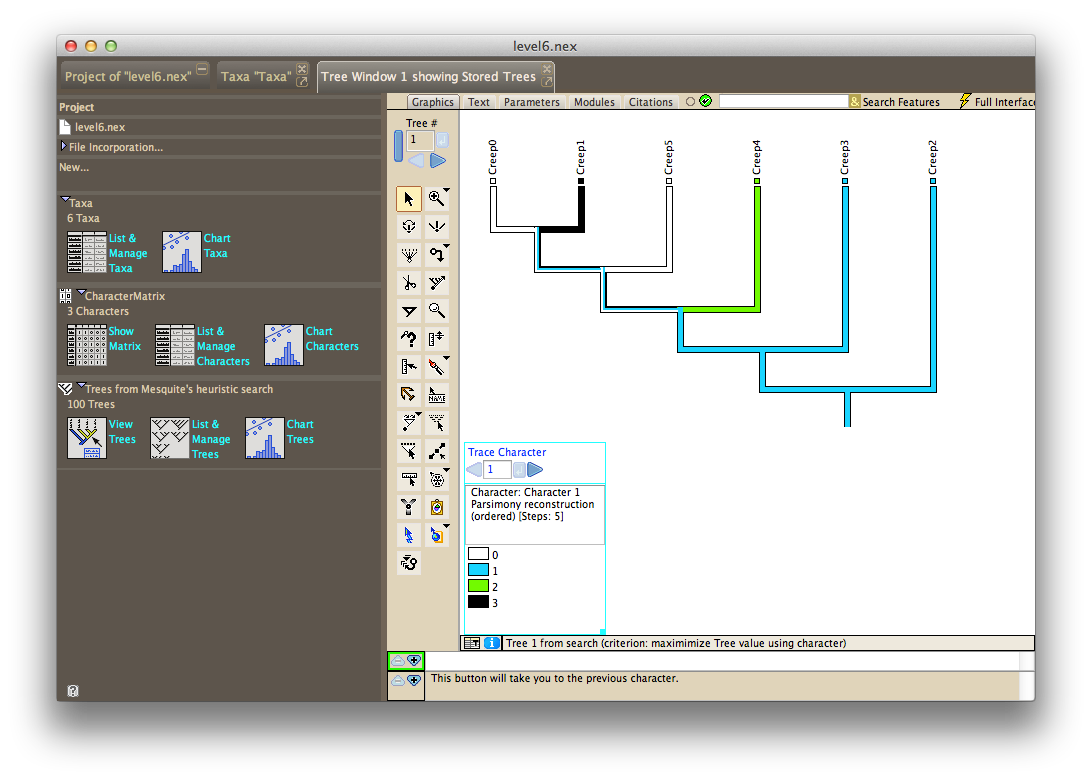
Scavenging the Internet for a tool to analyze phylogenetic trees uncovered Mesquite, a software package built specifically for computational biology and evolutionary analysis. After learning from tutorials produced by Harvard University, we could solve the initial species sets and puzzles we had created, and arrive at the most efficient tree structure and trait mutations.
We used the statistical language R to generate thousands of possible levels, export files for Mesquite to crunch, and output the moves required for each level into a custom level file that we could use to test in our prototype game.
Levels testing and design progressed in parallel with refining the scoring display and making hundreds of other visual and UX enhancements. With our trait visualizations, levels design and scoring mechanism solved, we felt we had achieved something that was both subtle and significant: People who grasped the underlying puzzle dynamics were quite literally using their brains in a way that mimics a core methodology of genetic science. This seemed to hit at the essence of experiential learning.
Muenster launches, Bill Nye approves
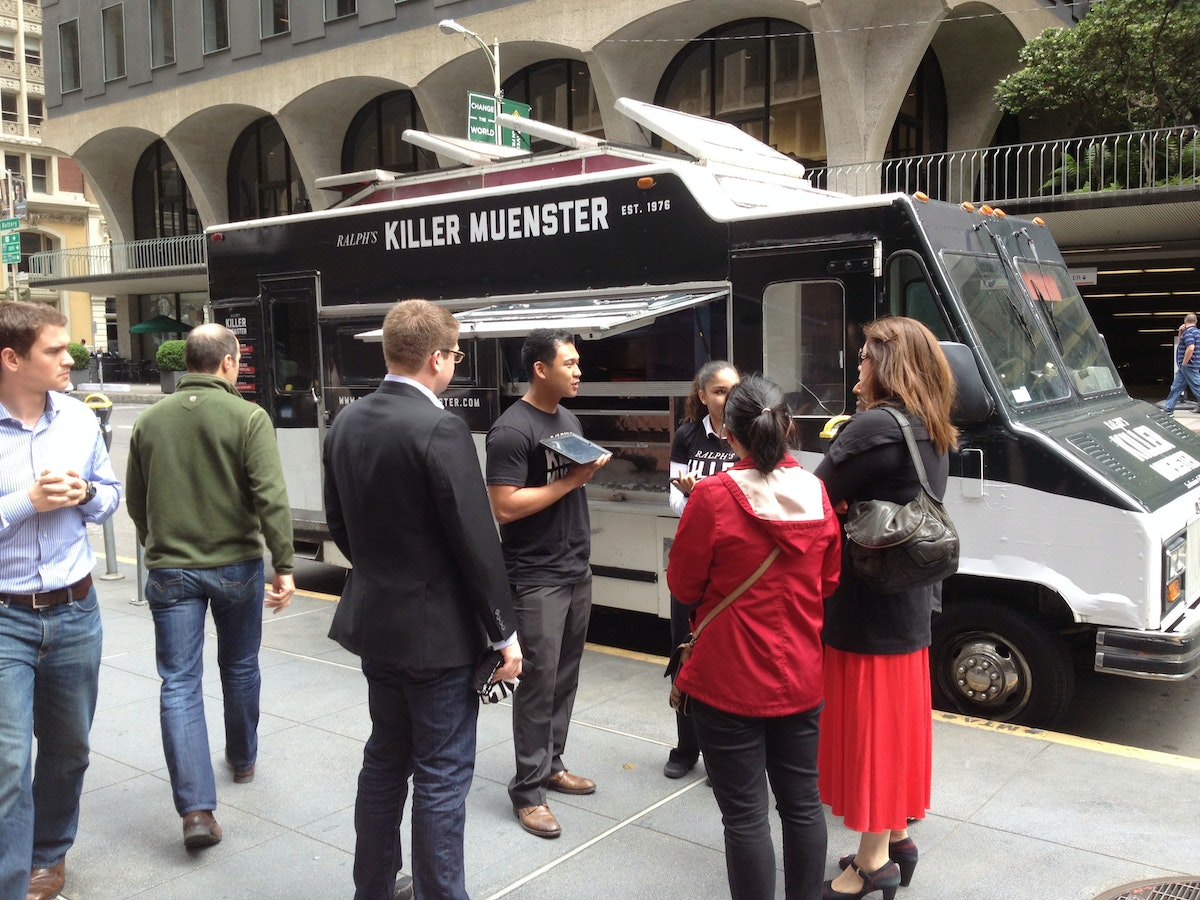
The Ralph's Killer Muenster iPad game launched at the 2013 GET (Genomics, Environments and Traits) conference, coinciding with the anniversary of Watson and Crick's seminal paper describing the structure of DNA. At the conference, Bill Nye the Science Guy, a long-time advocate of a science literate society, played the game, and loved it. This made our day. The app also caught Apple's attention, and was listed as a new and noteworthy Education app in the App Store.
To further raise awareness around the game, we created a Ralph's Killer Muenster brand, including a visual identity, packaging, website, Twitter, game trailer, and food truck—all mobilized by Ralph to push the only tool that could save the city (and his reputation) and allow him to lift the health code violations that kept him from producing and distributing cheese. Ralph’s food truck, sent throughout San Francisco, distributed grilled muenster cheese sandwiches.
What we learned
After the launch festivities, our team took a step back to consider what we had learned. Here's the take-away:
- Set constraints to help make a hard problem more approachable. Our self-imposed constraint that the game needed to rely on a scientific mechanism helped us narrow in on phylogenetic trees and maximum parsimony as our core concepts.
- A good story goes a long way. We spent significant time concocting Ralph's story, and getting the tone and art direction down in order to engage people. We want them to stick around for the more mentally taxing interactions later down the line.
- Find the right tool for the right job. We used a variety of prototyping and user testing methods and environments, rather than trying to find or force an all-in-one. Each tool elicited learnings unique to them.
1953 was a good year for science and technology. The polio vaccine was developed, the first open heart surgery performed, and color TVs hit the store shelves. It was also the year Watson and Crick revealed one of the most important discoveries of the 20th century: the double-helix structure of DNA.
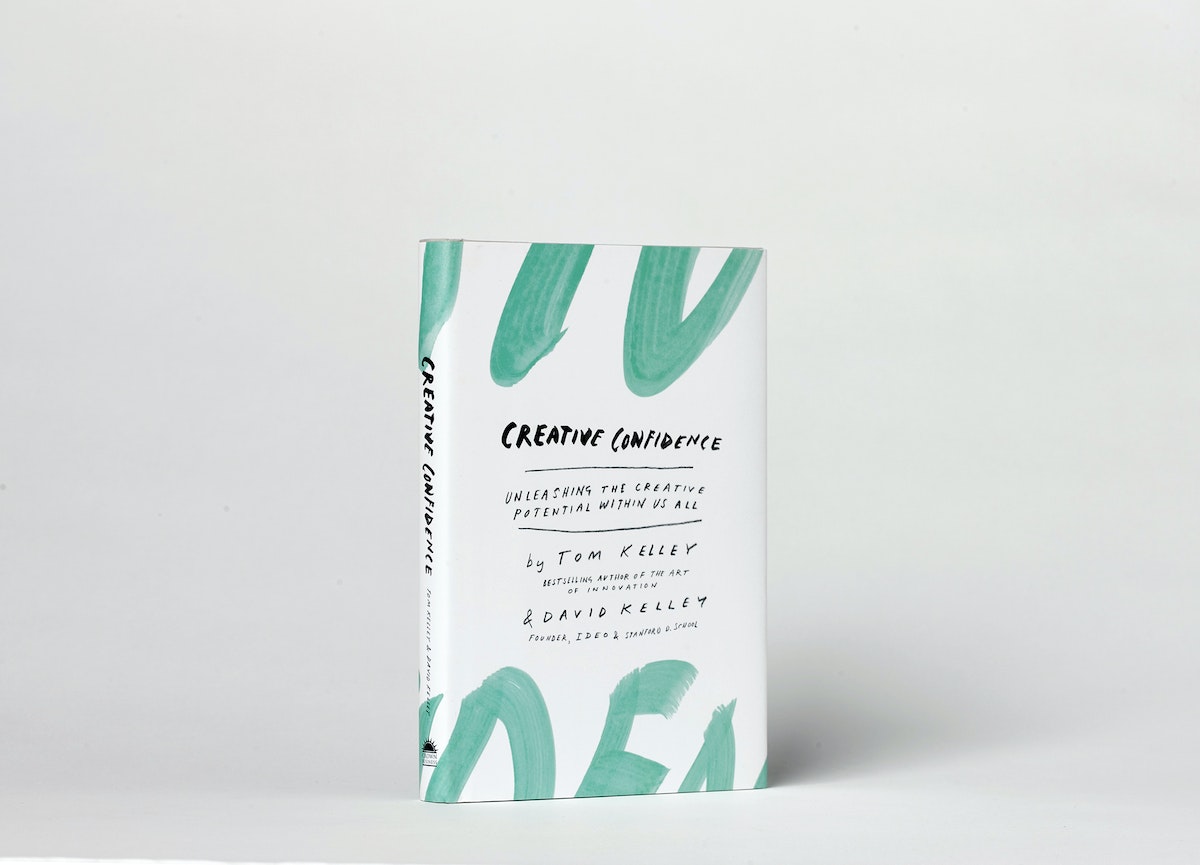
Creative Confidence
David Kelley, IDEO founder and Stanford d.school creator, and his brother Tom Kelley, IDEO partner and the author of the best-selling The Art of Innovation, have written a powerful and compelling book on unleashing the creativity that lies within each and every one of us.
David Kelley, IDEO founder and Stanford d.school creator, and his brother Tom Kelley, IDEO partner and the author of the best-selling The Art of Innovation, have written a powerful and compelling book on unleashing the creativity that lies within each and every one of us.
WATCH: David Kelley's TED Talk: How to build your creative confidence.
Too often, companies and individuals assume that creativity and innovation are the domain of the “creative types.” But two of the leading experts in innovation, design, and creativity on the planet, David and Tom Kelley, show us that everyone is creative.
In an incredibly entertaining and inspiring narrative that draws on countless stories from their work at IDEO and with many of the world’s top companies, David and Tom Kelley identify the principles and strategies that will allow us to tap into our creative potential in our work and personal lives, and innovatively approach and solve problems. It is a book that will help each of us be more productive and successful in our lives and in our careers.
Learn more at CreativeConfidence.com.
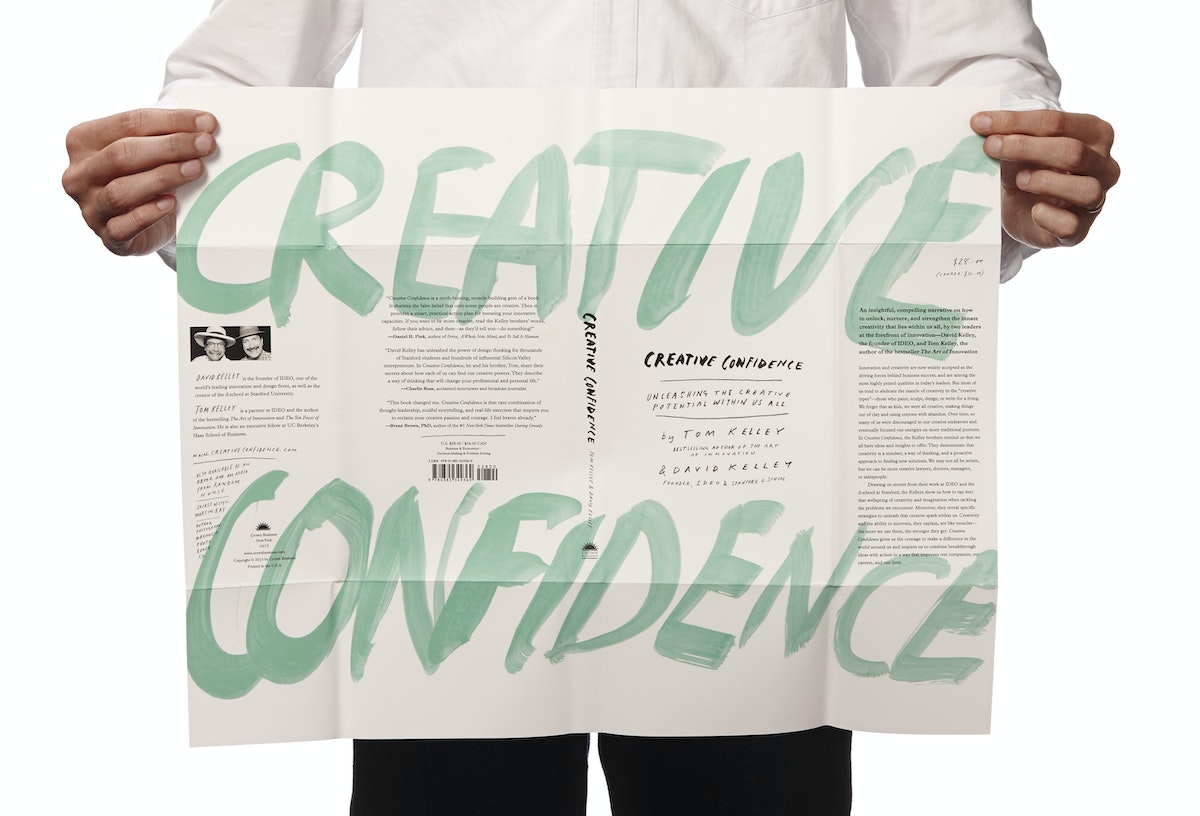
Purchase
Know someone who might love this book? Here are some options for purchasing Creative Confidence (Crown Business, 2013):
The Mix Master 2000: How to build an automated shandy machine
Creating the perfect beer-lemonade ratio—on your own terms.
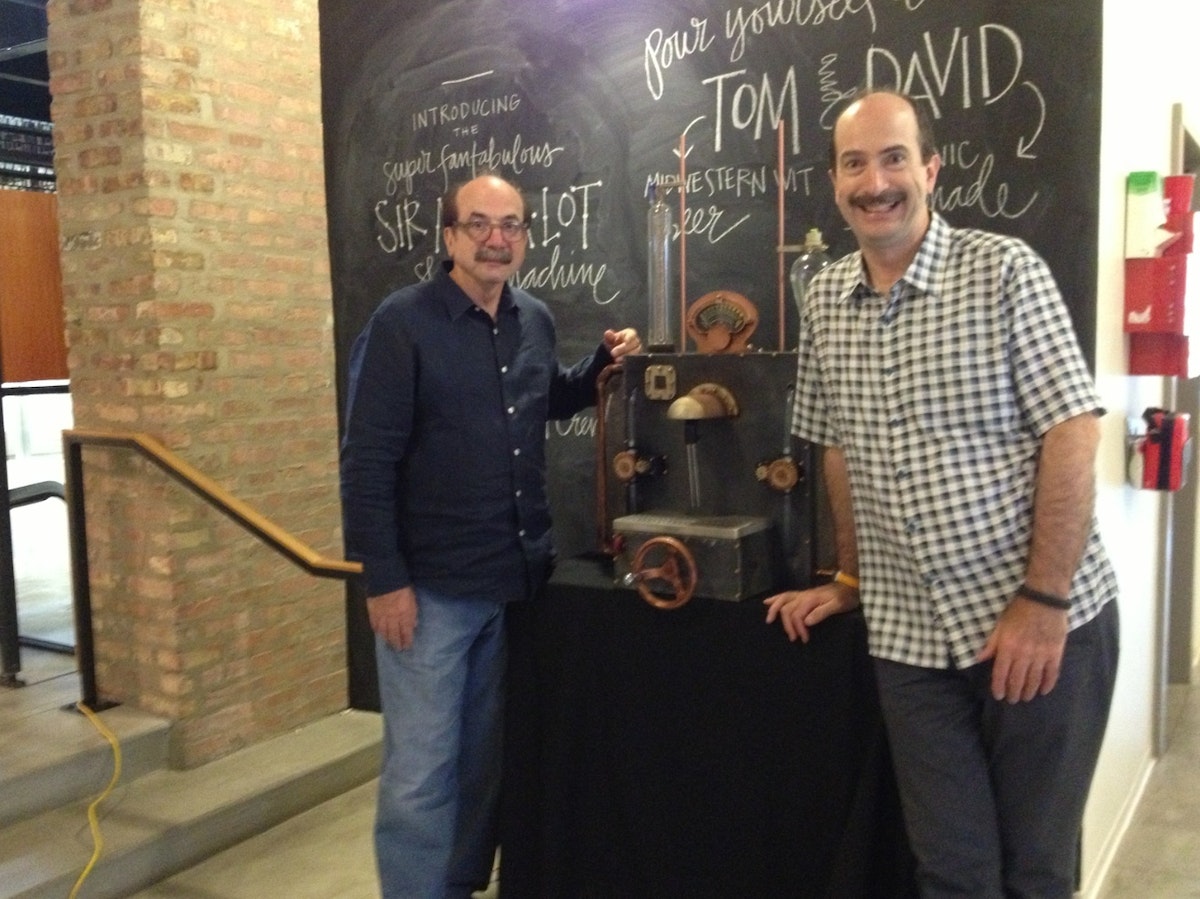
When we were asked to whip up a special brew this July for a big Creative Confidence book-preview event featuring David Kelley, one of IDEO’s founders, and his brother, best-selling author Tom Kelley, we knew we had to kick things up a notch.
Challenge #1: Two guests of honor called for not one brew, but two! We heard Tom enjoys light, Japanese-style beers and that David doesn’t really drink, so we decided to make a Belgian-style wit for Tom and sparkling organic lemonade for David and then mix them together to create a shandy, a refreshing summer drink.
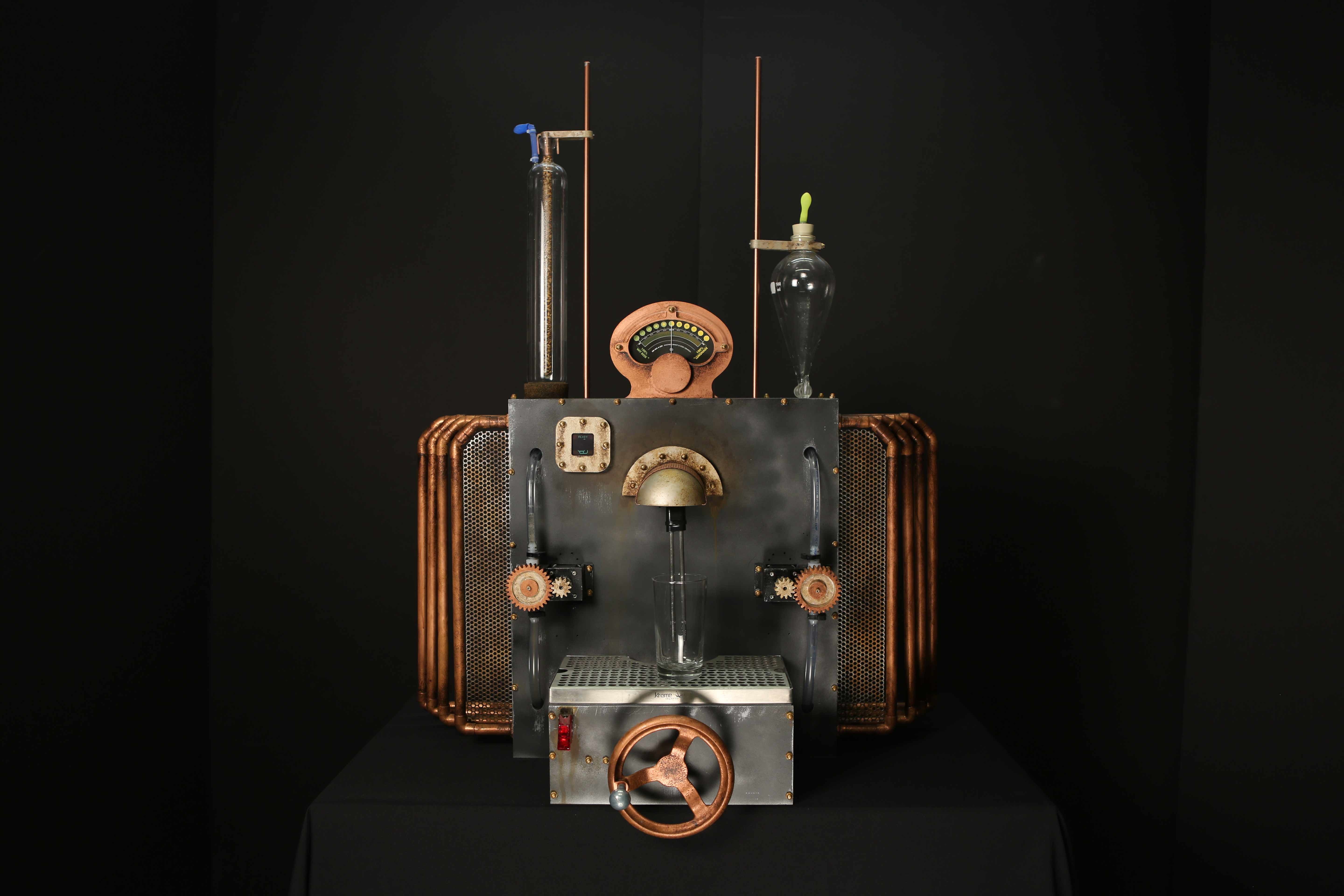
Challenge #2: Now that we had two beverages, we needed to come up with a unique way to dispense them. Luckily, we like tough build challenges with tight deadlines even more than we like beer. A few shop hours here and there between projects, and before we knew it, we said “cheers” to the Mix Master 2000 Shandy Machine!
Introducing the Mix Master 2000
How it works
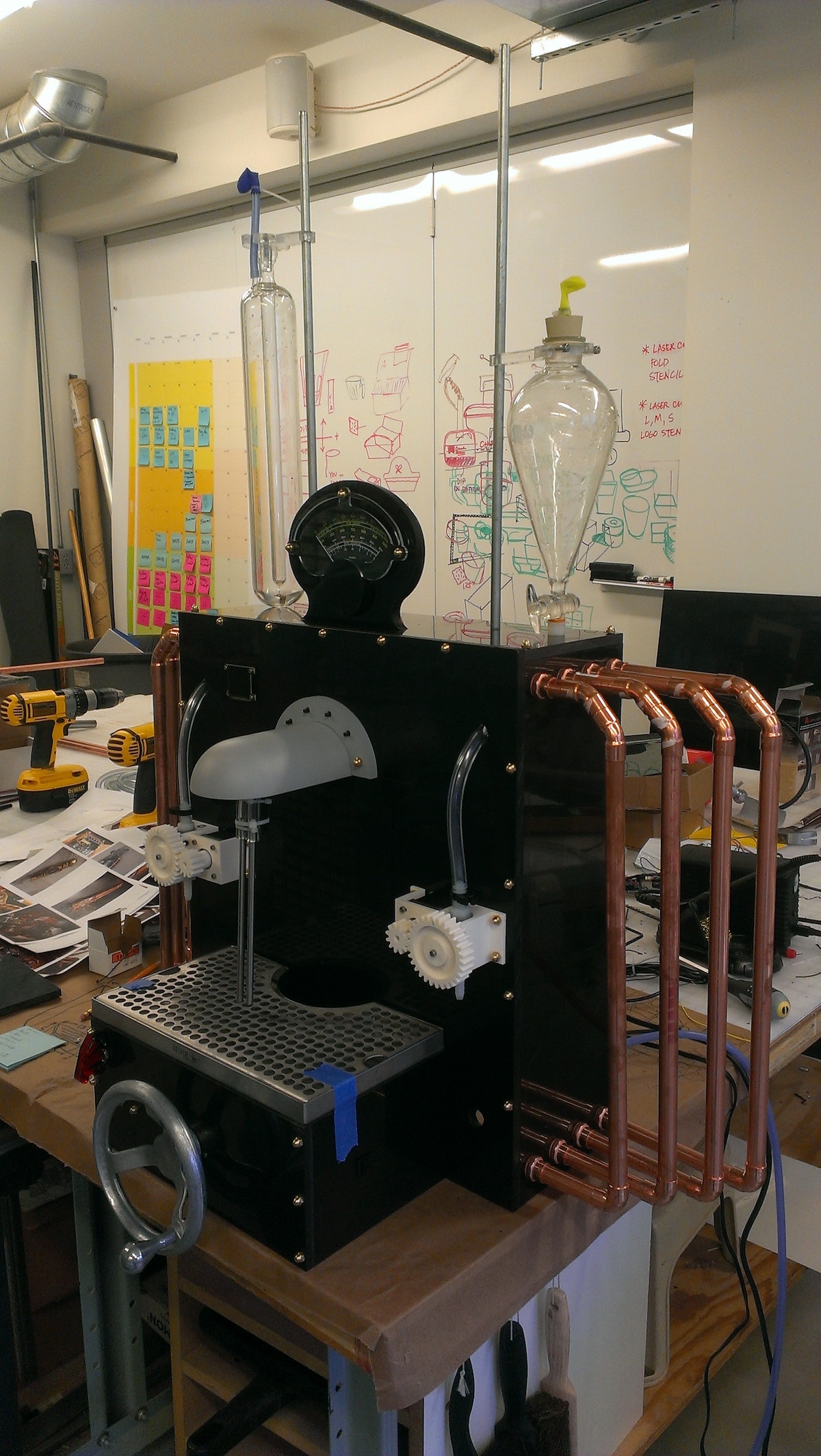
The Mix Master 2000 Shandy Machine’s look was inspired by the retro-futuristic steampunk movement.
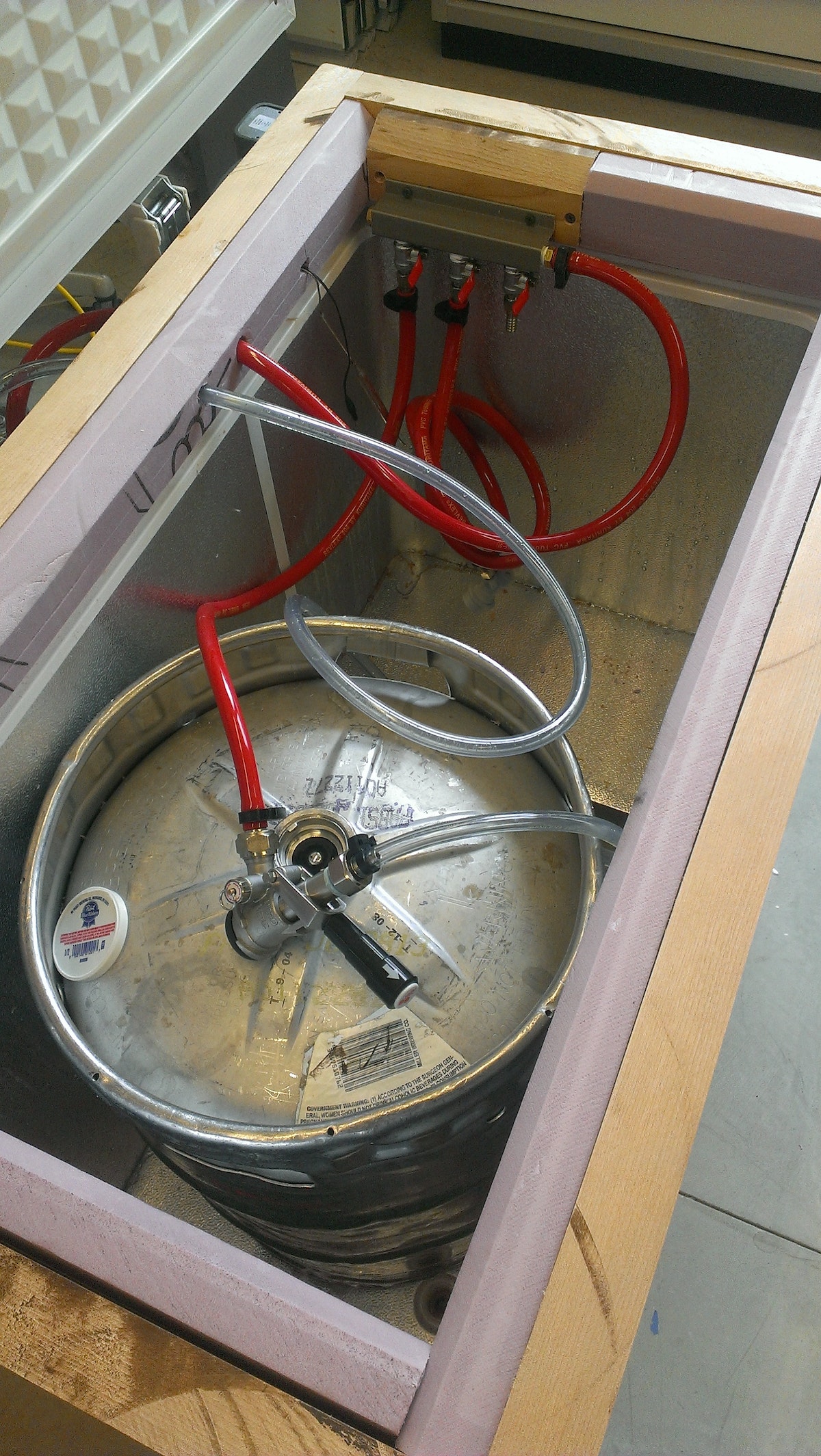
The machine sits on top of a standard, top-loading freezer replumbed to hold two kegs (one containing wit, the other sparkling organic lemonade).
Thirsty partygoers begin by turning the large hand crank on the front to select their preferred beer-to-lemonade ratio (from 0–100%). When the analog meter on top points to the desired proportions, they flip a missile switch to open the valves. The two glass vessels on either side of the machine fill with beer and lemonade, respectively, then send the home-brewed concoctions into their waiting pint via a dispensing tube.
Beer recipe
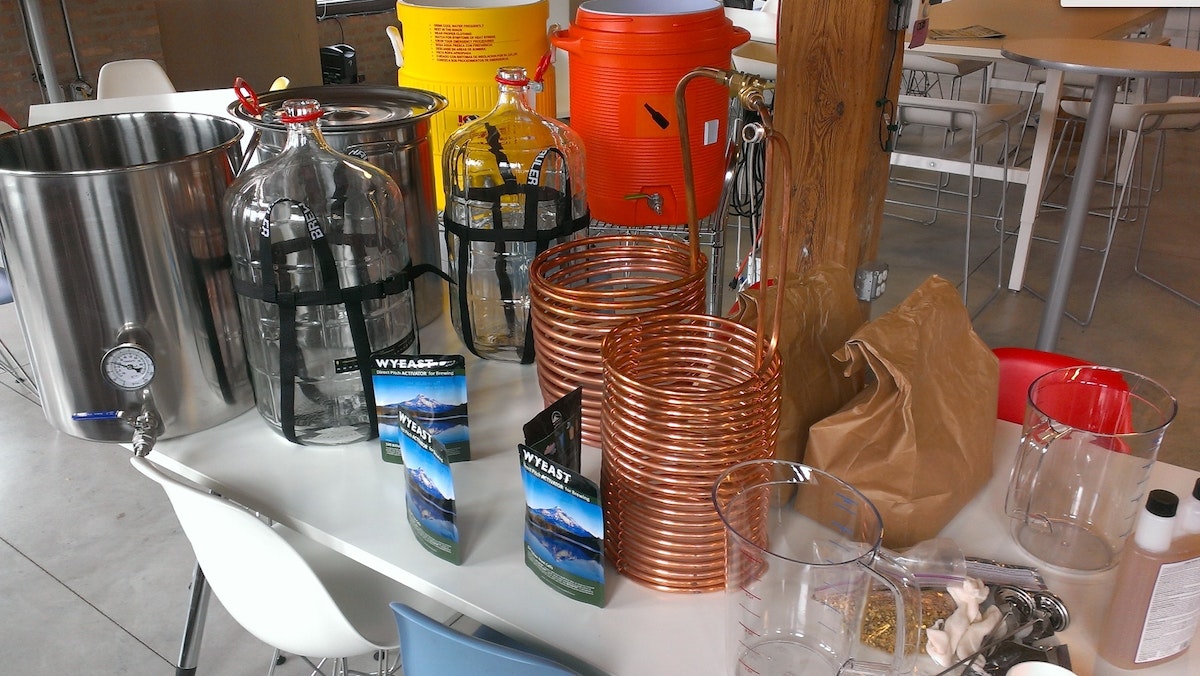
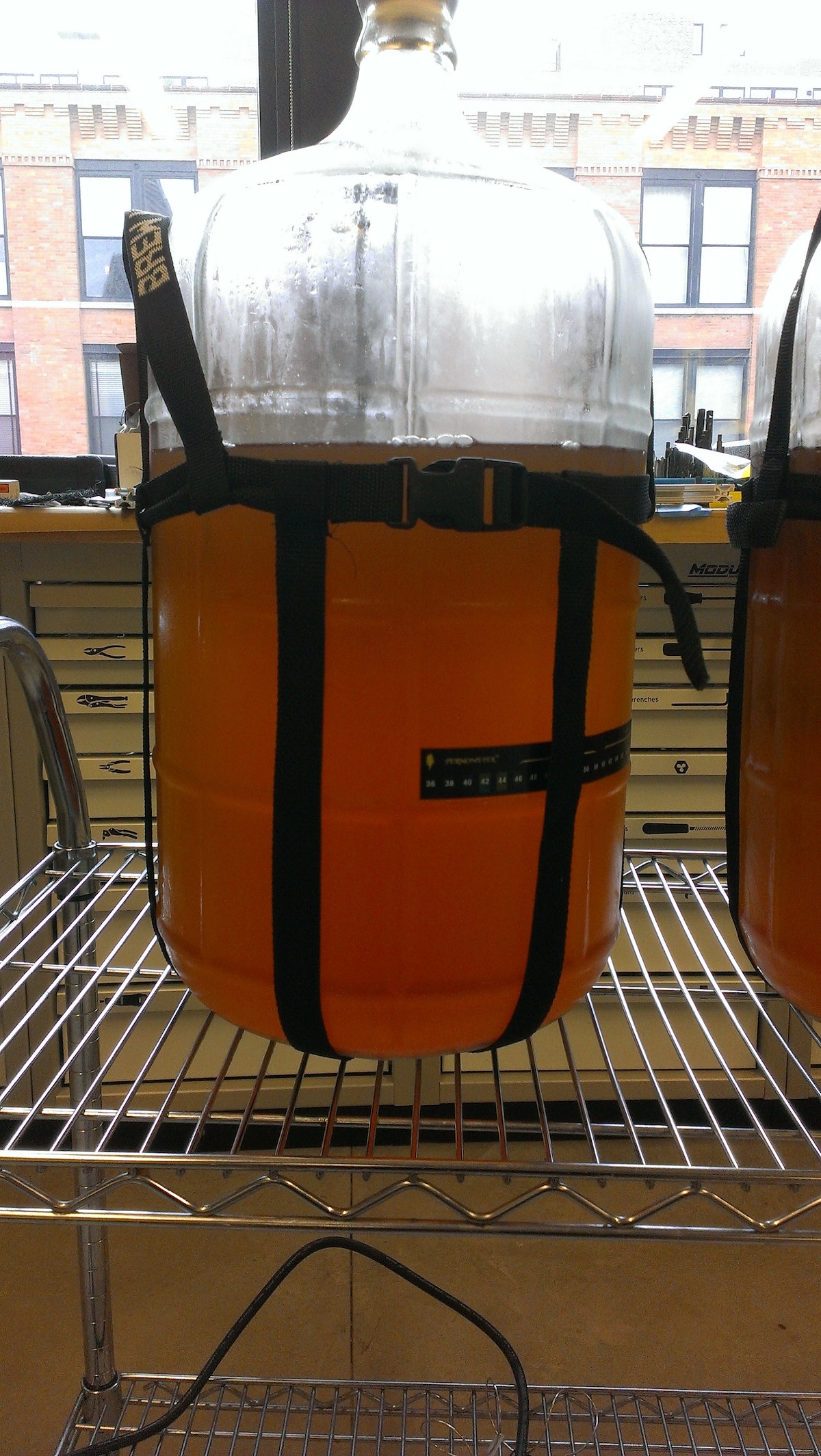
We wanted to brew a beer that would pair well with lemonade, so we decided on a nice, light, citrus-wheat ale. The goal: around 5% ABV, or alcohol by volume. We used 2-row pale as our main grain along with wheat and wheat malt with a bit of coriander, chamomile, and orange peel. You can find the complete recipe on Brewtoad.
Lemonade recipe
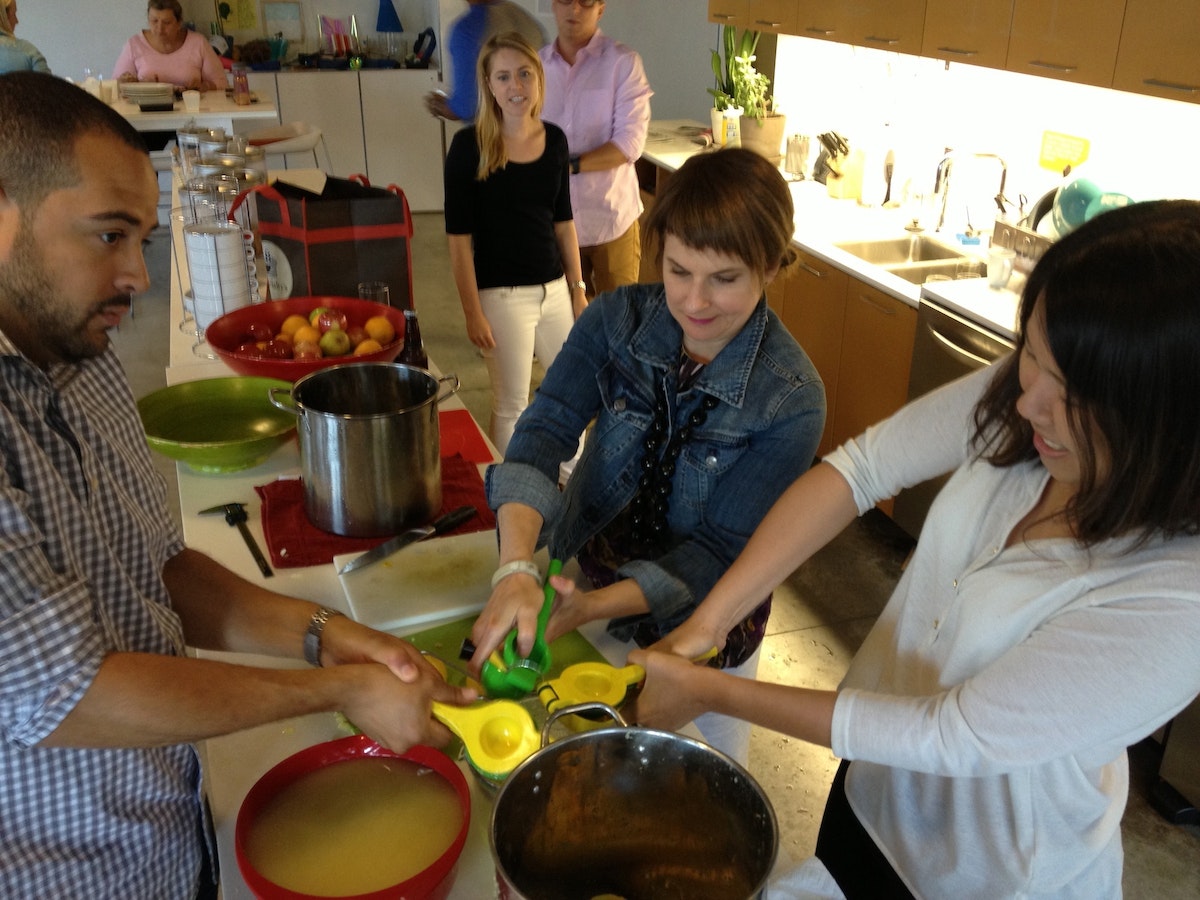
Making homemade lemonade is pretty straightforward. It only has three ingredients: lemon juice, sugar, and water. Batch-processing 10 gallons of the stuff, however, is a bit trickier, especially when you don’t have an electric juicer. In our case, we landed on a ratio of 1:1:8 (1 part lemon juice, 1 part sugar, 8 parts water), and ended up using 160 lemons, 2.5 gallons of simple syrup, and several man-hours of squeezing time. Yikes.
Early testing
After we figured out what we wanted our shandy machine to do, we found some glass vessels lying around the shop.
They looked straight out of a science lab, which was cool, but we thought we’d have some foaming issues because of their small openings. We hooked up a hose from the tap in our kegerator and tried filling them with beer. Sure enough, the beer started foaming immediately and it took several minutes to drain using gravity. Not good if you want a proper pour...

We needed to do something about the foaming issue in order to make this thing usable more than once. We did some experimenting and learned several things:
- There couldn’t be any kinks in the tubing.
- A colder vessel worked best.
- The first pour was really foamy, but subsequent pours were better.
- Filling the glass from the bottom via a tube prevented overflow and allowed any foam that did bubble up to dissipate quickly.
- Adding some back pressure to the vessel made the biggest difference in preventing foam. (To give you an idea of the really rough type of prototyping we love, we used the finger of a rubber glove to make a makeshift balloon on top of the vessel.)
Architecture
The basic plumbing layout of the system is pretty simple. We have three-way ball valves that direct flow from the keg to the vessel, from the vessel to the dispenser tube, or block flow entirely.
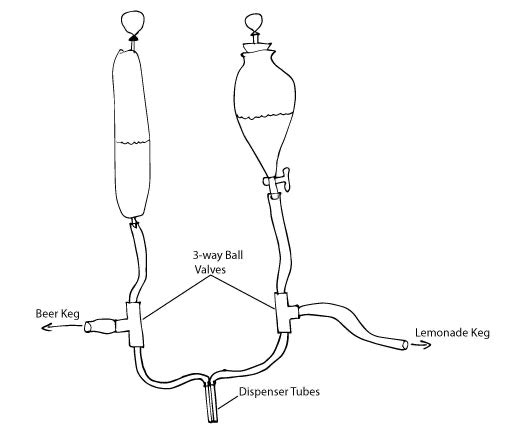
To control the valves, we 3D-printed some gears to fit onto the lever controls. To drive the valves, we fitted stepper motors with smaller, 3D-printed gears.
Inputs
For the main shandy mixture-control system, we settled on a large hand crank.
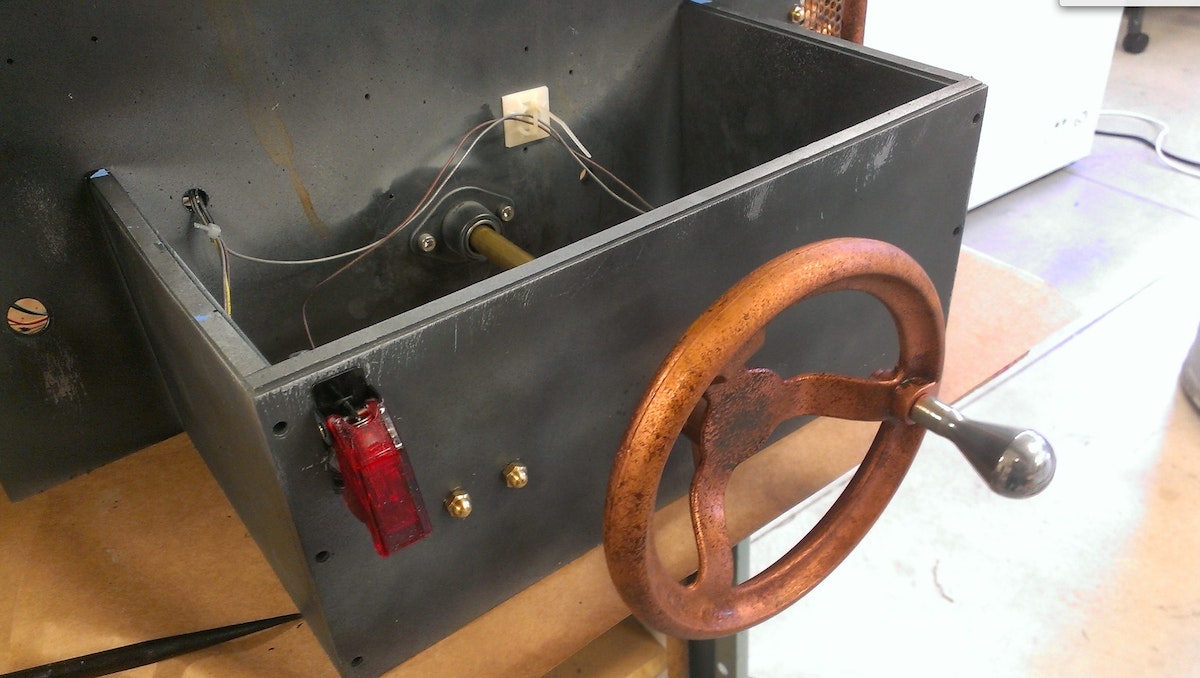
We machined a shaft and attached an encoder to the end. We added some detents to the wheel to make sure the crank had a nice hand-feel and gave solid feedback so people could precisely dial in their desired mixture ratio (the detent mechanism is equivalent to putting a baseball card in the spokes of a bike tire).
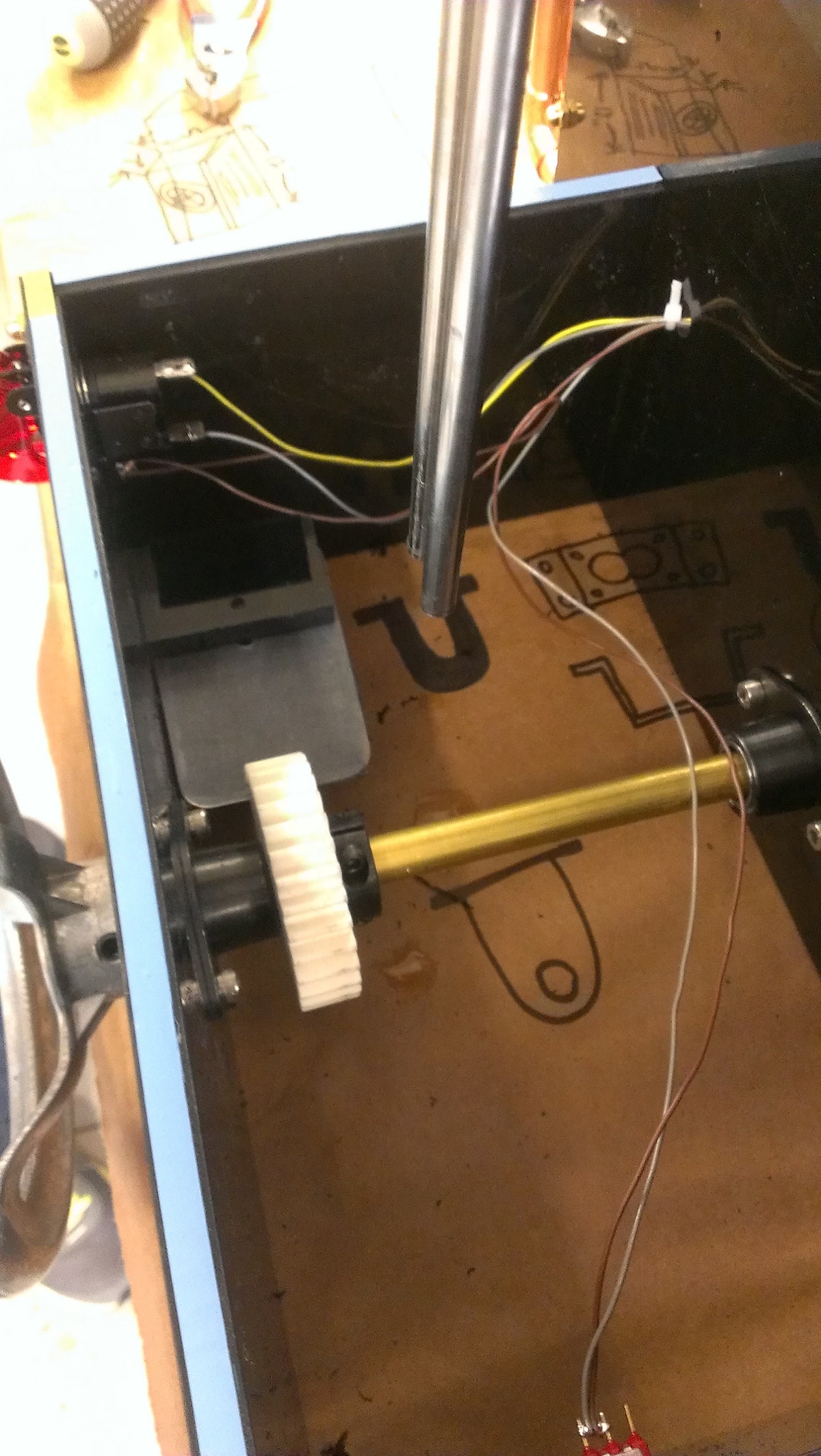
We used a 3D-printed gear and flexible plastic leaf to engage the gear. We had to play around with some adhesive foam in order to damp the vibrations and get just the right sound and feel we were looking for. We added a covered, mission control-style toggle switch to start the cycle and a cancel button to round out the inputs.
Feedback
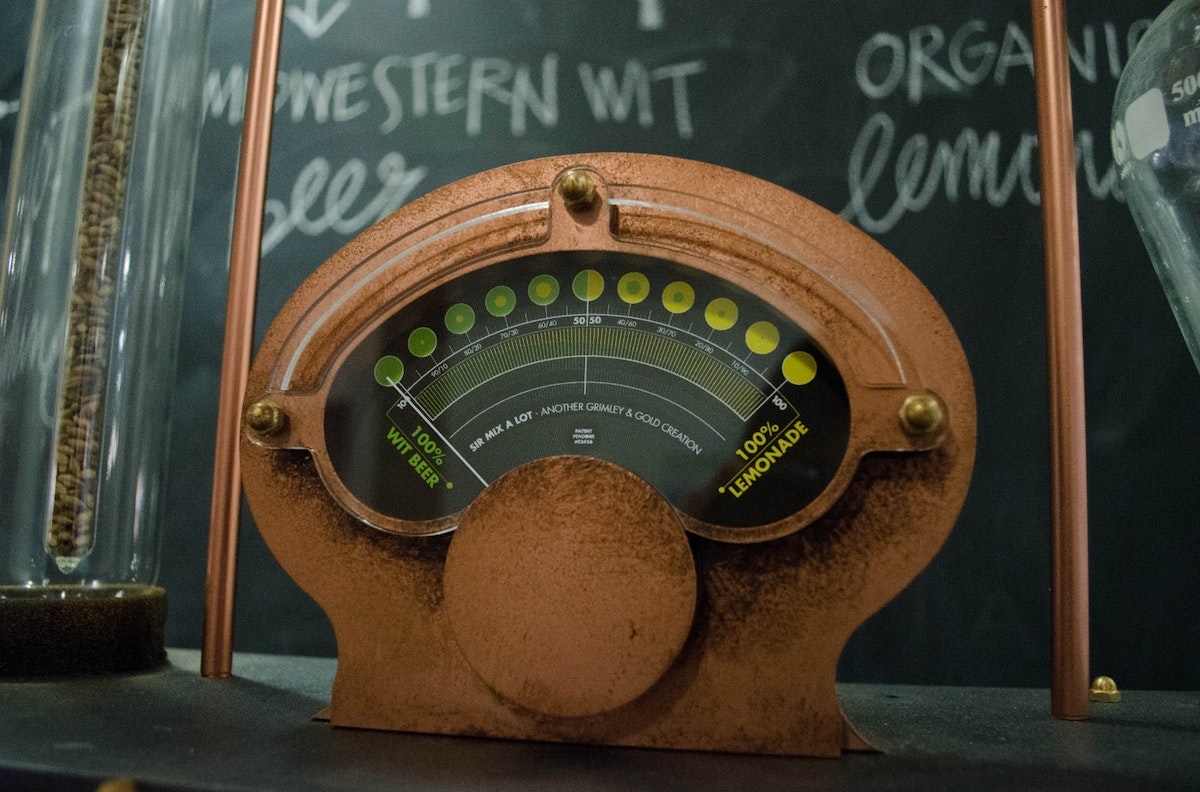
The main source of feedback on the machine is the large analog meter on the top of the machine. We searched online in vain for a large meter that would fit our steampunk style, have an appropriate measuring range, and could be controlled by Arduino. In the end, we found an old automotive meter that measured voltage from 0-16v.
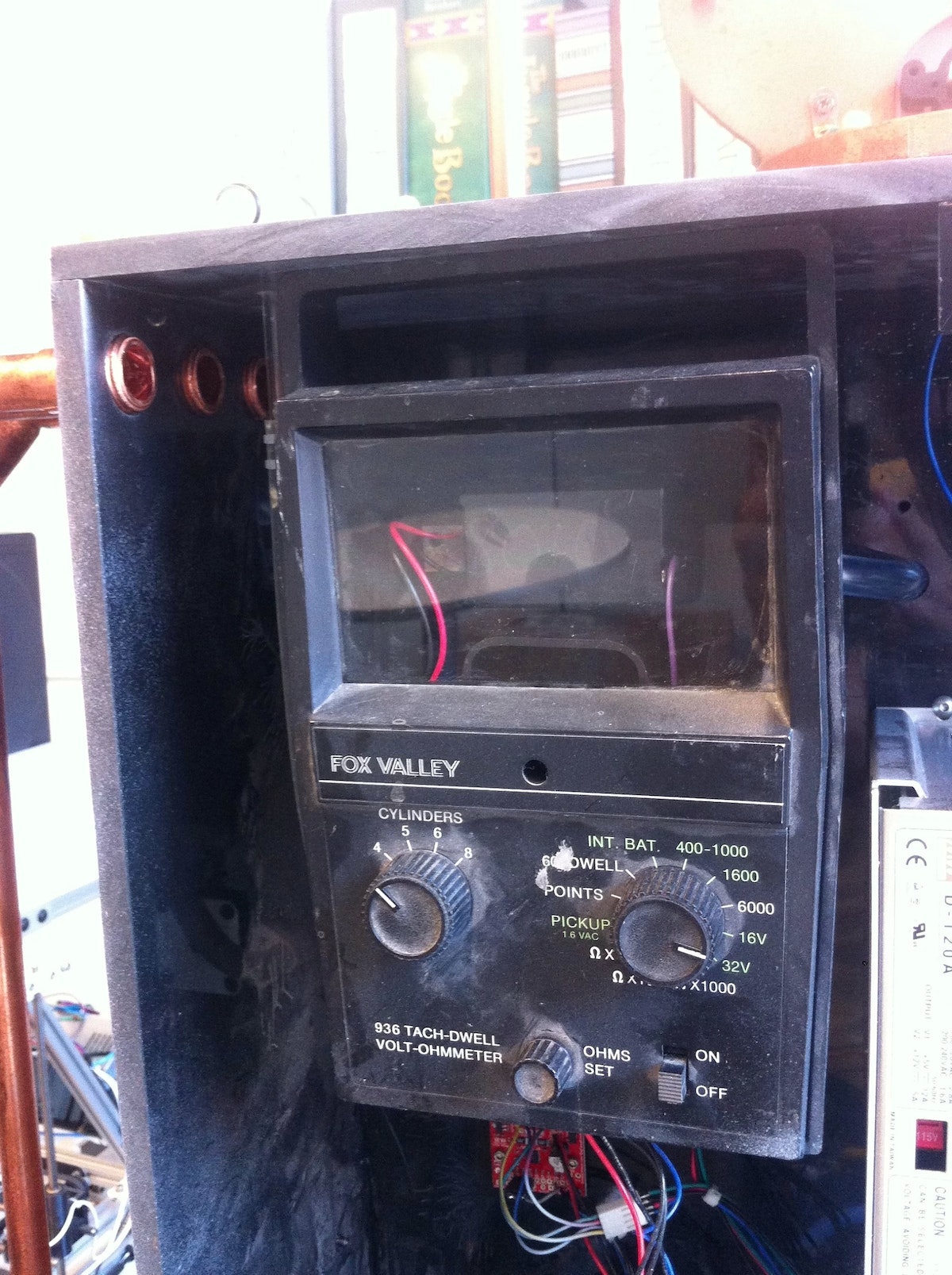
We replaced the scale with one designed by our colleague Joe Graceffa and added a custom housing around it.
When we were testing the Mix Master 2000, we found ourselves staring at the Arduino serial output a lot to figure out where the machine was in its cycle. To make this easier, we added a small OLED display with an onboard SD card slot. Simple serial commands trigger bitmap images that signal Startup, Ready State, Beer Filling, Lemonade Filling, Pouring, and Error State.


Electrical layout
An Arduino Mega controls the shandy machine. This diagram shows how all of the components are connected:
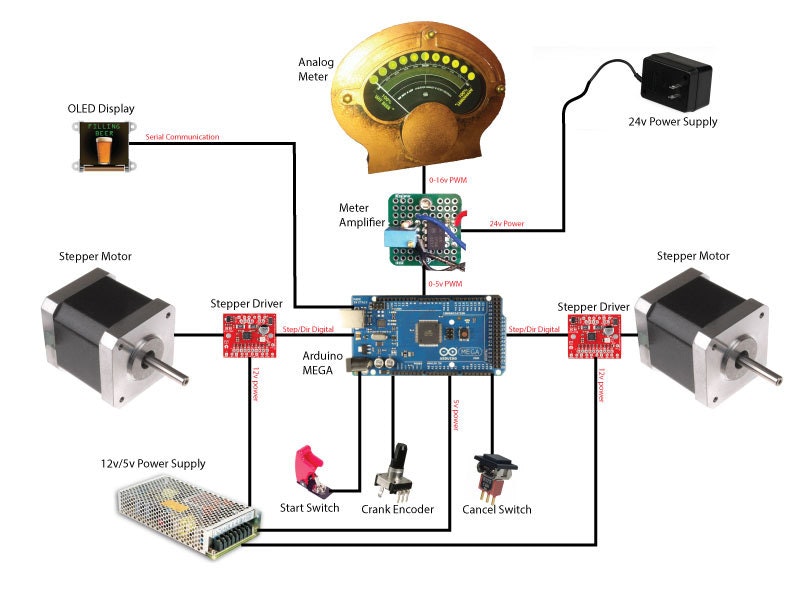
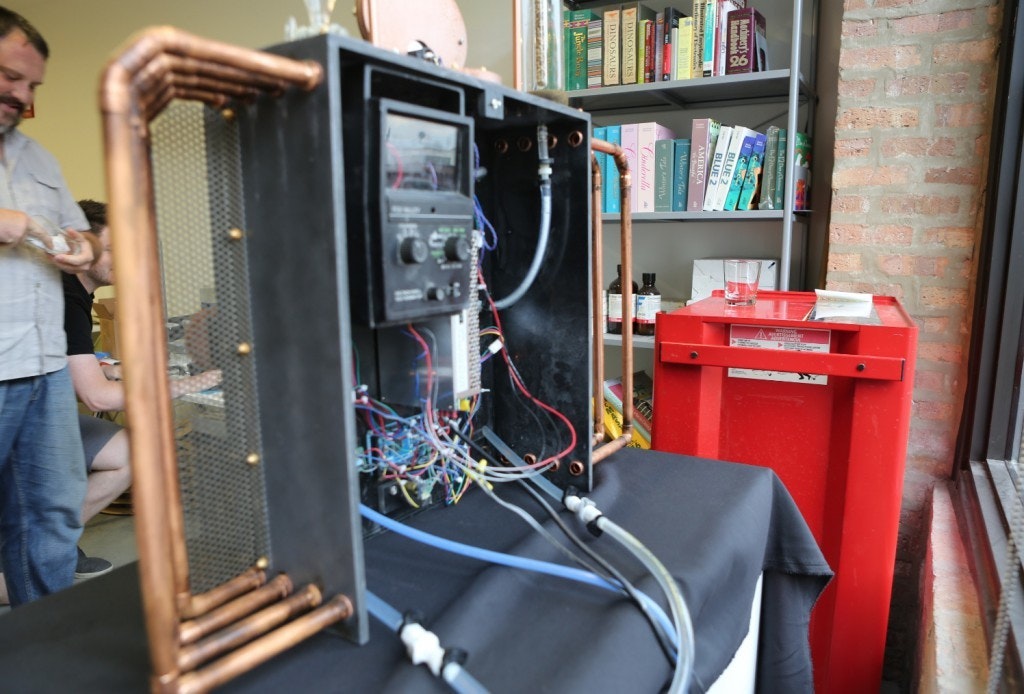
To drive the meter, we needed to boost the 0-5v PWM output of the Arduino Mega to 0-16v. We built a simple, non-inverting amplifier circuit to increase the voltage. A fine-adjustment potentiometer allowed us to fine-tune the maximum voltage and made the meter read full scale.
Code
When the Mix Master 2000 is first powered on, we can’t be sure that the valves are in the correct position. Each motor is stalled against the valve hard stop to establish a home position (the valve hard stop is in the dispense position so there’s no risk of keg leakage). Once the machine’s ready, the crank encoder state is polled and the meter PWM is updated to reflect changes in the shandy-mixture percentage. As soon as the start switch is thrown, the pour cycle begins. During our early testing, we figured out how long it would take to fill a glass with each liquid (the times turned out to be different because of varying carbonation levels). The parameters for beer and lemonade fill times are used to calculate the on times for both valves using the selected shandy ratio.
The cycle sequence starts by opening the beer valve and filling the beer vessel for a predetermined amount of time. When the beer valve closes, the lemonade valve opens for a predetermined amount of time. Finally, both valves move to the dispense position to allow liquid to flow from the two vessels and into the person’s glass. A built-in wait time prevents the start of another cycle, ensuring all the liquid is dispensed.
If necessary, a cancel button throws an interrupt, immediately moving both valves to the safe home position and halting program execution until the Arduino reset button is pressed.
The final touches: steampunking & aging
We’re big fans of steampunk, so from the beginning, we knew we wanted the Mix Master 2000 to look quasi-Victorian. First, we used as much copper and brass as possible, then, drawing on John’s background as a Hollywood set designer, we “antiqued” it using various scenic techniques.
We started by stripping everything off the main body of the machine and painting it all silver. After that dried, we sprayed it again with black paint. While that was drying, we took Scotchbrite pads and scratched the corners, edges, and anywhere else we thought needed a little character. After the black paint layer dried completely, we started to reattach all the other pieces. We painted them copper or brass and scratched them up here and there to add wear and tear.
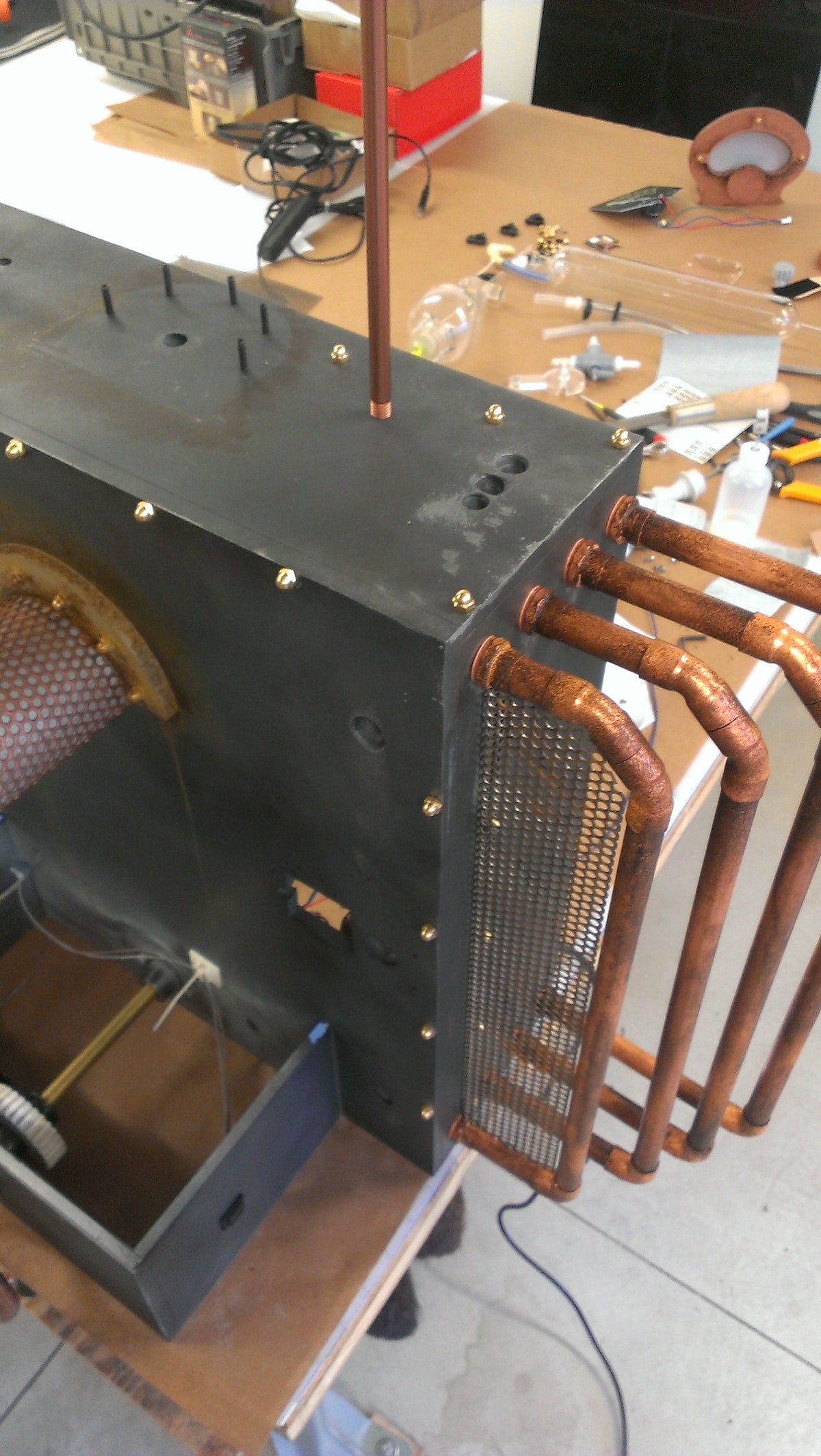
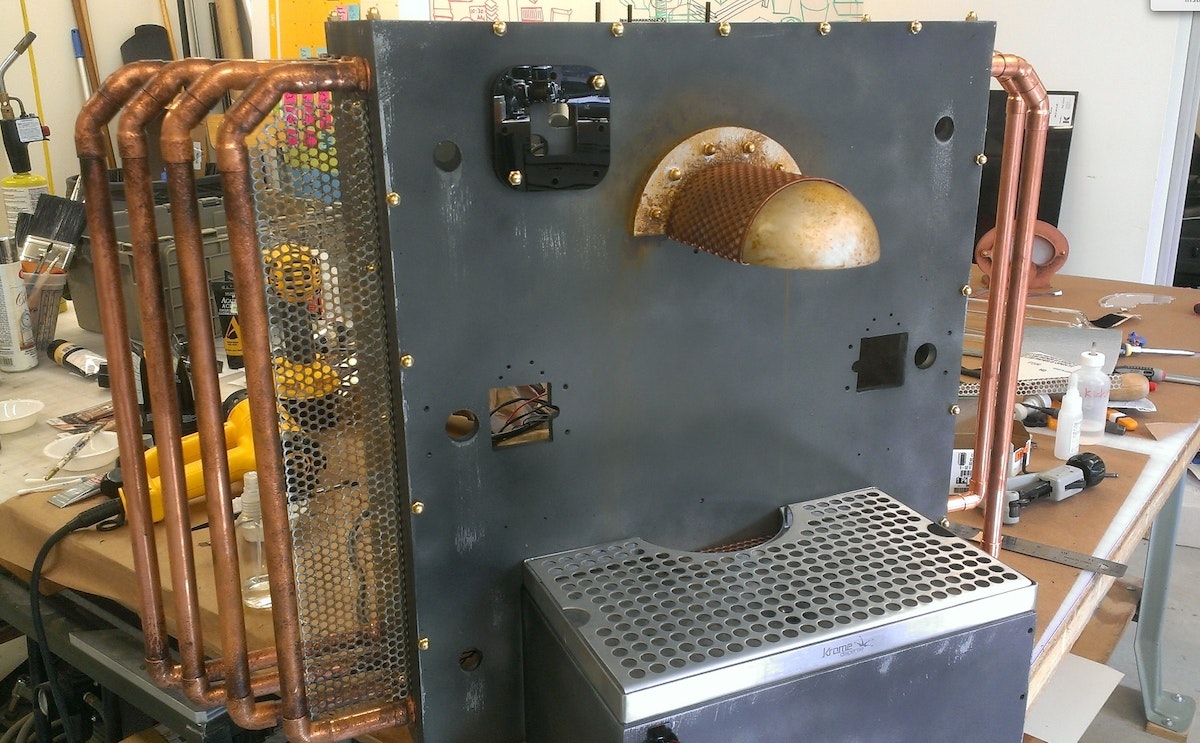
Once the whole machine was reassembled, we decided it should look a bit dirtier. To do this, we mixed different brown-toned acrylic paints with denatured alcohol. We brushed this onto key places like the corners of the motors so it looked like dirt had accumulated and it was streaked with rain (we wiped off the paint before it dried so the effect didn’t look too heavy handed). For sanitation purposes, we didn’t paint the drain tray or the stainless tubes that dispense the shandy.
What’s next
We think the Mix Master 2000’s pretty cool as-is, but there’s always room for improvement. One issue we’d like to address is foaming. The balloon we added on top of the beer vessel helped, but pouring a lot of shandies in succession caused major foam build up. Increasing the amount of back pressure in the vessel could improve this situation, so we’re experimenting with adjustable pressure-relief valves. Coupled with the relief valve, a low-pressure aquarium pump could help to push out the foam more quickly, avoiding a buildup.
While we’re using the Mix Master 2000 for shandies at the moment, it really could be used for any number of two-part drinks: Black & Tans, mixed drinks, or custom non-alcoholic concoctions are all ideas we’re toying around with. As beer geeks, we’re particularly keen to brew two similar beers, one with a bland base and another that has a lot of hops so we can all dial up the perfect hoppy pour.
Parts List
- Main housing — ?” ABS
- Ball valves — McMaster # 4757K52
- Valve gears — FDM
- Valve housing — FDM
- Crank — McMaster #6020K35
- Stepper motors — Lulzbot #817752011303
- Stepper drivers — Sparkfun #ROB-11699
- Arduino Mega
- Display — 4D systems 128x128 Sparkfun #LCD-11377
- Power supply — 12V 5A, 5V 12A
- Meter — salvaged autometer 16v range
- Glass vessels — found in shop
- Glass holders — FDM
- Meter housing — Laser cut acrylic
- Start switch — Sparkfun #COM-11310
We couldn’t have made the Mix Master 2000 without the help of Joe Graceffa’s graphic design skills, Aaron Ferber’s awesome lemonade-making abilities, and Momo Miyazaki's amazing video. This post was co-written with John Grimley.
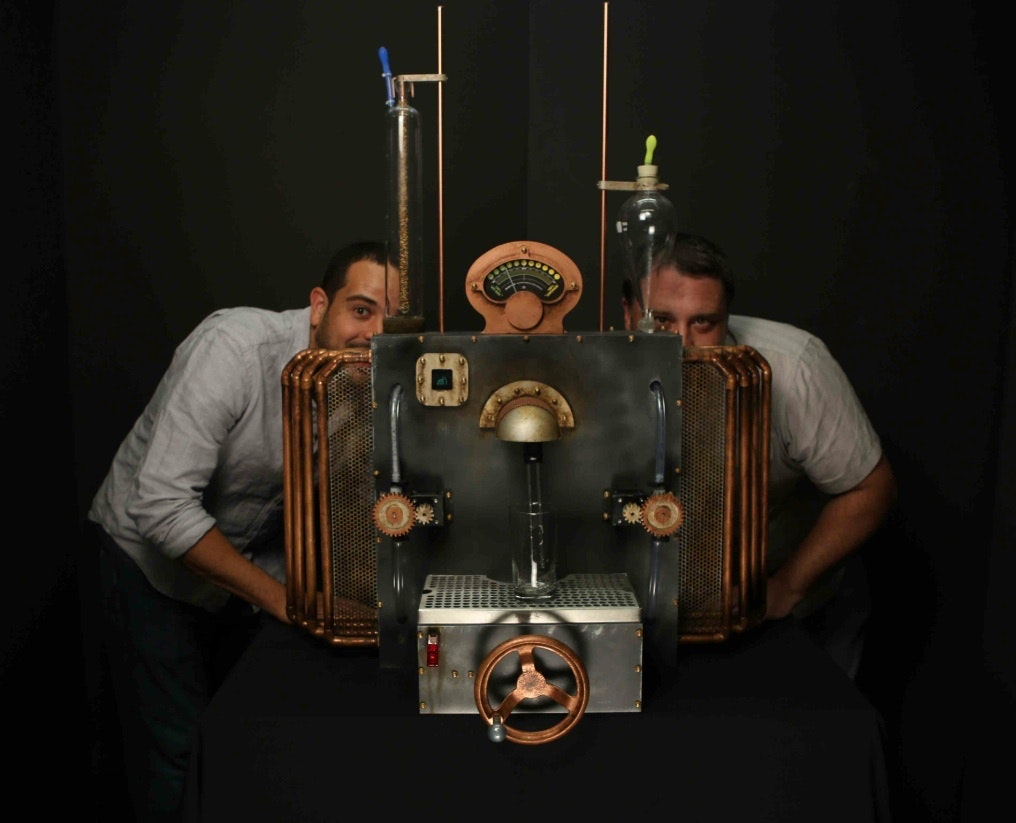
The creators of the Mix Master 2000, Chris Gold and John Grimley.
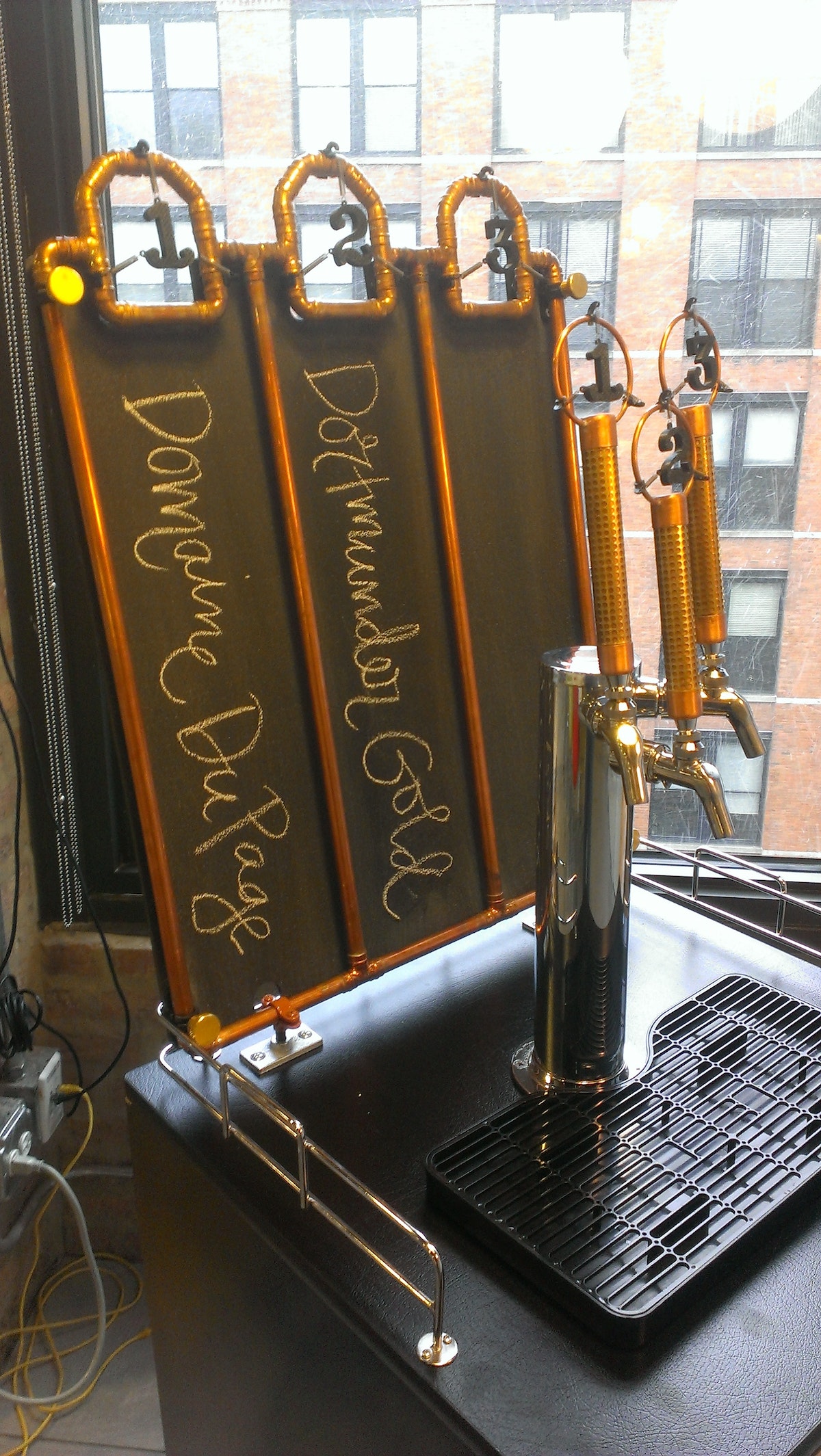
Here at IDEO Chicago, we like beer. A lot. And we don’t just love drinking the stuff, we like brewing it, too. Our ChIDEO Brew Crew started about two years ago and since that time, we’ve made more than 60 gallons, mostly for studio events like Rocktoberfest or St. Paddy’s Day, but sometimes just because it’s Tuesday and we feel like it. We even have a customized kegerator in our kitchen to showcase our drafts.
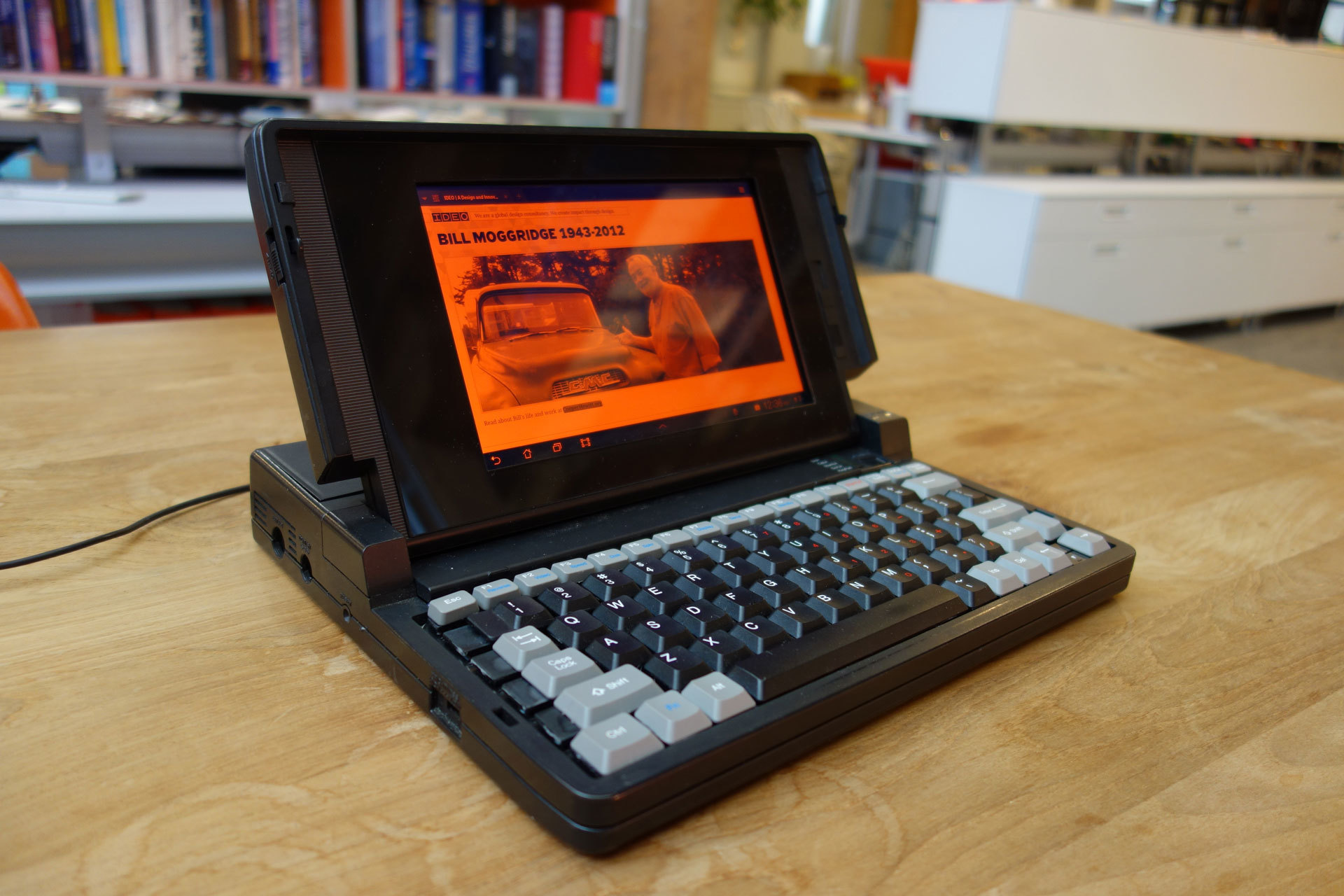
Tribute to Bill Moggridge: GRiD Laptop For Sharing Stories
Remembering Bill Moggridge through reanimating one of his iconic designs
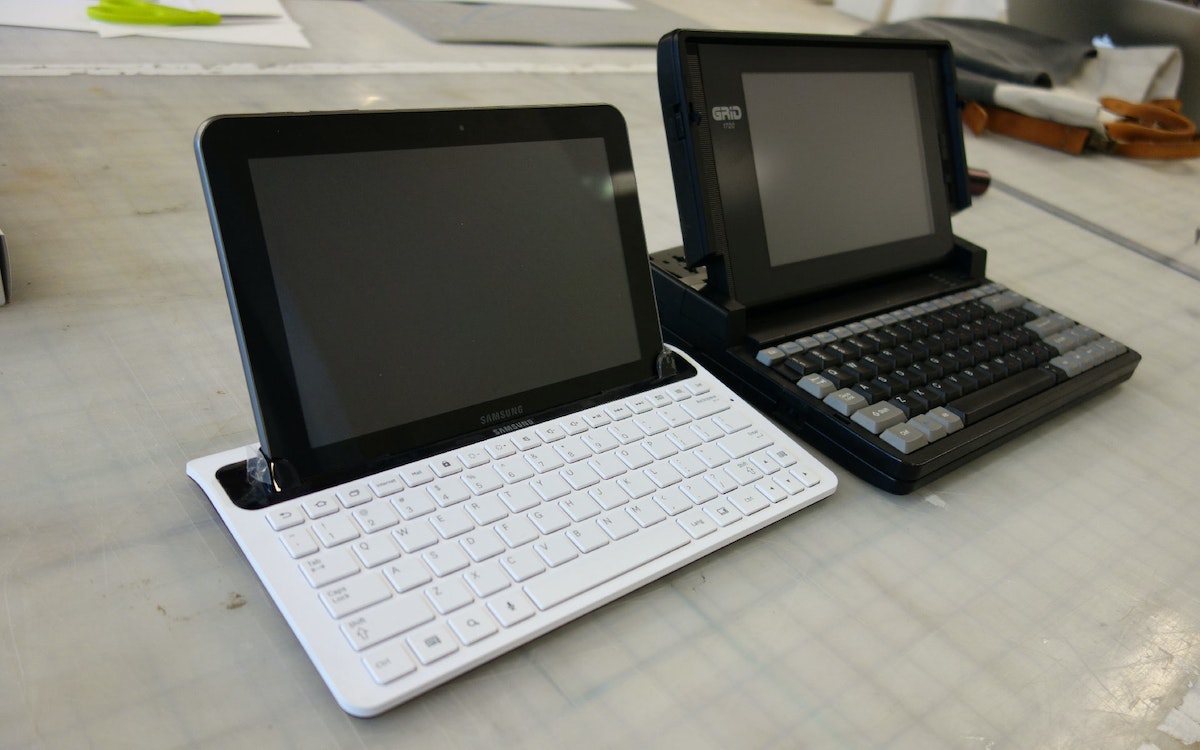
Perhaps one of the most iconic objects Bill designed was the GRiD Compass, the world's first laptop computer. Bill's design was the original clamshell design that all current laptops have descended from. We wondered if we could use a GRiD as a way to collect stories about Bill from around the office.
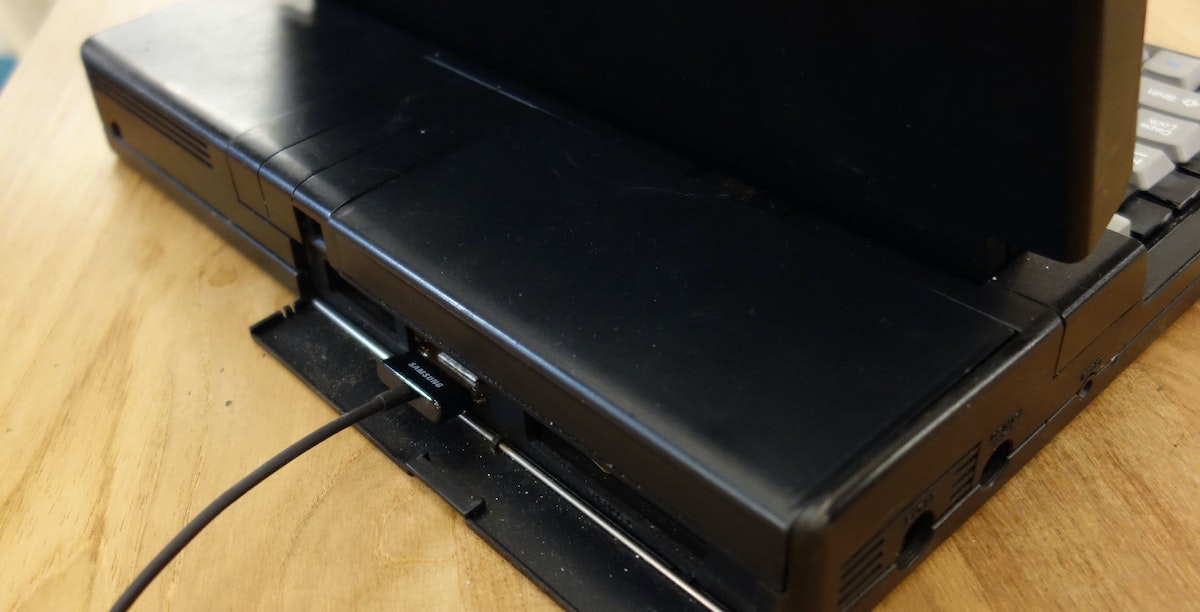
The result is this GRiD Laptop that has been modified to house a Galaxy Tab. It renders everything in orange and black similar to the original GRiD, boasts a working keyboard, and can be plugged in to charge at the base behind the original door that housed the ports.
We are using this laptop as a way to add content to billmoggridge.com which has been created to honor him by sharing our favorite moments, Moggridge-isms, photos, videos, songs, and more.
I hope this puts a smile on your face, just as Bill has done for so many others during his lifetime.
As per usual, I tried to document and share all the details of the build process for others to learn from. Click through for the full details of what went into this build:
Parts:
- Broken GRiD 1720 from Ebay
- Refurbished Samsung Galaxy Tab 8.9 w/ dock and keyboard
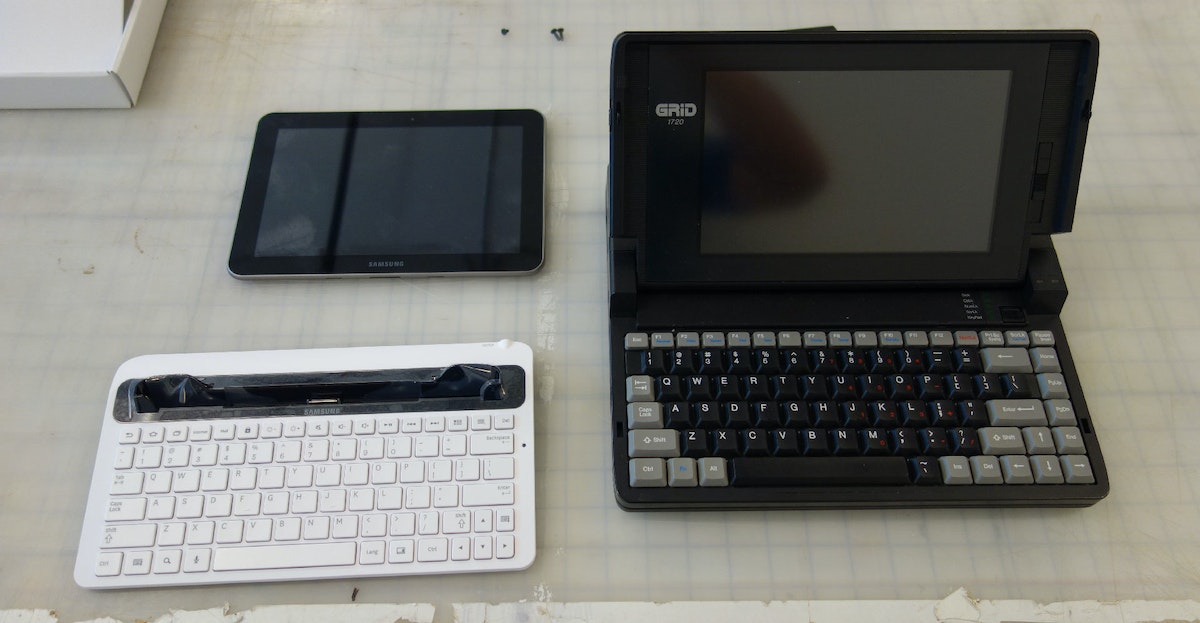
Before we start taking things apart, look at this! Things may not have changed as much as we think...
Taking apart the GRiD:
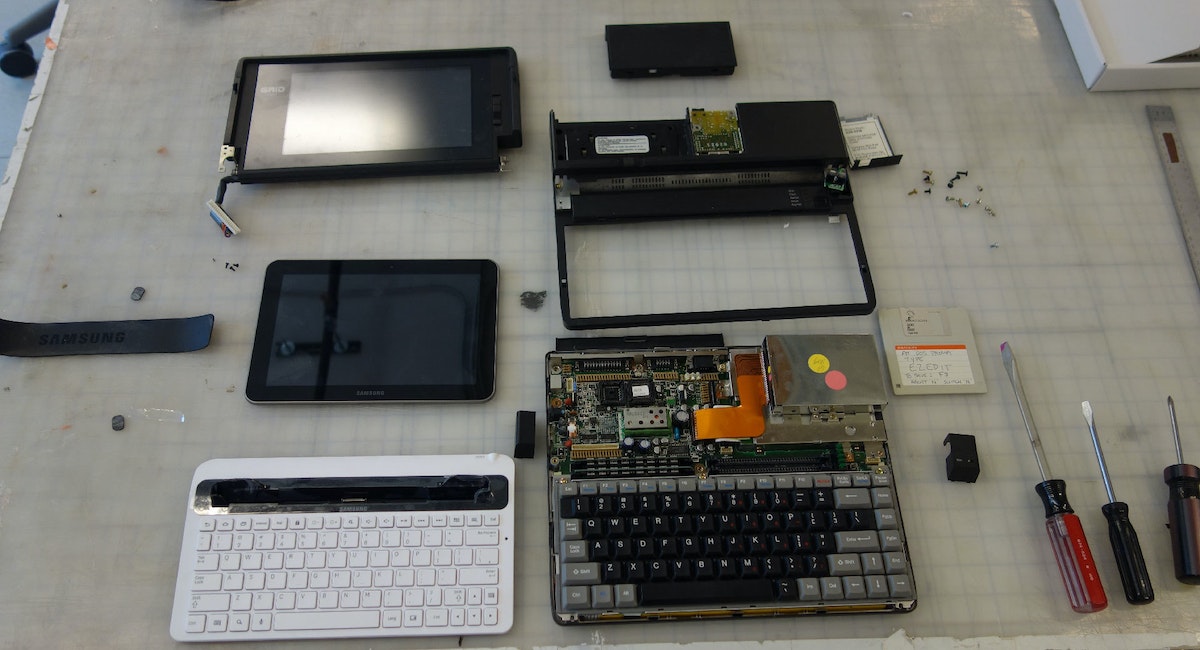
The Display
I wanted to have the charger on the base of the computer and not in the screen. For that we would need to make an extension cable that will work like the original cable that connected the screen. Luckily I have the dock and the keyboard dock to hack. I end up using both.
Here is the dock taken apart:

All we need is this part. This will connect to the bottom of the tablet:
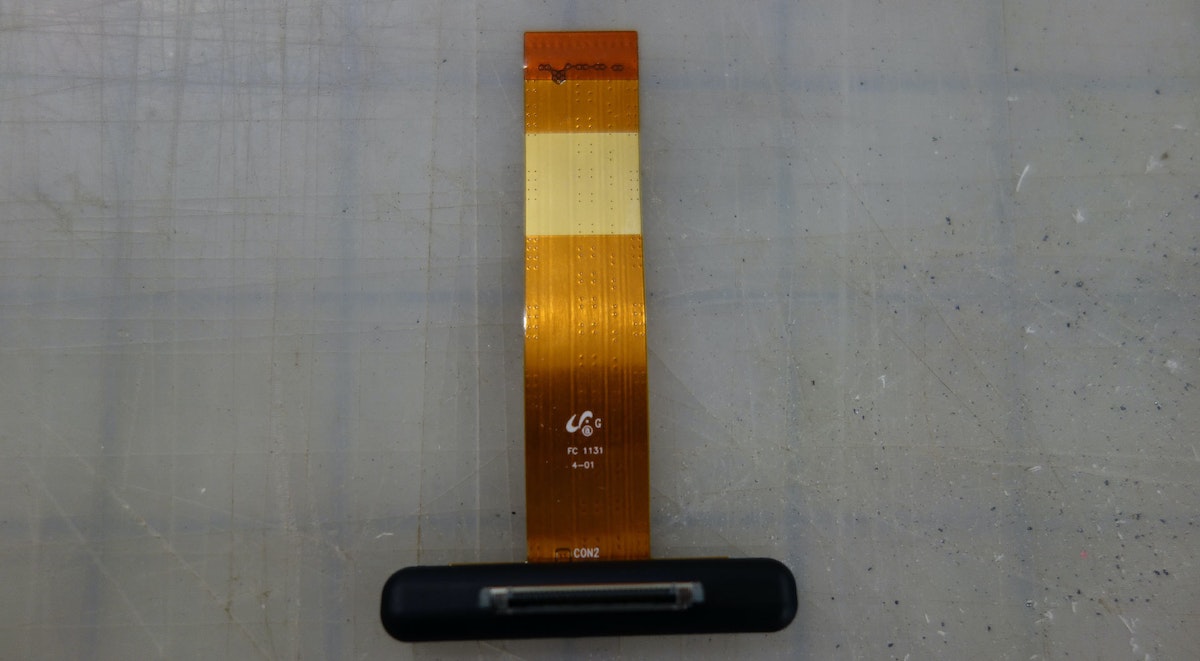
This is the part inside the keyboard dock. I use this as the port to glue into the base of the laptop:
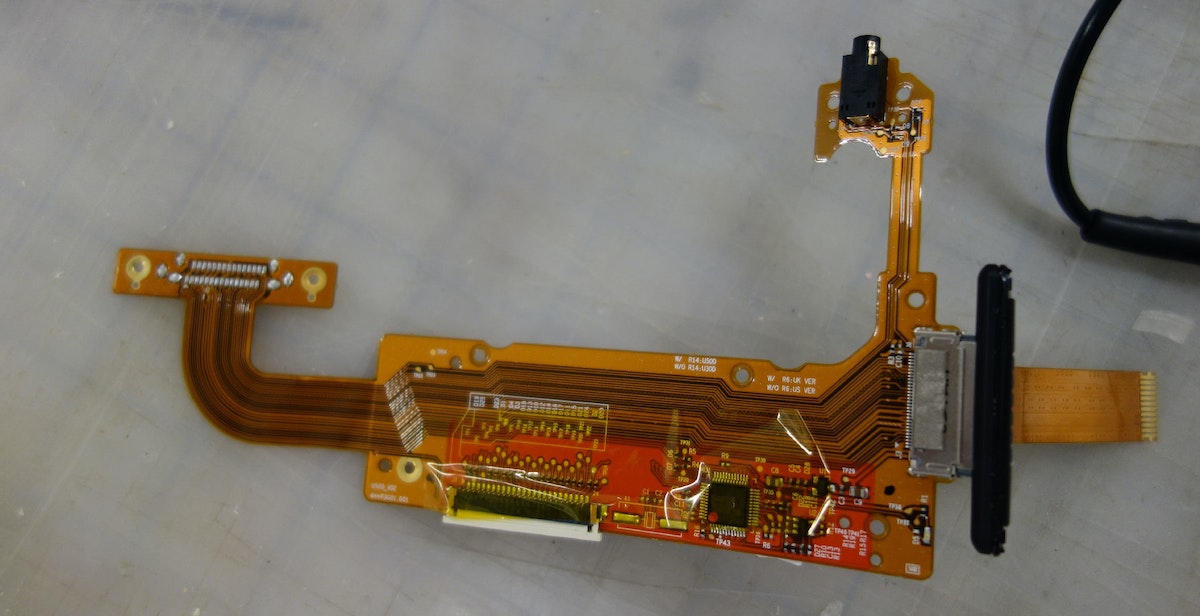
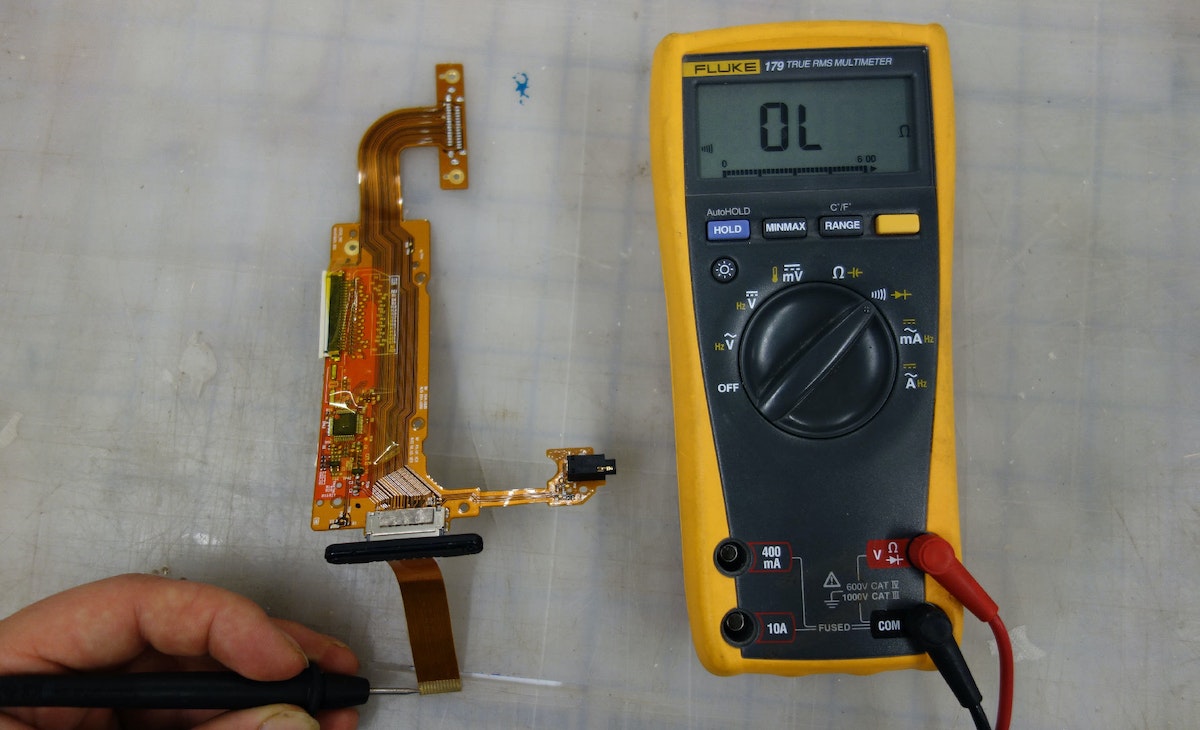
First I de-soldered the connector that originally would have plugged into the tablet. Then I connected the dock part to this keyboard part. Now I can use the multimeter in conductivity mode to probe the connections to learn which pad on the keyboard part will need to go to which pad on the dock part:
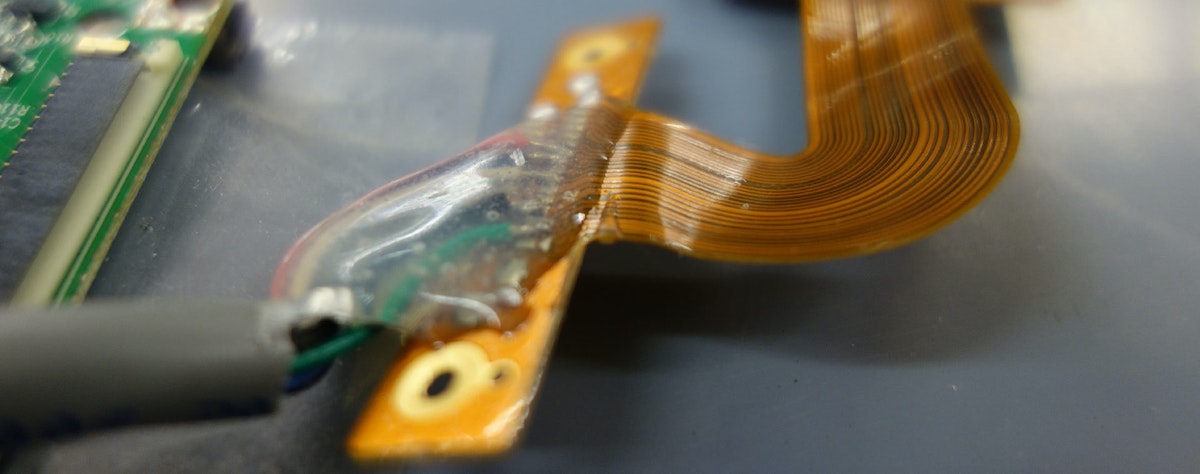
Then I (very carefully) soldered everything up with an ample length of cable to make my extension cable:
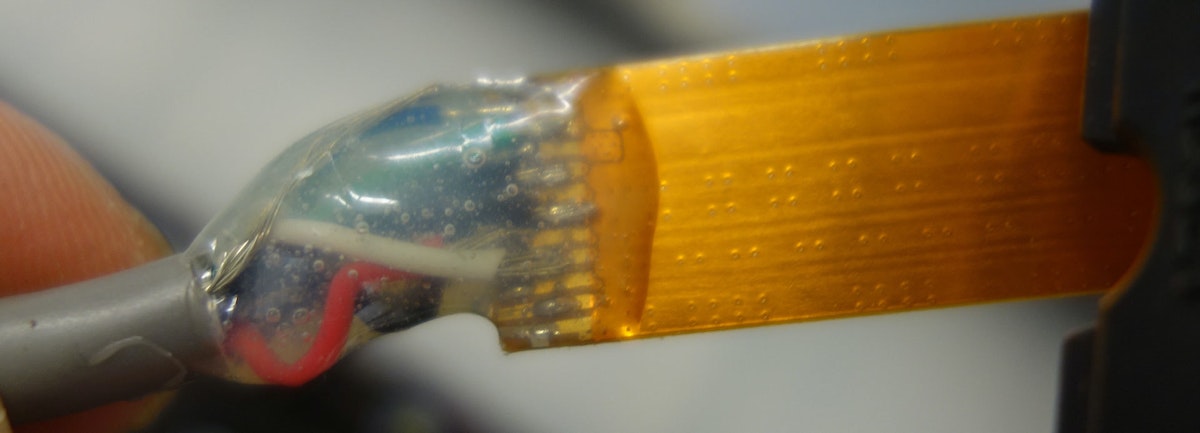
Once I verify the connections are sound, I blob on some 5 minute epoxy to lock everything up so it won't break later.

I couldn't have asked for better luck on fitting this in there! This is the bottom of the connector touching the base of the screen housing:

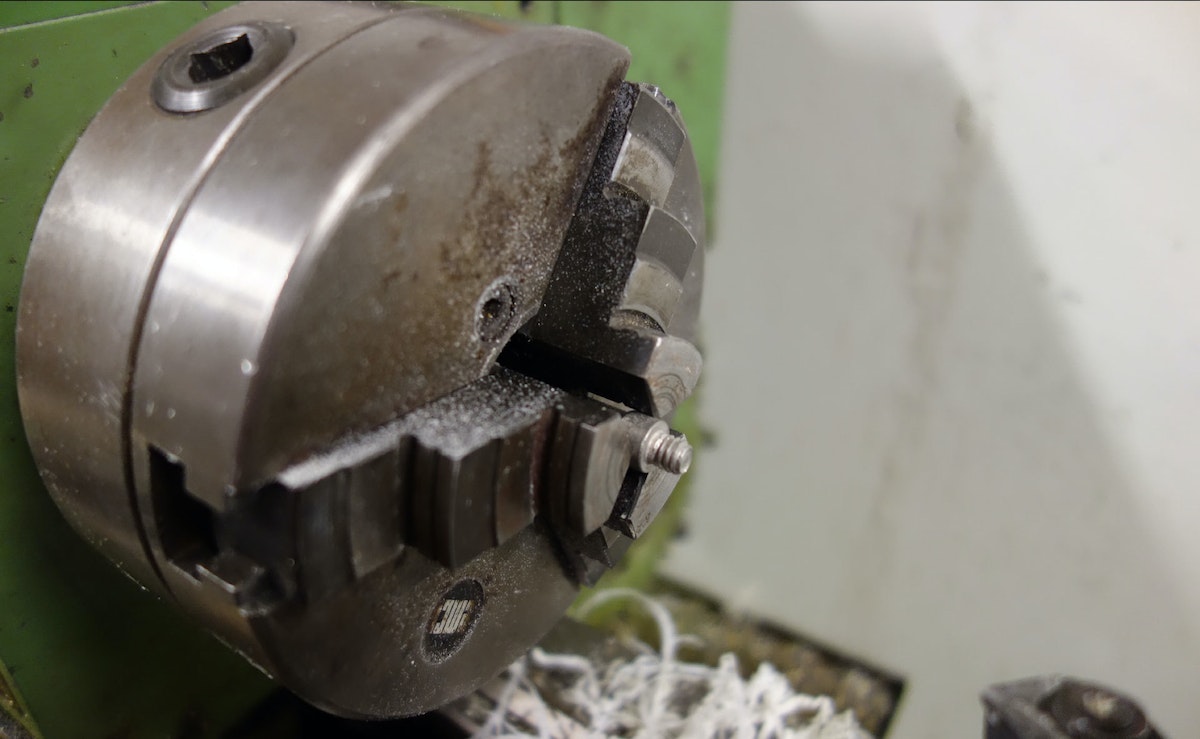
Lastly, there was no way to wake up the tablet once I put it in the housing, so I put a bolt in the lathe and turned a button that sits in the casing and allows you to press the button from the outside:
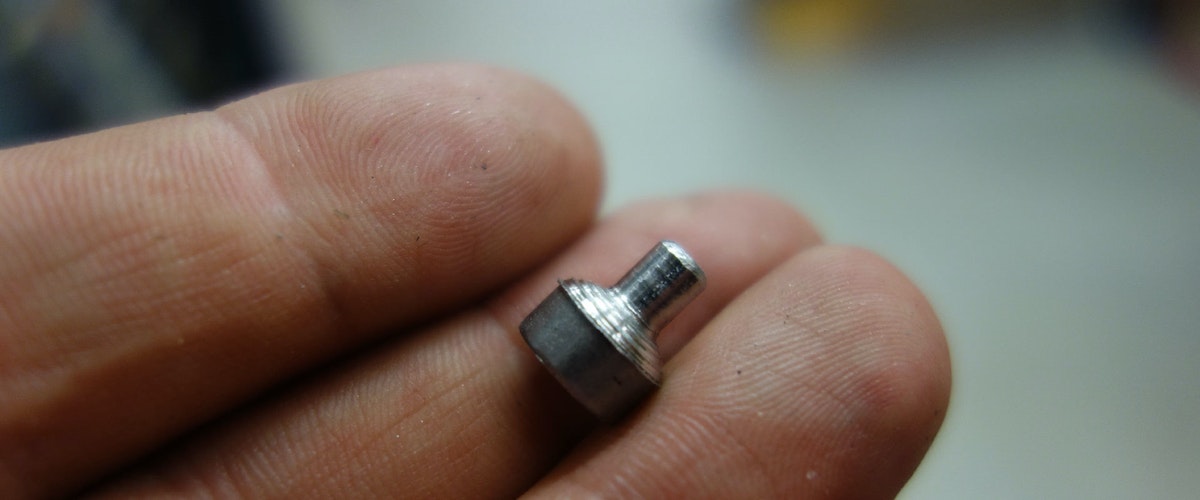

Lastly, I had to cut a hole in the display window so you can touch the screen of the tablet. I tried doing this with an x-acto and failed miserably. Luckily, our model-maker extraordinaire, John Grimley, came to the rescue and laser-cut / backpainted a replacement bezel. Thanks!
The Keyboard
Now on to the keyboard. I used a bluetooth keyboard from Motorola. The Samsung one that came with the tablet was too small. I was pretty lucky to find one with almost the exact size of the original GRiD keyboard:
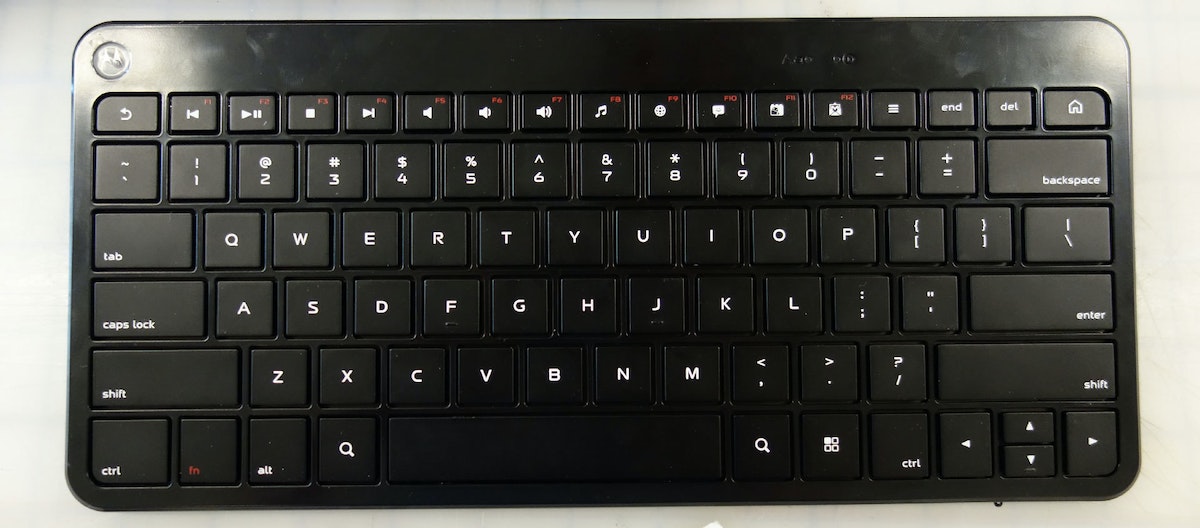
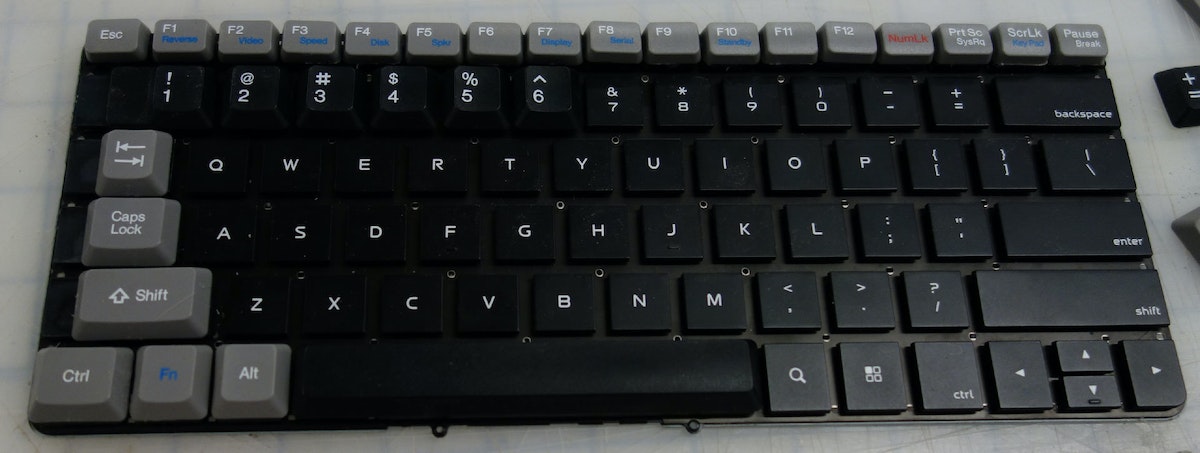
I took all the keys off the GRiD and sanded them down so I could glue them flush to the bluetooth keyboard:
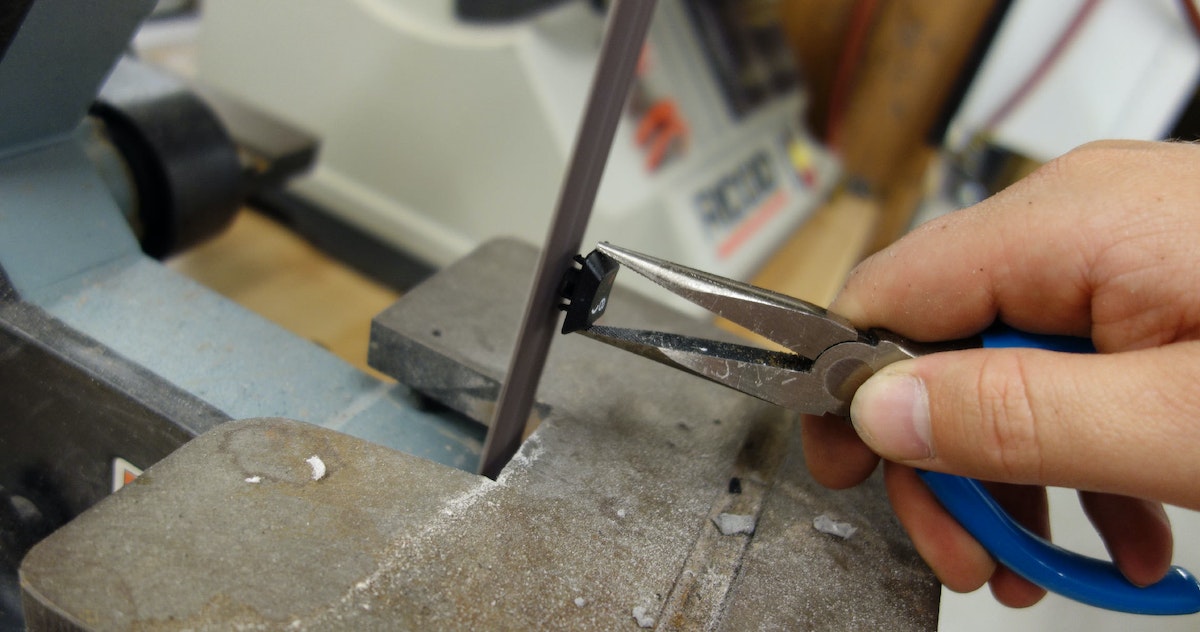
I used hot glue, a steady hand, and a lot of patience:
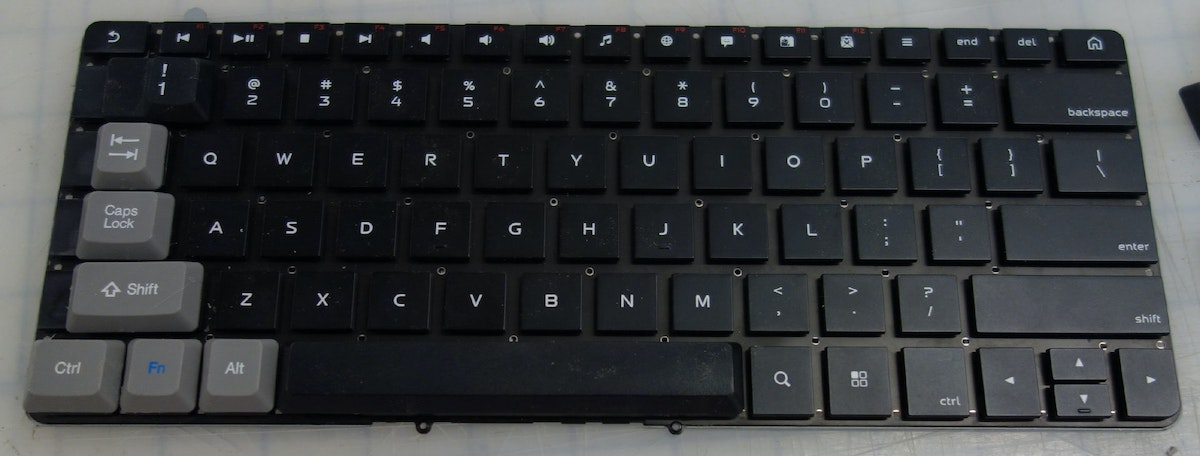
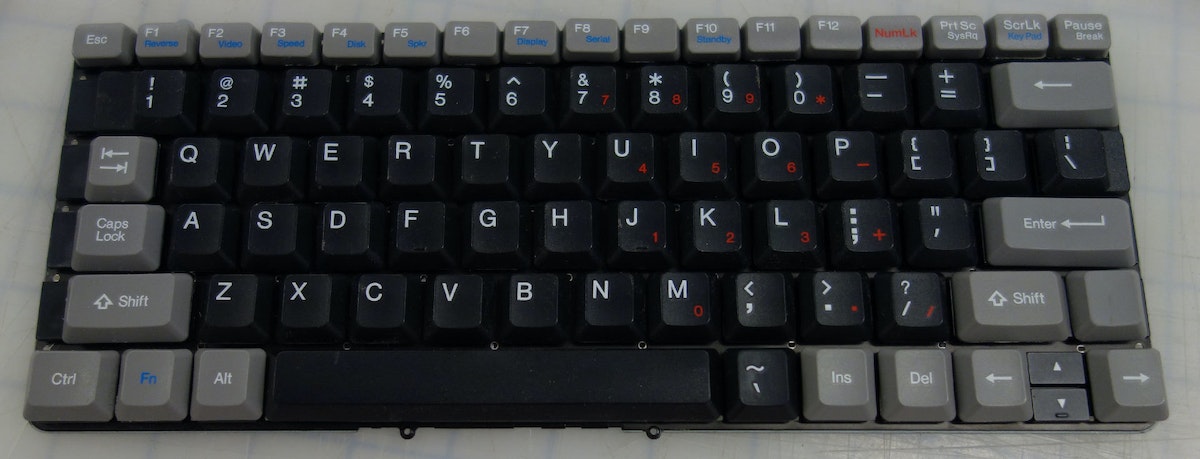
Now we have a proper keyboard, we need to wire it up. I wired the pairing button to the original power button of the GRiD because you have to press the pair button every time you power on. One reason I made that cable using the keyboard dock circuit board earlier is because the board breaks out power and ground which I can wire to power the bluetooth keyboard. This way there are no batteries to replace.
The Bluetooth Board:
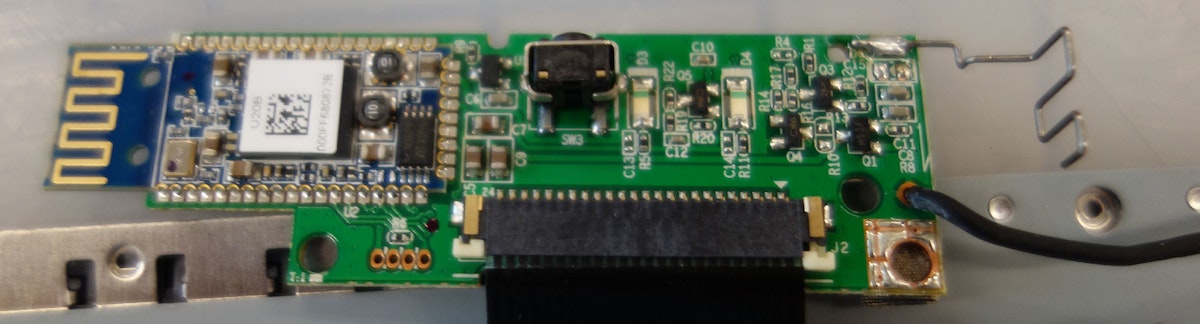
Wired onto the keyboard dock:
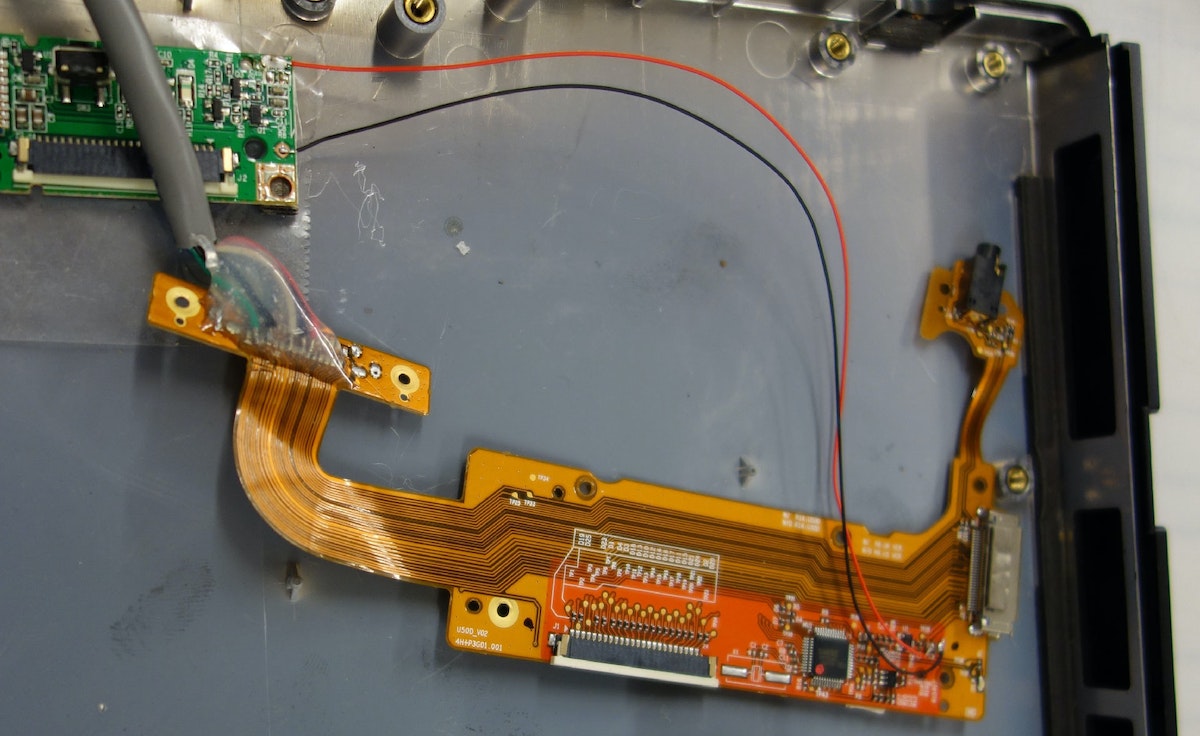
Now everything is wired together, so I just place the connector in the original slot for the parallel port:
The Software:
This was actually the most difficult part to figure out. I wanted to have the display be yellow-orange on black like the original GRiD. I started poking around on the Android XDA-developers forum to dig up information. I won't go through all the steps in detail, but after trying versions of Android Ice Cream Sandwich, Jelly Bean, Cyanogen Mod, etc. etc. I found that I had to re-install Android Honeycomb (which was on there in the first place!) and install Chainfire 3D:

This app calls itself “an intermediary OpenGL Driver“ so it sits in the middle and can mess with commands going to the GPU. This requires a rooted device. There's a guy on YouTube who does an awesome walkthrough on how to root a Galaxy Tab 8.9. If you are looking to do something similar.
Chainfire 3D has a “Night Mode“ that allows you to mess with which colors function and to what degree:
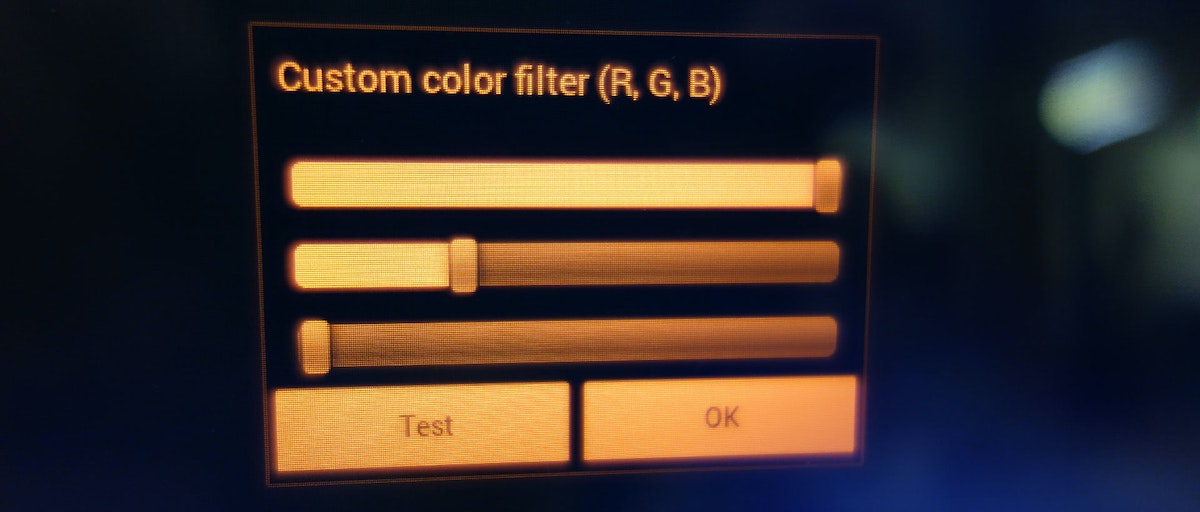
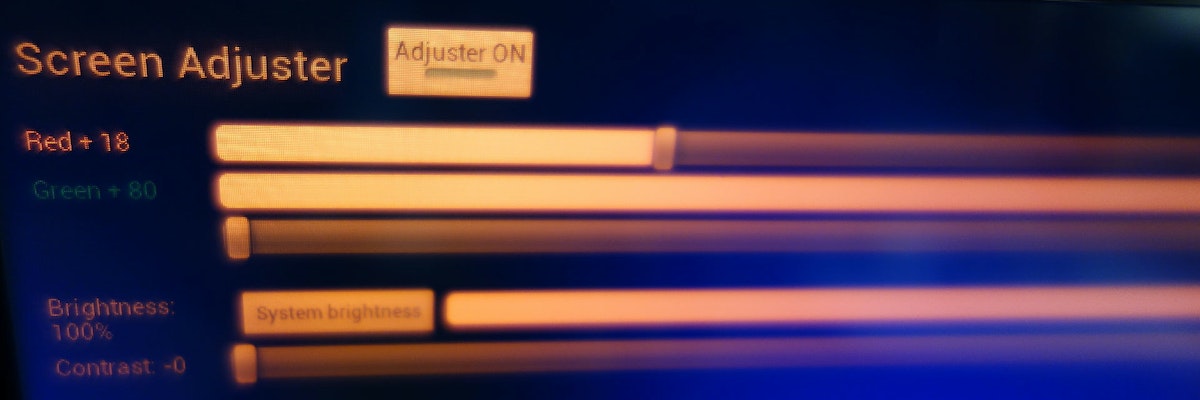
However, it still wasn't changing the color! It would change only during screen transitions when there was some sort GPU task happening. I decided to try some hacks to force the GPU to constantly be running letting Chainfire have the ability to intercept things. I had seen some other “screen tinting“ apps that on their own didn't accomplish what I wanted, but added a level of something going on so Chainfire could do it's job. The one I used is called “Screen Adjust.“
Before:
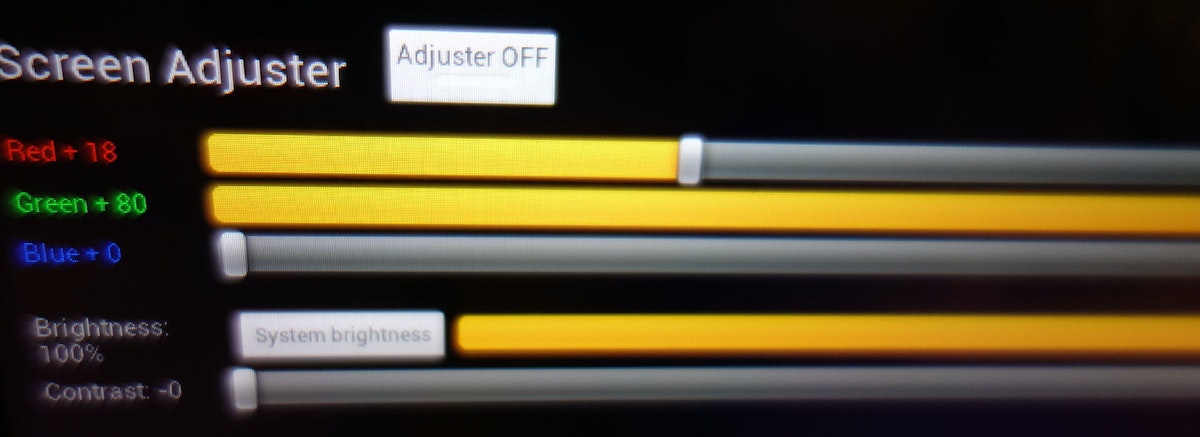
After!
The Website
While I was working on the GRiD, IDEOers Arjun Mehta and Katie Clark—along with several others including Lance Birtcil, Ben Booth, Francis Tseng, Ivy Hu, Danny Stillion, Tom Hardin and Tim Brown—were putting together the tribute website that the laptop was built to access: billmoggridge.com.
It's really beautifully done, so go check it out to see what kinds of fantastic stories have been shared.

With the passing of IDEO co-founder Bill Moggridge, we have been reflecting on the ways he has influenced our lives and made the world a better place. Bill has had an enormous impact on the field of interaction design and professed the importance of making interactions delightful.

Lindsey Turner
I’m passionate about building brands, products, and experiences that help organizations show up with meaning and momentum.
I help organizations cut through complexity by shaping how they show up, through brand strategy, identity, and storytelling.
Working at the intersection of brand and business, I bring an editorial eye and a bias toward making—turning ideas into tangible experiences that people can understand, trust, and believe in.
My work spans government, healthcare, financial services, media, and consumer goods, from launching Gen Z-focused ventures to building innovation labs and reimagining legacy brands. I relish moments of ambiguity and enjoy translating across teams, perspectives, and priorities to move ideas forward.
I started my career in editorial and digital design, shaping cross-platform experiences and identity systems in publishing and agency environments. That foundation still shapes how I work today: I’m detail-oriented, collaborative, and overreliant on the Oxford comma. I hold a BFA in Visual Communication from the School of the Art Institute of Chicago.

Rachel Young
My work helps organizations see who their products aren't working for—and build the will and the tools to do something about it
For 25 years, I've asked the same question: Who does this design exclude—and what are we going to do about it?
My work spans human-centered strategy, inclusive design, and qualitative research, with clients ranging from Microsoft, Google, and Verizon to the National Science Foundation, and San Francisco Unified School District.
Before IDEO, I taught elementary school in East Palo Alto and spent a decade doing design work with social service organizations—where I learned firsthand what it costs people when systems are built without them in mind.
I am currently writing User Error, a nonfiction book about digital access and the design decisions behind it. I live in Oakland, California.

Brian Pelsoh
I lead with craft, ensuring our work is creatively excellent: rooted in deep human insight and imagination, while also grounded in the realities of business and technology.
My expertise spans brand, communication, and product design across tech, education, the arts, and social impact.
I believe great work demands both high-level vision and obsessive attention to detail, and only happens through collaboration.
I bring an inclusive, hands-on approach and a deep understanding of business, which enables me to consistently deliver excellence while always asking why.
Before joining IDEO, I worked at the brand firms Pentagram and VSA Partners. I began my career as a designer, leading teams at the School of the Art Institute of Chicago and the Milwaukee Art Museum. I hold an MFA in graphic design from Maryland Institute College of Art and a BFA in communication design from the Milwaukee Institute of Art & Design, and have taught at some of the best design schools in the US.

Tony Wong
I am responsible for IDEO’s long-term success in China and working with clients to use design as a tool to enable growth.
I am responsible for IDEO’s long-term success in China and working with clients to use design as a tool to enable growth. Specifically, I have helped Chinese companies design holistic brand solutions through the development of their products, communication, services, and innovation teams, and I have helped multinationals expand their presence and influence in China.
I advise global leaders on developing China-led innovation and capabilities.
In over 15 years in IDEO Shanghai, I have worked on projects that use design to elevate the quality of the experience of healthcare products and services, streamline processes that increase productivity, create spaces and programs that promote and enable inclusive communities, and build next generation mobility solutions that are planet-positive.
Before joining IDEO, I worked at Philips Electronics and the Electrolux Group in Italy, the Netherlands, and Singapore on a number of breakthrough commercial products. I am a member of the Young President Organization in Shanghai.

Building a personal AI for the messiness of life: Sida Li
Most AI products today are built for work—a space with clear problems and established systems. One founder noticed a gap: personal life is messier, harder to systematize, and mostly left behind by the AI boom. So she built Cue, a personal AI that lives inside iMessage and group chats, to go where the other tools haven't.
In this episode, Becca Carroll, IDEO's Chief Strategy Officer, talks with Sida Li, co-founder and CEO of Shared Context Lab, about staying anchored to a human need while the technology around her keeps changing shape, why she treats her business model with the same rigor she'd bring to a product, and what it feels like to build a company at this particular, disorienting moment in AI.
The conversation also gets into how Sida makes design decisions: the language Cue uses to describe itself, the tradeoffs behind building inside iMessage instead of a new app, and a real story about a business idea that didn’t pan out.
This is the second in a two-part series profiling founders from IDEO's Startups-in-Residence program. The first conversation is with Johannes Seemann, founder of Sooner, on designing GenAI for the emotional side of money.

Designing GenAI for the emotional side of money: Johannes Seemann
Most personal financial tools are built to run the numbers and optimize towards a budget. While that works for some, most people experience money as a lived relationship that does not neatly fit into a spreadsheet. Johannes Seemann and Becca Carroll discuss why money is emotional before it is mathematical, and what a human-centered approach to building a generative AI financial product looks like in practice.

The curious leader's edge in uncertainty: Scott Shigeoka
Mina Seetharaman talks with Scott Shigeoka, author of Seek and Head of Curiosity Cultivation at the Eames Institute, about what distinguishes genuinely curious leadership from performative curiosity, how power dynamics shape curiosity, and why practicing curiosity can restore energy rather than drain it.

How constraints make us more creative: David Epstein
Mina Seetharaman talks with David Epstein, author of Inside the Box and Range, about why total freedom often produces average work, how leaders can design useful limits on purpose, and what organizations such as General Magic and Pixar reveal about the relationship between boundaries and creativity.
Looks like you might be in search of something very specific?
Or reset the filters above and try another angle.
Here’s some random inspiration

Podcasts about creative leadership
Articles about the power of prototyping